
01Who this is for
- Businesses that need to distribute appointments fairly among staff members.
- Team managers who want to automate scheduling and keep workloads balanced.
02Round robin calendars, explained
Round Robin Calendars automatically route booking requests to the first team member who is free at the chosen time. If the first assigned member is busy, the system checks the next person, continuing until an available slot is found. When no member is free, the client is asked to pick another date or time.
The calendar lives under Settings > Calendars or the Calendars tab inside a subaccount. It includes options for naming, team member assignment, custom URLs, meeting length, availability rules, and payment acceptance. Slot capacity limits control how many appointments can occupy a single time slot.
03How businesses use round robin calendars
- Dental practice. The practice creates a Round Robin Calendar, adds all hygienists and dentists as team members, and sets a 30 minute slot duration. When a patient books, the system assigns the appointment to the first available provider, preventing double booking and balancing each clinician’s schedule.
- Fitness studio. The studio sets up a Round Robin Calendar for personal training sessions, enables Accept Payments, and configures a custom URL for the booking page. Clients select a time, and the platform automatically assigns the session to the trainer who is free, while also collecting the session fee at checkout.
- IT consulting firm. The firm creates a Round Robin Calendar for support calls, adds all consultants as team members, and defines availability windows. When a client requests a call, the system picks the first consultant with an open slot, ensuring a quick response without manual routing.
04The numbers and rules that matter
- Each confirmed appointment reduces slot capacity by 1.
- If an appointment overlaps multiple time slots, availability is reduced by 1 in each affected slot.
05Before you start
- At least one team member must be assigned to the Round Robin Calendar during setup.
06How to set up and use round robin calendars in HighLevel
Create a round robin calendar
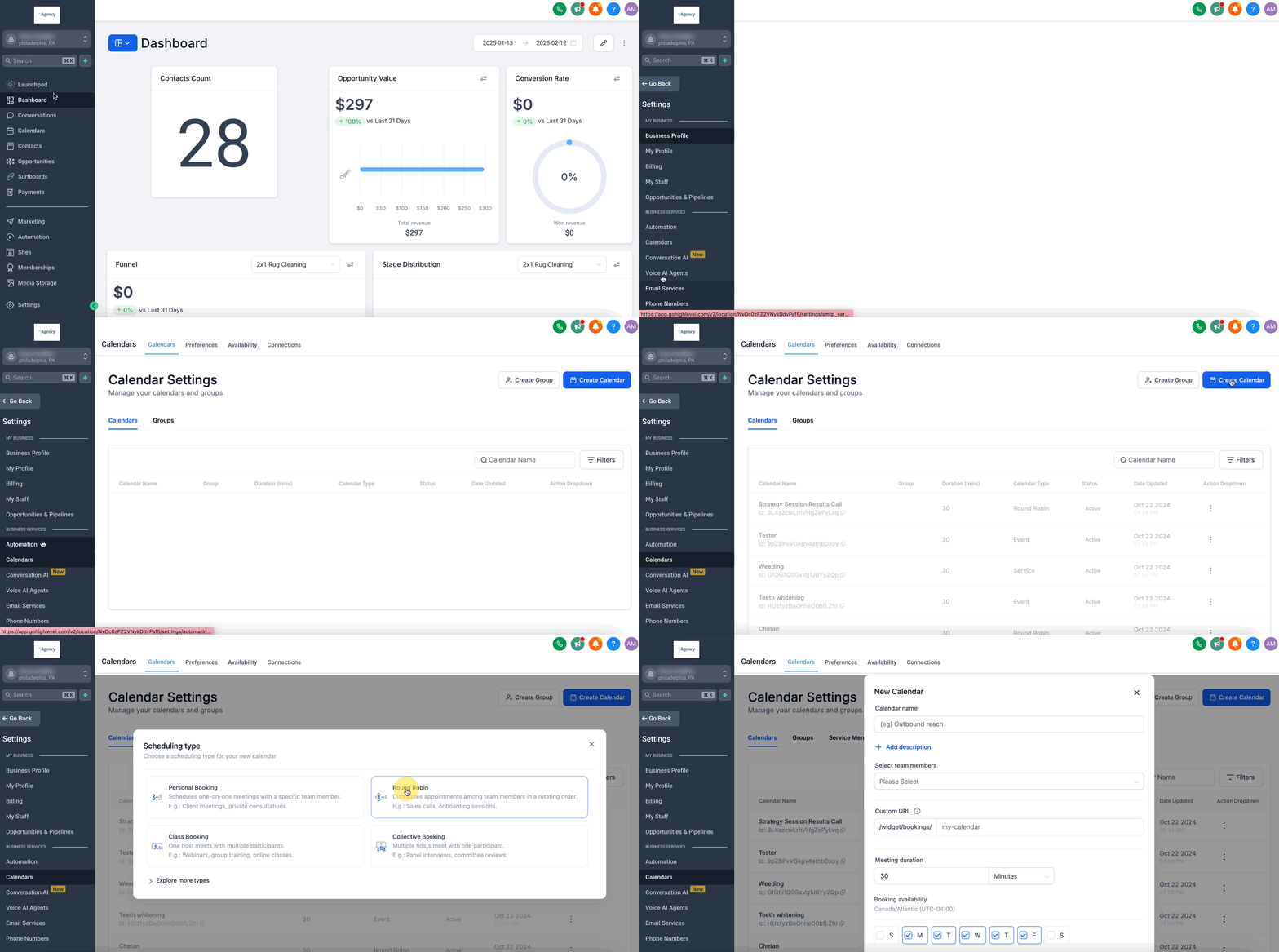
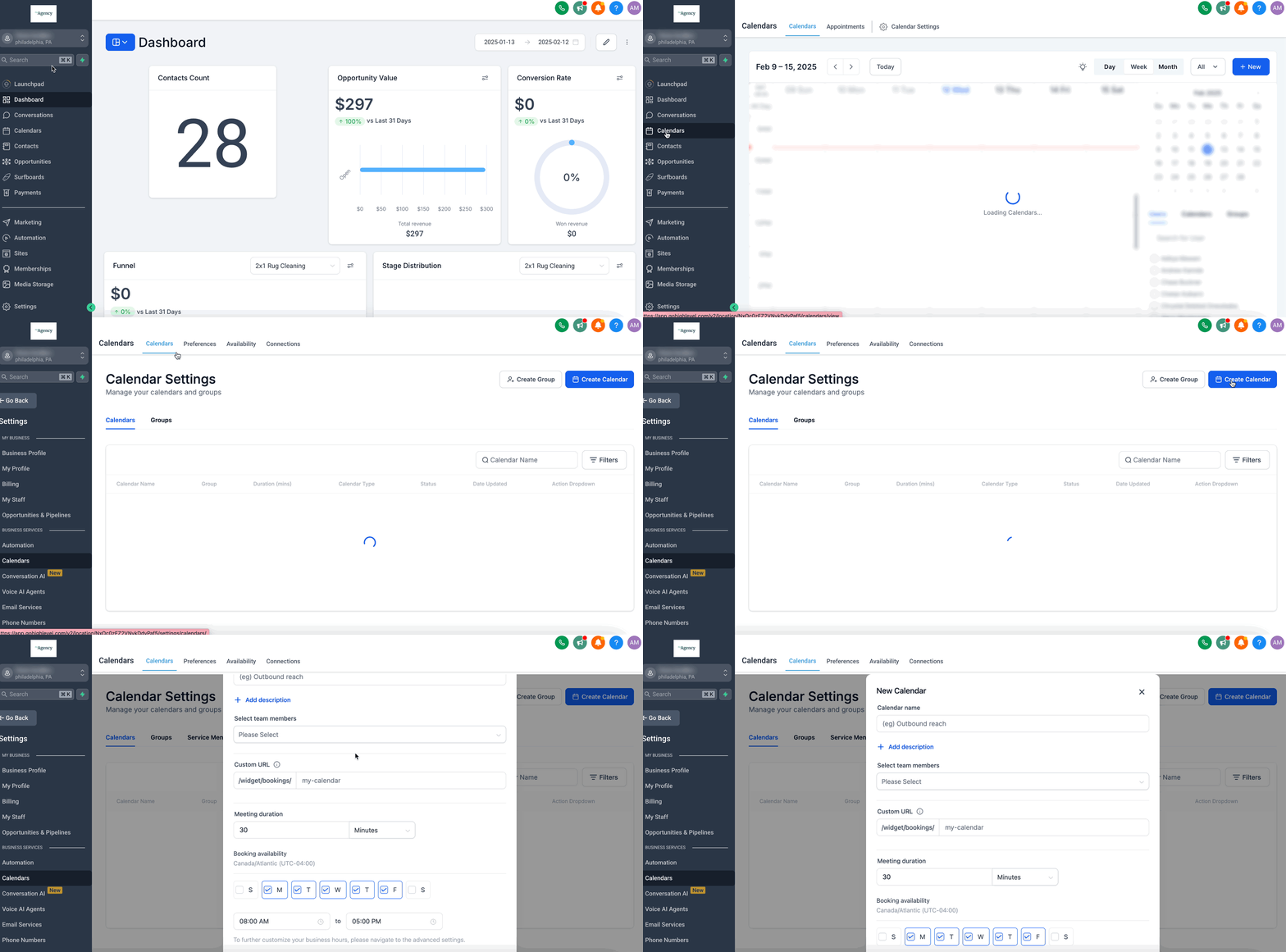
- Open Settings > Calendars (or the Calendars tab in a subaccount), click Create Calendar, and choose Round Robin as the type.
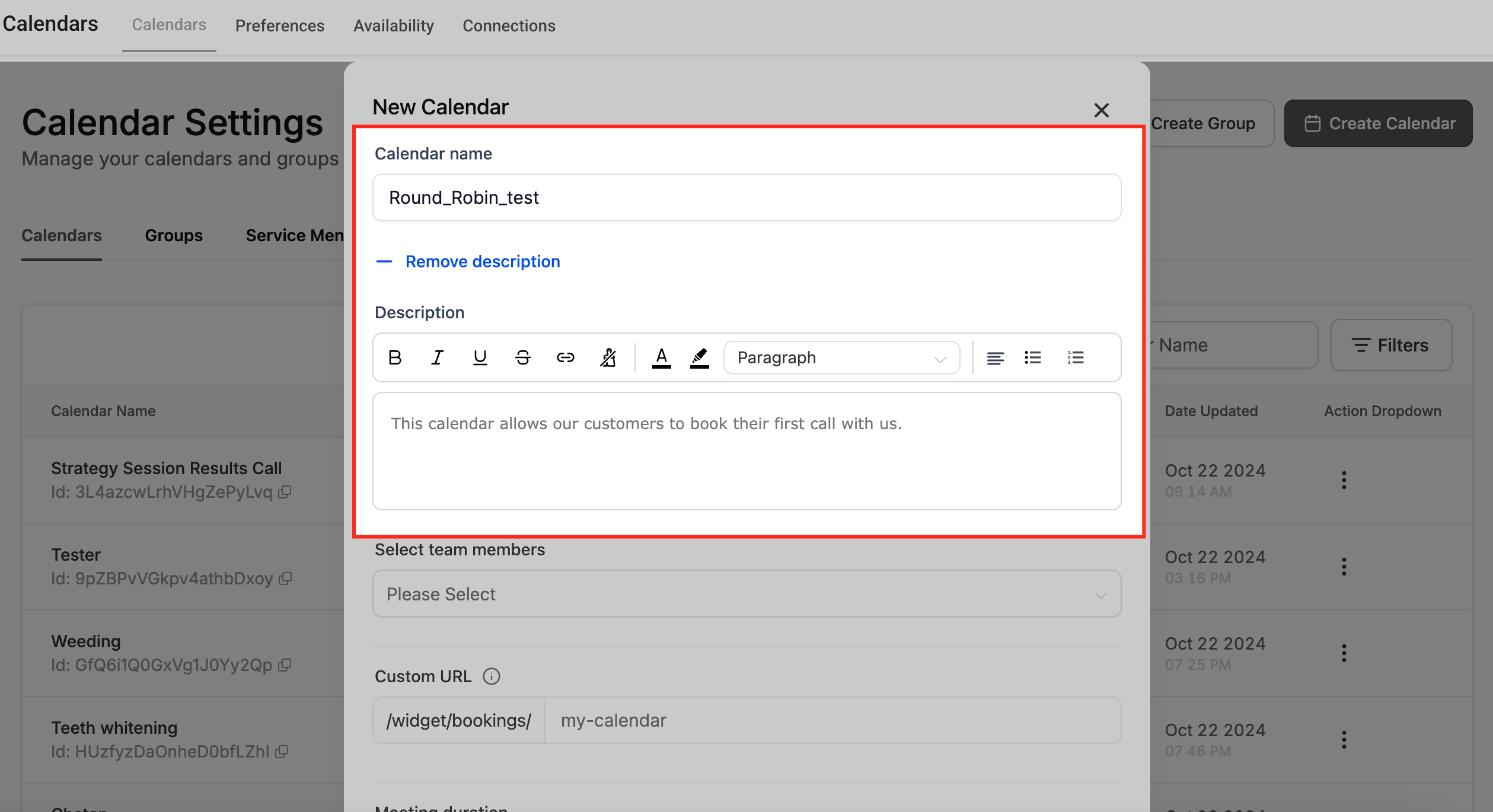
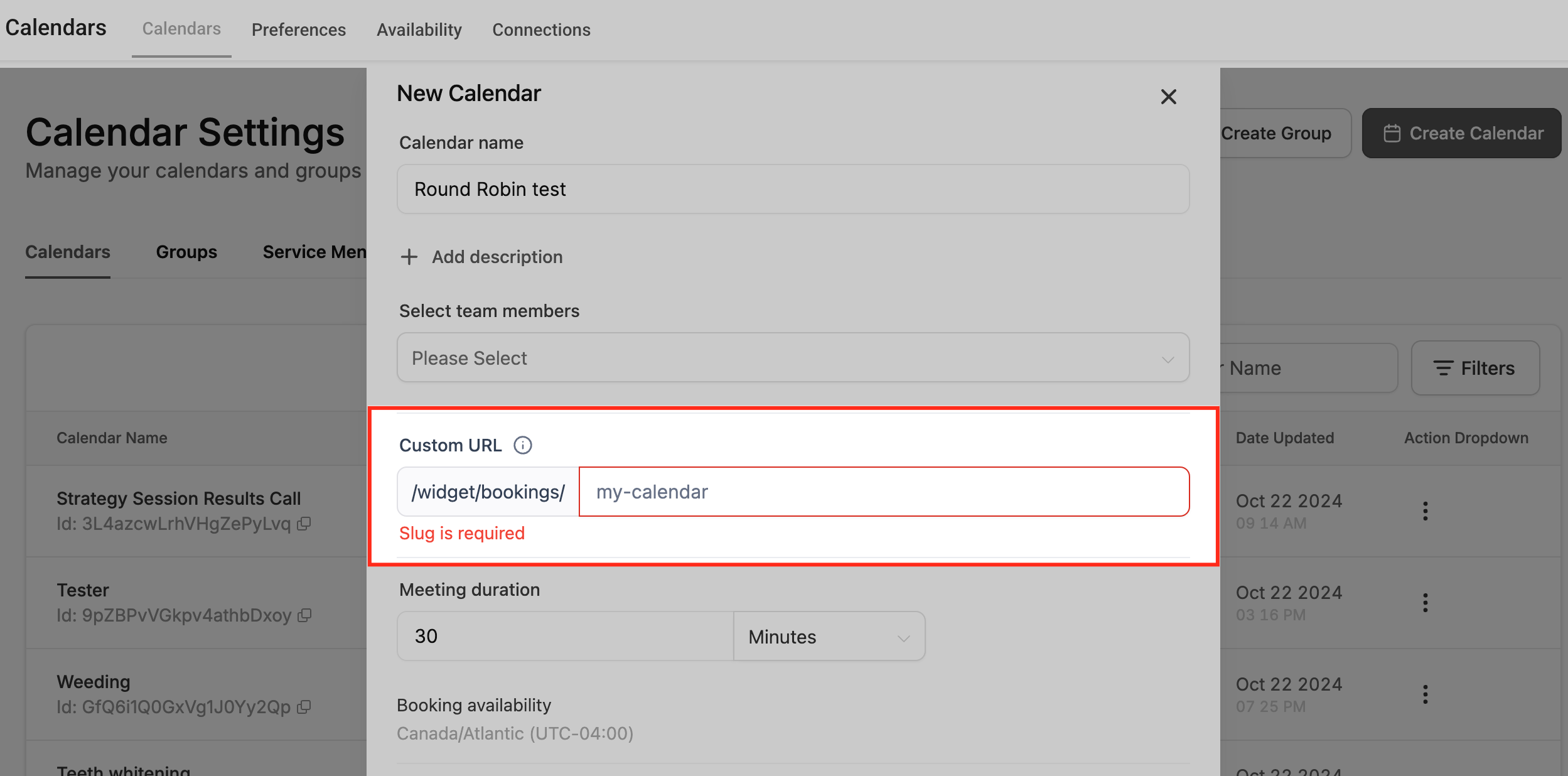
- Enter a calendar name and an optional description to clarify its purpose.
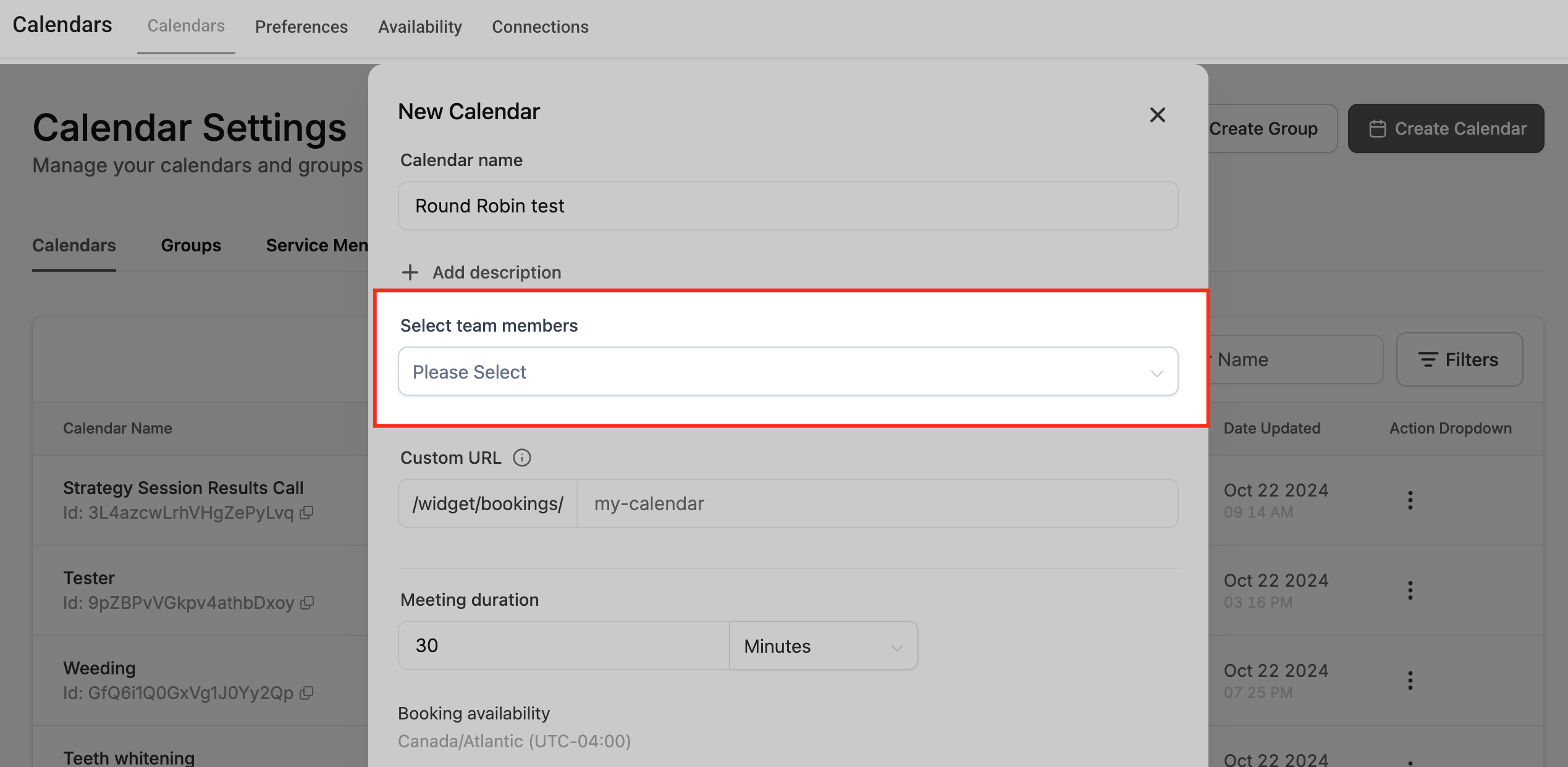
- Select one or more team members who will receive appointments through this calendar.
- Edit the automatically generated custom URL slug if desired; the system will verify the URL’s availability and alert you if the URL is already taken.
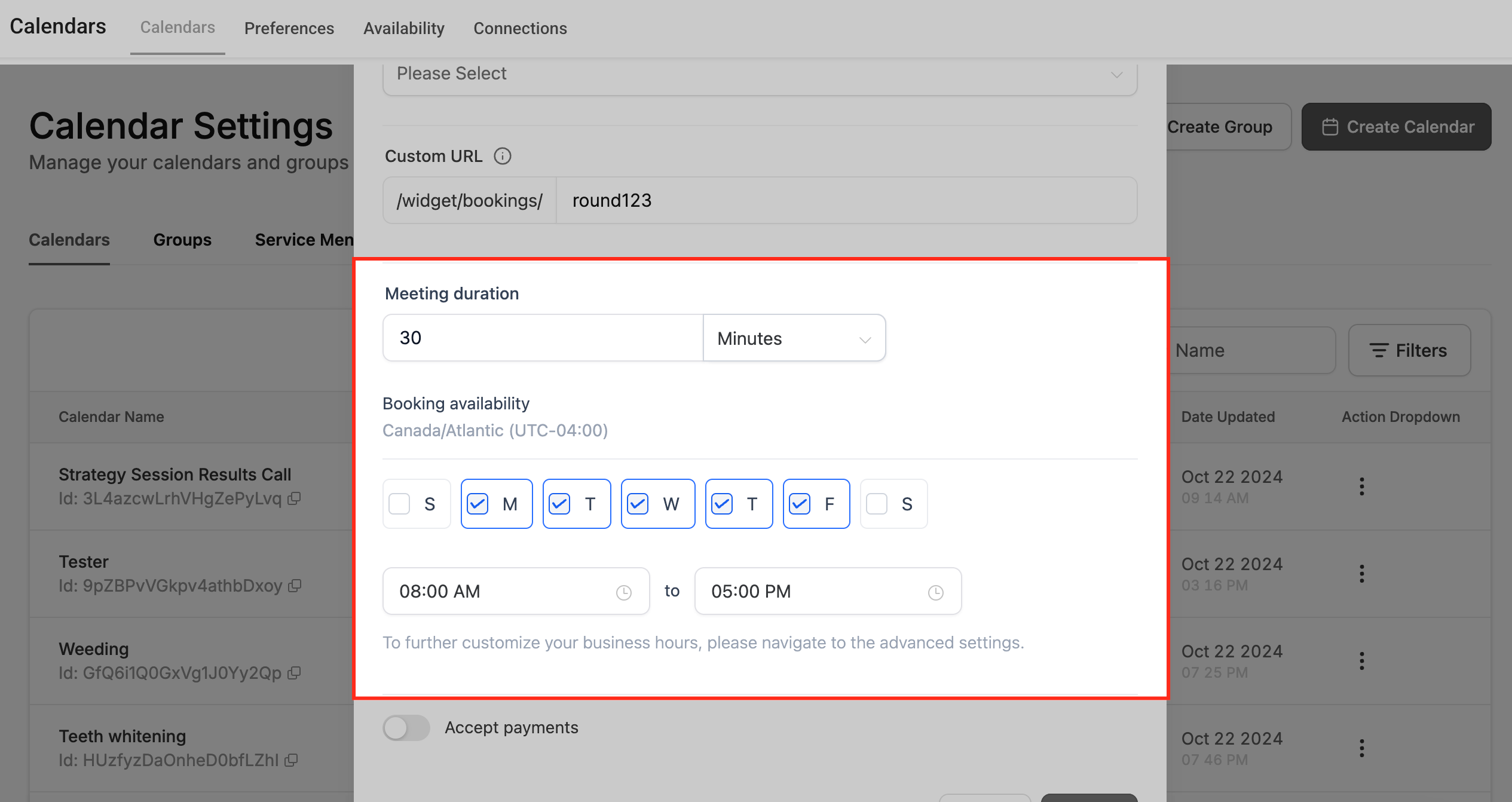
- Set the meeting duration and configure booking availability, including specific dates and exceptions.
- Toggle the Accept Payments option, choose currency settings, and add a custom payment description if needed.
- Click Save to create the Round Robin Calendar.
- Preview the calendar or edit it later by clicking the three dot menu on the calendar entry and choosing Edit.
07What it looks like in HighLevel
08Settings that matter
- Calendar Name and Description. Defines the calendar’s identifier and provides contextual information for internal reference.
- Select Team Members. Specifies which staff members are eligible to receive appointments from this calendar.
- Custom URL. Creates a unique web address for the calendar’s booking page and checks for URL conflicts.
- Meeting Duration and Booking Availability. Controls the length of each appointment and the dates or times when bookings are permitted.
- Accept Payments. Enables payment collection at the time of booking and allows selection of currency and description details.
09Things to know before you rely on it
- A Round Robin Calendar must have at least one assigned team member.
- If no team members are available for the requested time, the client is prompted to choose another date or time.
- Prioritizing specific team members for certain clients is not supported; distribution is based on availability or equal sharing.
- Slot capacity is reduced by one for each confirmed appointment; overlapping appointments decrement capacity in each affected slot.
10How it connects to the rest of HighLevel
- Learn how the system decides which team member receives an appointment. Appointment distribution logic
- See how invitees can choose a preferred staff member when booking. Staff selection
- Manage which team members are assigned to a Round Robin Calendar. Team member assignments
Michael's take

I think a round robin calendar can help a small team avoid checking who’s free and manually assigning each meeting. Once it’s set up, the system shows clients only slots that have an open staff member.
If I were rolling out a new service line with several reps, I’d turn on the round robin feature first, then add payment collection so the booking flow is complete in one step. A quick test of the URL and capacity settings can help verify the configuration before sharing the link with prospects.