
01Who this is for
- Customer support managers benefit because the system can route urgent calls to the next free agent, reducing wait time.
- Medical clinic administrators gain fair patient scheduling when the workload is balanced across doctors.
- Sales team leaders use equal distribution to keep each rep’s pipeline workload even over the month.
02Round Robin Calendars, explained
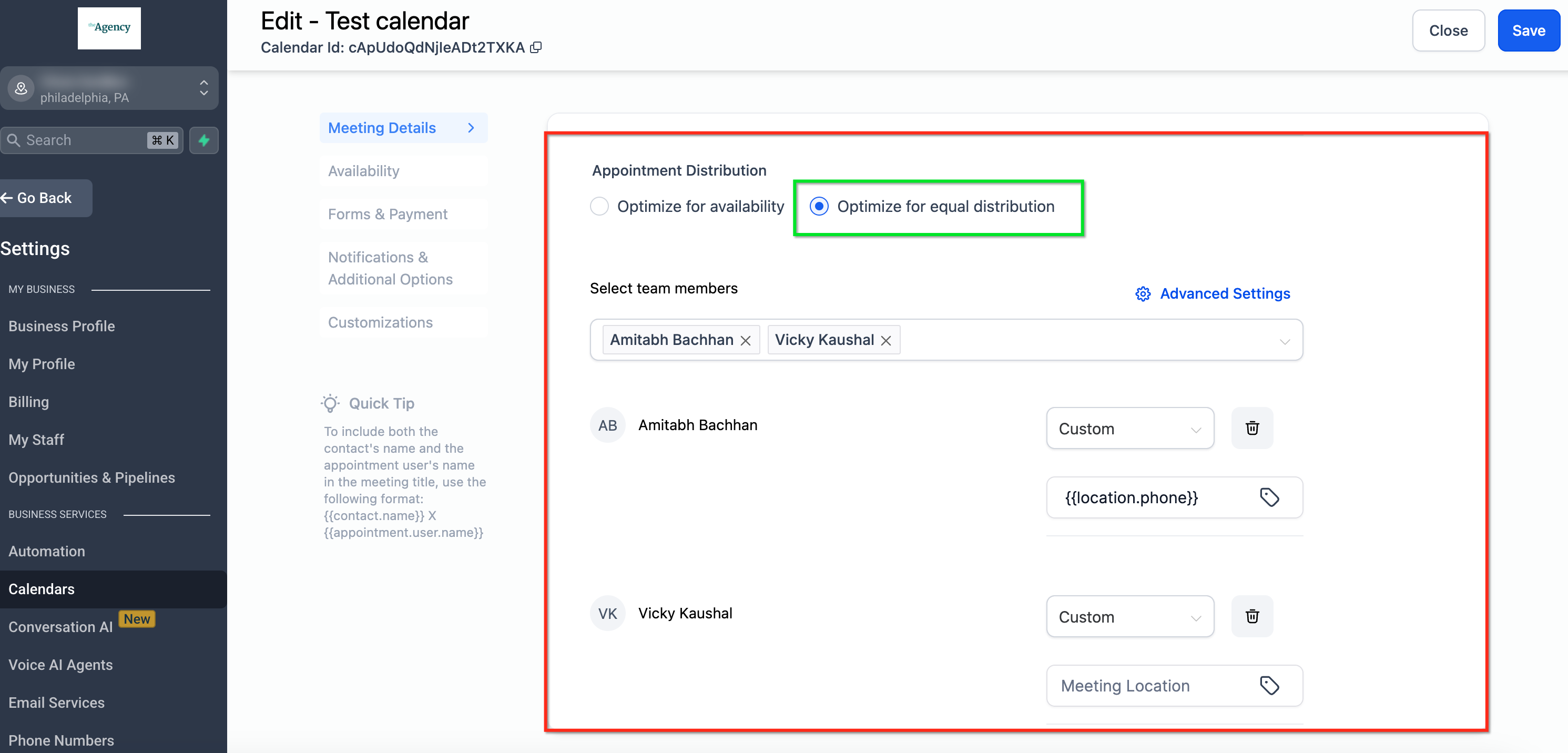
The Round Robin calendar type distributes new appointments among selected team members automatically. Two distribution methods are available: Optimize for Availability, which prefers the member who is free at the requested time, and Optimize for Equal Distribution, which tries to keep the count of meetings even across the team. The logic runs only when the booker chooses “Any Available.” The system tracks how many appointments each member has in the current month and hides the availability of anyone who is three or more meetings ahead of the lowest count member. Team member priorities (High, Medium, Low) influence which member is chosen first when several are available. Meeting location options such as Zoom, Google Meet, Phone, Full Address, Ask the Booker, and Microsoft Teams can be assigned per member.
03How businesses use round robin calendars
- Customer support center. Select Optimize for Availability so incoming support calls are booked with the next agent who has an open slot. Set high priority for senior agents to receive calls first when they are free.
- Medical clinic. Choose Optimize for Equal Distribution to keep each practitioner’s monthly patient count balanced. Assign each provider a Full Address meeting location for in person appointments.
- Sales consultancy. Use Optimize for Equal Distribution and set all team members to Medium priority. Define Zoom as the default meeting location so prospect calls are auto assigned evenly across consultants.
04The numbers and rules that matter
- Optimize for Equal Distribution balances appointments over a 1 month period.
- No team member can be more than 3 appointments ahead of another.
- Priority levels: High, Medium, Low. Higher priority members are selected first when available.
05How to set up and use round robin calendars in HighLevel
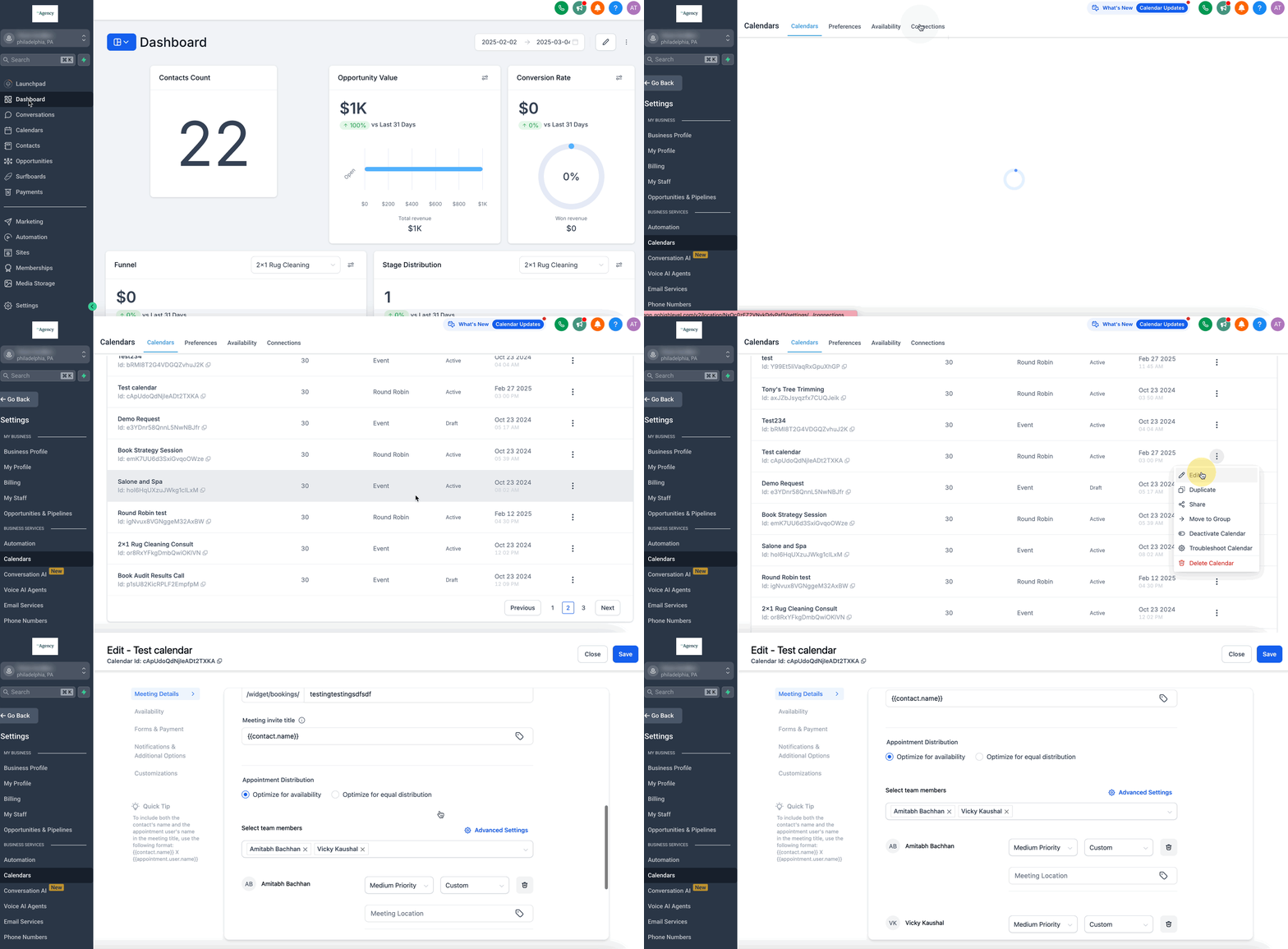
Select appointment distribution method
- Open the calendar configuration panel and choose either Optimize for Availability or Optimize for Equal Distribution, depending on business goals.
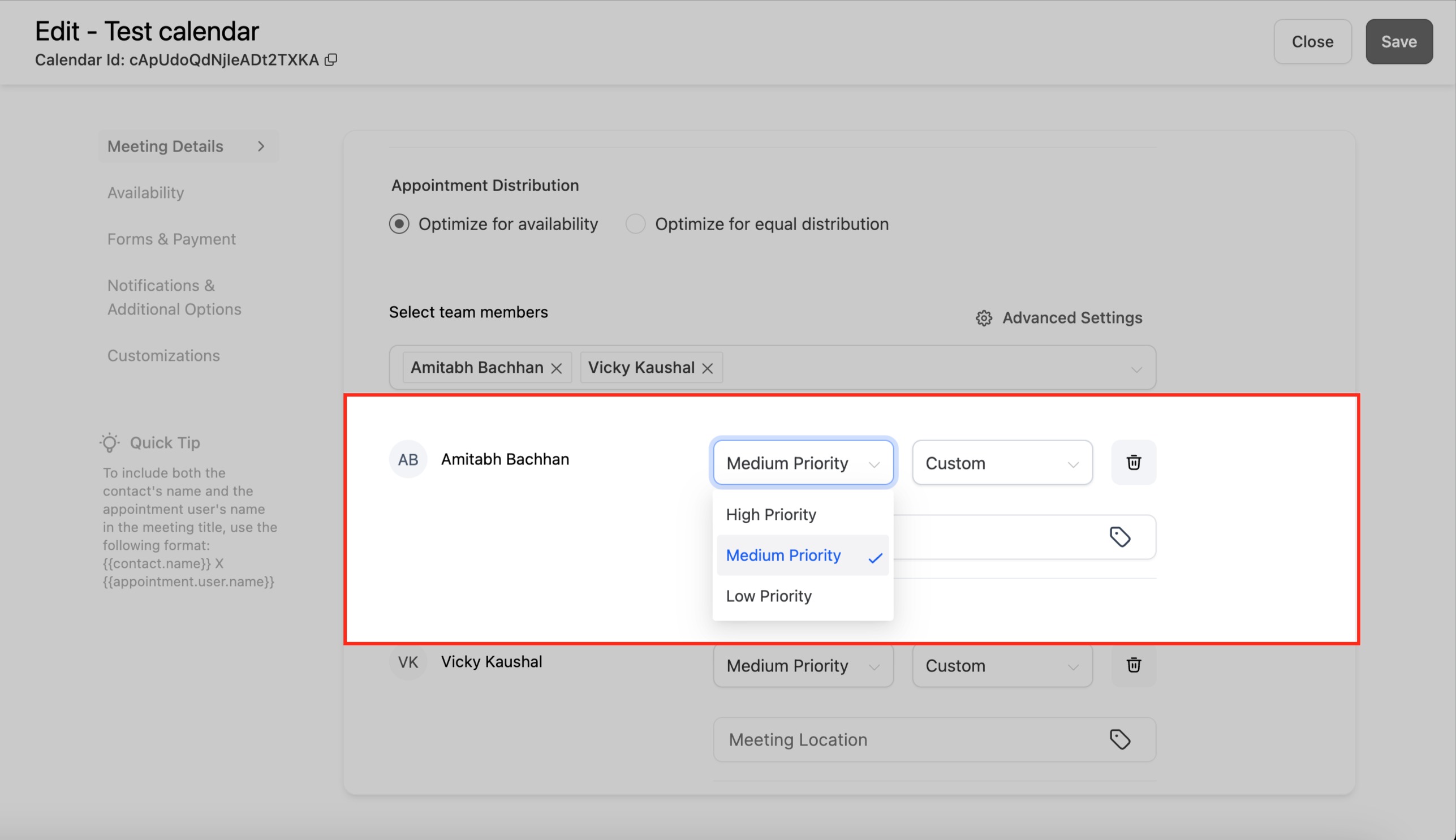
Assign priority levels to team members
- In the same panel, set each member’s Priority Level to High, Medium, or Low to influence selection order when multiple members are free.
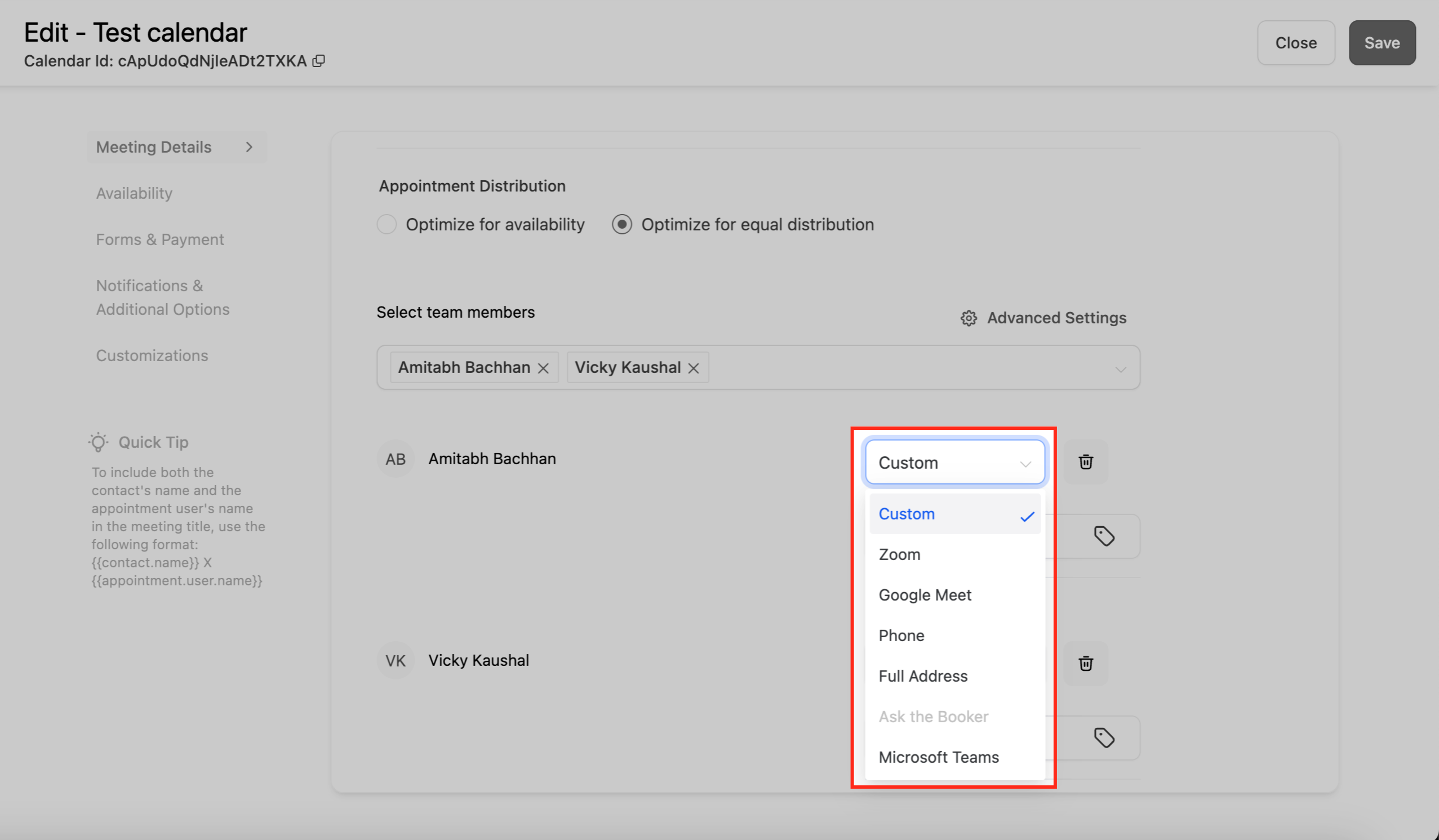
Define meeting location for each member
- Choose a Meeting Location Option, Zoom, Google Meet, Phone, Full Address, Ask the Booker, or Microsoft Teams, for every team member.
Disable staff selection for true equal distribution
- Turn off the “Allow Staff Selection” toggle so the system can assign appointments automatically and maintain equal distribution.
06What it looks like in HighLevel
07Settings that matter
- Priority Level. Determines which team member is chosen first when several are available; High is chosen before Medium, which is chosen before Low.
- Meeting Location Option. Specifies how and where a booked meeting will take place for a given team member.
- Allow Staff Selection. When disabled, the system can assign appointments automatically for equal distribution; when enabled, bookers can pick a specific staff member.
08Things to know before you rely on it
- The equal distribution logic works only when the “Any Available” option is chosen at booking.
- A team member cannot be more than three appointments ahead of another; once the gap reaches three, their availability is temporarily hidden.
- Adding or removing a team member resets the monthly appointment counts for all members.
- Switching between distribution methods resets the monthly counts as well.
09How it connects to the rest of HighLevel
- Full guide to configuring Round Robin calendars Round Robin setup guide
- How staff selection interacts with Round Robin calendars Staff selection
- Managing which team members participate in the rotation Team member assignments
Michael's take

Round robin calendars are a practical way for a small business to keep its booking load even without micromanaging schedules, and they free up time for revenue focused work.
Don’t forget to turn off staff selection if you want true equal distribution.