
01Who this is for
- Users who manage client scheduling can undo an accidental calendar removal and recover recent meetings.
- Teams that coordinate events can restore a mistakenly deleted calendar and retrieve the associated appointment slots.
02Restore deleted calendars, explained
The Restore Calendar function adds the ability to recover a calendar that was deleted, together with the appointments that disappeared at the same time. This gives users a way to reverse a deletion without losing recent booking data.
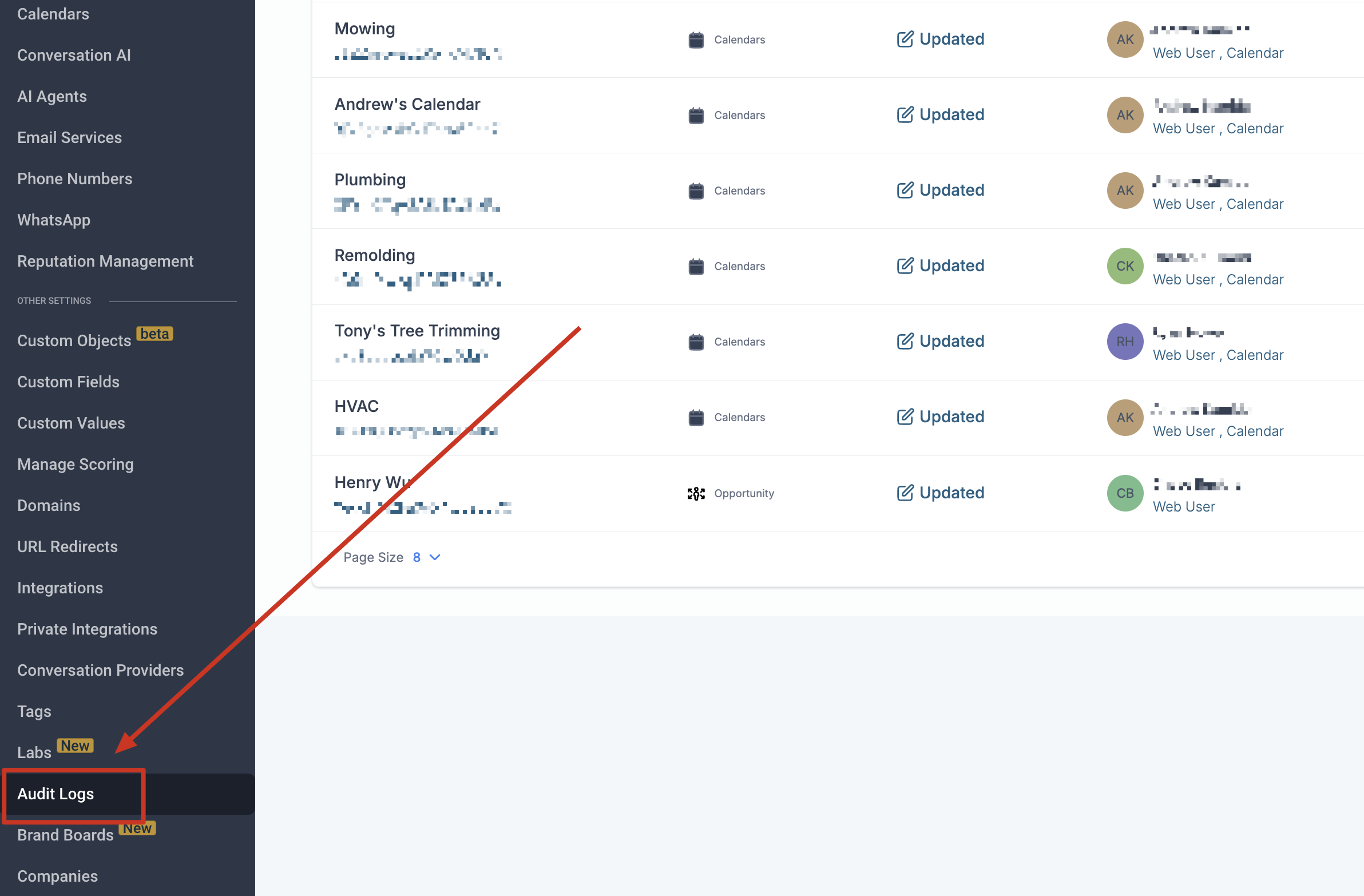
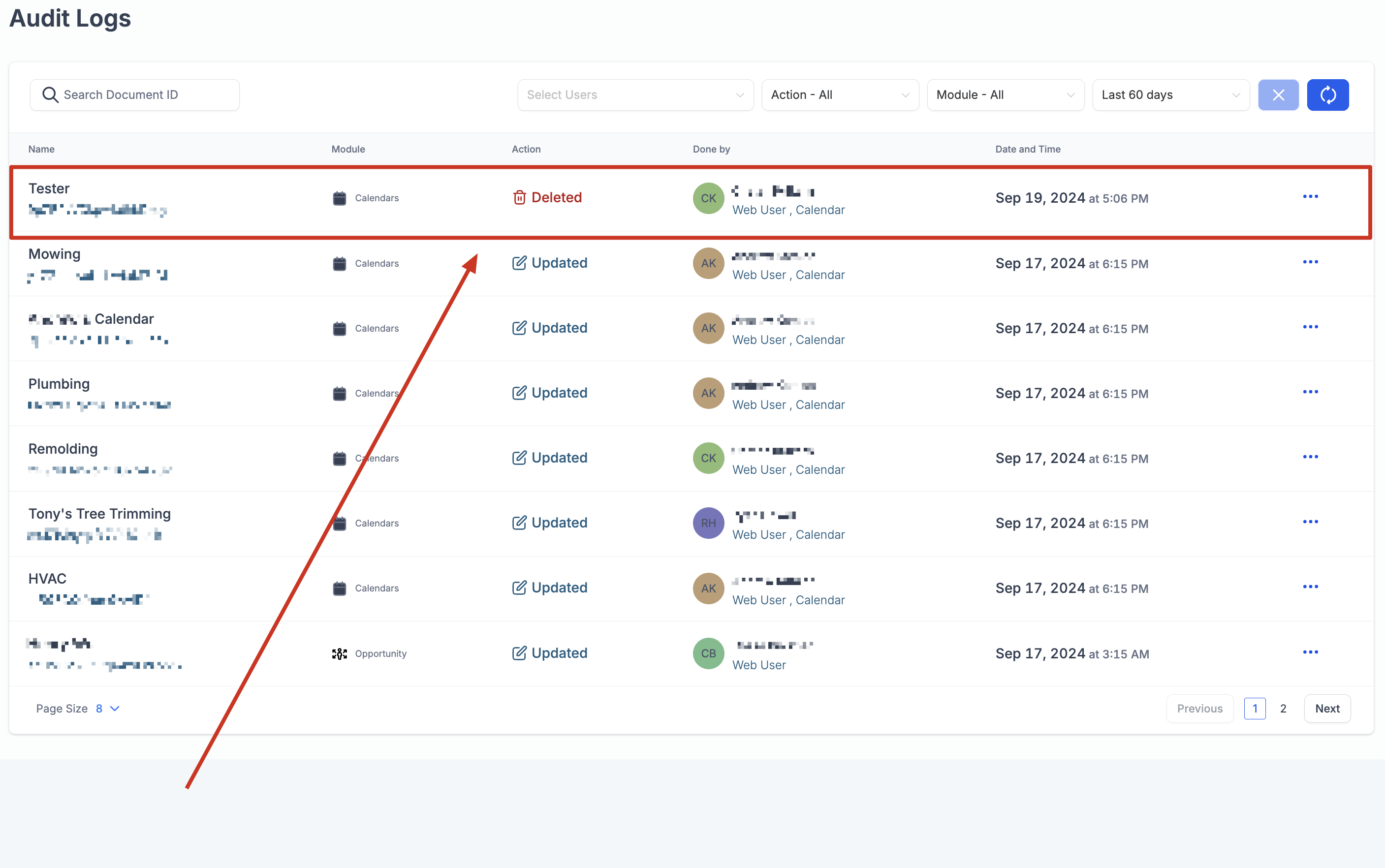
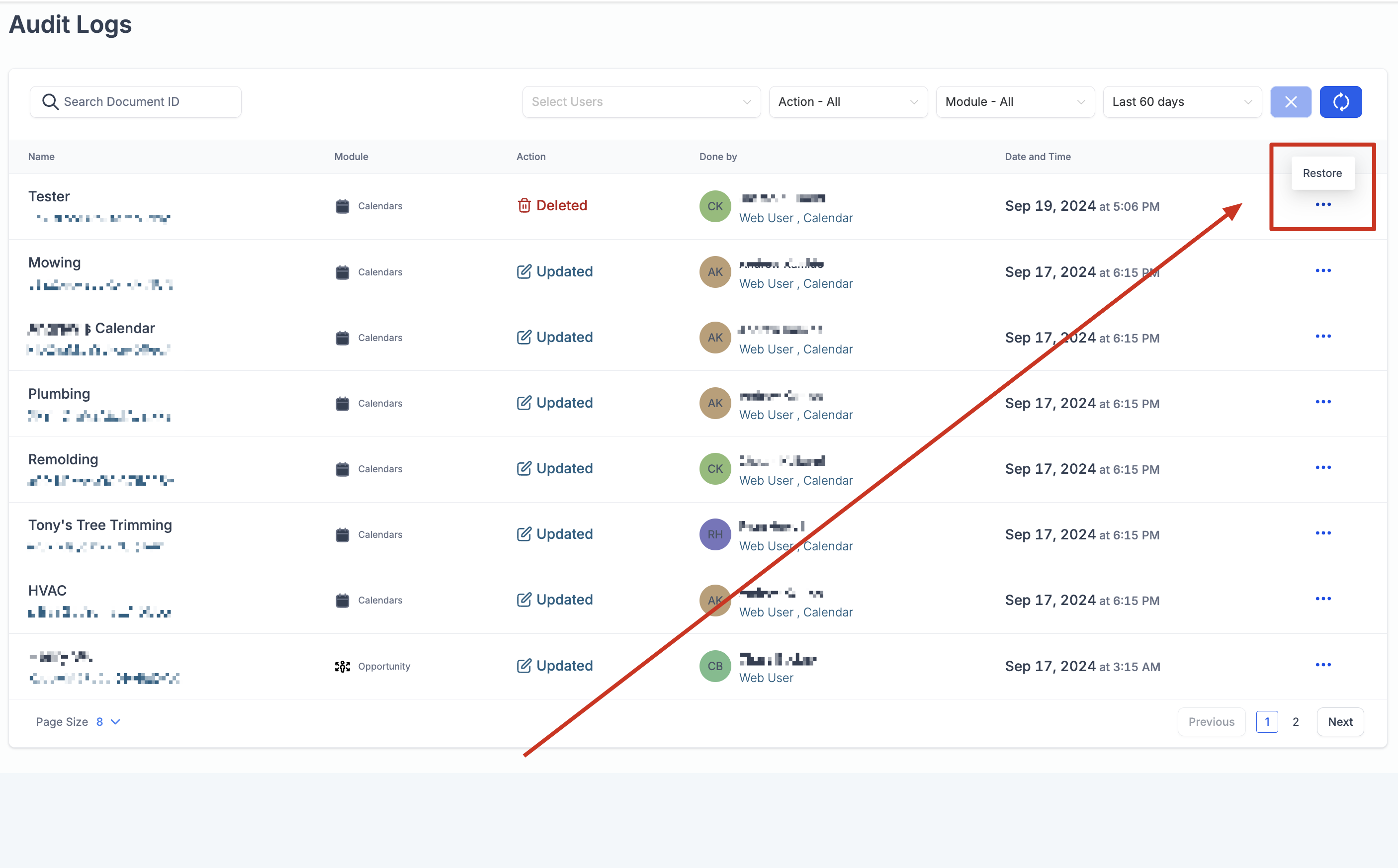
The option is found under Settings > Audit Logs. After opening the log, locate the entry for the deleted calendar, open the three dot menu beside it and choose Restore. Only appointments removed within thirty minutes of the calendar deletion are restored, and the action must be taken while the audit entry is still available, which is up to sixty days.
03How businesses use restore deleted calendars
- Appointment based businesses. A business that schedules client appointments can restore a calendar removed by mistake, retrieving the recent sessions that were deleted together with the calendar.
- Event coordination teams. A team that manages event calendars can recover a deleted schedule and regain the time slots that were removed within the allowed window.
- Service providers. A service provider using HighLevel can bring back a lost calendar and the associated bookings that were deleted at the same time, as long as they fall inside the thirty minute limit.
04The numbers and rules that matter
- Appointments deleted within ±30 minutes of the calendar deletion time will be restored.
- Audit logs are retained for a maximum of 60 days.
05How to set up and use restore deleted calendars in HighLevel
Restore a deleted calendar
- Open Settings and select Audit Logs.
- Find the log entry that corresponds to the calendar you deleted.
- Press the three dot icon next to that entry and choose the Restore option.
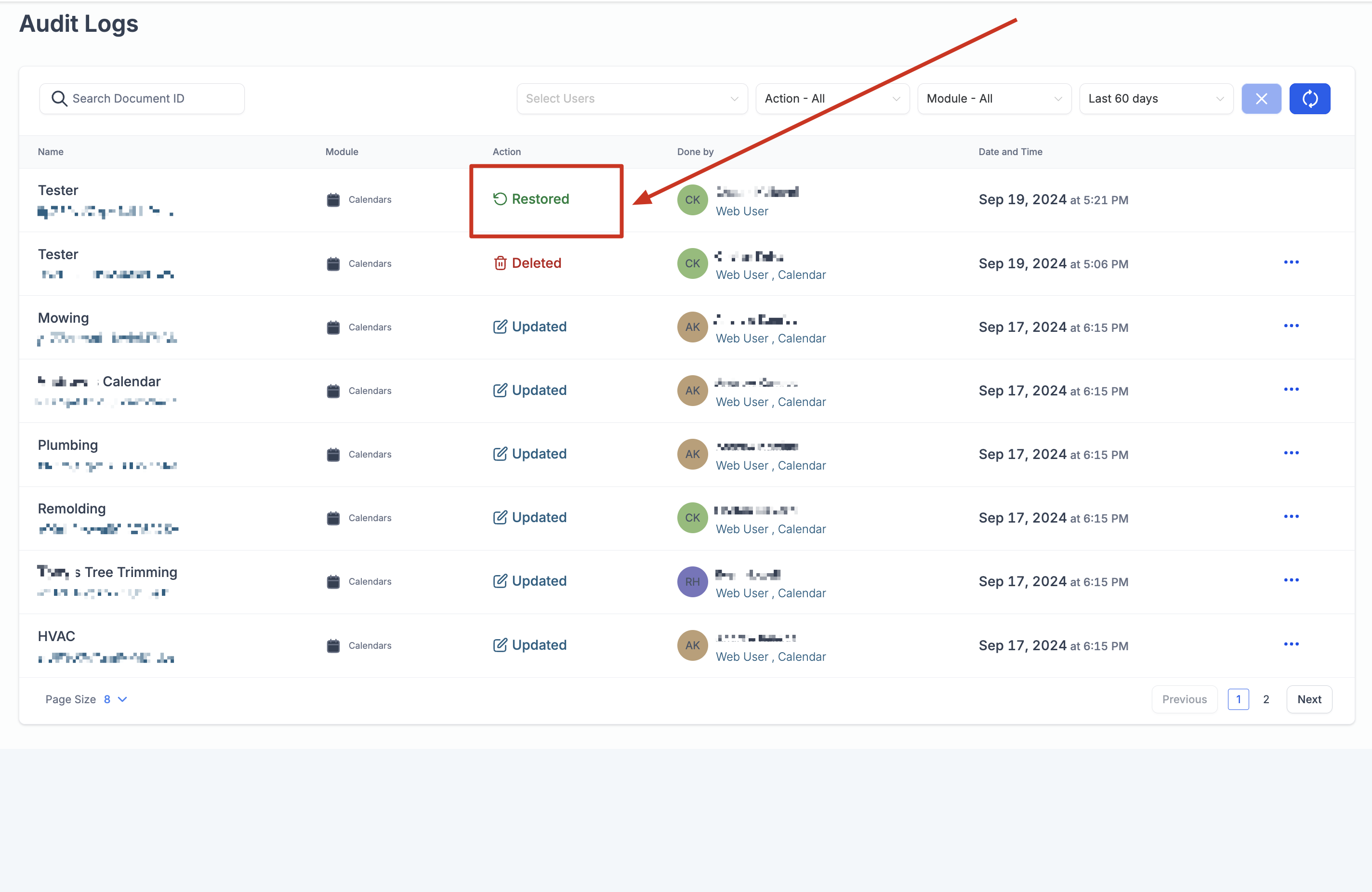
- The system will bring back the calendar together with any appointments that were removed within the allowed time frame.
06What it looks like in HighLevel
07Things to know before you rely on it
- Only appointments deleted within thirty minutes of the calendar’s deletion are restored.
- Appointments removed outside that window remain permanently deleted.
- Audit log entries are kept for up to sixty days; restoration must occur before the logs expire.
08How it connects to the rest of HighLevel
- Customize how the calendar appears on your booking pages Calendar widget customization
- Set weekly and date specific hours for calendar availability Calendar availability settings
- Navigate quickly through your calendars directly in the app In app calendar view
Michael's take

Restoring a deleted calendar helps when a small business accidentally deletes a calendar.
Don’t wait past the 30 minute appointment window or the 60 day log limit.