
01Who this is for
- Coaches who need to schedule individual sessions with clients, because the calendar limits bookings to one team member.
- Consultants offering one on one consultations, to avoid the Round Robin setup.
- Freelance designers who want a simple calendar for client calls without managing multiple staff.
02Personal booking calendars, explained
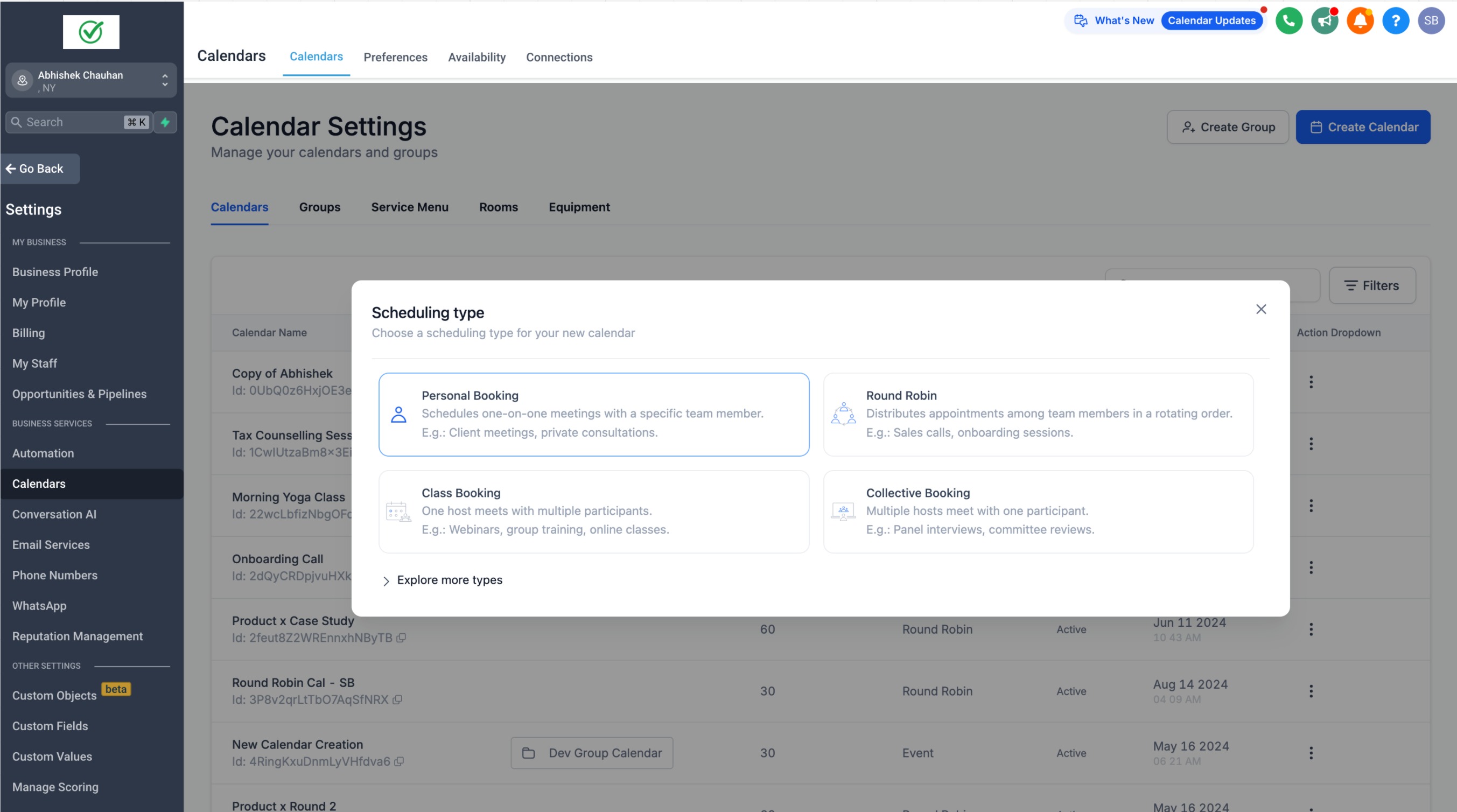
The Personal Booking Calendar provides a dedicated one to one booking page for a single staff member. It offers the same scheduling capabilities as a Round Robin calendar, such as appointment types and reminders.
When the calendar is created, the user who creates it is automatically added as the sole team member, though this assignment can be changed later. Only one team member can be associated with the calendar, unlike Round Robin which supports many.
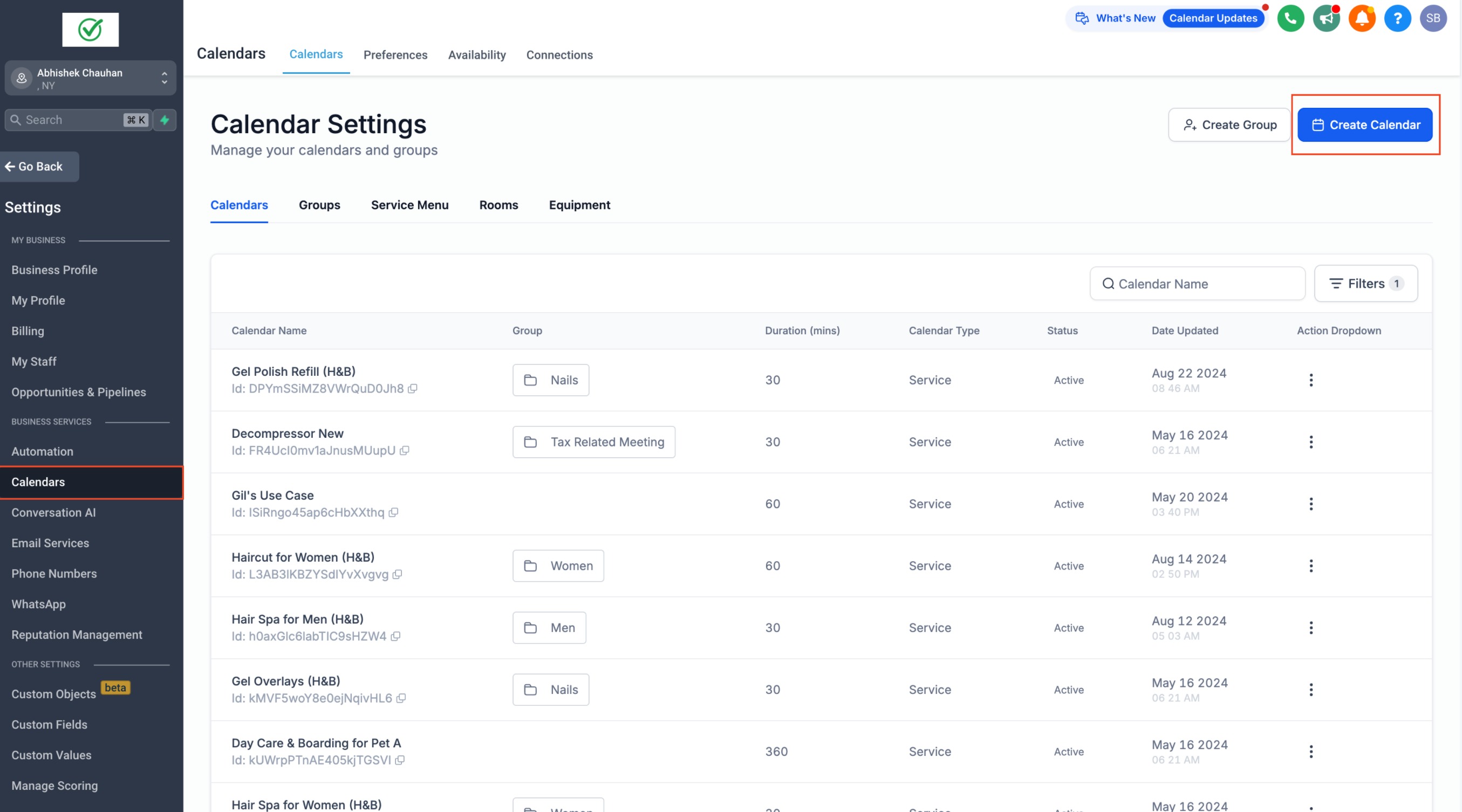
The feature is accessed through Calendar Settings. Select Create Calendar, choose the Personal Booking option, and then adjust the preferences to match the desired workflow.
03How businesses use personal booking calendars
- Fitness trainer. A trainer creates a personal booking calendar to let clients schedule individual training sessions. Within HighLevel they select Personal Booking, set their availability, and publish the calendar link for client use.
- Legal consultant. A consultant sets up a personal calendar for one on one legal advice calls. They configure meeting duration and share the booking URL with prospects directly from HighLevel.
- Career coach. The coach uses the personal calendar to manage coaching appointments. After creating the calendar, they customize buffer times and cancellation policies, then embed the widget on their website via HighLevel.
04How to set up and use personal booking calendars in HighLevel
Create a personal booking calendar
- Navigate to Calendar Settings.
- Select Create Calendar.
- Pick Personal Booking and adjust the calendar preferences as desired.
- Review the new setup helper on the create/edit screen to understand any limitations before finalizing.
05What it looks like in HighLevel
06Settings that matter
- Personal Booking. Chooses the one to one calendar type that limits the calendar to a single team member.
07Things to know before you rely on it
- The calendar can have only one team member; additional members cannot be added.
- It shares all features with the Round Robin calendar, but without multi user support.
08How it connects to the rest of HighLevel
- Customize the look of your personal booking widget Widget customization guide
- Set weekly and date specific availability for your personal calendar Availability settings
- View calendar appointments in your personal timezone Timezone guide
Michael's take

Wondering if you can get a clean one on one booking page without the hassle of a multiuser setup? Personal booking calendars give you exactly that. A simple schedule for a single person, with all the usual tools like reminders.
If I were a solo coach, I’d spin up a personal booking calendar right away to cut down on support tickets and keep things tidy. I’d double check the default team member setting, then tweak the availability to match my hours before sharing the link.