
01Who this is for
- Business owners who work a Monday to Friday schedule and want customers to see only open days, avoiding empty weekends on the booking widget.
- Service providers using round robin calendars who need the widget to display days when any team member is available.
- Companies that have special date specific hours and want those exceptions to be respected in the date range calculation.
02Count available days only toggle, explained
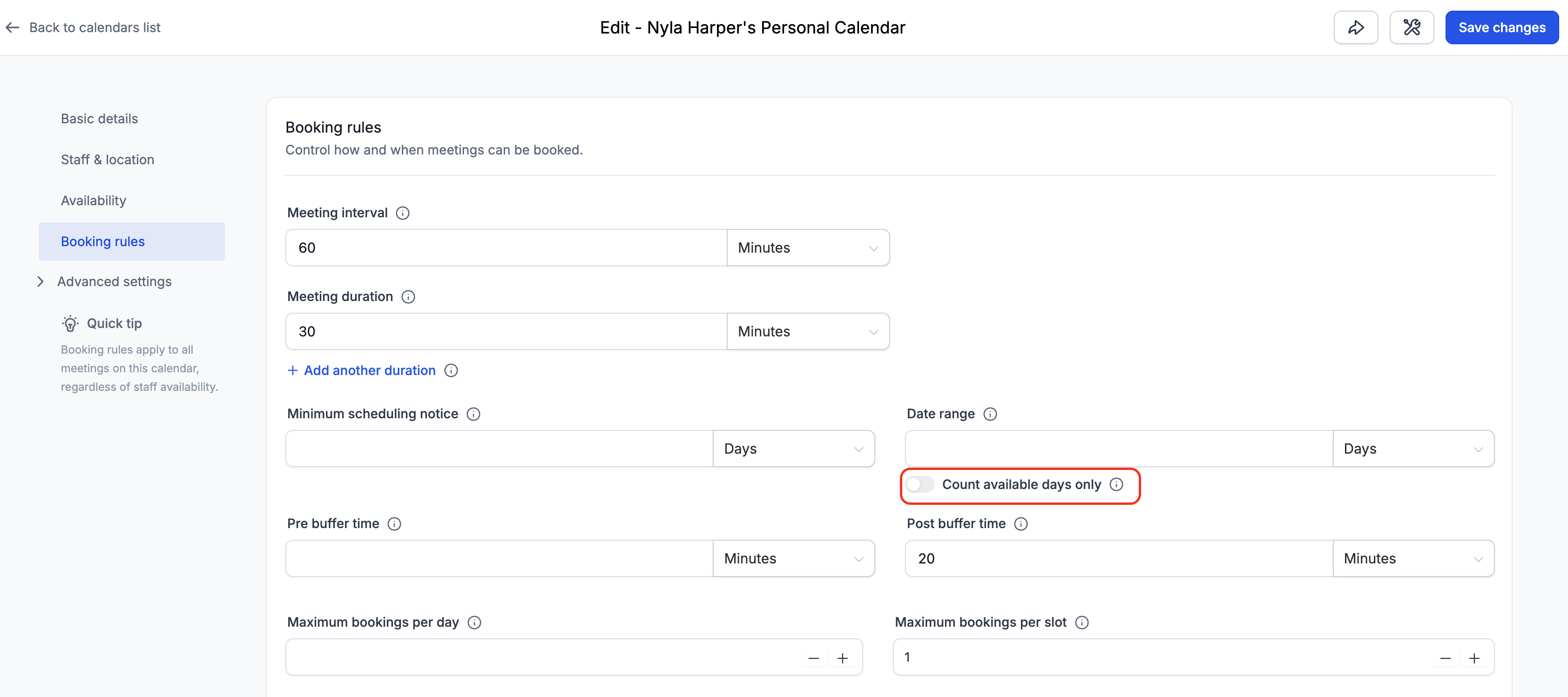
The toggle lives in the Calendar Settings under Booking Rules and reads directly from the Availability section. When it is off, the Date Range counts every calendar day, including days without availability. When it is on, the system skips days outside the availability schedule and counts only the days you have set as open.
The toggle works together with Minimum Scheduling Notice, date specific hours, and round robin calendars. Notice always counts calendar days first, then the toggle counts available days from the first day after the notice period. Date specific hour overrides are treated like regular weekly hours. For round robin calendars, a day counts if at least one assigned team member has availability.
03How businesses use count available days only toggle
- Coaching practice. The coach enables the toggle so that a two day date range shows the next two working days after a Friday visit, skipping Saturday and Sunday. Clients see only days when the coach is open, preventing a blank calendar.
- Medical clinic with part time staff. The clinic turns on the toggle and configures date specific hours for a Saturday surgery. The widget counts that Saturday as an available day for the special event while ignoring other non working weekends.
- Sales team using a round robin calendar. The team activates the toggle. The system counts a day as available if any salesperson has slots. The booking widget then shows the next four days where at least one team member can take appointments.
04The numbers and rules that matter
- Minimum scheduling notice always counts calendar days, not working days.
05Before you start
- Configure your Availability schedule with at least one working day before enabling the toggle.
06How to set up and use count available days only toggle in HighLevel
Enable the Count Available Days Only toggle
- Open Calendars > Calendar Settings and click Edit for the desired calendar.
- Select Booking Rules from the left hand menu.
- Locate the Date Range field in the settings.
- Switch the Count available days only toggle on, positioned below the Date Range input.
07What it looks like in HighLevel
08Settings that matter
- Count available days only. Controls whether the Date Range number is applied to calendar days (off) or only to days listed in the availability schedule (on).
09Things to know before you rely on it
- The toggle is off by default for all existing calendars.
- If no availability is defined, the widget will show no dates when the toggle is on.
- Fully booked days still count toward the displayed range; they appear without bookable slots.
- Minimum scheduling notice always counts calendar days, not only working days.
10How it connects to the rest of HighLevel
- Customize the appearance of your booking widget Calendar widget customization
- Set weekly and date specific hours for your calendar Calendar availability settings
- View appointments in a specific timezone User timezone view
Michael's take

Wondering why customers see a blank calendar on Fridays? The Count available days only toggle fixes that by ignoring weekends and other closed days when it calculates the booking window. It lets you keep the same date range number while showing only the days you actually work.
If I were setting up a new service, I’d flip the toggle on right after I finish my weekly availability. That way the widget will show only the days you actually work, avoiding the confusion of a missing Friday slot on a weekend.