
01Who this is for
- Mobile groomers need the client’s address at the time of booking to plan routes and avoid follow up calls.
- Repair technicians benefit from having the service site stored directly on the appointment, reducing on site delays.
- Home cleaning services can collect the location up front, ensuring staff arrive at the correct address without extra communication.
02Ask the Booker locations, explained
The feature integrates with Service Calendar v2 and inserts a required address input whenever an Ask the Booker location is selected. The address is entered during mobile booking and stored with the appointment record. Staff can view the saved address on the appointment detail screen and copy or open it in a maps app.
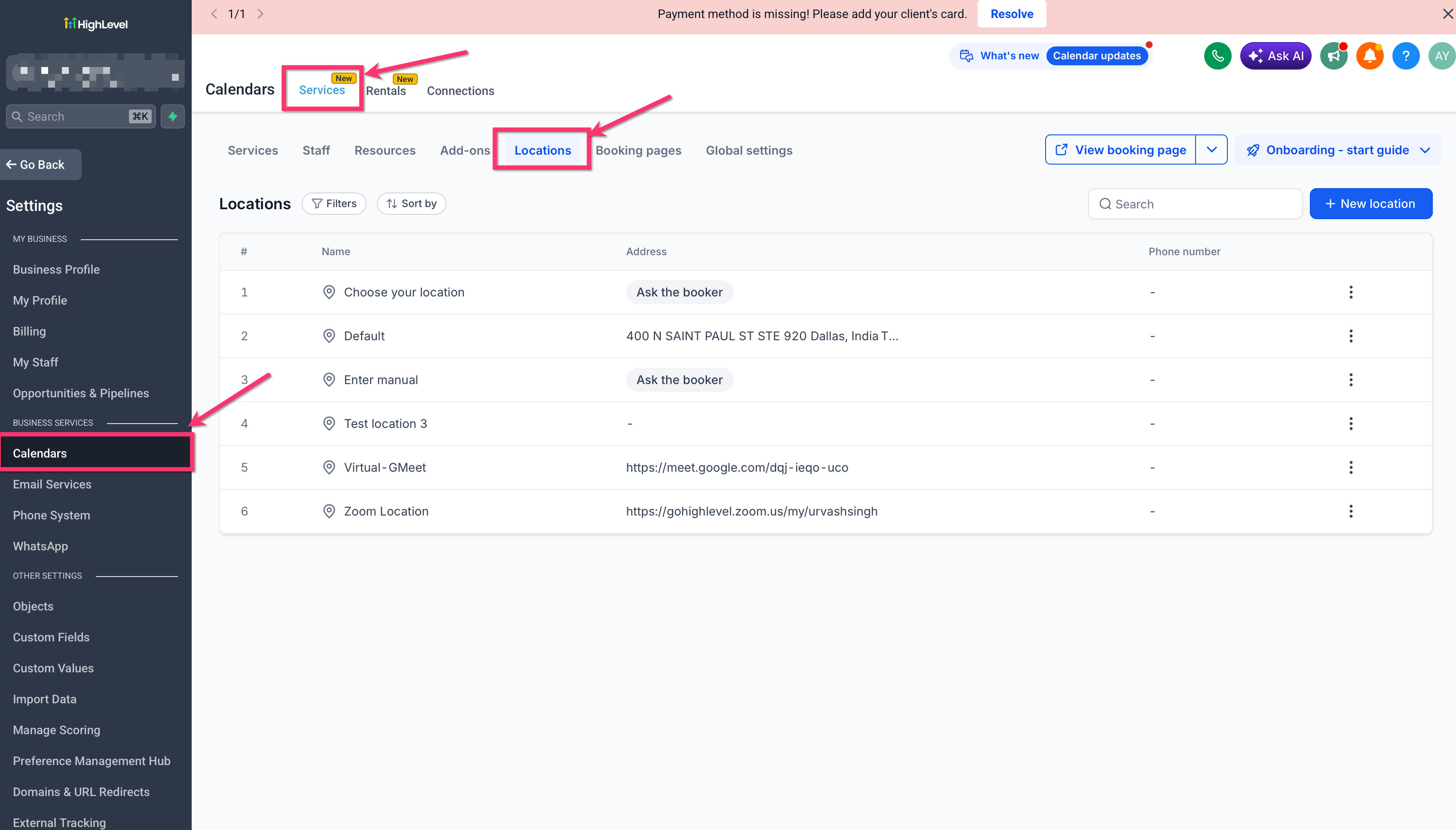
Configuration occurs in the web interface under Calendar Settings > Services (v2) > Locations. After enabling the option for bookers to provide their own address, the mobile app automatically presents the field for eligible appointments. The address stays attached to the appointment when it is edited or duplicated, ensuring the information persists across changes.
03How businesses use ask the Booker location support
- Mobile dog grooming business. The owner creates an Ask the Booker location on the web, then a groomer selects that location in the mobile app while scheduling a client’s appointment. The required address field captures the home address, which appears on the appointment detail for the groomer to navigate to.
- Appliance repair service. A dispatcher sets up a location that asks for the client’s address. When a technician books a repair job from the mobile app, the address field must be filled, and the saved location is displayed on the appointment for quick reference.
- In home personal training company. The trainer opens the mobile app, selects the Ask the Booker location, and enters the client’s address during booking. The address is stored with the session record and can be edited later without re entering it.
04The numbers and rules that matter
- Service Calendar v2 appointments only.
- Mobile app version 4.10.0 (810) or later.
- Web and mobile Service v2 booking flows.
- Location type configured under Calendar Settings > Services (v2) > Locations.
05Before you start
- Mobile app version must be 4.10.0 (810) or newer.
- An Ask the Booker location must be configured in the web app under Calendar Settings > Services (v2) > Locations.
06How to set up and use ask the Booker location support in HighLevel
Configure Ask the Booker location on the web
- Open the web platform and go to Calendar Settings > Services (v2) > Locations.
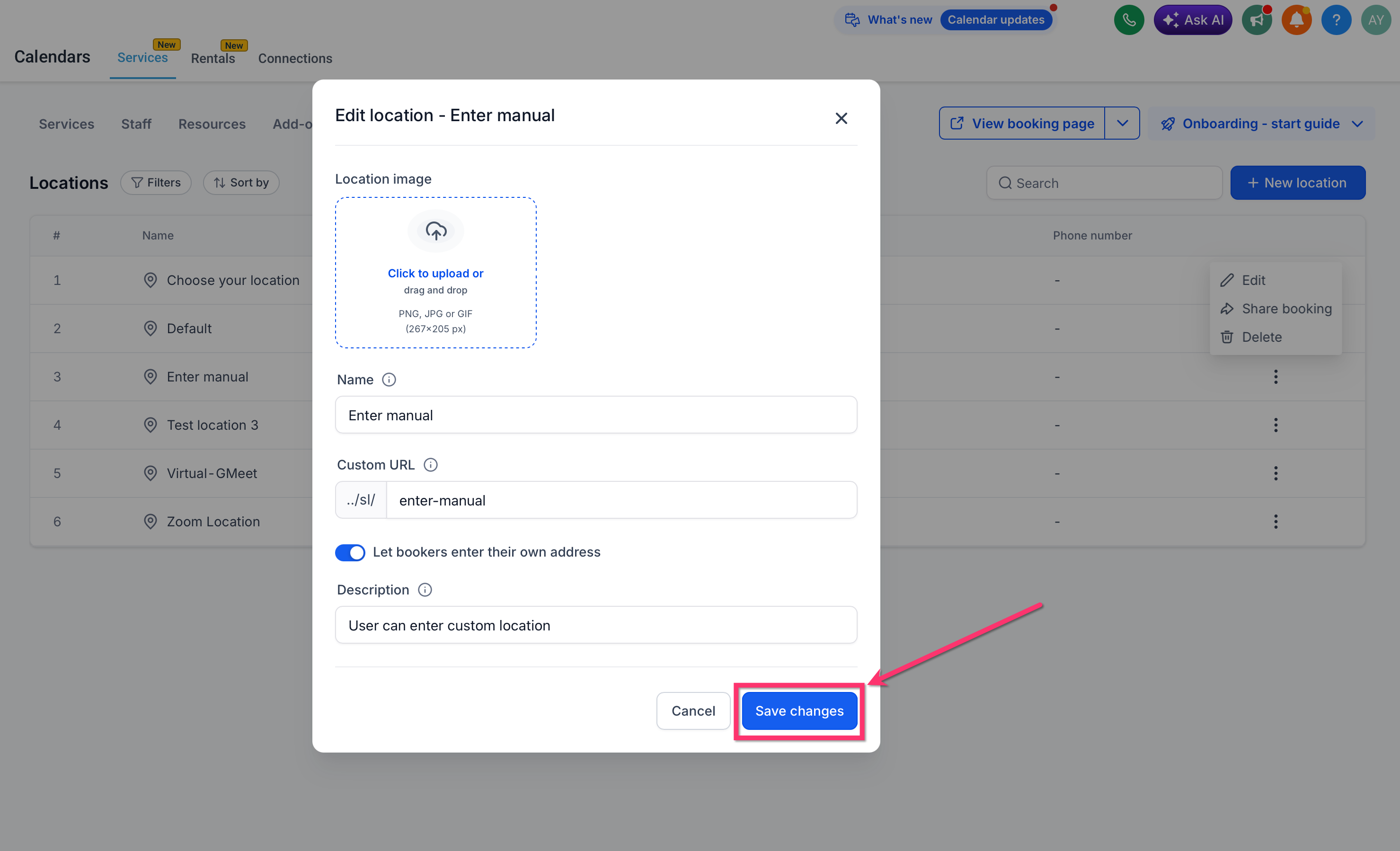
- Create a new location entry or edit an existing one.
- Activate the Let bookers enter their own service address option.
- Link the location to staff availability as required.
- Save the changes to finalize the location setup.
Choose an Ask the Booker location in the mobile app
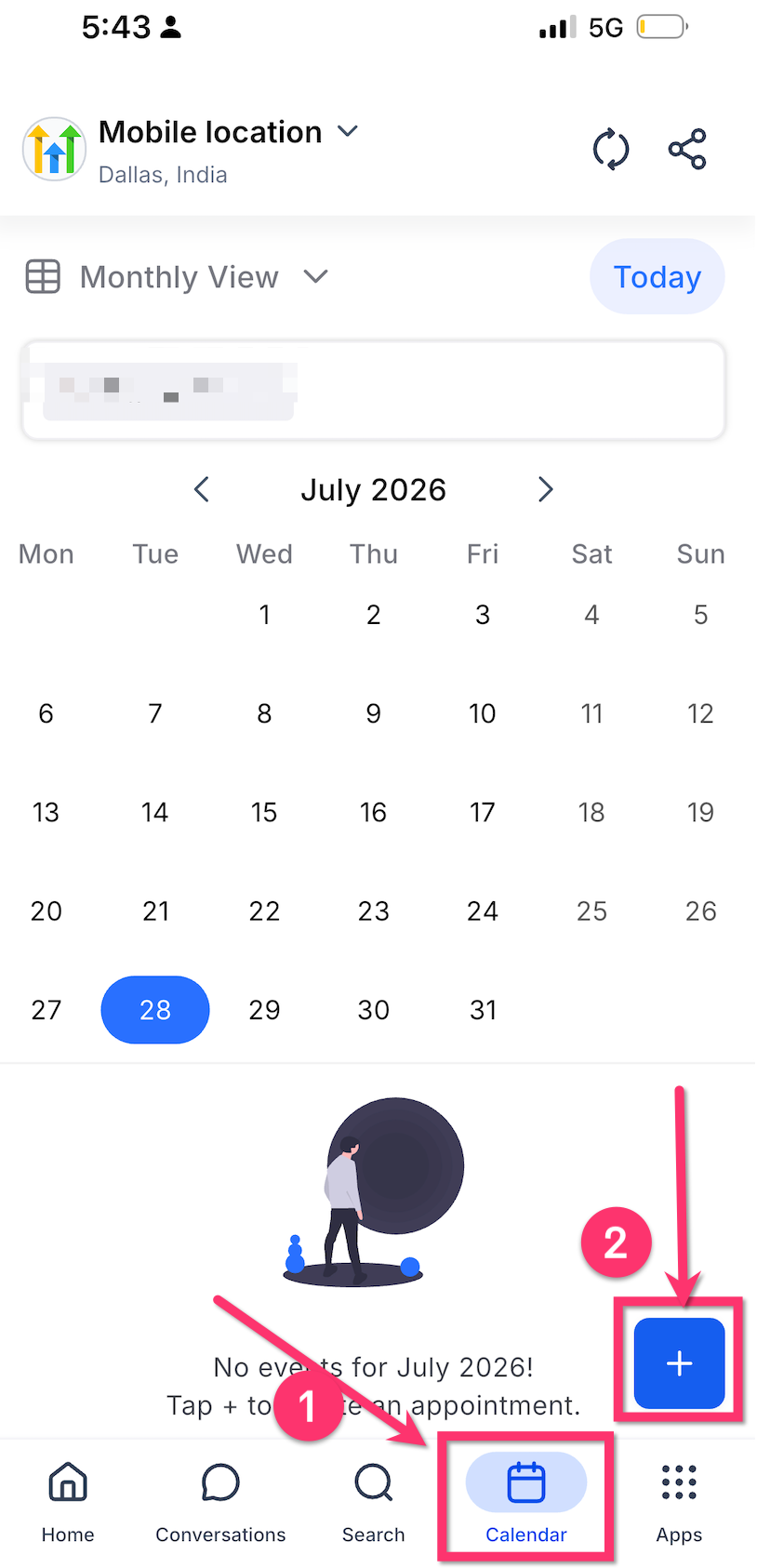
- Launch the HighLevel mobile application.
- Tap the Calendars section.
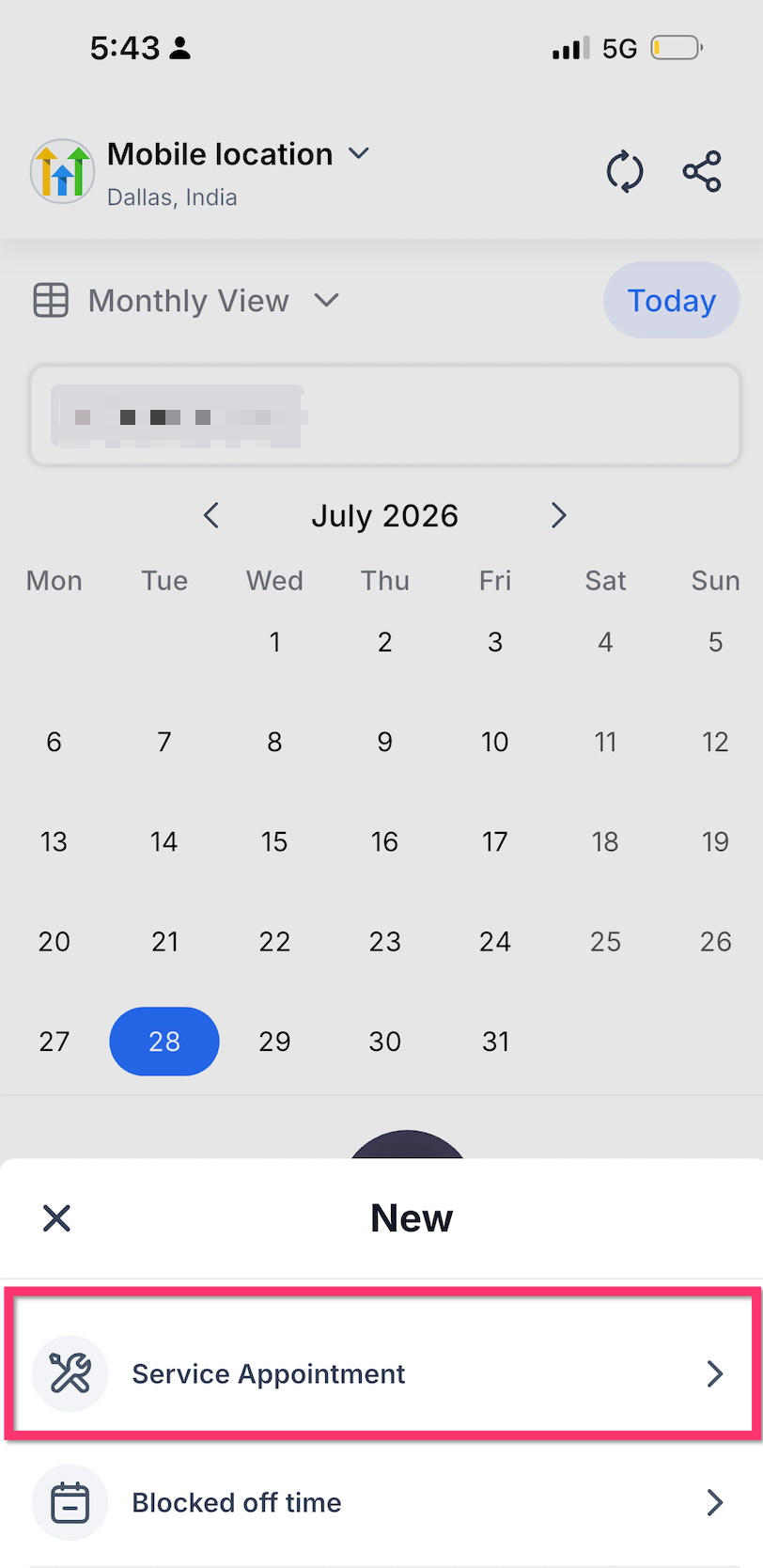
- Press the + New Service Appointment button or start a booking from Contacts, Conversations, or Opportunities.
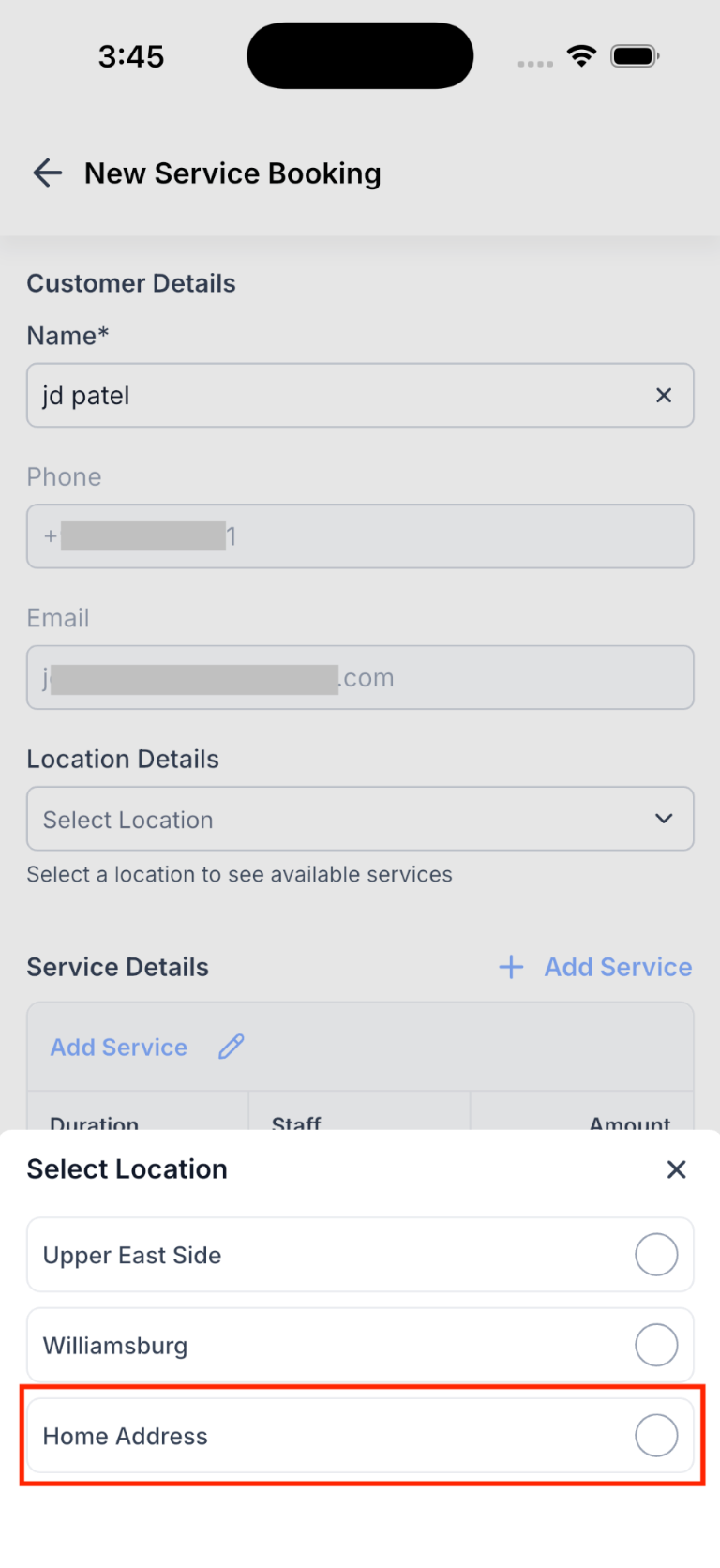
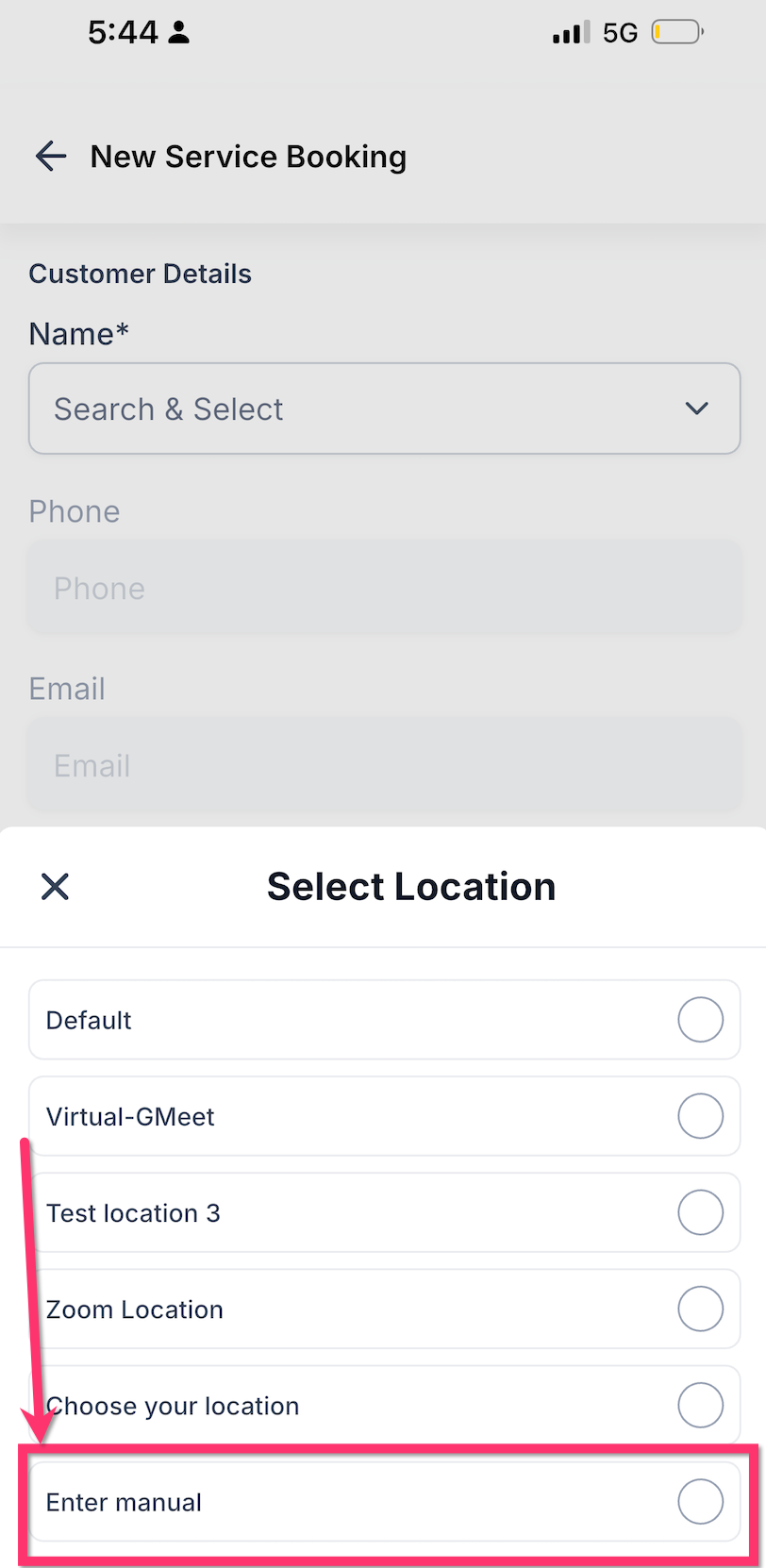
- Open the location dropdown under Location Details.
- Select the location that has Ask the Booker enabled, such as Enter manual.
Book a Service v2 appointment with a required address
- Confirm the mobile app version is 4.10.0 (810) or later.
- Open the HighLevel, LeadConnector, or white label mobile app.
- Navigate to Calendars.
- Tap + New Service Appointment.
- Find and tap the client’s name.
- In Location Details, open the location selector.
- Pick the Ask the Booker location.
- Enter the client’s service address in the required field.
- Add the desired services, staff member, date, time, and status.
- Tap Schedule Booking to create the appointment.
07What it looks like in HighLevel
08Settings that matter
- Let bookers enter their own service address. When turned on, the mobile booking form shows a required address field for the selected location.
09Things to know before you rely on it
- Works only with Service Calendar v2 appointments.
- Requires mobile app version 4.10.0 (810) or newer.
- Address field becomes mandatory only when an Ask the Booker location is chosen.
- Feature is available in the HighLevel mobile app, LeadConnector mobile app, and white label mobile apps.
10How it connects to the rest of HighLevel
- How to create services in HighLevel Create services
- Global settings for services in HighLevel Service globals
- HighLevel pricing and plans Pricing
Michael's take

Ask the Booker location support is a practical addition for any business that shows up at a client’s door.
If you never leave the office to perform a service, you can skip this feature.