
01Who this is for
- Agencies that resell Marketplace apps and need to add margin while keeping client billing transparent.
- App developers who want to charge customers only for the actual consumption of their features.
- Businesses with fluctuating usage such as contact centres or AI transcription services that require costs to match activity.
02Usage based pricing, explained
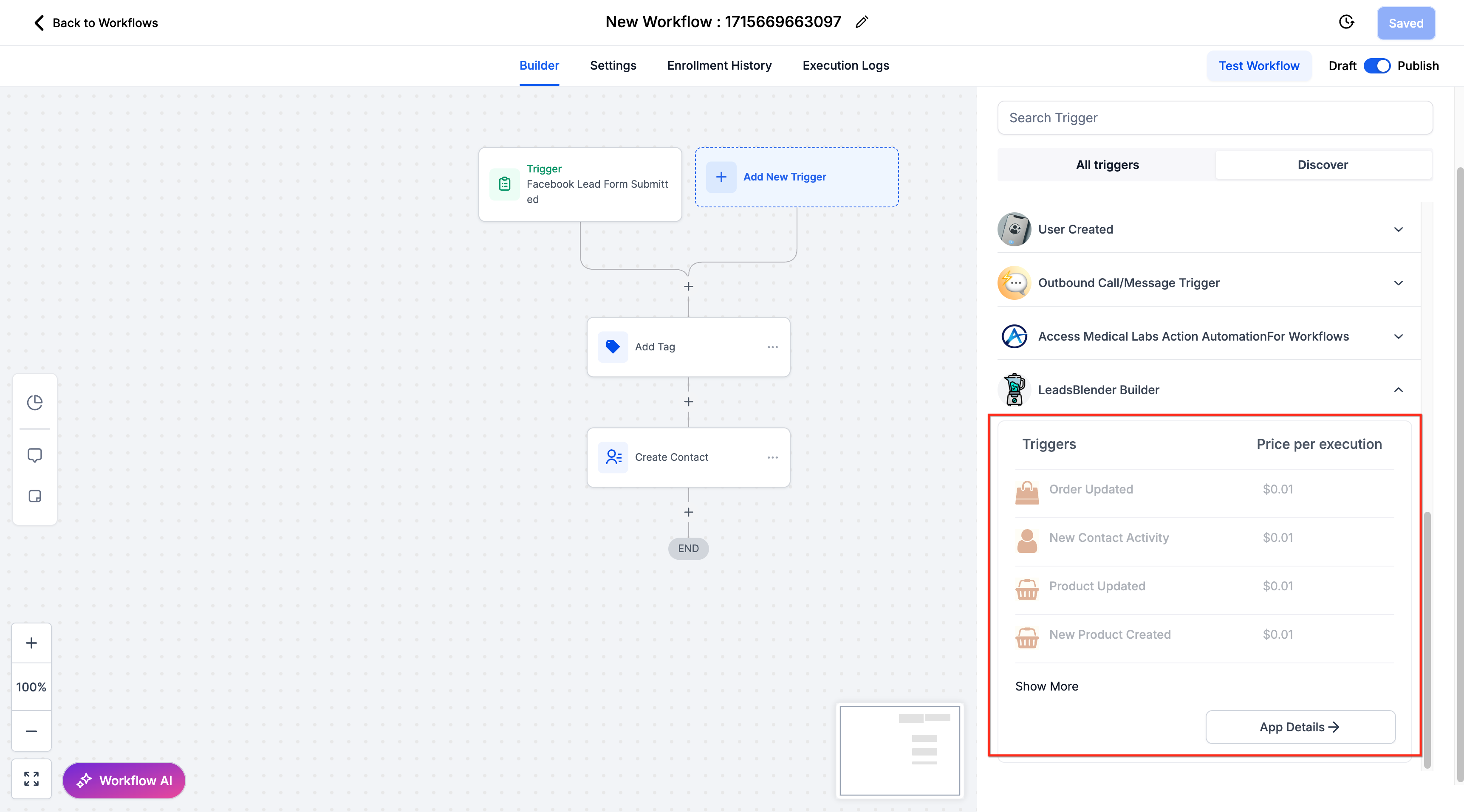
The feature introduces three pricing modules: per execution fees for actions and triggers, per message fees for conversation providers with separate inbound and outbound rates, and custom per usage fees for developer defined events. Each module records usage in real time and generates a charge for every unit processed.
The pricing settings live on the app’s Details page under the Pricing tab. Agency level controls, including markup, rebilling toggle, and daily usage limits, are found in the App Reselling (Usage Based) and Usage Limits sections of the App Marketplace.
When rebilling is on, the client subaccount wallet is charged for each usage unit; when rebilling is off, the agency wallet receives the charge. Daily caps stop billing for the rest of the day and reset the next day, protecting budgets.
03How businesses use usage based pricing
- AI transcription service. Define a custom event such as per minute of audio processed, set a price per minute in the Custom Event pricing fields, and post usage via the billing API. The agency can add a markup and set a daily minute cap to control client spend.
- Marketing automation agency. Enable per execution pricing for premium workflow actions, enter the agency markup in the App Reselling (Usage Based) screen, and turn rebilling on so each client’s wallet is charged whenever an action runs.
- Contact centre using a conversation provider. Set separate inbound and outbound per message rates in the Conversation Provider pricing fields, add an agency markup, and configure daily message limits. With rebilling on, the client wallet is debited for each message sent or received.
04The numbers and rules that matter
- Three pricing modules: Per execution, per message (inbound/outbound), custom event.
- Agency Markup adds margin to developer per use pricing at the app level.
- Daily Usage Limits cap billable units per app each day.
05How to set up and use usage based pricing in HighLevel
Configure usage based pricing and agency rebilling
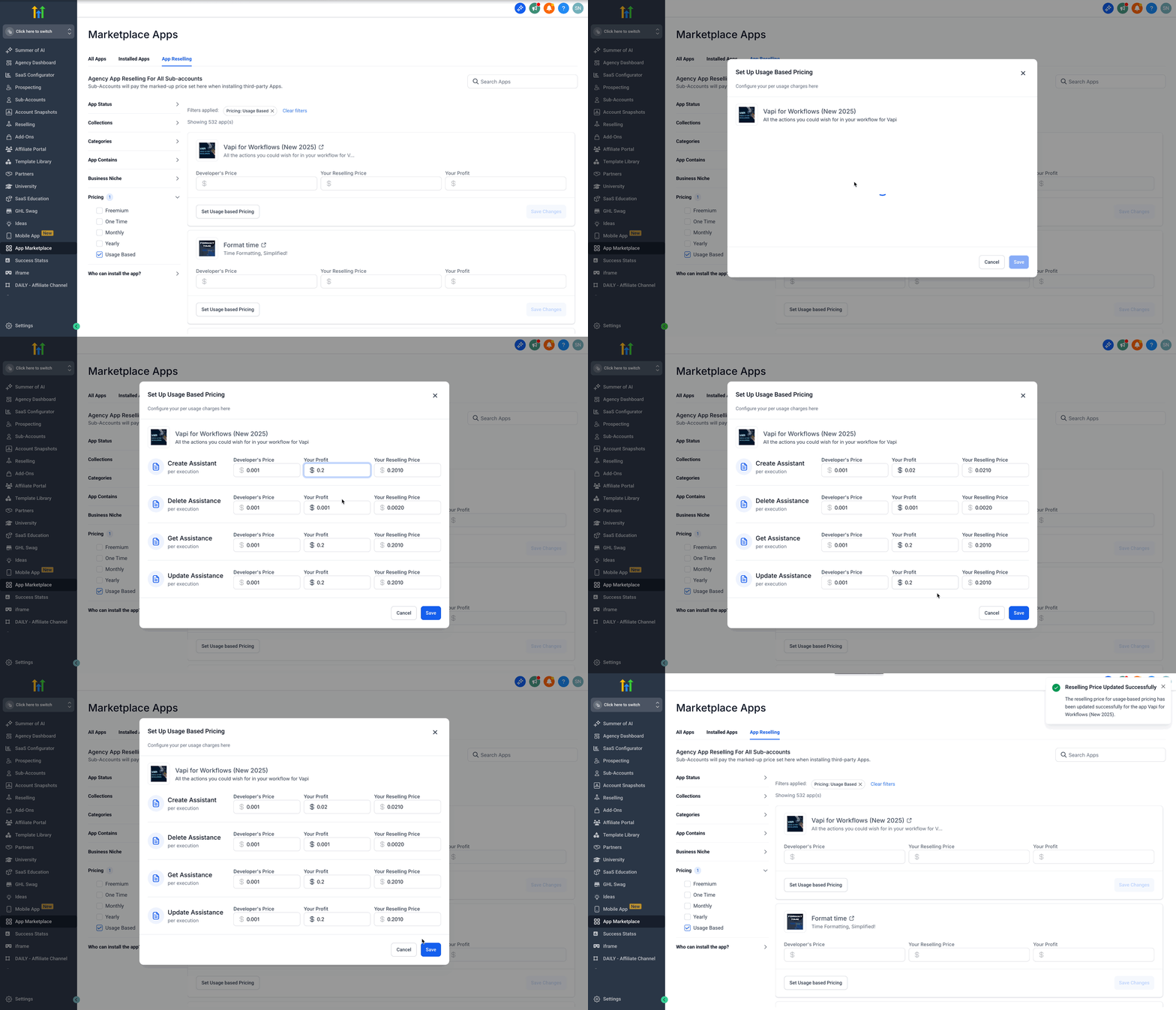
- Open the App Marketplace, select the desired app, and go to App Reselling (Usage Based).
- Choose Set Usage Based Pricing, enter the agency markup amount, and save the changes.
- Navigate to App Marketplace > Usage Limits, set a daily cap for each client or subaccount, and save.
- Ensure Rebilling is turned on so usage charges are deducted from the client subaccount wallet.
- Verify that the relevant wallets are funded before enabling rebilling.
06What it looks like in HighLevel
07Settings that matter
- Agency Markup. Adds the agency’s profit margin to the developer’s per use price before the charge is applied.
- Rebilling ON. Directs usage charges to the client’s subaccount wallet.
- Rebilling OFF. Directs usage charges to the agency’s wallet.
- Daily Usage Limits. Sets a maximum number of billable units per day for an app; usage stops when the limit is reached and resumes after the daily reset.
08Things to know before you rely on it
- Daily usage limits pause billing for the remainder of the day once the cap is reached and resume after the next day’s reset.
- Agency markup is applied at the app level and is not specific to individual clients.
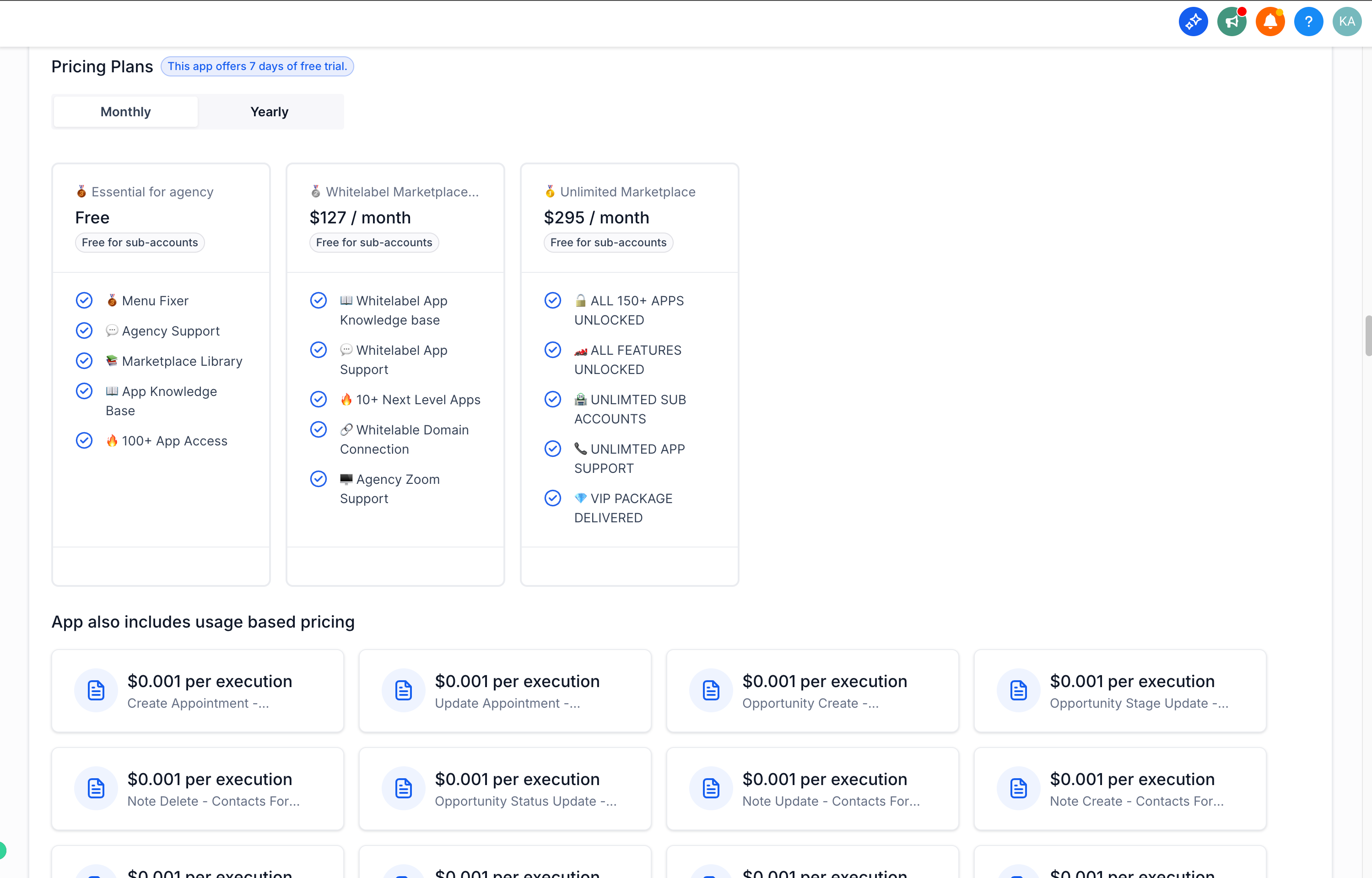
- Usage based pricing can be combined with subscription pricing for the same app.
09How it connects to the rest of HighLevel
- Changing your app pricing plan in the App Marketplace App pricing plan
- One time pricing model in the App Marketplace One time pricing
- HighLevel pricing and plans Pricing plans
Michael's take

Watch the daily limit setting. It can stop your app from charging after a set point, which can leave a workflow hanging if you rely on continuous usage. Make sure you understand how the cap behaves before you go live.