
01Who this is for
- Developers building marketplace apps benefit because they can define a single purchase price instead of recurring fees.
- Agencies that bulk install apps across their subaccounts gain control to set distinct prices for the agency level and each subaccount.
- Buyers looking for asset heavy solutions such as Snapshots or Widgets can see clear one time cost information before installing.
02One time pricing model, explained
The feature introduces a new pricing option inside the HighLevel App Marketplace. When a developer creates an app, they may choose a one time price that the user pays at installation. This model is required for modules that cannot be reversed after install, like Snapshots and Widgets.
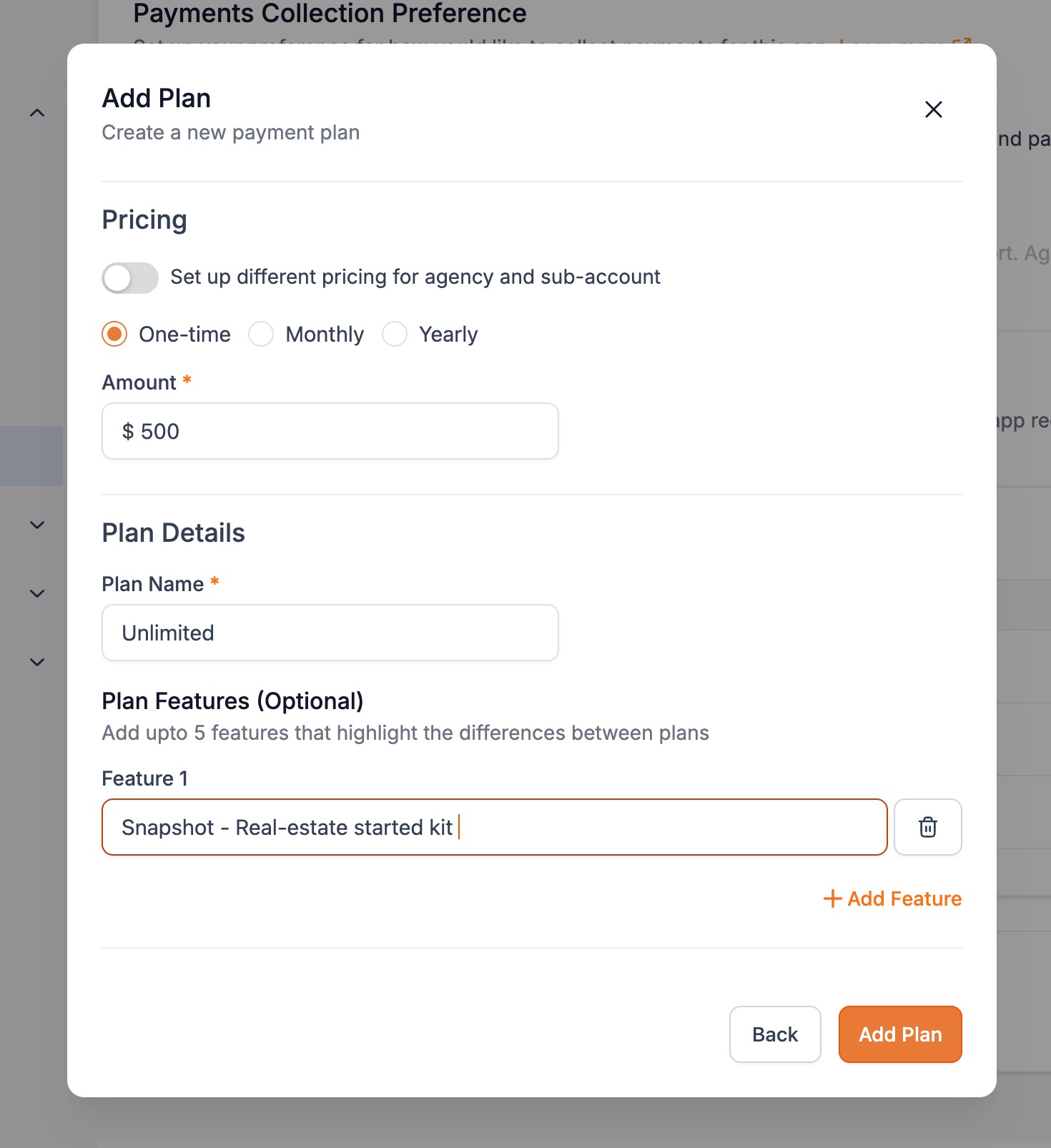
For apps marked as Agency & Subaccount distribution, the developer can specify two separate one time amounts: one for the agency itself and another for each subaccount that the agency installs. The marketplace also adds pricing filters, allowing users to search for apps that use a one time model.
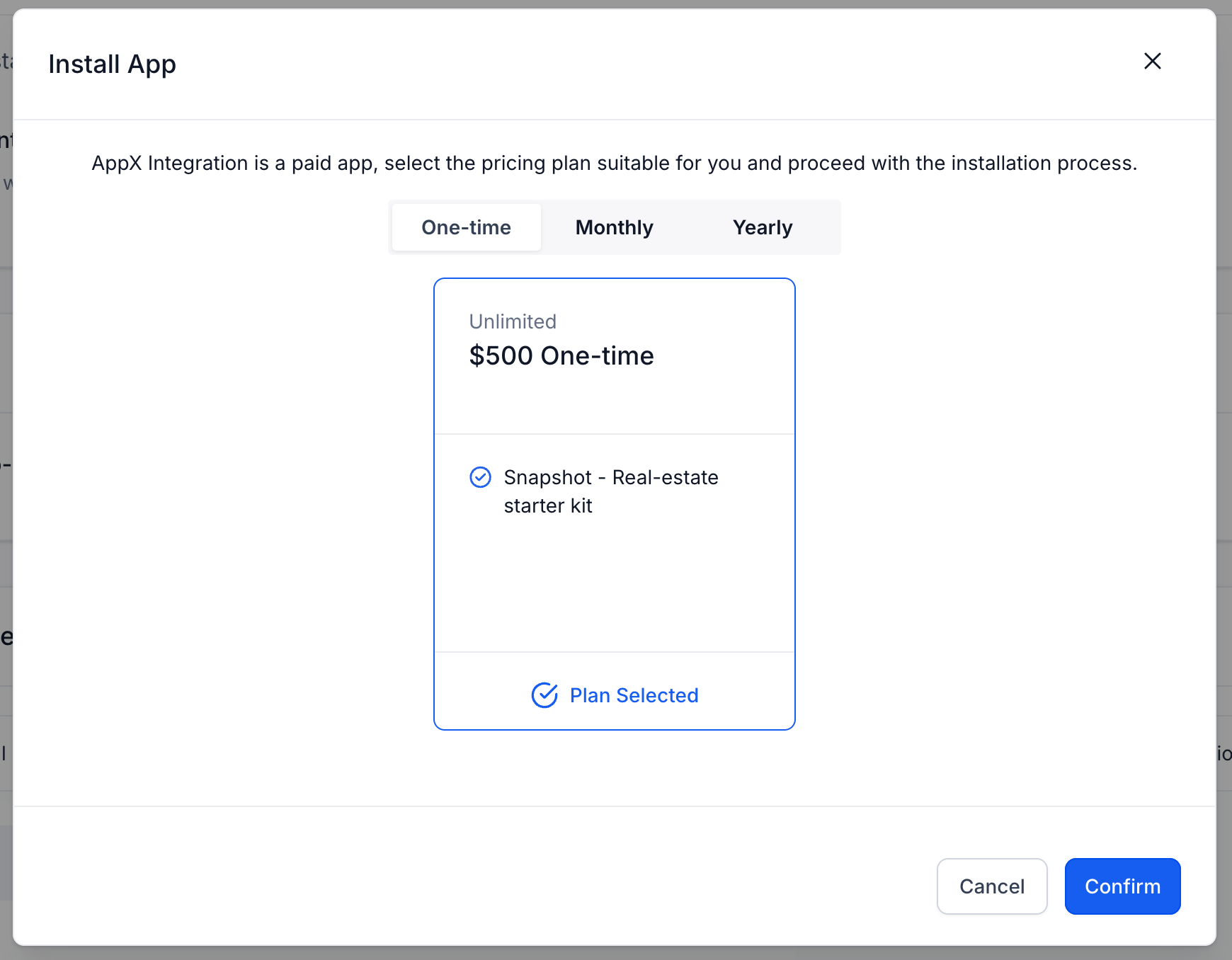
The pricing settings are configured during app creation and are displayed to users at the point of install, where the one time fee is collected.
03How businesses use one time pricing model
- SaaS developer. During app creation the developer selects the one time pricing option and enters the amount to be charged. If the app is offered to agencies, they also set a distinct price for agency bulk installs and a price per subaccount.
- Digital agency. The agency reviews apps that have one time pricing using the new marketplace filters, then installs the chosen app, paying the single fee that applies to the agency or its subaccounts as configured by the developer.
- Widget creator. When publishing a widget, the creator defines a one time price in the app settings. Users browsing the marketplace can filter for one time priced widgets and purchase them with a single payment at install.
04The numbers and rules that matter
- For apps of Agency & Subaccount distribution type, developers can configure different pricing for agency and per subaccount.
05How to set up and use one time pricing model in HighLevel
Configure a one time price while creating an app
- During the app creation workflow, select the one time pricing option and enter the desired fee.
Set separate agency and subaccount pricing for applicable apps
- If the app uses Agency & Subaccount distribution, provide one price for the agency bulk install and another price for each subaccount.
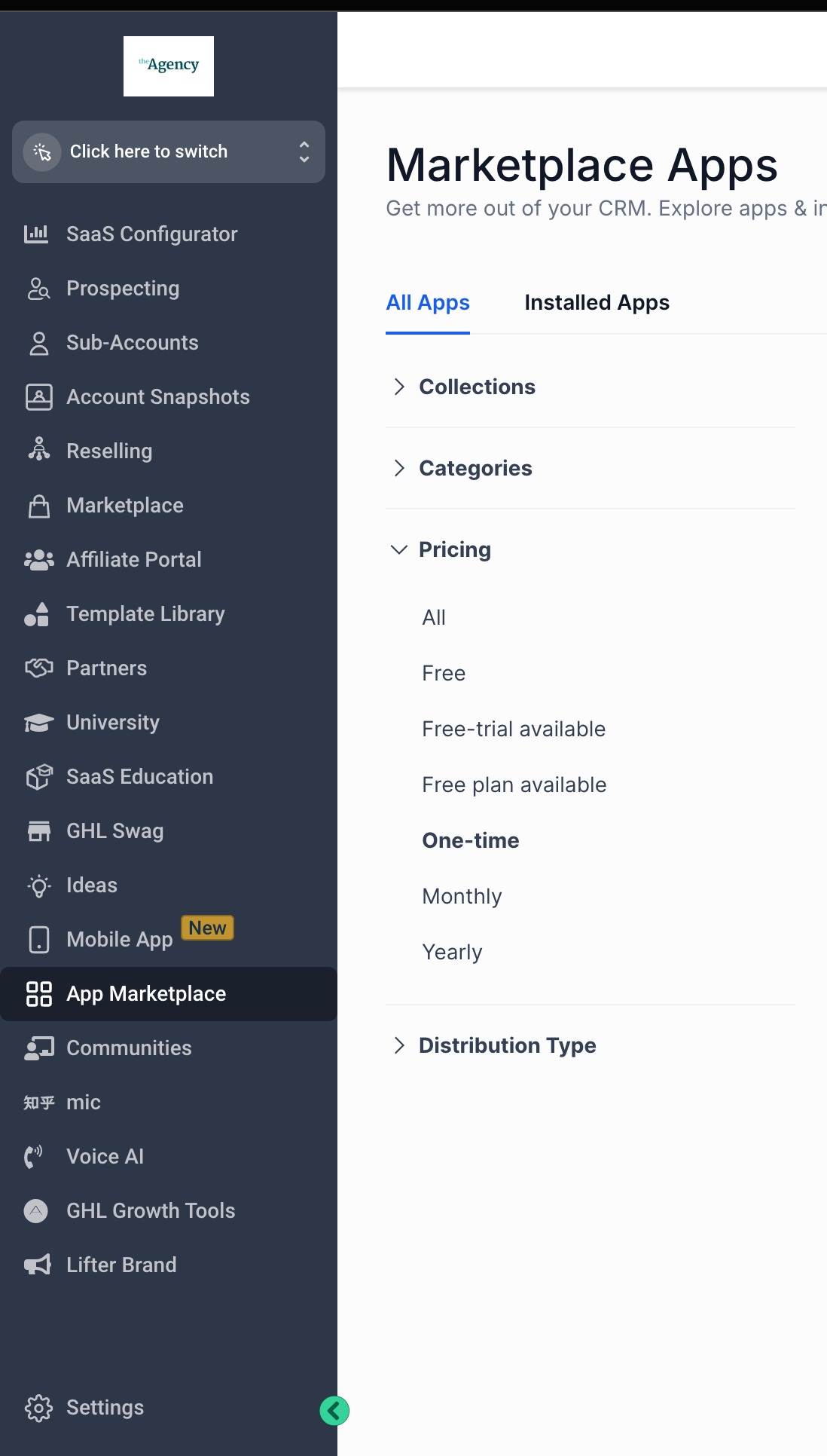
Use pricing filters to aid app discovery
- Apply the new pricing filter in the marketplace to display apps that are offered with a one time fee.
Install an app with a one time fee
- When a user selects an app marked with one time pricing, they complete a single payment to finish the installation.
06What it looks like in HighLevel
07Things to know before you rely on it
- Modules such as Snapshots and Widgets cannot be reversed after installation, which is why the one time model is required for them.
08How it connects to the rest of HighLevel
- Change an existing app's pricing plan Change app pricing
- Learn how to list and sell a Snapshot in the marketplace Sell Snapshots
- Review overall HighLevel pricing and plans HighLevel pricing
Michael's take

I think setting the pricing amount for the agency versus each subaccount is the first setting to get right.