
01Who this is for
- Agency admins: can create extra revenue by marking up usage based services.
- Marketing agencies: can bundle usage based tools for client campaigns and control pricing.
- Consulting firms: can manage app costs for multiple clients from a single agency account.
02Agency reselling for usage based apps, explained
The feature adds a markup field to usage based Marketplace apps. Agency admins set the amount in the reselling interface and the platform calculates the final price automatically. The resell price replaces the base usage fee wherever the app is billed.
Reselling options appear only on the App Reselling tab inside the App Marketplace section. Only agency admins see the markup controls, while clients view only the marked up price. The setting applies to all subaccounts that install the app.
When an app is installed from the agency account, the selected subaccounts receive the app with the agency defined usage pricing. Subaccount users can also install the app themselves, and they will see the same marked up rates.
03How businesses use agency reselling for usage based apps
- Digital marketing agency. The agency selects a usage based ad spend tracking app, adds a profit amount in the Your Profit field, and saves the settings. When the app is installed for client subaccounts, each client is billed the agency’s price, generating additional margin.
- Consulting firm. Consultants pick a usage based analytics app, configure a markup, and install it across multiple client subaccounts from the agency dashboard. All client accounts receive the app with the same marked up pricing.
- White label solution provider. The provider enables reselling of a usage based reporting app, sets a profit amount, and pushes the app to partner subaccounts. Partners install the app directly and see the provider’s price, not the original developer rate.
04Before you start
- The user must be an agency admin logged into the agency account.
- The selected app must have usage based pricing; only those apps support reselling.
05How to set up and use agency reselling for usage based apps in HighLevel
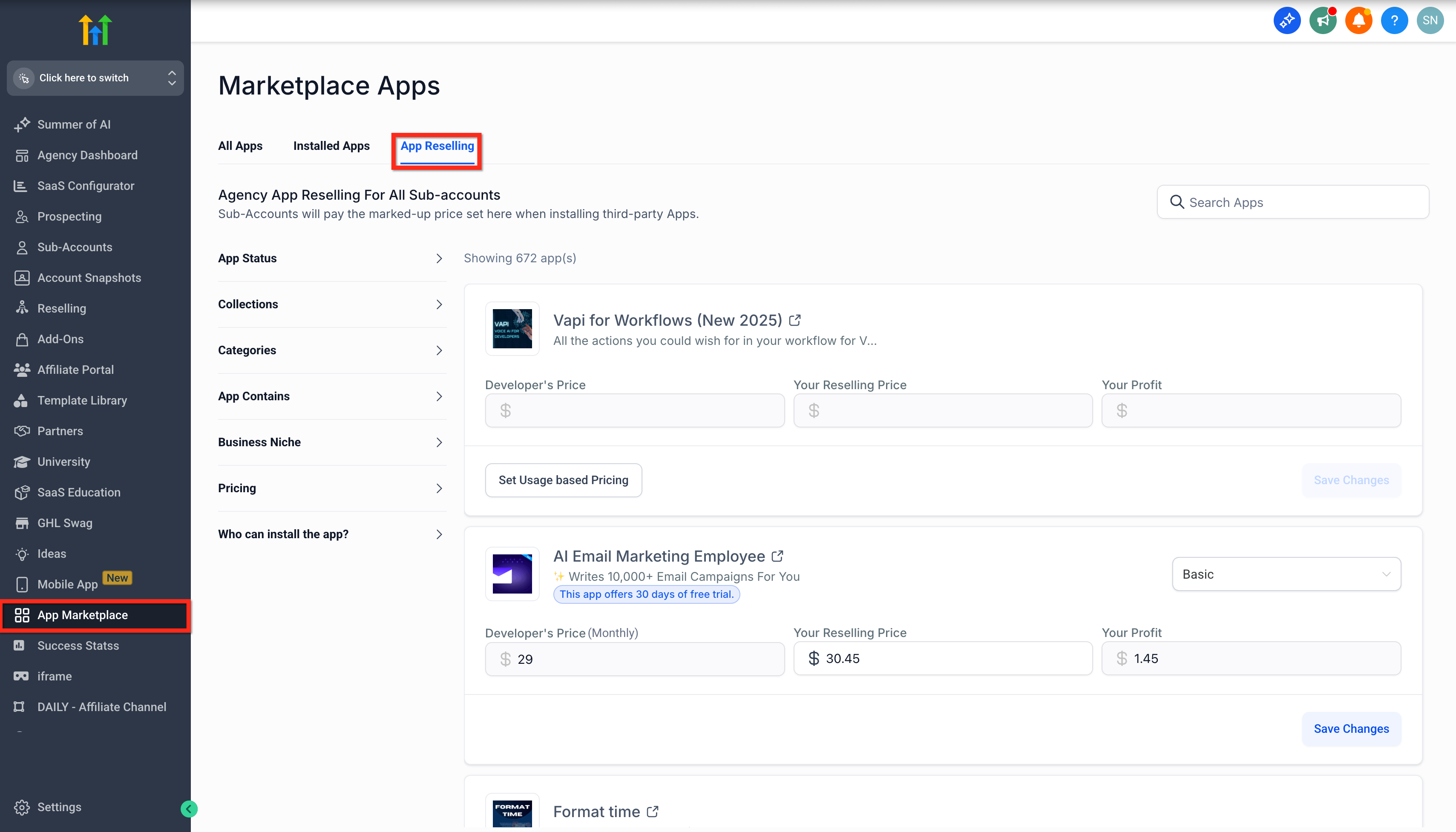
Navigate to the app reselling page
- Log into the agency account.
- Select App Marketplace from the left navigation.
- Open the App Reselling tab.
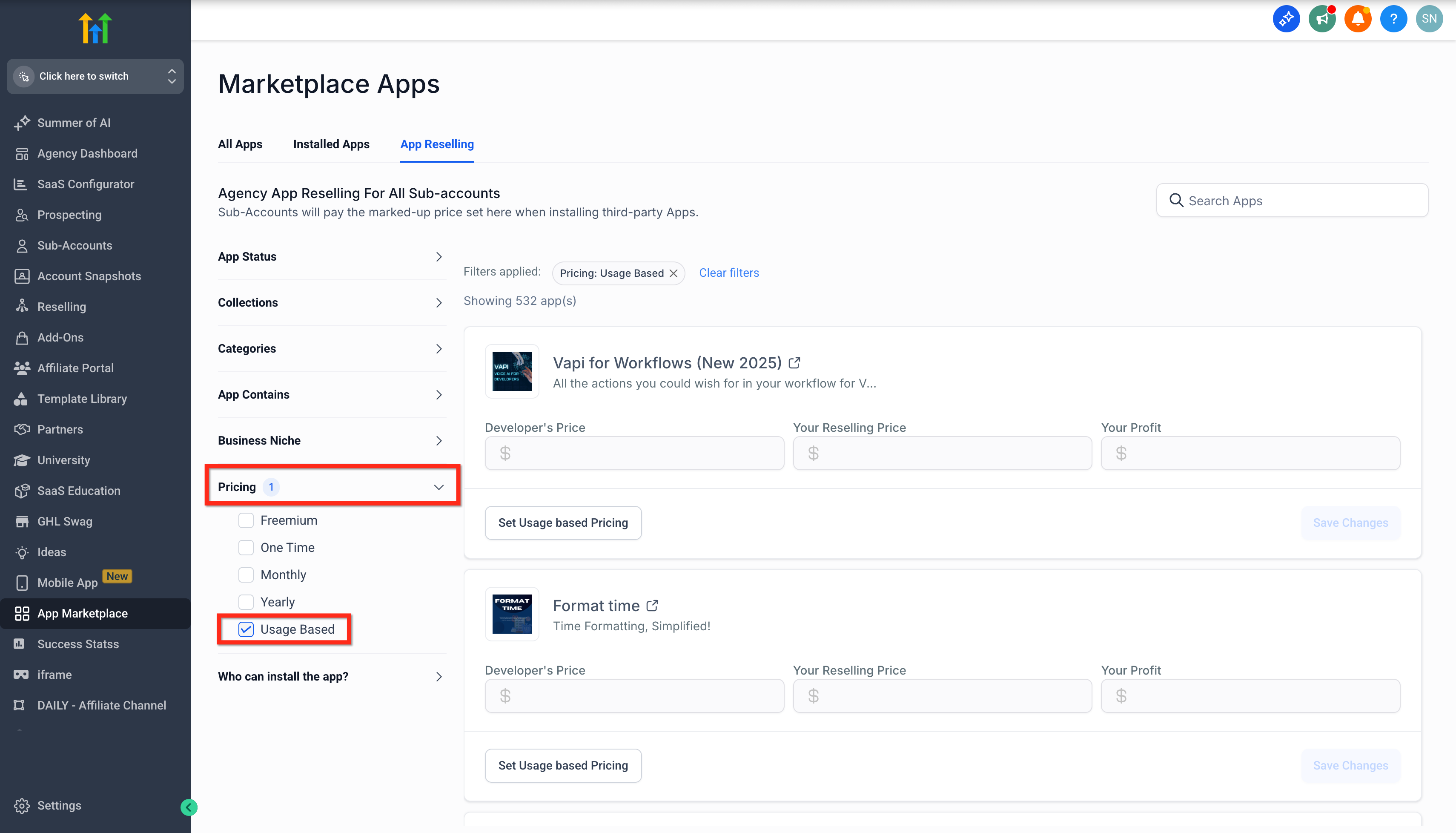
Filter the list to show usage based apps
- Click the Pricing tab at the top of the page.
- Choose Usage Based from the pricing filter dropdown.
- Optionally type an app name into the search field.
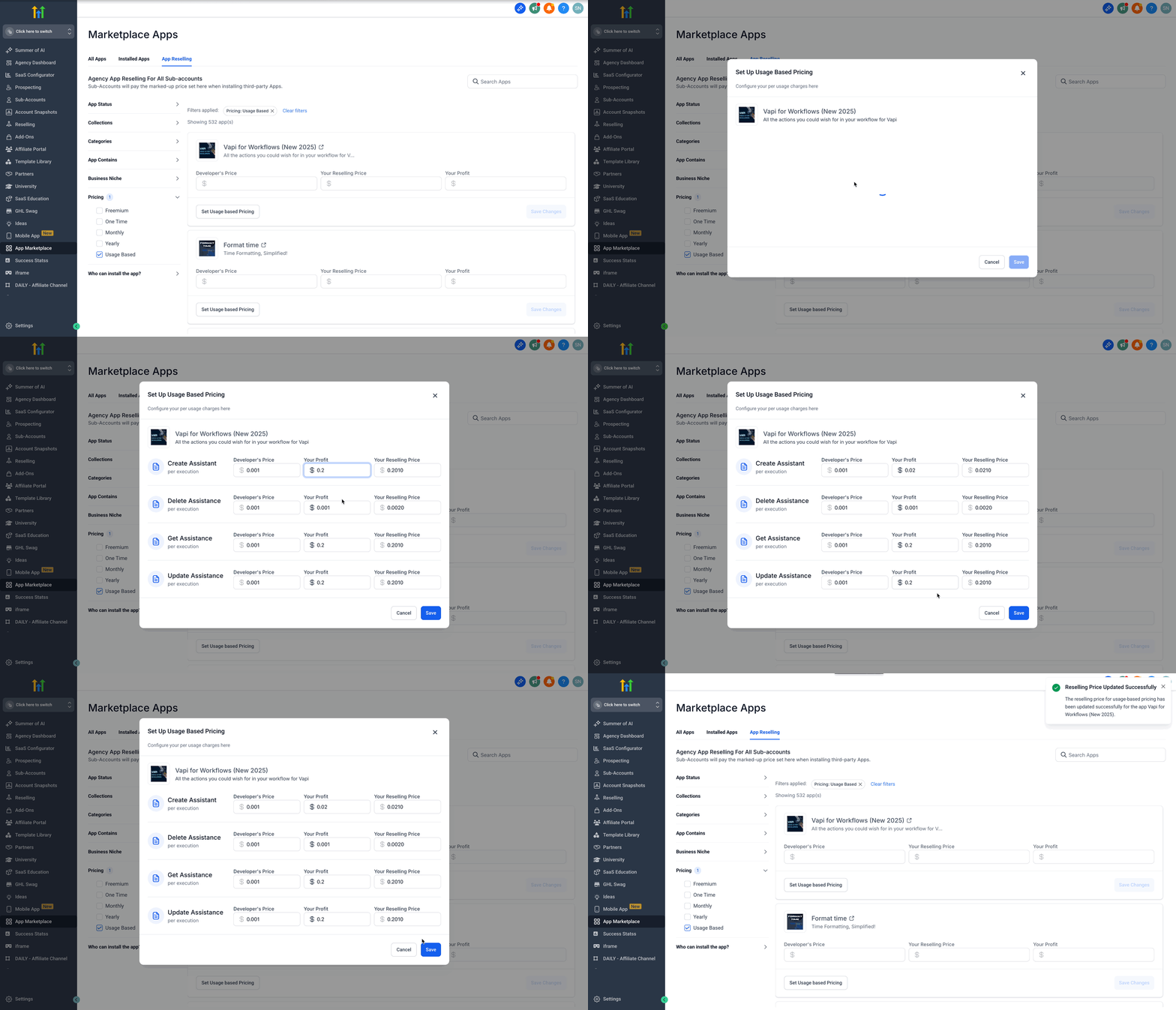
Set pricing and profit margin for a selected app
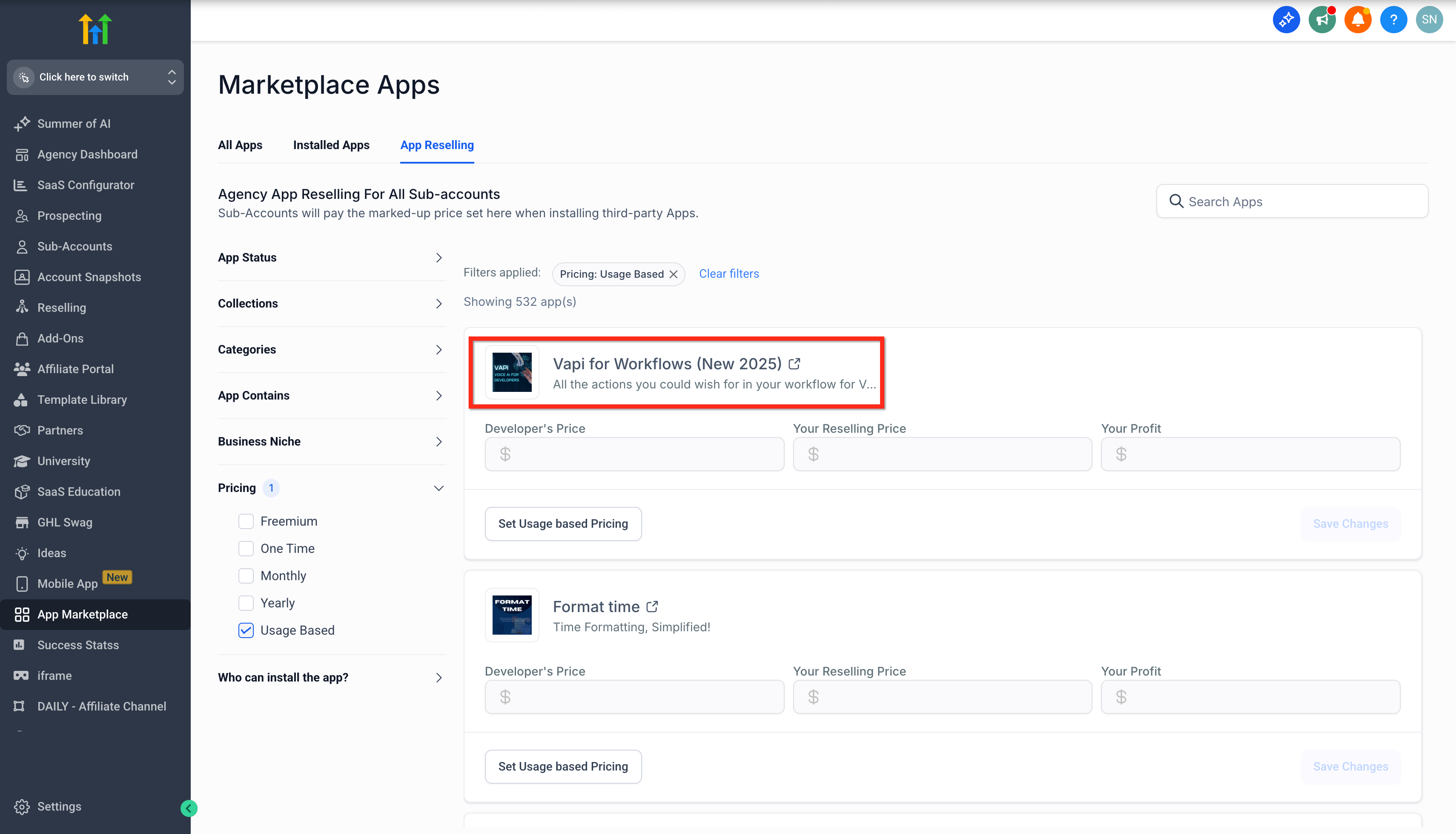
- Pick the app you intend to resell.
- Press the Set Usage Based Pricing button for that app.
- Examine the developer’s usage rates for each service.
- Enter the extra amount you want to charge in the Your Profit field.
- Review the automatically computed resell price.
- Save the configuration.
Install the app to subaccounts from the agency account
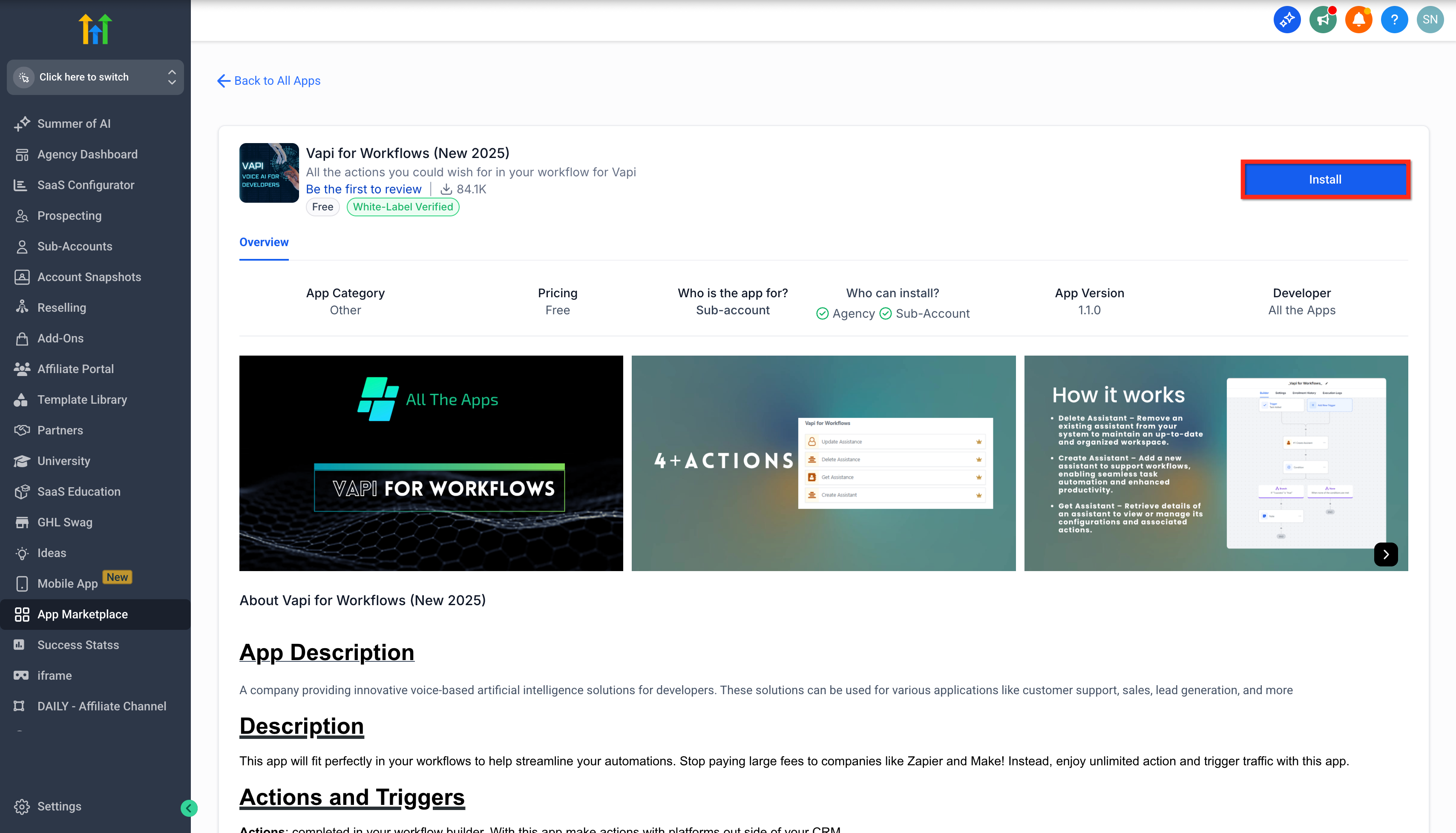
- Click the app’s name to open its installation window in a new tab.
- Hit the Install button.
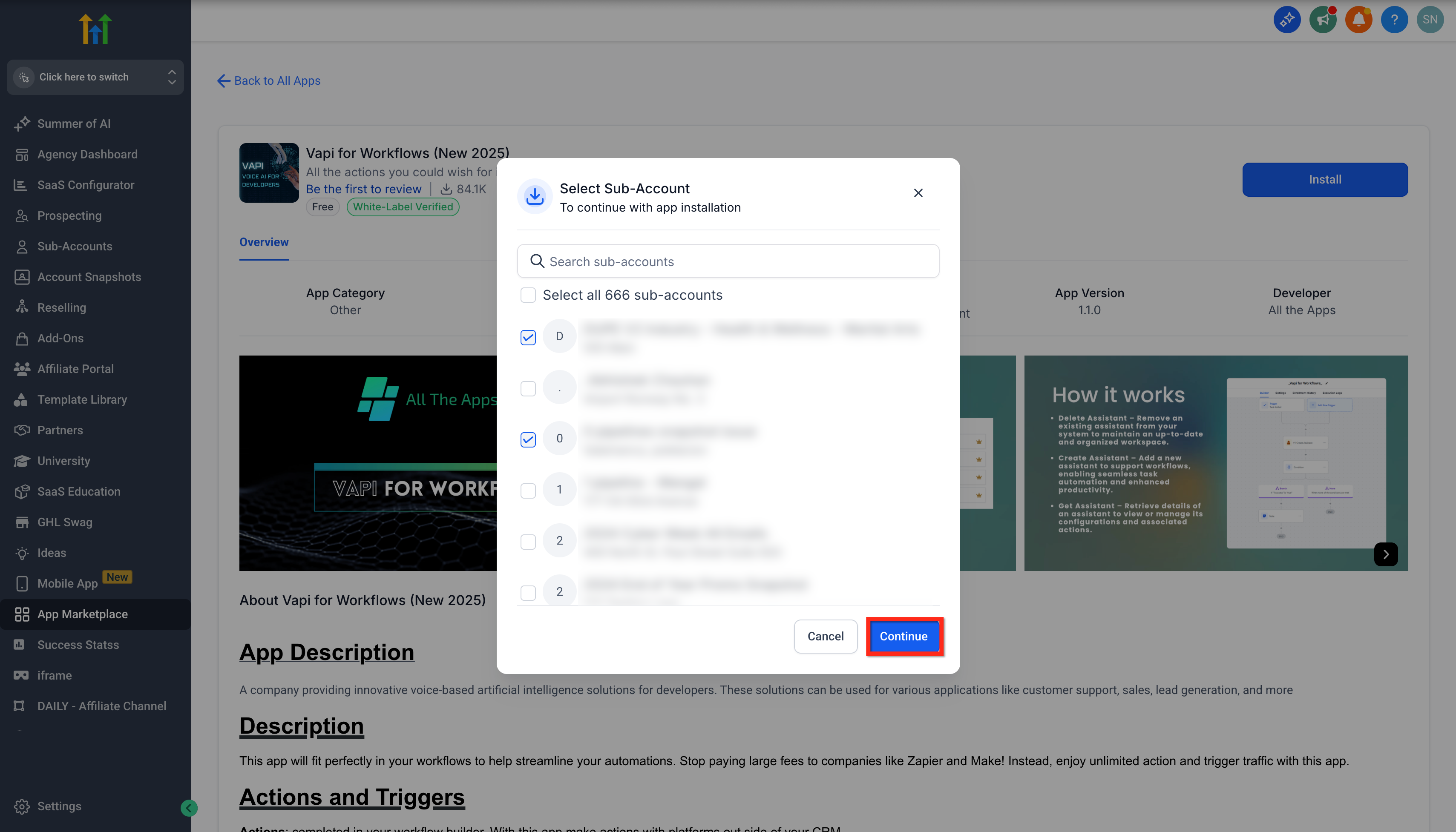
- Choose the subaccount or multiple subaccounts for installation.
- Select Continue.
- Click Allow and Install to confirm.
Install the app directly from a subaccount
- Sign in to the subaccount.
- Choose App Marketplace from the left menu.
- Locate the desired app using search.
- Click the app’s name to open its installation window.
- Press the Install button.
- Click Allow and Install to complete.
06What it looks like in HighLevel
07Settings that matter
- Set Usage Based Pricing button. Opens the configuration panel where the agency can define markup for a specific usage based app.
- Your Profit field. Specifies the additional amount the agency adds to the developer’s base usage price.
08Things to know before you rely on it
- Only apps that use usage based pricing are eligible for agency reselling.
- Markups apply at the app level for all clients; client specific markups are not supported.
- There are currently no hard limits on the markup amount, though competitive pricing is recommended.
- Only agency admins can view and modify reselling configurations.
09How it connects to the rest of HighLevel
- Manage daily usage caps for usage based apps at the agency level. Agency usage limits
- Review HighLevel pricing plans to see which include Marketplace access. HighLevel pricing
- Learn how agencies install Marketplace apps for subaccounts. Agency app installation
Michael's take

Many agencies think they need to rebuild a whole billing system to profit from usage based apps. The markup feature does the heavy lifting; you simply add a profit amount and the platform handles the rest. Trying to track usage manually defeats the purpose of a streamlined marketplace.
I would go straight to the App Reselling tab, pick a high usage app, add a modest profit amount, and install it for a test subaccount. Watching the client invoice reflect the new price confirms everything is wired correctly before you roll it out agency wide.