
01Who this is for
- Agency owners who need to oversee spending across multiple client accounts.
- Admins responsible for controlling external API charges for usage based apps.
02Agency control over daily usage limits, explained
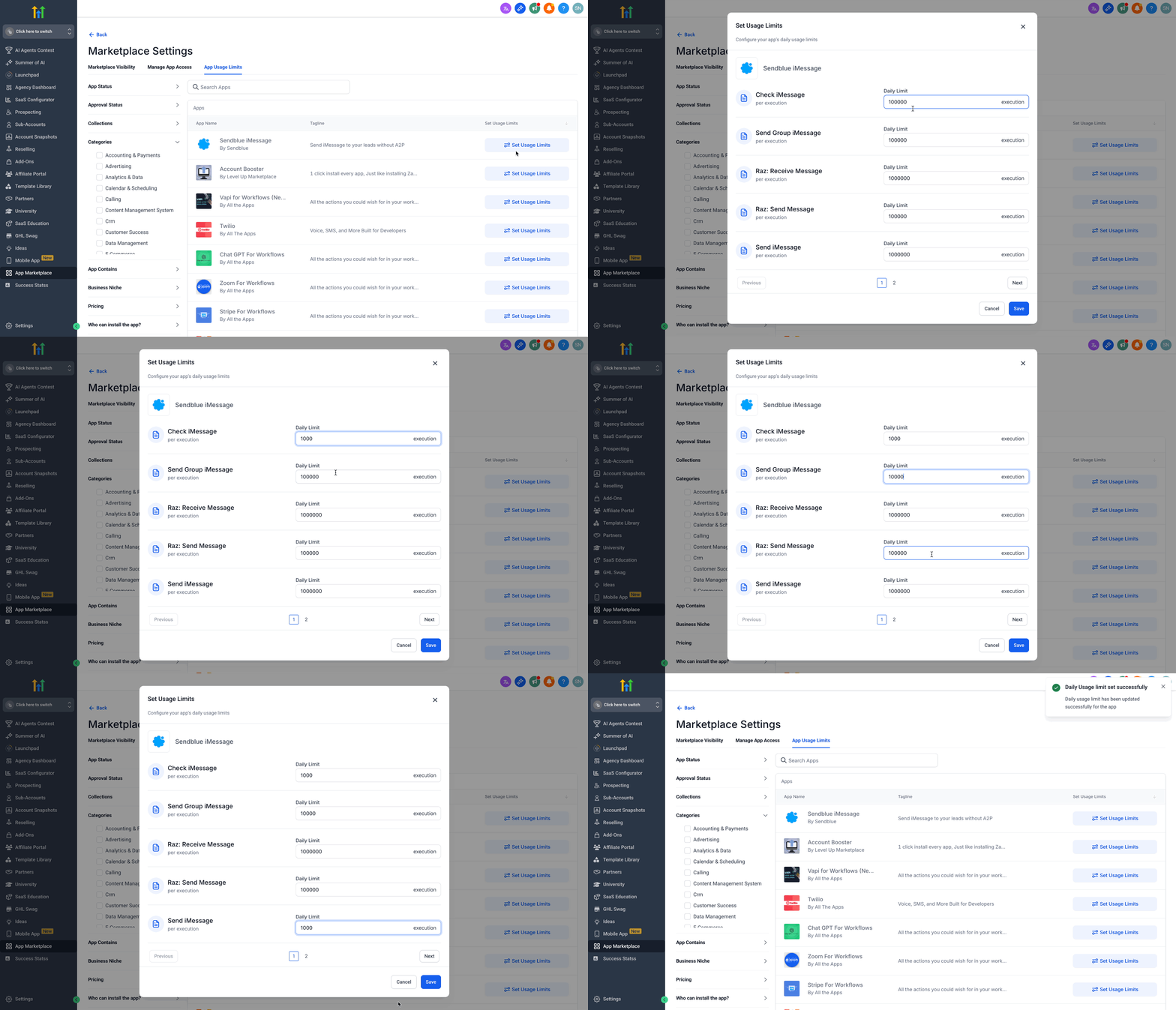
The daily usage limit feature lets agency owners and admins define a maximum number of executions for each usage based app per day. The controls are grouped in a dedicated settings hub that only authorized agency users can access. The hub is located inside the Agency account under the App Marketplace section and consolidates all Marketplace permissions and usage settings in a clean layout.
03How businesses use agency control over daily usage limits
- Digital marketing agency. The agency opens the App Marketplace settings, selects a lead generation app, and enters the maximum number of API calls it may run each day. This prevents the client’s campaign from exceeding the agreed budget.
- SaaS consultancy. Consultants set a daily cap on a usage based analytics app for each client organization. The limit ensures that data processing costs stay within the consultancy’s pricing model.
- Local IT services firm. The firm filters to installed apps, picks a remote monitoring tool, and defines a daily execution ceiling. Adjustments can be made whenever the client’s monitoring needs change.
04The numbers and rules that matter
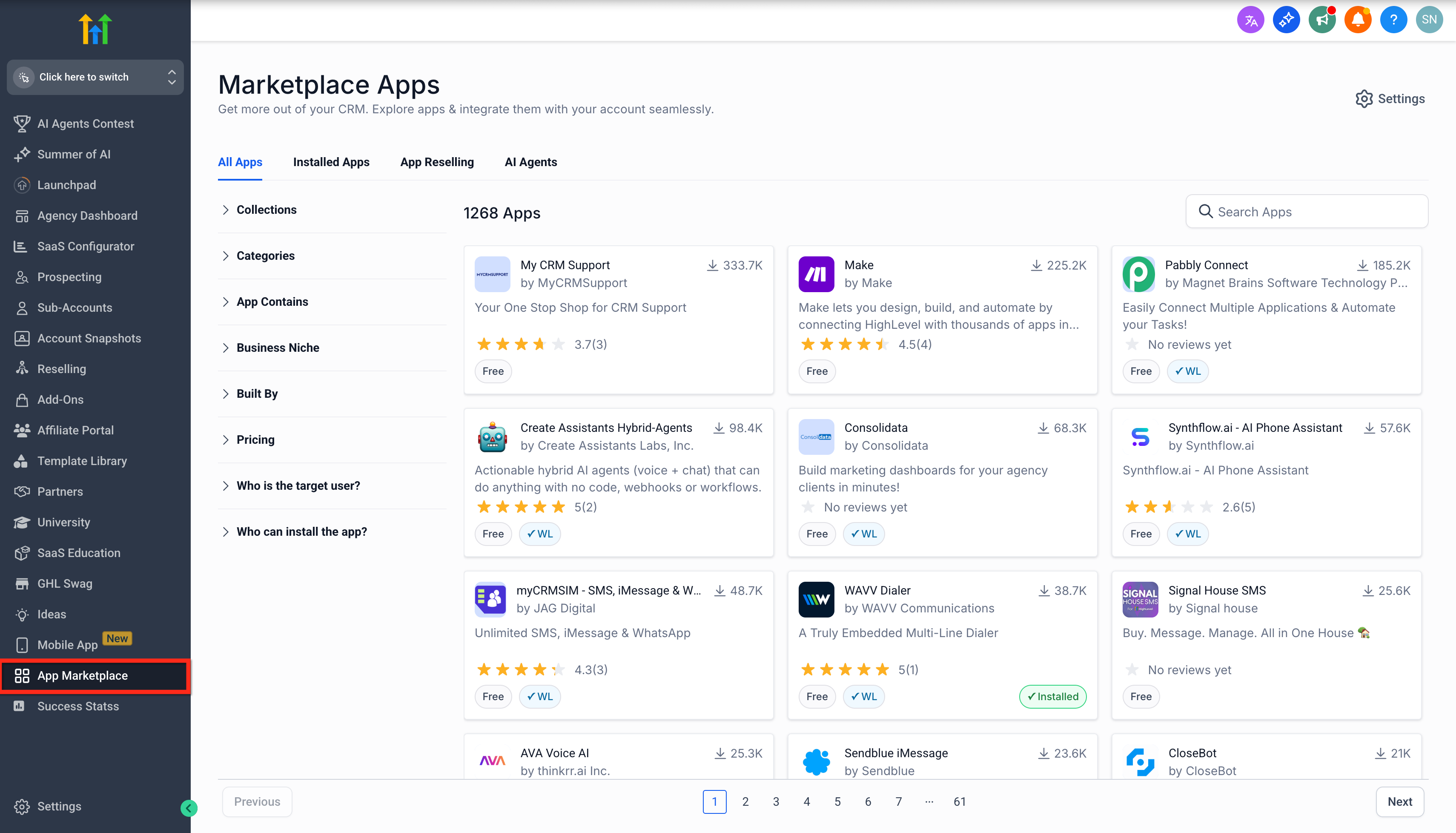
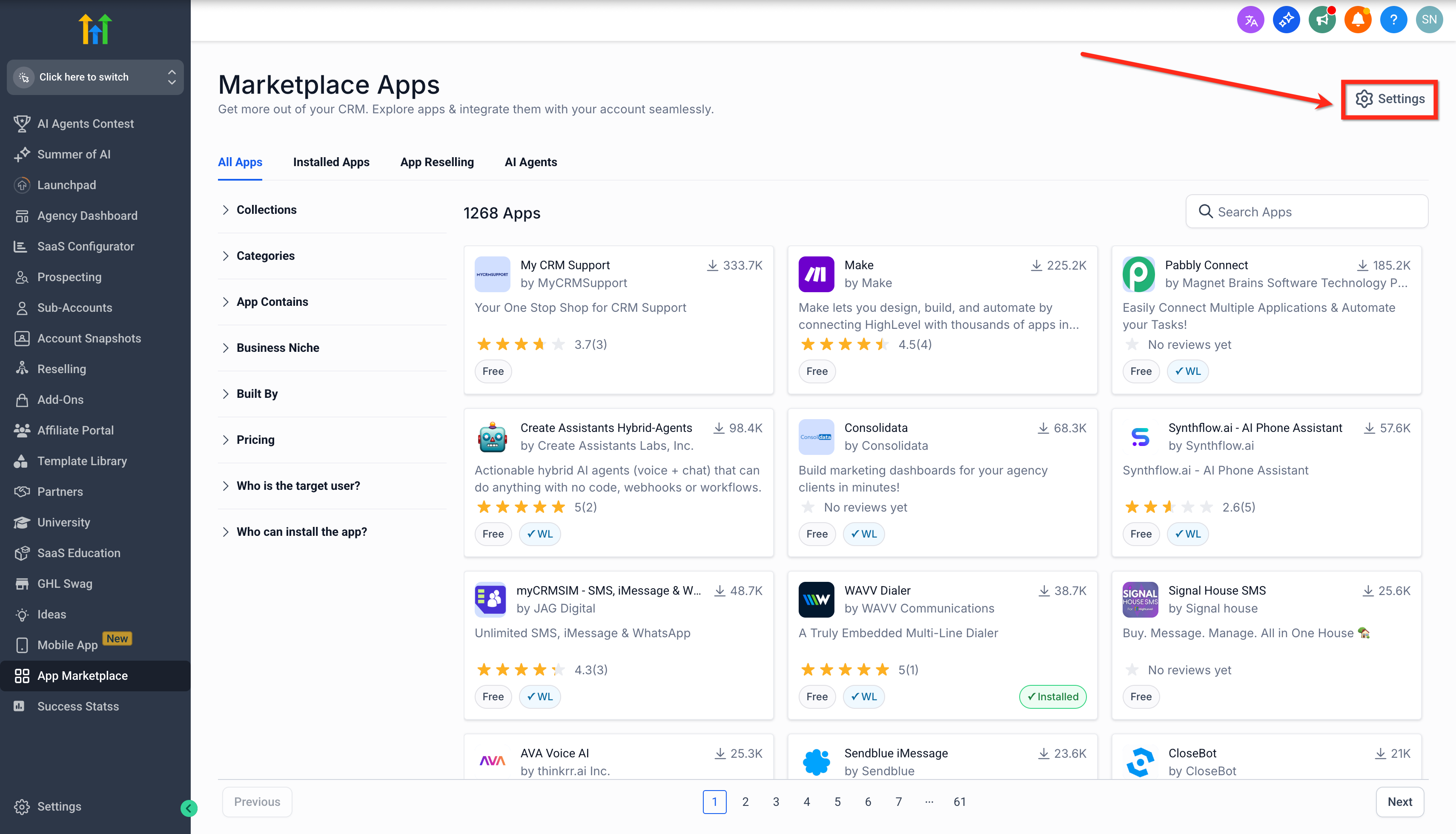
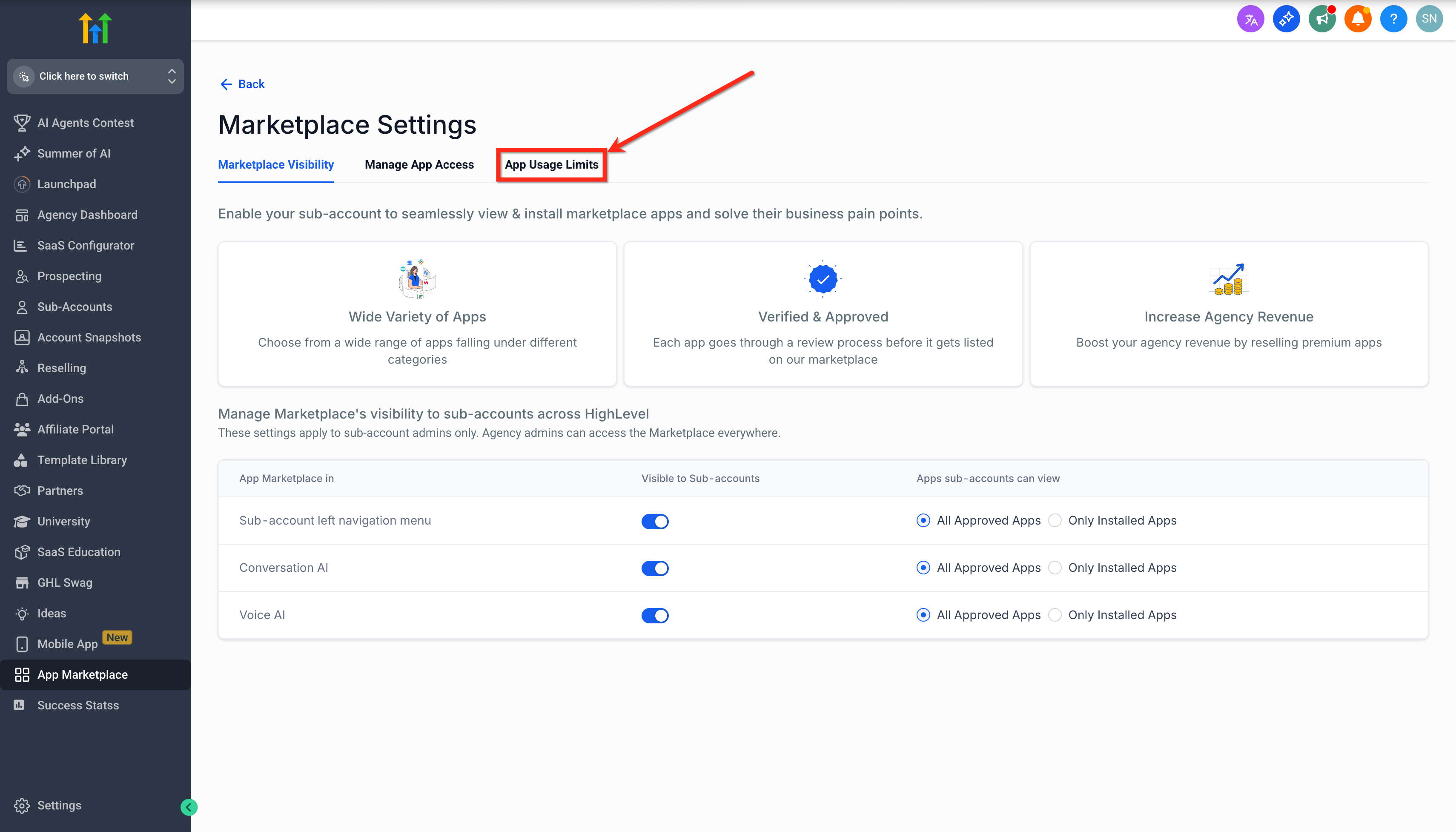
- Access via left navigation > App Marketplace > Settings > App Usage Limits.
05Before you start
- The user must be logged into an agency account.
- The user must have agency owner or admin rights.
06How to set up and use agency control over daily usage limits in HighLevel
Set daily usage limit
- Log in to the agency account.
- In the left navigation, select App Marketplace.
- Press the Settings button.
- Within Settings, choose App Usage Limits.
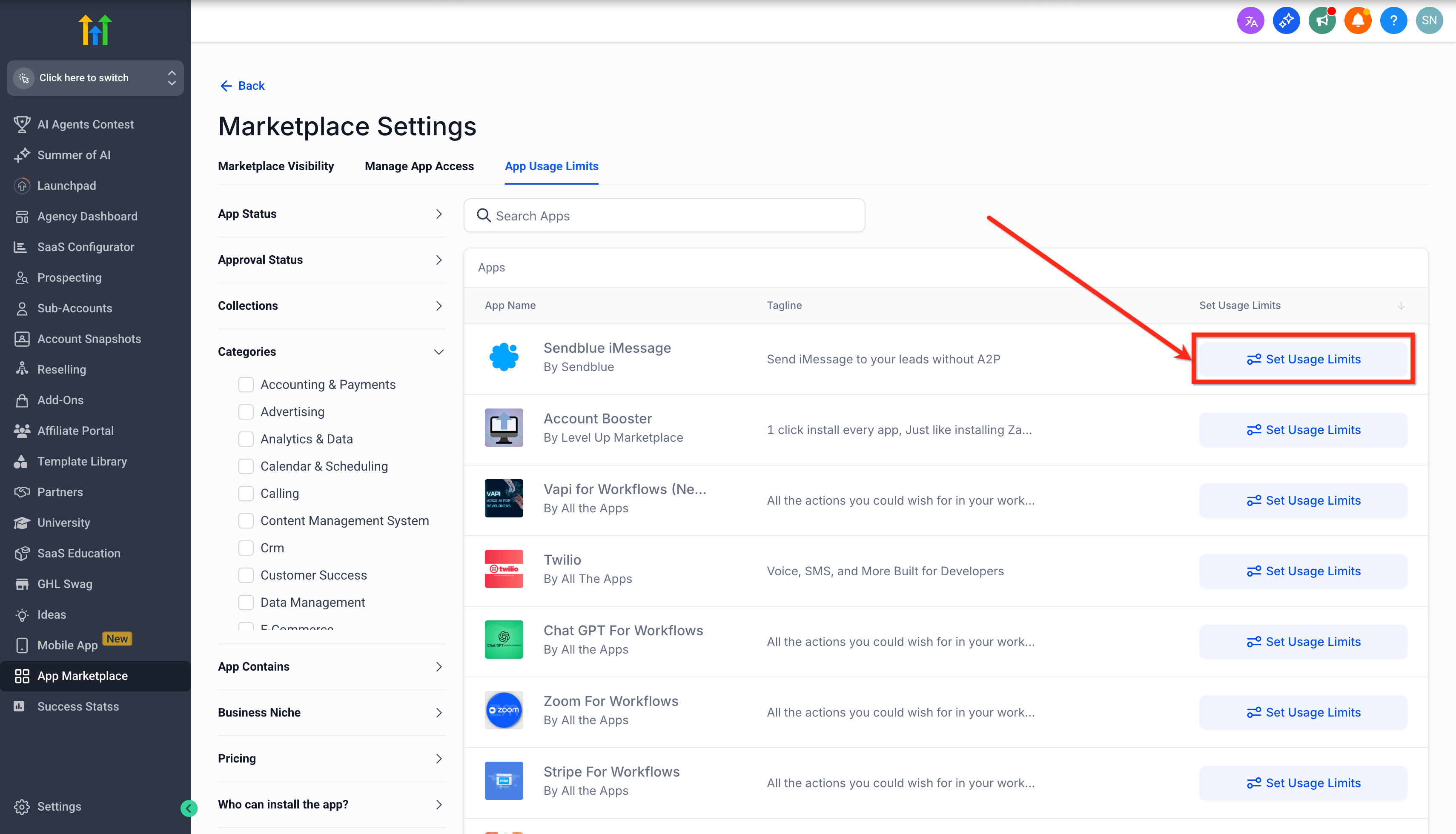
- Find the desired app and click the Set Usage Limit button.
- Enter the allowed number of executions per day in the numeric field.
- Click Save to store the limit.
07What it looks like in HighLevel
08Settings that matter
- App Usage Limits. Controls the maximum number of daily executions permitted for each usage based Marketplace app.
09Things to know before you rely on it
- Limits apply only to apps that use usage based pricing.
- Only agency owners and admins can create or modify daily usage limits.
- Limits are set per day for each individual app.
10How it connects to the rest of HighLevel
- Agency reselling for usage based apps Reselling usage based apps
- Managing Marketplace app permissions App permissions control
- App Marketplace earnings dashboard Earnings overview
Michael's take

Michael ReimerFounder of CRM Pros, HighLevel Commander and Certified Admin
Running an agency means watching the bottom line as closely as the creative work. Daily usage caps give a safety net so an unexpected API call doesn’t become an unplanned expense, and the predictability helps maintain agency trust with clients. Having the control panel in one place lets you adjust caps quickly as campaigns change.
Get More InformationOpens on HighLevelPublished November 2, 2026 · Updated November 16, 2026