
01Who this is for
- AI Employee developers, they can verify that uploaded documents and tables are searchable before agents go live.
- Support teams, they can confirm that policy articles and FAQ entries return the correct information for customer queries.
02Knowledge Base retrieval tester, explained
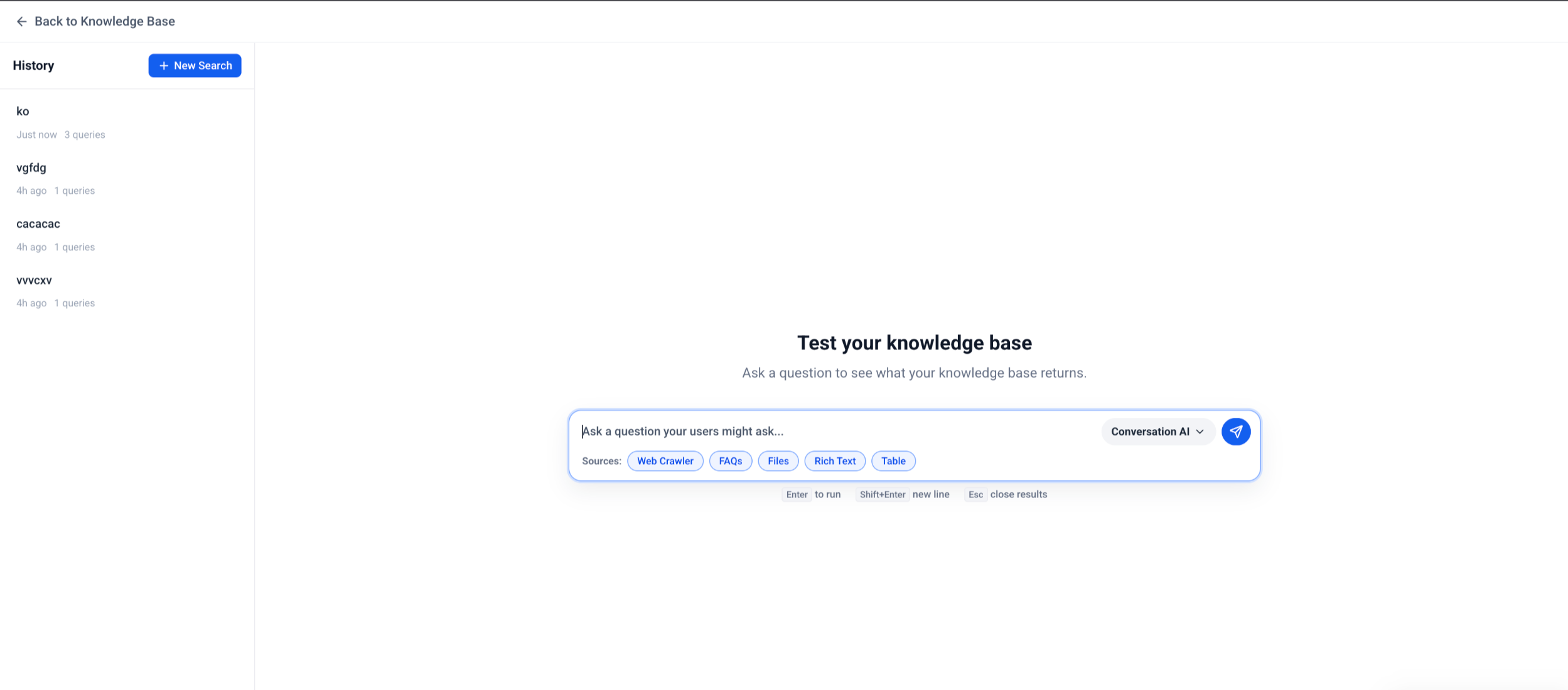
The Retrieval Tester runs a read only simulation of a user question against a selected Knowledge Base. It returns an answer generated by the platform and lists each source or chunk that contributed to the answer. This view lets you understand which pieces of content the AI considered.
The tester lives inside the Knowledge Base editor. After opening a Knowledge Base, you open the Retrieval Tester panel, type a question, and view the answer with its source list. No changes are written to the Knowledge Base and no live conversations are triggered.
The feature works with all supported source types: uploaded documents, rich text articles, CSV tables, and web crawled pages. Content must be fully indexed before the test runs, otherwise no sources will appear.
03How businesses use Knowledge Base retrieval tester
- AI Employee development. The developer opens the Knowledge Base, launches the Retrieval Tester, and asks typical client questions. By reviewing the returned sources, they confirm that the employee can locate the needed documents before publishing.
- Customer support knowledge base. A support manager runs the tester with common ticket topics. The manager checks that the most relevant policy article appears in the source list and updates any missing or outdated entries.
- Conversation bot preparation. The bot creator runs the Retrieval Tester after adding new FAQ rows to a table. They verify that the bot can retrieve the correct table row for a query like “Which customers have overdue invoices?” and adjust the table if needed.
04The numbers and rules that matter
- Supported source types include documents, rich text content, tables, website or web crawler content, and other supported Knowledge Base source types.
05Before you start
- The Knowledge Base must contain the documents, rich text, tables, or web sources you intend to test.
- All added or updated content must finish processing and be indexed before running the tester.
06How to set up and use Knowledge Base retrieval tester in HighLevel
Set up and run Knowledge Base Retrieval Tester
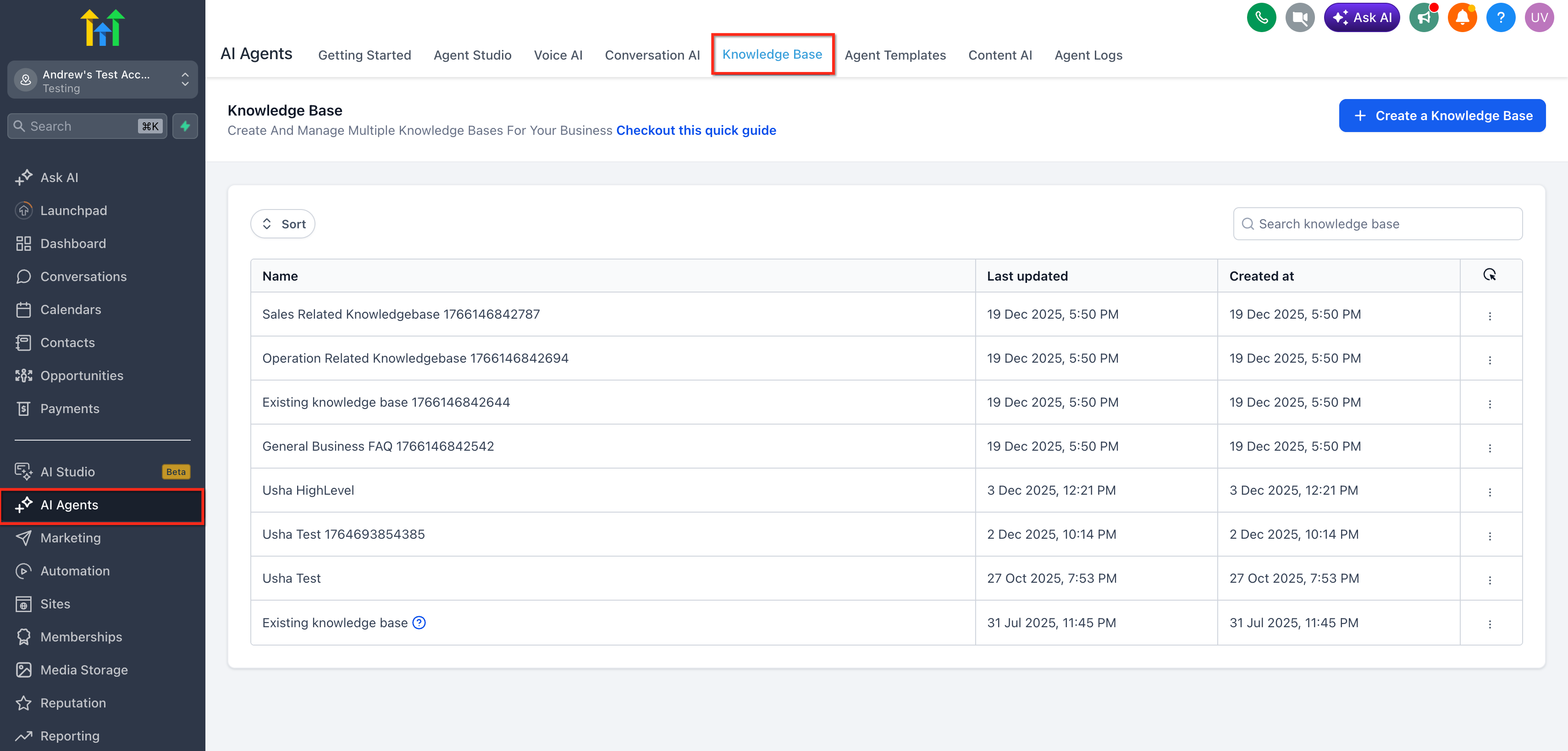
- Navigate to AI Agents > Knowledge Base.
- Open the Knowledge Base you want to test.
- Confirm the Knowledge Base includes the desired sources such as documents, rich text content, tables, website or web crawler content, and any other supported types.
- Wait for any newly added or updated content to finish processing or indexing.
- Open the Knowledge Base Retrieval Tester.
- Enter a realistic customer style question, for example “What is your refund policy?”.
- Review the answer that is generated.
- Examine the list of retrieved sources and chunks shown with the answer.
- Update the Knowledge Base content if the results are missing, incomplete, outdated, or irrelevant.
- Retest the same question to confirm the updated content is now retrieved correctly.
07What it looks like in HighLevel
08Things to know before you rely on it
- The tester runs in read only mode; it does not modify Knowledge Base content.
- Testing does not send messages to customers or trigger live conversations.
- Only supported source types, documents, rich text, tables, and web crawled pages, can be evaluated.
09If something goes wrong
- No source is retrieved. Confirm that indexing is complete, then add clearer wording that matches how users ask the question.
- Wrong source is retrieved. Update, remove, or clarify the competing content so the intended source appears more relevant.
- Answer is incomplete. Add missing details to the relevant Knowledge Base entry.
- Outdated source is retrieved. Remove or update the outdated content.
- Table data is not returned. Confirm the CSV setup, selected columns, and processing status.
- Document content is missing. Review headings, formatting, and source quality, then re upload or revise the document.
- Results improve after rewording the question. Add natural language terms, synonyms, and clearer headings to the Knowledge Base.
10How it connects to the rest of HighLevel
- Manage Knowledge Base sources with the new UI Knowledge Base overview
- Search tables in a Knowledge Base for AI Employees Table search guide
- Use document and rich text support in the Knowledge Base Document support
Michael's take

When a new policy or support document lands in your Knowledge Base, you need to be sure customers get the right answer, not a vague or outdated snippet. The first thing I would lock down is that the source I just added is actually indexed, I check the Retrieval Tester right after upload to confirm the document shows up.
If the test shows the wrong chunk or no result at all, I tweak headings or add the common phrasing customers use, then run the same question again. A quick cycle of test update retest saves you from surprising live errors once the AI Employee goes public.