
01Who this is for
- Founders of subscription services benefit because the feature lets them automate renewal reminders without exceeding daily call limits.
- Marketing agencies gain control over large scale outreach while staying within the platform’s rate and country restrictions.
02Voice AI outbound calling compliance checks, explained
The outbound calling feature adds a workflow action that dials contacts using a selected Voice AI agent and a configured caller ID. The action also presents the required location level terms for acceptance, keeping the setup inside the workflow builder.
Compliance safeguards remain active. The platform checks KYC, location eligibility, Acceptable Use Policy thresholds, daily and per minute call caps, per number contact limits, permitted calling hours, and same country destination rules. Business owners must still ensure each contact has legal permission to receive the call.
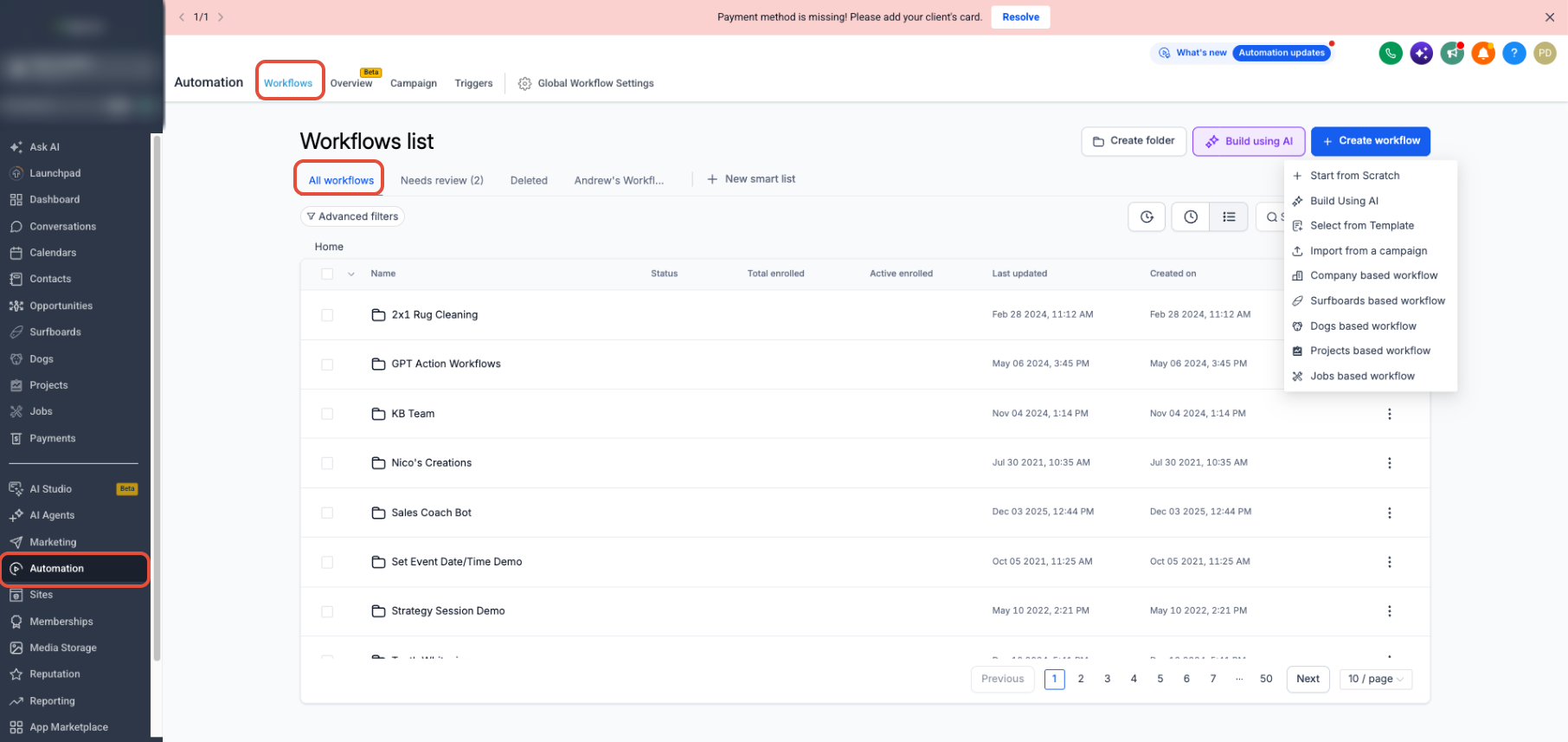
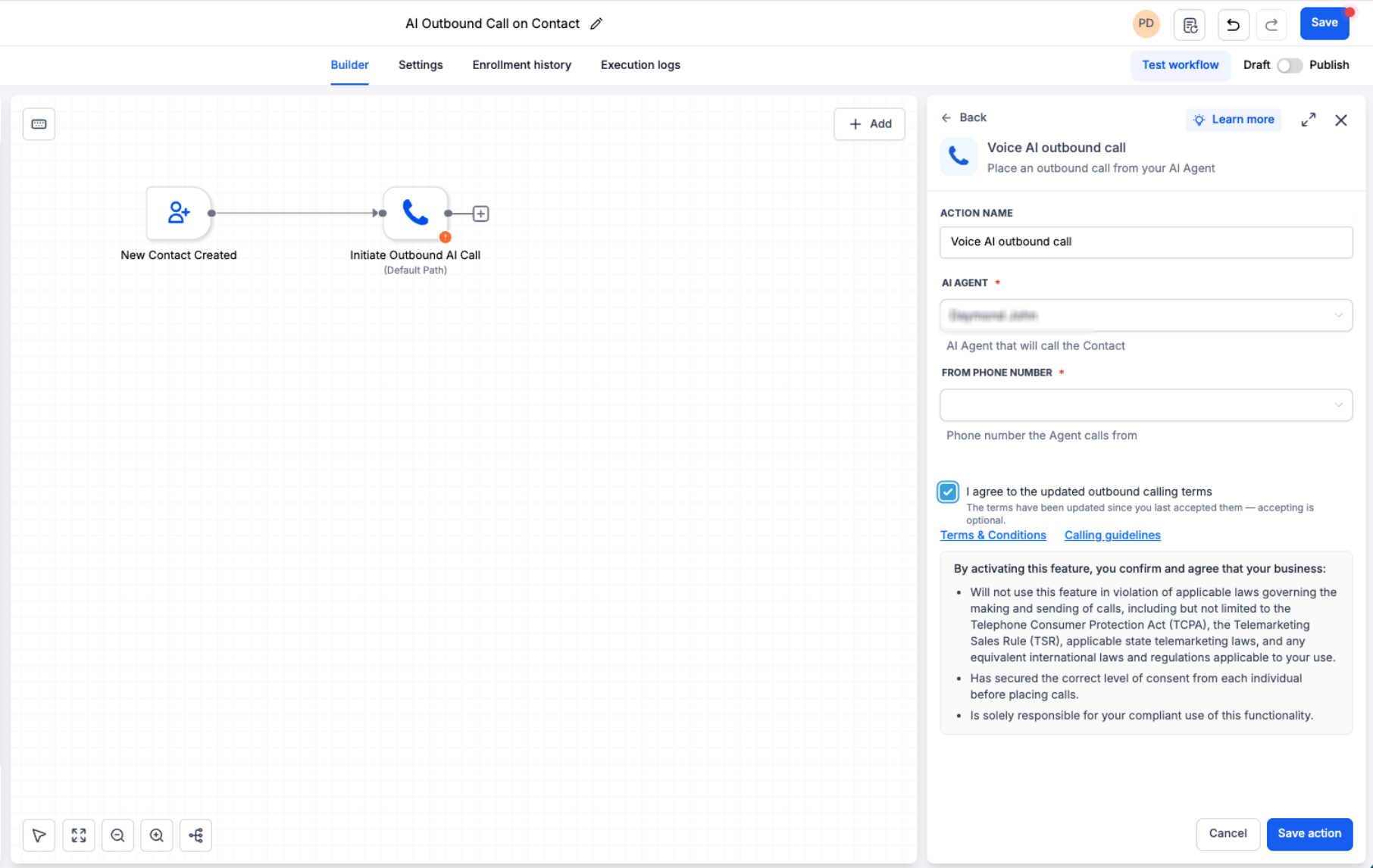
You find the configuration inside Automation > Workflows. After adding the Voice AI Outbound Call action, you select the AI agent, the From Phone Number, optionally set an action name, and accept the outbound terms if prompted. Once published, the workflow follows the defined limits and respects the contact’s timezone.
03How businesses use Voice AI outbound calling compliance checks
- Real estate brokerage. The brokerage creates a workflow that triggers when a new lead is added, adds the Voice AI Outbound Call action, selects its appointment booking AI agent, chooses the office phone number, accepts the outbound terms, and publishes the workflow to automate call backs within the 8 AM to 8 PM window.
- Dental practice. The practice builds a workflow that runs on a daily schedule, inserts the Voice AI Outbound Call action with its reminder AI agent and practice line, confirms the outbound terms, and publishes the workflow to send automated appointment reminders while staying under the 5,000 call daily cap.
- SaaS onboarding team. The team sets up a workflow that fires after a trial signup, adds the Voice AI Outbound Call action pointing to an onboarding AI agent, picks the corporate phone number, accepts the location terms, and publishes the workflow to deliver welcome calls within the allowed call rate limits.
04The numbers and rules that matter
- Each eligible location can place up to 5,000 outbound Voice AI calls per day.
- Calls can be placed at up to 10 calls per minute per location.
- Each phone number can be called once per day.
- Each phone number can be called up to 14 times within a 14 day period.
- Supported calling window: 8:00 AM to 8:00 PM based on the contact’s phone number timezone.
- Calls above the daily limit are scheduled for the next eligible day.
- Required outbound calling terms are recorded once per location.
05Before you start
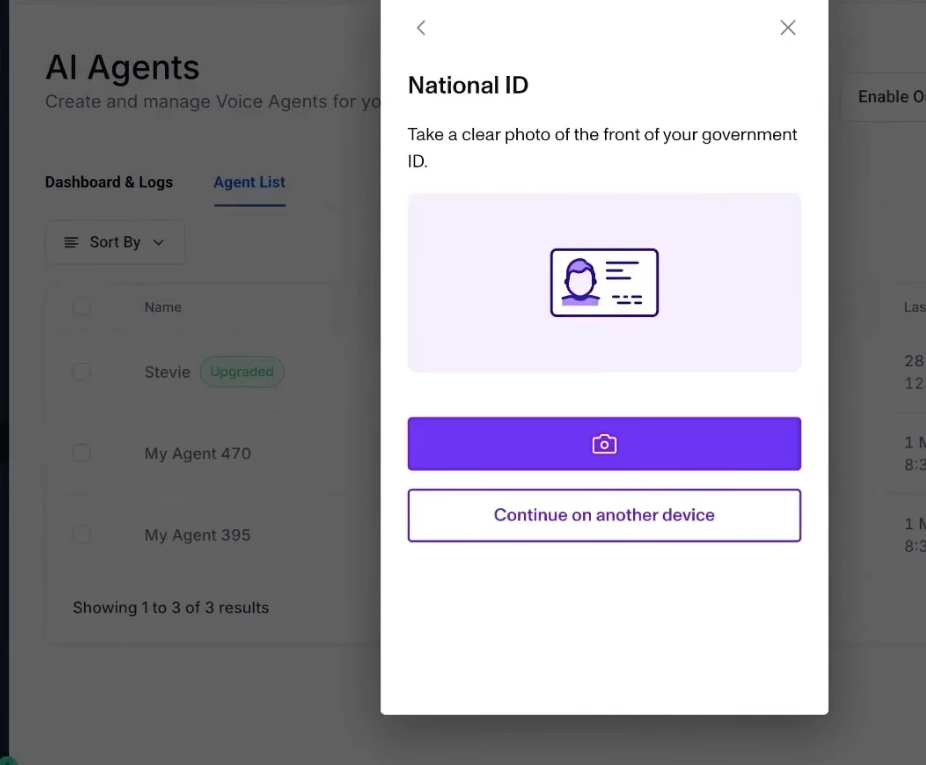
- Complete any required KYC or location verification steps.
- Verify that the location is eligible for outbound Voice AI calling and is not restricted by Acceptable Use Policy thresholds.
06How to set up and use Voice AI outbound calling compliance checks in HighLevel
Configure Voice AI outbound calling workflow
- Confirm the location meets KYC verification, eligibility, and AUP requirements.
- Open Automation > Workflows, then create a new workflow or edit an existing one.
- Insert the Voice AI Outbound Call action at the point where the call should occur.
- Enter an action name, choose the desired Voice AI agent, and select the From Phone Number.
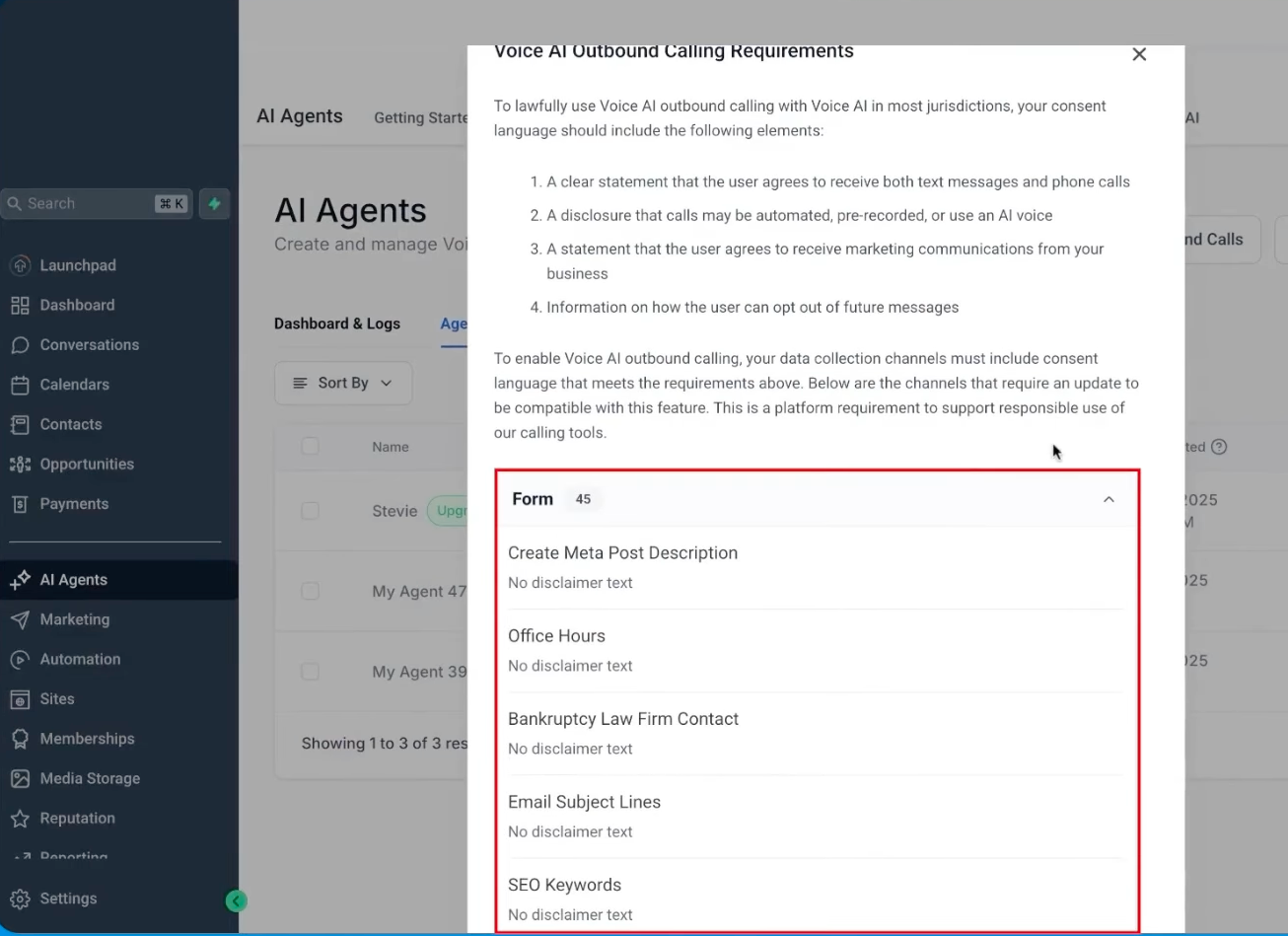
- Review the displayed Terms & Conditions and Calling guidelines, check the outbound consent box if shown, and save the action.
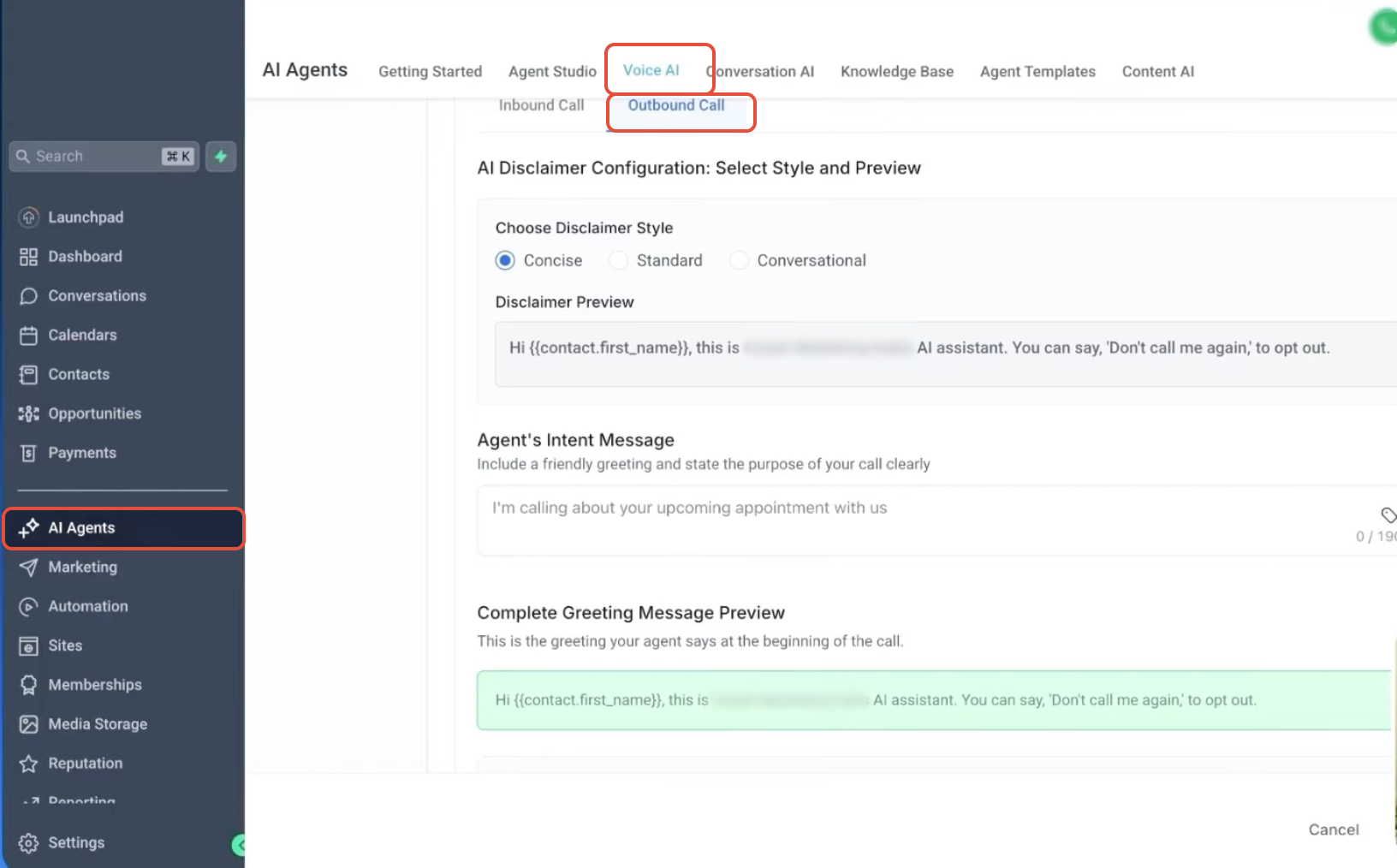
- Validate contact consent, review the AI disclaimer, ensure timing follows the 8 AM to 8 PM window, then publish the workflow.
07What it looks like in HighLevel
08Settings that matter
- AI Agent. Selects which Voice AI profile will place the outbound call.
- From Phone Number. Specifies the caller ID number used for the outbound call.
- Terms & Conditions. Displays the location level outbound calling agreement that must be accepted.
- Calling guidelines. Shows additional platform rules that the location must acknowledge.
- Outbound calling consent checkbox. Records the location’s acceptance of the required outbound calling terms.
- Action Name. Provides a label for the outbound call step within the workflow.
09Things to know before you rely on it
- A location can place up to 5,000 outbound Voice AI calls per day.
- The system allows a maximum of 10 outbound calls per minute per location.
- Each contact phone number may be called once per day and no more than 14 times in any 14 day period.
- Outbound attempts are limited to the 8 AM to 8 PM window based on the contact’s phone number timezone.
- Calls can only be sent to numbers in the same country as the calling location.
- If a location exceeds Acceptable Use Policy thresholds, outbound calling is automatically paused.
10How it connects to the rest of HighLevel
- Build and launch a Voice AI agent to use in outbound calls. Create Voice AI agents
- Review the full workflow setup guide for Voice AI outbound calling. Outbound calling workflow guide
- Learn how to manage AI usage limits and extra usage options. AI usage limits
- Explore the overall capabilities and business uses of HighLevel voice AI agents. Voice AI overview
- Start a 30 day trial of HighLevel to test outbound calling. 30 day trial
Michael's take

When you’re already running high volume outreach and need to stay within legal limits, the compliance checks simplify staying within those limits.
If your campaign is small or you don’t have a formal consent process, the feature adds little value. The platform still requires you to manage contact permission yourself, so you may spend more time on compliance paperwork than on the actual calls.