
01Who this is for
- Businesses that need 24/7 call coverage without adding staff, as the AI can answer calls automatically.
- Companies with high call volumes that want faster response times and reduced missed opportunities.
- Service providers that rely on phone leads and require consistent routing control for each assigned number.
02Inbound call flow, explained
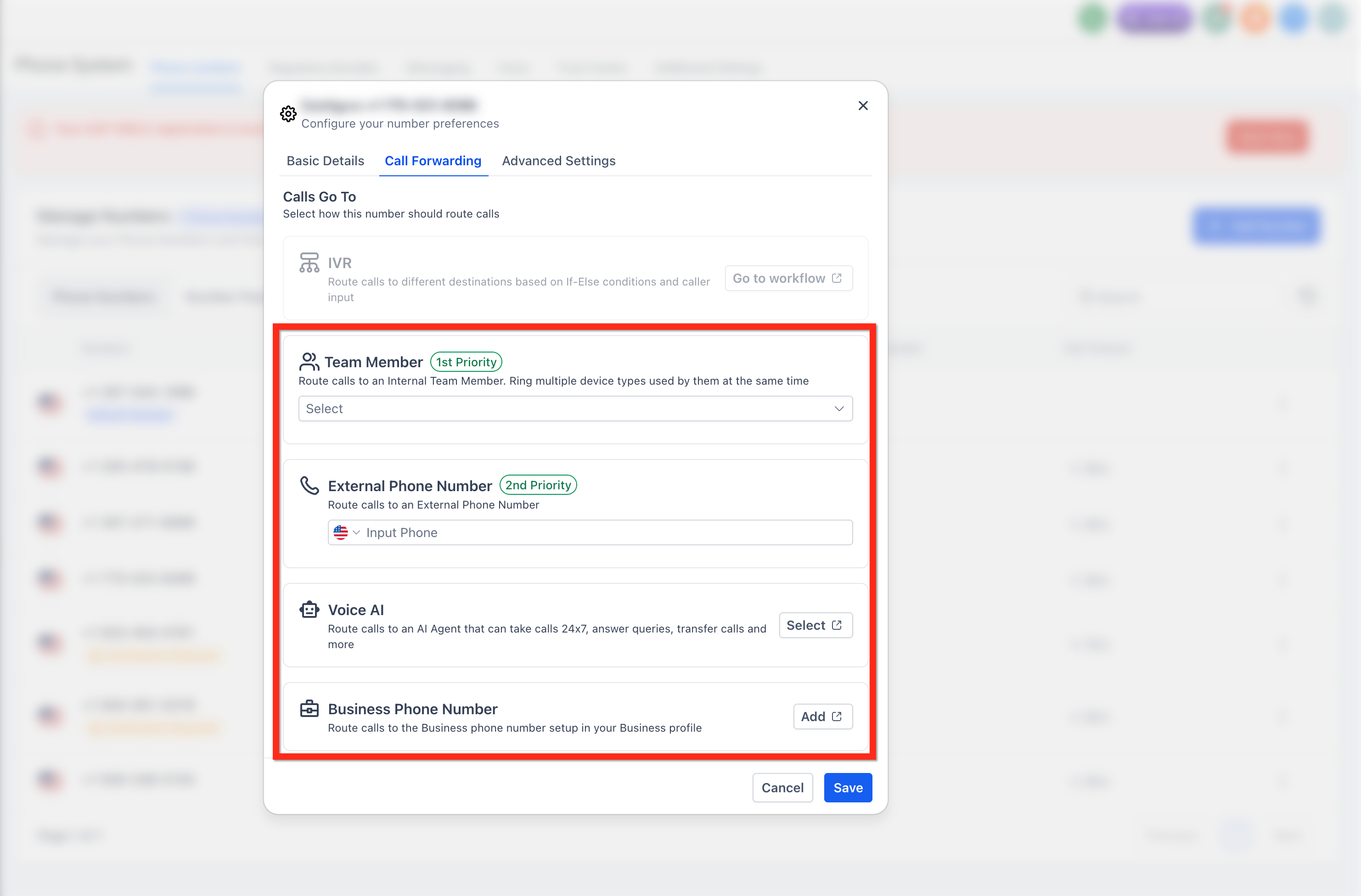
The inbound call flow feature routes calls that come to a HighLevel phone number directly to a Voice AI agent. When the number is linked, the agent answers, speaks, and follows its scripted behavior. The setting lives under Settings > Phone System > Manage Numbers, where each number’s Call Forwarding tab holds the routing option.
A separate timeout control determines how long the platform waits before handing the call to a backup destination. Lowering the timeout helps avoid the call reaching a local voicemail, which would end the call before the AI can answer. The timeout field is also found on the Call Forwarding tab of the number’s configuration.
03How businesses use inbound call flow
- Real estate agency. The agency assigns its main contact number to a Voice AI agent. Incoming buyer calls are answered right away, and the AI can capture lead details. The agency also reduces the timeout so callers never hit voicemail after hours.
- Dental practice. The practice connects a dedicated number to a Voice AI agent that fields appointment requests. By setting the timeout to a few seconds, patients hear the AI before any voicemail, ensuring the practice can schedule callbacks.
- SaaS support team. The support team links a support hotline to a Voice AI agent that provides common troubleshooting steps. The team configures the call flow and timeout so callers receive immediate assistance, even when staff are offline.
04The numbers and rules that matter
- Timeout can be set to 0 to 3 seconds, or as low as 0 seconds depending on routing needs.
05Before you start
- Create a Voice AI agent and note its Deploy tab configuration.
- Have at least one phone number available in the subaccount.
- Assign the chosen phone number to the Voice AI agent.
06How to set up and use inbound call flow in HighLevel
Set up inbound call flow
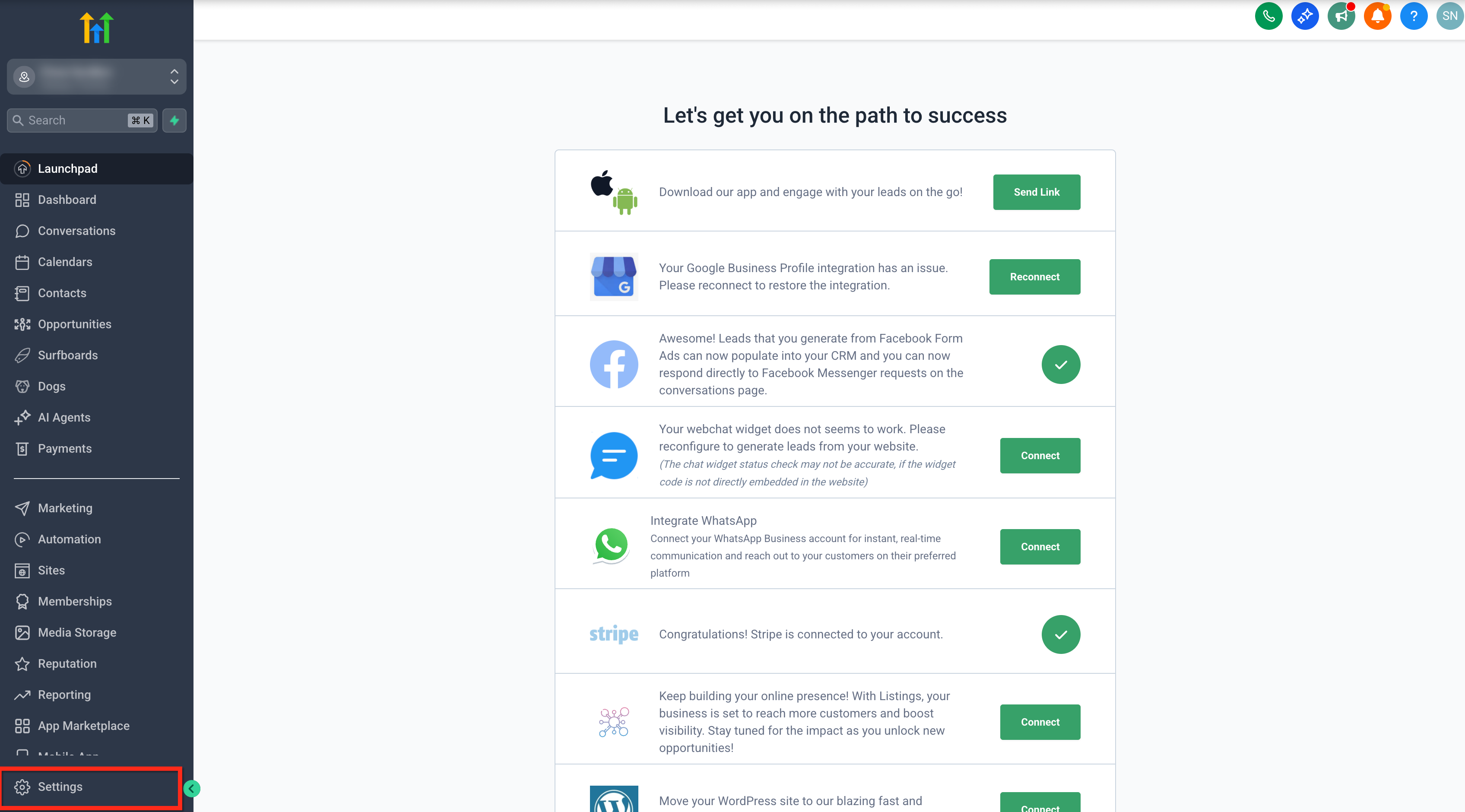
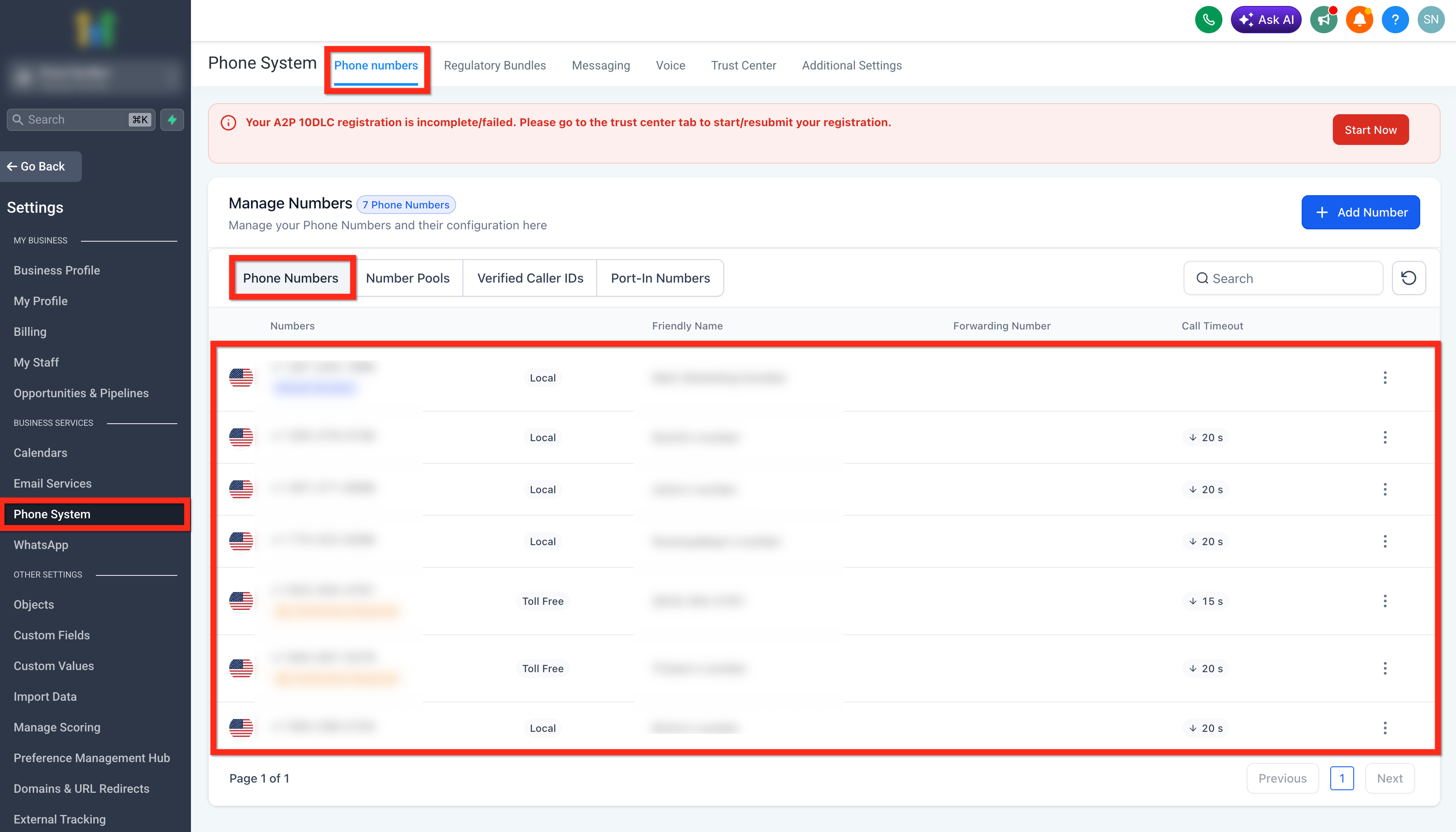
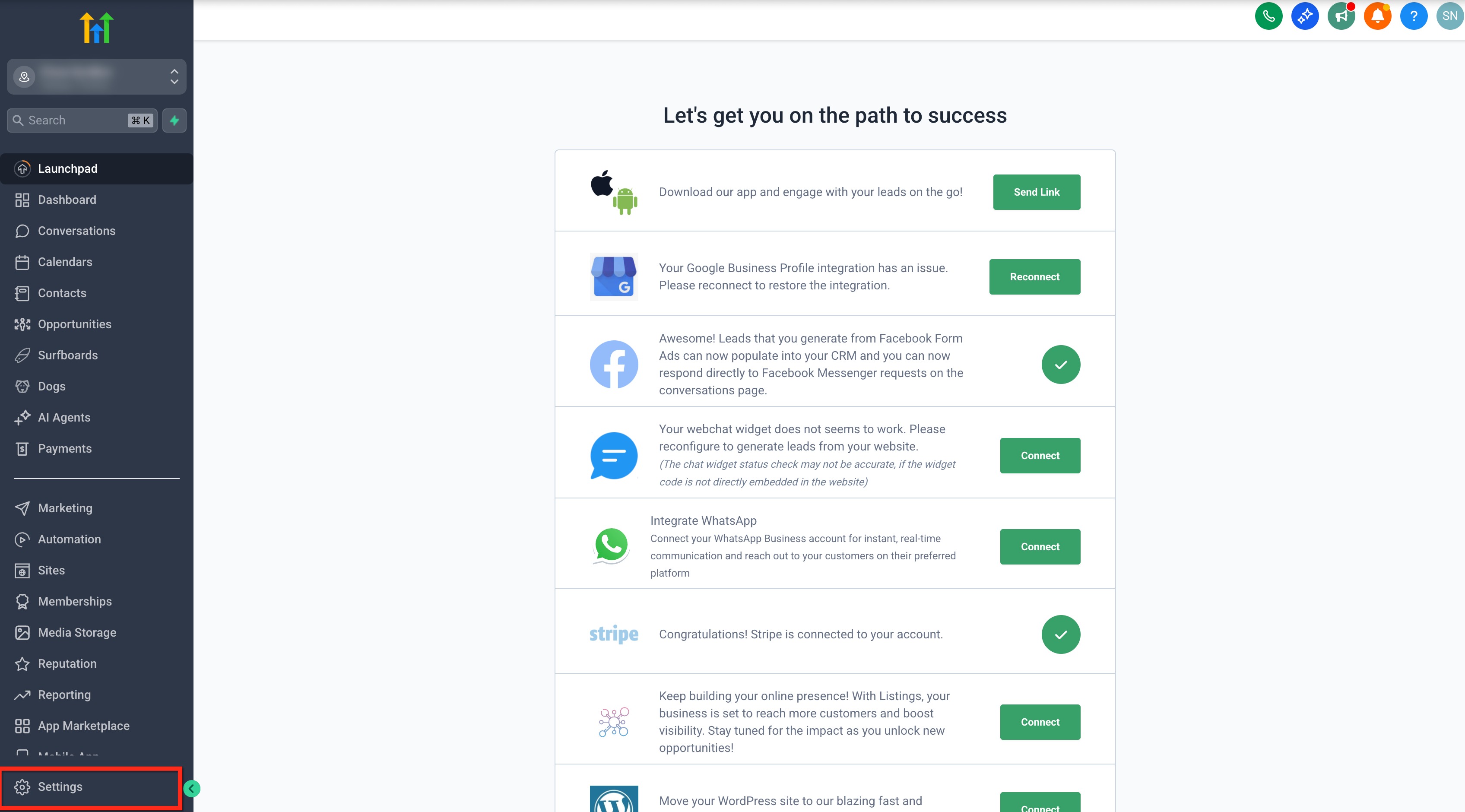
- Open Settings and select the Phone System tab.
- Choose the Manage Numbers tab to see the list of numbers.
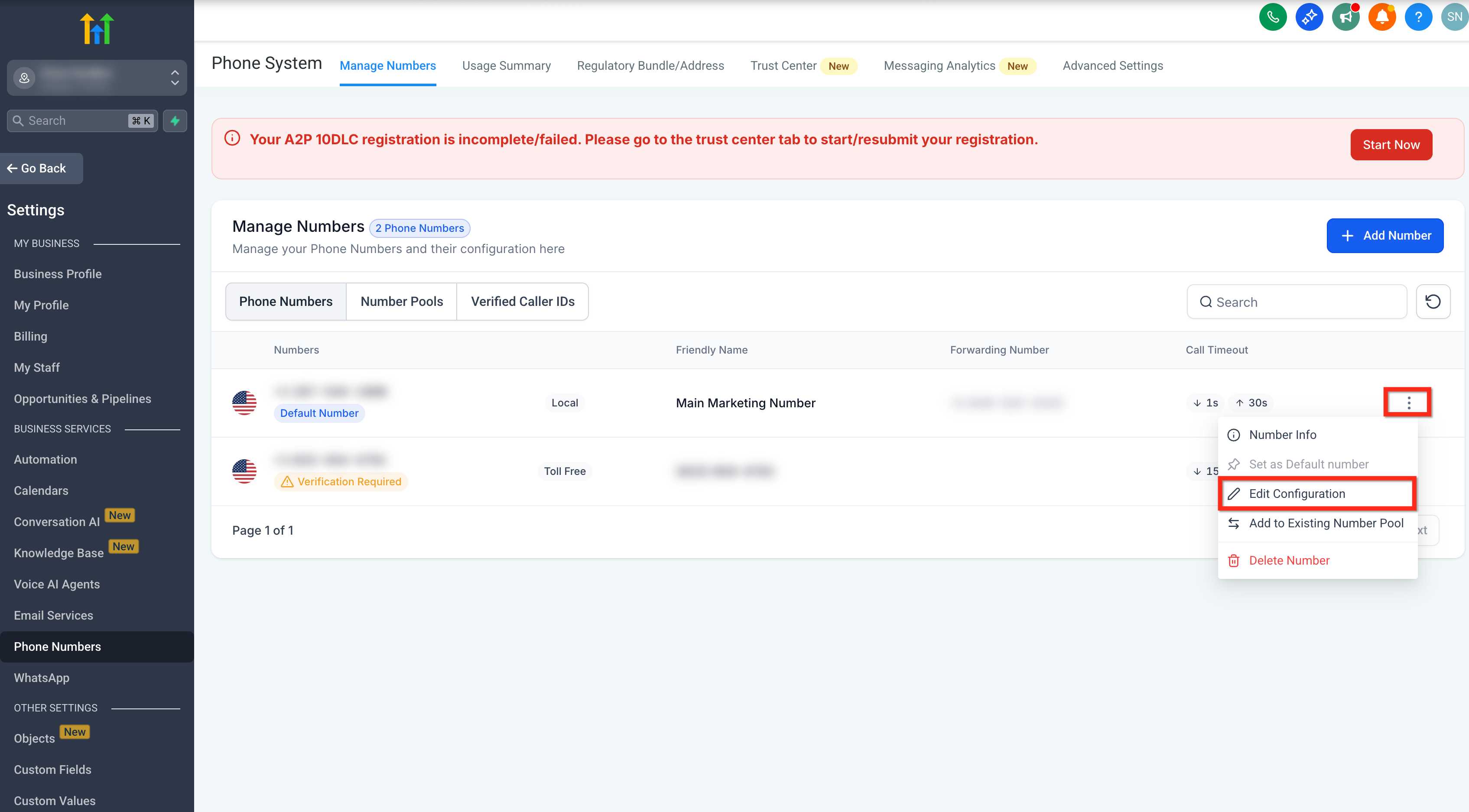
- Click the three dot icon beside the desired number and pick Edit Configuration.
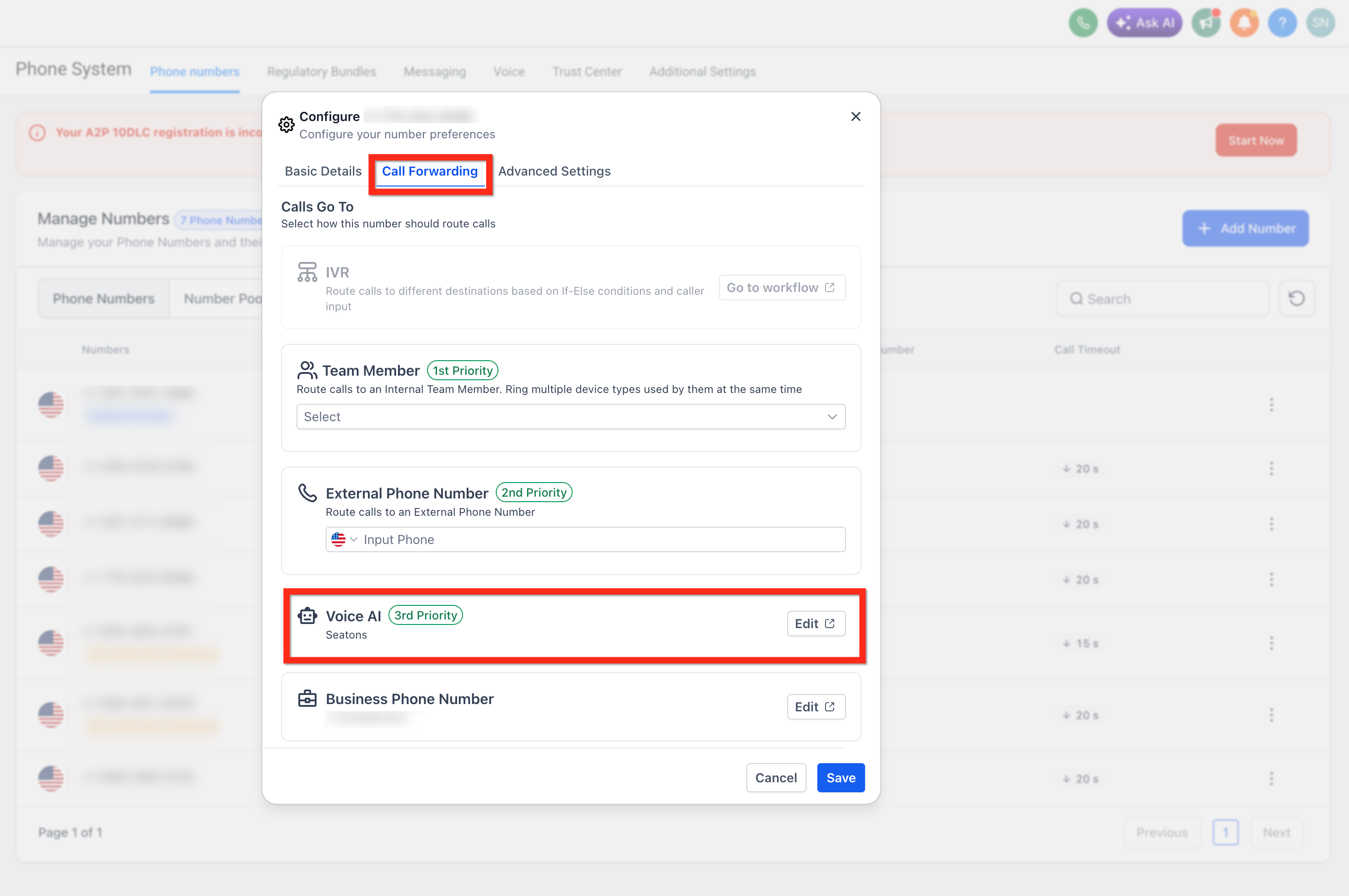
- Open the Call Forwarding tab.
- Under Call Routing, select the Voice AI option.
Adjust inbound call timeout
- Open Settings.
- Select Phone System.
- Open the Phone Numbers tab.
- Click the three dot menu next to the target number and choose Edit Configuration.
- Open the Call Forwarding tab.
- Find the Timeout setting and set it to a low value, such as 1 to 3 seconds or 0 seconds.
- Save the changes.
07What it looks like in HighLevel
08Settings that matter
- Timeout. Controls how many seconds HighLevel waits before moving the call to a backup option; lowering it helps avoid voicemail before the Voice AI answers.
09Things to know before you rely on it
- If call forwarding is not enabled, the Voice AI agent will always answer calls to that number, except when the number is the default subaccount phone number.
- When a caller reaches local voicemail, HighLevel marks the call as completed and the Voice AI agent will not answer.
- One number pool can be assigned to a single Voice AI agent.
10If something goes wrong
- Voice AI agent does not answer inbound calls. Confirm the phone number is assigned to the correct Voice AI agent from the agent’s Deploy tab, then verify the number’s Call Forwarding settings show Voice AI as the routing option.
11How it connects to the rest of HighLevel
- Explore the different business uses for HighLevel voice AI agents. Voice AI overview
- Step by step guide to create and launch a Voice AI agent. Create Voice AI agents
- Learn how to test a Voice AI agent after configuration. Test Voice AI agents
Michael's take

When you’re fielding calls all day and can’t keep a human on the line, the inbound call flow can help answer calls and collect lead information for follow up.
If you already have staff available to answer most calls, you might keep a simpler manual routing and only use Voice AI for occasional overflow.