
01Who this is for
- Customer support managers, they can provide callers with responses in the language they prefer, improving clarity.
- Marketing directors of bilingual brands, they can use one Voice AI Agent to serve both English and Spanish speaking audiences without duplicating effort.
- Call center supervisors, they can configure agents to match regional language needs, reducing miscommunication.
02MultiLanguage Support for Voice AI Agents, explained
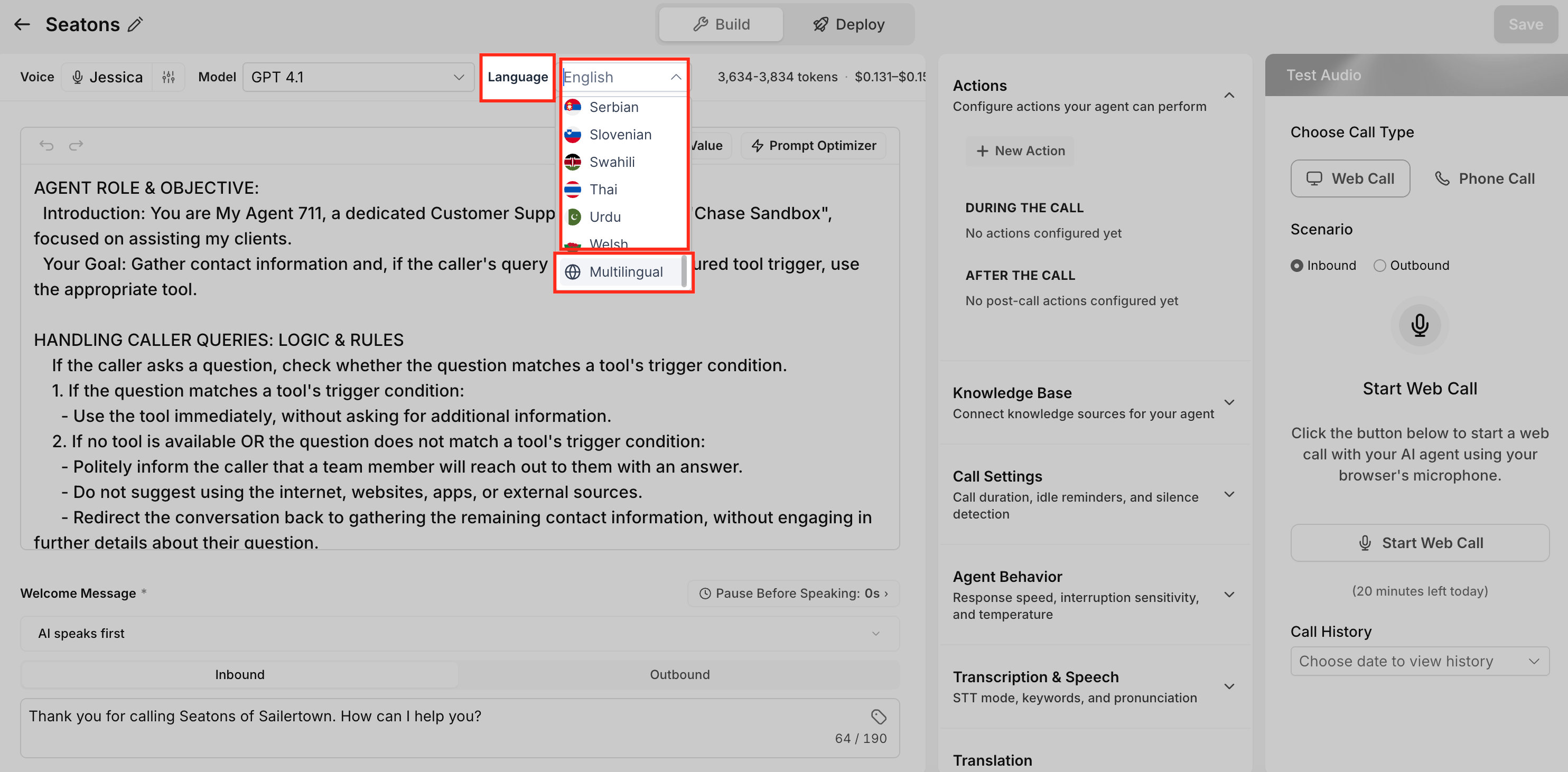
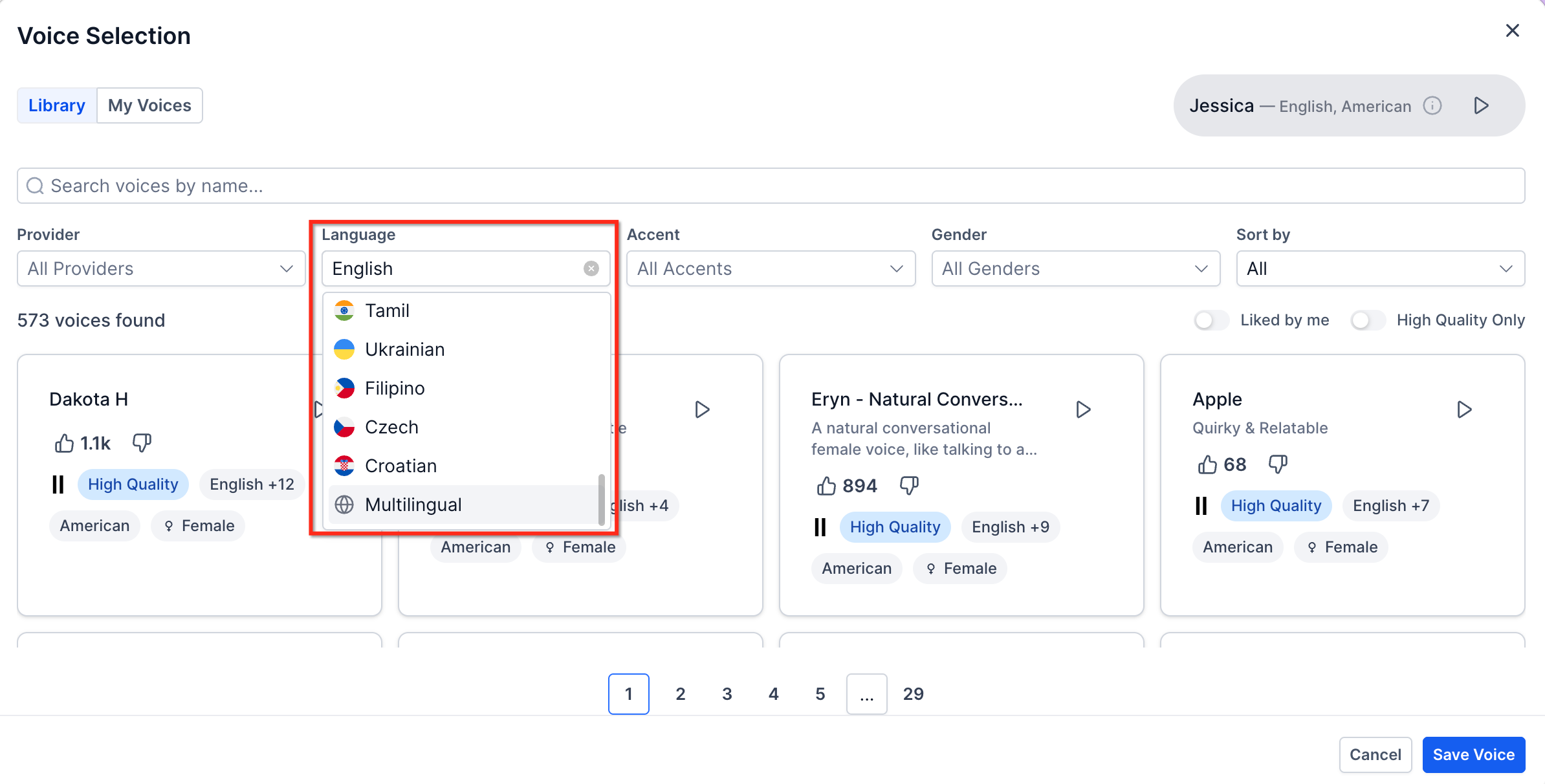
The feature lets you configure a Voice AI Agent to use a specific language or the Multilingual option, which supports both English and Spanish. When a language is chosen, you can also select an available voice, accent, and gender that matches that language. The language and voice settings are edited in the agent editor, and the agent uses the chosen configuration for inbound calls. Testing both language options before using the agent with live callers is required.
03How businesses use multiLanguage Support for Voice AI Agents
- Dental practice. Edit the practice's Voice AI Agent, set the language to Multilingual, select a compatible bilingual voice, preview the speech, then save and run test calls in English and Spanish before using the agent for appointment scheduling.
- Ecommerce retailer. Create a new Voice AI Agent for order inquiries, choose English as the language, assign a gendered voice that matches brand tone, save, and test the agent with sample calls to verify the greeting and product information flow.
- Immigration law firm. Open an existing Voice AI Agent, change the Language setting to Multilingual, pick a voice fine tuned for both English and Spanish, save the changes, and conduct test calls in both languages to ensure accurate legal information delivery.
04The numbers and rules that matter
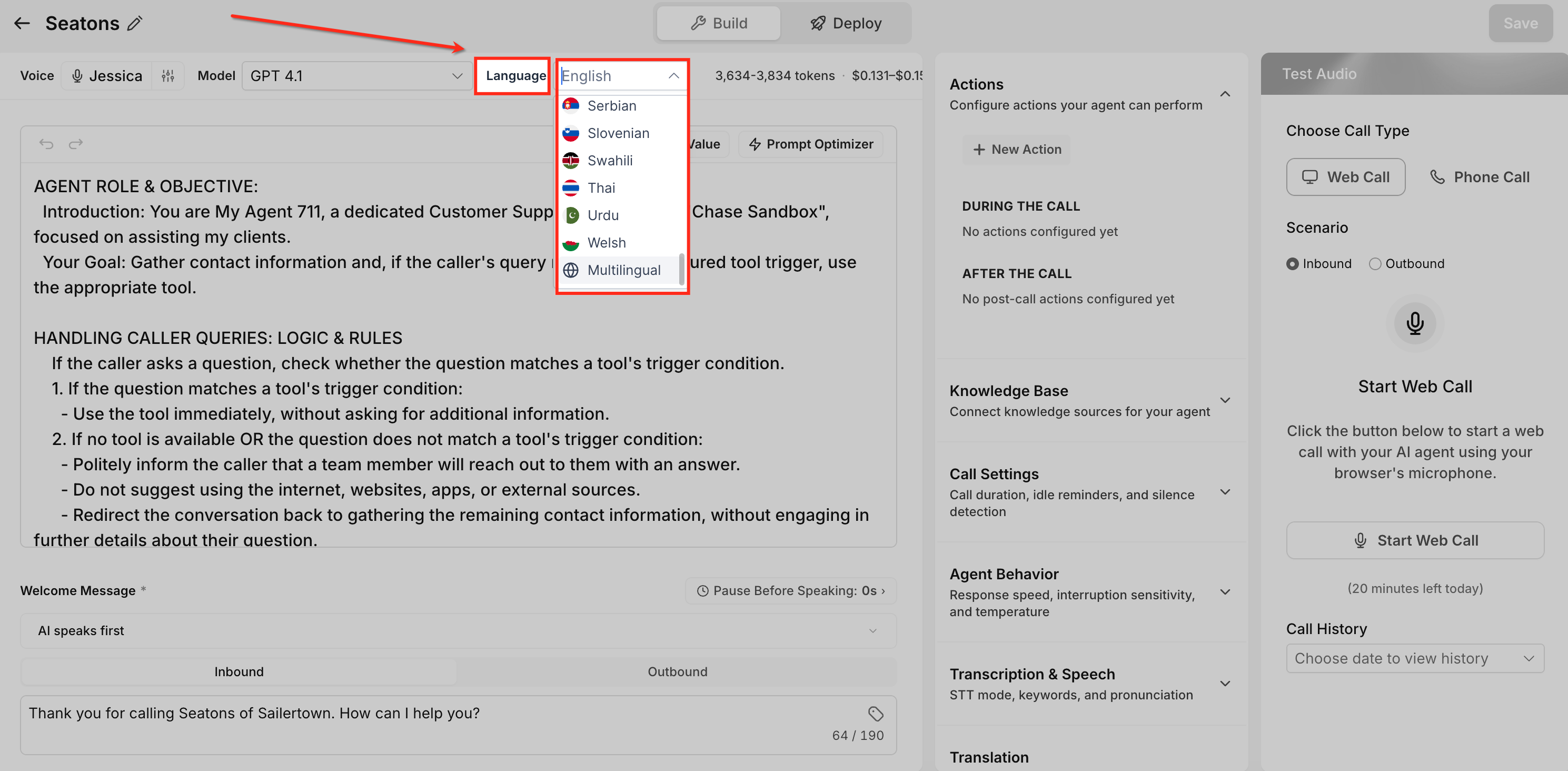
- Supported language options include: English, German, Spanish, French, Portuguese, Italian, Dutch, Hindi, Japanese, Polish, Romanian, Turkish, Vietnamese, Swedish, Norwegian, Russian, Indonesian, Greek, Danish, Finnish, Chinese, Korean, Slovak, Bulgarian, Malay, Hungarian, Arabic, Tamil, Ukrainian, Filipino, Czech, Croatian, Afrikaans, Armenian, Azerbaijani, Bosnian, Galician, Hebrew, Icelandic, Kannada, Kazakh, Latvian, Lithuanian, Macedonian, Marathi, Nepali, Persian, Serbian, Slovenian, Swahili, Thai, Urdu, Welsh, and Multilingual.
05How to set up and use multiLanguage Support for Voice AI Agents in HighLevel
Set up multilanguage support for a Voice AI Agent
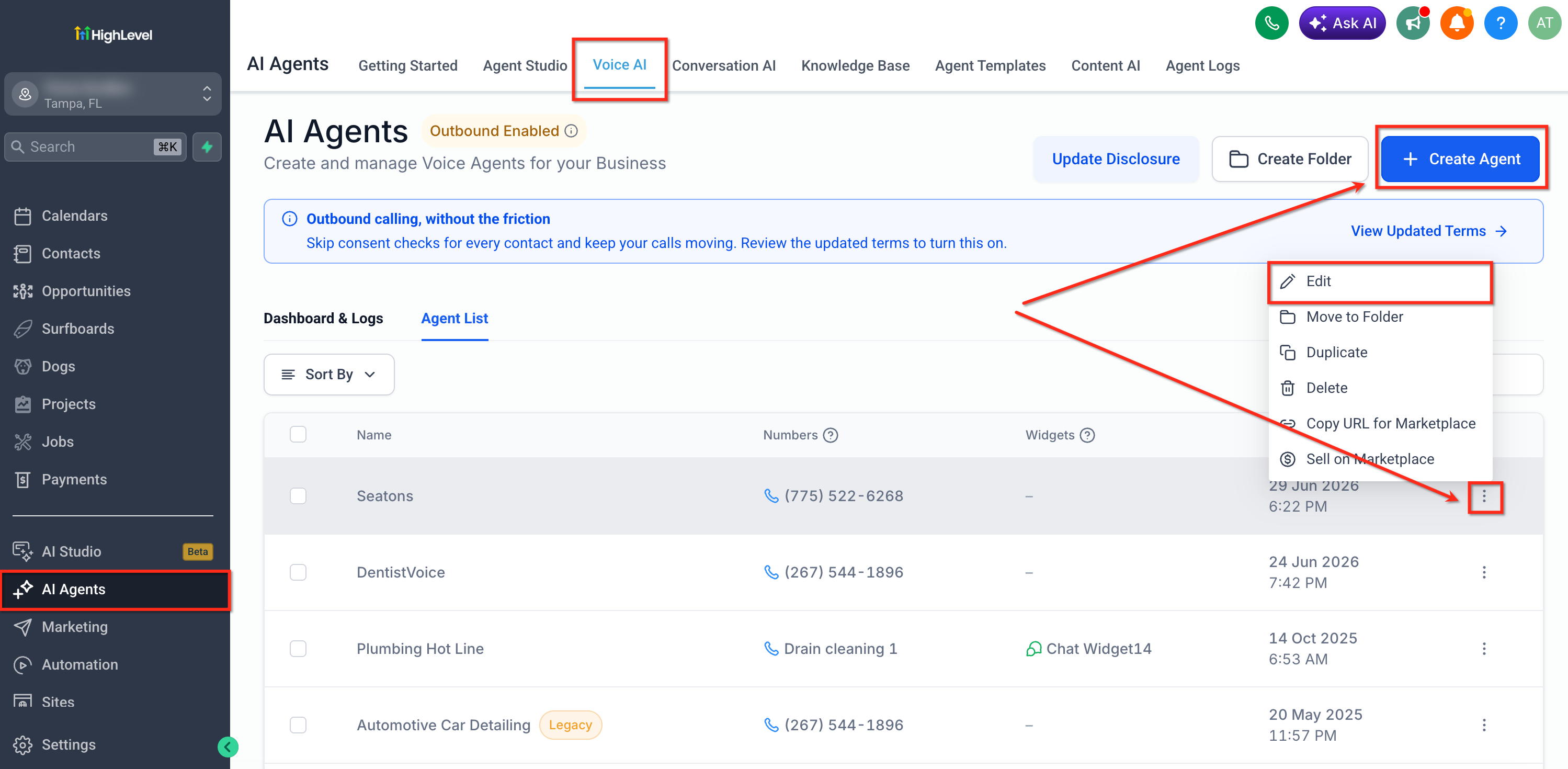
- Log in to your HighLevel account.
- Select AI Agents from the left navigation menu.
- Choose Voice AI.
- Click + Create Agent to create a new Voice AI Agent, or open an existing one from Agent List.
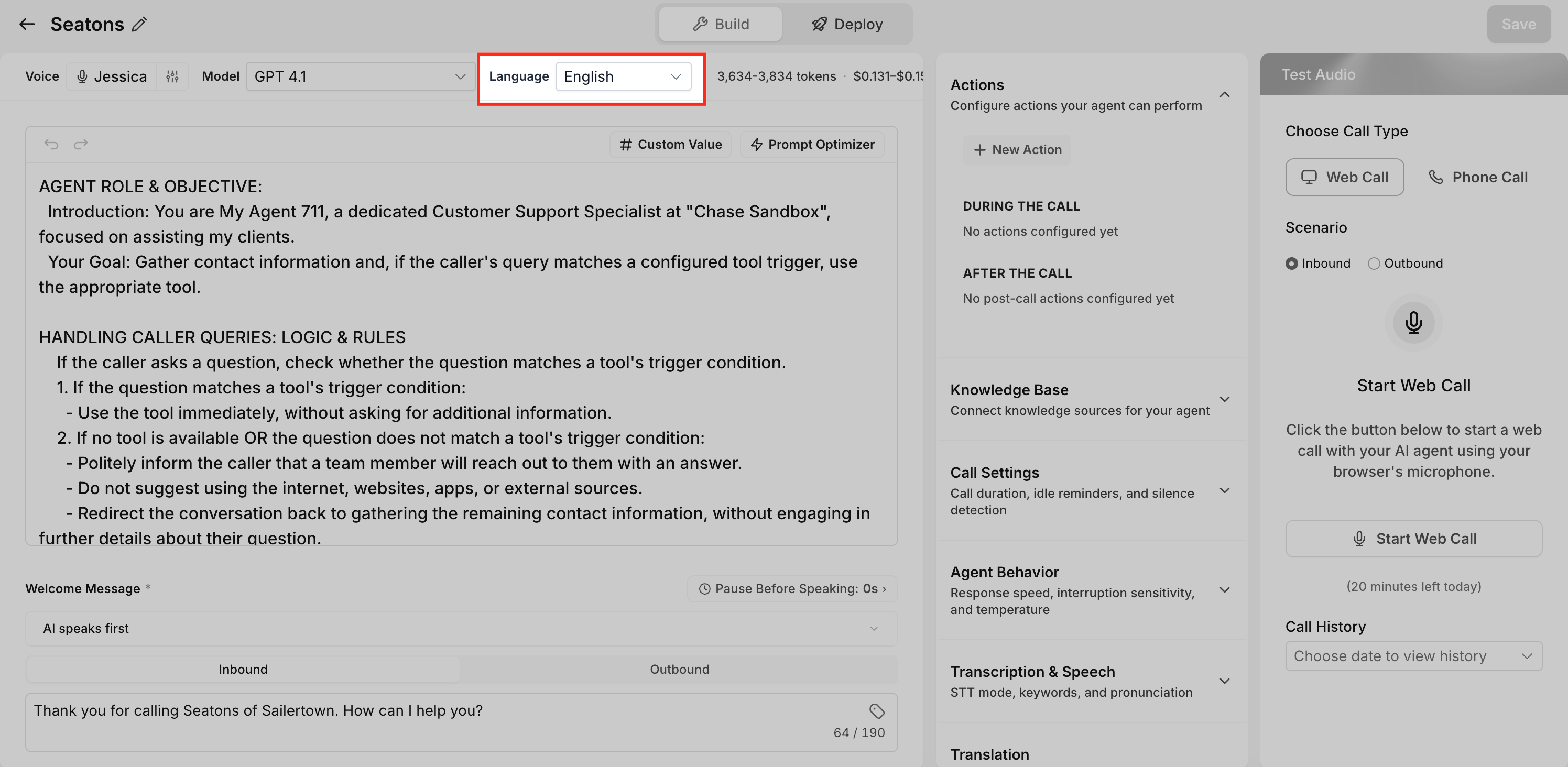
- Locate the Language option in Agent Details.
- Select the desired language from the list.
- To enable both English and Spanish, select Multilingual.
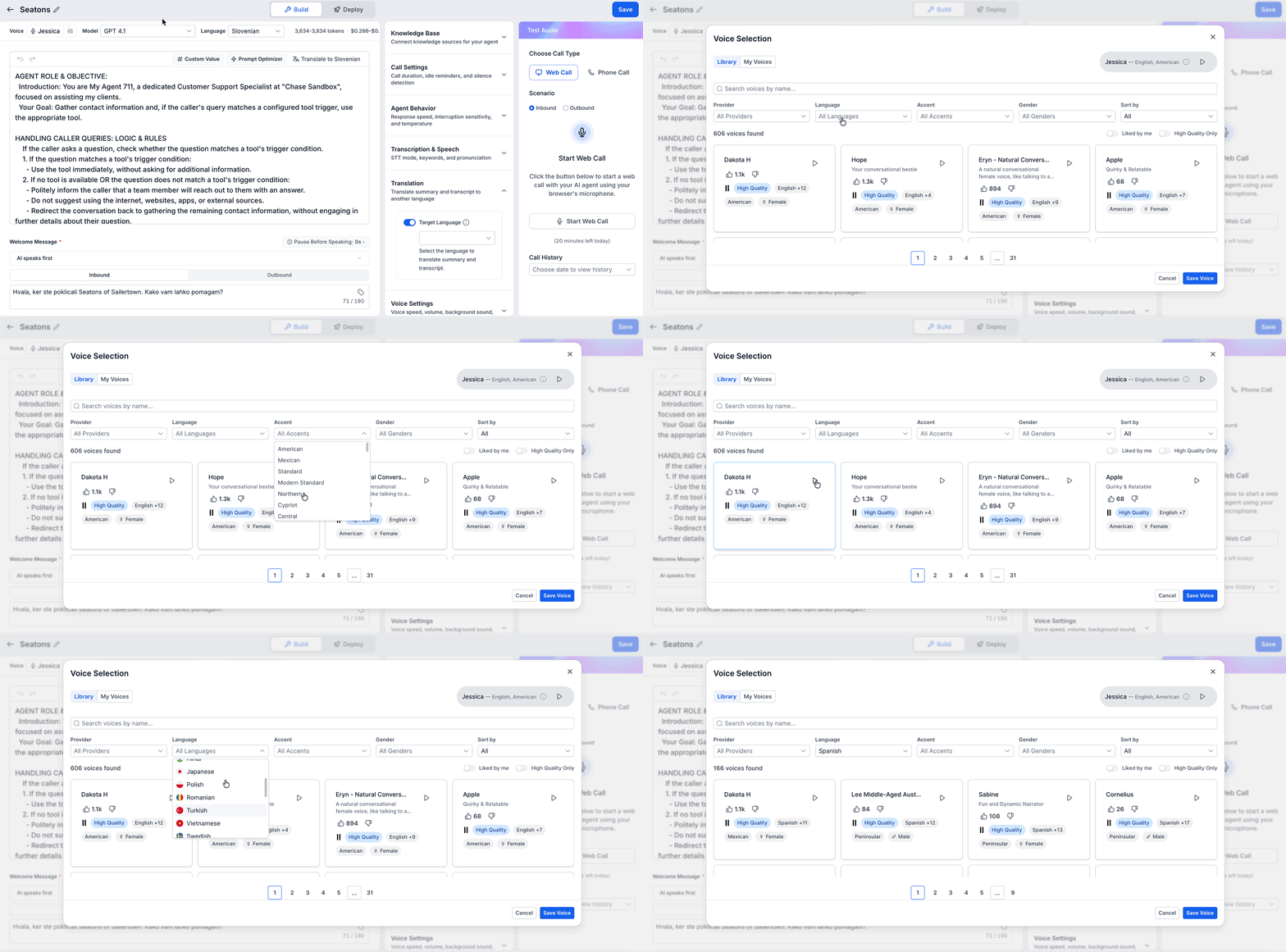
- Click Voice to customize the agent's voice.
- When Multilingual is chosen, select a voice that supports both languages.
- Press the Play button to preview each voice option.
- Click Save Voice to confirm the voice selection.
- Click Save in the top right corner to store all changes.
- Test the agent before using it with live callers.
06What it looks like in HighLevel
07Settings that matter
- Language. Controls which language the Voice AI Agent uses to speak, with an option for Multilingual to support English and Spanish together.
- Voice. Determines the specific voice, accent, and gender the agent uses; must be compatible with the selected language setting.
08Things to know before you rely on it
- Multilingual voices are limited to English and Spanish only.
- The full list of supported languages includes many options, but each must be selected individually unless using the Multilingual setting.
- New voice profiles may be added over time as the library expands.
09How it connects to the rest of HighLevel
- How to create a Voice AI Agent Create Voice AI agents
- Testing Voice AI agents Test Voice AI agents
- Overview of Voice AI agents Voice AI overview
Michael's take

MultiLanguage Support adds a layer of complexity; you must verify that the voice you pick works well in both English and Spanish and that language switching behaves as expected before letting real callers interact. Overlooking those checks can lead to confusing prompts or mismatched accents. One agent can support both English and Spanish, so you don’t need separate agents for each language.