
01Who this is for
- Founders of SaaS companies, need an automated way to follow up leads without manual dialing.
- Small clinics, want to remind patients of appointments using scripted AI calls.
- Marketing agencies, require high volume outreach for reactivation campaigns while staying within compliance limits.
02Voice AI outbound calling, explained
Voice AI outbound calling adds an action to HighLevel workflows that triggers an AI driven phone call. When a contact reaches the action, the selected AI agent speaks from the chosen From Phone Number and the call is queued according to platform safeguards. The daily capacity per location is up to 5,000 calls, with a maximum of 10 calls per minute, and each phone number can receive one call per day and up to 14 calls in any 14 day span. Calls are only placed to domestic numbers in the same country as the location and are scheduled between 8 AM and 8 PM based on the contact’s time zone.
The required outbound calling terms can be accepted directly inside the workflow action. Once the location acknowledges the terms, the same acceptance applies to all future Voice AI outbound call actions for that location. Updated terms may appear as an optional checkbox, but accepting them is not mandatory for the workflow to run.
03How businesses use Voice AI outbound calling
- SaaS startup. Add the Voice AI Outbound Call action to a lead capture workflow, select the company’s AI agent and a dedicated phone number, then publish the workflow. The system will automatically dial new leads during business hours.
- Medical clinic. Create a workflow that triggers after an appointment is booked, insert the Voice AI Outbound Call action with a reminder script, and configure the clinic’s phone number. The AI agent calls patients to confirm appointments.
- Marketing agency. Build a re engagement workflow, add the Voice AI Outbound Call step, pick an AI agent with a promotional script, and choose the agency’s outbound number. The workflow schedules calls to contacts that meet the agency’s eligibility criteria.
04The numbers and rules that matter
- Each eligible location can place up to 5,000 outbound Voice AI calls per day.
- Calls are limited to 10 per minute per location.
- Each phone number can be called once per day.
- Each phone number can be called up to 14 times within 14 days.
- Calls are scheduled between 8:00 AM and 8:00 PM based on the contact’s phone number timezone.
05Before you start
- Location must meet HighLevel Acceptable Use Policy thresholds and any KYC or verification requirements.
- An eligible Voice AI agent and a valid From Phone Number must be available.
06How to set up and use Voice AI outbound calling in HighLevel
Set up Voice AI outbound calling
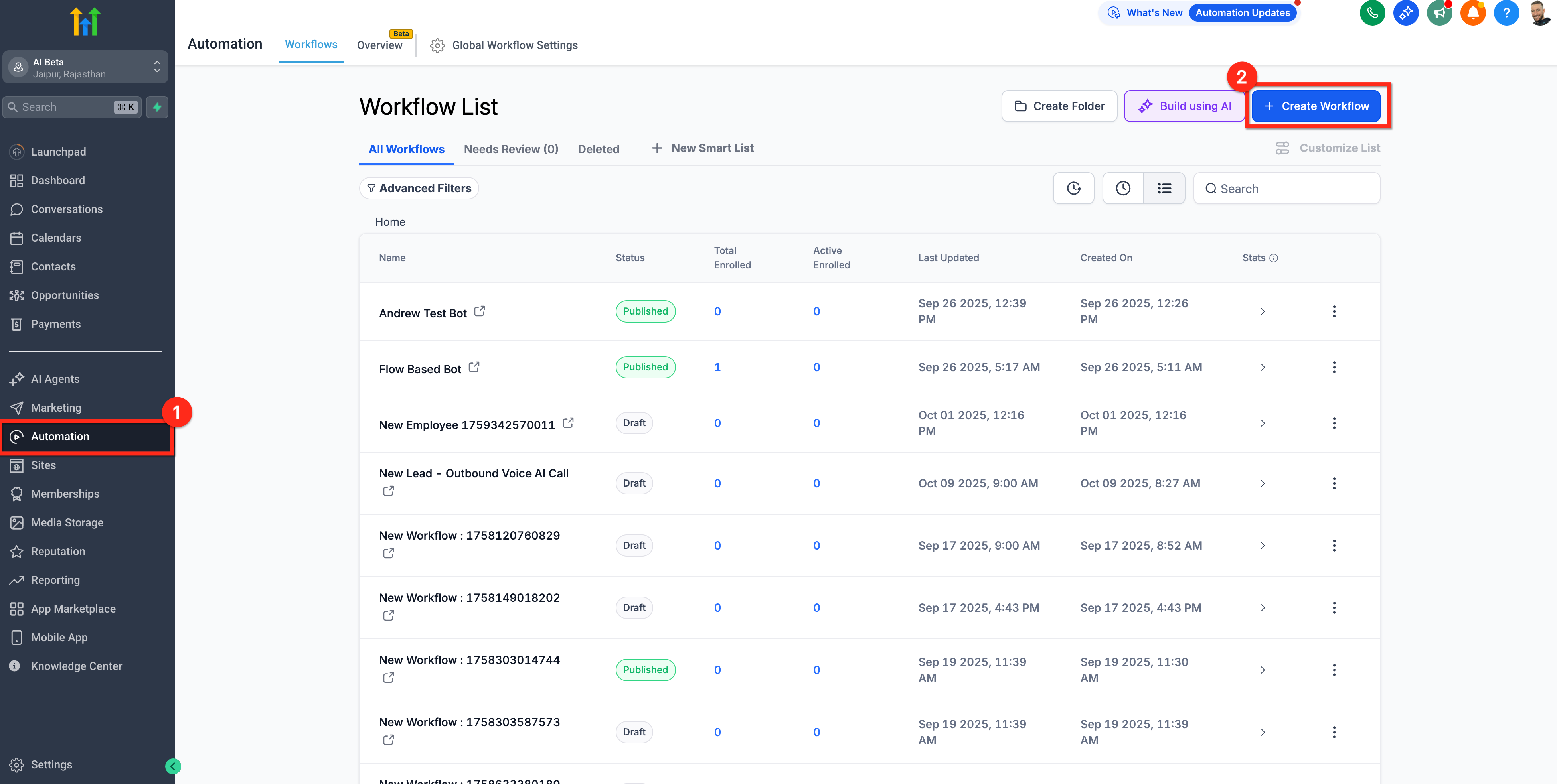
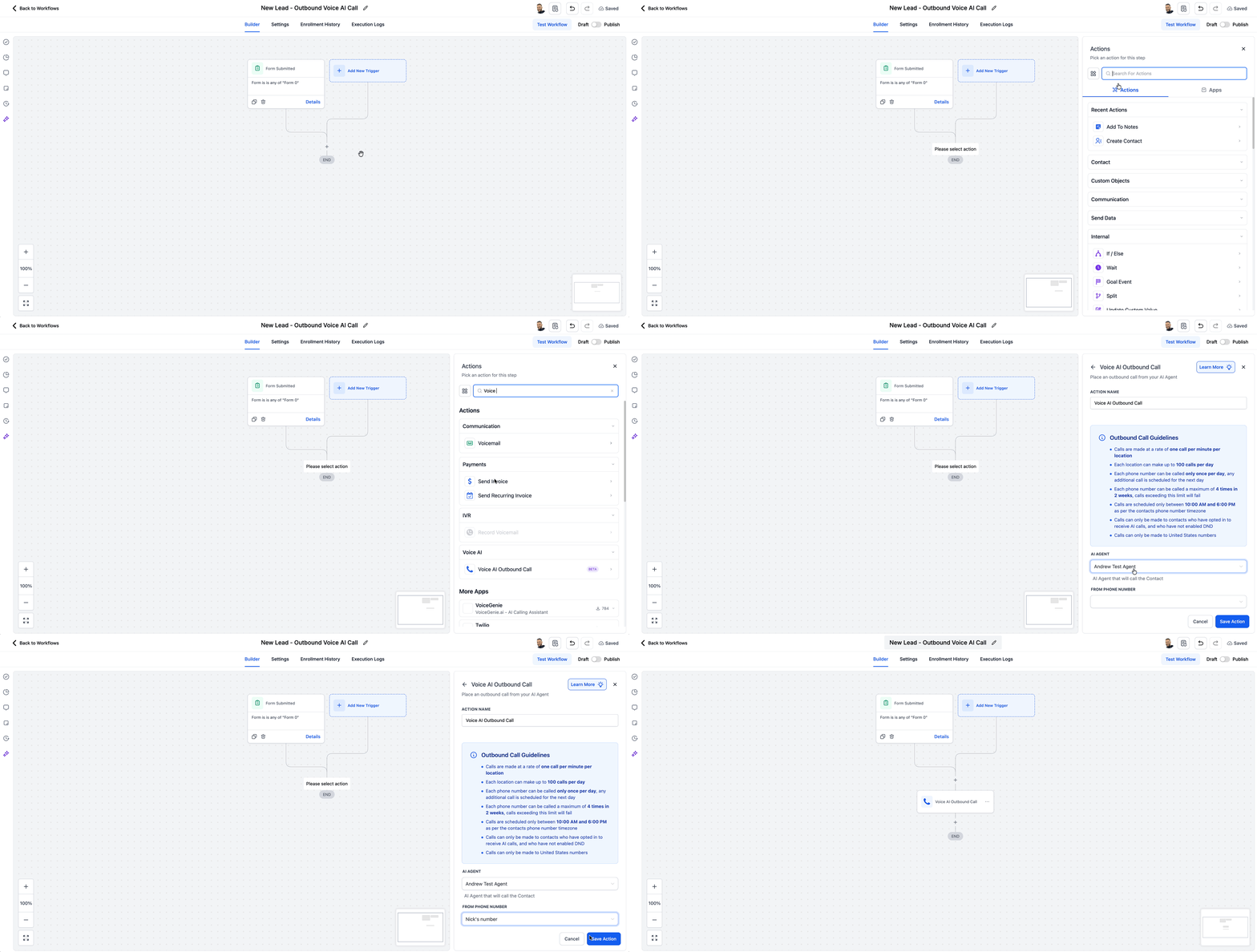
- Create a new workflow or open an existing one and define the trigger that will start the outbound call.
- In the workflow builder, click the plus icon where the call should occur.
- Search for and select the Voice AI Outbound Call action.
- Enter an action name, choose the desired AI agent, and pick a From Phone Number.
- If the location has not yet accepted the terms, review the Terms & Conditions and Calling guidelines, then check the required consent box.
- Save the configured action.
- Publish the workflow to make it active.
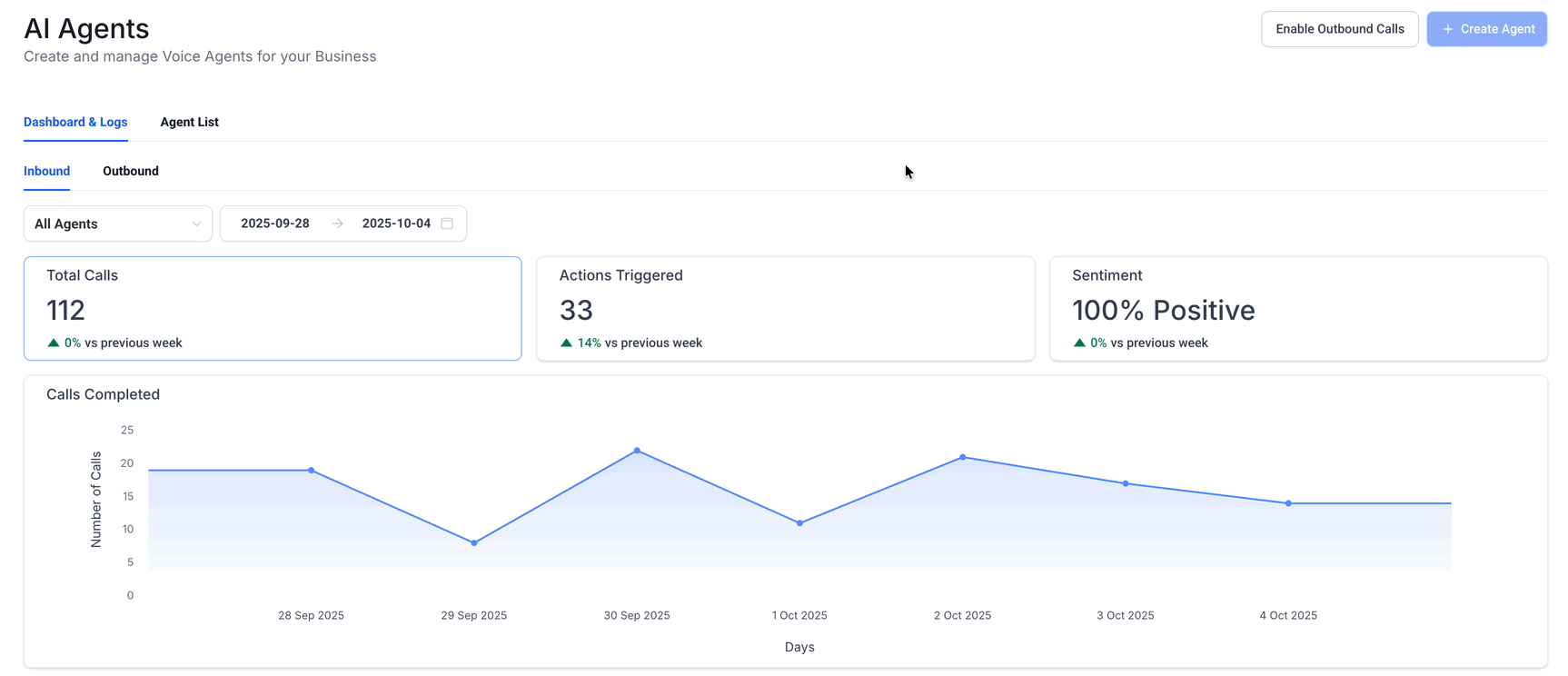
- Add an internal test contact, run the workflow, and verify the call appears in AI Agents > Voice AI > Dashboard & Logs > Outbound.
07What it looks like in HighLevel
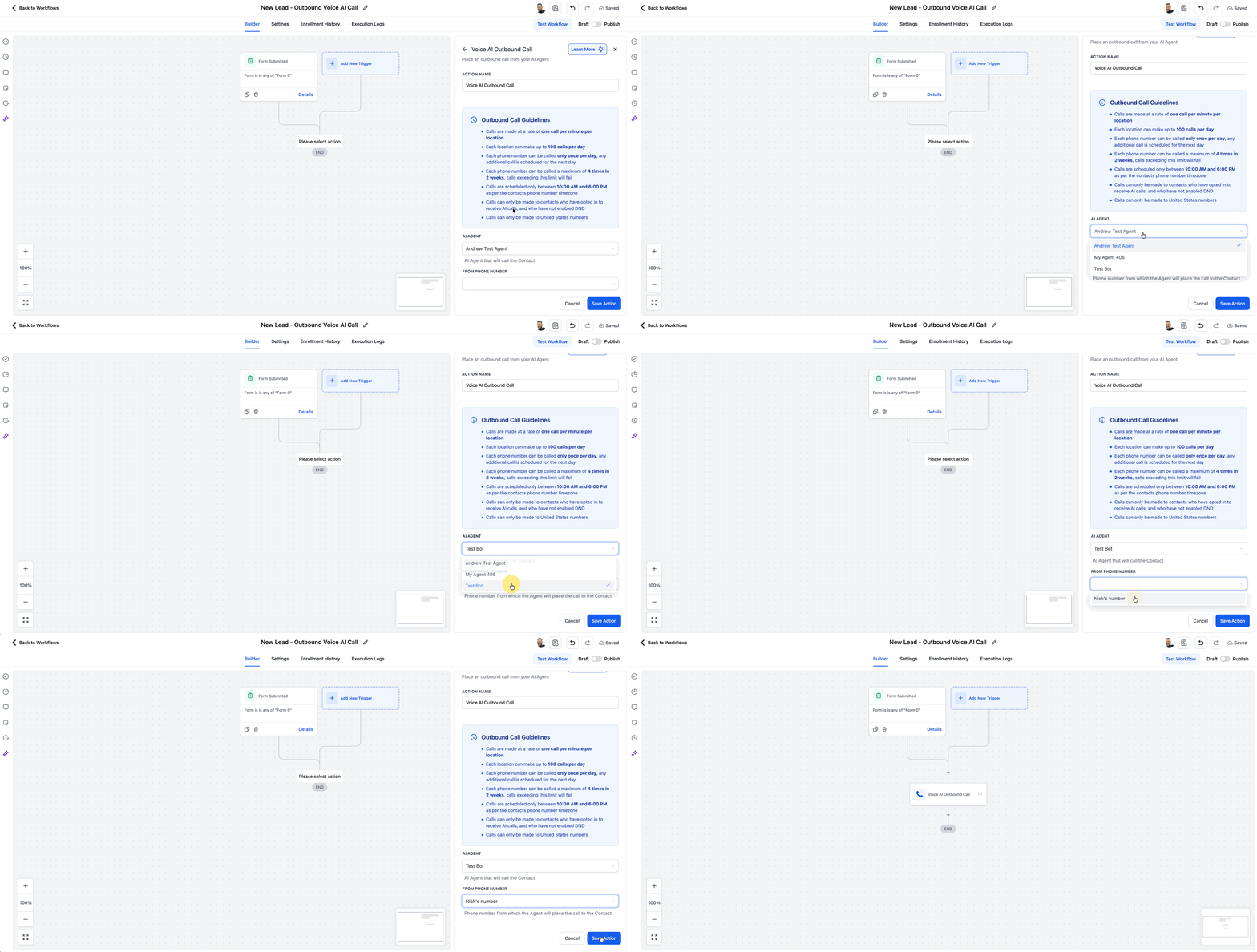
08Settings that matter
- AI Agent. Selects which Voice AI agent will conduct the outbound conversation.
- From Phone Number. Determines the eligible phone number that will be used to place the outbound call.
- Outbound calling consent checkbox. Records acceptance of required outbound calling terms for the location.
09Things to know before you rely on it
- Each location can place up to 5,000 outbound Voice AI calls per day.
- Call rate is limited to 10 calls per minute per location.
- A phone number can receive only one call per day and up to 14 calls within any 14 day period.
- Calls are scheduled only between 8:00 AM and 8:00 PM in the contact’s phone number time zone.
- Outbound calls are limited to supported domestic numbers in the same country as the location.
- Calls that exceed daily limits are moved to the next eligible day.
- If a location exceeds Acceptable Use Policy thresholds, outbound calling may be automatically paused.
10How it connects to the rest of HighLevel
- Overview of Voice AI agents and business uses Voice AI overview
- How to test Voice AI agents with web and phone calls Test Voice AI agents
- HighLevel pricing and plan information Pricing
Michael's take

Many businesses waste time manually dialing follow up calls, and that effort adds up quickly. The first thing I would get right is the location level outbound calling terms. Accept them once inside the workflow so you don’t have to chase them down for every new campaign.
Once the terms are settled, I would build a simple workflow that triggers a call after a lead fills out a form. That lets the AI agent do the heavy lifting while you focus on the conversations that matter.