
01Who this is for
- Call center managers can keep live interactions focused and push data updates to contacts after calls.
- Small business owners can avoid asking callers to confirm information during the call, improving the experience.
- Appointment based services can book appointments during the call and update client records afterwards.
02Separate during call and postcall actions, explained
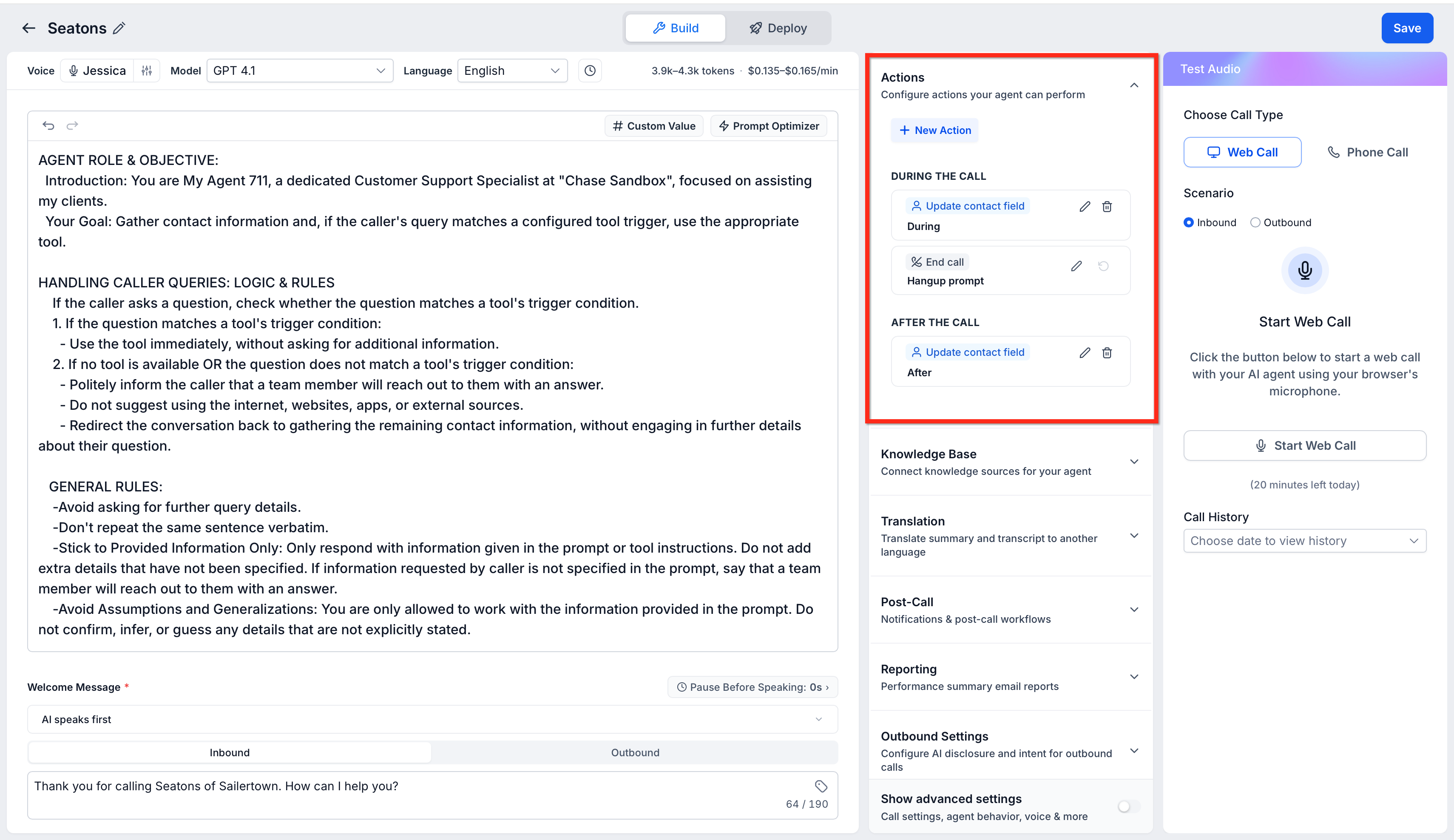
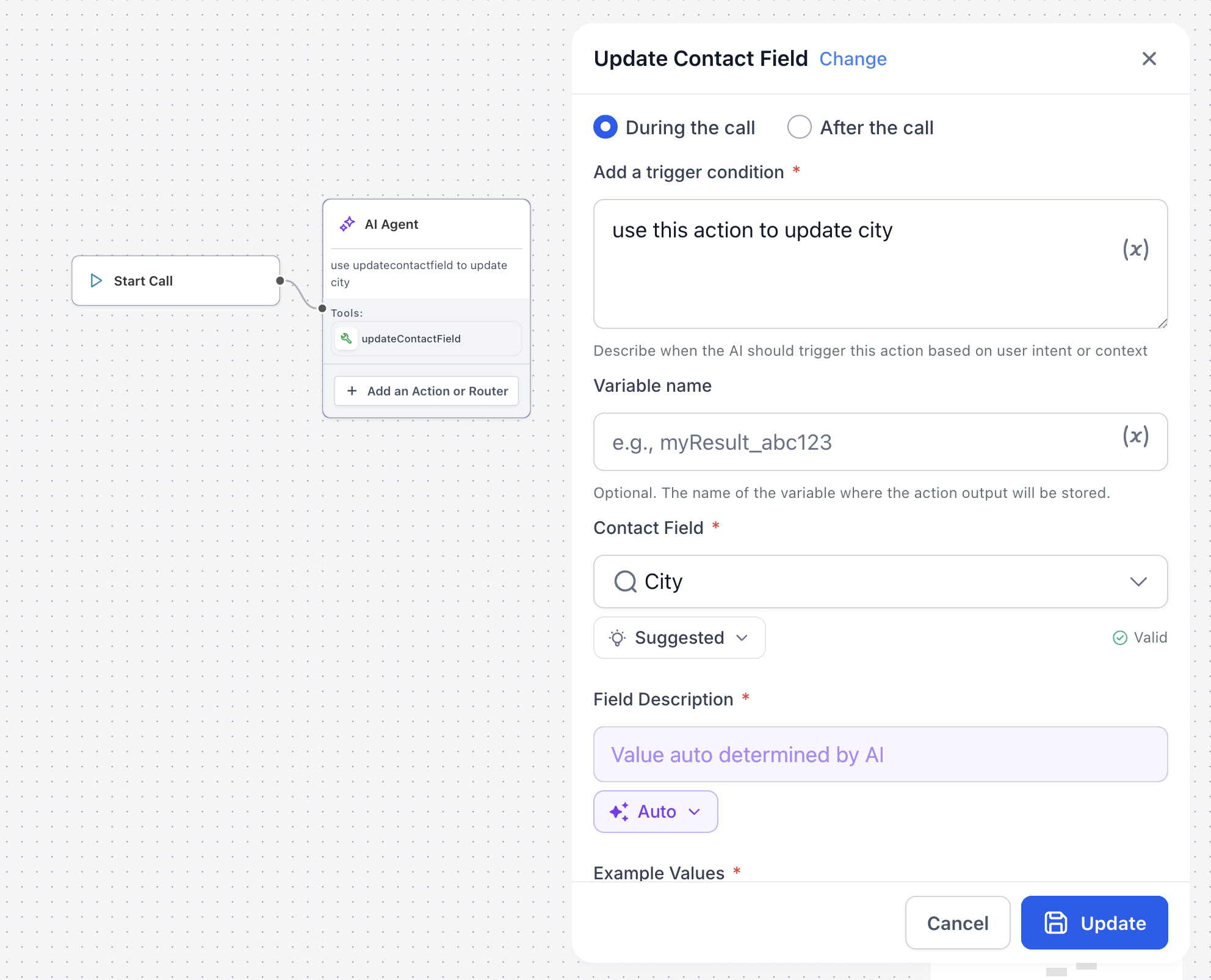
The feature splits Voice AI actions into two groups: actions that happen while the call is active and actions that run after the call ends. During call actions include transfers, workflow triggers, SMS, appointment booking, custom beta actions, and contact field updates that are confirmed aloud. Post call actions currently support silent contact field updates.
When you add an action, it appears on a card under the appropriate tab, making it easy to review, edit, or delete. The layout uses cards, tabs, and focused configuration windows to guide you through required fields and show visual counters that help prevent unsupported setups. All of this lives inside the Voice AI agent editor in HighLevel.
03How businesses use separate during call and postcall actions
- Real estate agency. The agency can set up a transfer to a listings specialist during the call, then let the agent silently update the prospect's preferred neighborhood after the call ends. This keeps the conversation smooth while ensuring the contact record stays current.
- Health clinic. During a patient call the clinic can book an appointment and send a confirmation SMS. After the call the clinic can update the patient’s insurance information without prompting the caller again, preserving a natural dialogue.
- Ecommerce support team. Support agents can trigger a workflow to create a ticket while speaking with the shopper. Once the call finishes, the system can silently add the shopper’s preferred shipping address to the contact record, avoiding extra questions during the call.
04How to set up and use separate during call and postcall actions in HighLevel
Add a new Voice AI action
- Open the Voice AI agent you want to edit.
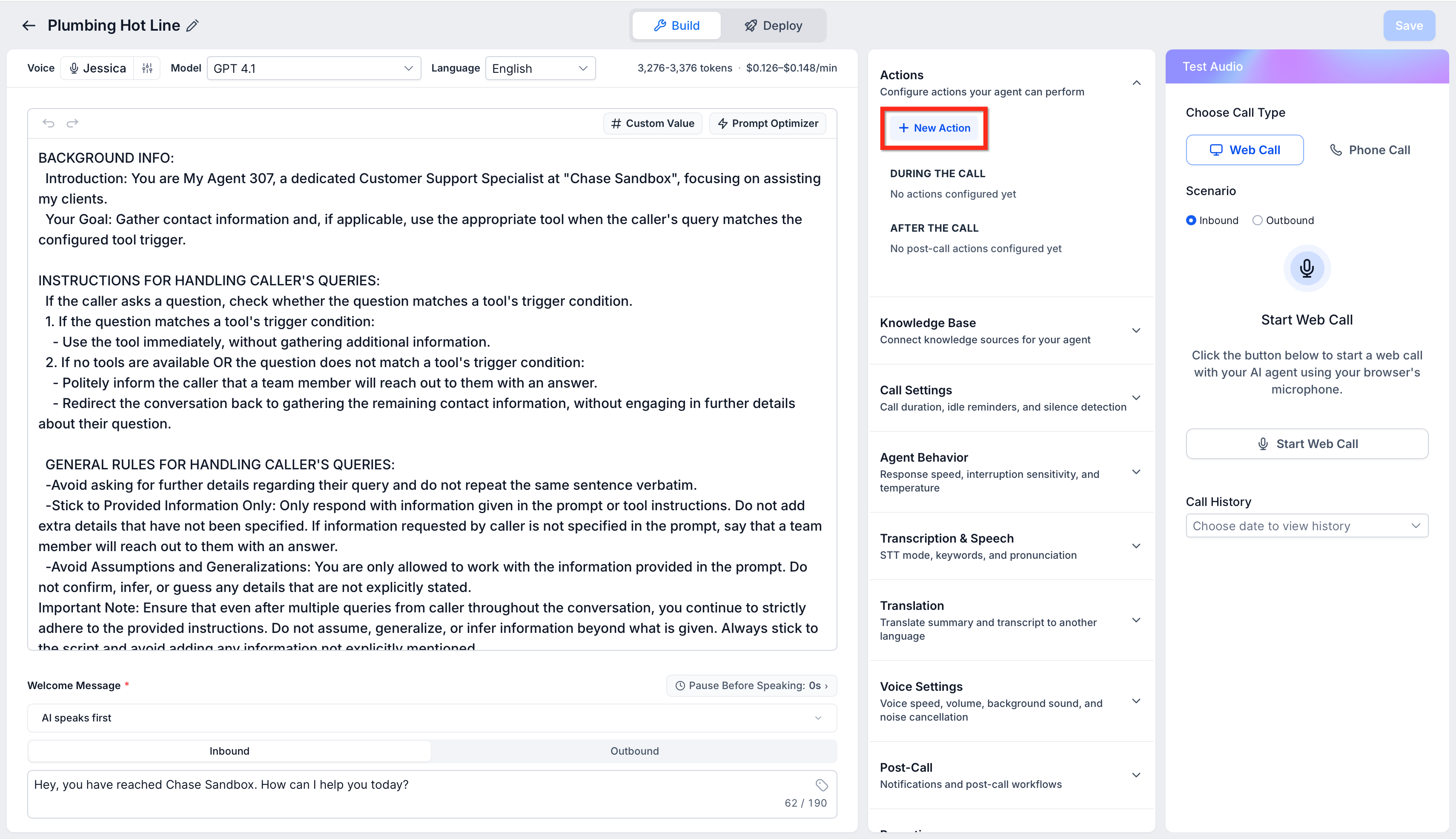
- Click the + New Action button.
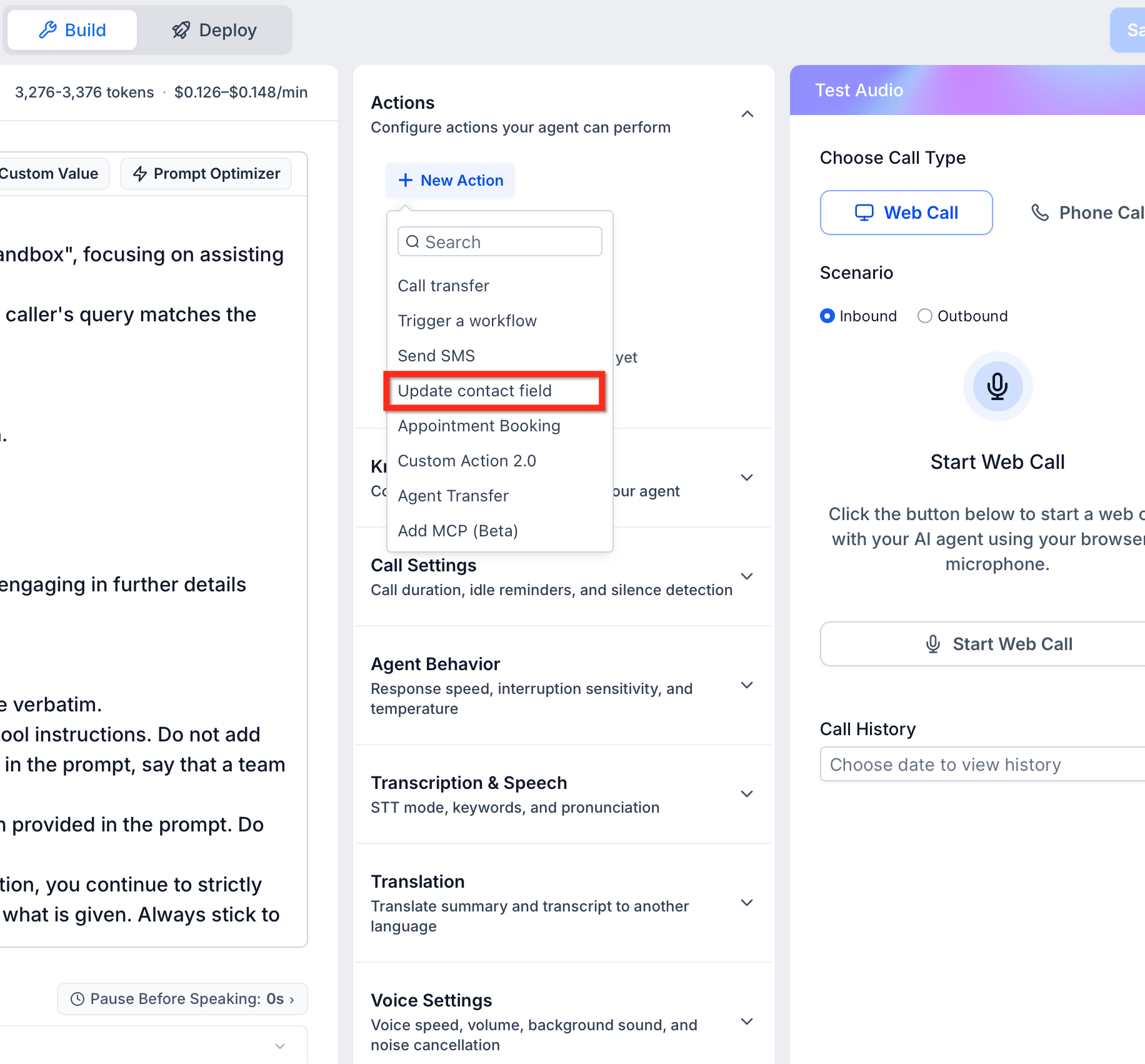
- Select the type of action you want, such as Update Contact Field.
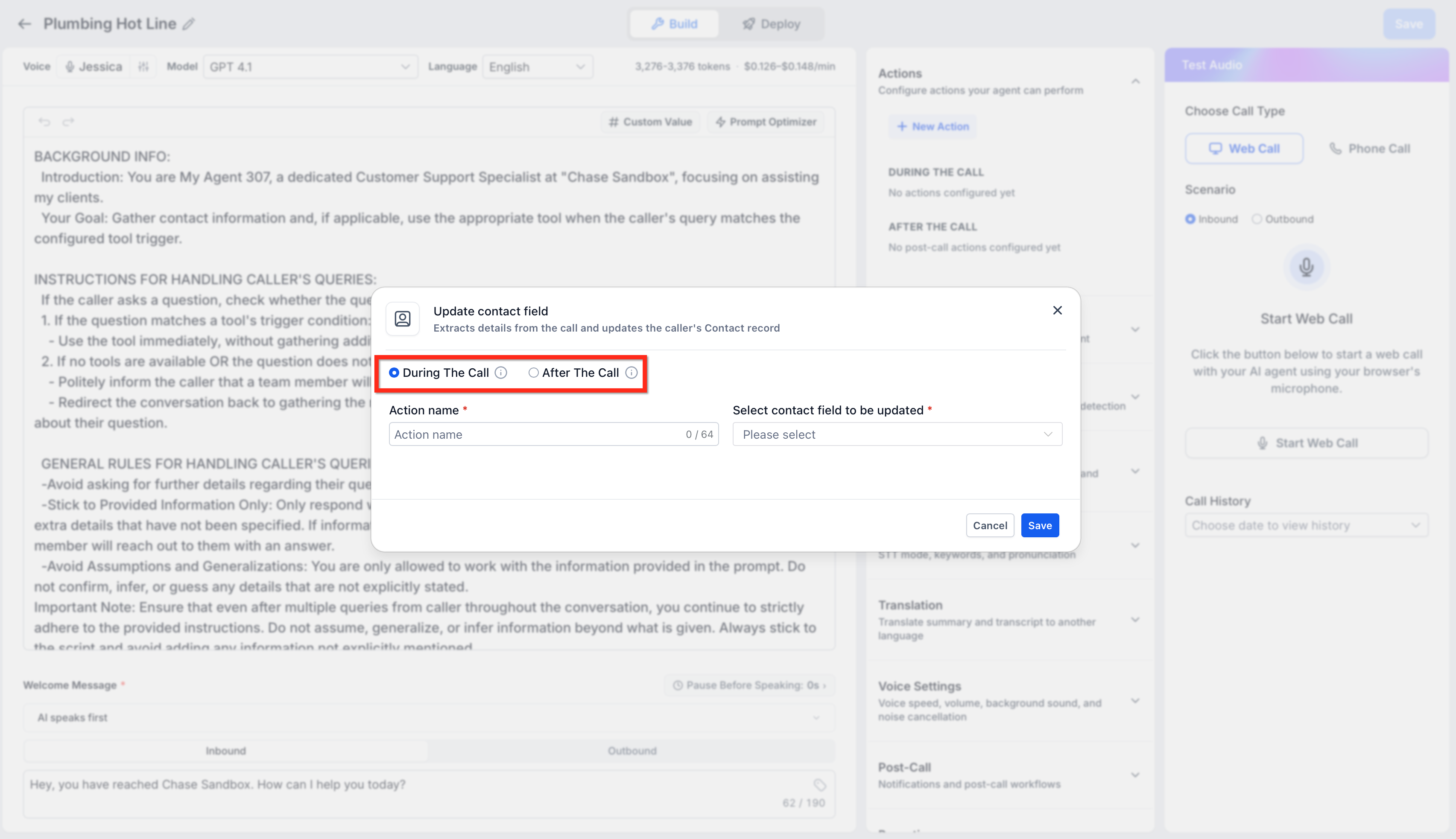
- Enter the required information in the modal and click Save.
05What it looks like in HighLevel
06Settings that matter
- When the Update Contact Field action runs. Controls whether the contact field update happens immediately with confirmation during the call or silently after the call ends.
07Things to know before you rely on it
- Custom Actions are available in beta only.
- Only the listed action types can be used during the call or after the call.
08How it connects to the rest of HighLevel
- Learn how to configure the inbound call flow for Voice AI agents. Inbound call flow
- Set up appointment booking inside a Voice AI conversation. Appointment booking
- Explore outbound calling workflows for Voice AI agents. Outbound calling
- Read the overview of Voice AI agents and their business uses. Voice AI overview
- Start a 30 day trial of HighLevel to test Voice AI features. 30 day trial
Michael's take

Moving contact updates to after a call can feel risky if you’re used to confirming everything live.
When the timing works for you, the postcall update can keep the dialogue smooth and lets the automation run without stopping the caller.