
01Who this is for
- Customer support teams benefit because the AI can book follow up calls without manual back and forth.
- Service businesses with multiple offerings use the intent based routing to place each request on the correct calendar.
- Small offices that have only one booking calendar appreciate the streamlined single calendar setup.
02Appointment booking in Voice AI, explained
The feature adds a real time scheduling capability to a Voice AI agent. When a caller asks to book, the AI pulls open slots from the configured calendar, offers them, collects any missing fields, and confirms the appointment without sending the caller to an external page.
The booking logic lives in the Actions panel of a Voice AI agent. You add an Appointment Booking action, then tell the agent whether to use a single calendar or to evaluate several eligible calendars. The AI respects all the rules set on the chosen calendar, availability, buffers, minimum notice, and conflict handling. All booking data is stored in the normal appointment record and related contact fields.
03How businesses use appointment booking in Voice AI
- Dental practice. The practice creates a Voice AI agent that offers new patient intake times. The AI pulls slots from the new patient calendar, asks for the patient’s email if it is missing, and confirms the appointment, keeping all data in the appointment record.
- SaaS company. The company sets up two calendars, one for product demos and another for pricing consultations. The Voice AI evaluates the caller’s request, matches it to the appropriate calendar, and books the slot, ensuring the right sales rep receives the meeting.
- Real estate agency. Agents add a single calendar for property tours. The Voice AI offers the next available days, collects the prospect’s contact details, and finalizes the tour appointment, eliminating the need for a follow up email link.
04The numbers and rules that matter
- Respects calendar rules: Availability, buffers, minimum notice, conflict settings.
05Before you start
- Create a HighLevel Voice AI agent or have permission to create one.
- Configure at least one booking calendar with proper availability, duration, and buffer settings.
- Connect any external calendars such as Google Calendar or Outlook if the booking calendar relies on them.
06How to set up and use appointment booking in Voice AI in HighLevel
Set up appointment booking in Voice AI
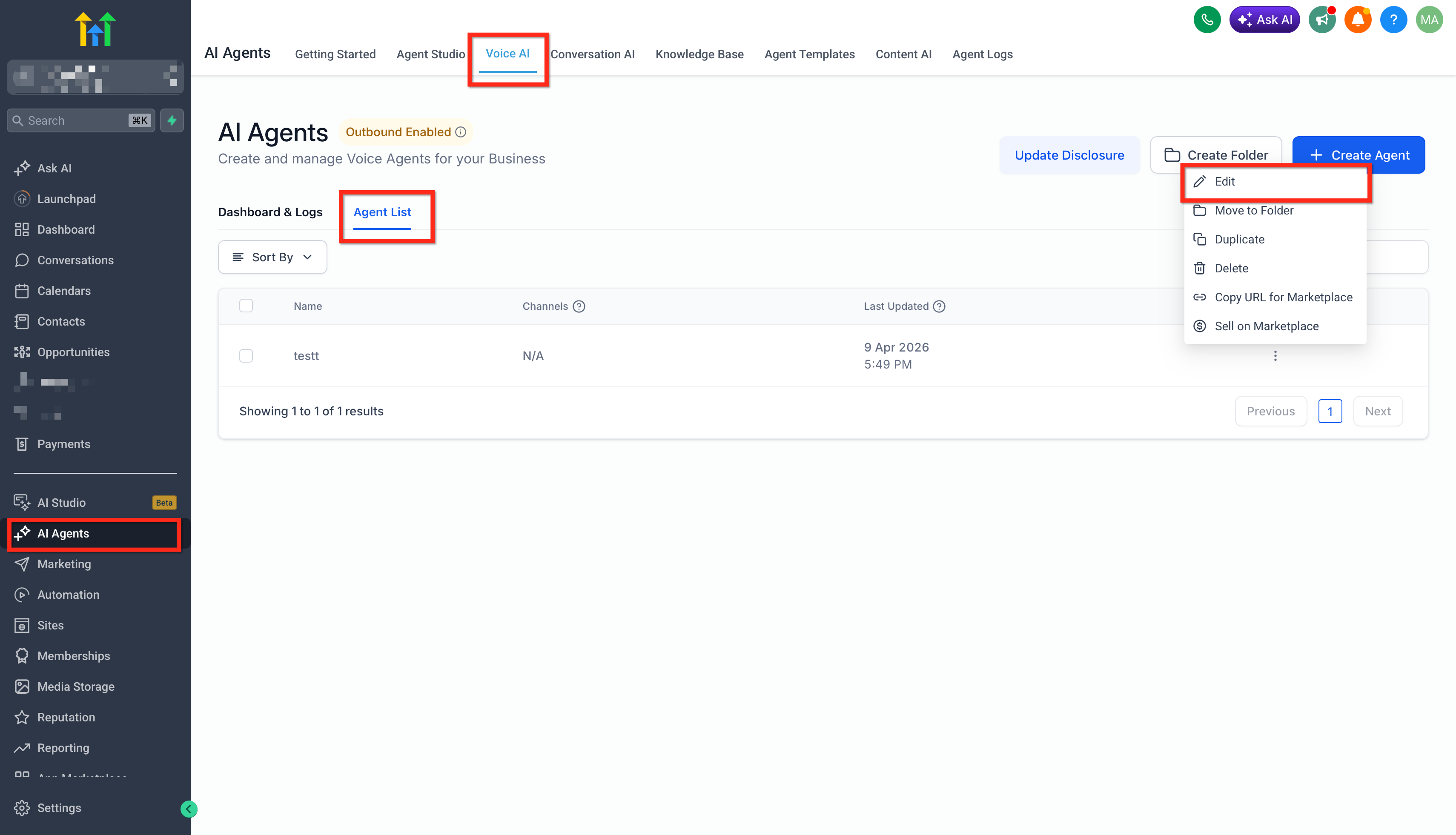
- Open AI Agents > Voice AI in the subaccount and create or open the desired Voice AI agent.
- Review and fill in the basic agent details, phone number and availability settings.
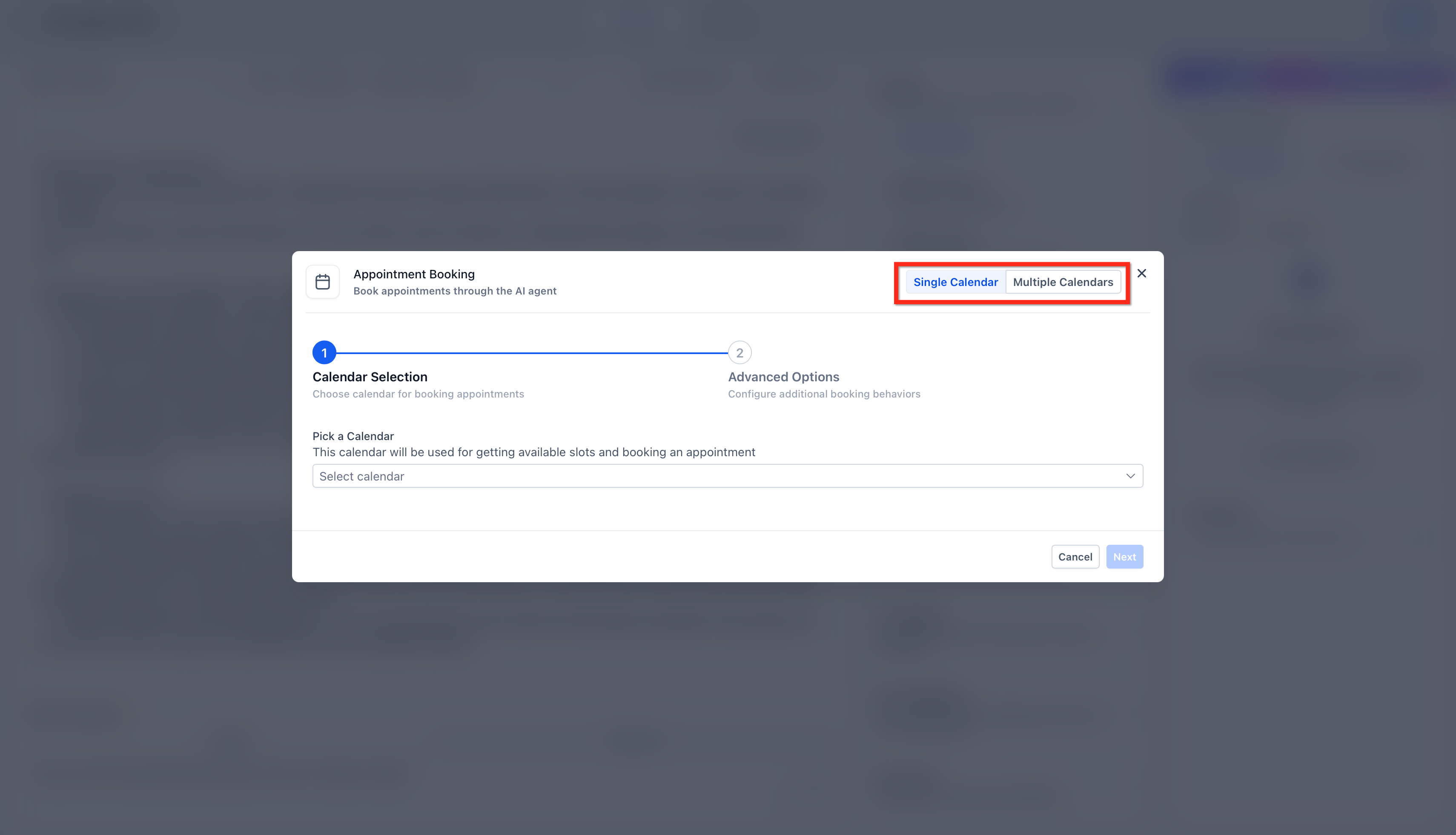
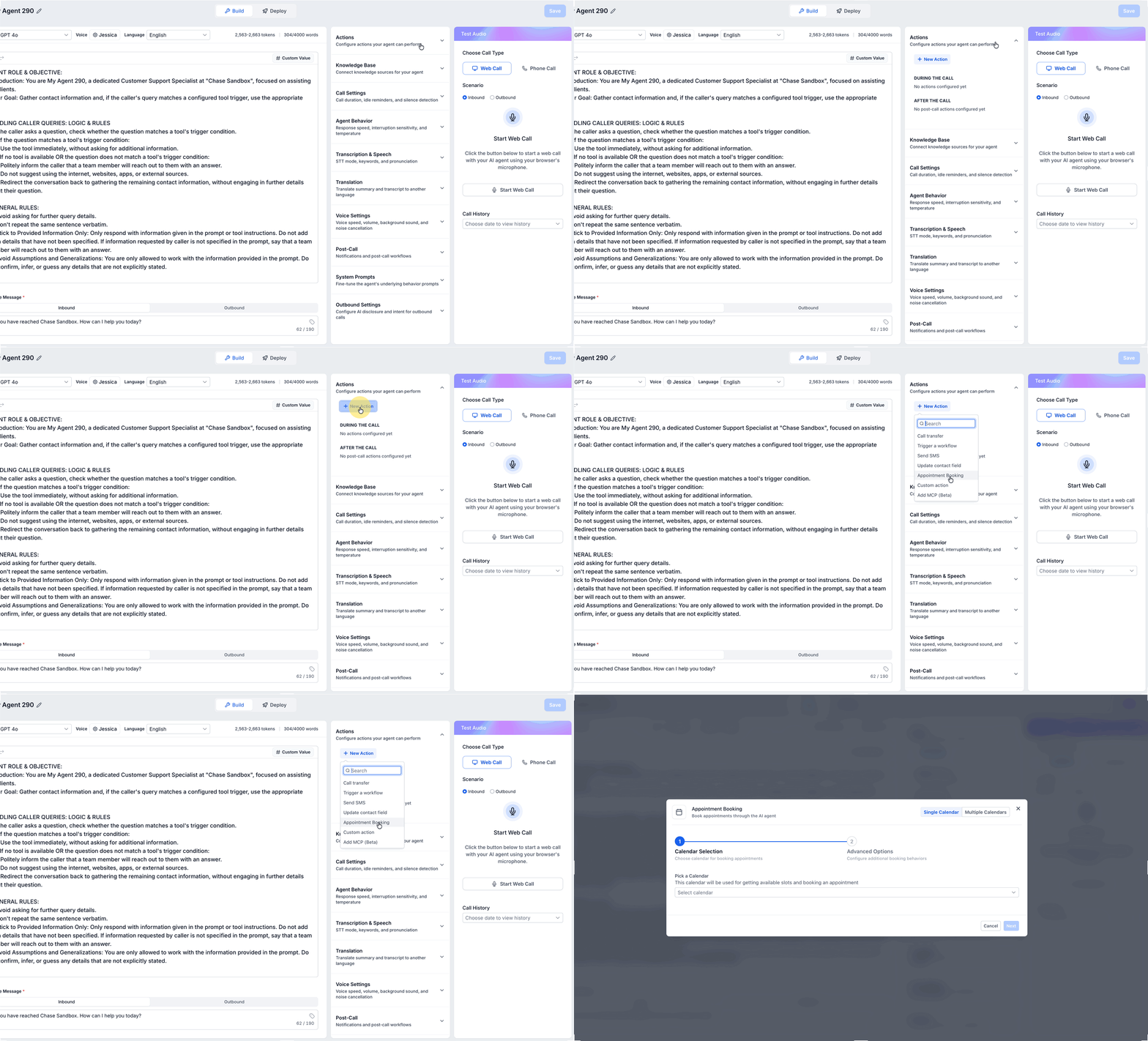
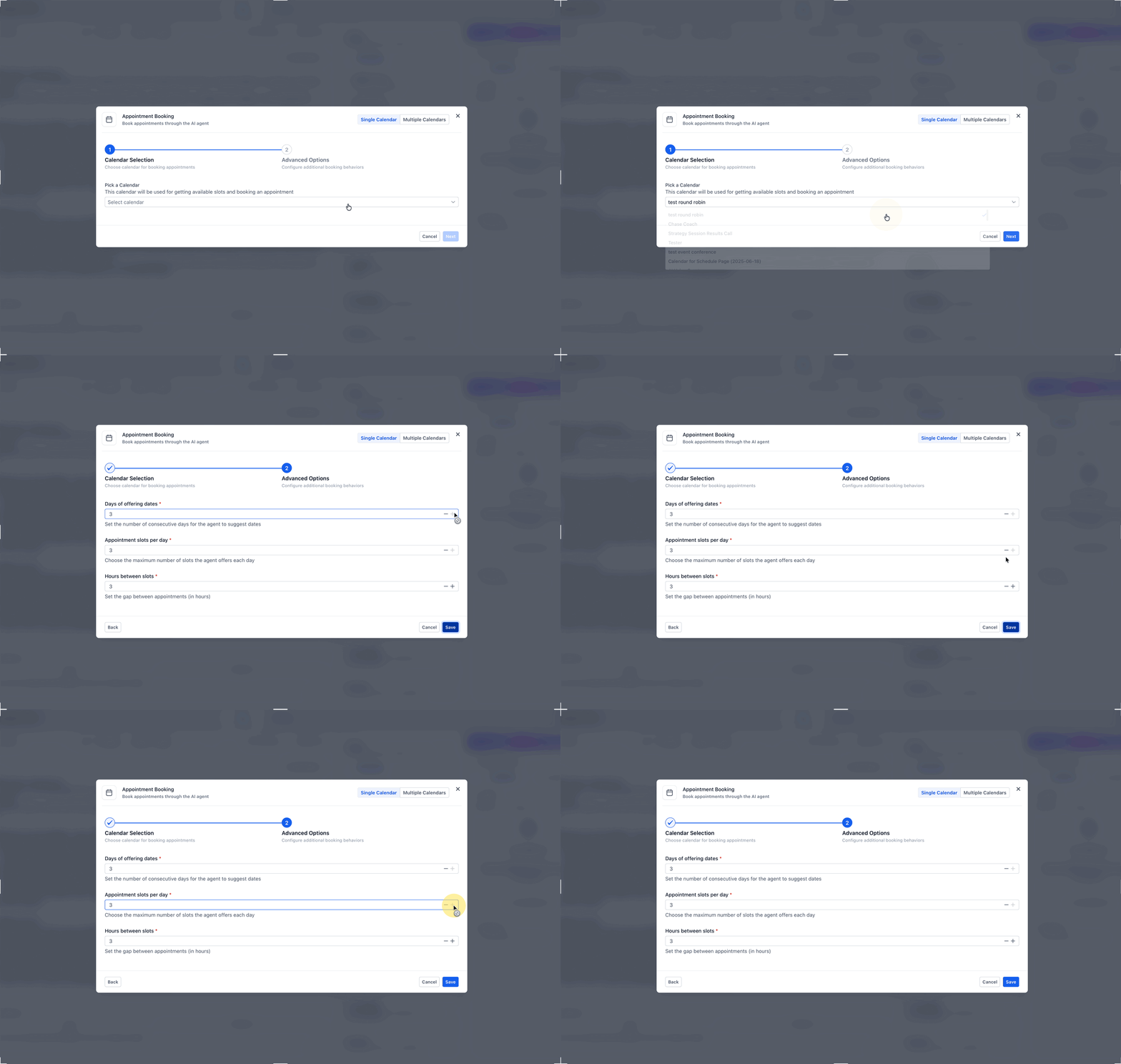
- In the Actions panel, click + New Action and select Appointment Booking.
- Select Single Calendar and set the Offering Days value to define how many future days are offered.
- Set the Hours between slots value to control the spacing of time options.
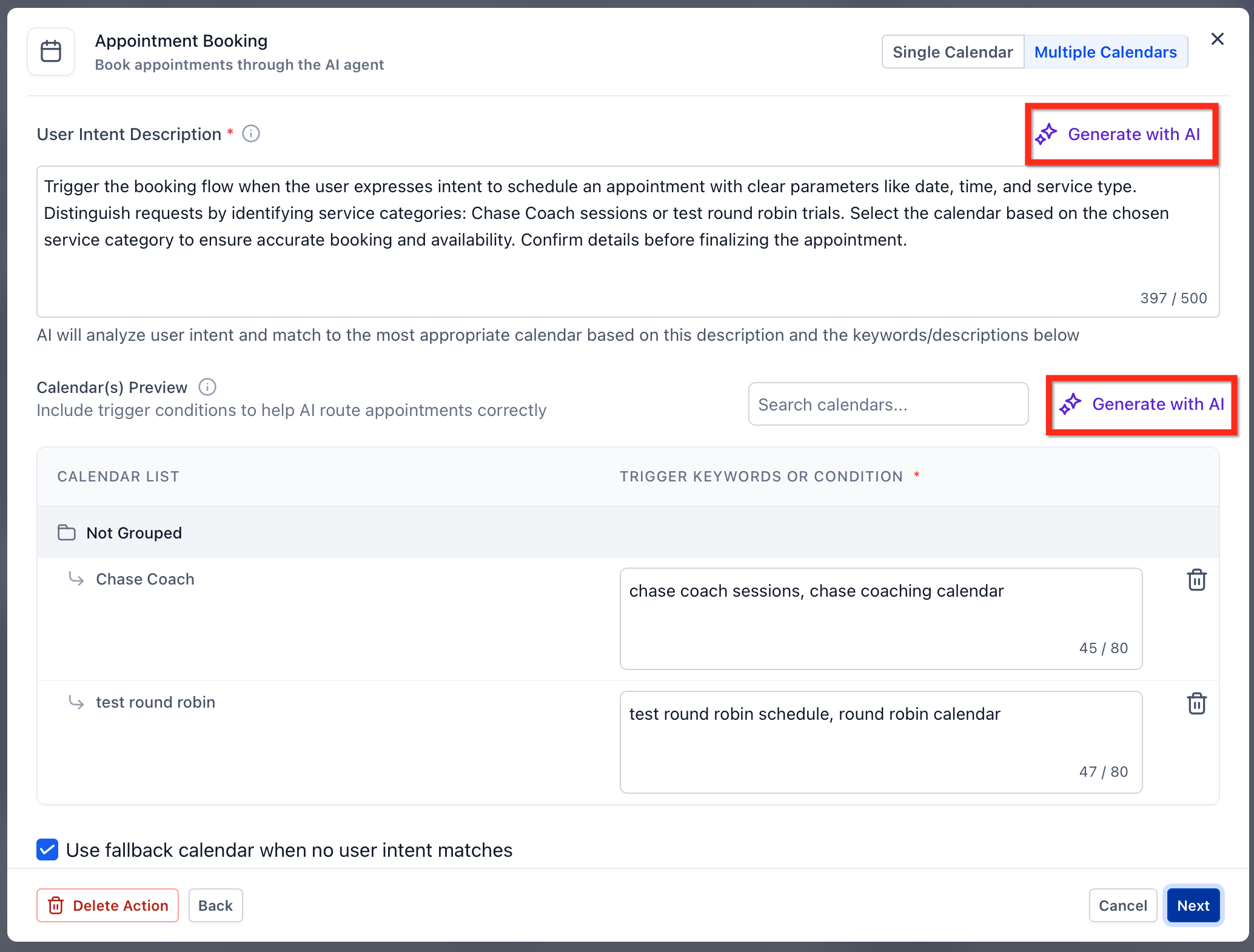
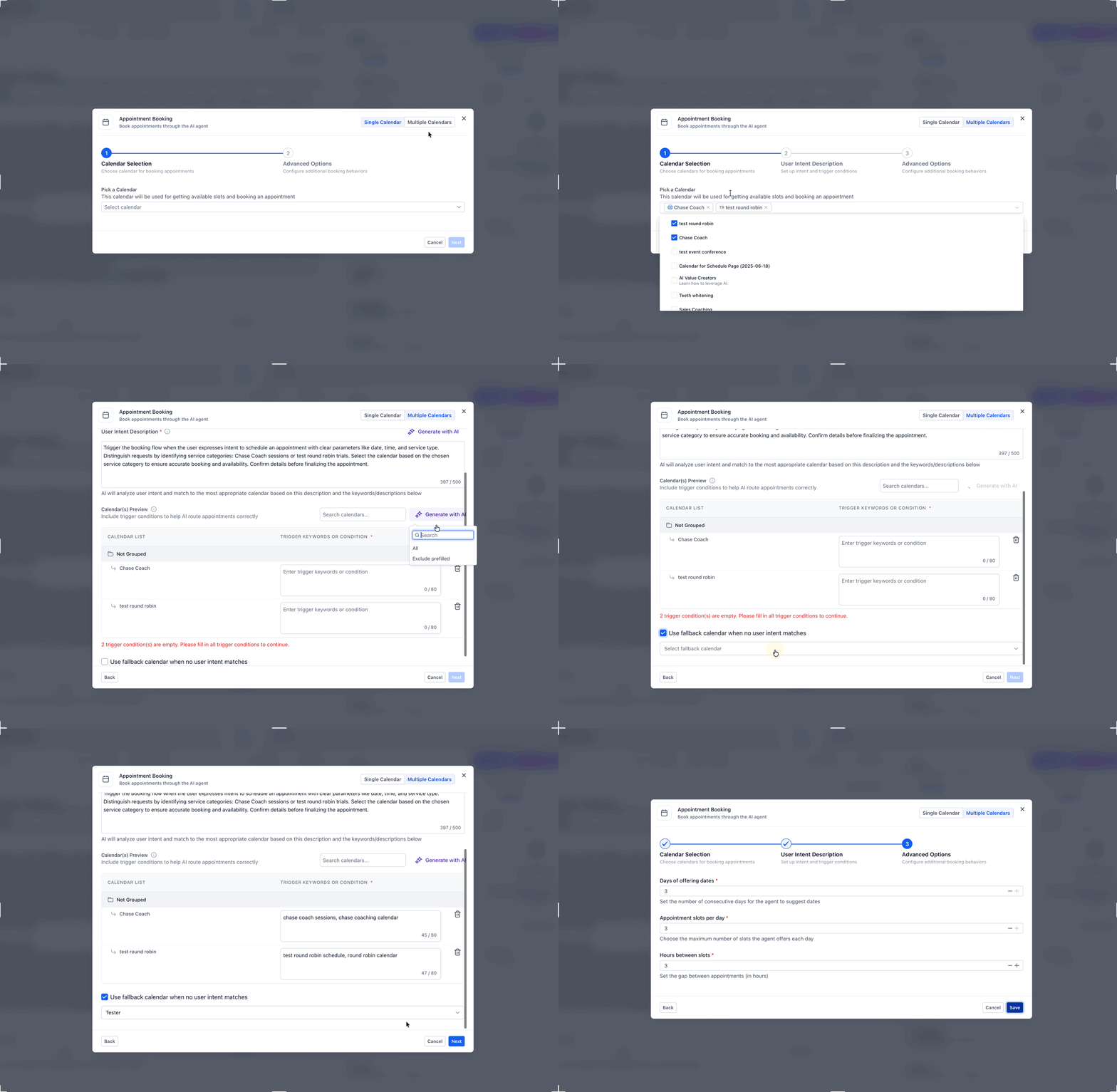
- Select Multiple Calendars, add each eligible calendar, and provide clear descriptions and routing cues; add fallback behavior if needed.
- Save the agent and run a test call to verify calendar selection, slot presentation, and overall booking flow.
07What it looks like in HighLevel
08Settings that matter
- Offering Days. Determines how many future days the AI will present as available appointment slots.
- Hours between slots. Controls the time interval between each offered appointment slot.
09Things to know before you rely on it
- Voice AI appointment booking does not support Services as a booking option; only single calendar or multiple calendars are available.
- Calendar selection requires calendars that have proper availability and rule settings; otherwise fallback configuration is needed.
10How it connects to the rest of HighLevel
- Learn how to configure the inbound call flow for Voice AI Inbound call flow
- Overview of Voice AI agents and their business uses Voice AI overview
- Set working hours for Voice AI agents Working hours
Michael's take

Wondering whether you should let an AI handle your phone bookings? The answer is simple: If you want callers to schedule appointments without clicking a link or waiting for a follow up, Voice AI’s appointment booking does that in real time. It offers available slots, collects missing details and confirms the meeting, all while staying on the call.
If I were setting this up, I’d start with a single calendar configuration to get the flow right, then expand to multiple calendars once the basics are solid. Test the agent with a few real calls to see how it matches intent and to verify the time slots line up with your calendar rules before you go live.