
01Who this is for
- Content marketers at agencies who need fast first drafts without switching tools.
- Small business owners who want SEO ready blog posts without hiring writers.
- International brands that require multilingual drafts from the same prompt.
02Ask AI blog post generation, explained
Ask AI Blog Post Generation is a conversational feature that accepts a topic and detailed instructions, then outputs a complete long form blog draft. The draft contains suggested titles, hierarchical headings, body paragraphs and optional bullet points, all formatted for easy copy paste into the Blogs editor.
The feature lives inside the Ask AI workspace, which you open from the top navigation icon or the left hand menu. You can enhance the output by providing URLs or images as context, letting the AI pull recent terminology or examples. The result is a flexible draft that you move to Sites > Blogs for final formatting, SEO metadata and publishing.
Because the draft is generated inside HighLevel, you keep the entire blogging workflow on the platform. You still need to edit, verify facts and add any final images or internal links before the post goes live.
03How businesses use Ask AI blog post generation
- Digital marketing agency. The agency opens Ask AI, enters a prompt that includes the client’s industry, desired word count and brand tone, and optionally adds the client’s product page URL. After reviewing the draft, the team copies it into the Blogs editor, fine tunes SEO fields and publishes for the client.
- Local service business. A business owner prompts Ask AI to write a 1,500 word post about using SMS marketing for appointment bookings, specifying a friendly tone and primary keyword. Once satisfied, the owner pastes the draft into the Blogs tool, adds a call to action button and schedules the post.
- Ecommerce brand with global sites. The brand requests an English draft first, then asks Ask AI to translate the same outline into Spanish and French. Each language draft is copied into its respective blog in HighLevel, where native reviewers adjust nuance before publishing.
04The numbers and rules that matter
- AI Employee Unlimited plan supports Ask AI.
- Pay per use Ask AI can be enabled in AI Product Pricing settings.
- Typical prompts include “~1500 word article” or “brief 600 word article”.
05Before you start
- Ask AI must be enabled for the agency or subaccount and visible in the navigation.
- The account must be on a plan that includes Ask AI access or have pay per use AI billing enabled.
06How to set up and use Ask AI blog post generation in HighLevel
Generate a blog post
- Verify that Ask AI appears in your navigation and that your plan supports its usage.
- Open the Ask AI workspace by clicking the top right icon or selecting the left hand menu item.
- Start a new chat session dedicated to the blog draft.
- Enter a detailed prompt that includes the topic, audience, length, tone, and primary SEO keywords.
- Optionally paste URLs and attach images to give the AI additional context for the draft.
- Submit the prompt and wait for Ask AI to return titles, headings and the full body content.
- Review the output and ask for revisions such as shortening sections or changing the angle.
- Copy the finalized draft from the Ask AI chat window.
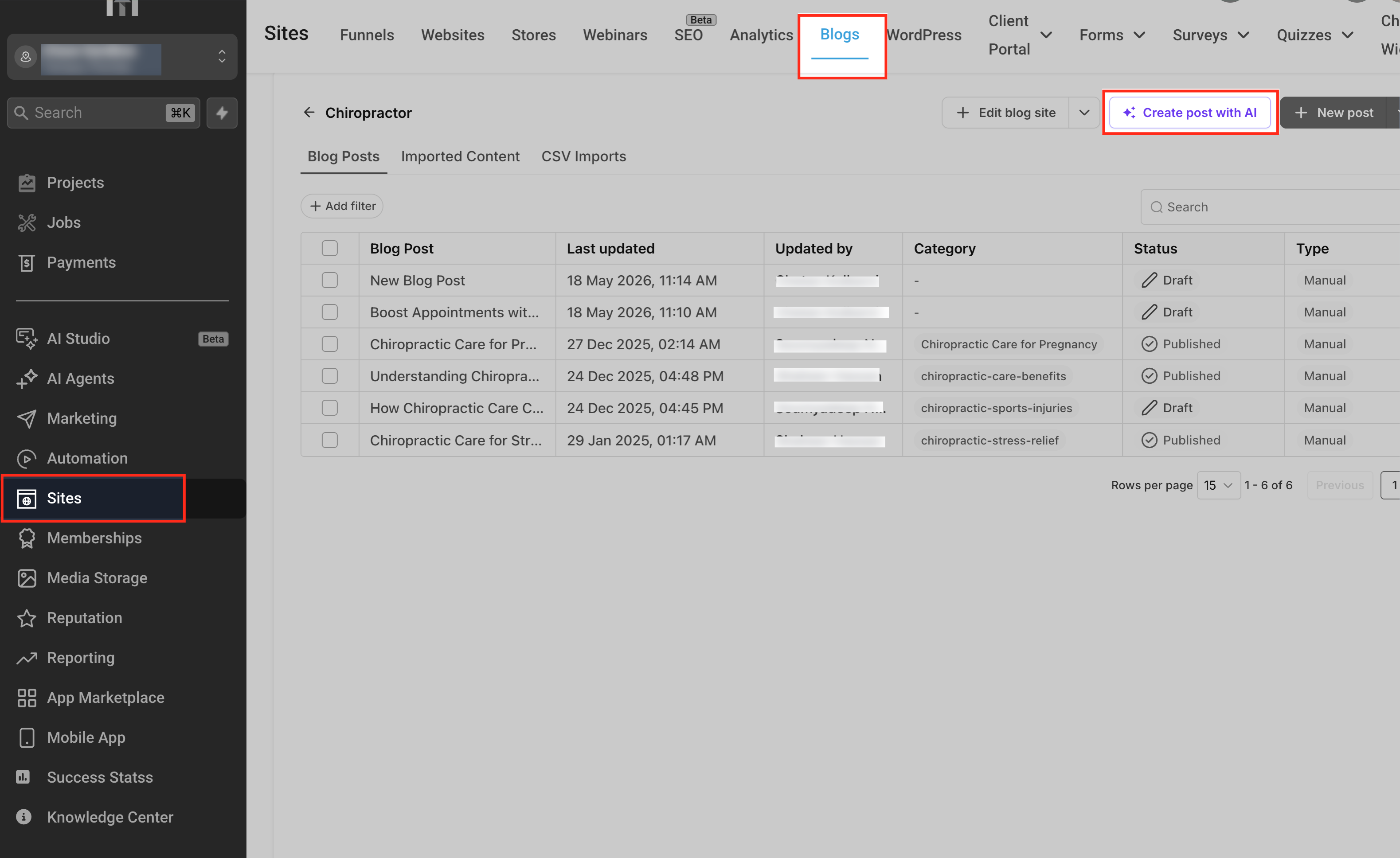
- Navigate to Sites > Blogs > [Your Blog] > New Post and paste the draft into the editor.
- Add images, internal links, set SEO fields, preview the post and publish.
07What it looks like in HighLevel
08Settings that matter
- AI Product Pricing. Controls whether Ask AI usage is billed per session or covered by an unlimited AI Employee plan.
09Things to know before you rely on it
- Web context improves relevance but does not guarantee factual accuracy; human review remains required.
- URLs and images supplied are only used as context; they are not automatically inserted into the final blog draft.
- Generating a blog counts as a richer Ask AI task and may incur higher per session costs compared with short queries.
10How it connects to the rest of HighLevel
- Learn how to generate a contact summary using Ask AI. Contact summary with Ask AI
- Explore generating and editing images inside Ask AI. Image generation with Ask AI
- Review the pricing model for Ask AI sessions. Ask AI pricing
Michael's take

Using Ask AI for blog drafts requires a quick editorial pass; the model can surface outdated facts or miss brand specific nuances, so human review is essential.
When it works, moving from idea to a near ready article is fast. I include the audience, word count, and key SEO phrase in the prompt, then let the AI lay out the structure. After a brief review and a couple of tweaks in the Blog Post editor, the piece is ready to publish with far less copy paste hassle.