
01Who this is for
- Marketing managers, keep review replies aligned with brand voice without writing each response manually.
- Customer service teams, automatically handle large volumes of reviews using sentiment based routing.
- Multi location businesses, assign agents to individual Google Business Pages for each location.
02Reviews AI Agents, explained
Reviews AI agents are a feature inside the Reputation Management module that generates reply drafts for online reviews. You set a tone, style, and prompt, and the agent creates responses that reflect those preferences while adjusting for review sentiment.
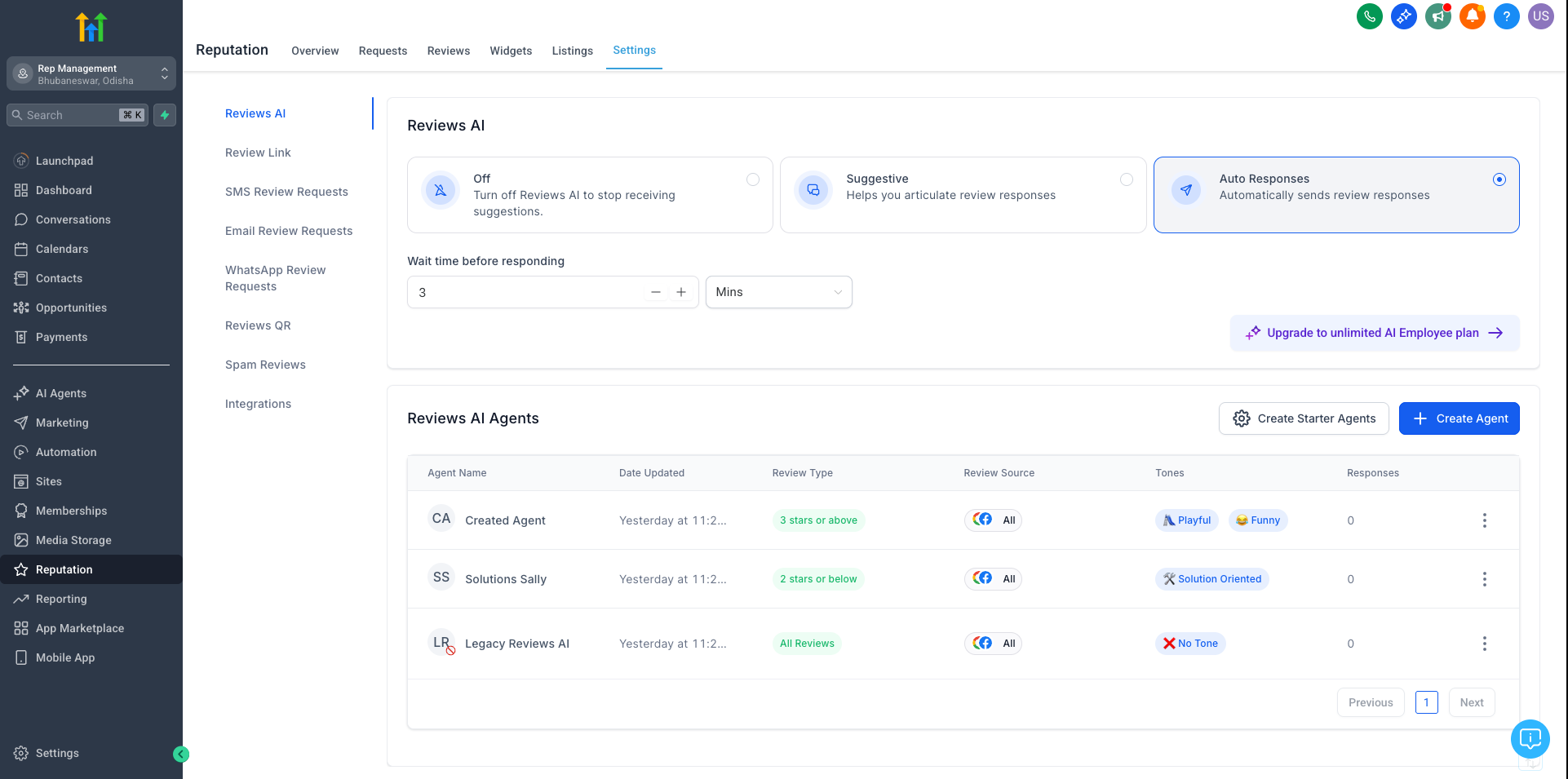
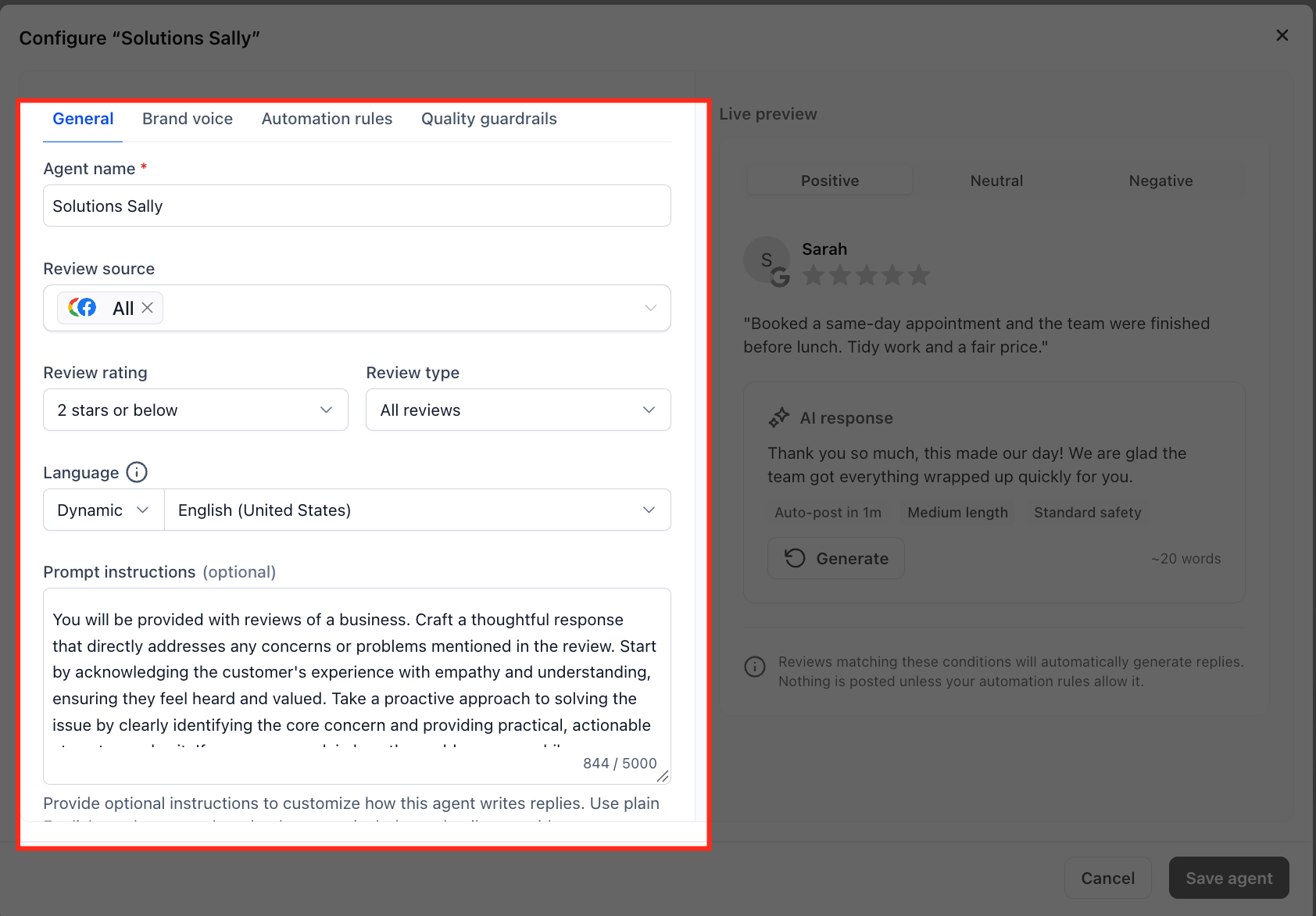
The setup lives under Reputation Management > Settings > Reviews AI. Within this area you create agents, define sentiment assignment rules, choose a fallback language, optionally link agents to specific Google Business Pages, enable quality guardrails or sensitive review holds, and preview the AI generated replies before saving the configuration.
03How businesses use Reviews AI Agents
- Restaurant chain. Create an agent with a friendly, upbeat tone, assign it to positive, neutral, and negative reviews, and optionally link each location’s Google Business Page. Use the live preview to ensure the replies mention the correct restaurant name before activating the agent.
- Dental practice. Set up an agent with an empathetic tone and a prompt that includes the practice name. Assign the agent to handle negative reviews with a separate sentiment rule, enable a fallback language for non English reviews, and preview each response type before publishing.
- Ecommerce store. Configure an agent with a professional tone, use the round robin option to rotate among multiple brand voices, attach the agent to the store’s Google Business Page, and test positive, neutral, and negative reply examples using the preview tool.
04Before you start
- User must have the Manage Reviews AI Agents permission enabled by an admin.
05How to set up and use Reviews AI Agents in HighLevel
Configure a Reviews AI agent
- Open the Reputation Management module in HighLevel.
- Click the Settings option.
- Select the Reviews AI tab.
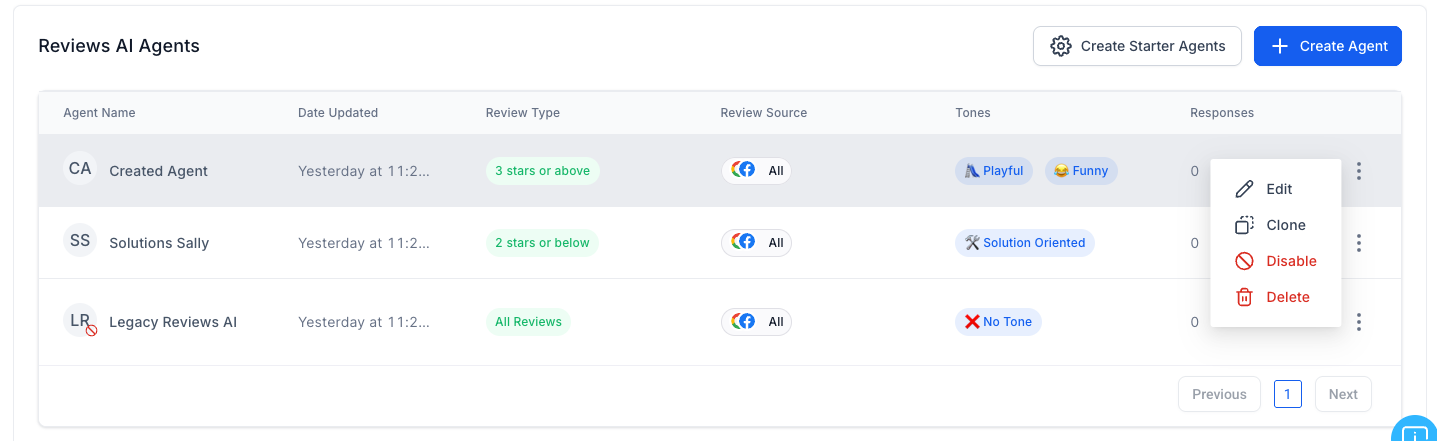
- Click the Create Agent button.
- Enter an Agent Name.
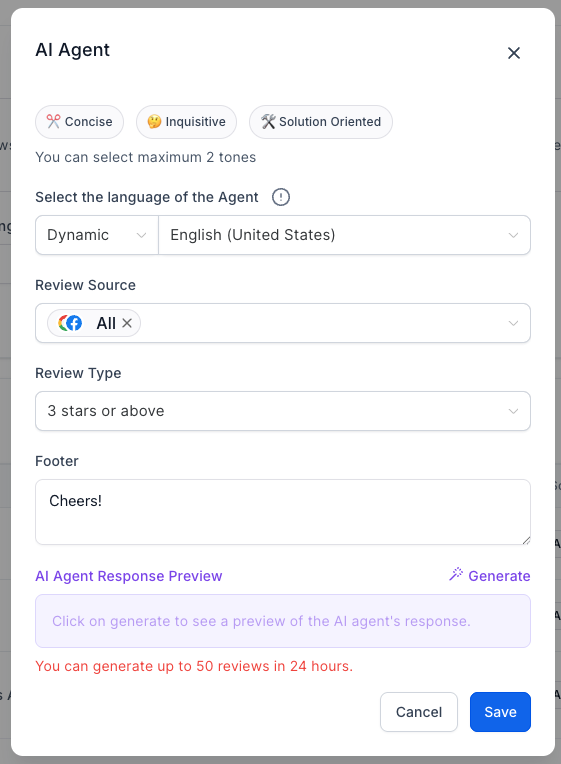
- Choose a Tone for the agent.
- Write a concise Prompt for the agent.
- Define Assignment Rules based on review sentiment.
- Enable Round Robin Assignment if desired.
- Set a fallback language for undetected reviews.
- Optionally assign the agent to specific Google Business Pages.
- Enable Quality Guardrails to reduce risky language if needed.
- Enable Sensitive Review Holds for higher risk responses when required.
- Preview AI generated responses and save the configuration.
06What it looks like in HighLevel
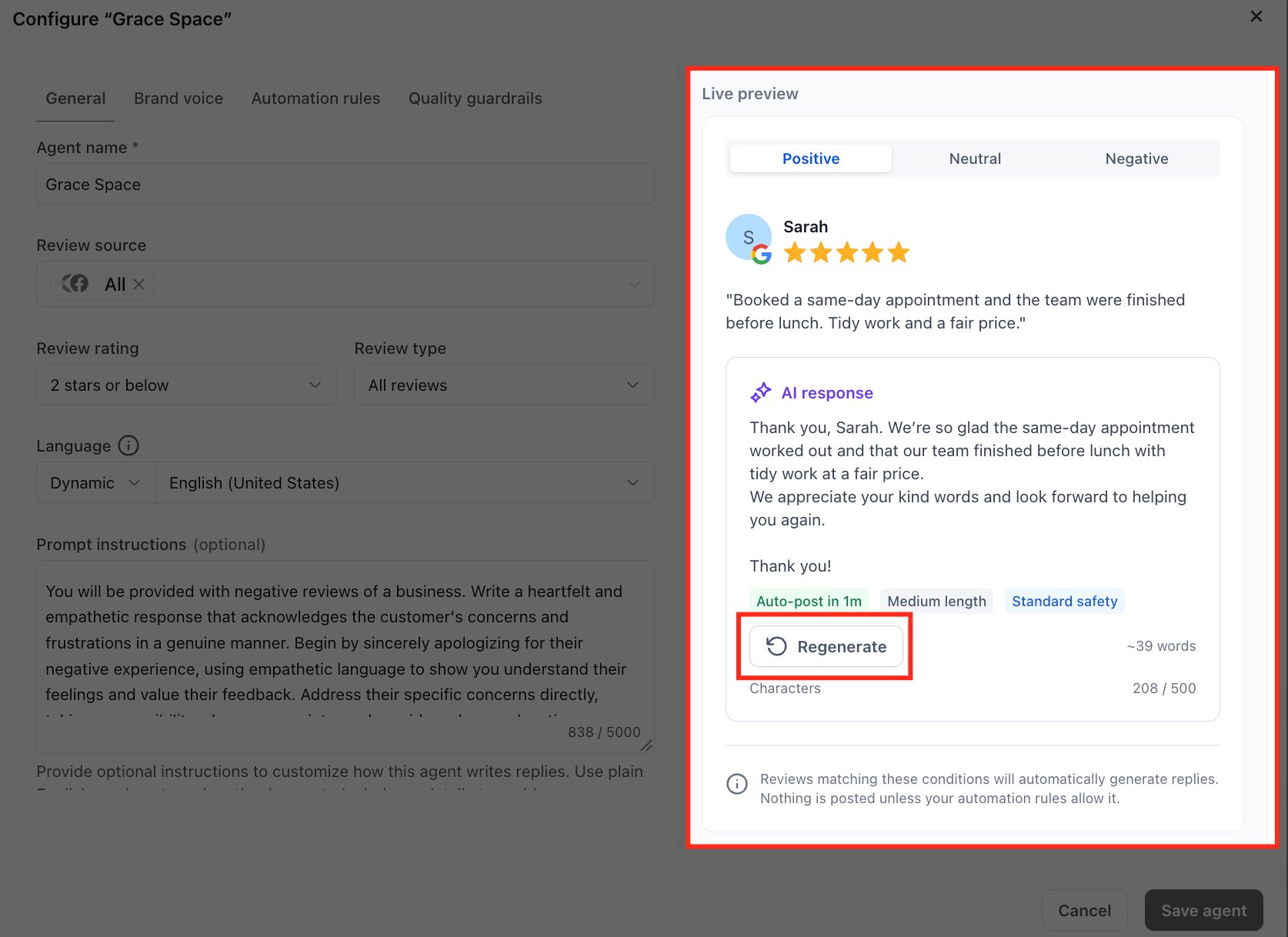
07Settings that matter
- Agent Name. Identifies the AI agent and helps track its performance.
- Tone. Determines the overall style of the generated replies, such as Friendly or Professional.
- Prompt. Provides concise instructions that guide the agent’s response content.
- Assignment Rules. Assigns agents to reviews based on sentiment categories: Positive, Neutral, or Negative.
- Round Robin Assignment. Rotates multiple agents automatically to add variety to responses.
- Fallback Language. Specifies a default language to use when the review language cannot be detected.
- Google Business Pages. Links an agent to particular Google Business Pages for brand or location specific handling.
- Quality Guardrails. Controls to reduce repeated openings and potentially risky language in AI responses.
- Sensitive Review Holds. Requires human review before publishing higher risk responses.
08Things to know before you rely on it
- Reviews AI agents appear only for users who have the Manage Reviews AI Agents permission.
- Assigning agents to Google Business Pages is optional and only useful when multiple pages are linked.
09How it connects to the rest of HighLevel
- Learn how to manage access and modes for Reviews AI. Managing Reviews AI modes
- Set up a chat widget to capture reviews directly on your site. Chat widget guide
- Review pricing options for HighLevel and AI features. HighLevel pricing
Michael's take

Michael ReimerFounder of CRM Pros, HighLevel Commander and Certified Admin
Reviews AI Agents can streamline review responses.
Read the full details on HighLevel →Published November 2, 2026 · Updated November 16, 2026