
01Who this is for
- Marketing agencies that need fast set up of lead capture and follow up automations.
- SaaS Founders who want to prototype email, notification, and task sequences without manually dragging elements.
- Sales teams looking to right away create form submission alerts and call task flows.
02Workflows from Ask AI, explained
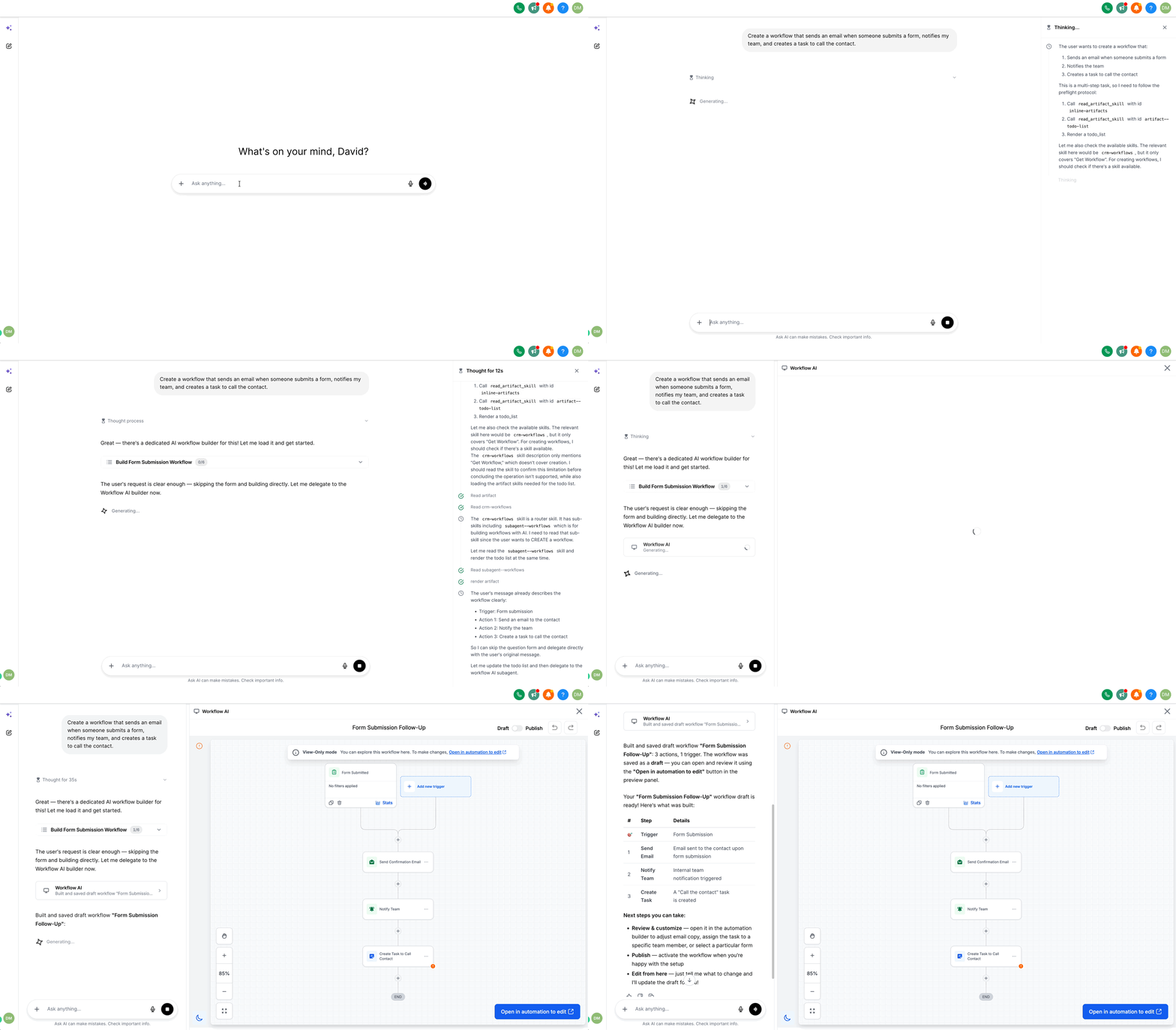
Ask AI offers a conversational way to generate HighLevel workflows. You type a description of the desired automation and the AI constructs the trigger and action chain, displaying it in a live preview panel. The preview lets you click any element to see its current configuration.
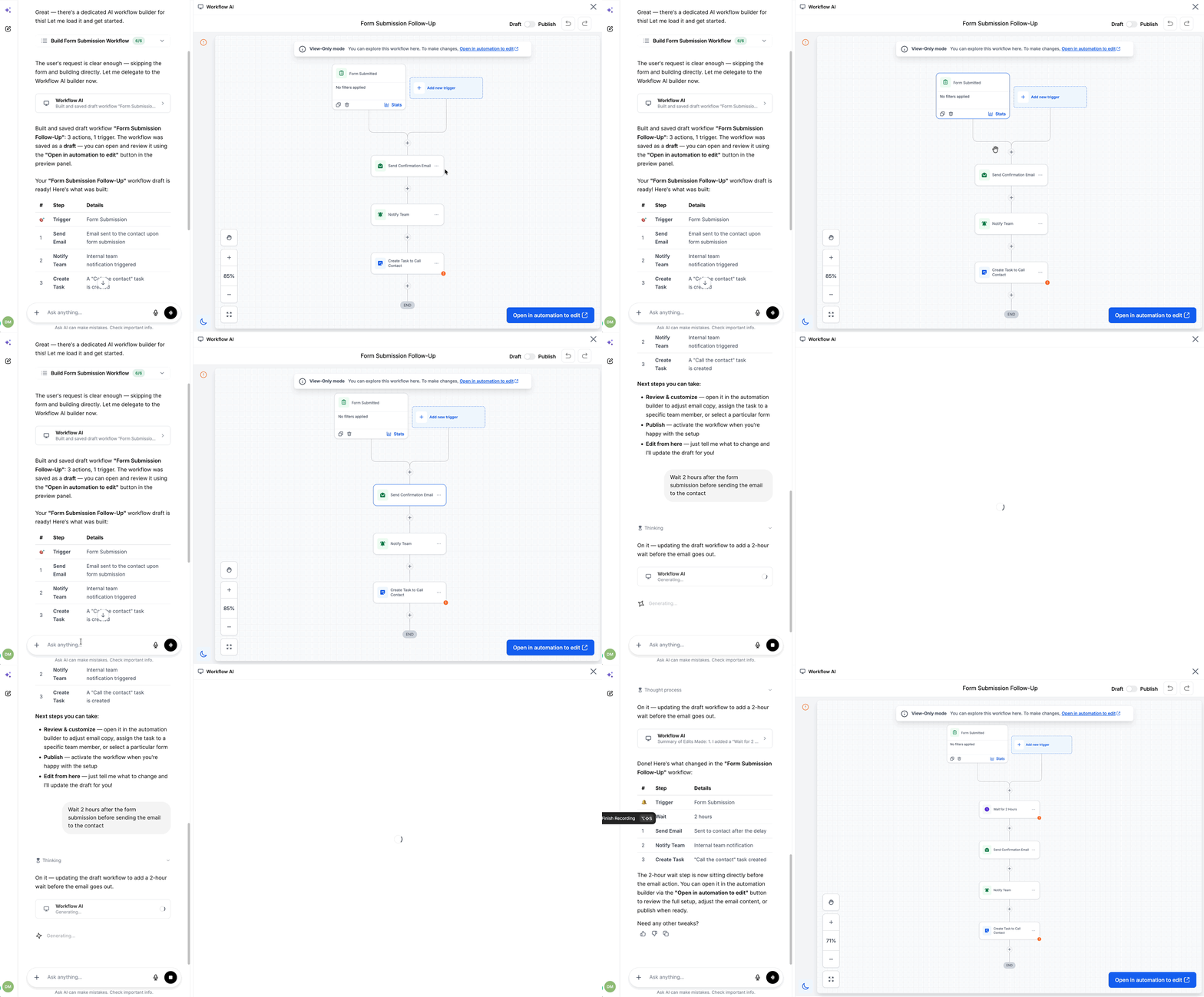
If the initial draft needs adjustment, you can send follow up messages, such as adding a delay or changing an action, and the AI updates the workflow accordingly. When the design meets your expectations, a button opens the flow in the traditional Workflow Builder where manual edits, testing, and publishing occur.
The feature is also reachable via Ask AI on WhatsApp, providing an alternative entry point for building automations on the go. Manual editing is not possible inside the preview; the builder is required for that step.
03How businesses use workflows from Ask AI
- Digital marketing agency. The agency types a prompt like “send a confirmation email after a form submit and alert the account manager” into Ask AI. After reviewing the preview, it tweaks timing through chat, then opens the builder to test and publish the automation.
- SaaS startup. The Founder asks Ask AI to create a workflow that tags new sign ups, sends a welcome email, and creates a task for onboarding. The AI assembles the flow, the Founder refines any step via conversation, and finalizes it in the builder.
- Sales organization. A sales coordinator requests a workflow that notifies the team and schedules a follow up call when a lead fills out a contact form. After confirming the layout in the preview, the coordinator opens the builder to add custom fields before publishing.
04How to set up and use workflows from Ask AI in HighLevel
Create a workflow with Ask AI
- Open the Ask AI interface and start a new chat session.
- Enter a natural language description of the automation you want.
- Examine the live preview that appears and click any trigger or action to view its settings.
- Provide additional instructions to modify the flow, such as inserting a delay or changing an action.
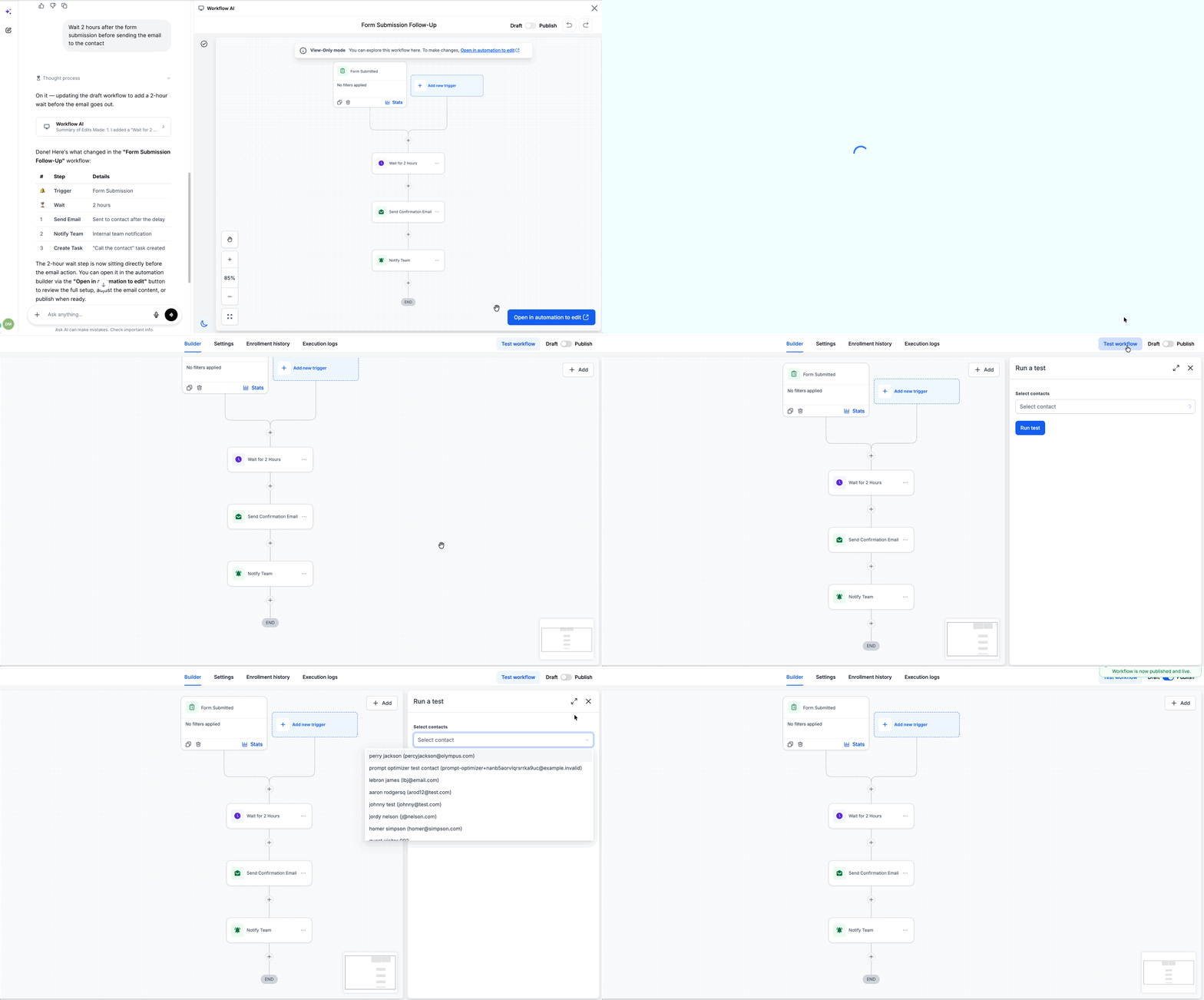
- Press the “Open in automation” button to launch the workflow in the Workflow Builder.
- In the builder, make any manual adjustments, run a test, and publish the workflow.
05What it looks like in HighLevel
06Things to know before you rely on it
- Manual editing cannot be performed inside the preview panel; you must use the Workflow Builder for that.
- Conversational edits are supported, but any complex changes still require opening the builder.
- Workflow creation is also reachable through Ask AI on WhatsApp.
07How it connects to the rest of HighLevel
- Generate a contact summary with Ask AI Contact summary guide
- All AI Employee features overview AI Employee features
- HighLevel pricing and plans Pricing page
Michael's take

Ask AI’s Workflow Builder is a real time saver for a small business that needs quick automations without learning the full builder interface. It lets you get a working draft in minutes and then fine tune it before going live.
Don’t forget to double check the final workflow in the builder before publishing.