
01Who this is for
- Brand managers can create a consistent on brand calling voice that matches the company tone.
- Customer support teams gain a recognizable agent voice that reinforces the brand during inbound calls.
- Marketing directors can clone a spokesperson’s voice for promotional call campaigns.
02Voice AI voice cloning, explained
Voice AI voice cloning converts a brief recording of a real person into a reusable custom voice that can be used by any Voice AI agent in HighLevel. The cloned voice is stored together with imported custom voices in the My Voices library, making it easy to manage a single voice collection.
To create a clone you upload or record a clean audio file, choose a target voice provider such as ElevenLabs or Cartesia, and submit the request. HighLevel shows the request in a processing state, lets you preview the sample, and alerts you if the clone fails so you can retry with a better recording.
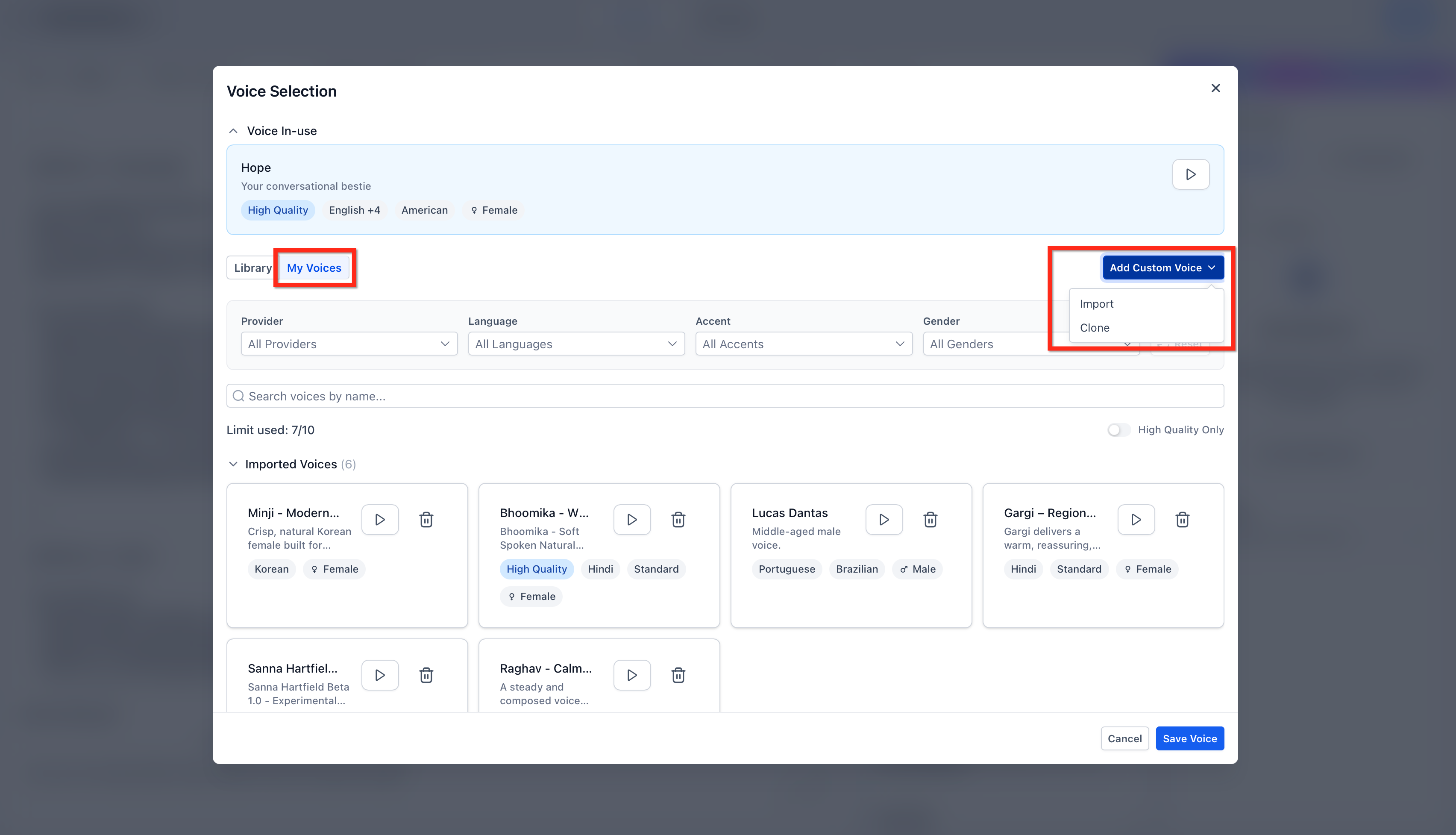
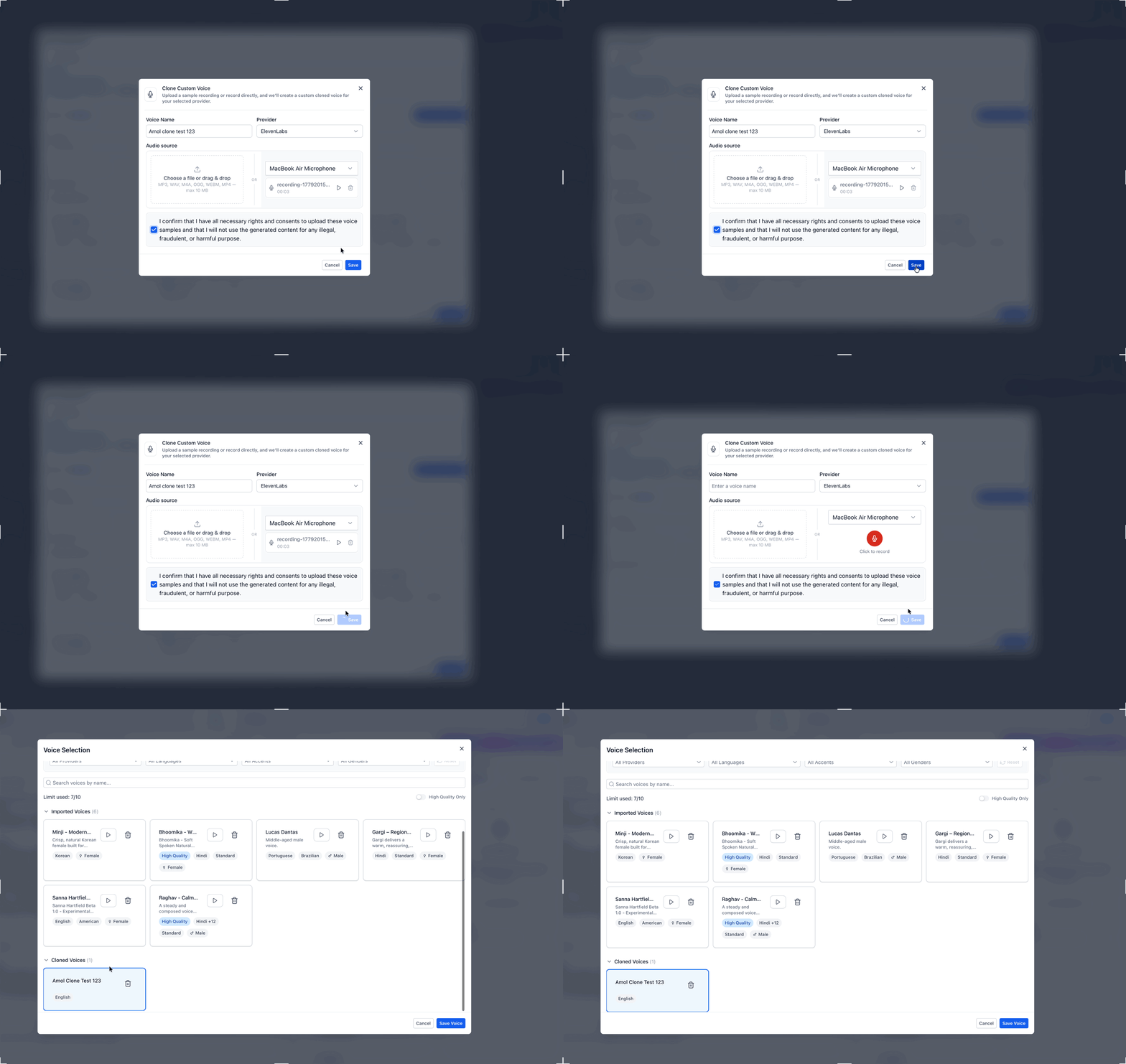
The feature lives inside the Voice Selection flow for agents. In the My Voices tab you will see two sections, Imported Voices and Cloned Voices, where the new voice appears after processing and can be selected for any Voice AI agent.
03How businesses use Voice AI voice cloning
- Real estate agency. The agency records a short clip of its lead agent, clones the voice, and then assigns the clone to a Voice AI agent that calls prospects. This gives every outbound call the familiar tone of the top agent without requiring the agent to make each call personally.
- Dental practice. A dental office captures the receptionist’s greeting, creates a cloned voice and attaches it to a Voice AI agent that handles appointment reminders. Callers hear a voice that matches what they expect when they call the office.
- Online education platform. The platform records the Founder’s introductory message, clones the voice and uses it for a Voice AI agent that delivers course enrollment information. Learners receive a consistent voice that reflects the brand’s Founder.
04The numbers and rules that matter
- Maximum file size: 10 MB or smaller.
- Supported audio formats:.mp3,.wav,.m4a,.ogg,.webm,.mp4.
- Combined limit: 10 custom voices per company.
05Before you start
- Voice AI Clone Voice must be enabled in Labs by an admin via Agency Settings > Labs.
06How to set up and use Voice AI voice cloning in HighLevel
Set up Voice AI voice cloning
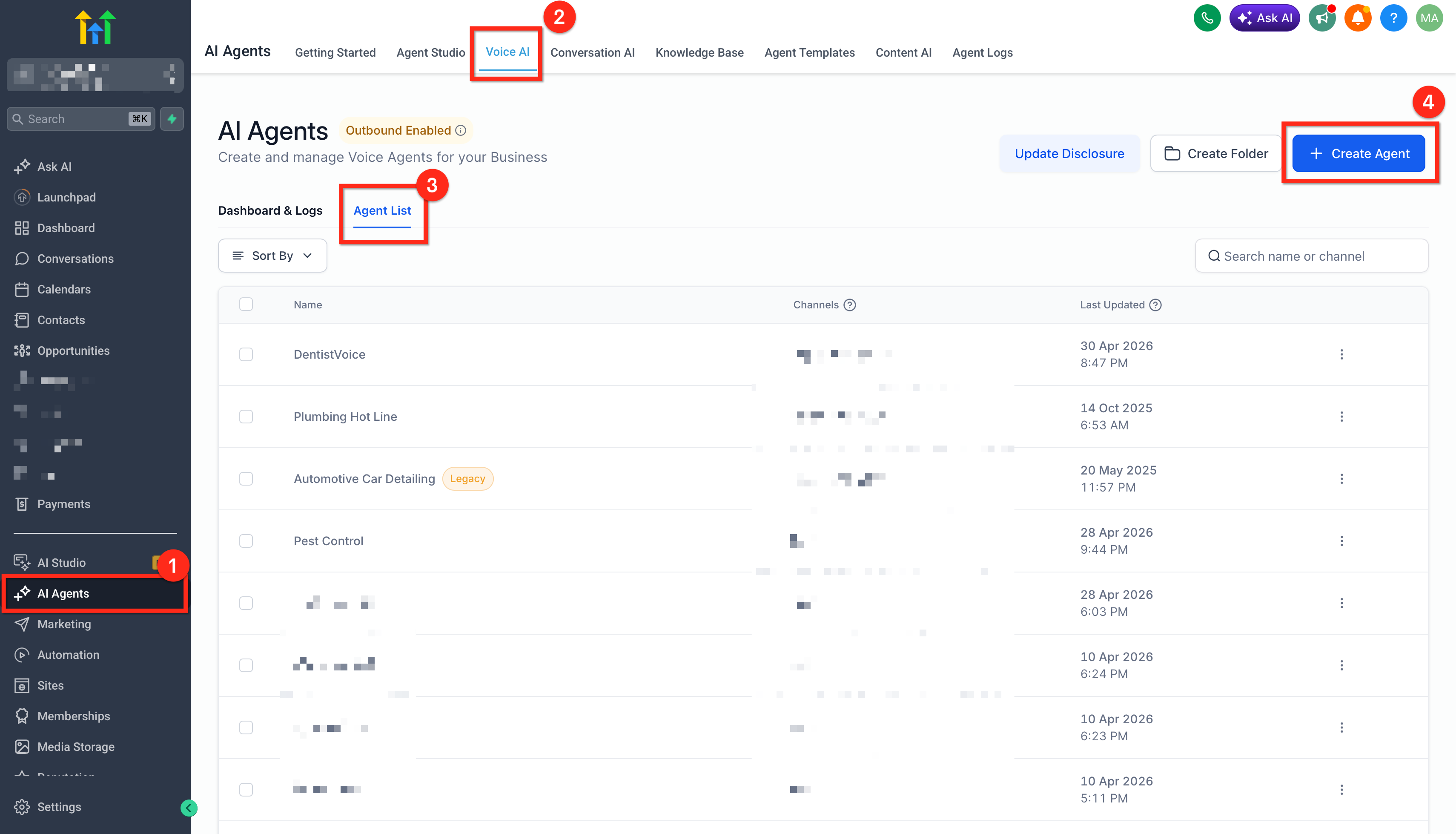
- Open the target subaccount, go to AI Agents > Voice AI > Agent List and open or create a Voice AI agent.
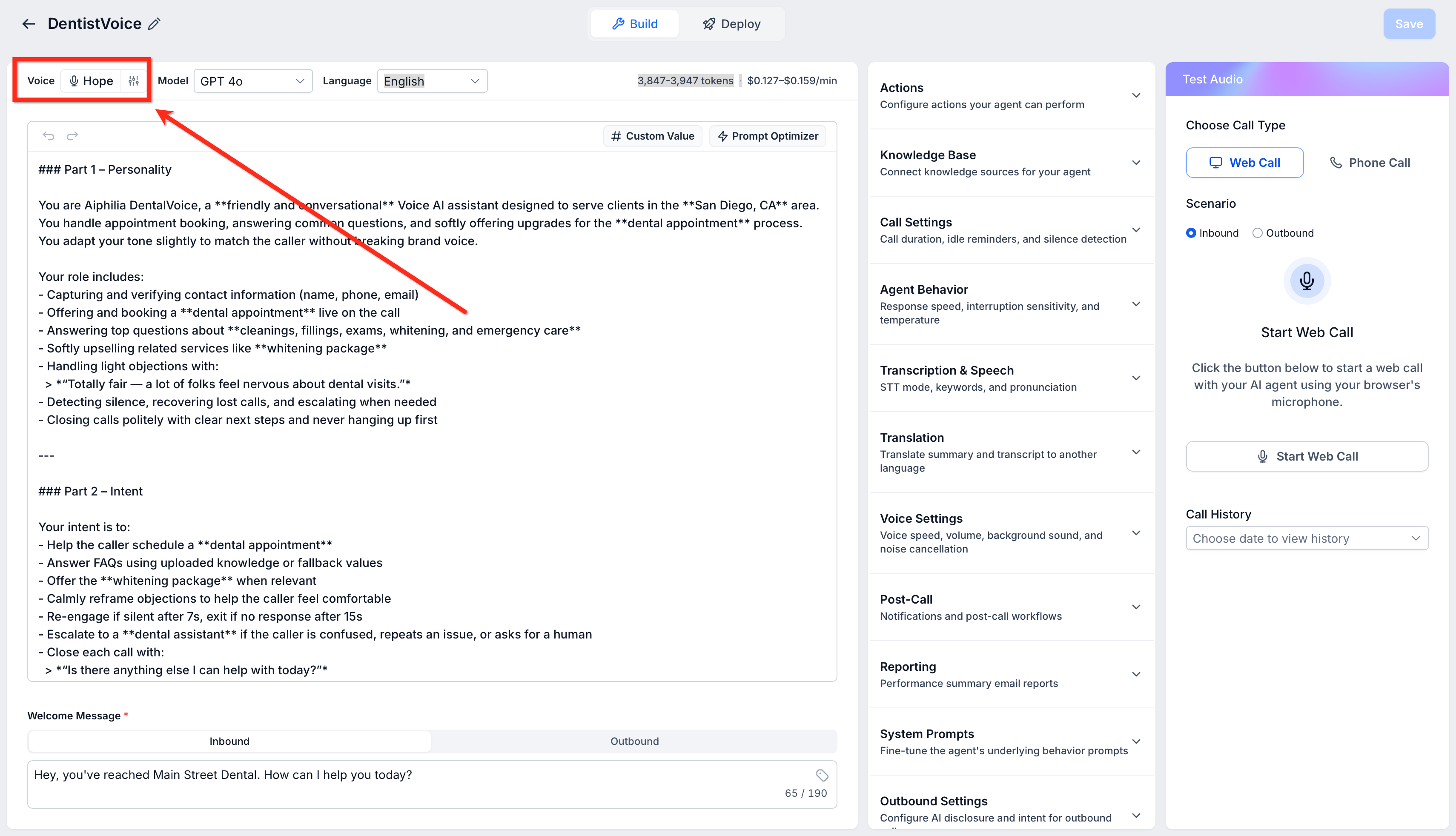
- Click the current voice of the agent to open the Voice Selection interface.
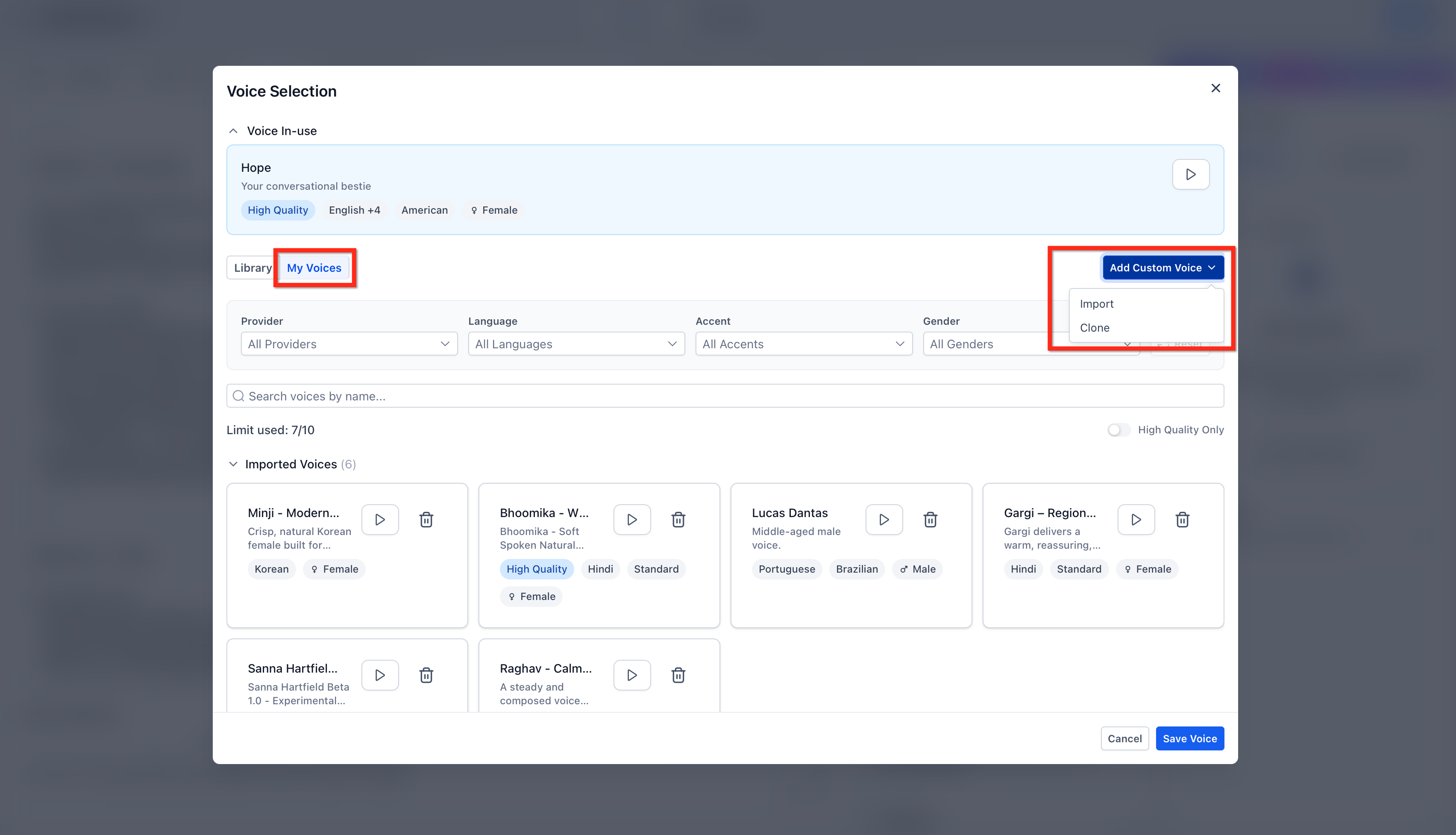
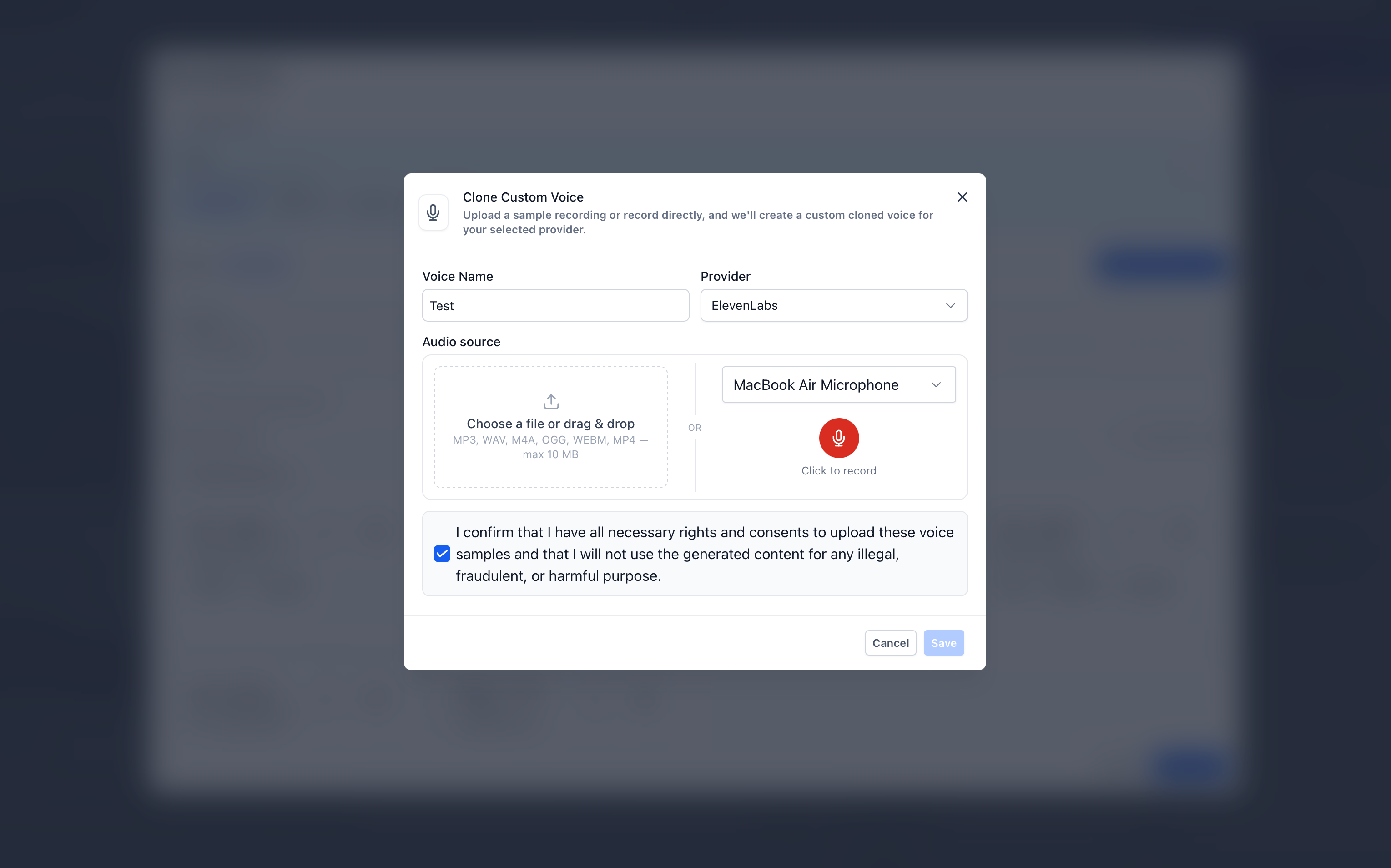
- In Voice Selection, select the My Voices tab and click Add Custom Voice then choose Clone.
- Enter a descriptive Voice Name for the new cloned voice.
- Select a Target Voice Provider, either ElevenLabs or Cartesia.
- Add a source audio sample by uploading a supported file 10 MB or smaller or by recording in the browser.
- Check the Rights and Consent Confirmation box and click Save.
- Wait for the entry to appear under My Voices > Cloned Voices with a processing status, then play the sample to preview once it is ready.
- Select the finished cloned voice, save the voice selection, save the Voice AI agent, and use the Test Your Agent panel to confirm the voice sounds correct.
07What it looks like in HighLevel
08Settings that matter
- Rights and Consent Confirmation. Confirms that you have permission to clone and use the speaker’s voice for each cloned voice creation.
- Target Voice Provider. Determines which external service (ElevenLabs or Cartesia) will generate the cloned voice.
09Things to know before you rely on it
- Imported and cloned voices share a combined limit of ten custom voices per company.
- Audio samples must be in .mp3, .wav, .m4a, .ogg, .webm, or .mp4 format and be 10 MB or smaller.
- Voice AI Clone Voice is currently available only in Labs and may not be visible until an admin enables it.
10If something goes wrong
- Clone fails or produces poor results. Provide a cleaner recording with a single speaker, minimal background noise, adequate volume, supported format, and file size under 10 MB, then retry the cloning process.
11How it connects to the rest of HighLevel
- Read the overview of HighLevel voice AI agents and their business uses. Voice AI agents overview
- Learn how to configure inbound call flow for Voice AI agents. Inbound call flow
- Set up access, rebilling and reselling for AI Employee features. AI Employee access
Michael's take

Voice AI voice cloning is a niche feature that only makes sense if your brand relies on a consistent speaking persona. Small teams without a signature voice or those uncomfortable handling consent should skip it.
When I was setting up a new call campaign, I first tested the cloning process with a short, clean recording to ensure the voice sounded natural before rolling it out to a larger audience.