
01Who this is for
- Founders of service oriented businesses, need a single bot to answer general inquiries across SMS, email, and social channels.
- Marketing teams in agencies, rely on a primary bot for inbound leads while using non primary bots for campaign specific workflows.
- Support managers handling multi channel tickets, assign non primary bots to workflow steps for targeted follow up on Facebook or WhatsApp.
02Primary and nonprimary bots, explained
Primary Conversation AI bots manage all general inbound conversations that come through the communication channels you assign to them. They act as the default responder unless a workflow with its own bot is already handling the conversation.
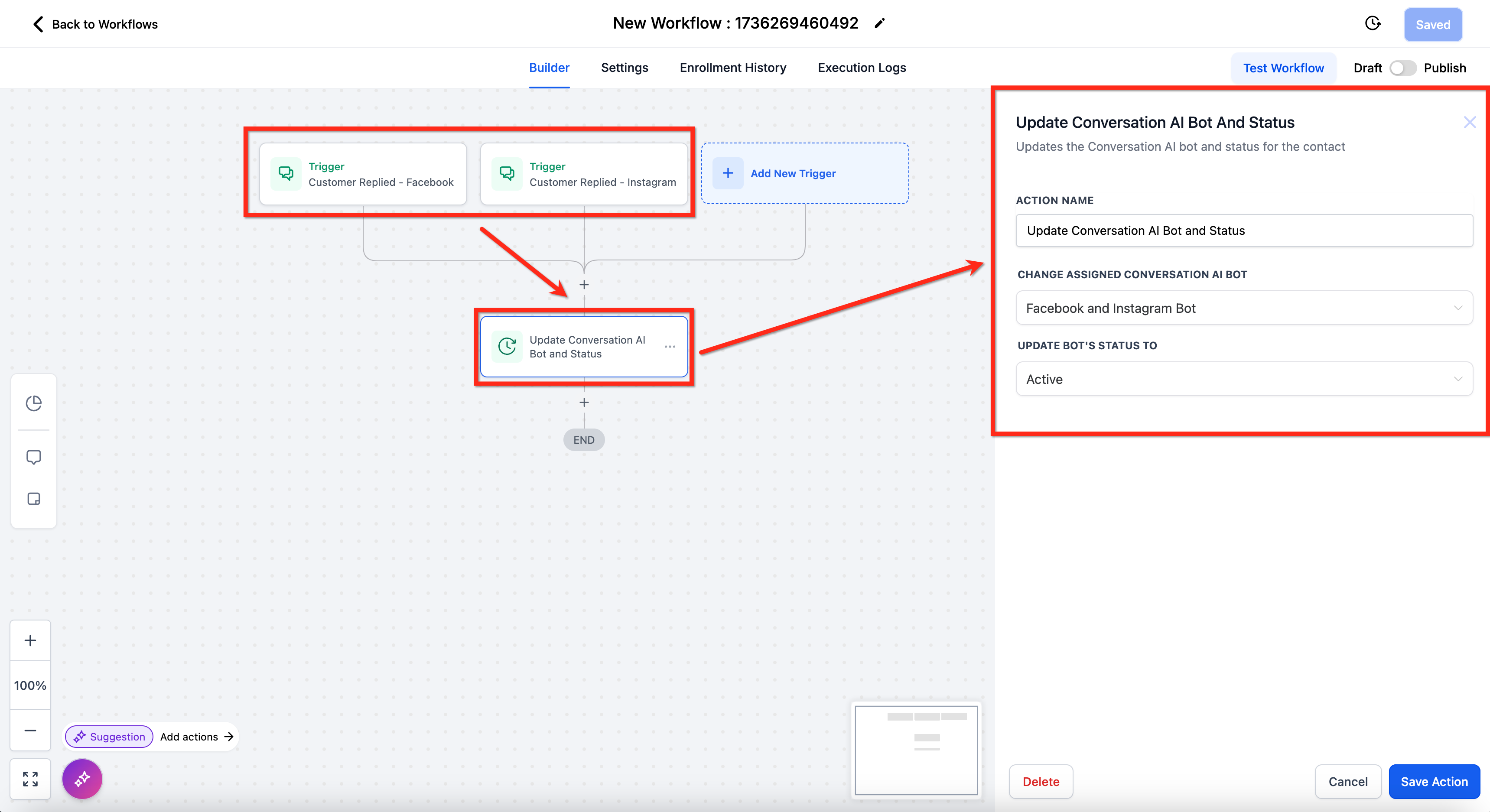
Non primary bots are not part of the general inbound flow. They become active only when a workflow step calls them, and they will reply only on the channels configured in their settings that also appear in the workflow trigger.
Both bot types are configured from the AI Agents > Conversation AI section of HighLevel, where you can set a bot as primary, add supported channels, and link non primary bots to specific workflow actions.
03How businesses use primary vs nonprimary bots
- Real estate agency. The agency sets a primary bot to answer incoming SMS and Facebook messages from prospects. For a follow up workflow that schedules showings, a non primary bot is added to the workflow and given the same channels to handle appointment booking.
- Dental practice. The practice uses a primary bot for general appointment inquiries across email and chat widget. A non primary bot is attached to a reminder workflow and configured for SMS only, so it sends reminder texts when that workflow step runs.
- Ecommerce store. The store configures a primary bot to respond to order questions on WhatsApp and Instagram. A non primary bot is added to a post purchase workflow, set to handle Facebook messages for upsell offers, matching the workflow’s channel.
04The numbers and rules that matter
- Supported channels: WhatsApp, Instagram, Facebook, SMS, Chat Widget (SMS chat), Live Chat, Email.
05How to set up and use primary vs nonprimary bots in HighLevel
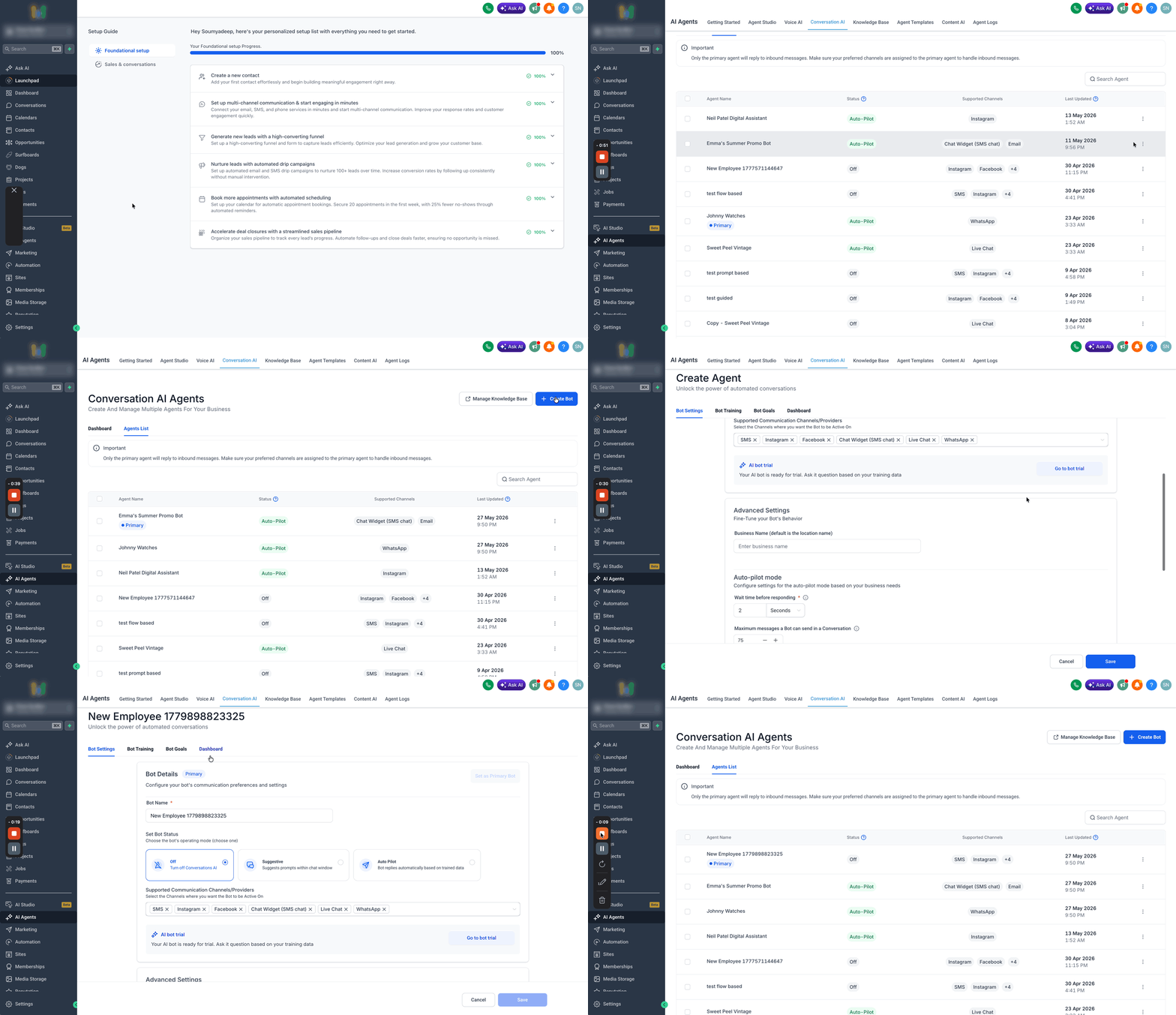
Assign primary status to a bot
- Open AI Agents > Conversation AI > Agent List.
- Create a new bot or select an existing one.
- Click the Set as Primary button.
- Click Save to record the change.
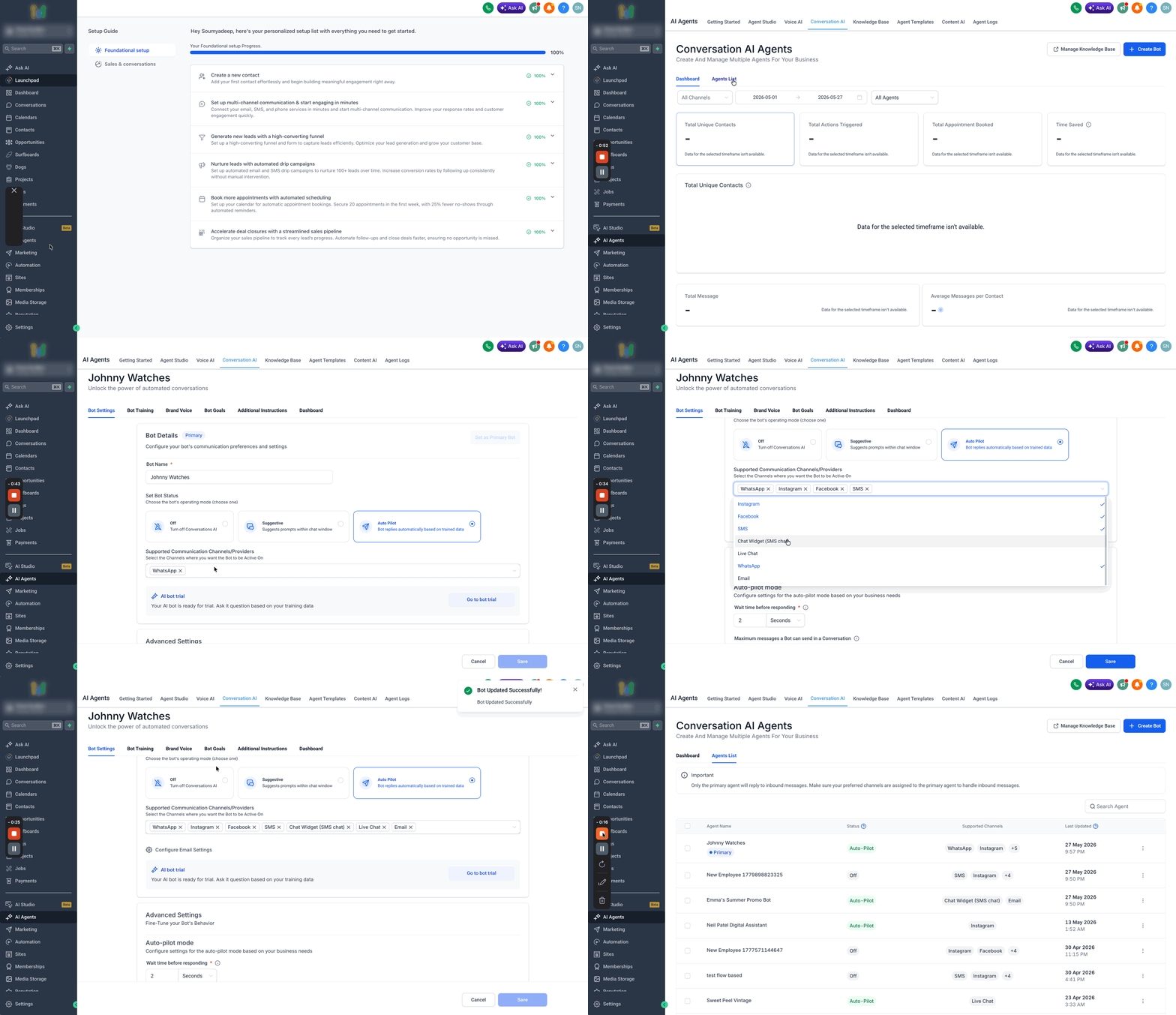
Add conversation channels to a primary bot
- Navigate to AI Agents > Conversation AI > Agent List.
- Create a new bot or choose the bot you want to edit.
- Open Bot Settings > Supported Communication Channels/Providers.
- Select the channels where the bot should be active.
- Click Save to apply the channel selections.
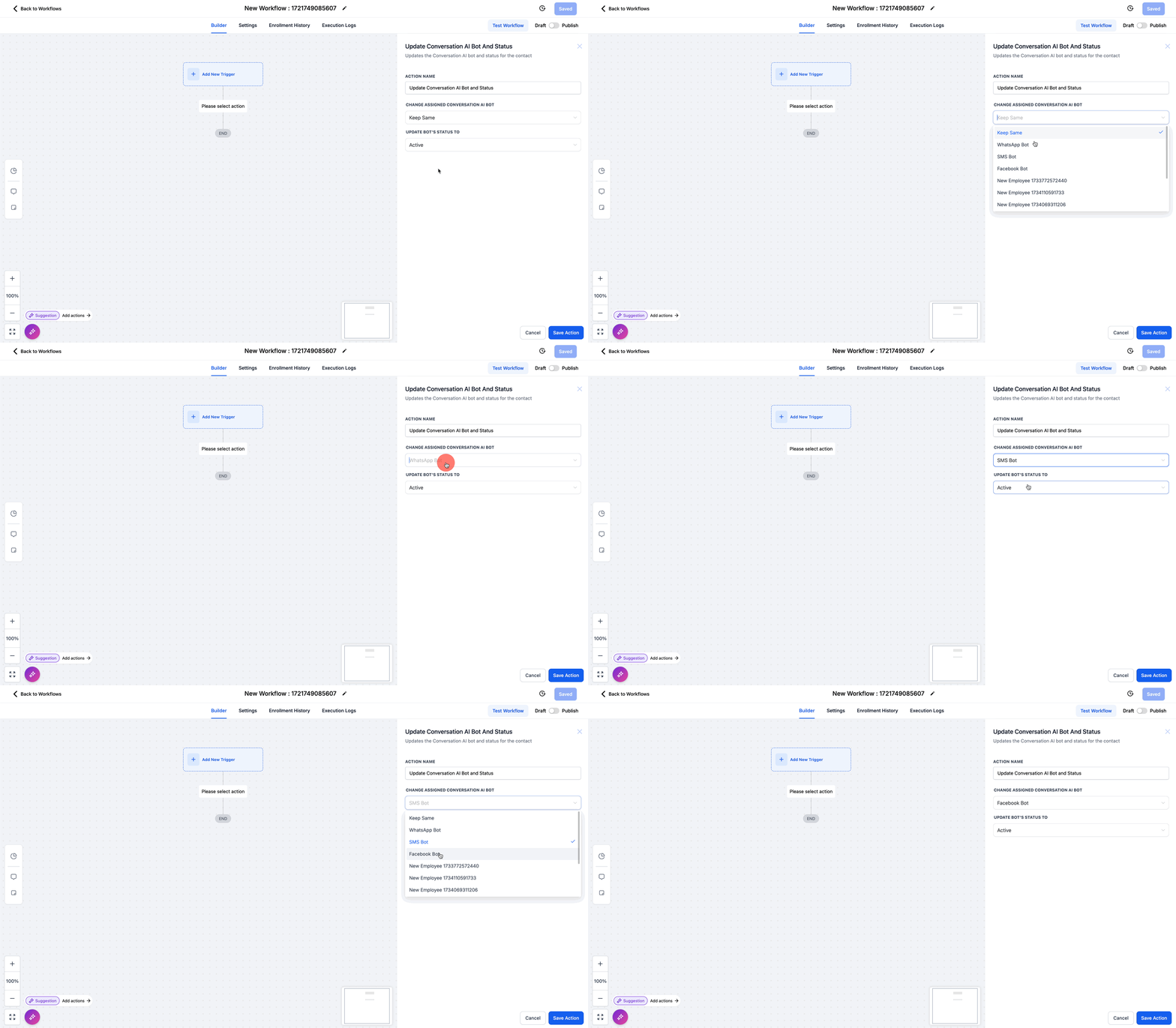
Match non primary bot channels to a workflow
- Confirm the non primary bot has the required channels assigned in its settings.
- Create or edit a workflow that triggers from those same channels.
- Add the non primary bot as an action inside the workflow.
- Verify the workflow’s channels match the bot’s assigned channels.
06What it looks like in HighLevel
07Settings that matter
- Set as Primary. Marks the selected bot as the platform’s default Conversation AI bot for general inbound messages.
- Supported Communication Channels/Providers. Determines which platforms, such as WhatsApp, Instagram, Facebook, SMS, Chat Widget, Live Chat, and Email, the bot can respond on.
08Things to know before you rely on it
- Only one bot can be designated as primary at any time.
- Primary bots answer only on the channels assigned to them.
- Non primary bots do not handle general inbound messages; they respond solely within workflows.
- A non primary bot will not reply if the workflow step uses a channel that is not assigned to the bot.
- Changing the primary bot does not alter its existing configurations, but missing channel assignments must be added to the new primary bot.
09How it connects to the rest of HighLevel
- Step by step guide to create and launch a Conversation AI bot Conversation AI bot creation
- Explore additional configuration options for Conversation AI bots Advanced AI settings
- Use Conversation AI bots on mobile devices with the LeadConnector app Mobile app usage
Michael's take

I find the distinction between primary and nonprimary bots helpful for organizing automated conversations.