
01Who this is for
- Marketing managers need consistent brand language across campaigns, and this integration automates tone and messaging alignment.
- Content creators can speed up drafting by having the AI pre fill brand details, reducing edit time.
- Agency owners handling several client brands benefit from storing multiple Brand Voices and selecting the right one per project.
02Brand Voice Integration, explained
Brand Voice Integration feeds the AI engine with your predefined brand characteristics. When the toggle is active, the platform pulls tone, audience, purpose, USP and pain points from the selected voice and uses them to shape the generated copy. The feature lives inside each Content AI enabled module such as Email Builder, Blog editor, Social Planner and Funnel/Website builder.
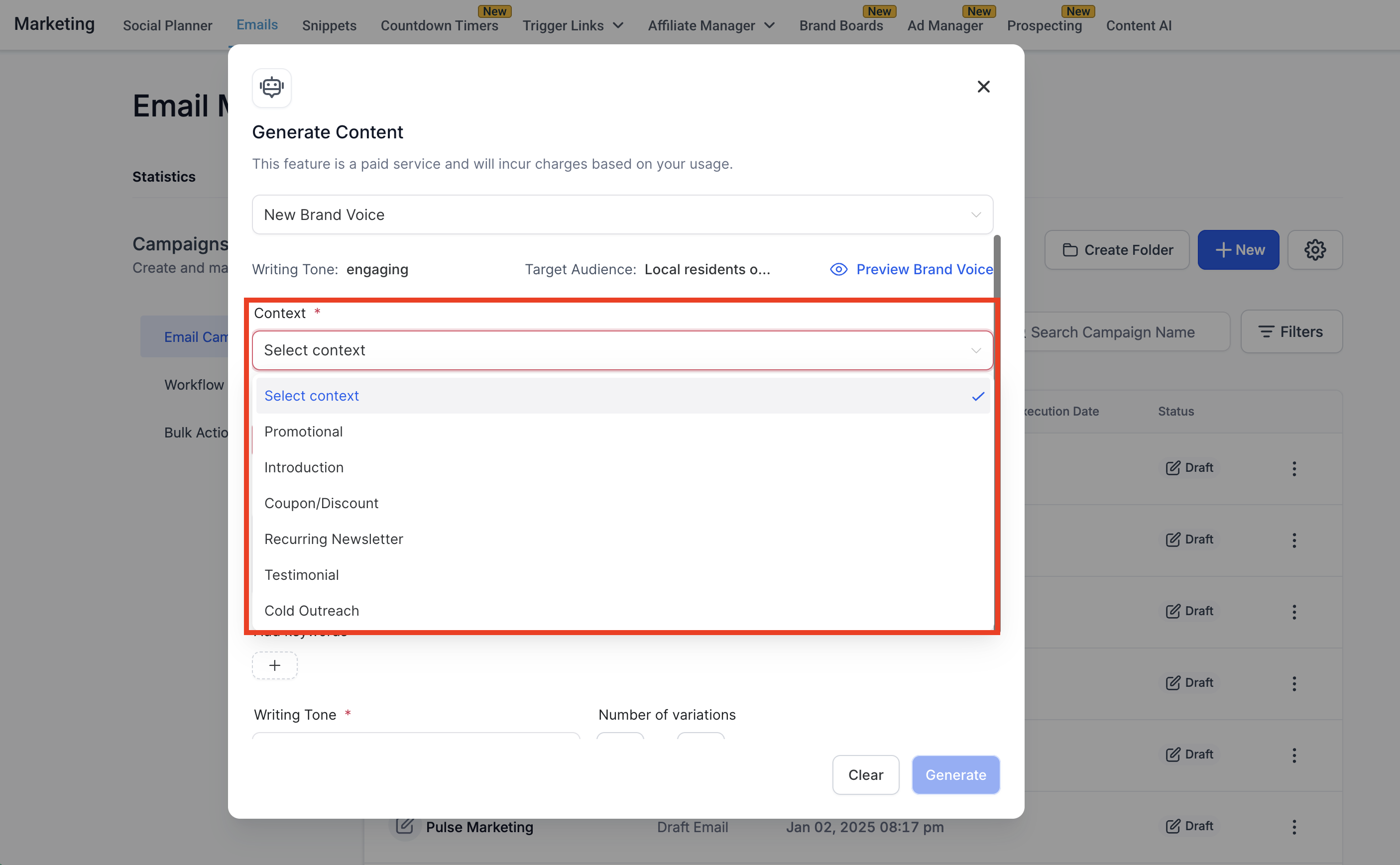
The integration adds a “Use Brand Voice” toggle, a dropdown to pick a saved voice, a preview button to inspect the metadata, and options to override tone, set variation count and length. All settings are applied at generation time, but you can manually change any parameter before generating content.
03How businesses use Brand Voice Integration
- Digital marketing agency. The agency creates a client’s email campaign, turns on the Use Brand Voice toggle, selects the client’s saved voice, tweaks the tone if needed and generates several variations to choose from.
- Ecommerce store. When drafting product blog posts, the store enables Brand Voice, picks its retail voice, adds target keywords and generates content that matches its promotional style.
- Local service business. The business composes social posts by opening the Social Planner, activating the brand voice, entering a short title and description, and letting the AI produce on brand copy.
04The numbers and rules that matter
- There is no published limit; you can manage multiple Brand Voices for different brands or campaigns.
05Before you start
- A Brand Voice must be created and saved via Brand Boards before using the integration.
06How to set up and use Brand Voice Integration in HighLevel
Set up Brand Voice Integration for Content AI
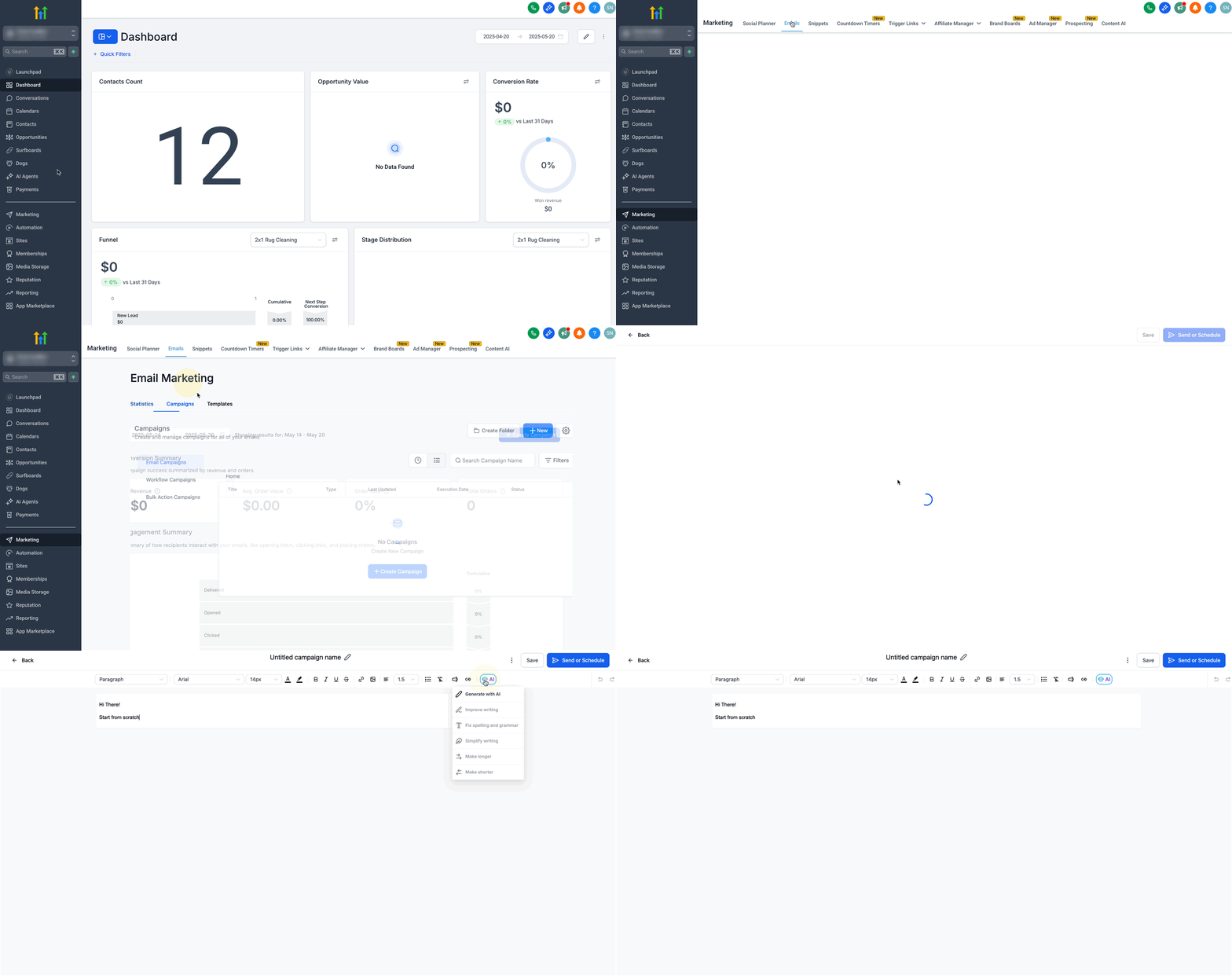
- Open a Content AI supported tool such as Email, Blog, Funnel, Website or Social Planner.
- Launch the AI generator by opening the Email Builder (or other editor) and clicking the AI button then “Generate with AI”.
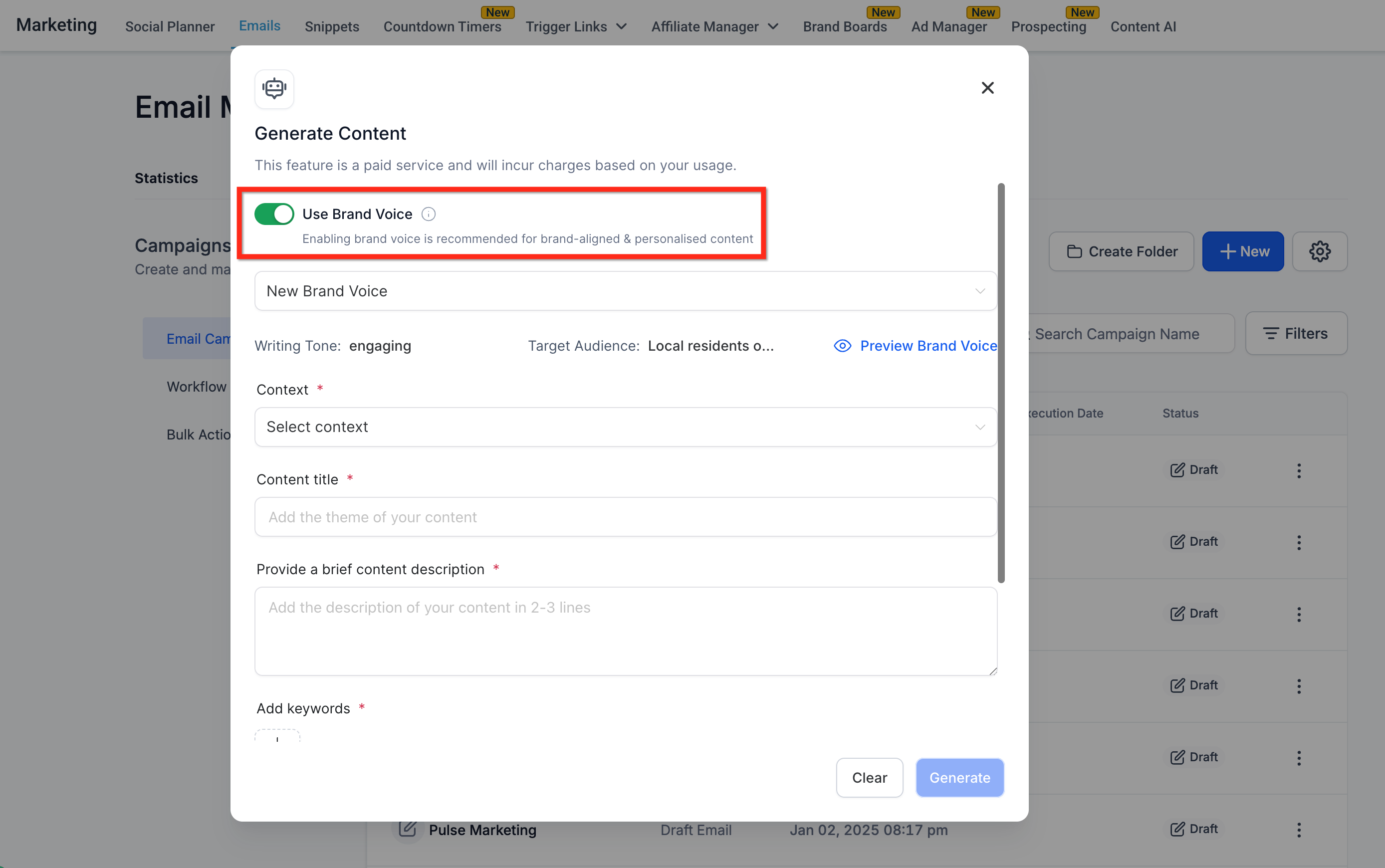
- Turn on the “Use Brand Voice” toggle.
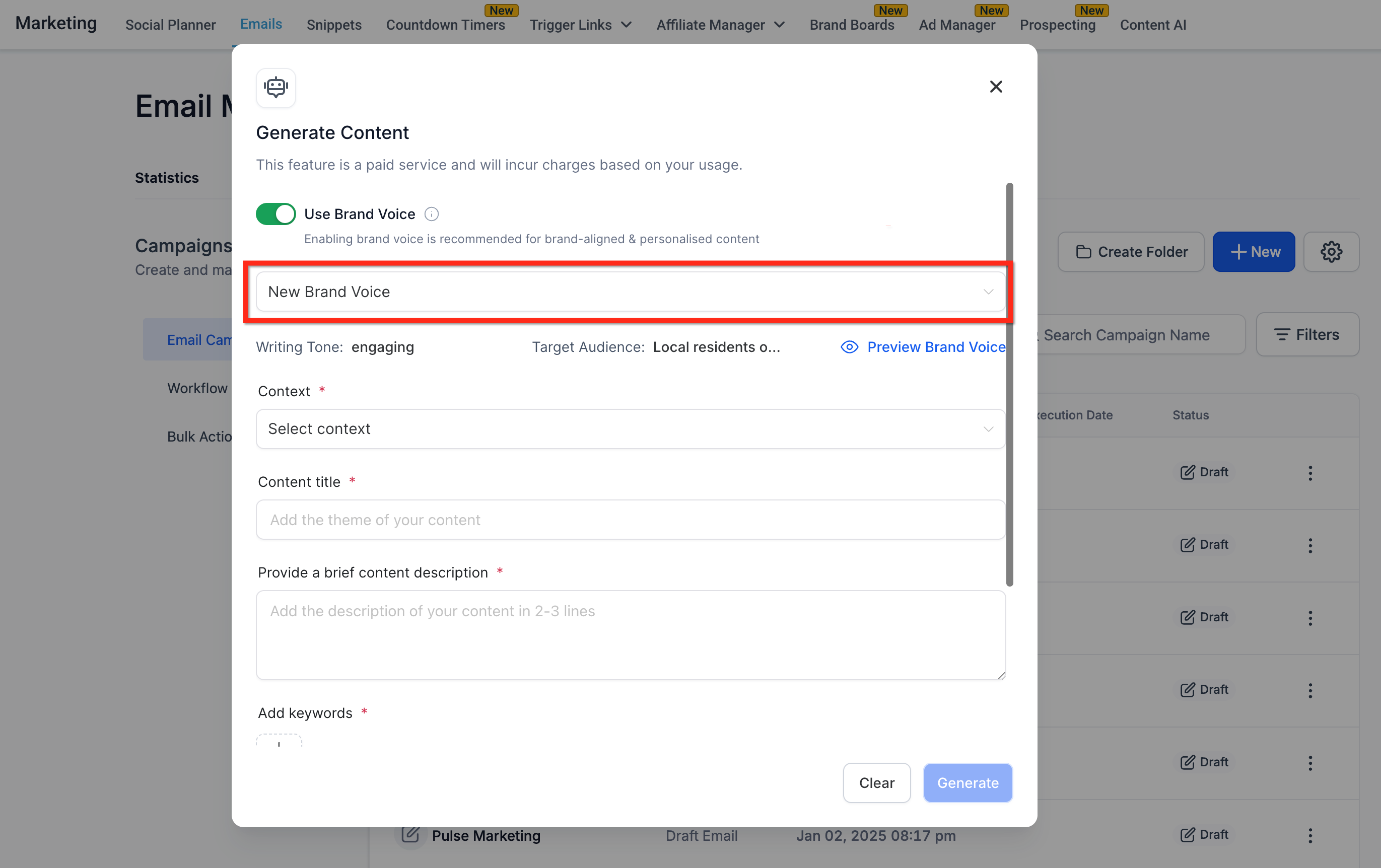
- Select a previously saved Brand Voice from the dropdown list.
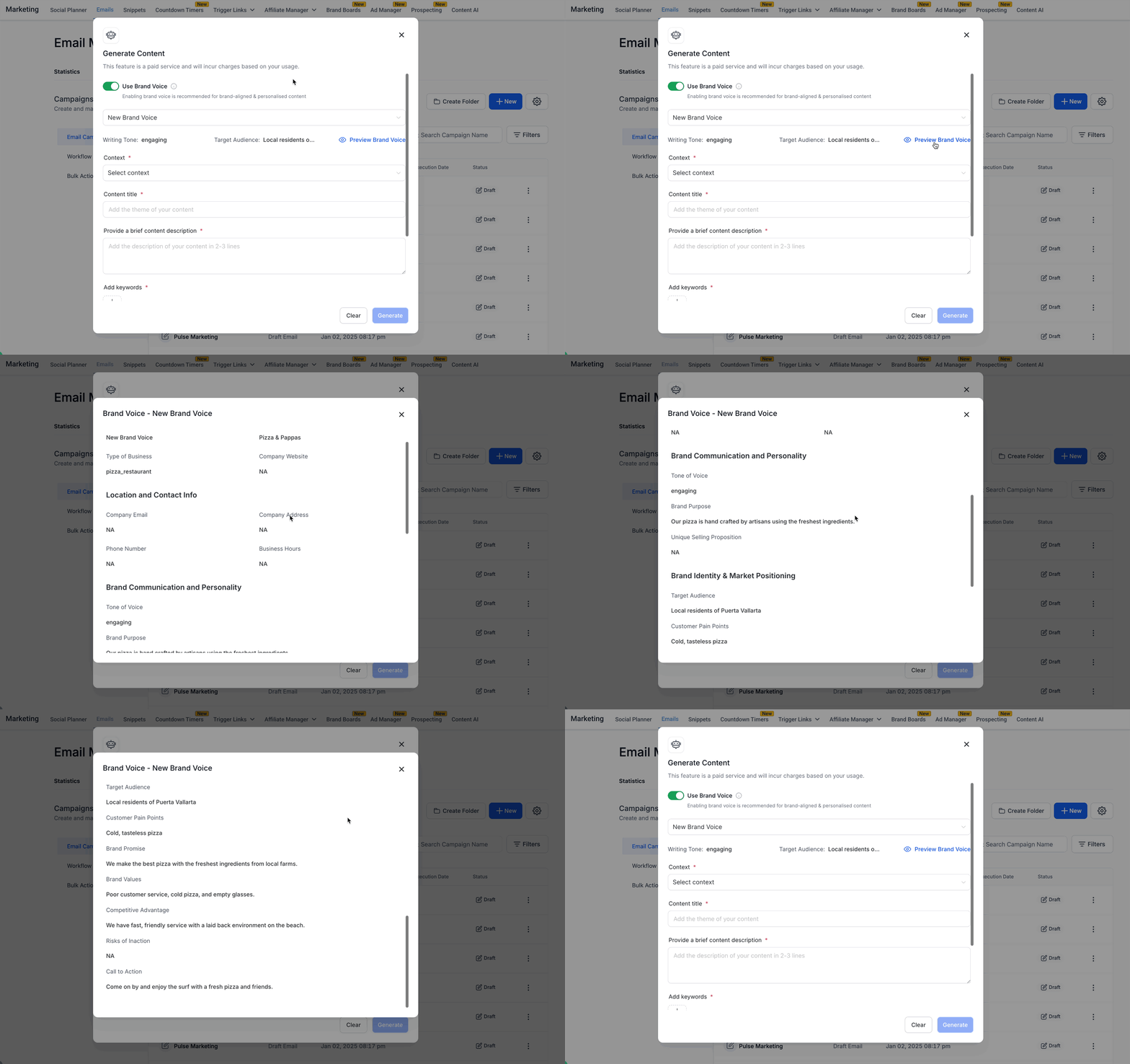
- Click “Preview Brand Voice” to view the metadata that will be used.
- Choose the content context, for example Promotional or Introduction.
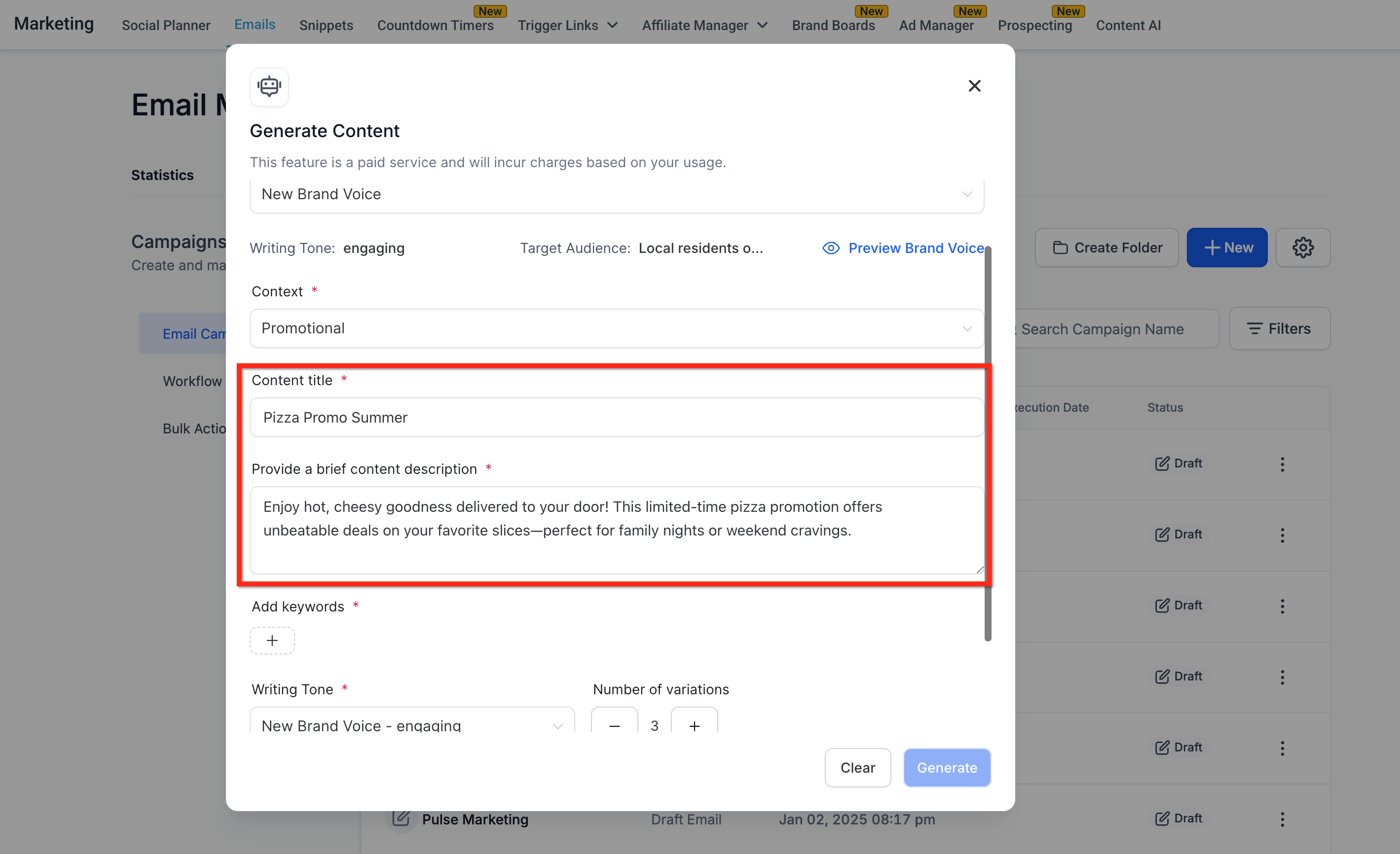
- Enter a concise title and a short description of the piece.
- Add the target keywords that should influence the AI output.
- If desired, override the default tone, set the Number of Variations (1 to 5) and pick the Length of Content (Small, Medium, Large, or Custom).
- Press “Generate” to have the AI produce the content using the selected Brand Voice and settings.
07What it looks like in HighLevel
08Settings that matter
- Use Brand Voice toggle. Controls whether the AI automatically applies the saved brand parameters to the generated content.
- Brand Voice dropdown. Lets you choose which saved Brand Voice will be used for the current content session.
- Number of Variations. Determines how many alternative pieces of content the AI will return, with a range of 1 to 5.
- Length of Content. Specifies the size of the output; options are Small, Medium, Large, or a custom word count.
- Tone override. Allows you to replace the autofilled brand tone with another style such as Funny, Casual or Excited.
09Things to know before you rely on it
- There is no published limit on the number of Brand Voices you can store.
- Variations are limited to a maximum of 5 per generation.
- Length options are limited to the preset sizes or a custom word count you define.
- Brand Voice is automatically enabled when a saved voice exists, but you may toggle it off for generic content.
10How it connects to the rest of HighLevel
- View past Content AI records Past Content AI records
- Give feedback on Content AI output Content AI feedback
- All AI Employee features overview AI Employee features
Michael's take

Brand Voice Integration is a win for anyone who wants AI content that sounds like their own brand.
Skip it if you never plan to use AI generated copy or if you prefer to write everything manually.