
01Who this is for
- Founders who need to automate repetitive web workflows such as sign up forms without manual clicks
- Marketing teams that must quickly create event pages or landing pages through web interfaces
- Customer support agents who can let Ask AI fill out ticket forms across external portals while keeping their own browsing separate
02AI Browser Control Extension, explained
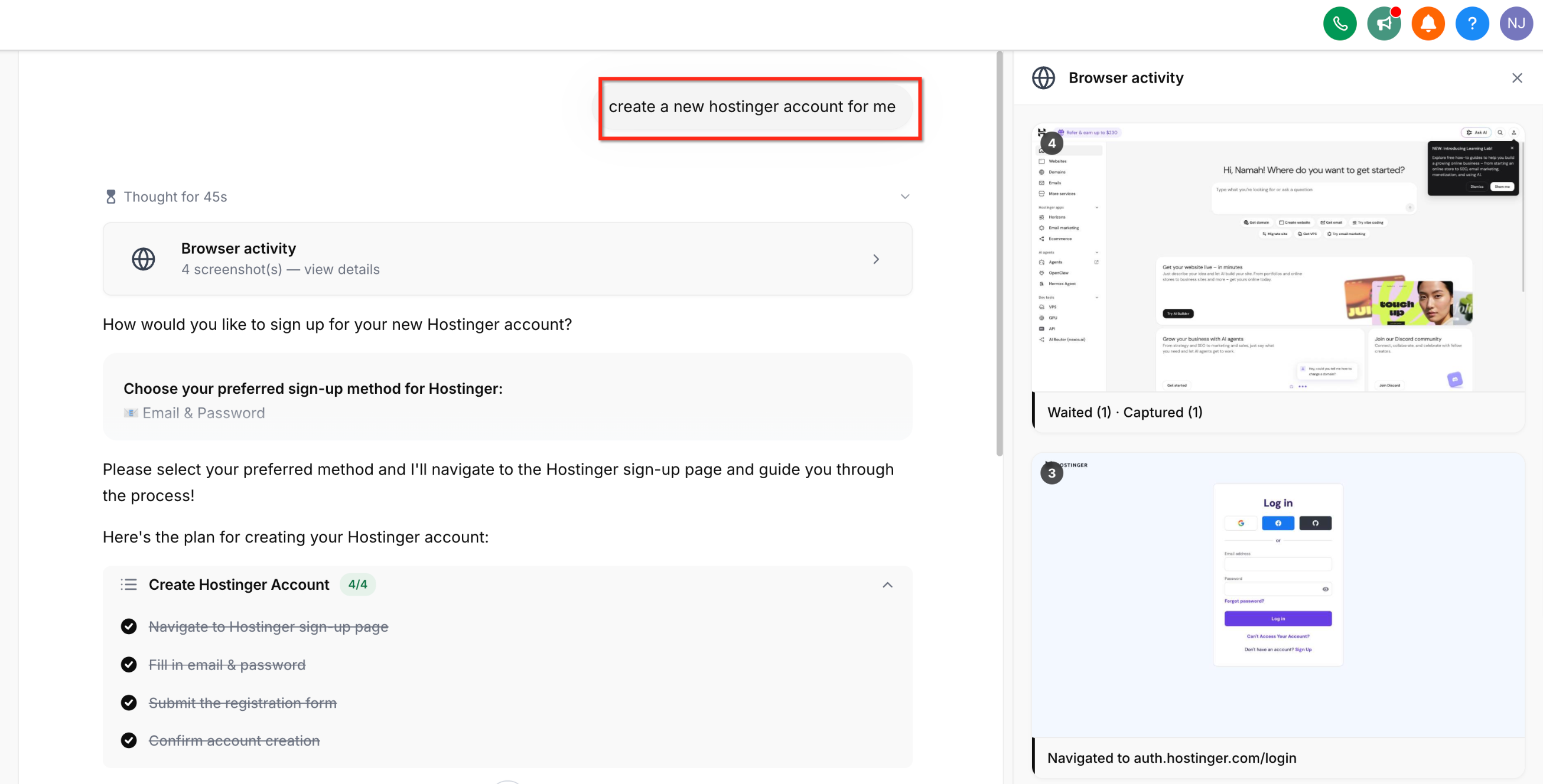
The AI Browser Control extension lets Ask AI perform hands free actions inside a Chrome based browser. It can open pages, click buttons, type text, scroll, drag elements and submit forms. Each action generates a screenshot that appears in the Ask AI chat preview, letting you watch the automation in real time.
The extension runs in a dedicated tab group that is isolated from all of your personal browsing tabs. It uses your existing HighLevel login to authenticate, so no extra credentials are required. Connections to the backend are opened only while a task is active and close automatically when the task finishes.
03How businesses use AI Browser Control Extension
- Ecommerce store. Ask AI can fill out supplier onboarding forms on third party websites. The store owner launches the task, watches the live screenshots as the AI clicks and types, and the form completes without ever exposing login details.
- Real estate agency. The agency can ask Ask AI to create new property listings on external MLS portals. The AI opens the portal, navigates to the listing page, fills in property details and submits, while the agent sees each step in the preview panel.
- Online education provider. When setting up a new webinar, the provider requests Ask AI to build the event site on a hosting platform. The AI opens the site builder, enters event information, configures settings and finalizes the page, all visible through live screenshots.
04The numbers and rules that matter
- Supported browsers: Chrome, Edge, Brave (all Chromium based).
05Before you start
- A Chromium based browser such as Chrome, Edge or Brave must be installed.
- You must be logged into your HighLevel account in the same browser.
06How to set up and use AI Browser Control Extension in HighLevel
Install and use Browser Control
- Open the Chrome Web Store, search for “Ask AI Browser Control,” and click Add to Chrome to install the extension.
- Navigate to your HighLevel account in the browser and stay logged in.
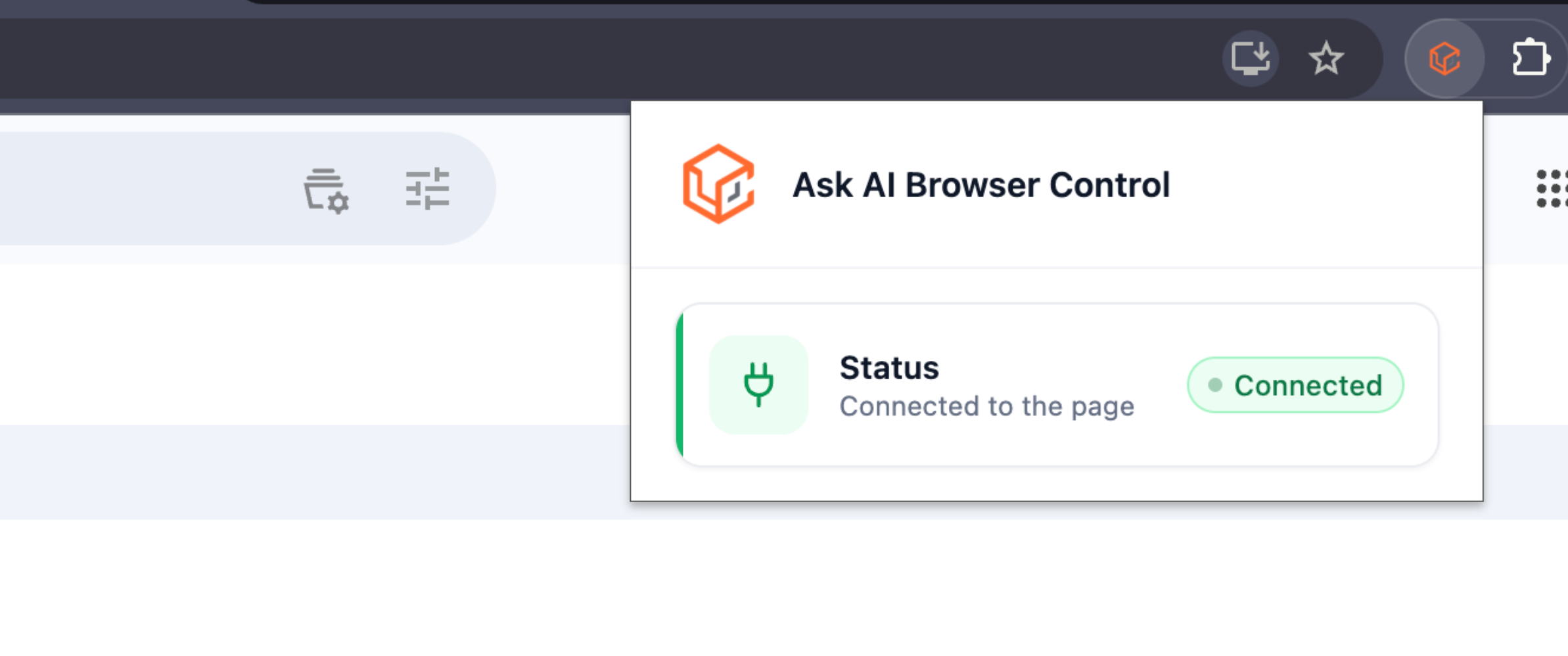
- Click the Browser Control icon in the toolbar; the popup should indicate Connected to the page.
- Open Ask AI in a text chat or voice session and describe the web task you want completed.
- Watch the chat preview panel for live screenshots and an animated cursor as Ask AI carries out each step.
- The extension only opens connections while a task runs and closes automatically afterward to minimize network exposure.
07What it looks like in HighLevel
08Things to know before you rely on it
- The extension works only with Chromium based browsers; Firefox and Safari are not supported.
- All automation occurs in an isolated tab group, so it cannot interact with your personal browsing tabs.
- The connection opens only while a task runs and closes automatically afterward to limit network exposure.
09If something goes wrong
- Internet connection drops during a browser task. The extension attempts to restore the session and resume from the last completed step; if recovery fails, Ask AI notifies you so you can restart the task.
10How it connects to the rest of HighLevel
- Learn how Ask AI can generate contact summaries. Contact summary with Ask AI
- See details on Ask AI session pricing and usage limits. Ask AI pricing
- Explore all AI Employee features available in HighLevel. All AI Employee features
Michael's take

When you have repetitive web tasks. Like filling out sign up forms for new leads or setting up event pages. The AI Browser Control Extension can reduce the manual effort required. The hands free automation and real time preview let you focus on strategy while the AI handles the clicks, and the security design keeps credentials safe on your device.
If most of your workflow is already inside HighLevel and you rarely need to interact with external sites, the extension may add little value. In those cases the extra step of installing and monitoring the extension might not be justified.