
01Who this is for
- Marketing agencies can quickly see which tracking pixels a prospect lacks, allowing them to propose setup services.
- Sales teams gain insight into a prospect’s measurement capabilities, helping tailor outreach based on digital readiness.
- Business consultants can identify technology gaps in a client’s website to recommend optimization strategies.
02Technostack analysis, explained
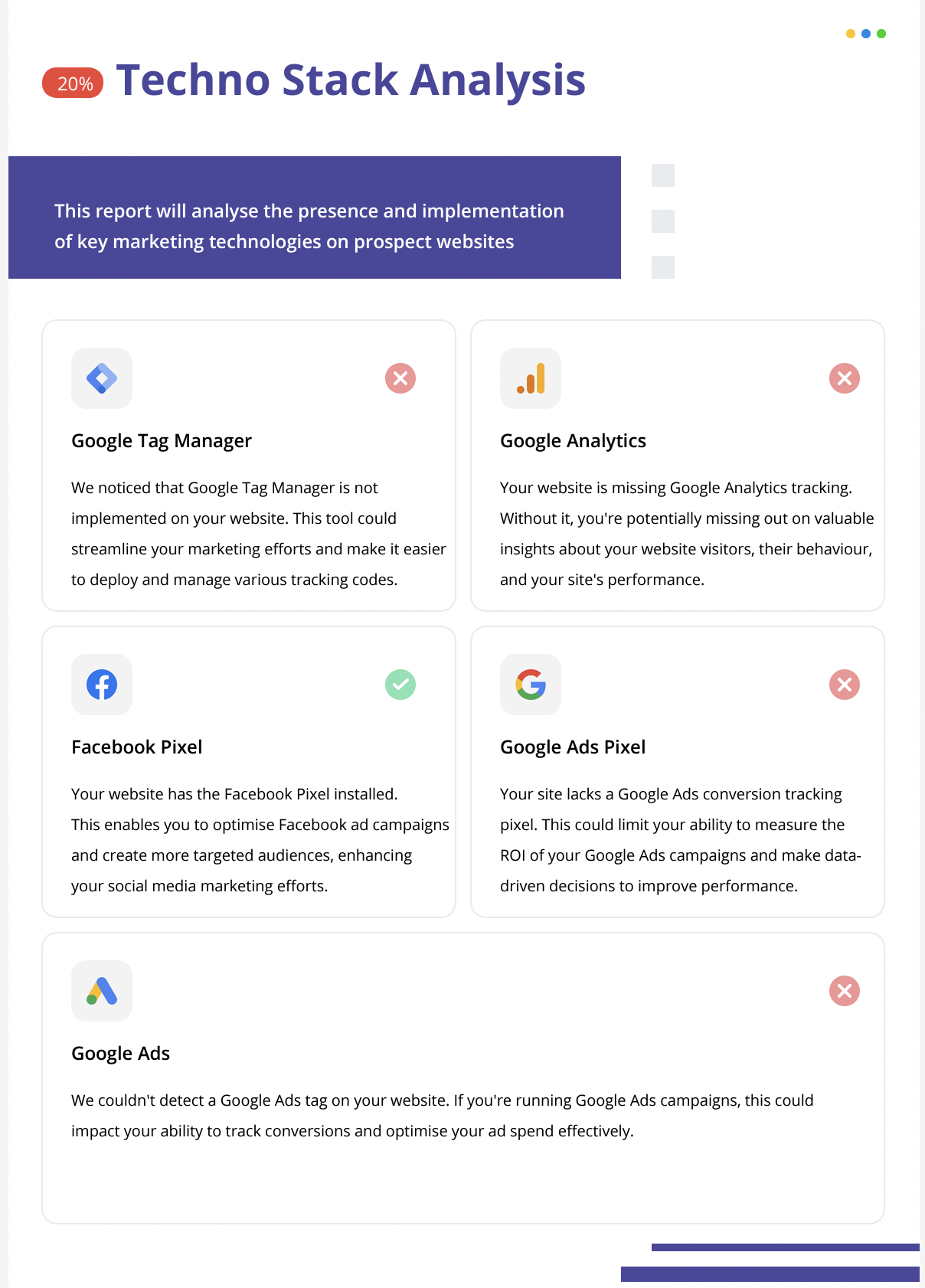
Technostack Analysis scans a prospect’s site and reports on the presence of major marketing technologies. It detects Facebook Pixel, Google Tag Manager, Google Analytics, Google Ads pixels and supported Google Ads scripts, showing whether each is installed and correctly configured.
The analysis is accessed from a prospect’s report inside HighLevel’s prospecting tool. Detection accuracy has been improved; if a report was created before the update, refresh it to load the newest results.
03How businesses use technostack analysis
- Digital marketing agency. The agency opens a prospect’s report in HighLevel, runs the Technostack Analysis, reviews the list of detected pixels and tags, and notes any missing or mis configured items to include in their service proposal.
- Consulting firm. A consultant uses the analysis within HighLevel to evaluate a client’s website, identifies absent Google Ads scripts, and drafts recommendations for implementing the needed tracking before launching campaigns.
- Sales team. The sales team accesses the prospect’s report, checks the Technostack results to understand the prospect’s measurement setup, and tailors outreach based on identified gaps.
04Before you start
- A prospect report must exist in HighLevel before running Technostack Analysis.
- If the report was generated before recent detection updates, refresh the report to load the latest results.
05How to set up and use technostack analysis in HighLevel
Run Technostack Analysis
- Access the prospect’s report inside HighLevel.
- Review the integrations listed, such as pixels and tags.
- Spot any gaps by identifying missing or misconfigured tools.
- Provide recommendations based on the observed gaps.
06What it looks like in HighLevel
07Things to know before you rely on it
- Detection accuracy for several technologies has been improved; older reports need a refresh to reflect the updates.
08How it connects to the rest of HighLevel
- See the free and premium options for HighLevel prospecting. Prospecting overview
- Configure automation that triggers when a new prospect is added. Prospect trigger
- Customize the layout and fields of prospect reports. Report builder
Michael's take

Wondering if technostack analysis is worth the time for your agency? It gives you a quick snapshot of the tools a prospect already uses, so you can pinpoint exactly where they’re losing data or measurement power.
If I were pitching to a new client, I’d pull the technostack report first, spot the biggest missing pixel, and frame my proposal around fixing that single gap. It’s a low effort way to show immediate value and set the stage for deeper work.