Home/HighLevel/Features/Agency View/Using Google Ads detection in HighLevel prospecting tool

Agency, Settings and Integrations

Using Google Ads detection in HighLevel prospecting tool

In short

Google Ads detection in HighLevel adds a check for active Google Ads to the audit report. Agencies can see this insight and use it to target prospects with advertising solutions.

AreaAgency View · Section
Used forIdentify ad spend, Create targeted proposals
Guide typeOverview
Last updatedNovember 3, 2026

01Google Ads detection, explained

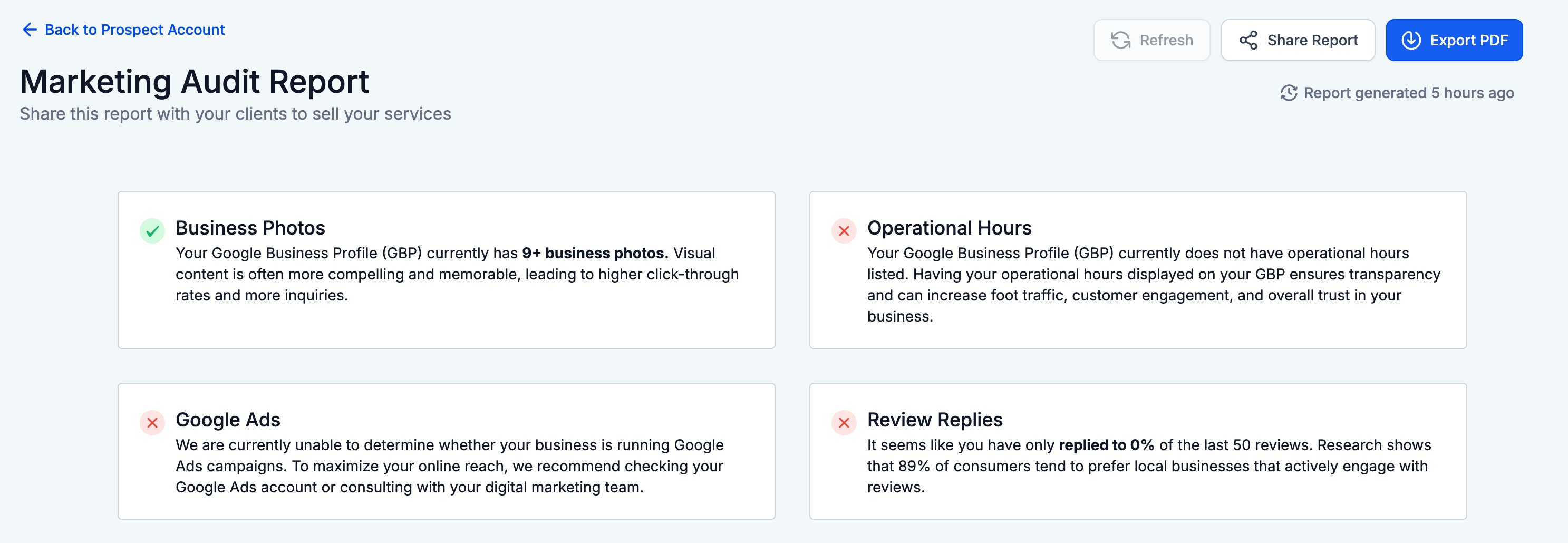
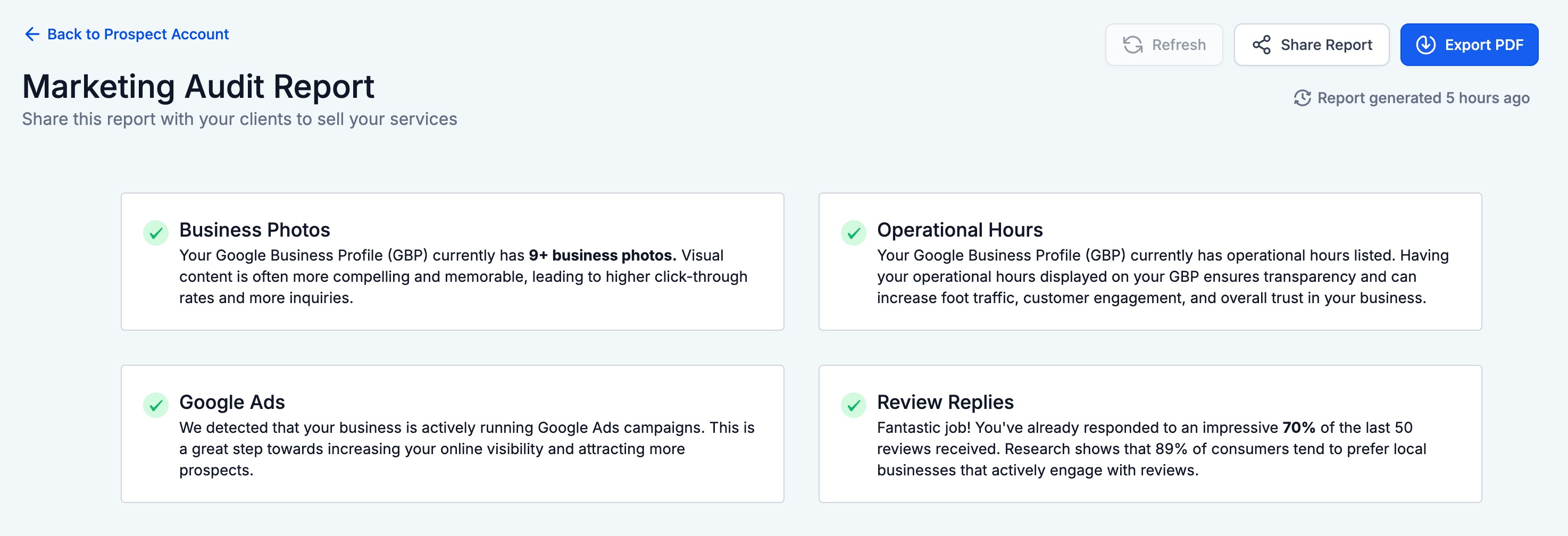
The Prospecting Tool now includes a check for Google Ads activity. When you run an audit, the report will show whether the prospect is running Google Ads.

This added data gives agencies a clearer view of a prospect’s advertising investments. It can help shape outreach and propose relevant ad services.

02How businesses use Google Ads detection

  • Identify ad spend. An agency runs an audit on a prospect. The report shows Google Ads activity, confirming the prospect is using Google Ads.
  • Create targeted proposals. Seeing that a prospect uses Google Ads lets the agency suggest targeted advertising solutions.

03What it looks like in HighLevel
Michael's take

Michael Reimer
Michael ReimerFounder of CRM Pros, HighLevel Commander and Certified Admin

Seeing whether a prospect already spends on Google Ads solves a big blind spot. It’s frustrating to pitch ad services when the prospect may already be investing heavily or not at all.

The first setting I would get right is the audit report view, making sure the Google Ads flag is clearly visible so I can quickly decide the next outreach step.

Get More InformationOpens on HighLevelPublished November 2, 2026 · Updated November 3, 2026

Common questions

Common questions about Google Ads detection.

Where does Google Ads detection appear in HighLevel?

It appears in the audit report generated by the Prospecting Tool, showing whether the prospect runs Google Ads.

Why is Google Ads detection useful for agencies?

It gives agencies visibility into a prospect’s advertising investments, opening up new sales opportunities for targeted ad solutions.

Do I need any extra setup to see Google Ads detection?

The detection is included in the audit report generated by the Prospecting Tool.

Next step

Pick the features that matter. Then get the plan that unlocks them.

Explore the features you want, start with the five at the top, and upgrade through my link when you are ready. The bonuses and the team come with it.

The features directory explains every HighLevel feature in plain English. Browse it to see what the platform can do.

Back to the FeaturesSee the full details
⌃

Site preview

Explore the next page

This destination is reserved in the page inventory and is not built yet.