
01Who this is for
- Digital marketing agencies, they can quickly evaluate clients’ local search visibility.
- Businesses, the map reveals which neighborhoods need SEO attention.
02SEO heatmaps, explained
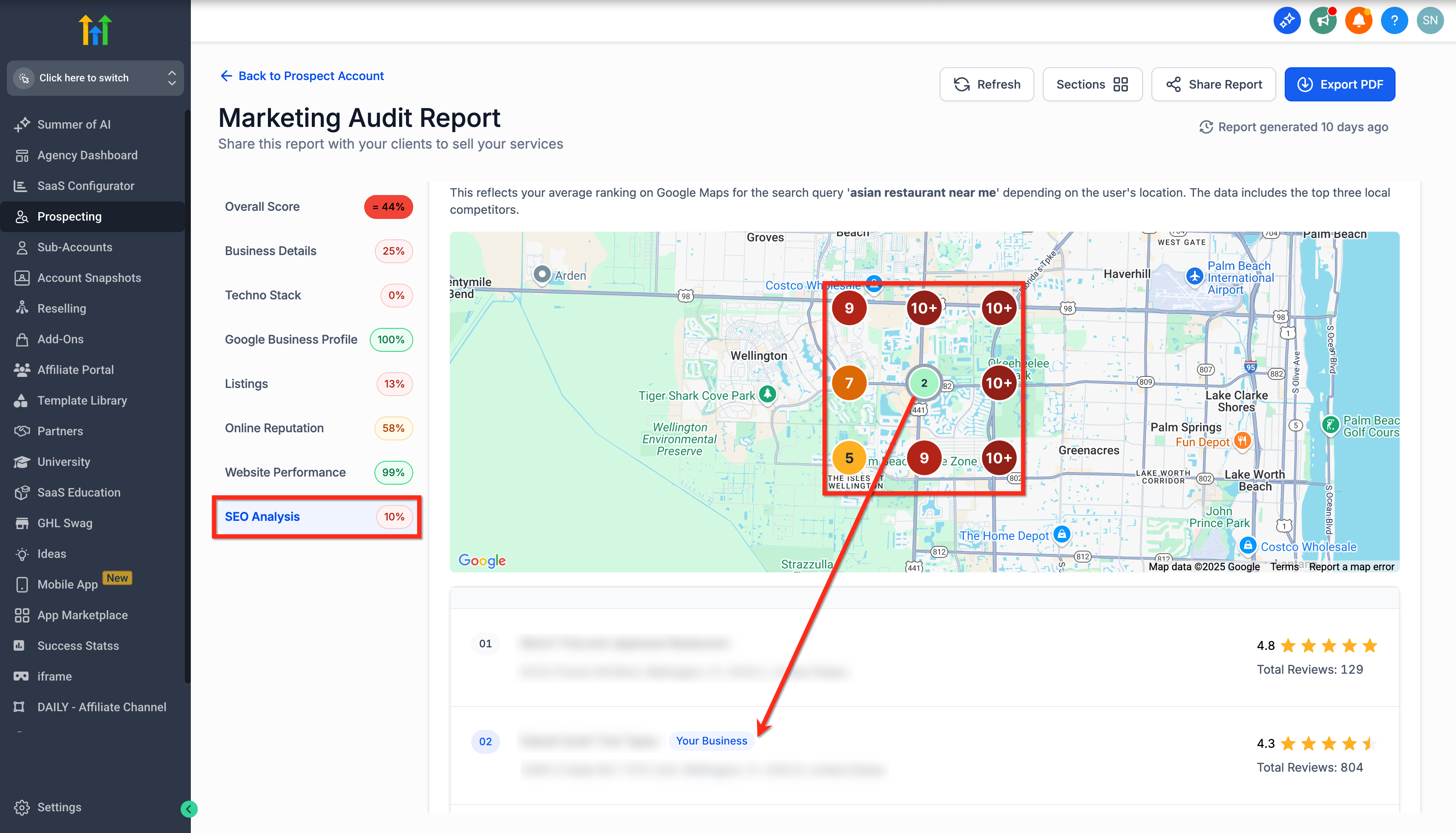
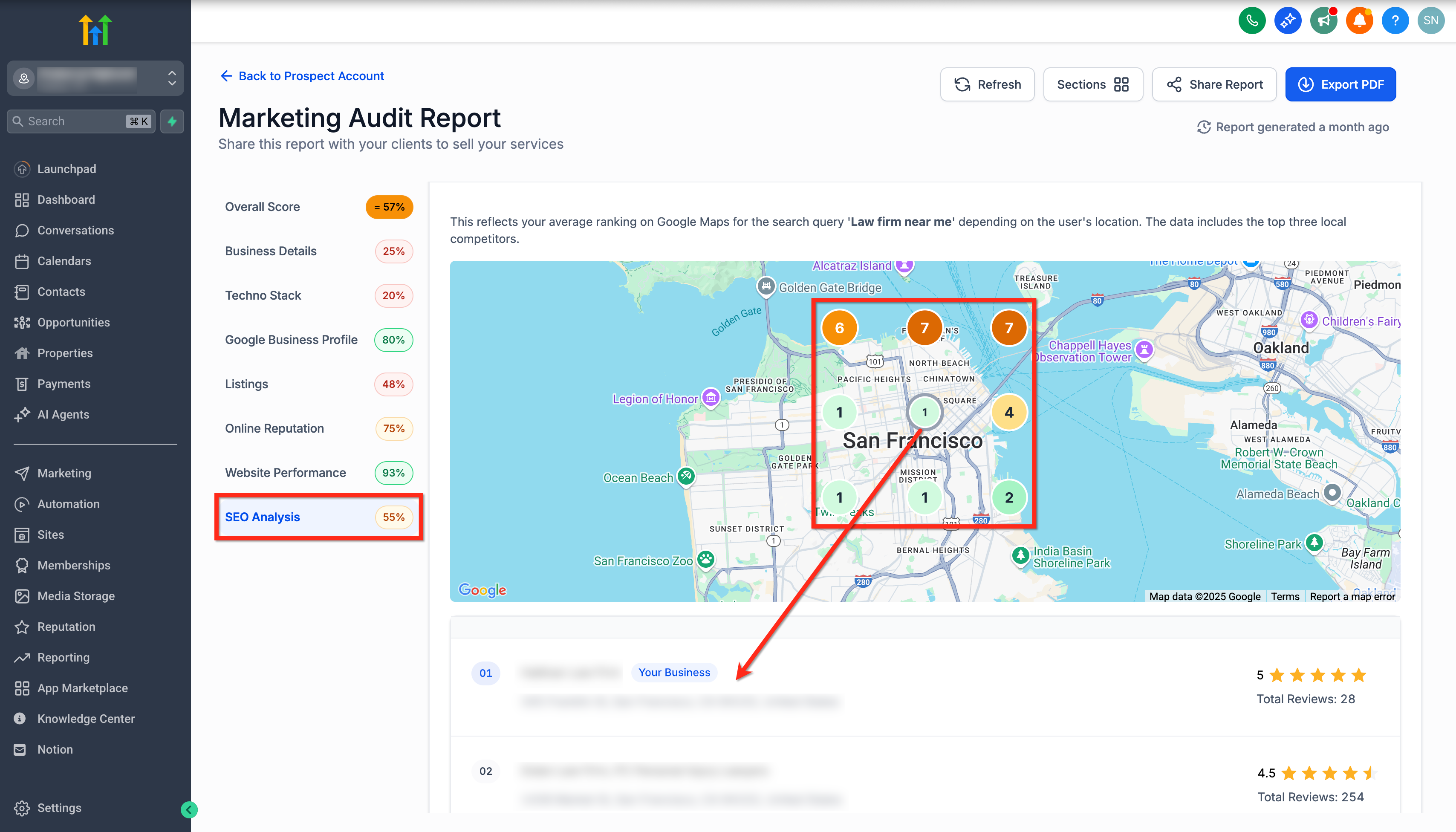
The SEO Heatmap plots keyword rankings at a central location (20 % weight) and eight surrounding points (10 % weight each). Each dot represents a search result from a nearby area, and the central dot reflects the immediate vicinity of the business.
The heatmap appears within the SEO Analysis tab of a prospect report. It updates based on the prospect’s Google Business Profile categories, showing the top three local competitors alongside the keyword positions.
The feature lives inside the Prospecting tool. Access it by opening a prospect report and navigating to the SEO Analysis section where the map is displayed.
03How businesses use SEO heatmaps
- Restaurant chain. The chain opens a prospect report for a location, selects the SEO Analysis tab, and reviews the heatmap to see how each restaurant ranks for key menu terms in surrounding neighborhoods.
- Law firm. A firm creates a prospect report, clicks the SEO Analysis tab, and checks the heatmap to compare its ranking for “law firm near me” against the three closest competitors.
- Home services contractor. The contractor opens a prospect report, navigates to SEO Analysis, and uses the heatmap to identify zip codes where its service keywords rank low, guiding targeted SEO work.
04The numbers and rules that matter
- Central Point weight 20%.
- Outer Points weight 10% each.
- Highlights top 3 local competitors.
05Before you start
- A Premium Prospecting subscription must be active for the agency or subaccount.
- If the report is older, refresh it first to load the latest heatmap data.
06How to set up and use SEO heatmaps in HighLevel
View SEO heatmap for agency account
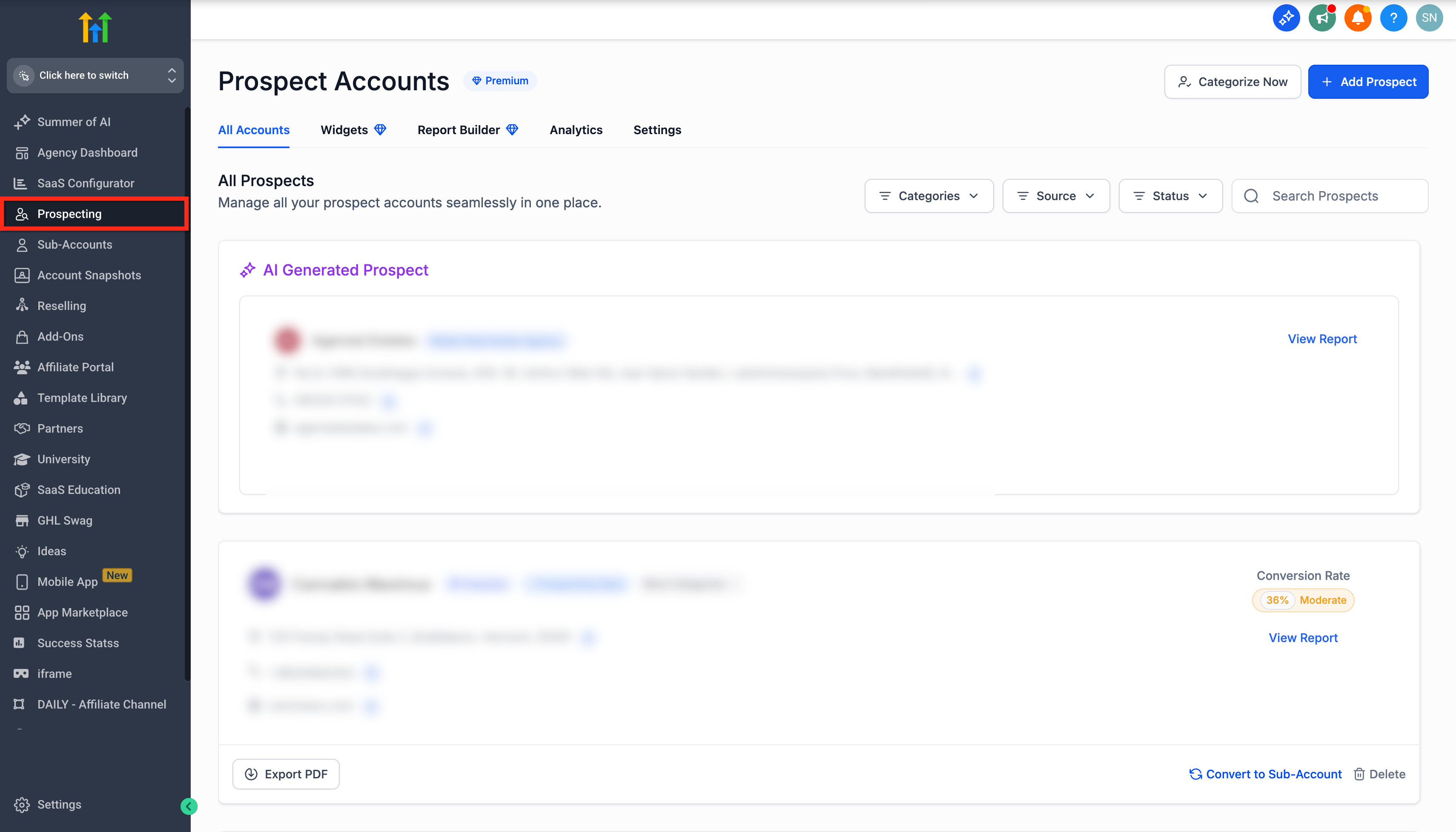
- Sign in to your HighLevel Agency account.
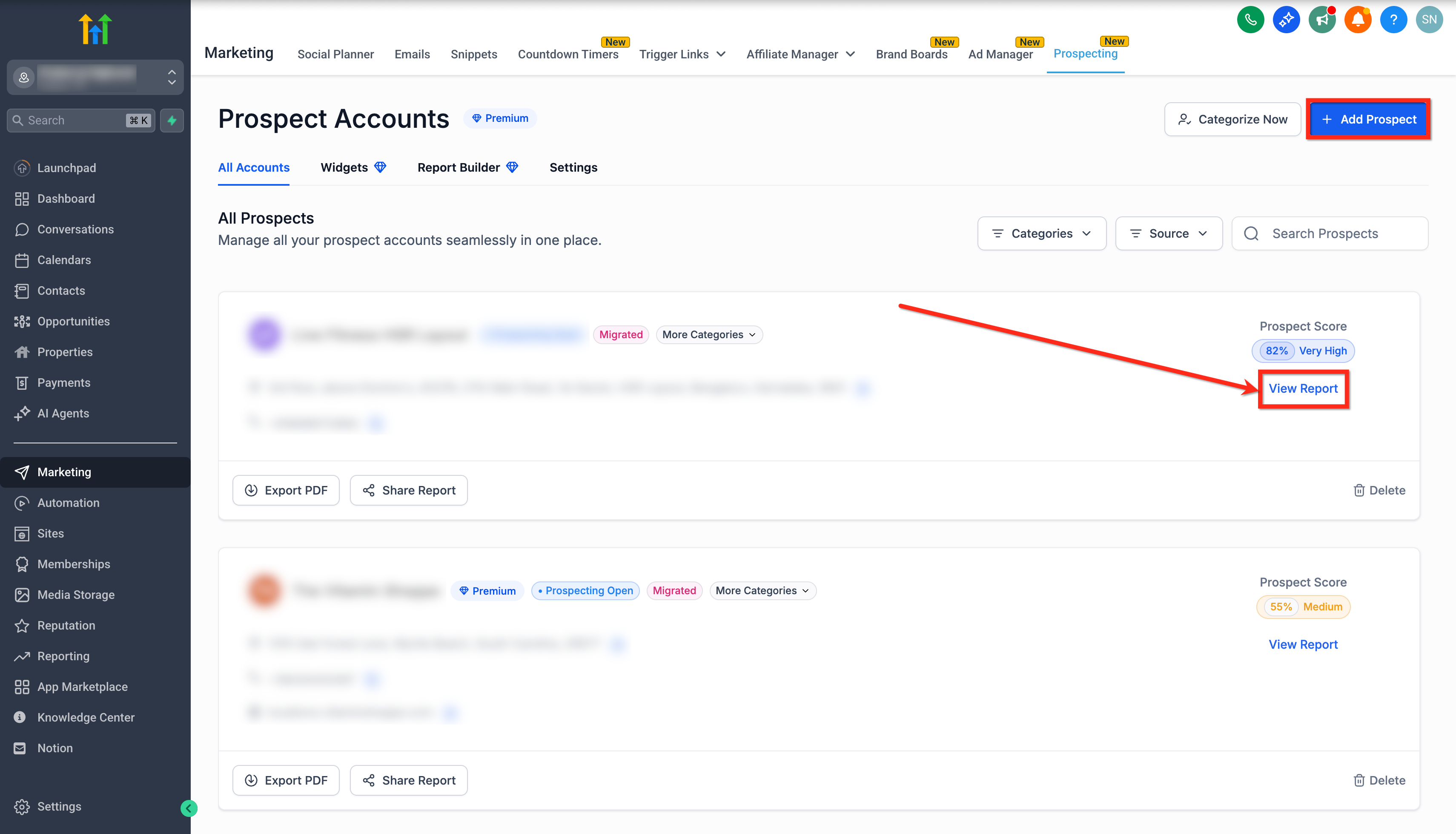
- Select the Prospecting tab from the left hand menu.
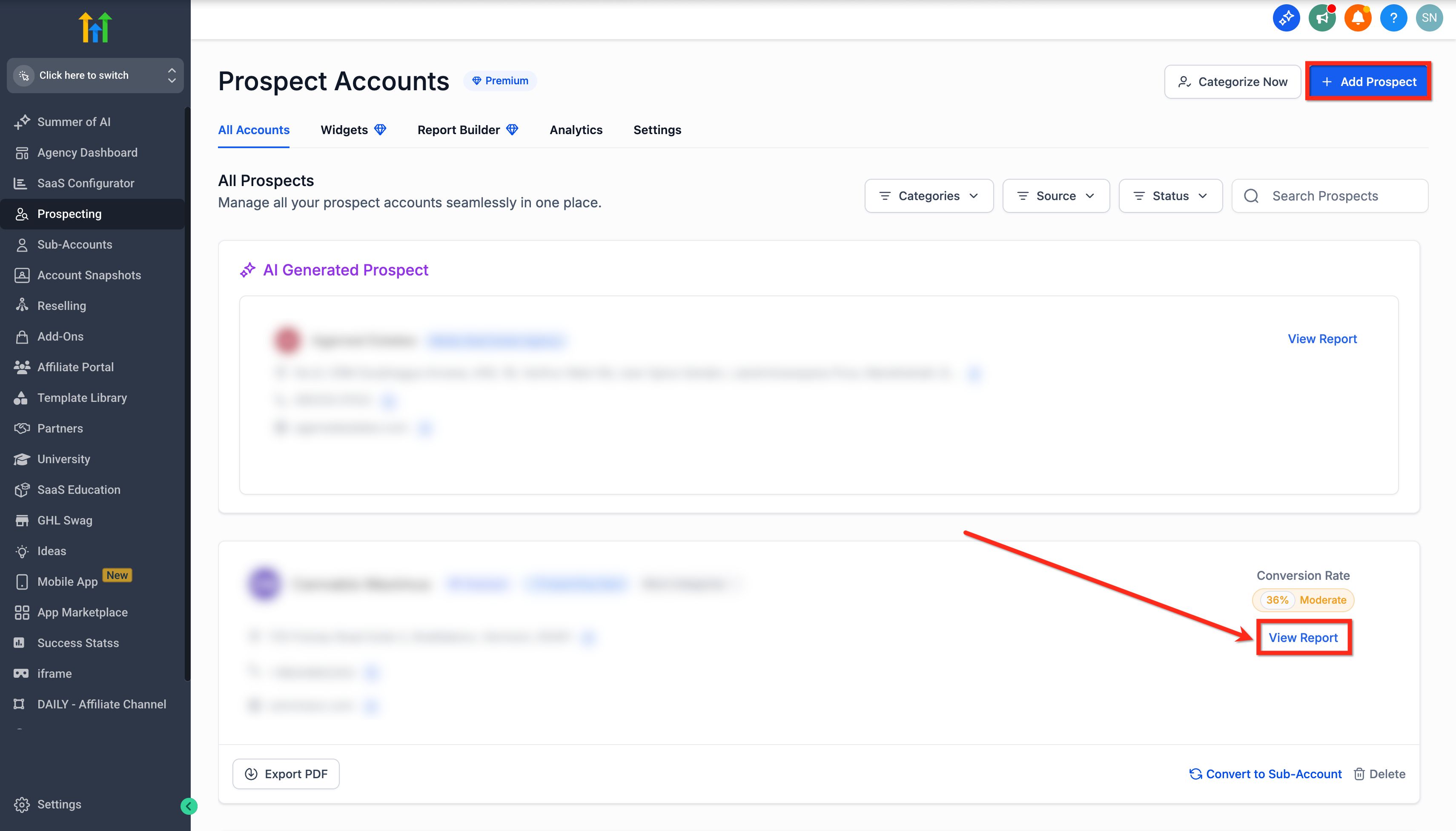
- Click Add Prospect to start a new prospect or choose an existing one.
- Press the View Report button to open the report.
- In the report, click the SEO Analysis tab on the left sidebar.
- Scroll down to view the heatmap, noting keyword performance and competitor dots.
View SEO heatmap for subaccount
- Log in to the subaccount that has Premium Prospecting enabled.
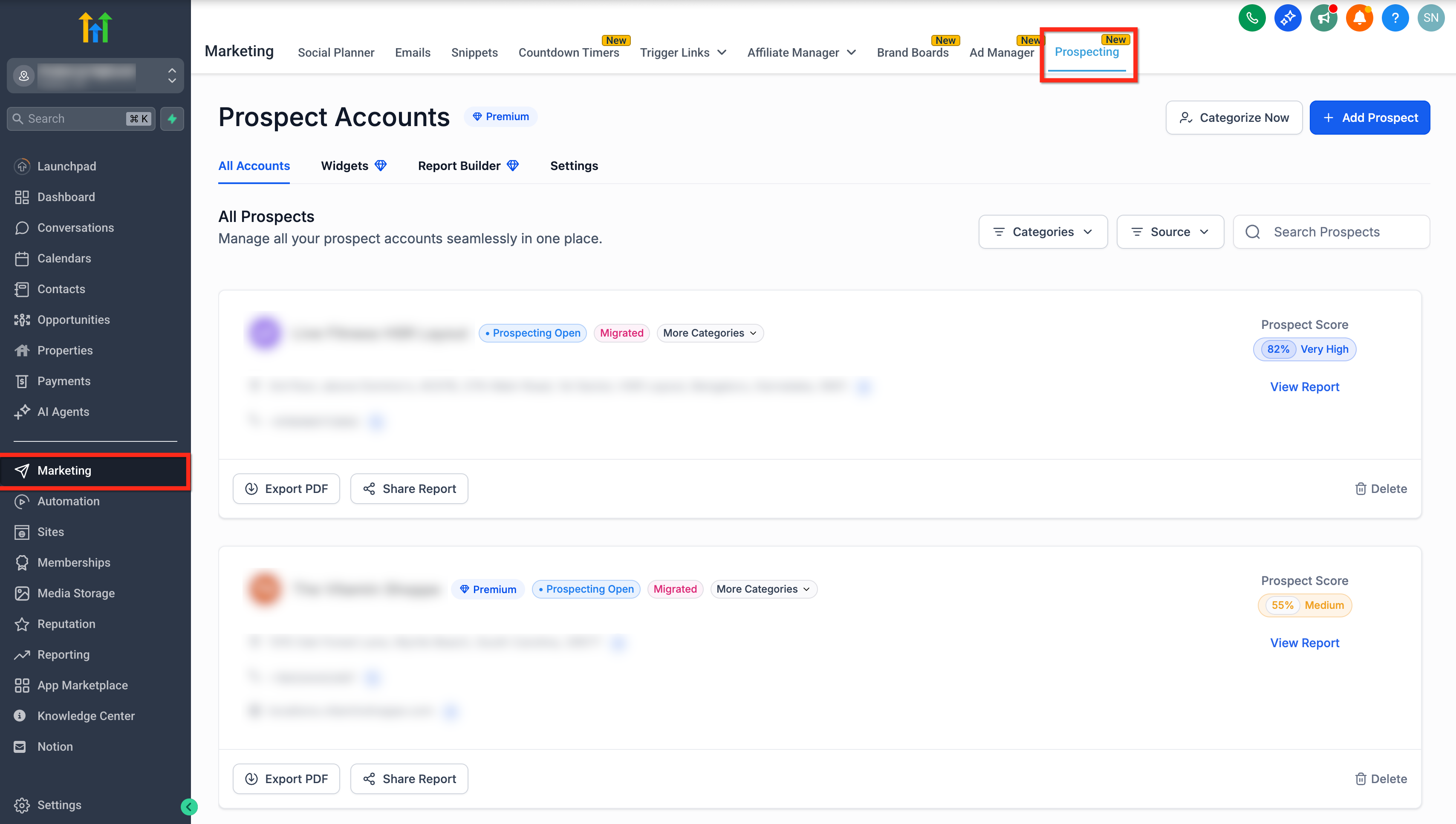
- Click Marketing in the left hand menu.
- Select the Prospecting tab from the top menu.
- Click Add Prospect to create a new prospect or pick an existing one.
- Hit the View Report button.
- Open the SEO Analysis tab on the left sidebar within the report.
- Scroll to see the heatmap showing keyword rankings and competitor markers.
07What it looks like in HighLevel
08Things to know before you rely on it
- The SEO Heatmap requires a Premium Prospecting subscription for both agencies and locations.
- Heatmap category data aligns with the prospect’s Google Business Profile categories for better accuracy.
09How it connects to the rest of HighLevel
- Learn the differences between free and Premium Prospecting plans. Free vs Premium Prospecting
- Customize the layout and branding of prospect reports. Prospect report builder
- Assess a prospect’s existing marketing tools with Technostack analysis. Technostack analysis
Michael's take

Seeing the differences between the central dot and outer dots helps me identify where a local business might improve its rankings.
When rankings are already strong across all locations, the heatmap may show little variation.