
01Who this is for
- Agency owners who sell SaaS subscriptions, because they can include extra tools without issuing separate invoices.
- Marketing agencies managing client websites, as bundled add ons like WordPress simplify onboarding and pricing.
- Service providers offering recurring support, because they can price add ons into a single plan and protect margins.
02SaaS plan add ons, explained
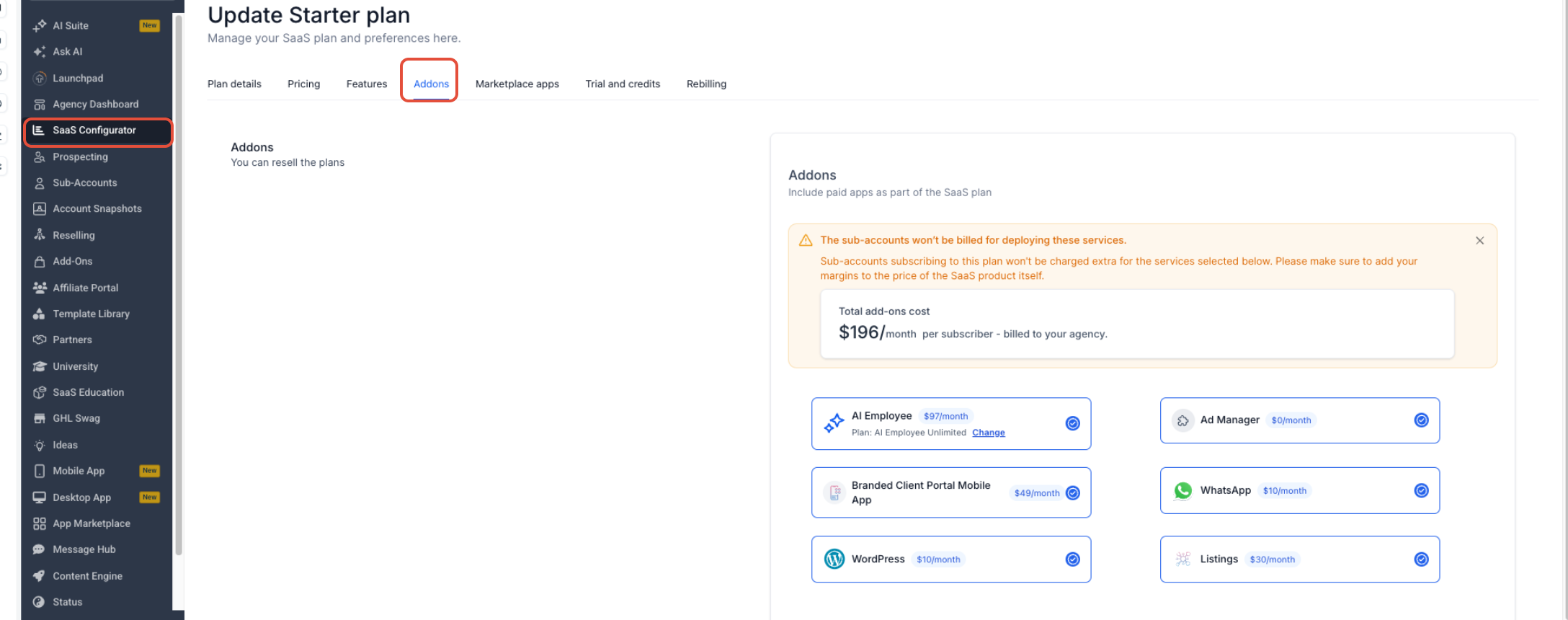
The add on feature lets an agency select paid HighLevel products and attach them to a recurring SaaS plan. When a subscriber purchases the plan, the selected add ons are automatically provisioned for that subaccount. The agency, not the subaccount, receives the bill for each bundled add on.
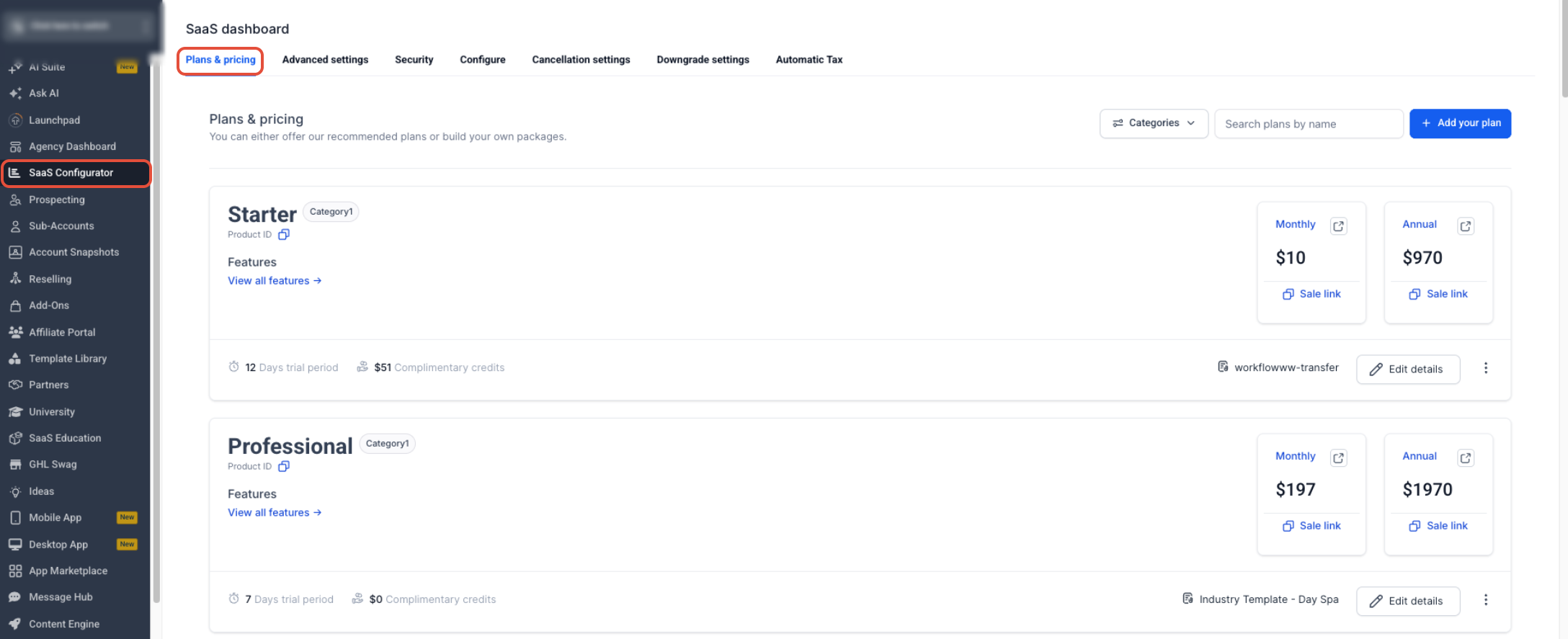
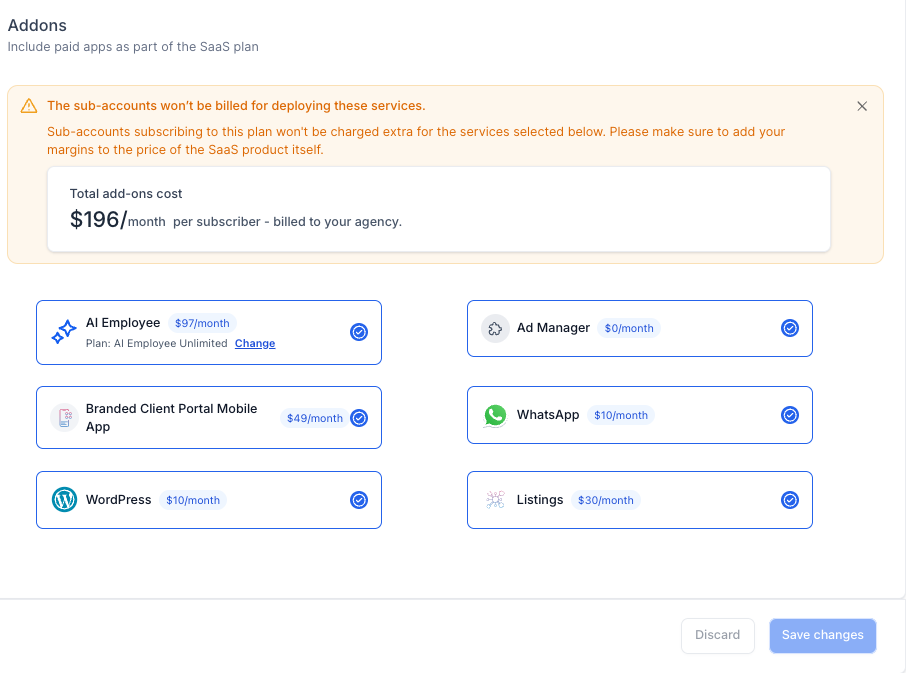
All configuration happens inside the SaaS Configurator, which lives under Agency View. The Configurator shows an Add Ons area with the currently available products, a cost calculator that updates as items are chosen, and fields for plan pricing, features, and other settings. The agency must review the combined add on cost and set the customer facing subscription price accordingly.
03How businesses use saaS plan add ons
- Digital marketing agency. The agency opens the SaaS Configurator, selects the WhatsApp add on, checks the displayed cost, adds that amount to the SaaS price, and saves the plan so new clients receive WhatsApp automatically.
- Real estate brokerage. In the Configurator the brokerage adds the Listings add on, reviews the agency cost shown, incorporates the cost into the subscription fee, and saves the plan to provision Listings for future subscribers.
- Fitness studio franchise. The franchise selects the AI Employee add on in the Configurator, notes the recurring cost, adjusts the SaaS price to cover that expense, and saves the plan so each new studio gets the AI tool on sign up.
04The numbers and rules that matter
- Supported add ons may include WordPress, WhatsApp, Ad Manager, Listings, AI Employee, other supported add ons displayed in the Configurator.
05Before you start
- Access to Agency View > SaaS Configurator is required.
- A SaaS plan must be created or opened for editing.
- The plan must already contain at least one product feature.
- The appropriate SaaS billing architecture and payment setup must be in place.
06How to set up and use saaS plan add ons in HighLevel
Add products to a SaaS plan
- Switch to Agency View.
- Click SaaS Configurator.
- Create a new SaaS plan or open an existing one.
- Open the plan’s Add Ons section.
- Review the available products and the agency billing notice.
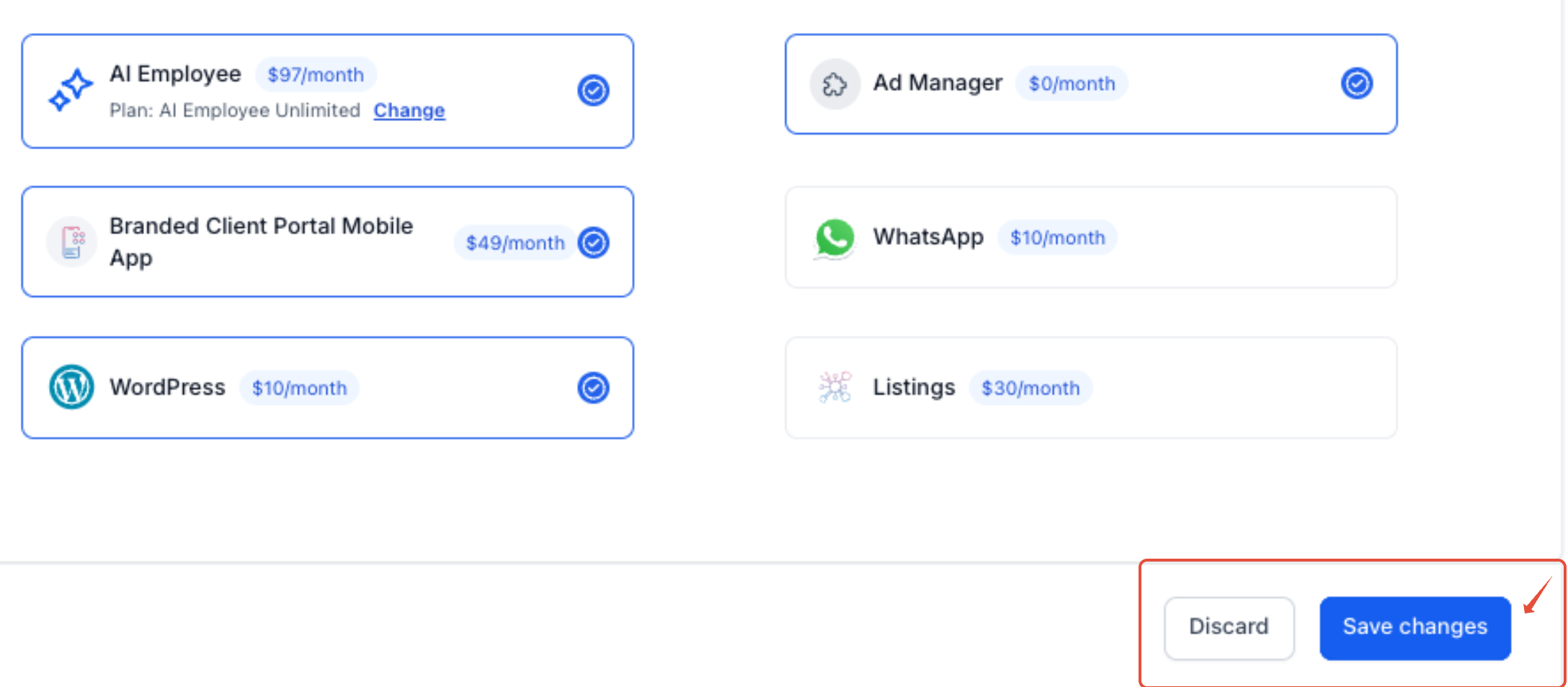
- Select the desired add ons for the plan.
- Review the cost displayed for each selected product.
- Review the combined add on cost shown by the Configurator.
- Use the total cost when determining the customer facing subscription price.
- Review the plan’s details, category, pricing, features, snapshot, trial, credits, and usage billing.
- Save the plan after confirming the configuration.
- Warning: Bundle changes apply only to future provisioning; they do not retroactively update products already provisioned to existing subaccounts.
- Warning: When a SaaS customer cancels, bundled add ons are not automatically removed. The agency must manually uninstall any add ons that should no longer be active.
07What it looks like in HighLevel
08Settings that matter
- Add, Ons. Controls which paid HighLevel products are included in the SaaS plan bundle.
09Things to know before you rely on it
- Only products displayed in the Add Ons area can be selected; availability may change.
- The agency, not the subaccount, pays for bundled add ons.
- A SaaS plan must contain at least one product feature before it can be completed.
- Marketplace Apps are configured separately and follow different eligibility rules.
10How it connects to the rest of HighLevel
- View all Agency View features Agency View features
- Check HighLevel pricing and plans for SaaS pricing guidance Pricing and plans
- Start a 30 day trial to test SaaS add on bundling 30 day trial
Michael's take

Bundling add ons inside a SaaS plan expands a basic subscription, and the agency is responsible for the cost of each product in the bundle.
When pricing the plan, consider the combined add on cost as a baseline. The automation is useful: Once the plan is set up, HighLevel provisions the supported add ons for each new customer.