
01Who this is for
- Agency owners who need to prioritize outreach based on data driven likelihood.
- Founders looking to allocate marketing resources toward the most promising leads.
- Marketing consultants who evaluate a prospect’s digital readiness before proposing services.
02Prospect conversion rate, explained
HighLevel adds a conversion likelihood metric to the prospecting tool. The metric appears in the Prospect Dashboard and the Prospect Marketing Audit Report. It aggregates several data points about a business and outputs a score that is grouped into high, moderate, or low categories.
The score reflects four main inputs: whether the Google Business Profile is already claimed, the quantity and recent sentiment of online reviews, the existence of a business website, and the presence of a chat widget on that site. Each factor pushes the score up or down, giving a quick visual cue of conversion potential.
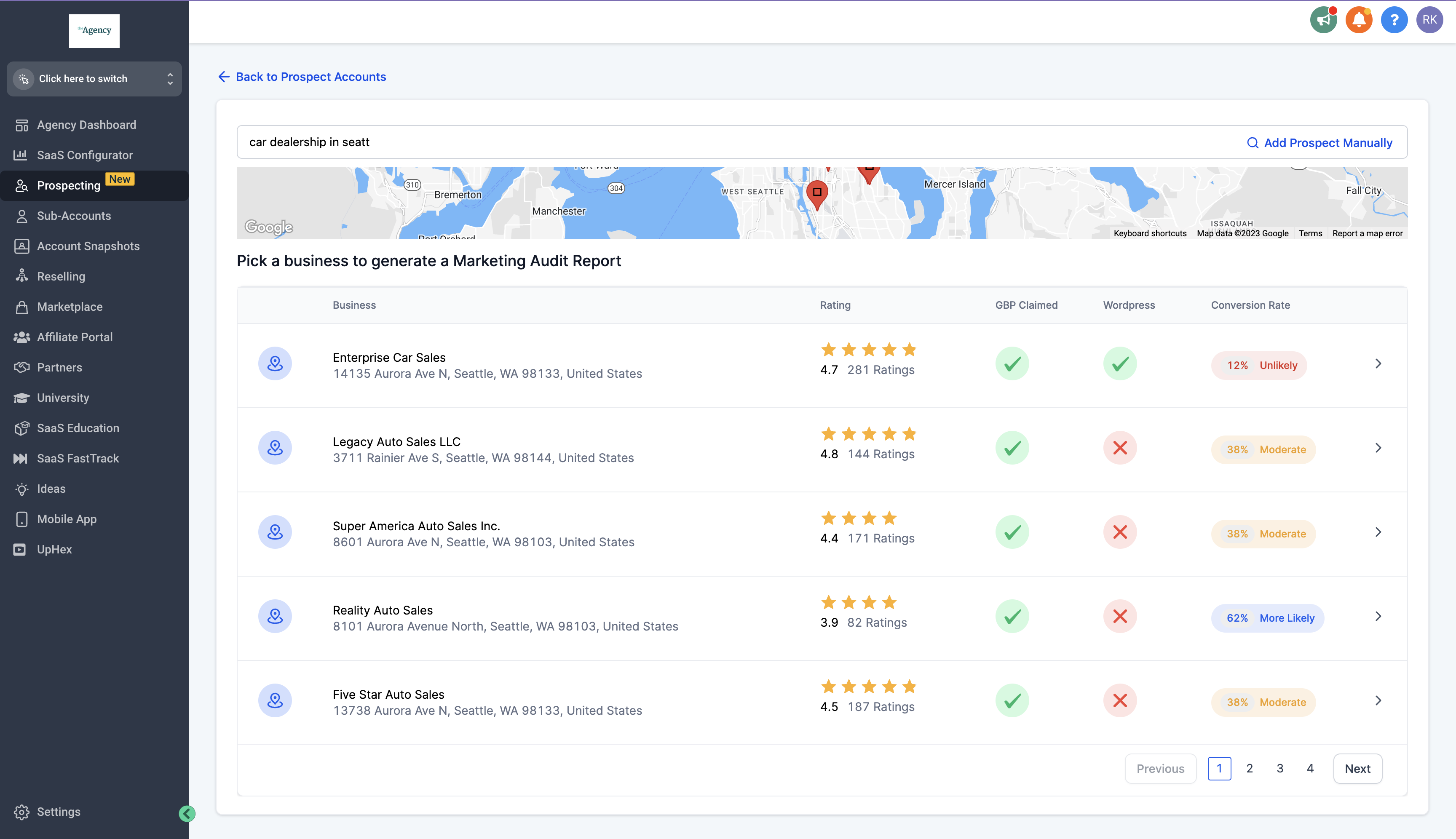
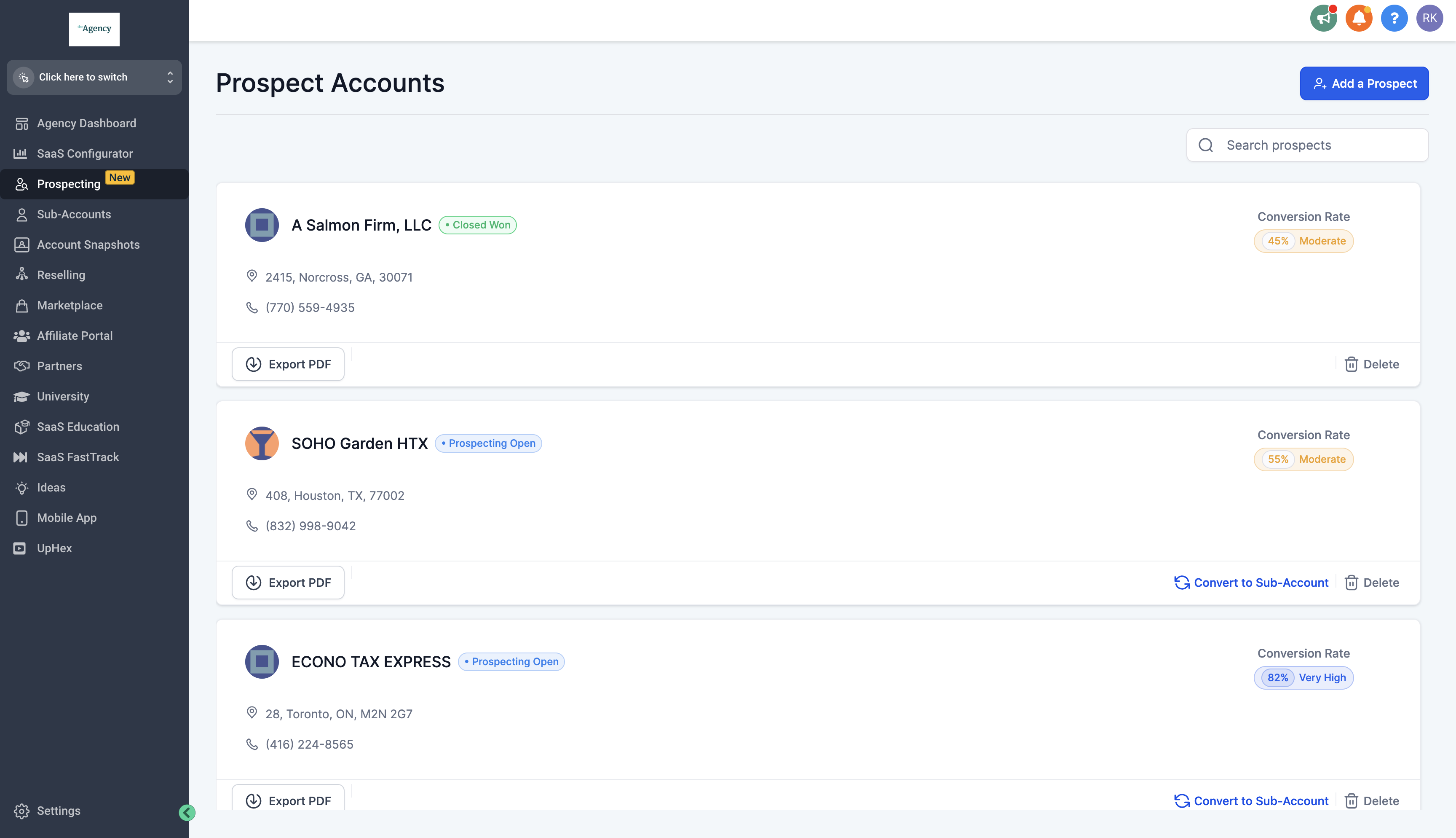
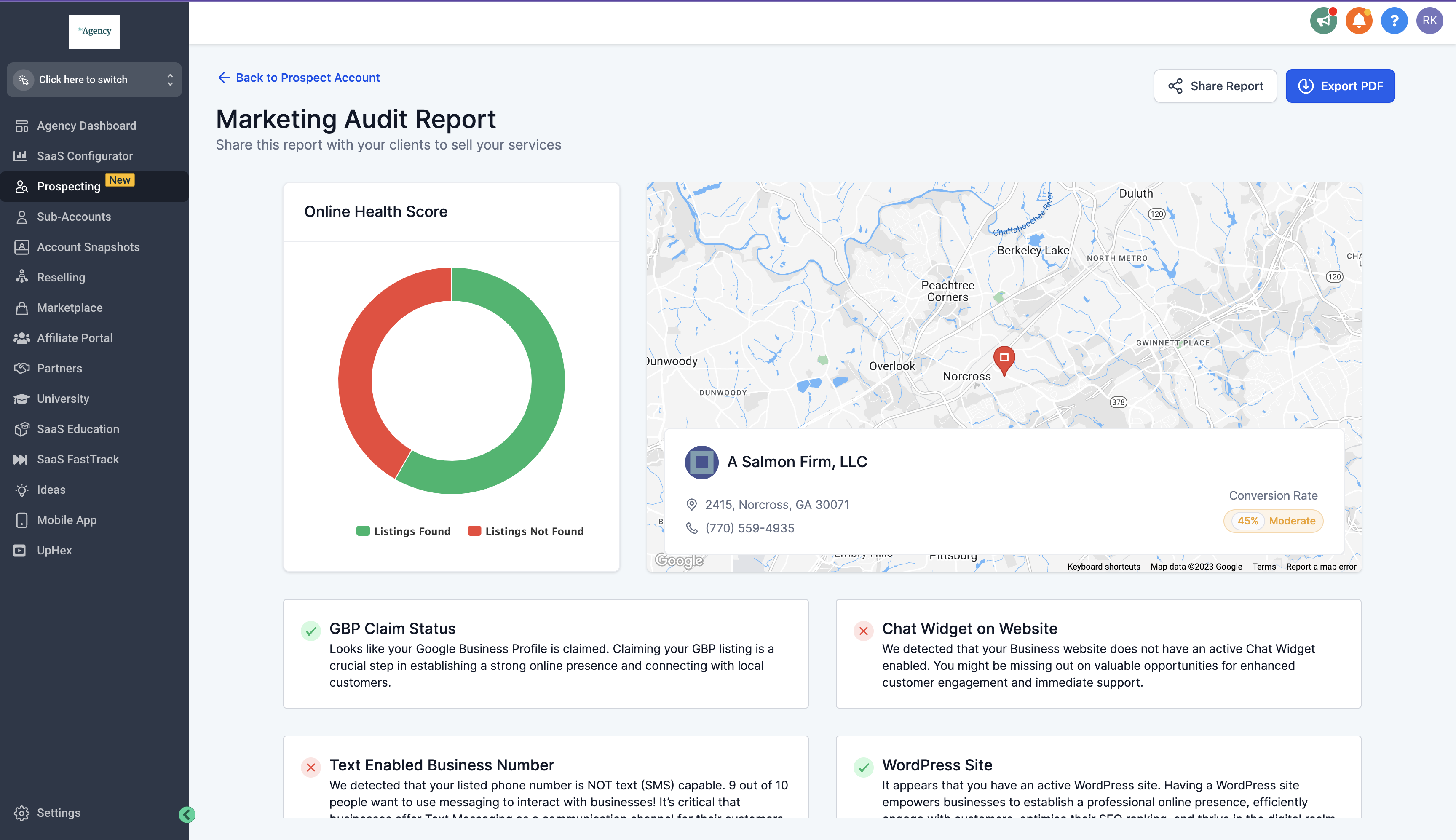
The feature lives inside the prospecting interface. When you run a search, the score is shown beside each prospect. On the dashboard, you can filter or sort by the score. The audit report provides a deeper breakdown of each factor for an individual prospect.
03How businesses use prospect conversion rate
- Digital marketing agency. The agency reviews the conversion score during prospect searches to focus outreach on businesses with a high likelihood of needing services. It also uses the audit report to tailor pitches based on missing digital assets.
- Local SEO consultancy. The consultancy checks the score to identify clients who lack a claimed Google Business Profile or a website. It then offers setup services to improve their online presence.
- Lead generation service. The service filters prospects with low scores out of campaigns, ensuring email or ad spend targets only those with a higher chance of converting into paying customers.
04Before you start
- Prospect data must include Google Business Profile claim information.
- Review counts and recent sentiment must be available for the prospect.
- A record of the prospect’s website existence is required.
- Information about a chat widget on the prospect’s site must be present.
05How to set up and use prospect conversion rate in HighLevel
Calculate a prospect's conversion score
- Check if the prospect’s Google Business Profile is claimed; a claimed profile reduces the score.
- Assess the number and recent tone of online reviews; fewer or negative reviews raise the score.
- Determine whether a business website exists; lack of a site raises the score.
- Identify if a chat widget is on the site; absence of a widget raises the score.
Use the conversion score in prospecting
- Run a prospect search and note the conversion score shown for each entry.
- Open the Prospect Dashboard and sort or filter by the conversion score to locate high potential leads.
- Open the Prospect Marketing Audit Report to see a detailed breakdown of why each score was assigned.
06What it looks like in HighLevel
07Things to know before you rely on it
- Scores are grouped into three categories: high, moderate, or low conversion likelihood.
- The metric is based only on the four data points described; no other factors influence it.
08If something goes wrong
- Conversion score does not appear for a prospect.. Verify that the prospect record contains the required data: GBP claim status, review details, website flag, and chat widget information.
09How it connects to the rest of HighLevel
- Learn how the prospecting tool supports lead generation in HighLevel. Prospecting tool lead generation
- See how the analytics dashboard displays prospect metrics across subaccounts. Prospecting analytics dashboard
- Explore ways to resell the prospecting tool to subaccounts. Resell prospecting tool
Michael's take

The conversion rate gives agencies a data driven way to see which prospects may need digital help, helping to focus outreach on the most promising accounts.