
01Who this is for
- Agency owners who manage multiple client locations and need to stop a product for a single location without affecting other services.
- Reselling partners who sell add on products per location and must deactivate a subscription when a client no longer requires that feature.
02Location subscriptions, explained
This feature enables Agency users to terminate a reselling subscription that is tied to a particular location within a subaccount. The cancellation can happen right away or be scheduled for the end of the current billing cycle. Choosing the timing determines when billing stops and when the product access ends.
The cancellation flow is accessed from the Agency Billing page. After opening the billing view, users locate the specific reselling product, display its subaccounts, and select the location to cancel. The interface then guides the user through timing selection, confirmation of the location, and a final reason entry before completing the cancellation.
Only the selected product subscription is removed. The overall subaccount and any other active subscriptions remain unchanged.
03How businesses use location subscriptions
- Digital marketing agency. The agency opens the Agency Billing page, shows subaccounts for the social media automation add on, selects a client location, and cancels the add on either immediately or at the billing cycle end. The rest of the client’s tools stay active.
- SaaS reseller. The reseller navigates to the Billing section, expands the list of subaccounts for a white label reporting product, picks a location that no longer needs the report, and follows the cancellation flow, preserving other locations' access.
- Franchise consulting firm. The firm accesses the billing view, displays subaccounts for a location specific analytics package, chooses the franchise unit to discontinue, selects the desired cancellation timing, and finalizes the process while other units keep their analytics.
04Before you start
- The location subscription must be eligible for cancellation.
- The user must have Agency account access to the Settings > Billing page.
05How to set up and use location subscriptions in HighLevel
Cancel location subscription
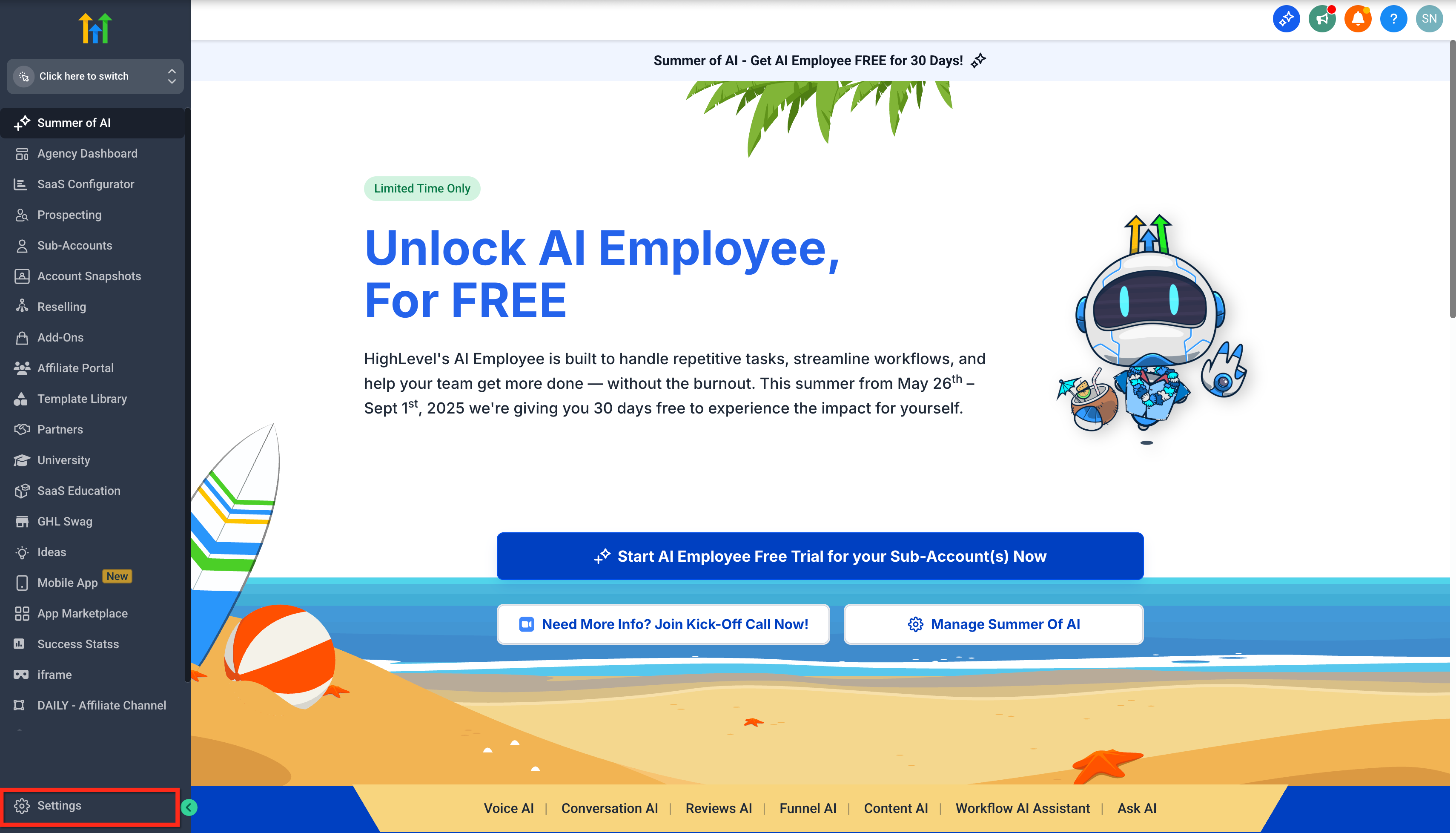
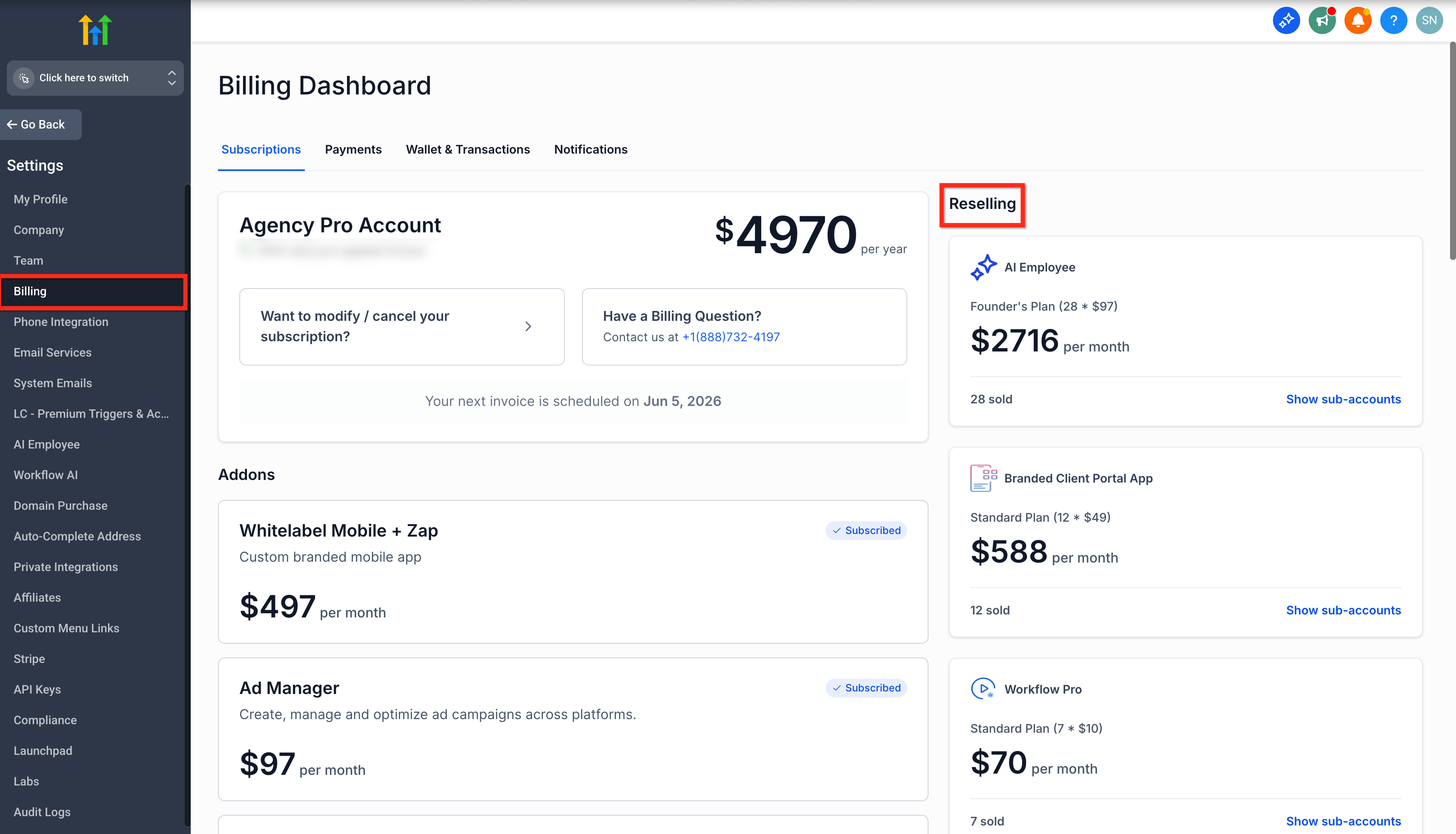
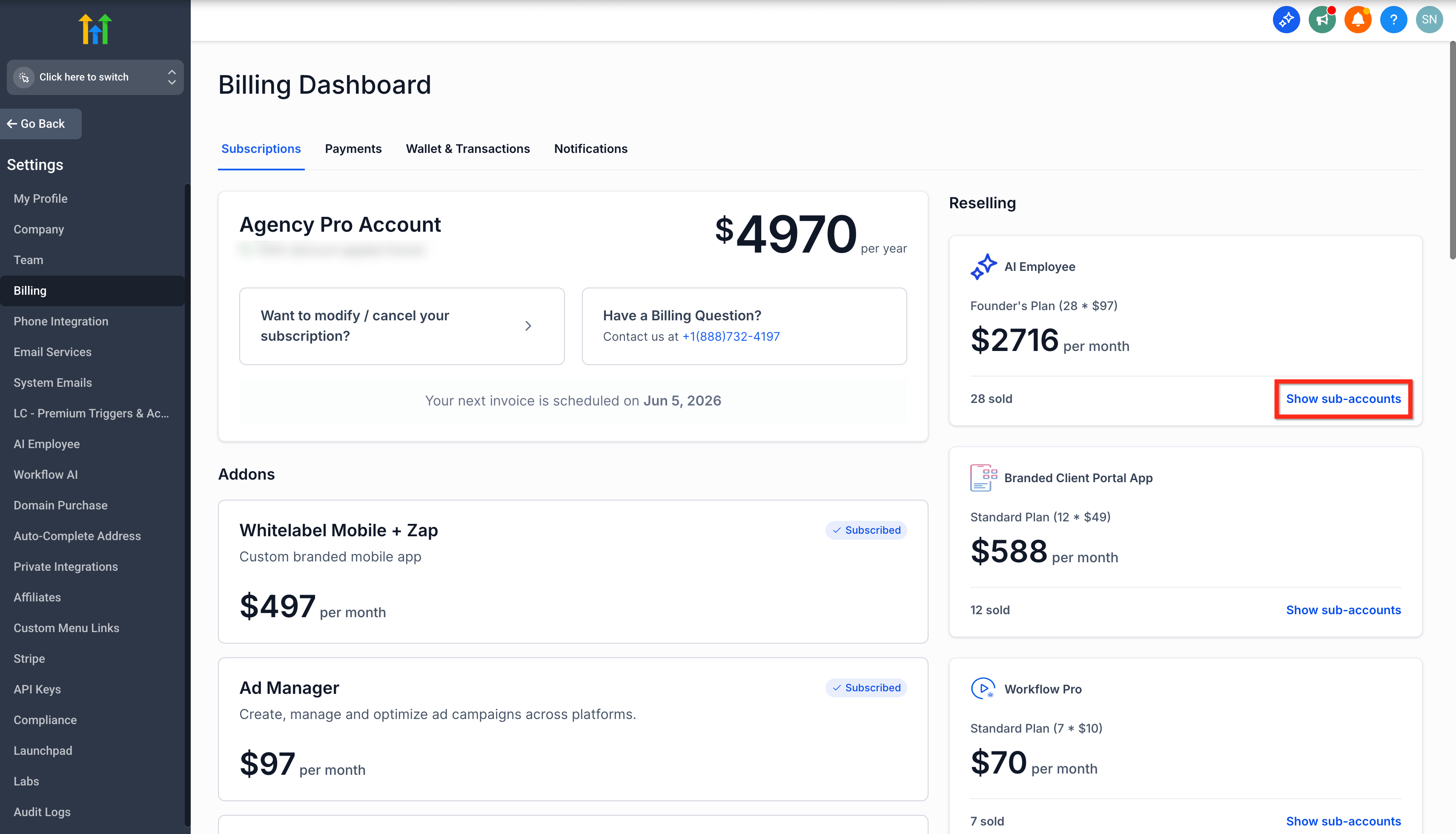
- Open Settings, go to the Billing tab, locate Reselling under Subscriptions, and click Show subaccounts for the product.
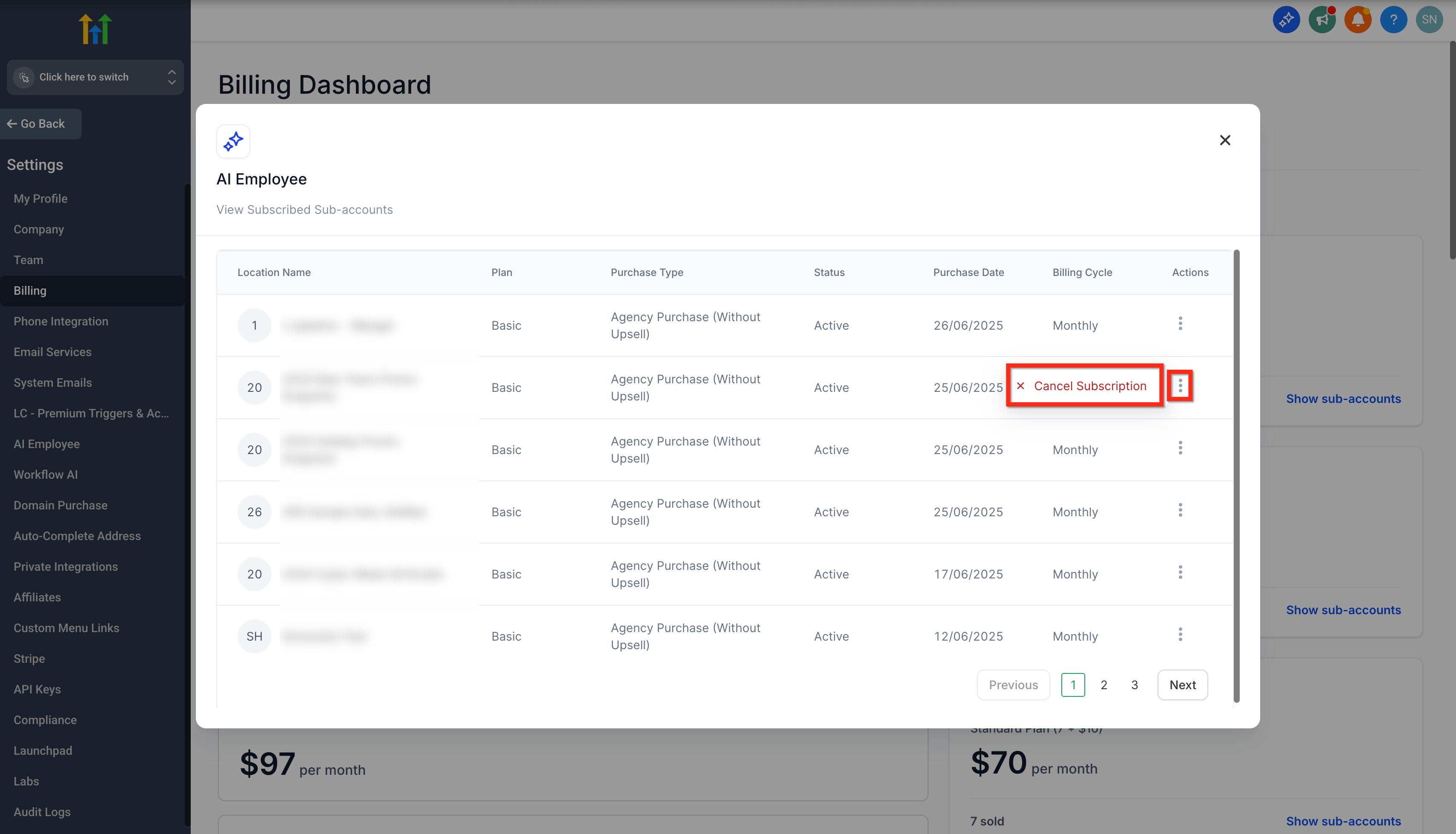
- Click the three dot Actions menu for the target location and select Cancel Subscription.
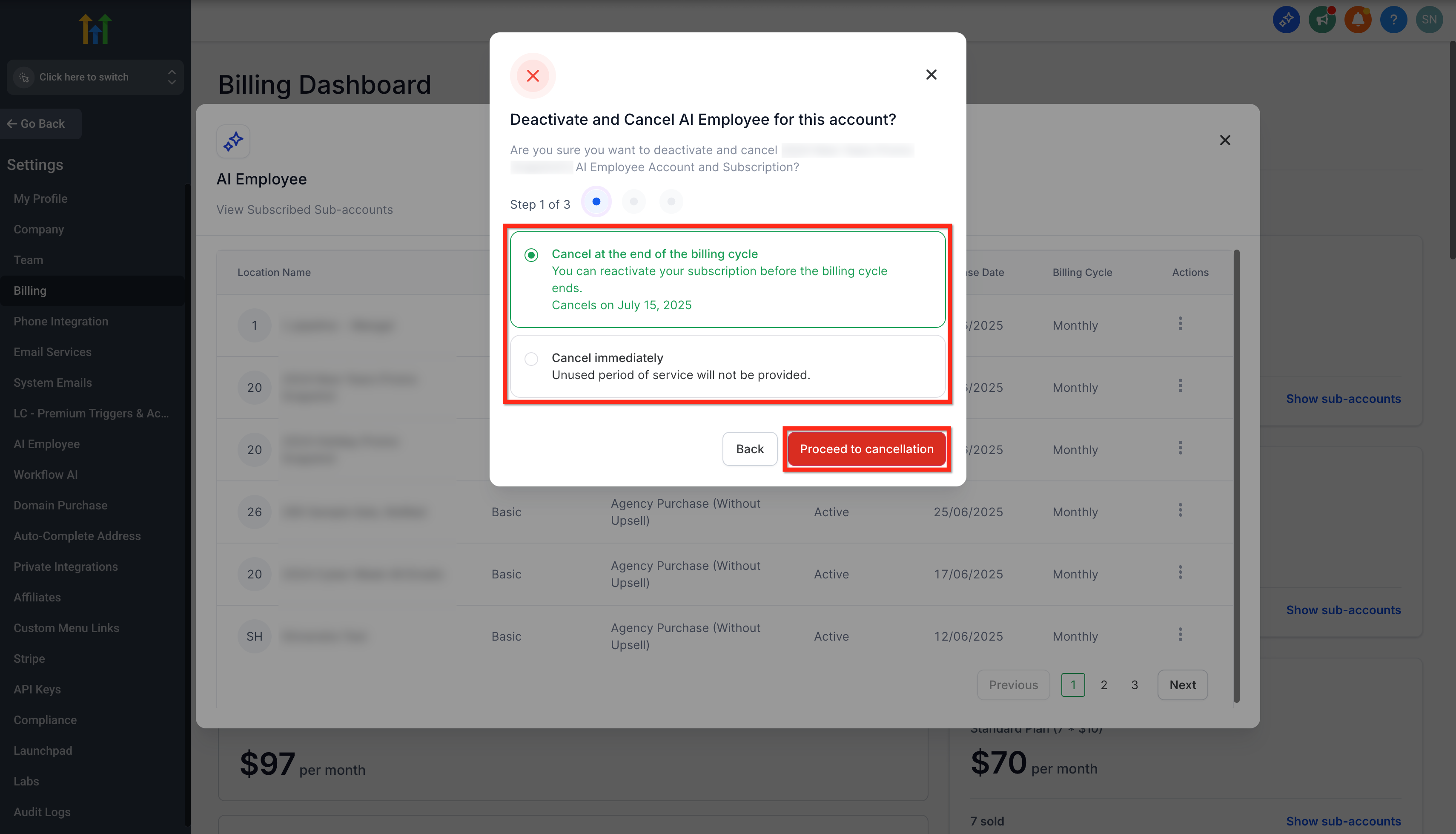
- Choose either Cancel at End of Billing Cycle or Cancel Immediately, then click Proceed to cancellation.
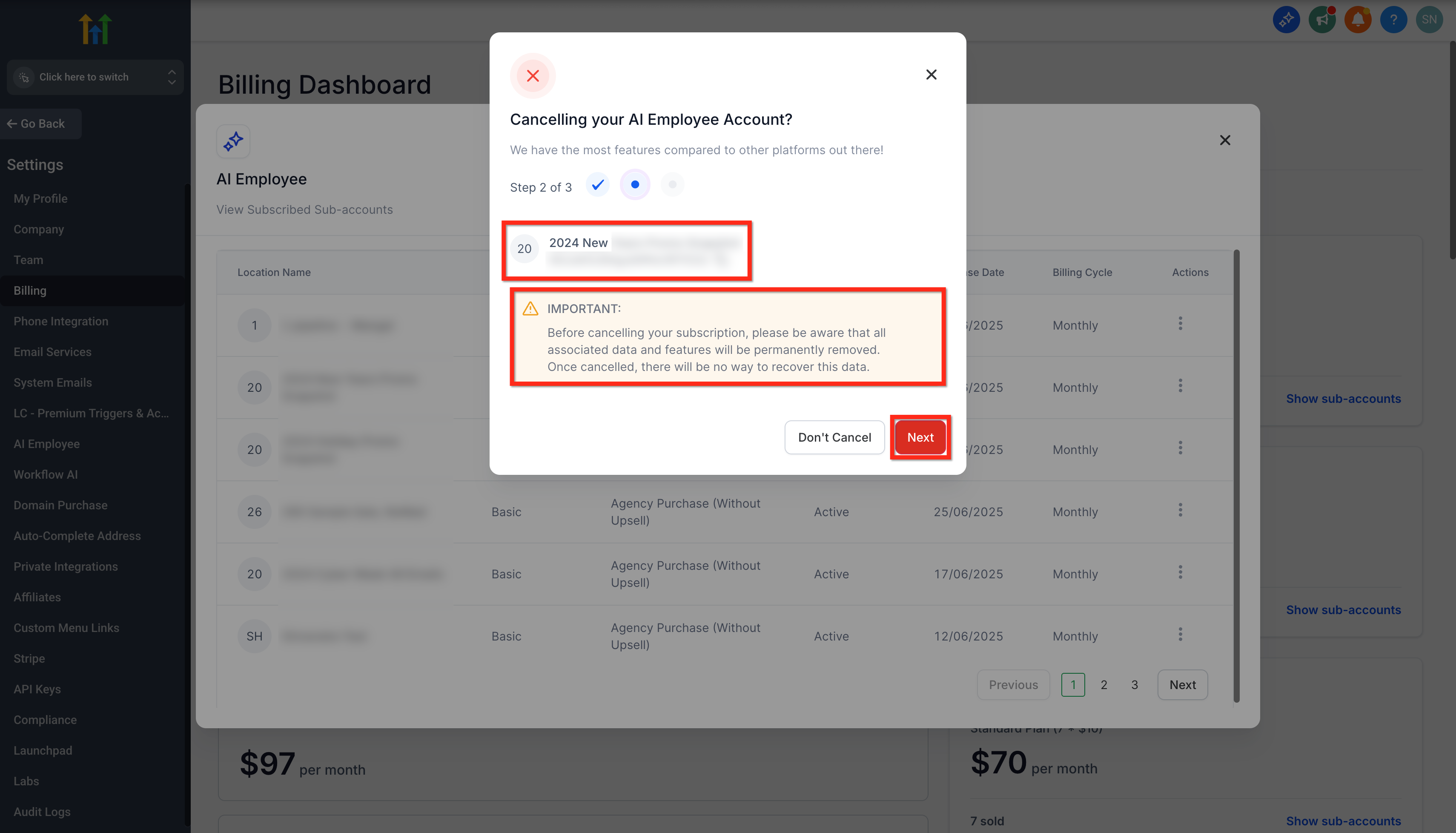
- Verify the Location Name, ID, and the Important Disclaimer, then click Next.
- Pick a cancellation reason, type DELETE in the confirmation box, and click Cancel Subscription.
- Complete the flow to finish cancelling the selected location subscription.
06What it looks like in HighLevel
07Settings that matter
- Cancel at End of Billing Cycle. Stops renewal after the current billing period; access continues until that period ends.
- Cancel Immediately. Ends the subscription and access right away with no refund or proration.
08Things to know before you rely on it
- Only eligible location level reselling subscriptions can be cancelled through this flow.
- Immediate cancellation provides no refund or proration for unused time.
- Canceling a location subscription does not delete the entire subaccount.
09How it connects to the rest of HighLevel
- Explore all Agency View features to see related tools. Agency View overview
- Learn how to bundle add on products in a SaaS plan. Bundle add ons
- Review HighLevel pricing and plan options. Pricing page
Michael's take

Avoid the mistake of assuming the whole subaccount is deleted. Only the product subscription is removed.