
01Who this is for
- Agency owners benefit by offering clients localized lead capture forms without additional configuration.
- Marketers can reach international audiences as widgets automatically present in each visitor’s language.
- Small business Founders gain consistent multilingual branding across web forms, emails and PDF reports.
02Prospecting widgets, explained
The Prospecting Widget feature lets an agency create a lead capture form that automatically translates system generated text, field labels, validation messages, prompts, button text and error messages, into the language a visitor has set on the HighLevel platform. The same language preference is applied to any automated emails and PDF reports generated from the widget. No manual translation steps are needed.
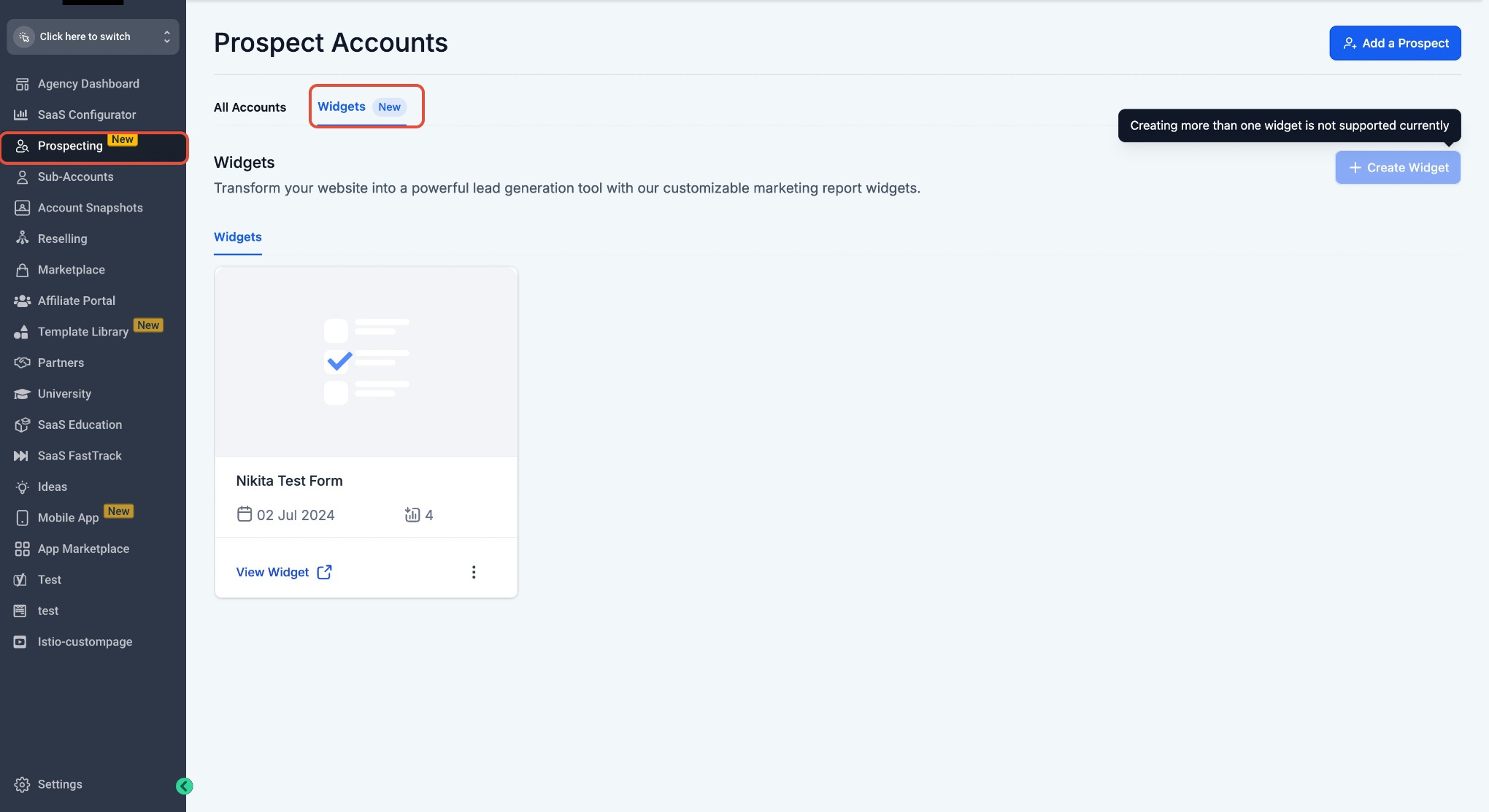
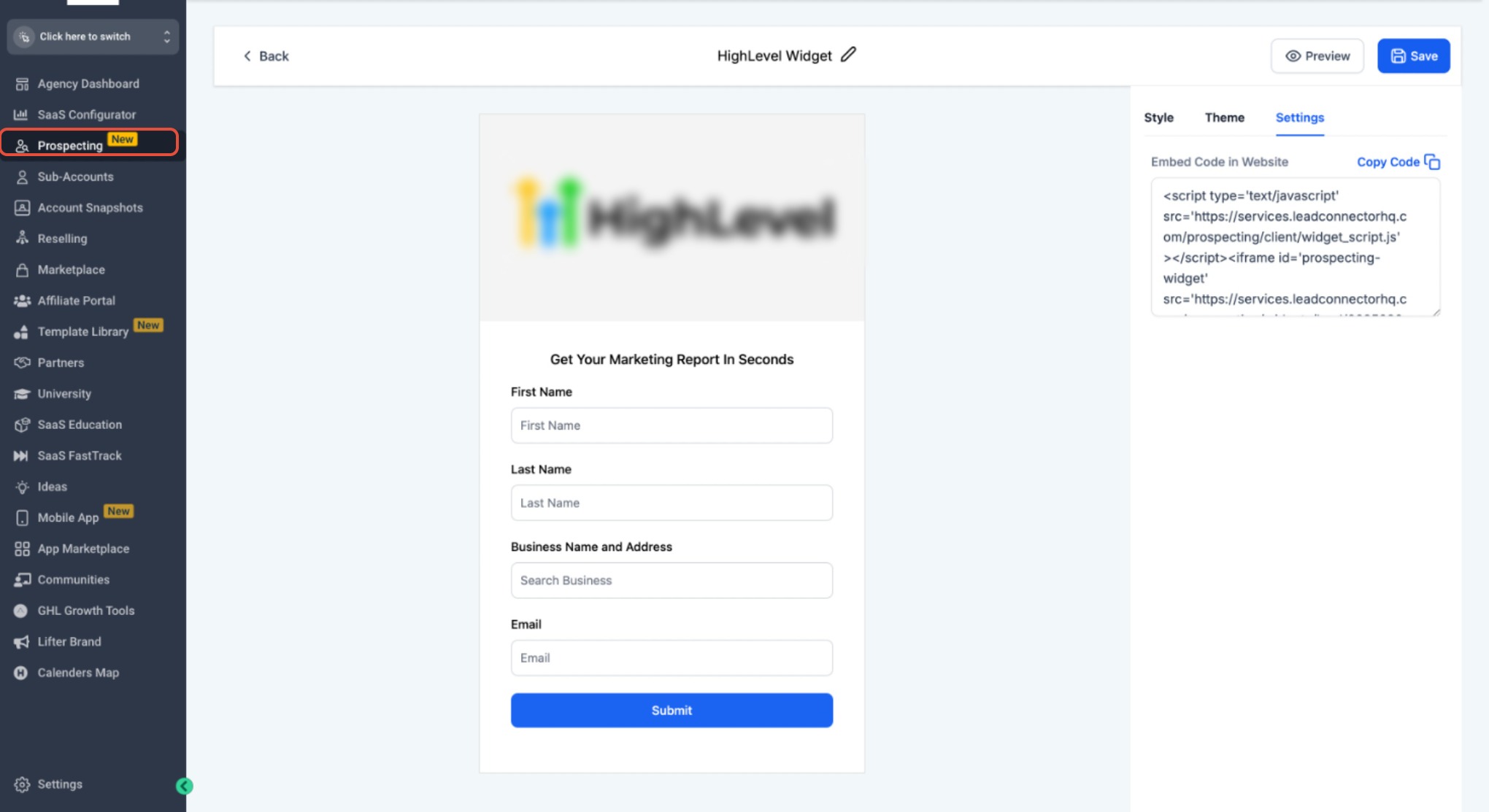
Widgets are managed from the Agency View under Prospecting > Widgets. After a paid Prospecting Tool subscription is active, users can design a widget, choose fields, set branding and pick a Light or Dark visual theme. The widget’s embed code is then placed on any external website, where it respects the visitor’s language settings in real time.
03How businesses use prospecting widgets
- Travel agency. The agency creates a multilingual prospecting widget, embeds it on its destination pages, and lets visitors submit travel inquiries in their native language. System generated emails and PDF itineraries are automatically sent in that language.
- Ecommerce store. The store builds a widget to capture product interest, adds it to its checkout help pages, and relies on automatic language adaptation so shoppers from different regions see form labels and confirmation messages in their language.
- Online language school. The school designs a widget for course sign ups, embeds it on its multilingual landing pages, and uses the built in language handling so enrollment confirmations and PDF brochures are delivered in the learner’s platform language.
04Before you start
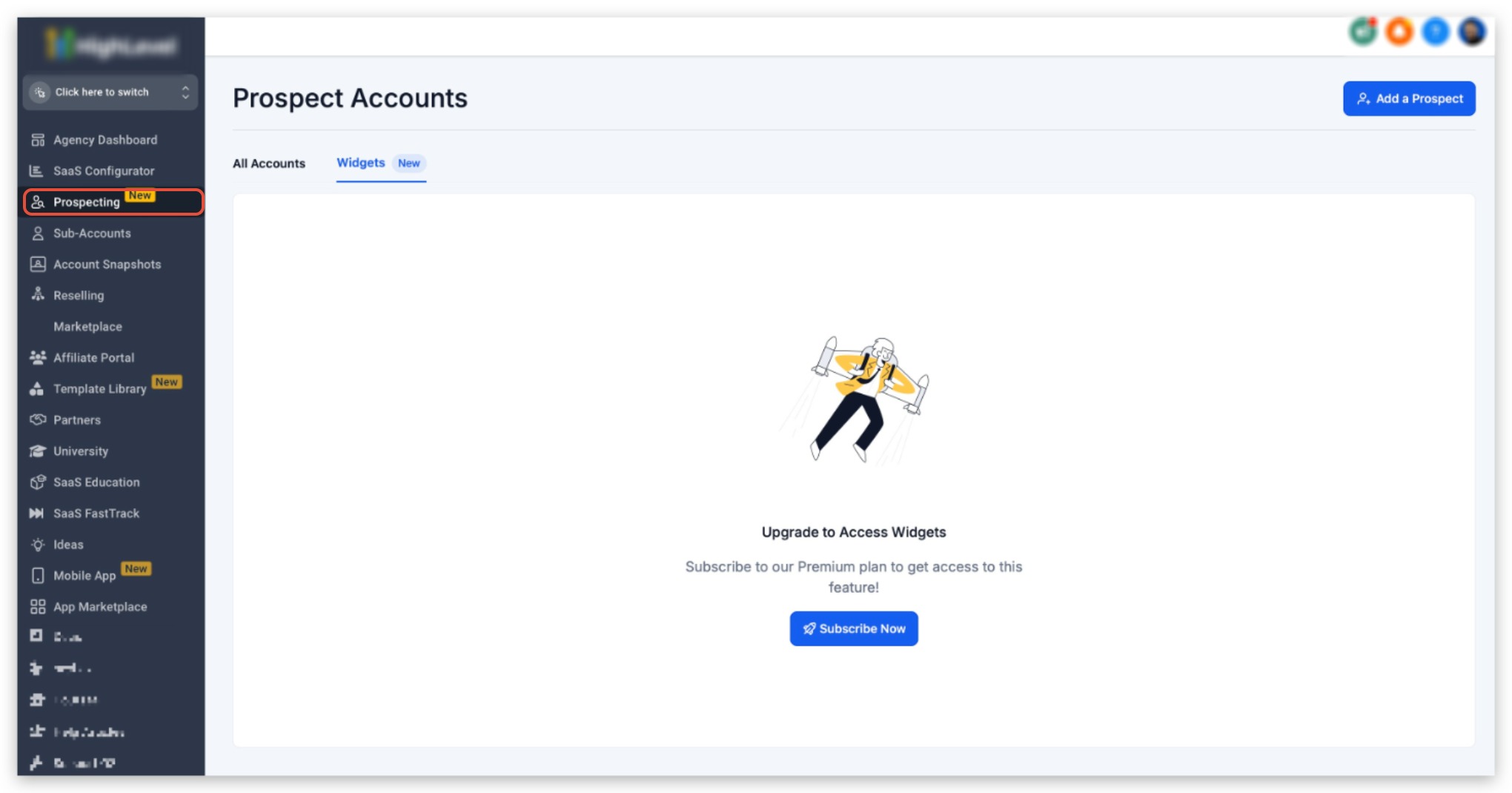
- The account must have the paid version of the Prospecting Tool activated.
05How to set up and use prospecting widgets in HighLevel
Create and customize a widget
- Open Agency View > Prospecting > Widgets.
- Click the Create Widget button.
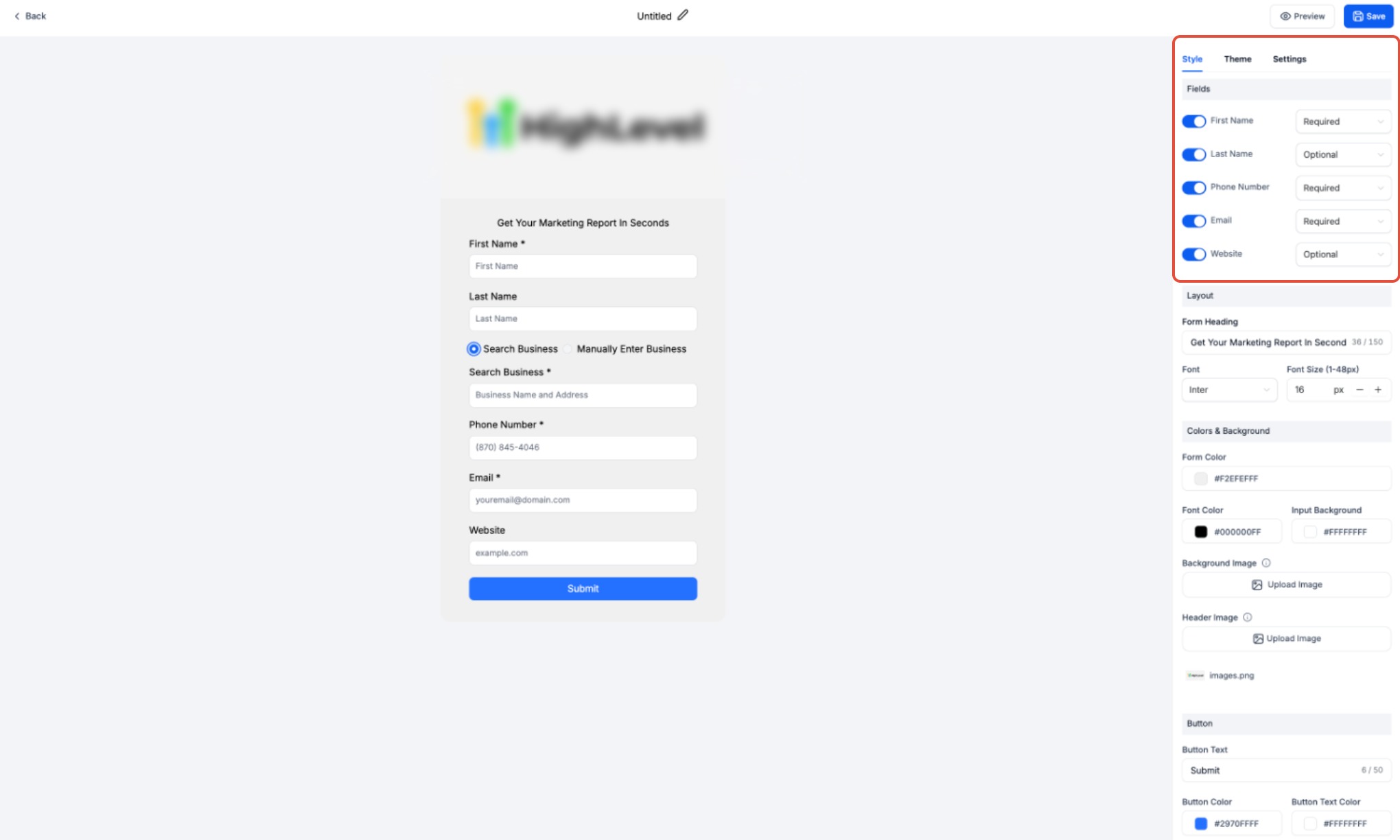
- Select the fields to collect from prospects.
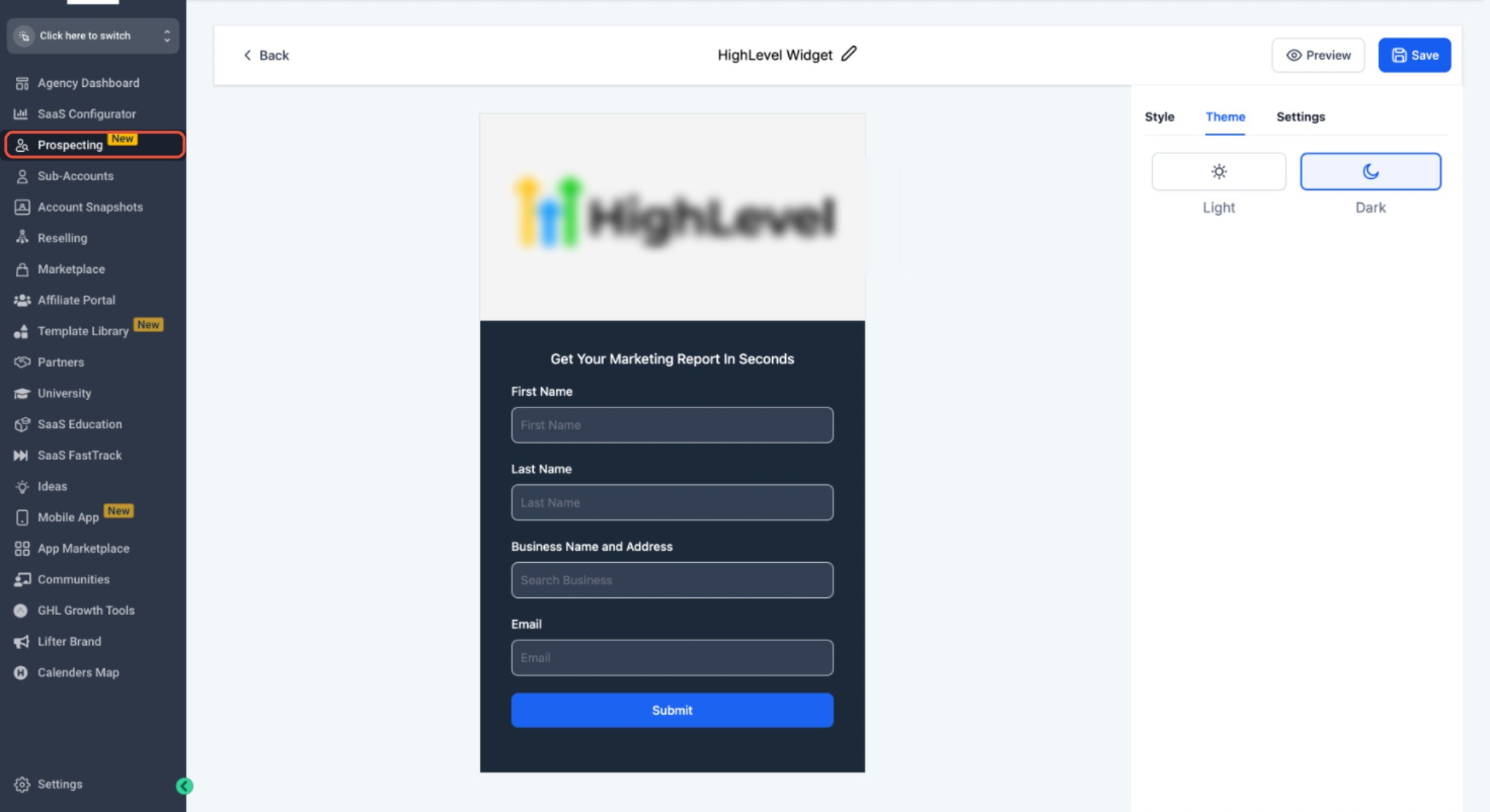
- Adjust the widget’s styling and branding, including Light or Dark theme.
- Save the widget.
Embed the widget on a website
- Open the widget and go to its Settings tab.
- Copy the provided embed code.
- Paste the embed code into the website’s backend or HTML editor.
- Check that the widget loads correctly on the page.
- Confirm the layout displays as intended.
- Test that all fields function as expected.
06What it looks like in HighLevel
07Settings that matter
- Theme. Chooses between Light and Dark visual styles for the widget’s appearance.
08Things to know before you rely on it
- Widgets require an upgraded, paid Prospecting Tool subscription; otherwise an upgrade prompt appears.
- Only system generated strings are localized; custom text entered by the user remains unchanged.
09How it connects to the rest of HighLevel
- Detailed steps for creating and customizing prospecting widgets for your website. Create and customize widgets
- How to use prospecting tools within subaccounts and manage leads. Prospecting in subaccounts
- Review plan options and pricing needed for the paid Prospecting Tool. HighLevel pricing
Michael's take

If I were setting up a new lead capture page, I’d create a widget, copy the embed code and add it to the site. The language handling works without any manual translation, as long as the paid Prospecting Tool is active; otherwise an upgrade prompt appears.