
01Who this is for
- Agency owners managing multiple subaccounts, because they can benchmark each client against local competitors.
- Small business owners who need to see how their online citations and reviews compare to nearby rivals.
- Marketing managers looking for comparative review data to guide reputation building strategies.
02Competitor analysis reports, explained
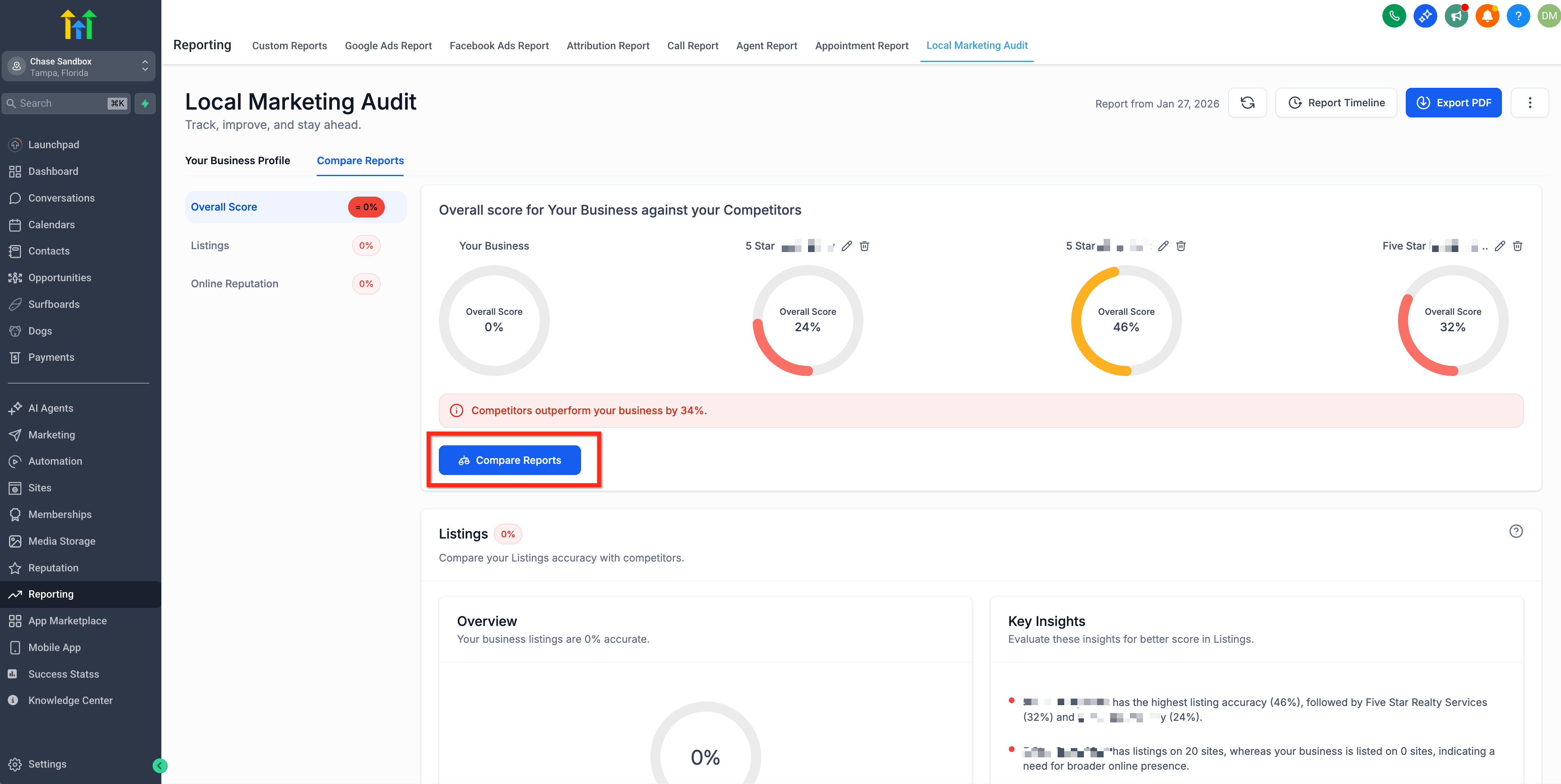
The report compares a business’s directory listings and customer reviews with those of up to three competitors. It highlights missing or inconsistent citations and shows how review volume, star ratings and sentiment differ.
The tool appears after a Marketing Audit Report is generated. It lives under the Reporting tab, first in the Local Marketing Audit section, then in the Compare Reports area where competitors are entered and the analysis runs.
Users can repeat the process with a new set of competitors at any time to explore different benchmarking scenarios.
03How businesses use the competitor analysis report
- Restaurant. Run a Marketing Audit for the eatery, then enter three nearby dining venues in the Compare Reports tab. Review the listings accuracy and review performance sections to spot citation gaps and lower star ratings, then update online profiles accordingly.
- Dental practice. Generate the audit for the clinic, input three other dental offices as competitors, and examine the side by side review metrics. Use the findings to focus on acquiring more five star feedback and correcting any incorrect address information.
- Home service contractor. Create the audit, list three competing contractors, and study the comparative review volume and sentiment data. Identify where competitors have higher review counts and plan campaigns to encourage satisfied customers to leave reviews.
04The numbers and rules that matter
- Allows comparison with up to three competitors.
05Before you start
- A completed Marketing Audit Report must exist for the business before the Competitor Analysis Report can be generated.
06How to set up and use the competitor analysis report in HighLevel
Generate competitor analysis report
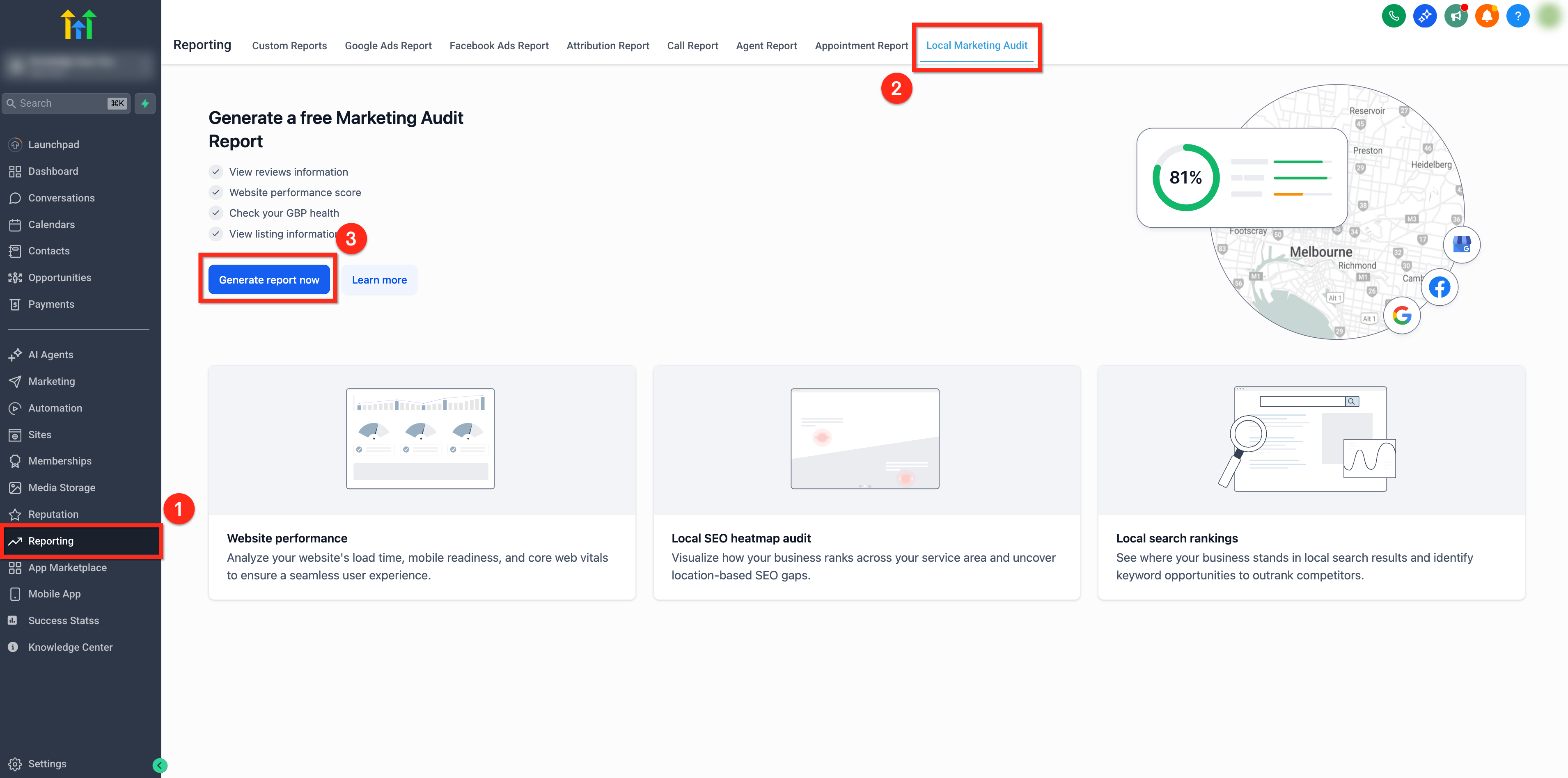
- Open the Reporting tab.
- Select the Local Marketing Audit option.
- Click Generate Report to start the Marketing Audit.
- Wait for the audit to finish processing.
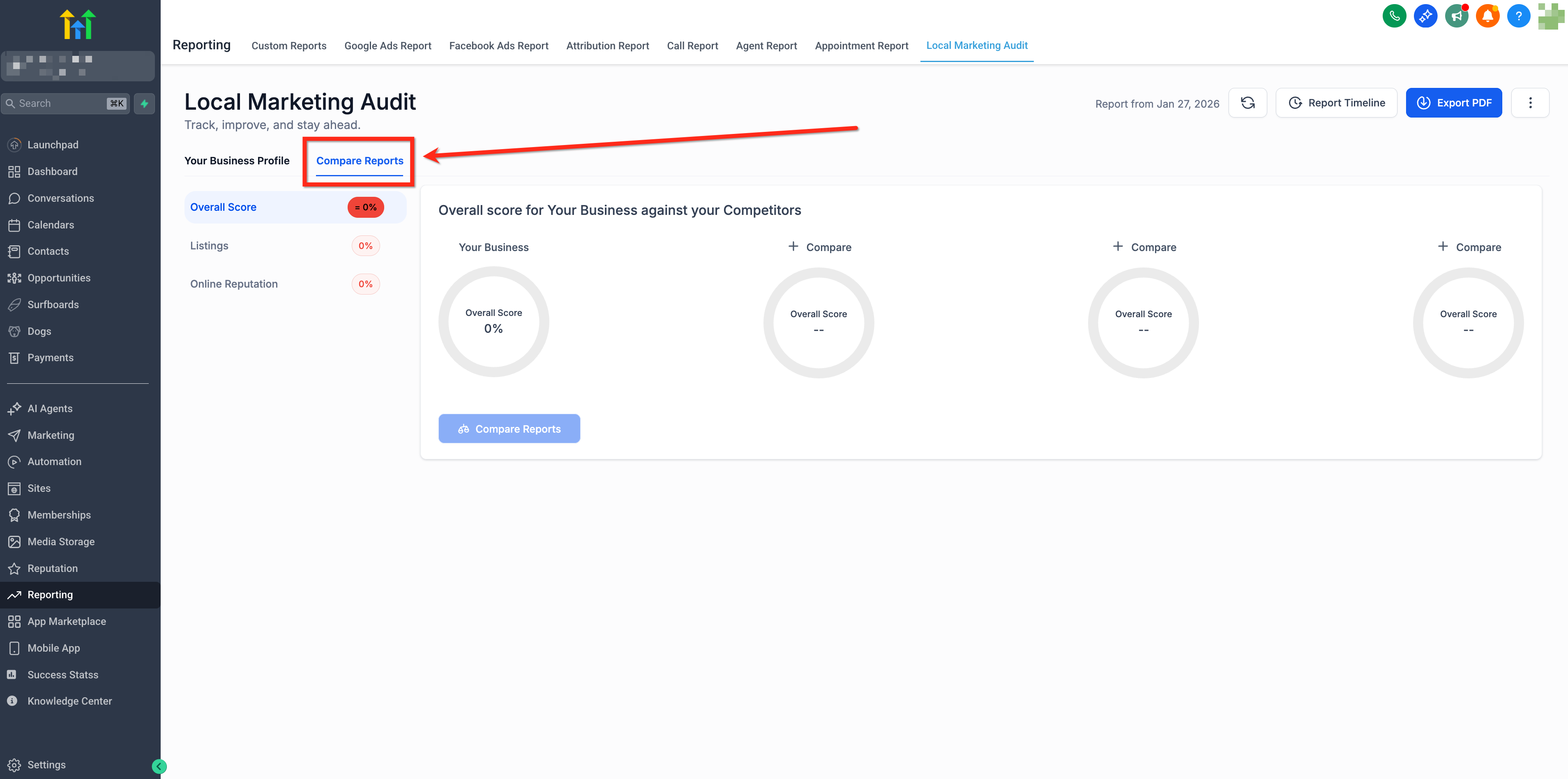
- Open the Compare Reports section within the Audit Report area.
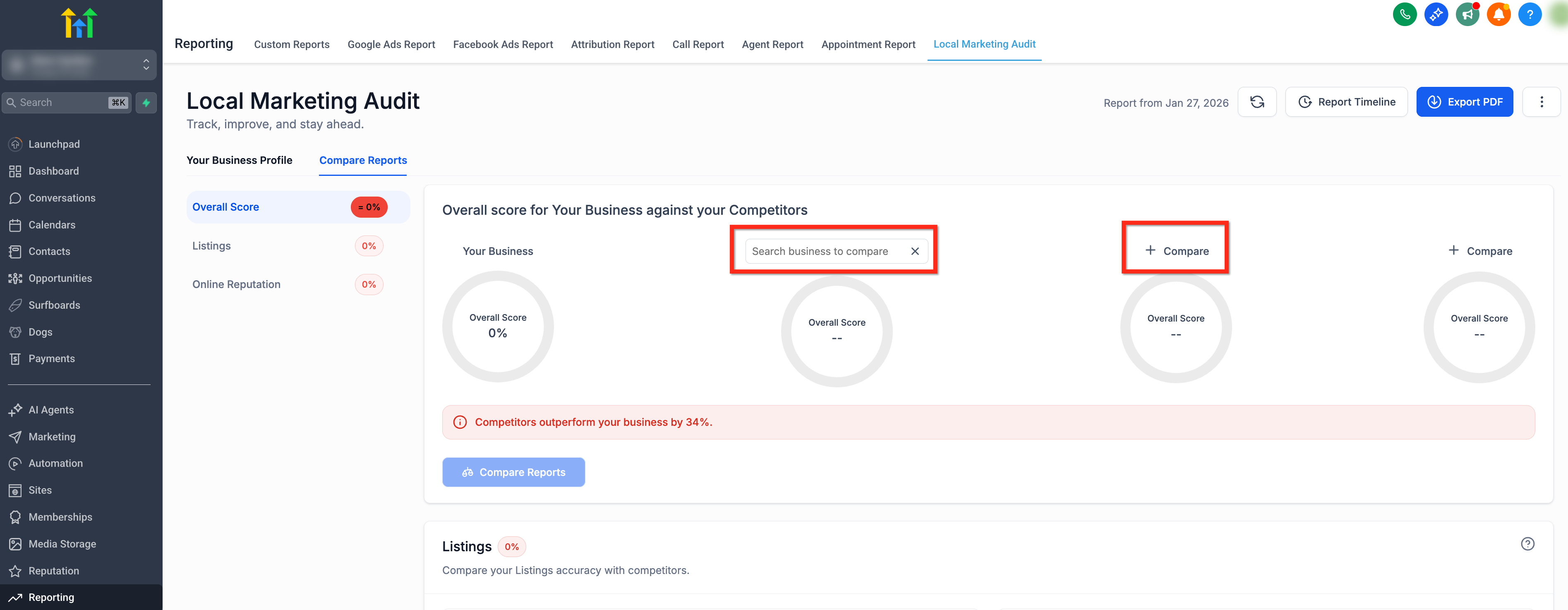
- Enter the names of three distinct competitor businesses.
- Press Compare Reports to produce the Competitor Analysis Report.
07What it looks like in HighLevel
08How it connects to the rest of HighLevel
- This feature builds on the Marketing Audit Report, which can be customized and exported as a PDF. Customize audit PDF
- See all Agency View capabilities, including reporting tools that support competitor analysis. Agency View overview
Michael's take

I see the Competitor Analysis Report as a modest convenience for agencies that already run audits. It adds a quick side by side view of competitors without building a full custom dashboard. The value sits in the speed of getting a snapshot that can steer an immediate tweak.
A local home service contractor could benefit by pulling the audit, adding three nearby firms, and spotting missing listings or lower review counts that can be addressed.