
01Who this is for
- Agency owners who handle many client prospects can group leads by priority or industry, making navigation simpler.
- Marketing teams that need to label niche audiences can assign categories and filter them for targeted campaigns.
- Sales managers can bulk update prospect tags to reflect status changes across large lead lists.
02Prospect categories, explained
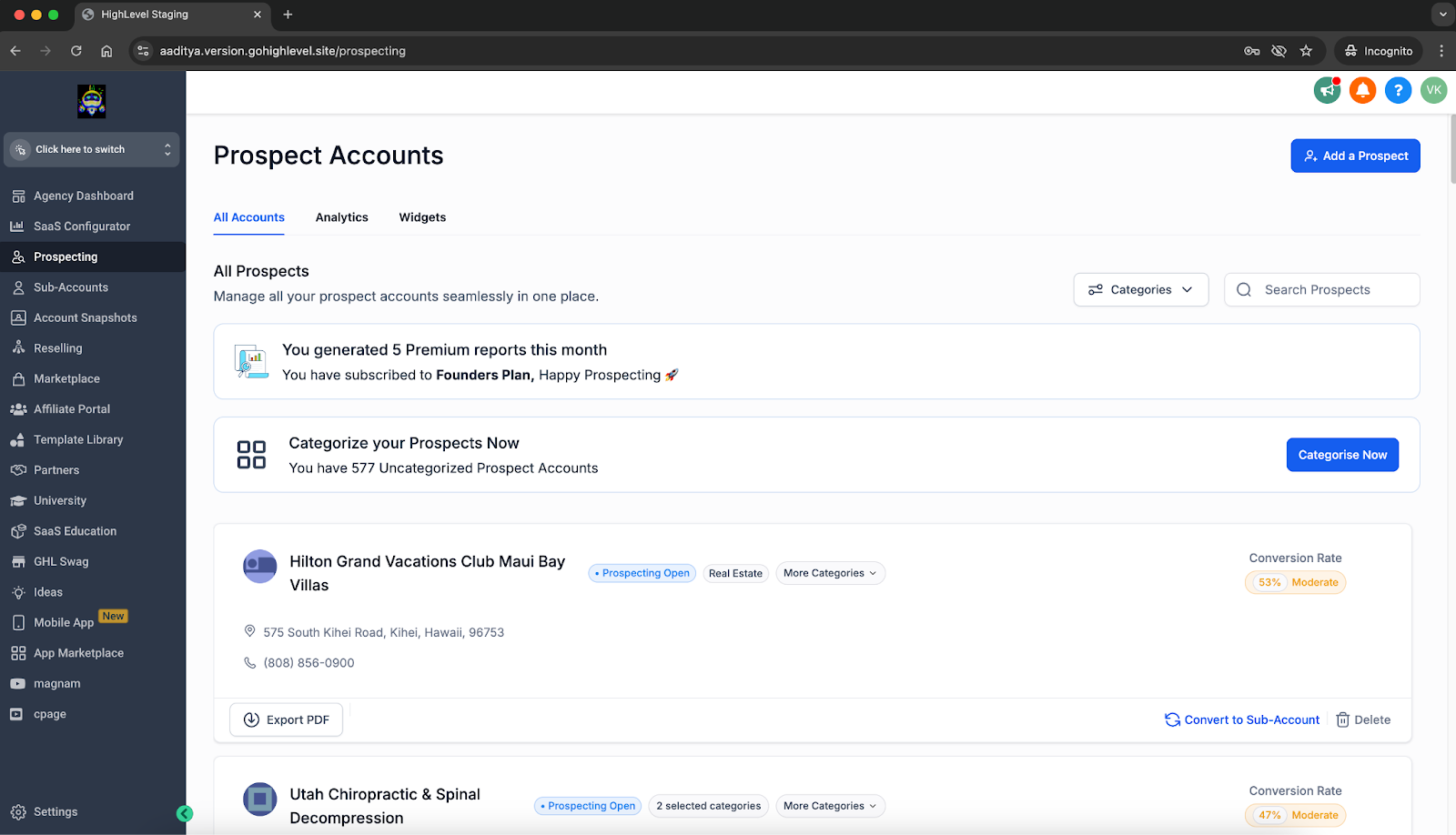
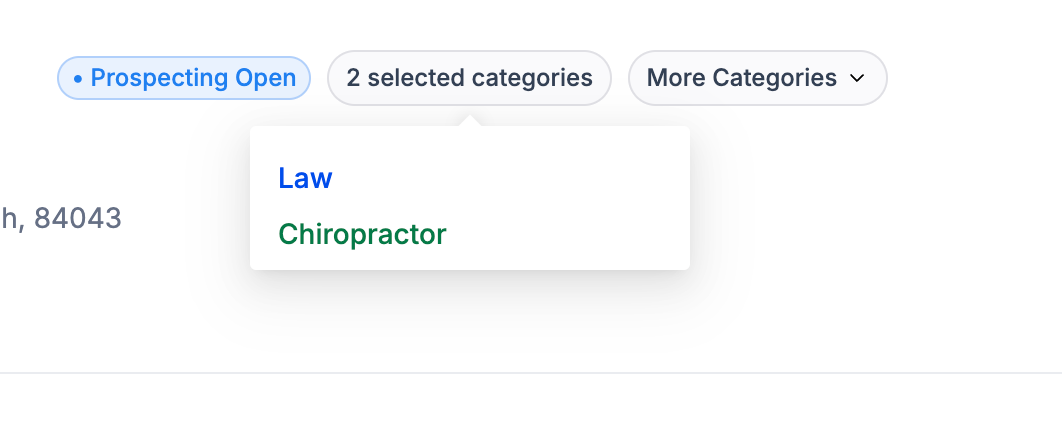
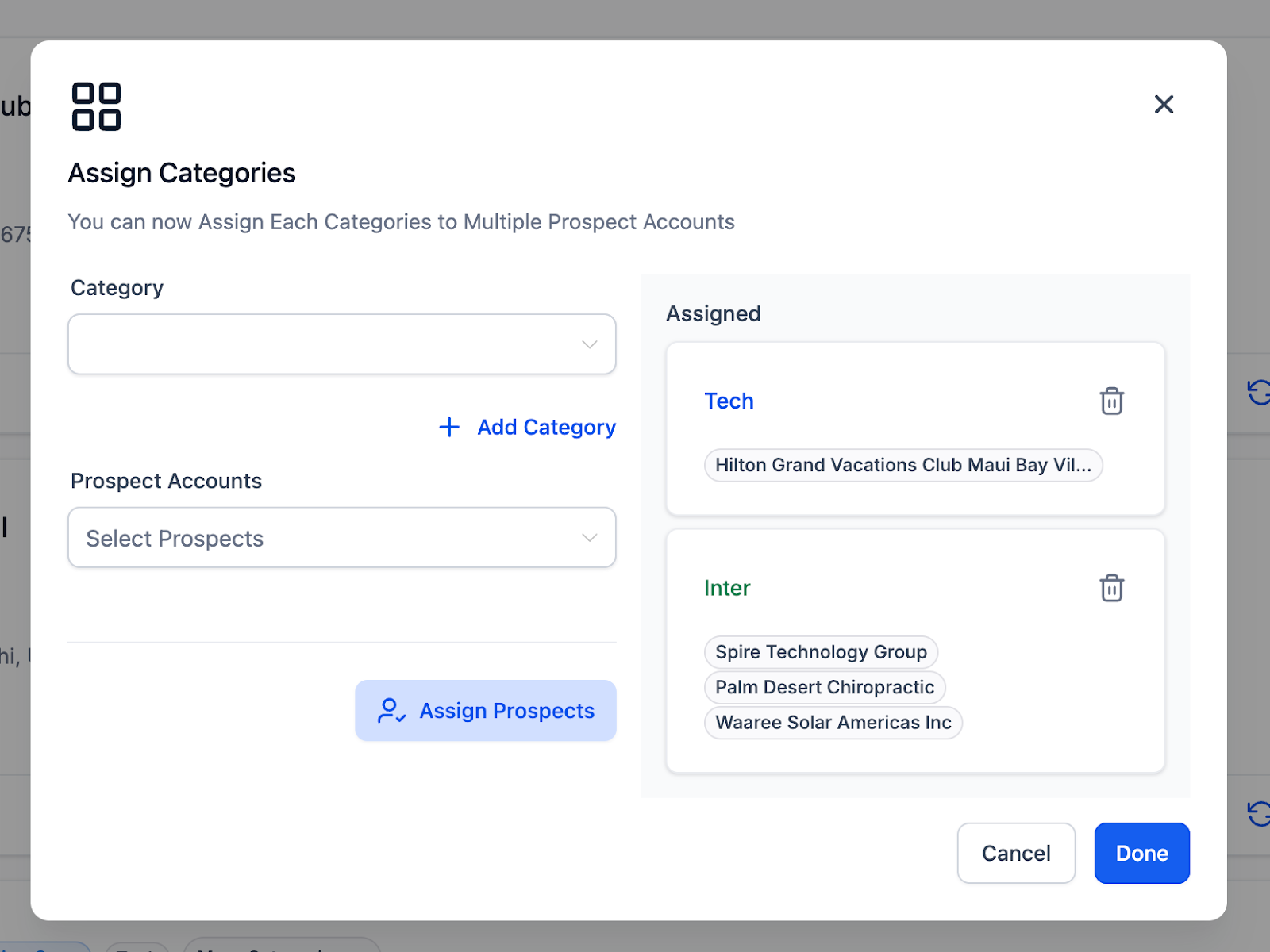
The Prospecting Tool now includes a categorisation feature. Users can create their own categories, label each prospect with one or more of these tags, and later retrieve prospects by applying a category filter. Bulk categorisation lets the same tag be applied to many prospects at once, simplifying large scale updates.
This functionality lives inside the Prospecting Tool for agencies. The category list, assignment options, filter controls, and bulk actions are all available from the same interface where prospects are normally managed.
03How businesses use prospect categories
- Digital marketing agency. The agency creates categories such as "High priority" or "Social media niche". It tags each lead accordingly, then filters the list to focus on a specific segment when planning campaigns. Bulk categorisation is used to label new leads that fit a predefined group.
- Real estate brokerage. The brokerage adds categories like "First time buyer" or "Commercial". Agents assign the appropriate tag to each contact and later filter the prospects to generate targeted outreach lists. When a new batch of listings arrives, bulk categorisation quickly tags all related prospects.
- Consulting firm. The firm defines categories such as "Startup" or "Enterprise". Consultants assign these tags during initial contact, then filter to view only the segment they are working with. Bulk categorisation helps update the status of many prospects after a workshop.
04How to set up and use prospect categories in HighLevel
Manage prospect categories in the Prospecting Tool
- Create a custom category inside the tool
- Assign the new category to selected prospects
- Use the category filter to view prospects with that label
- Apply bulk categorisation to update multiple prospects at once
05What it looks like in HighLevel
06How it connects to the rest of HighLevel
- Learn how subaccounts can use the prospecting tool. Prospecting in subaccounts
- Guide to generating leads with HighLevel prospecting. Generate leads
- Move prospects between agency and subaccount. Prospect migration
Michael's take

When a prospect list swells, finding the right lead can feel like looking for a needle in a haystack. Prospect categories give you a simple way to label and pull out the leads you need, whether they’re high priority or niche accounts.
The first setting I would get right is the custom category you’ll use most often. Like a “High Priority” category.