
01Who this is for
- Agency owners who need to track lead outcomes without external spreadsheets, because status labels keep the workflow inside HighLevel.
- Sales managers in agencies who want to separate active leads from closed ones, making pipeline reviews faster.
- New users of the Prospecting tool who benefit from the Getting Started card that walks them through first time actions.
02Prospect statuses, explained
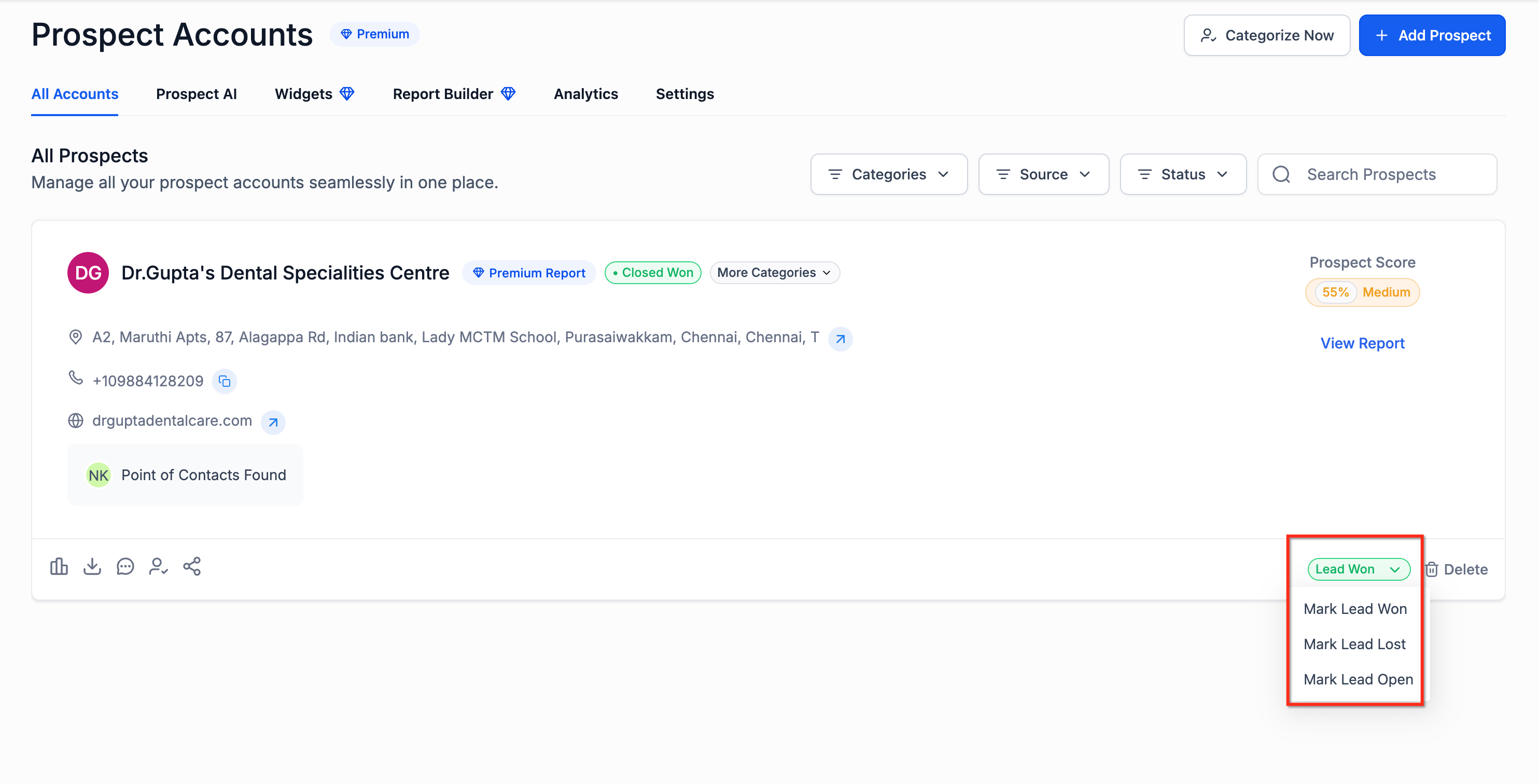
Prospect Status Management is a feature inside the Prospecting area of the Agency view. It adds three lifecycle labels, Open, Closed Won, and Closed Lost, to each prospect record. Users can edit a prospect’s status directly on its card, allowing the platform to reflect the current outcome.
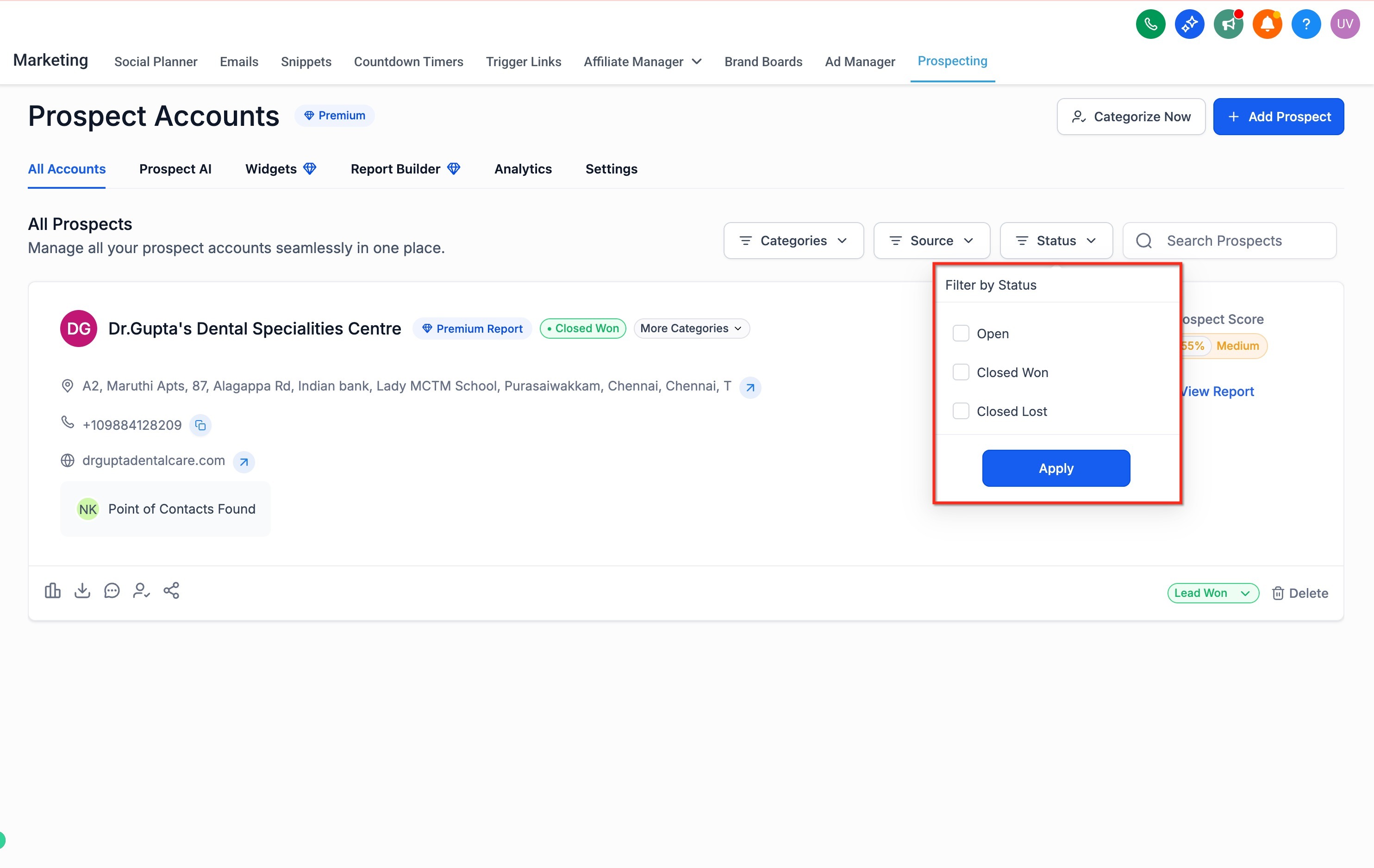
The feature also provides a status filter on the saved prospects list. Choosing one or more status values right away narrows the view to those prospects, helping users focus on specific stages. When a prospect is marked Closed Won in Agency Prospecting, the Create Subaccount option appears, streamlining the move from sale to onboarding.
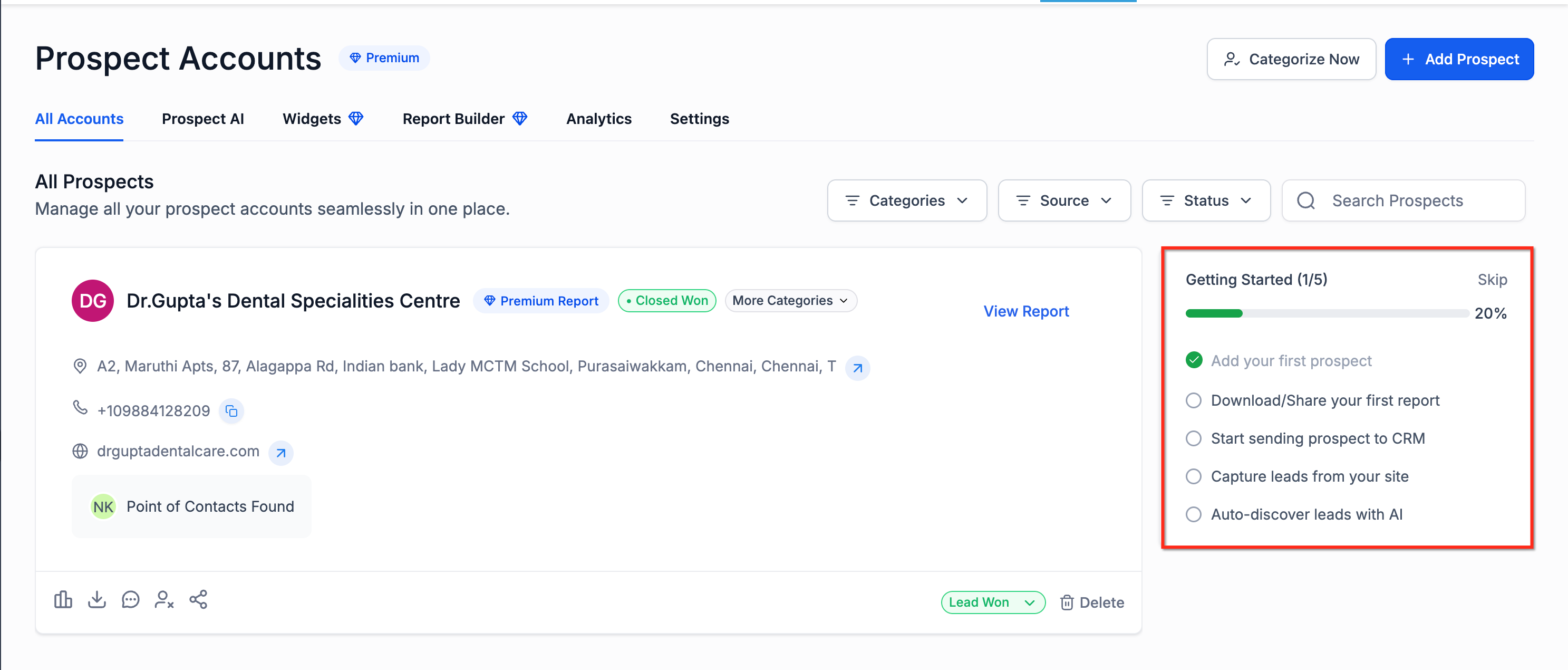
A Getting Started onboarding card appears for users who have not yet engaged with Prospecting. The card lists core tasks such as creating a first prospect, generating reports, sending prospects to HighLevel, capturing leads, and enabling AI discovery. The card disappears once the user becomes active or dismisses it enough times.
03How businesses use prospect statuses
- Digital marketing agency. The agency marks a lead that has signed a contract as Closed Won, then clicks the newly visible Create Subaccount button to open a dedicated subaccount for that client, keeping all related work in one place.
- Lead generation consultancy. Consultants filter their prospect list to show only Open leads, allowing them to prioritize outreach while ignoring Closed Lost entries that no longer need attention.
- Startup Founder using the platform for sales tracking. A new user opens Prospecting, reviews the Getting Started card, and follows the prompts to create the first prospect and enable AI discovery, ensuring the tool is set up correctly from the start.
04How to set up and use prospect statuses in HighLevel
Update a prospect’s status
- Open Prospecting.
- Open the Prospect Card for the record you want to update.
- Change the status to Open, Closed Won, or Closed Lost.
Filter prospects by status
- Go to your saved prospects list in Prospecting.
- Open the Status filter.
- Select one or more of these options: Open, Closed Won, Closed Lost.
Use the Getting Started card
- Open Prospecting as a new user.
- Review the Getting Started card.
- Complete key actions such as creating your first prospect, generating and sharing reports, sending prospects to CRM, capturing leads, and enabling AI discovery.
05What it looks like in HighLevel
06Settings that matter
- Prospect Statuses. Defines the possible lifecycle labels, Open, Closed Won, Closed Lost, that can be assigned to each prospect.
- Create Subaccount. Becomes available when a prospect is marked Closed Won, allowing an agency to generate a new subaccount for onboarding.
07Things to know before you rely on it
- Status filters also include Subaccount Created and Subaccount Not Created options, which are separate from the core prospect statuses.
- The Getting Started card is shown only to users who are new to Prospecting and hides automatically after sufficient activity or dismissals.
08How it connects to the rest of HighLevel
- Learn how subaccounts use HighLevel tools in Prospecting Prospecting in subaccounts
- Step by step guide to reach out to leads generated by the Prospecting tool Engage prospects
- Explore the agency launchpad that guides new accounts through initial setup Agency launchpad
Michael's take

Prospect statuses are a useful addition for agencies that need a simple way to track win loss outcomes without extra spreadsheets. Agencies that never use the subaccount feature can skip it.