
01Who this is for
- Agency owners can reduce duplicate fees by linking their existing Prospecting Premium plan to a single subaccount, keeping billing in one place.
- Subaccount managers gain immediate access to all premium prospecting tools without purchasing a separate subscription.
02Prospecting premium subscriptions, explained
The sharing feature creates a unified subscription that an agency can attach to one subaccount. The agency keeps the original premium prospecting plan and grants the same capabilities to the chosen subaccount.
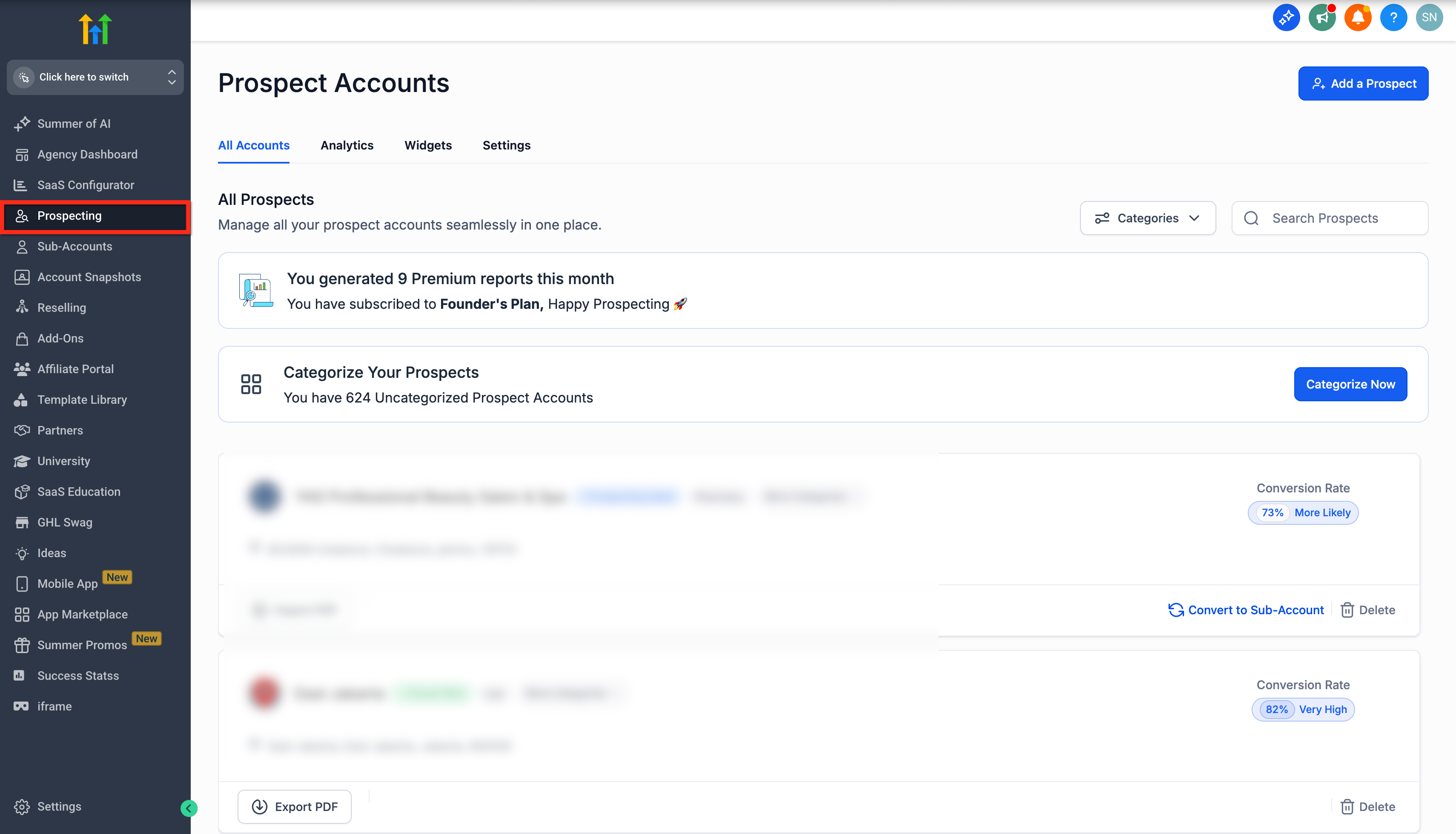
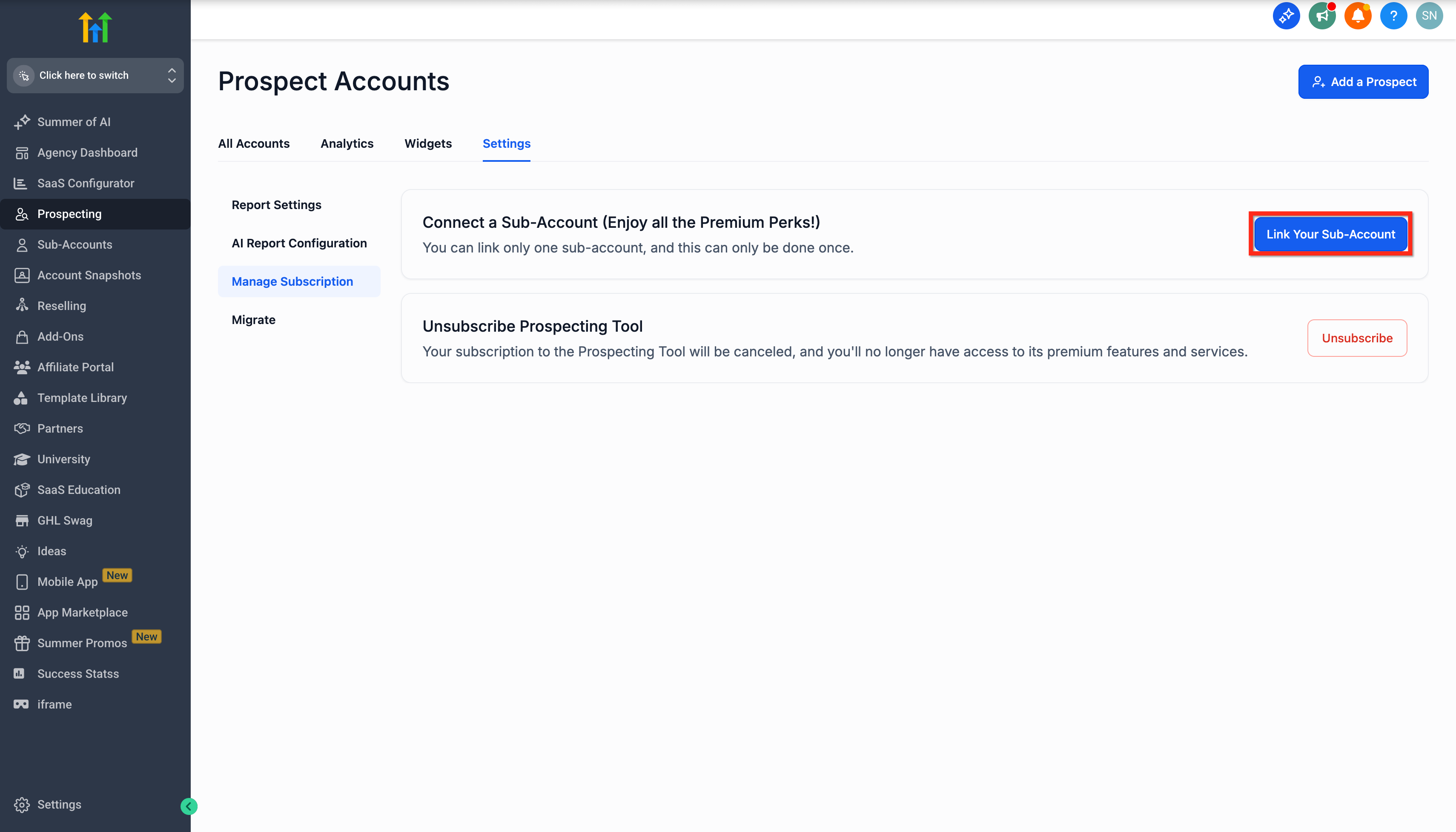
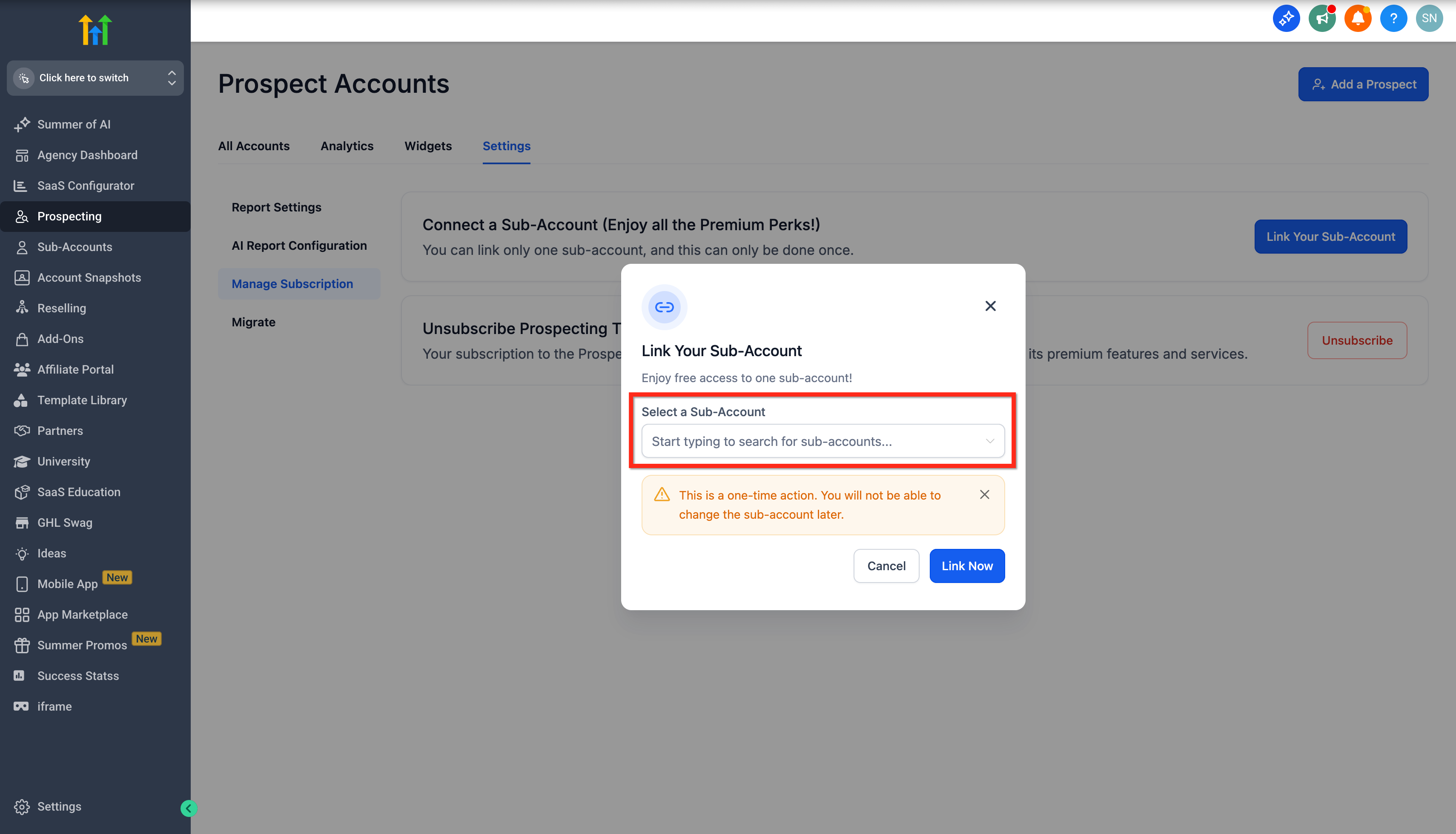
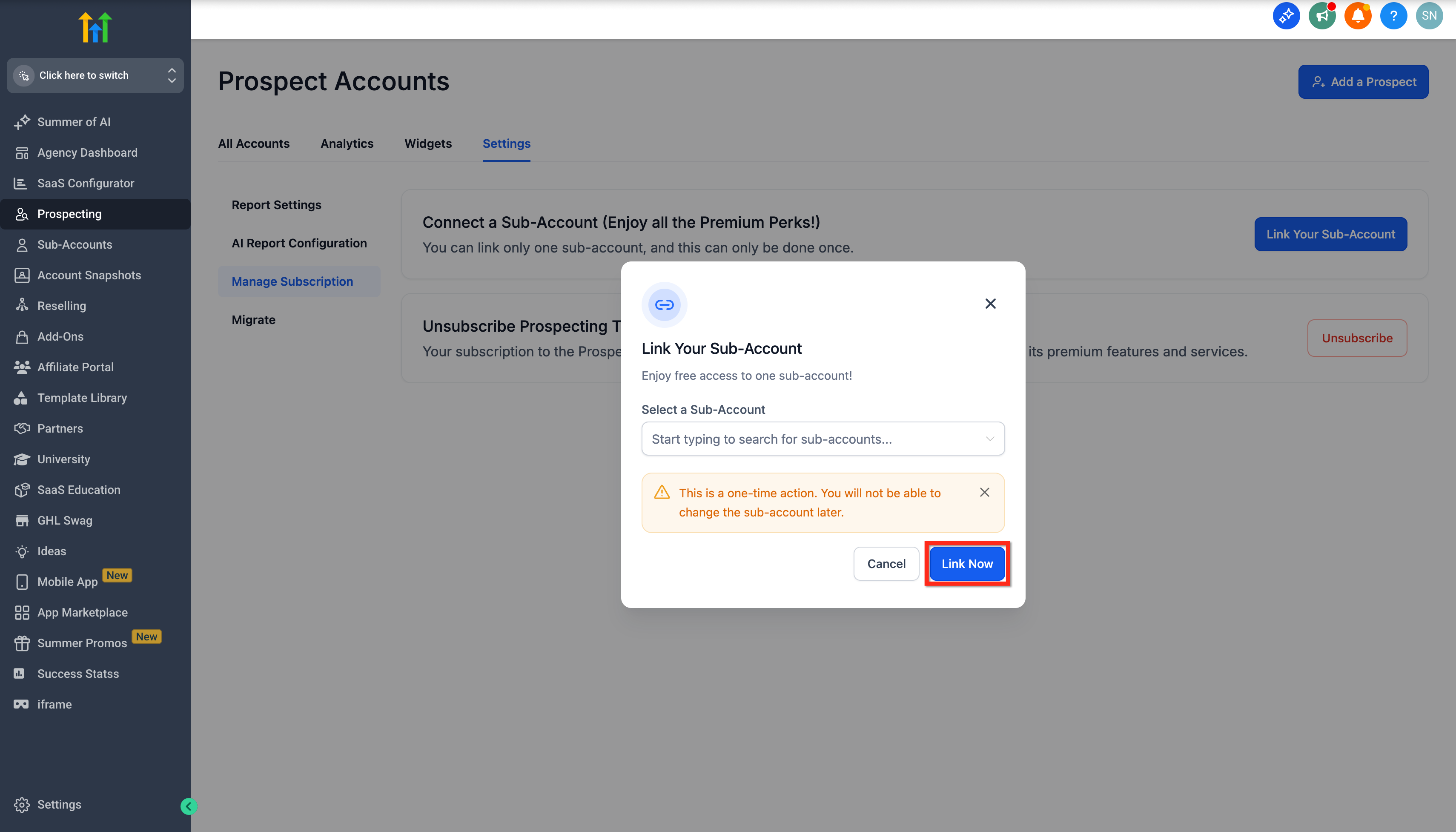
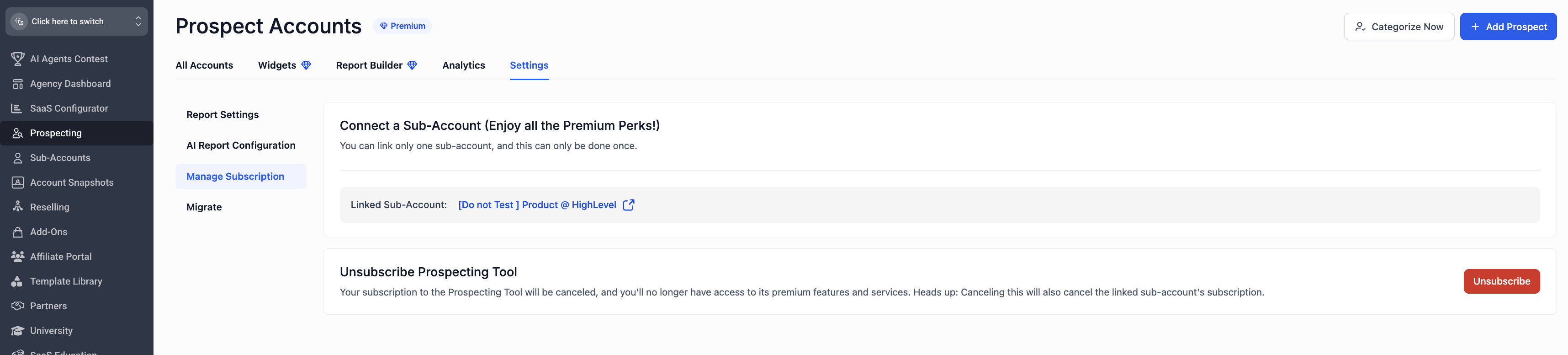
The option is found inside the Prospecting area of the agency view. From there, users open Settings, choose Manage Subscription and select the button to link a subaccount. After picking the desired subaccount from the list, they confirm the link.
Linking is a one time action. Once a subaccount is attached, it cannot be changed.
03How businesses use prospecting premium subscription sharing
- Marketing agency. The agency links its premium prospecting plan to the subaccount that runs client campaigns. This gives the subaccount full lead generation tools while the agency manages one subscription and invoice.
- Real estate brokerage. The brokerage links the agency level subscription to the subaccount used by its sales team. The team can then use the prospecting widget and enrichment features without buying a separate plan.
- SaaS startup. The startup links its prospecting premium subscription to the subaccount that handles outbound outreach. The subaccount gains access to unlimited leads and reporting while billing remains with the main agency account.
04The numbers and rules that matter
- One subaccount can be linked per agency subscription.
- Subaccount Prospecting includes CRM features such as Add to Contacts, Send SMS, Add to Opportunities, and Workflow Triggers.
05Before you start
- An active Prospecting Premium subscription must already exist on the agency account.
- You must be in the Agency Prospecting section to perform the link.
06How to set up and use prospecting premium subscription sharing in HighLevel
Link an existing agency subscription to a subaccount
- Select Prospecting from the agency dashboard.
- Open the Settings tab and choose Manage Subscription.
- Press the button labeled Link your Subaccount.
- Select the desired subaccount from the displayed list.
- Confirm the connection by clicking the Link Now button.
07What it looks like in HighLevel
08Settings that matter
- Manage Subscription. Provides options to modify the agency's prospecting plan, including linking a subaccount.
- Link your Subaccount. Starts the process of attaching a single subaccount to the agency's premium prospecting subscription.
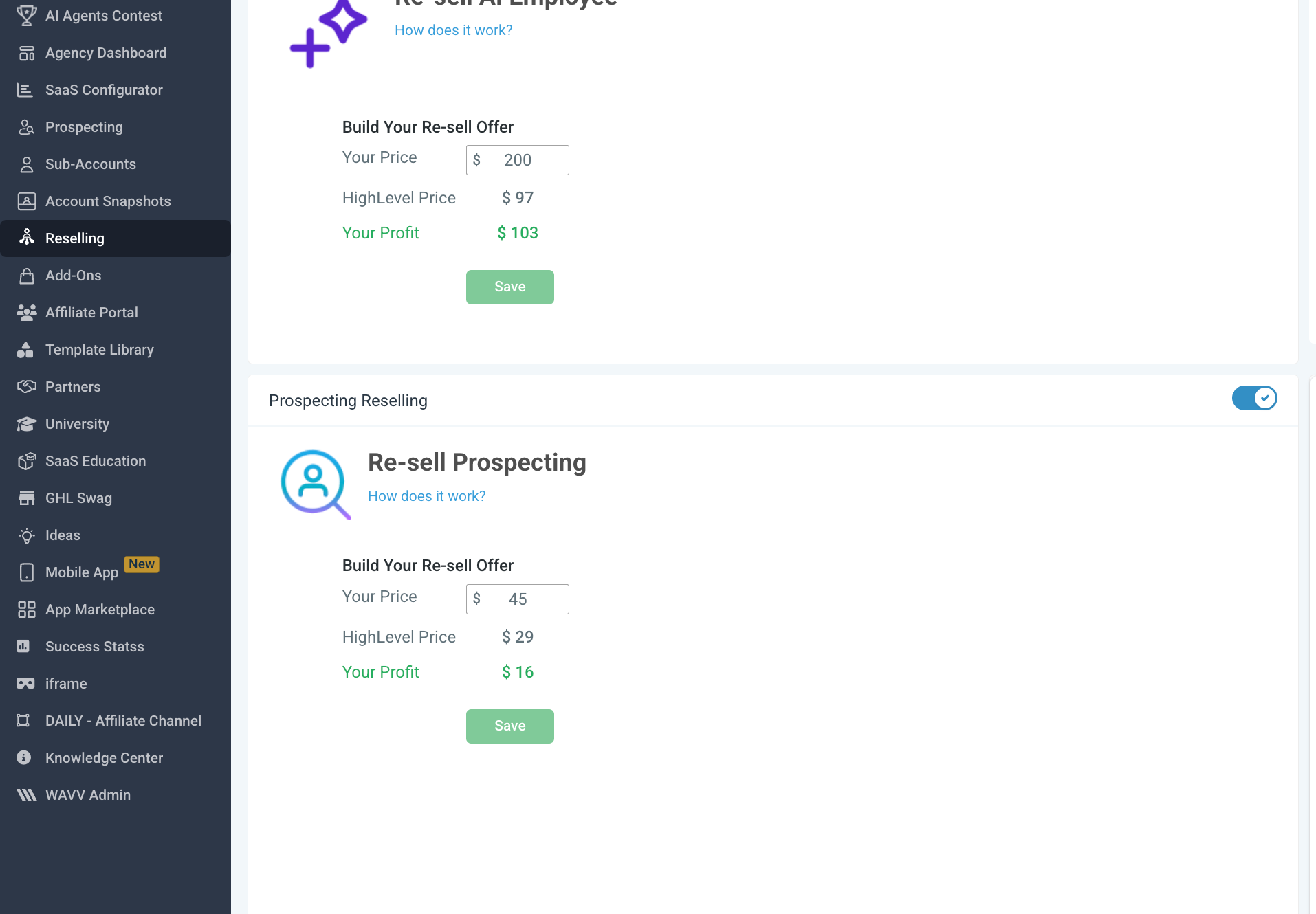
- Reselling Tab > Resell Prospecting toggle. Enables the ability to purchase prospecting tools directly within subaccounts.
09Things to know before you rely on it
- Only one subaccount can be linked to an agency prospecting subscription.
- Linking a subaccount is permanent; it cannot be changed later.
- If the chosen subaccount already has a premium subscription, the system will adjust billing and cancel the duplicate.
10If something goes wrong
- Attempting to link more than one subaccount. Only a single subaccount can be linked per agency subscription; additional accounts must use separate subscriptions.
- Need to change the linked subaccount after linking. The link cannot be altered; unsubscribe and start a new subscription with the correct subaccount.
- Subaccount already has an active premium subscription. The platform will automatically modify billing and cancel the overlapping subscription to avoid extra charges.
11How it connects to the rest of HighLevel
- Use prospecting inside subaccounts after linking Prospecting in subaccounts
- View billing changes on the agency rebilling dashboard Rebilling dashboard
- Check pricing and plan options for Prospecting Premium Pricing and plans
Michael's take

Linking an agency’s premium prospecting plan to a subaccount can feel risky because the choice is permanent. If you ever need to shift that link, you’ll have to cancel and start over, which can add a layer of admin work.
When it works, the upside is clear: You cut a duplicate subscription, keep the full feature set for both accounts, and manage everything from one billing spot.