
01Who this is for
- Agency owners who need quick control over their tool spend.
- Marketing teams that require instant removal of premium features while preserving historical reports.
02Prospecting tool subscriptions, explained
The cancellation feature lets an Agency user end the Prospecting Tool subscription without leaving the platform. It’s accessed from the Prospecting section and works through a short flow that confirms the decision.
When the process finishes, the premium prospecting capabilities disappear right away. All previously saved data, dashboards and reports stay in the account, and the user can still run the free version of the tool.
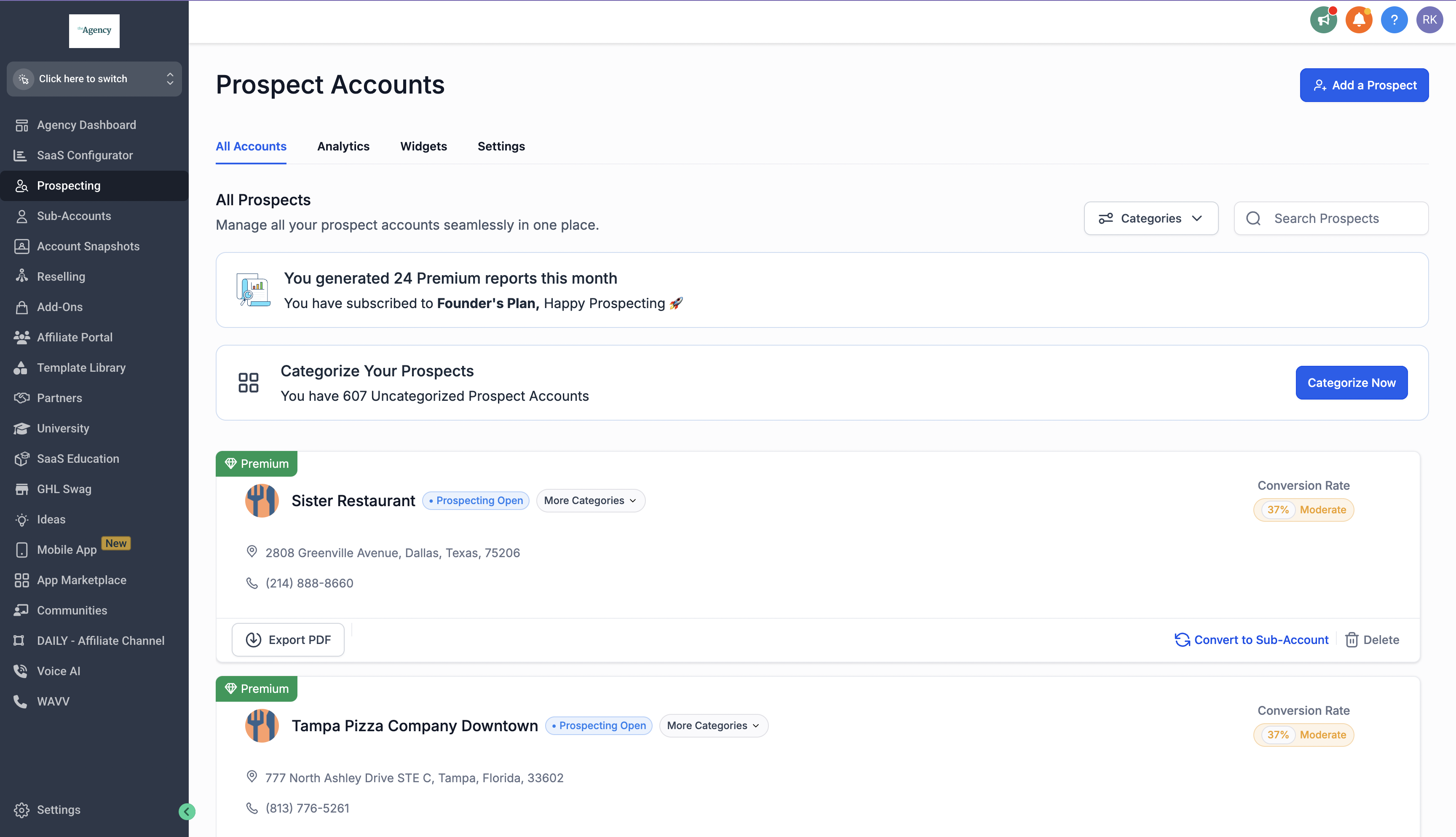
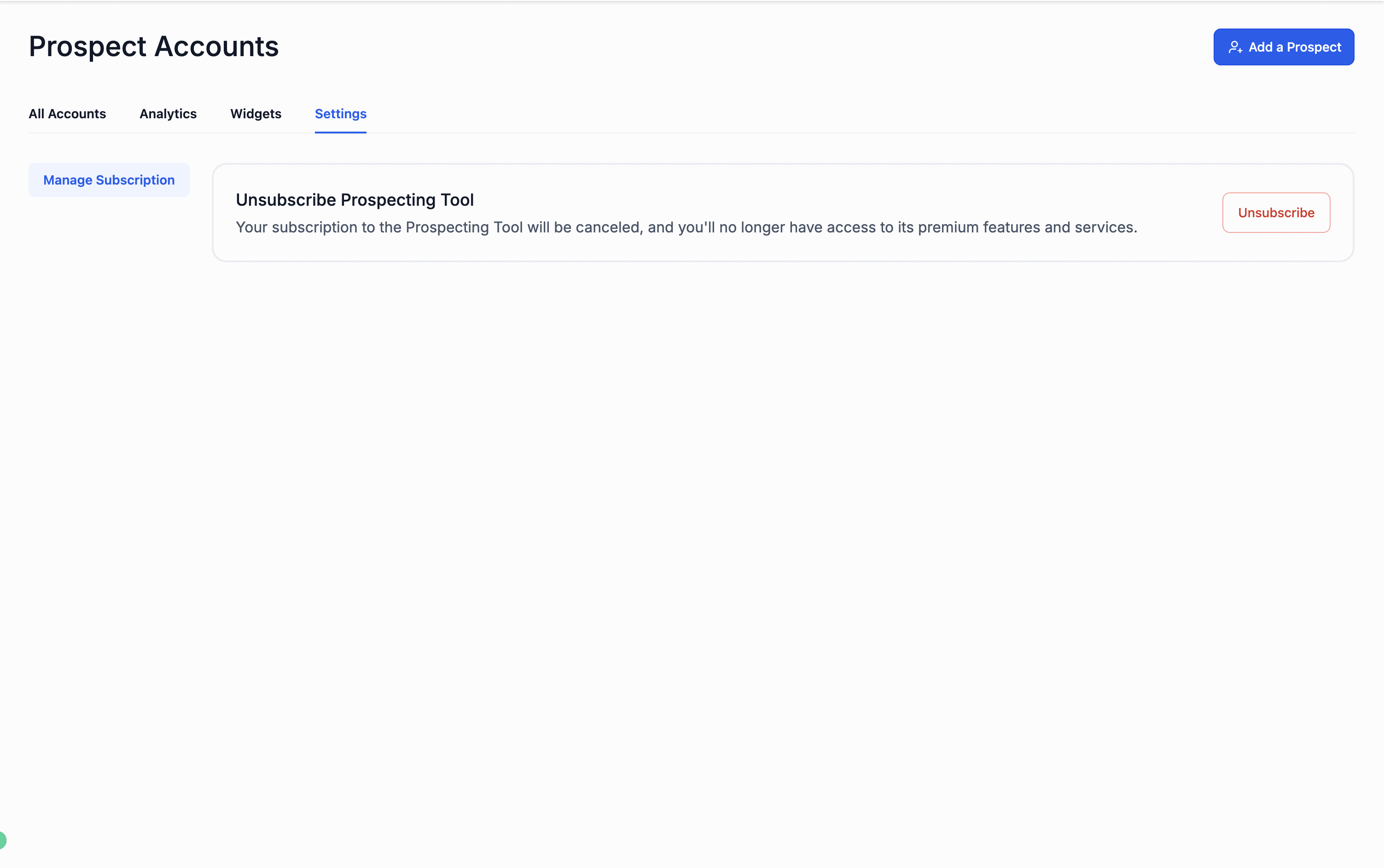
The option lives inside the Prospecting tab of the left hand menu. Selecting Settings in the top right corner reveals the Unsubscribe button that launches the cancellation flow.
03How businesses use prospecting tool subscription
- Digital marketing agency. The agency logs into its main account, opens the Prospecting tab, and clicks Unsubscribe to stop paying for the premium tool while keeping all client reports for future reference.
- SaaS startup. A startup Founder accesses the Prospecting workspace, selects Settings, and follows the cancellation steps to eliminate the subscription cost, then continues using the free reporting features.
- Consulting firm. Consultants open the Prospecting tab, trigger the Unsubscribe action, confirm the three step flow, and receive a confirmation, ensuring no further premium access while retaining historic prospect data.
04Before you start
- You must be logged into an Agency account that currently holds an active Prospecting Tool subscription.
05How to set up and use prospecting tool subscription in HighLevel
Cancel Prospecting Tool subscription
- Open the HighLevel app and sign in to your Agency account.
- Navigate to the Prospecting tab in the left hand menu.
- Press the Settings icon located at the top right of the screen.
- In the Settings panel, select the Unsubscribe button.
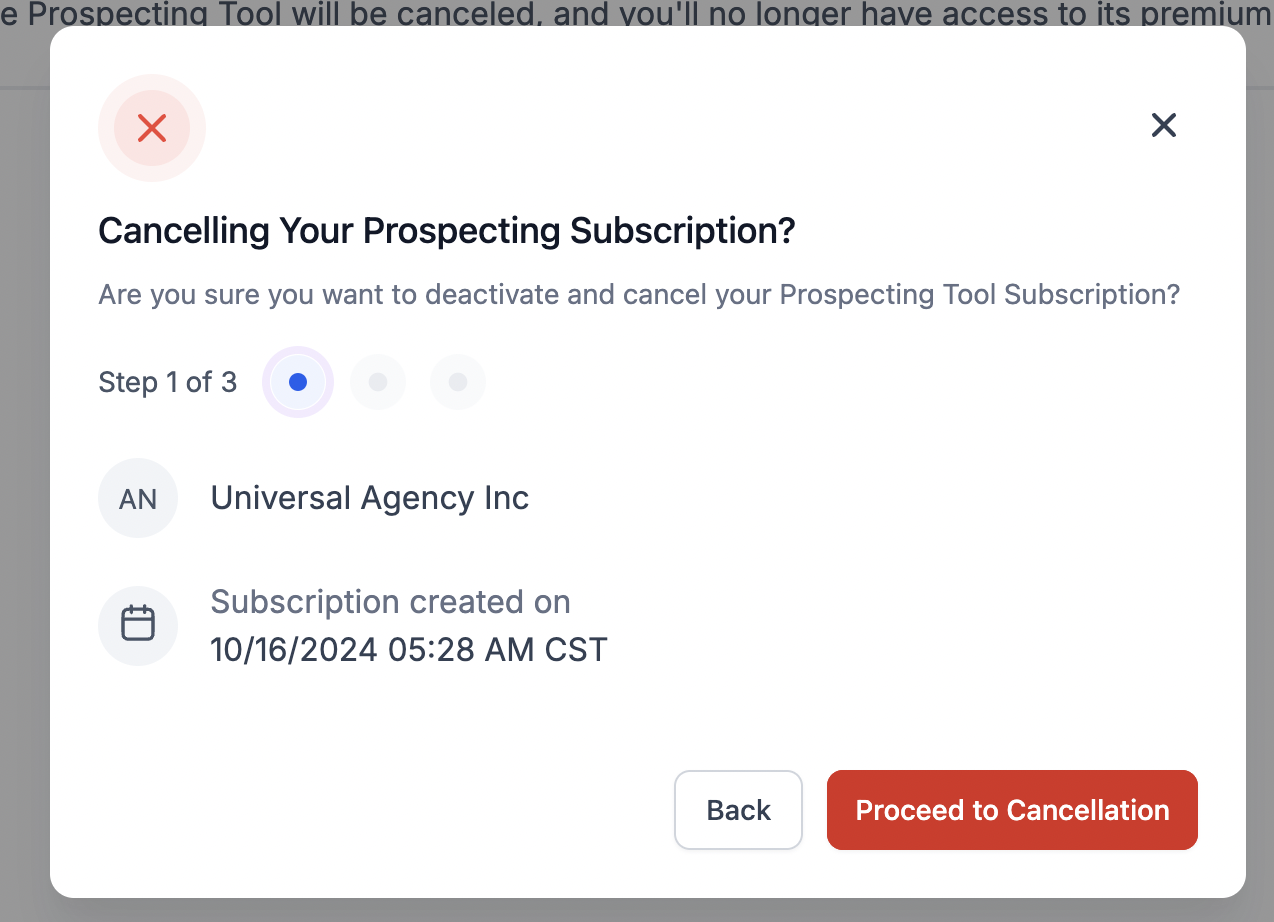
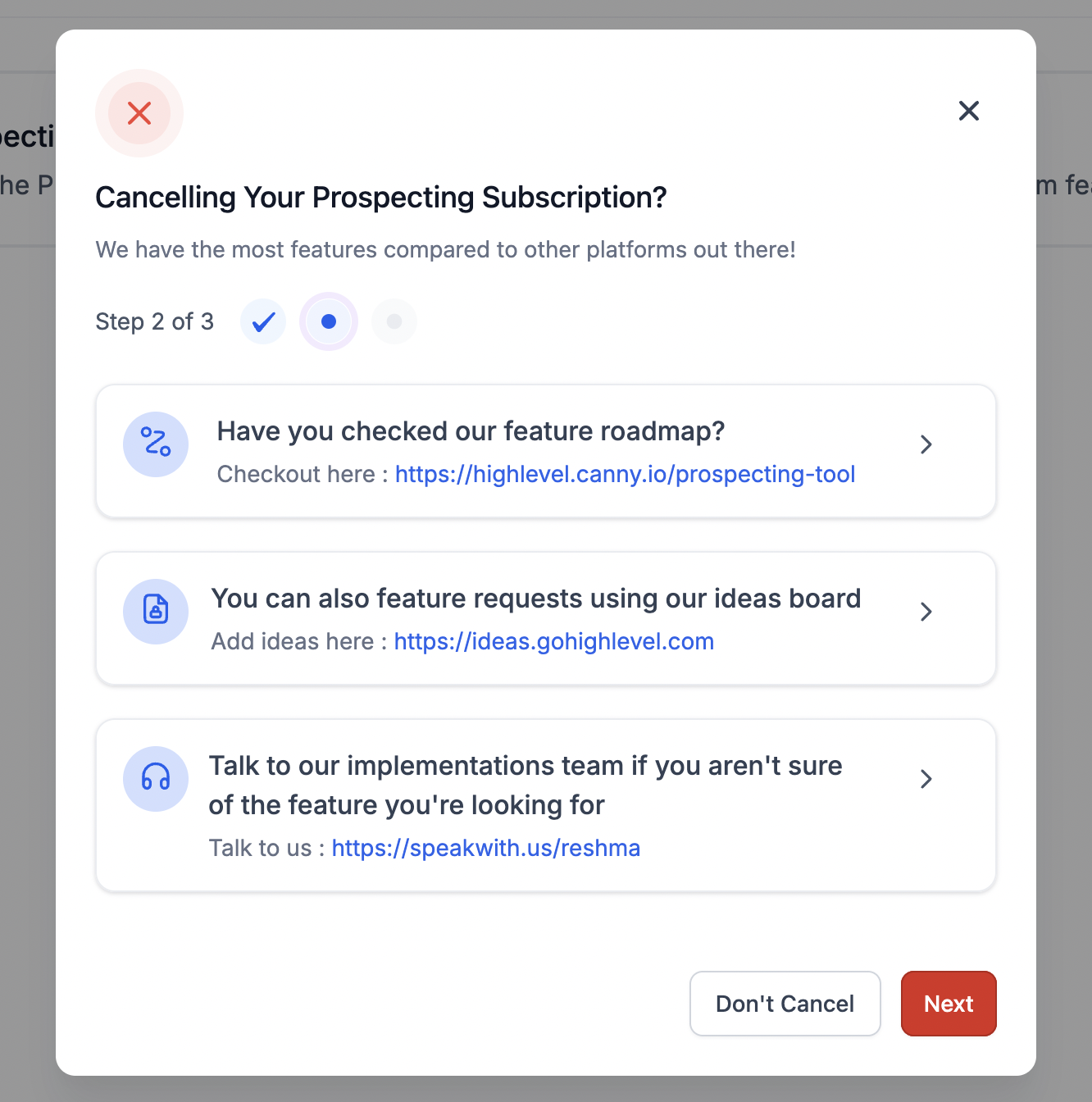
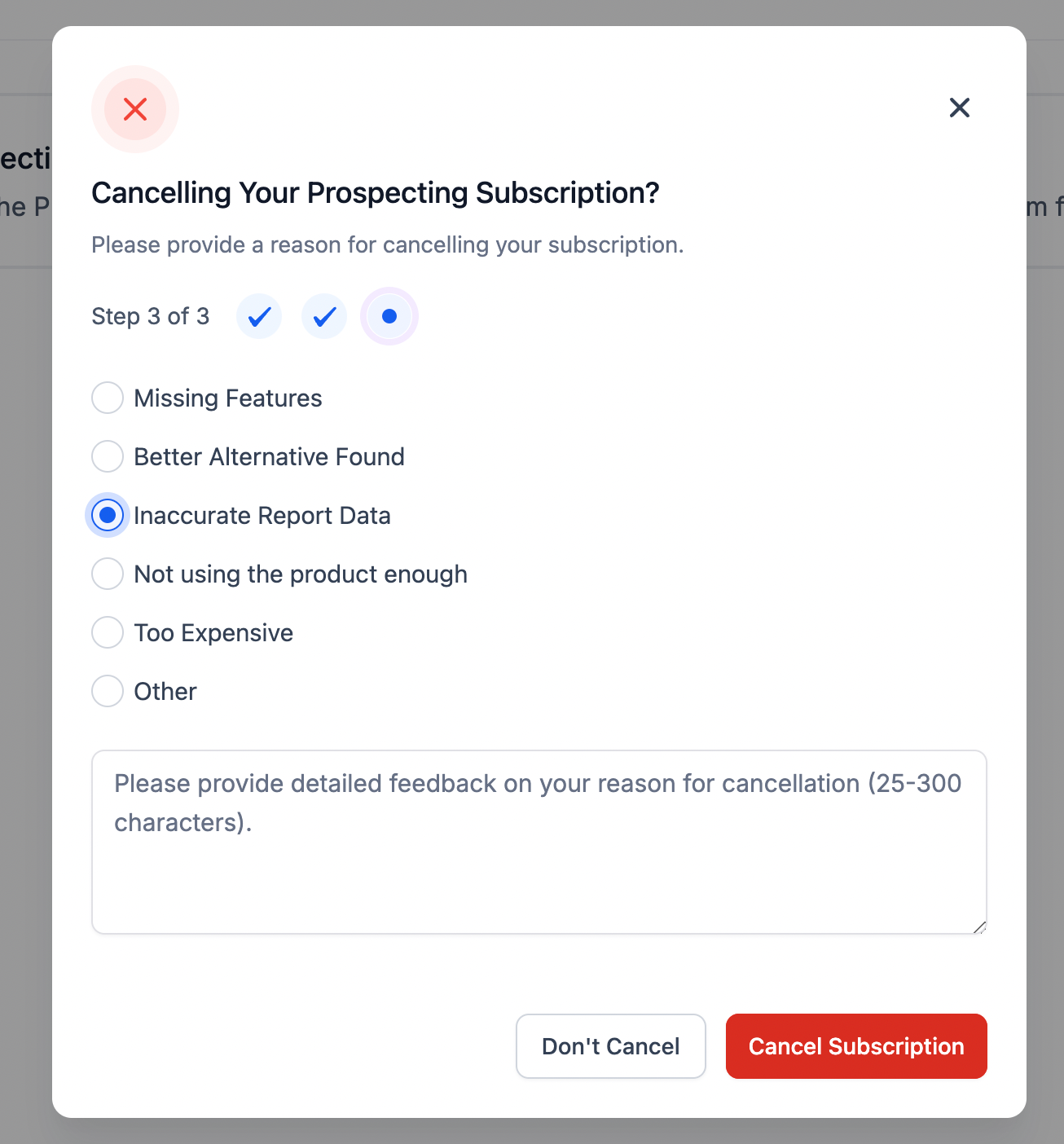
- Complete the three step cancellation flow that appears.
- Read the confirmation message confirming the subscription is cancelled.
06What it looks like in HighLevel
07Settings that matter
- Settings. Opens the menu where subscription actions, including cancellation, are managed.
- Unsubscribe. Starts the cancellation flow for the Prospecting Tool subscription.
08Things to know before you rely on it
- Access to the Premium Prospecting Tool ends as soon as cancellation is confirmed.
- All saved data, reports, and historical information remain in the account after cancellation.
- Free reports can still be generated after the subscription ends.
09How it connects to the rest of HighLevel
- Learn how to share an Agency Prospecting Premium subscription with a subaccount. Share subscription
- Explore ways to generate leads using HighLevel’s prospecting tool. Lead generation
- Review HighLevel pricing and plan options. Pricing
Michael's take

Most people think canceling a subscription means all their work disappears, and they panic about losing reports. The reality is the app keeps every report you’ve saved, so you can stop paying without sacrificing data.
If I were in that situation, I would follow the in app steps, watch the confirmation screen, and then double check that my historic reports are still listed. A quick glance at the saved reports makes sure everything is where it should be.