
01Who this is for
- Agency owners, need a unified view to keep client messaging compliance in check.
- Agency admins, can initiate Brand and Campaign registrations on behalf of subaccounts.
- Marketing agencies, manage consent capture methods and monitor approval rates for client campaigns.
02Agency trust center (A2P), explained
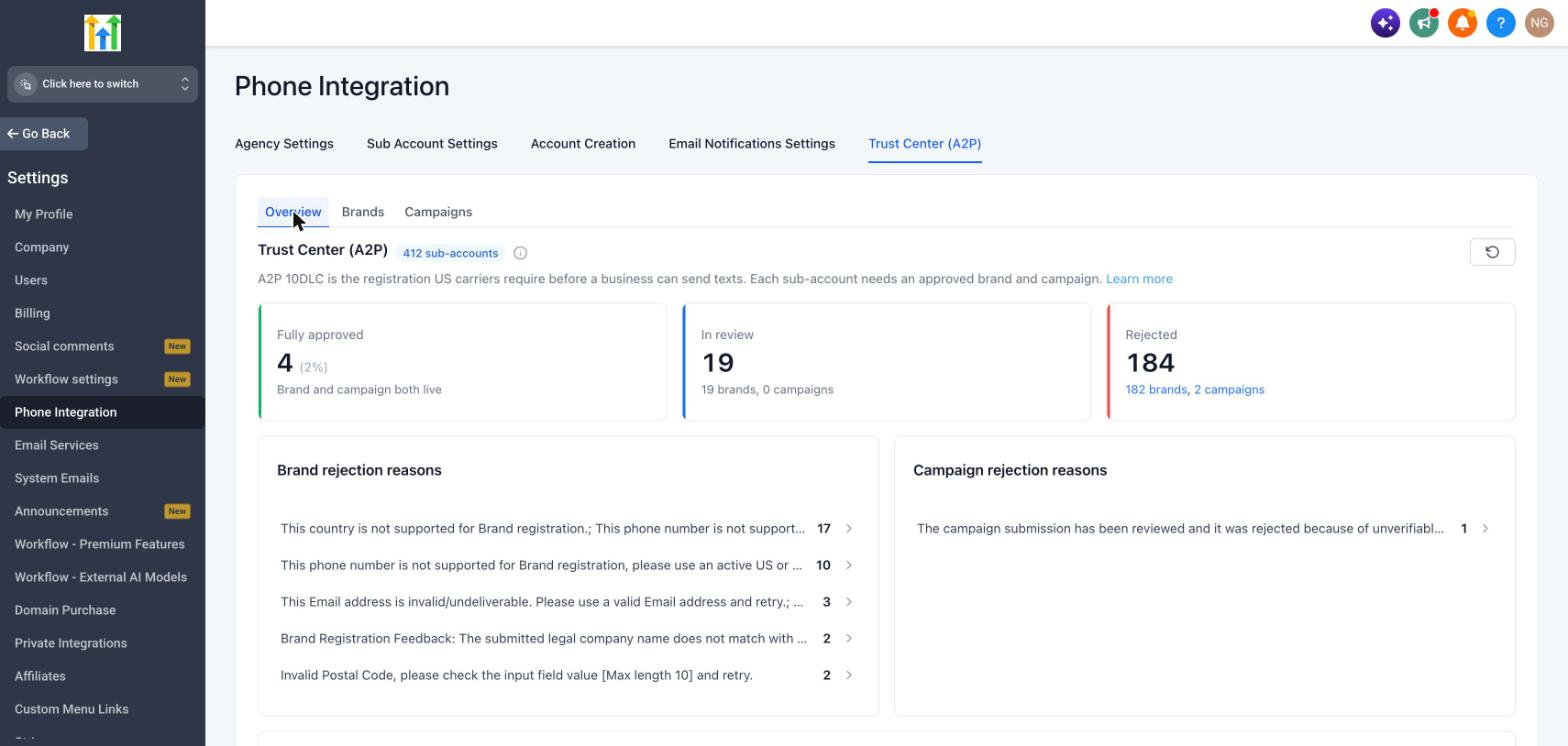
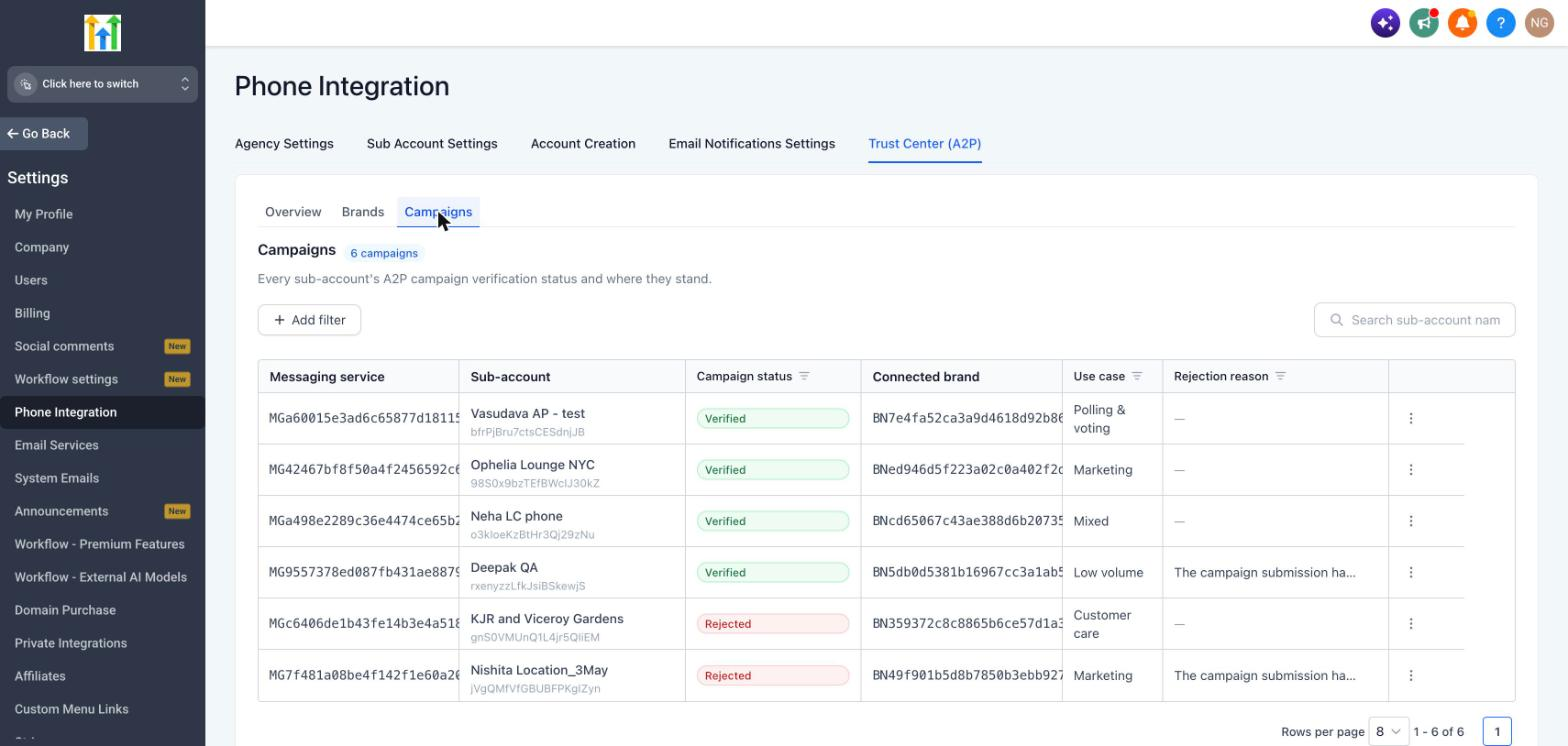
The Agency Trust Center is a centralized panel located in Settings > Phone Integration. It adds three tabs, Overview, Brands, and Campaigns, that aggregate registration data from every subaccount.
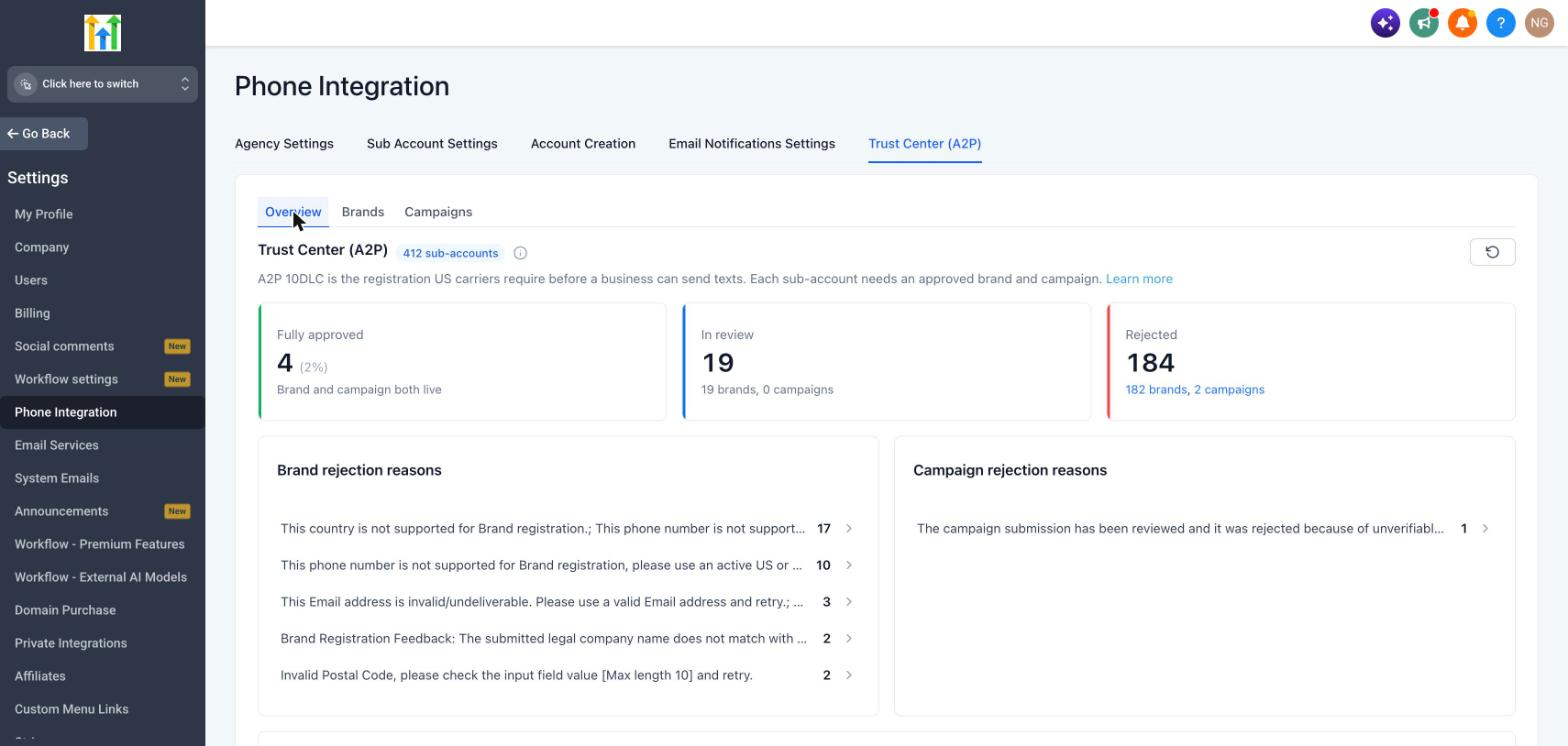
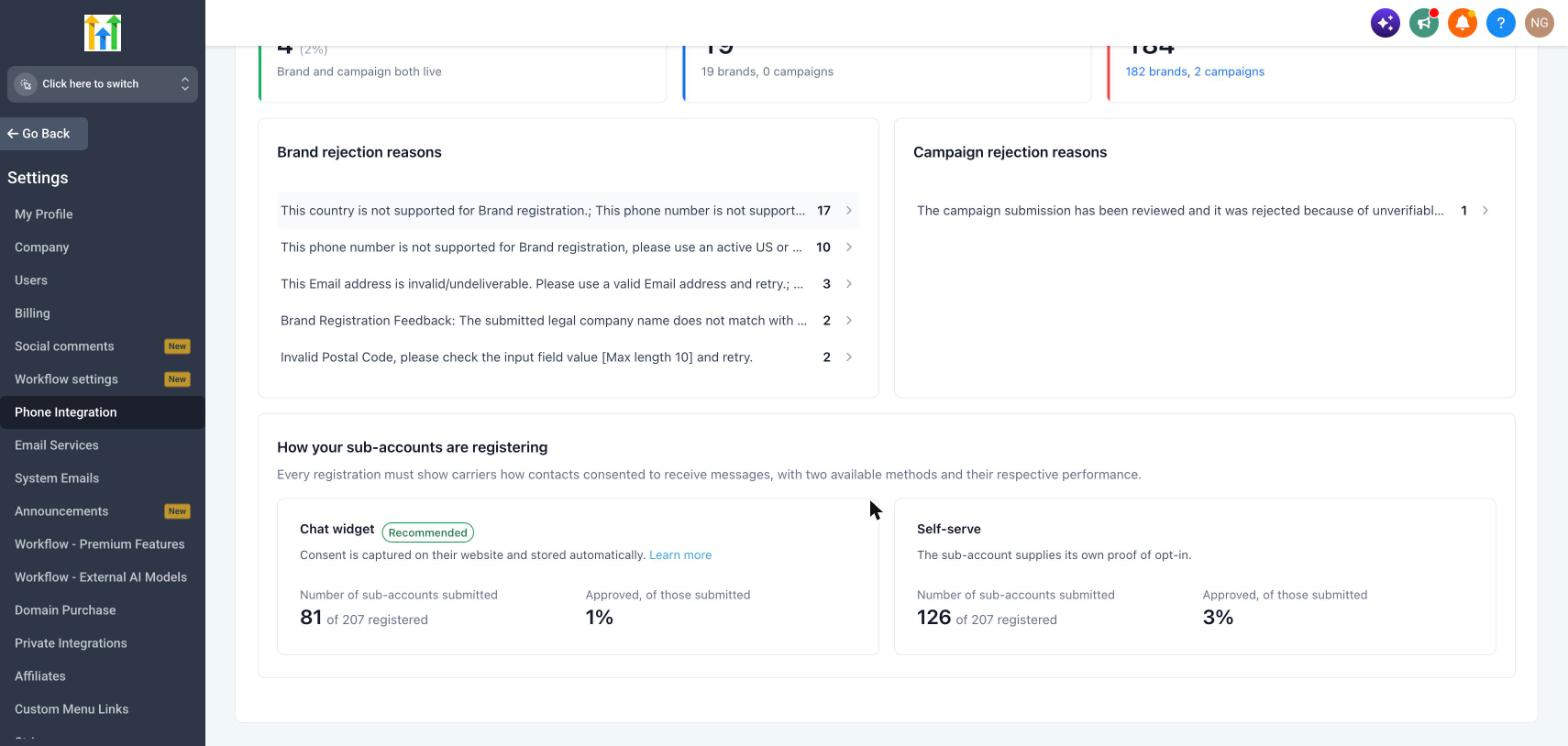
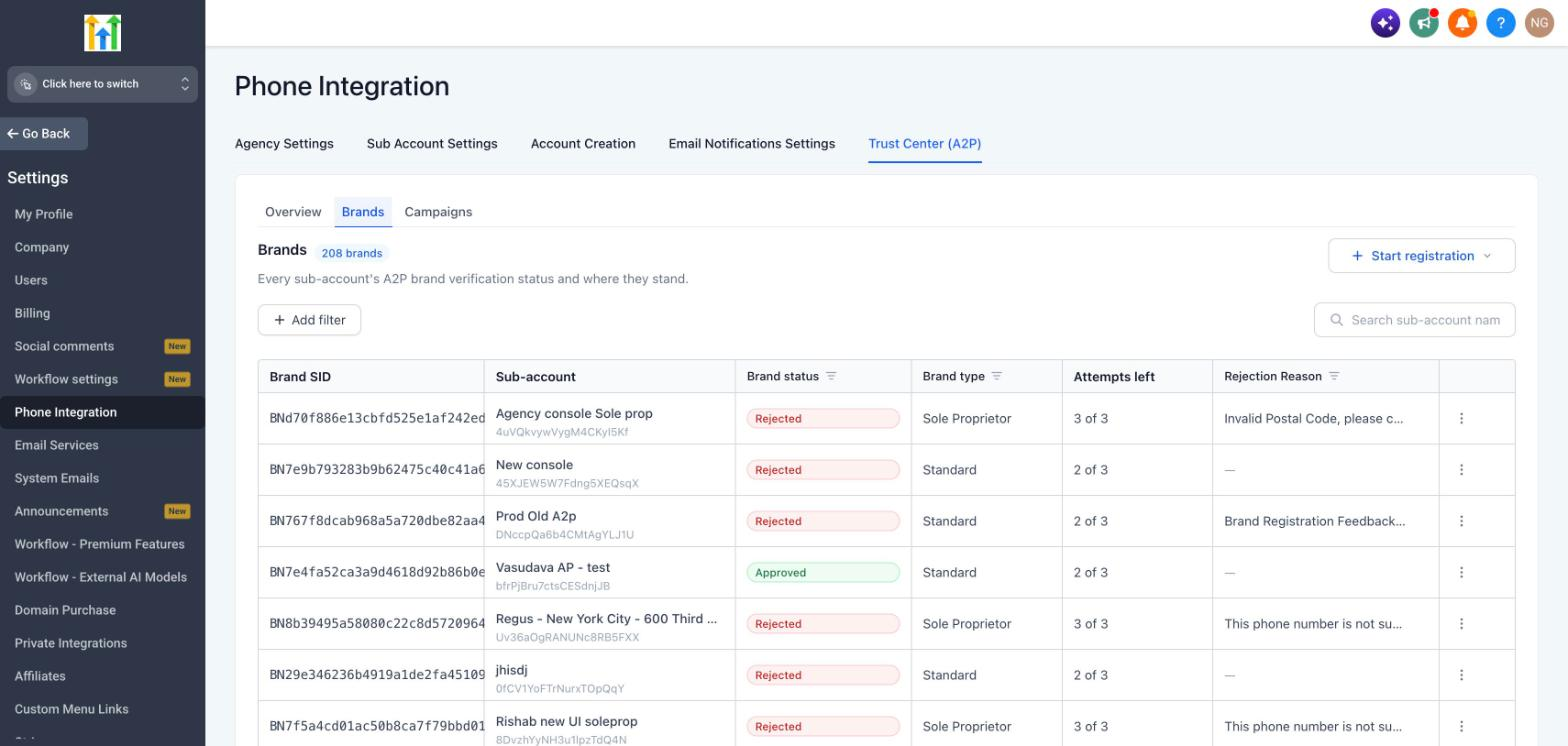
In the Overview tab, summary cards show how many subaccounts are fully approved, under review, or rejected. Filters let you narrow the view by date range. The Brands and Campaigns tabs list each registration with status, attempts left, and action menus.
The console does not replace the subaccount Trust Center; it simply provides an agency level shortcut to monitor and act on A2P registrations across the entire portfolio.
03How businesses use the agency trust center (A2P)
- Digital marketing agency. The agency opens the Agency Trust Center, selects the Brands tab, and starts a new Brand registration for a client subaccount. After entering the client’s business details, the agency submits the request and watches the status from the same screen.
- SMS outreach service provider. The provider reviews the Overview dashboard to identify subaccounts with rejected Campaigns. By clicking the rejection count, they navigate directly to the affected records, fix the consent evidence, and resubmit the Campaign from the Actions menu.
- Software platform that resells HighLevel. The platform’s admin uses the Date Range selector in the Overview tab to see registration activity for the last 30 days, then filters the Brands view to show only those In Progress, allowing quick follow up with customers.
04The numbers and rules that matter
- Only agencies on the $497/month plan have access (per HighLevel's help center, checked November 2026).
05Before you start
- The agency must be subscribed to HighLevel's $497/month plan (per HighLevel's help center, checked November 2026).
- The user must have the role of Agency Owner or Agency Admin.
06How to set up and use the agency trust center (A2P) in HighLevel
Access the agency trust center
- Log in to your HighLevel agency account.
- Navigate to Settings > Phone Integration.
- Open the Trust Center (A2P) section.
Register a new A2P submission
- Open the Agency Trust Center (A2P).
- Select the Brands tab.
- Click Start registration.
- Select the subaccount for which you want to register the Brand.
- Complete the required business and registration information.
- Review the details for accuracy.
- Submit the registration.
07What it looks like in HighLevel
08Settings that matter
- Date Range selector. Controls which registration activity period is displayed on the Overview dashboard.
09Things to know before you rely on it
- Available only to agencies on the $497/month plan (per HighLevel's help center, checked November 2026).
- Only Agency Owners and Agency Admins can access the Trust Center; other users cannot.
- CSV export is not provided in the initial version of the Agency Trust Center.
- A Campaign cannot be created until its Brand receives approval.
10How it connects to the rest of HighLevel
- Review all Agency View features Agency View features
- Check HighLevel pricing and plan eligibility Pricing page
- Start a 30 day trial of HighLevel 30 day trial
Michael's take

Running a network of subaccounts can feel like chasing ghosts when each one needs its own A2P registration. The agency trust center gives you one screen to see who’s approved, who’s stuck, and why. The first thing I would lock in is the overview dashboard. It tells you at a glance which subaccounts need attention before you even open a brand or campaign record.
Once you have the health stats, I’d jump to the rejection reasons and start fixing the most common issues. this page notes that mismatched EIN or missing consent evidence are common blockers.