
01Who this is for
- Agency owners, need a fast way to deploy the same Voice AI across multiple client accounts.
- Marketing managers, want consistent appointment booking flows and knowledge resources in each subaccount.
02Clone Voice AI Agents, explained
The Clone to Subaccounts feature creates a one time copy of an existing Voice AI agent and optionally copies HighLevel assets the agent uses. Supported assets include calendars, workflows, custom fields, custom values, knowledge bases and other linked dependencies. When you clone the same agent again to a destination, the previous cloned copy is overwritten.
The feature is available only to users with Agency access. You can select up to ten subaccounts in a single operation. After cloning, each destination subaccount must set the required phone number or channel before the agent can be deployed. Asset overwrites are permanent.
03How businesses use Clone Voice AI Agents
- Dental practice. The practice can clone a Voice AI agent that books appointments and pulls patient records. By including linked calendars and custom fields, the cloned agent works immediately in each dentist’s subaccount. After cloning, the practice adds the clinic’s phone number in each subaccount.
- Real estate agency. A broker can copy a Voice AI agent that schedules property showings and accesses a knowledge base of listings. Selecting Include linked assets copies the workflows and custom values, so each agent operates with the same data. The broker then configures the office line for each subaccount.
- SaaS startup. The startup can duplicate a support Voice AI agent that retrieves account information from custom fields. By cloning without linked assets, the team avoids overwriting existing configurations and later verifies connections after the clone.
04The numbers and rules that matter
- Supports up to 10 subaccounts per cloning operation.
05Before you start
- You must be logged in as an Agency user.
- A Voice AI agent must already exist in the source account.
06How to set up and use Clone Voice AI Agents in HighLevel
Clone a Voice AI agent to subaccounts
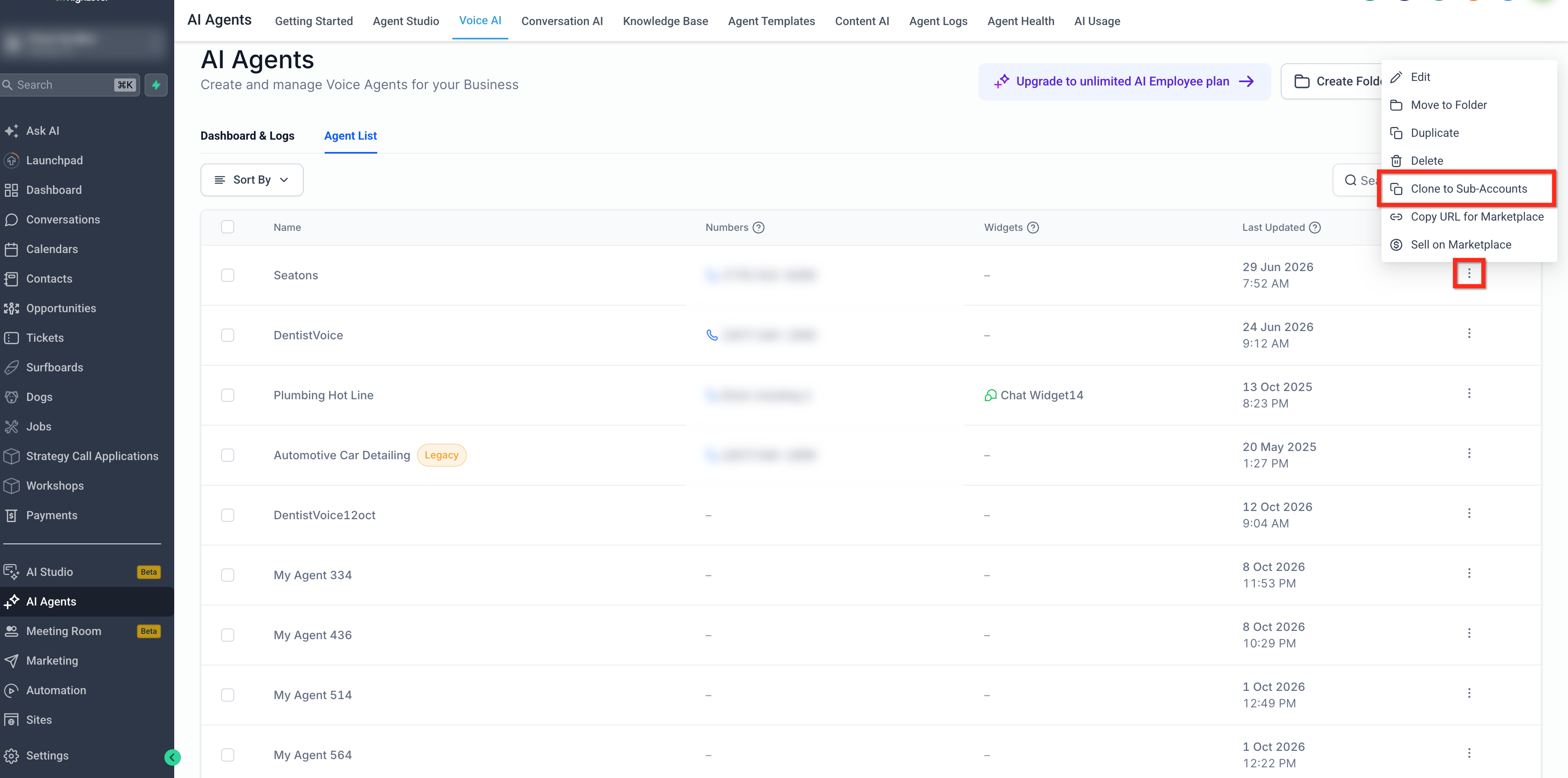
- Navigate to AI Agents > Voice AI and open the Agent List tab.
- Find the desired agent, click its three dot menu, and choose Clone to Subaccounts.
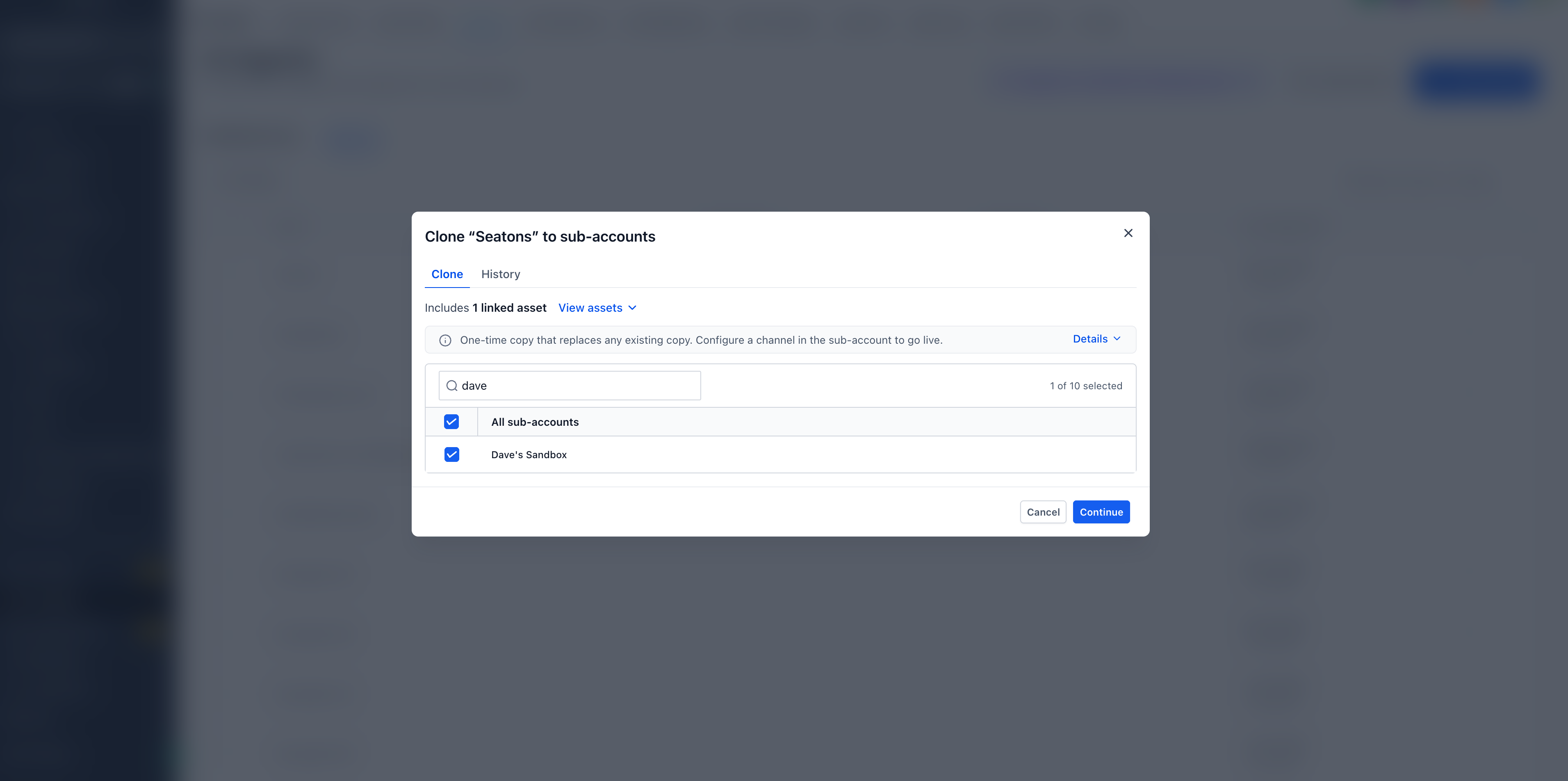
- Search for destination subaccounts, then tick the checkboxes for up to ten accounts.
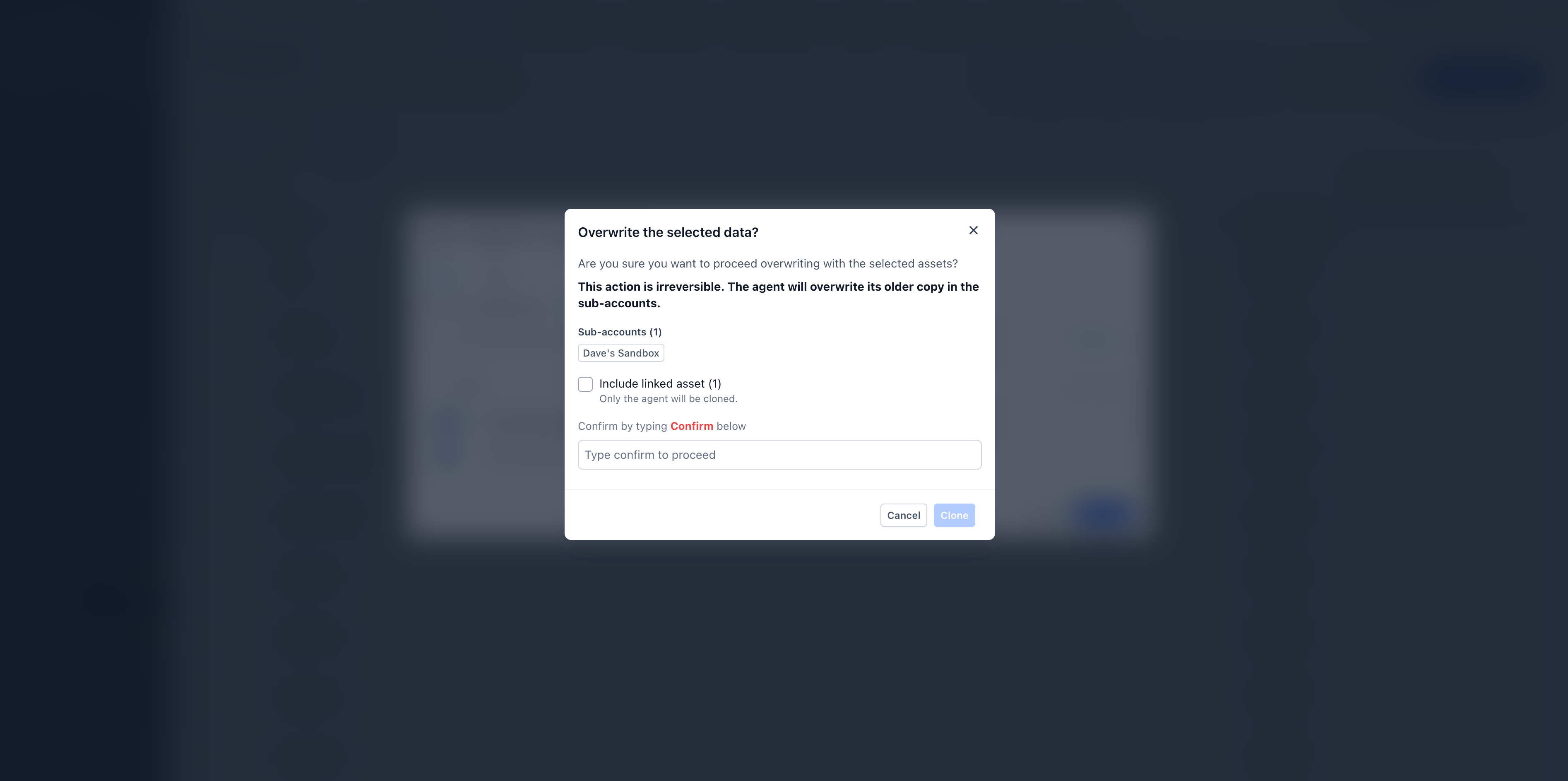
- In the confirmation window, decide whether to Include linked assets and adjust the checkbox as needed.
- If linked assets are included, be aware they may overwrite existing assets in the destination subaccounts and this action cannot be undone.
- Enter the word Confirm in the field and click the Clone button to start the process.
- When cloning finishes, open the cloned agent in each subaccount and set the required phone number or channel.
Track cloning history
- From the original agent list, click the three dot menu next to the agent and select Clone to Subaccounts.
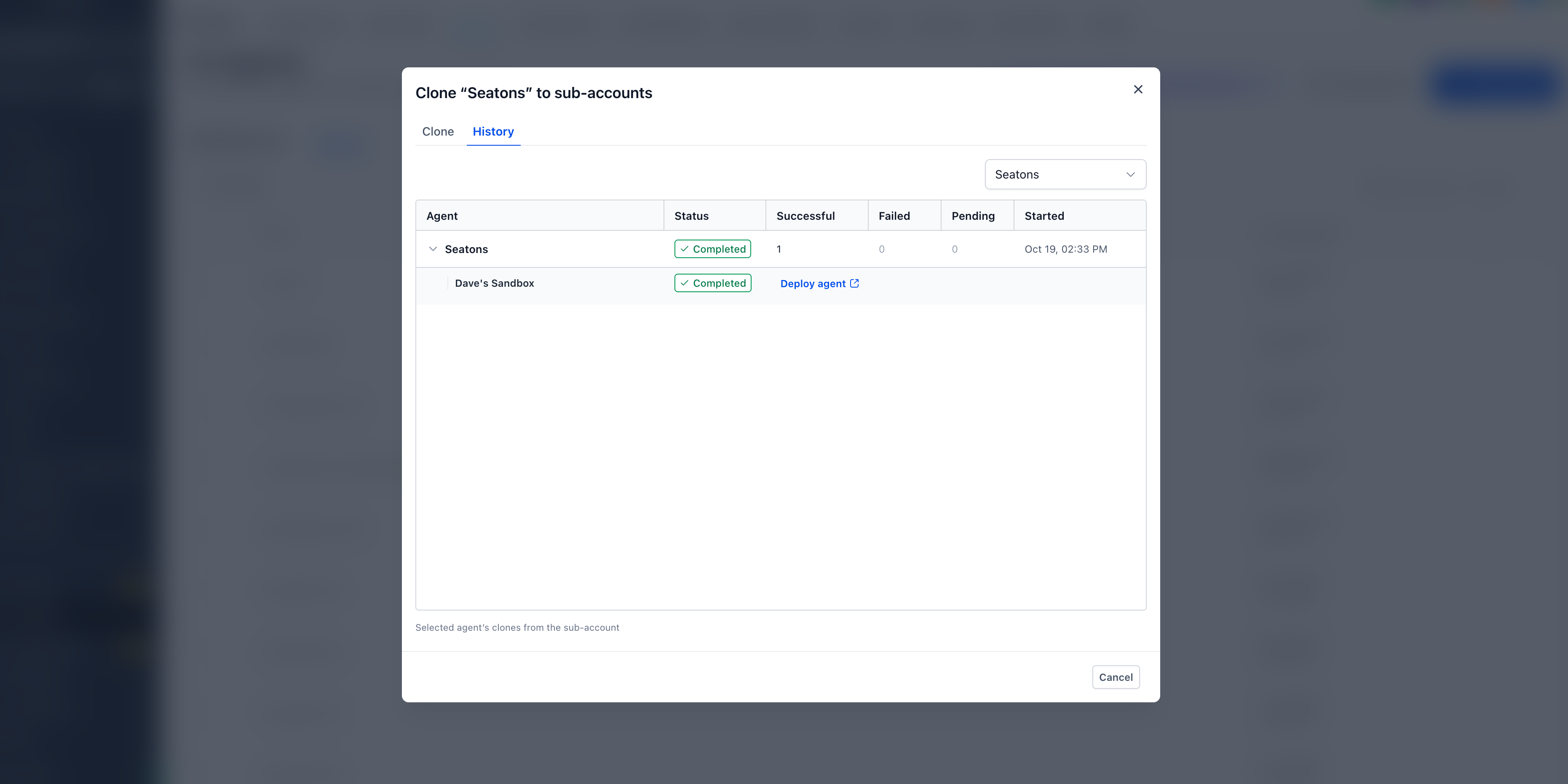
- Open the History tab to view a centralized record of cloning operations.
- Review the overall status, including successful, failed and pending clones.
- Expand a specific operation to see the status of each destination subaccount.
- For a completed clone, click Deploy agent to open the cloned agent directly in its destination subaccount.
07What it looks like in HighLevel
08Settings that matter
- Include linked assets. Controls whether supported CRM assets such as calendars, workflows, custom fields, custom values, and knowledge bases are copied along with the Voice AI agent.
09Things to know before you rely on it
- A cloning operation can target up to ten subaccounts at once.
- Only users with Agency access can use this feature.
- Legacy Voice AI agents and Flow Based Voice AI agents are not supported.
- If linked assets are included, they may overwrite existing assets in the destination subaccounts; this action cannot be undone.
- Each cloned agent requires a phone number or channel to be configured in the destination subaccount before it can be deployed.
10How it connects to the rest of HighLevel
- Set up appointment booking in HighLevel Conversation AI Appointment booking guide
- How to open Ask AI from Global Search in HighLevel Open Ask AI
- HighLevel pricing and plans Pricing overview
Michael's take

Copying a Voice AI agent across client accounts helps keep every client on the same proven configuration.
Never clone without checking whether the destination already has the same assets. Overwrites are permanent.