
Home/CRM guide/CRM that integrates with QuickBooks
CRM guide · QuickBooks
QuickBooks CRM: a CRM that integrates with QuickBooks.
If your books live in QuickBooks, the right CRM connects to them instead of competing with them. This guide covers what should sync, four common ways to connect, and how the GoHighLevel QuickBooks integration works.
The short answer
A QuickBooks CRM is a CRM that integrates with QuickBooks, so customers, invoices and payments stay aligned without retyping. Many do not sync drafts, estimates or older history. GoHighLevel, an all in one platform with a CRM, is one example: sent invoices and sales receipts go to QuickBooks, and QuickBooks customers come in. Plans start at $97 a month.
Michael is a sponsored HighLevel affiliate. Links to HighLevel use his partner link at no extra cost to you. HighLevel prices and product facts on this page come from HighLevel's own pricing page and help center, checked on the date above.
The basics
What should a CRM to QuickBooks connection sync?
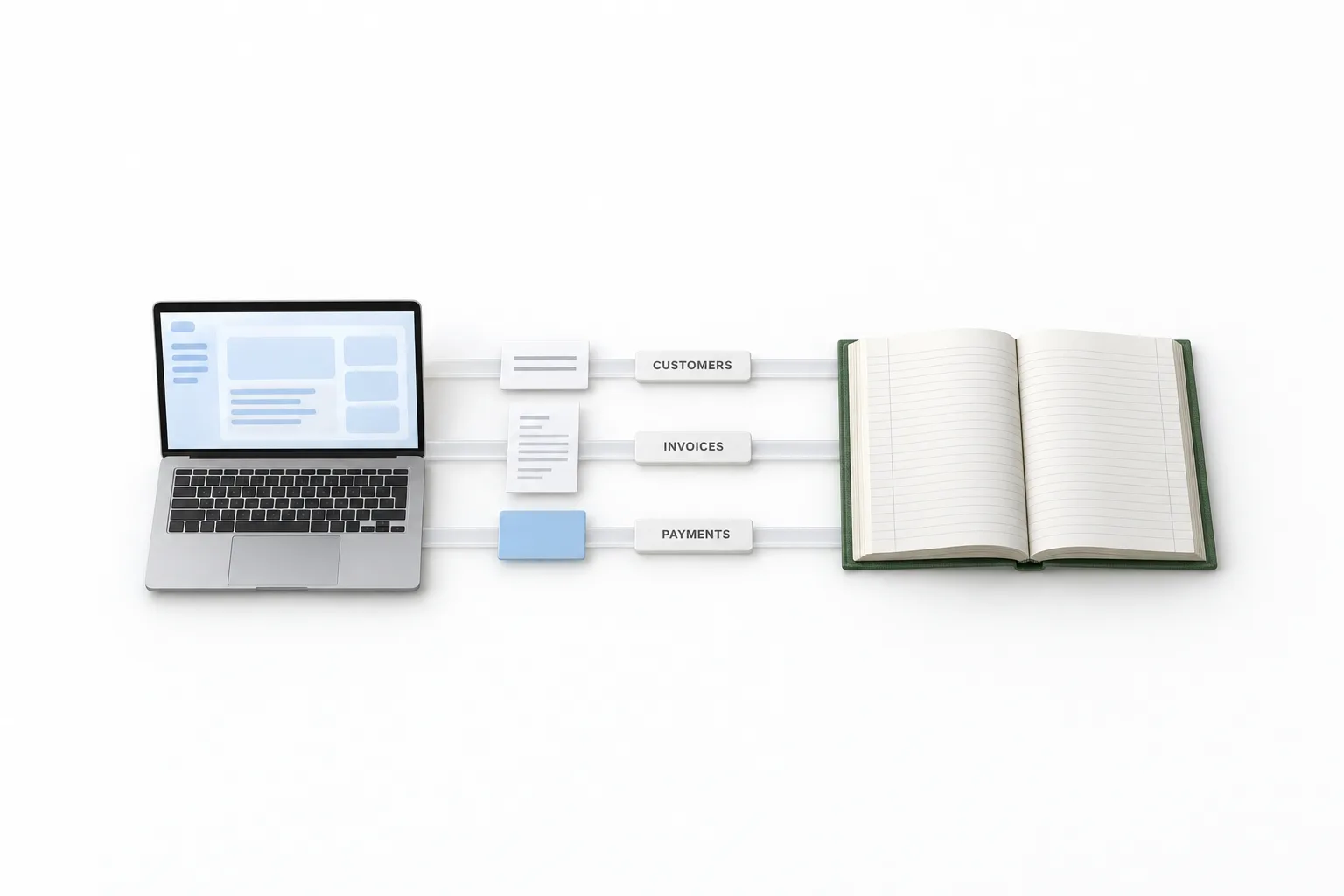
It should sync three records: customers, invoices and payments. Everything else is detail.
| Record | What a good connection does | What to check |
|---|---|---|
| Customers | Keeps one customer record in both systems, matched on a stable field such as email | Which system is the source, and how duplicates are handled |
| Invoices | Shows an invoice created in one system in the other, with its number, dates, line items, tax and status | Which direction it flows, and whether later edits keep syncing |
| Payments | Records a payment once and marks the invoice paid in both places | How payments taken outside an invoice are recorded |
Your team works with the customer in the CRM. Your accountant works in QuickBooks. Neither one retypes what the other already entered. A connection that handles those three records reliably is doing its job.
The gaps
What does a QuickBooks CRM connection usually not sync?
It usually leaves out drafts, estimates, history from before you connected and the accounting itself. A CRM to QuickBooks connection is a bridge for a few record types, and every product draws the line somewhere. These are the gaps to ask about.
- Drafts. Unsent invoices usually stay where they were written.
- Estimates and quotes. These often stay in the CRM until they become an invoice.
- History from before you connected. Older records often need a separate import, if the product offers one.
- Edits made on the other side. An invoice imported from one system may not accept changes from the other.
- The accounting itself. Bank feeds, reconciliation, payroll and tax reports stay in QuickBooks. A CRM is not built for them.
Every product has boundaries like these. Ask where they sit before you buy, and write the answers down for your team.
Compare
Which CRM integrates with QuickBooks?
Many CRMs integrate with QuickBooks, in one of four ways. Each approach suits a different kind of business.
| Approach | How it works | Good fit when | Watch for |
|---|---|---|---|
| A CRM built around QuickBooks | The CRM reads and writes your QuickBooks data as its core design | QuickBooks is the center of the business and sales follow up is light | Marketing, texting and booking tools may be thinner or sold separately |
| An all in one CRM with a native QuickBooks integration | The CRM vendor builds and maintains the connection, and you turn it on in settings | You want lead capture, follow up, invoicing and payments in one place, with the books kept in QuickBooks | Read exactly which records sync and in which direction |
| A CRM connected through an automation tool | A connector such as Zapier passes records between the two apps when a trigger fires | Your CRM has no native connection, or you need a custom rule | Another subscription, and you maintain the automations yourself |
| Manual export and import | Someone exports a file from one system and loads it into the other | Volume is low and timing does not matter | Retyping, delays and errors as volume grows |
I am not going to rank brands here, because the right answer depends on how you sell. A business that lives in its accounting file is well served by the first approach. A business that wins or loses on fast follow up usually does better with the second. The guide to choosing a CRM walks through that decision, and the CRM guide covers the basics. If you go the connector route, HighLevel with Zapier shows what that looks like in practice.
Example
How does the GoHighLevel QuickBooks integration work?
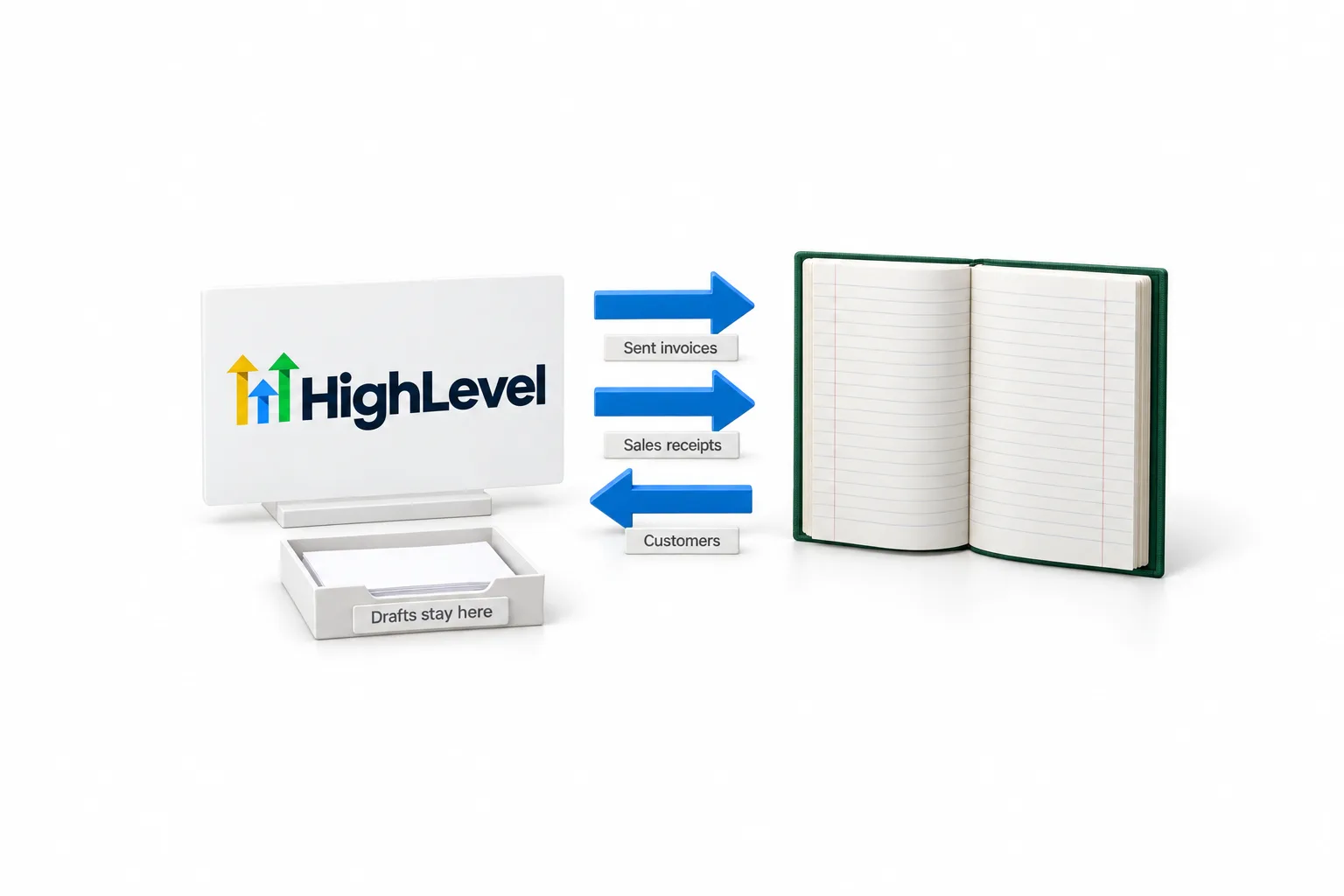
The GoHighLevel QuickBooks integration is built in and syncs three record types: customers, invoices and sales receipts. That is the second approach in the table above. HighLevel is the same product people search for as GoHighLevel, go high level or GHL. The details below come from the HighLevel help center article on the integration.
| Record | Direction | What happens |
|---|---|---|
| Invoices | HighLevel to QuickBooks | An invoice syncs once it is marked as sent, and updates keep syncing. The invoice number, status, issue and due dates, contact, billing email, total, amount paid, line item names, taxes and discounts go across. |
| Sales receipts | HighLevel to QuickBooks | Payments taken through order forms, subscriptions, membership checkouts and calendar payments are recorded as sales receipts, matched by the contact's email. |
| Customers | QuickBooks to HighLevel | Existing QuickBooks contacts are imported and new ones follow, which can take up to five minutes. |
| Existing invoices | QuickBooks to HighLevel | Only if you turn on Import invoices during the first connection. |
Matching is by email. If a customer with the same email already exists in QuickBooks, that record is used. The integration can also send an automatic review request when a contact's first invoice is paid in full, and you can turn that on or off.
The full walkthrough is on the HighLevel QuickBooks integration page. If your accountant works in the other system, the Xero integration does a similar job.
Setup
How do you connect QuickBooks to your CRM without a mess?
Decide which system creates invoices, clean up customer emails, then connect and send a test invoice. The decisions before you connect are what keep the books clean. These steps use HighLevel as the example, and the thinking applies to any CRM.
- Pick one system to create invoices. If the team invoices from the CRM, stop creating new invoices in QuickBooks. Two starting points are where errors begin.
- Clean up customer emails. HighLevel matches customers by email, so fix missing and duplicate emails in QuickBooks first.
- Decide on old invoices. In HighLevel the Import invoices toggle appears during the first connection. Leave it off and only new invoices created in HighLevel after connecting will sync.
- Connect. In the HighLevel subaccount, go to Settings, then Integrations. Click the QuickBooks connect button, log in to QuickBooks and accept the permissions.
- Send a test invoice. Send one from HighLevel and check it in QuickBooks. How to send your first invoice in HighLevel covers the steps.
- Show your accountant. Have them confirm the test landed where they expect before real invoices go out.
To take payment on those invoices you need a payment provider connected first, usually Stripe. Menus move with updates. If a label has moved, search the integration name in the account search bar.
Choosing
What should you ask before you choose a QuickBooks CRM?
Ask which records sync, in which direction, and what the whole setup costs. Take these questions to any vendor, including HighLevel. The answers tell you more than a feature list.
- Which records sync, and in which direction?
- How are customers matched, and what happens with duplicates?
- Do drafts, estimates and older invoices come across?
- Is the connection built by the CRM vendor, or does it need a connector tool with its own subscription?
- Which QuickBooks editions are supported?
- What does the CRM cost once usage is included?
On that last one, HighLevel plans are $97 a month for Starter, $297 for Unlimited and $497 for the Founder Plan, with usage such as calls, texts, email and AI billed separately. GoHighLevel pricing has the full breakdown. The 30 day trial through Michael's link gives you time to connect QuickBooks, send a test invoice and let your accountant look before you pay for a plan.

Let one system create invoices and let the other receive them. Two people invoicing from two places is where the books go wrong.
Through my link
Start HighLevel through my link and the CRM Pros team comes with it.
Same HighLevel price. The difference is who is in your corner for the first ninety days.
- Setup help in your first 7 days
- Your onboarding call with Michael’s team
- Three live calls every week: tech, sales and Michael’s own call
- The private affiliate community
- Snapshots, templates and email swipes
- Four apps: Prompt, Demo, A2P and Sales On Demand
The Founder Plan is HighLevel’s top plan at $497 a month. It is the former Agency Pro plan with an exclusive feature set, rebilling with markup and the Founders Club. The full breakdown is here.
The Founder PlanWhat it includes and who it is for
Questions
Common questions.
Is QuickBooks a CRM?
No. QuickBooks is accounting software. It keeps a customer list with invoices and payments, which covers the money side of the relationship. A CRM handles the work around the invoice: lead capture, follow up, pipeline, booking and reviews. That is why owners keep the books in QuickBooks and connect a CRM to it.
Which CRM integrates with QuickBooks?
Many CRMs do, in one of four ways: a CRM built around QuickBooks, a CRM with a native QuickBooks integration, a CRM linked through an automation tool, or manual export and import. HighLevel is one example of a native integration. Compare which records sync and in which direction before you choose.
Does GoHighLevel integrate with QuickBooks?
Yes. The GoHighLevel QuickBooks integration syncs customers, sales receipts and invoices. Sent invoices and their updates go from HighLevel to QuickBooks, and contacts come from QuickBooks into HighLevel. You connect it in the subaccount under Settings, then Integrations.
Will connecting a CRM to QuickBooks create duplicate customers?
It depends on how the CRM matches records. HighLevel matches by email, so if a customer with the same email already exists in QuickBooks, that record is used. Clean up missing and duplicate emails in QuickBooks before you connect, then send a test invoice.
Which QuickBooks editions work with HighLevel?
HighLevel's help center article on the integration does not say which QuickBooks editions are supported. Confirm your edition with HighLevel support or your accountant before you rely on it. The 30 day trial through Michael's link is a practical way to test the connection with your own QuickBooks account.
Next step
See it in your own account. Thirty days, every feature.
Start a trial, build the first system and test it before the first invoice. Usage fees for phone, SMS, email and AI can apply during the trial.
HighLevel has three plans at a flat monthly price, each with unlimited users and contacts. See what each one includes and what it costs.
Compare the PlansStarter, Unlimited and Founder