
Home/HighLevel/Integrations/Slack
Integrations · Slack
HighLevel Slack integration. Team alerts, both ways.
The GoHighLevel Slack integration can post to Slack from workflows and start workflows from Slack events. Your team hears about new leads and bookings where they already talk.
The short answer
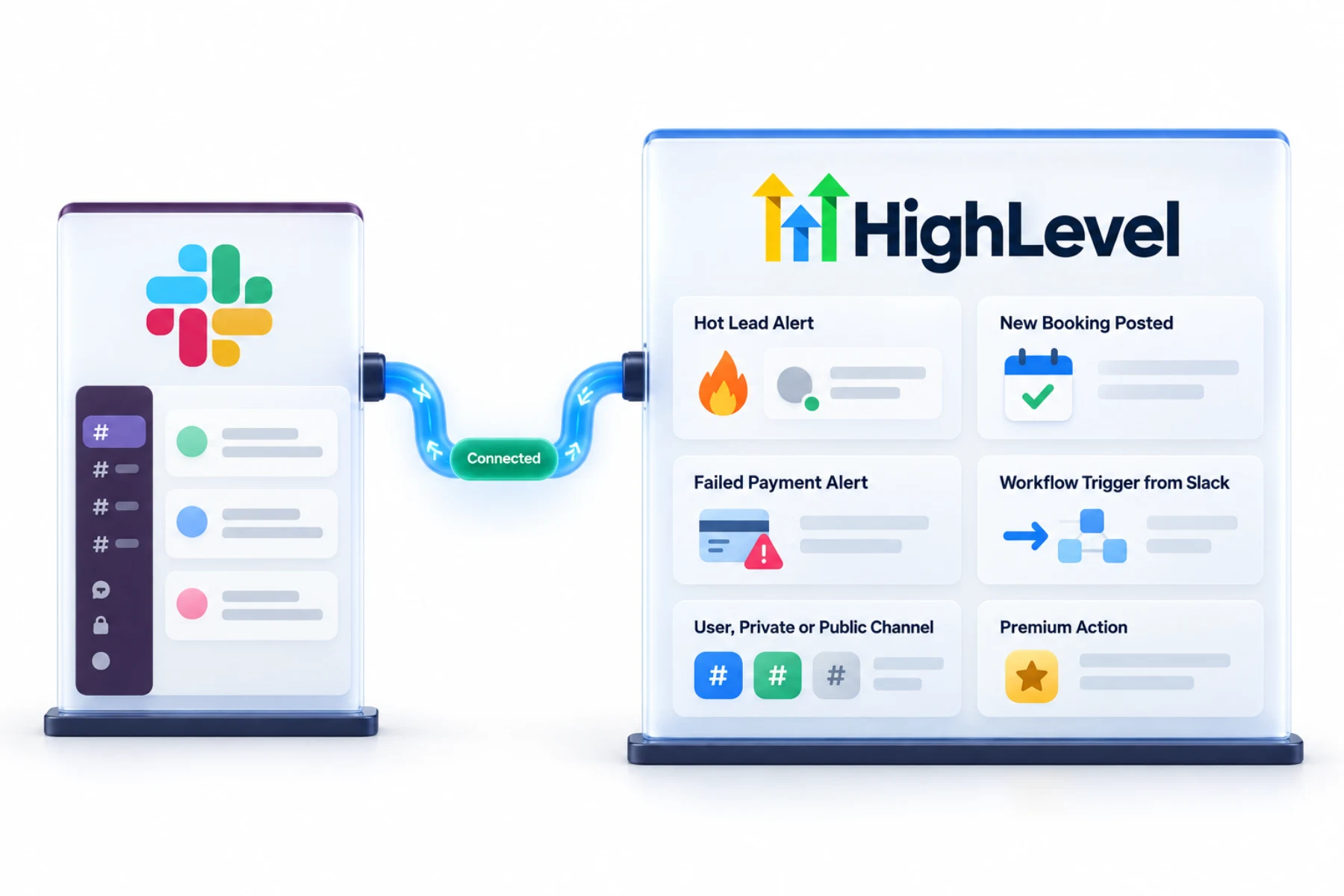
The GoHighLevel Slack integration works through workflows: use the Slack workflow action to send messages to a user, private channel or public channel when something happens in HighLevel, such as a new lead or booking. Use Slack workflow triggers to start HighLevel workflows from Slack events, for example to route requests.
Michael is a sponsored HighLevel affiliate. Links to HighLevel use his partner link at no extra cost to you. HighLevel prices and product facts on this page come from HighLevel's own pricing page and help center, checked on the date above.
Connect
How do you connect Slack to HighLevel?
Slack connects through workflows, not through a separate sync. The first time you add a Slack step you choose the Slack account to use, and that decides which workspace receives the message. Both the Slack Message action and the Slack triggers are premium workflow features in HighLevel, also known as GoHighLevel, so each execution carries an additional charge.
- Connect Slack from the workflow action or integrations settings.
- Add a Slack Message action to a workflow.
- Choose a user, private channel or public channel.
- Write the message with custom values.
- Optionally build a workflow with a Slack trigger.
Uses
What can you do with Slack and HighLevel?
The Slack Message action has three message types. A direct message goes to one Slack user. A private channel message goes to a channel you pick. A public channel message is visible to everyone in the workspace. You write the message in the action and can include contact details with the custom value picker, so the alert says who the lead is and what they asked for.
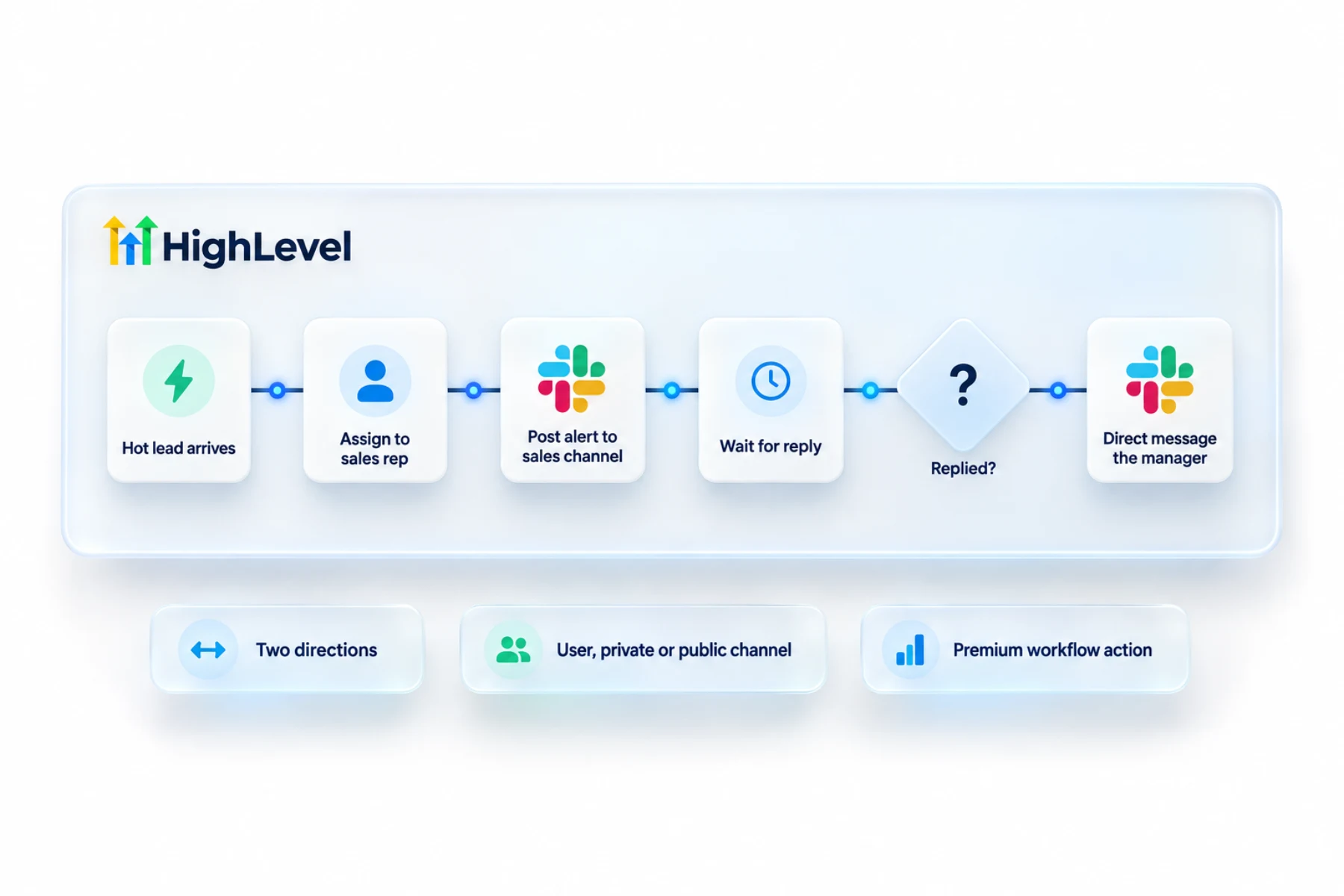
- Alert sales when a hot lead arrives
- Post new bookings to a team channel
- Notify on failed payments
- Start workflows from Slack events
Data
What passes between Slack and HighLevel?
Only what your workflow sends. HighLevel does not copy conversations into Slack or pull Slack messages into the CRM. A workflow posts a message when its trigger fires, and a Slack trigger can start a workflow when something happens in Slack. That is the whole connection, which is also why it is easy to reason about.
Limits
What are the limits to know about?
Because it is premium, every Slack message has a small cost. HighLevel's article does not list the price, so check the workflow premium settings in your account before you alert on a high volume event.
The bigger limit is attention. If every form fill posts to the channel, people mute the channel. Alert on the few things that need a human.
In practice
Which Slack alerts are worth building?
Three cover most teams. A hot lead alert: a contact is added with a high priority tag and the sales channel gets a message asking someone to call. A booking alert: a new appointment posts to the team channel. A payment alert: a failed payment sends a direct message to the person who handles billing.
HighLevel's own examples pair the action with triggers such as Task Added, Opportunity Status Changed and Form Submitted. For teams that do not use Slack, the mobile app keeps people in the loop, and a lead nurture workflow handles the follow up that should not wait for a person.
First alert
How do you set up the first alert?
Open a workflow and add the Slack Message action. Under Choose an Account, pick the Slack account, which sets the workspace. Under Event, choose a direct message, a private channel message or a public channel message, then pick the channel or person and write the message. Run the workflow with your own contact and check that the message lands where you expected. Keep the wording short and say what the reader should do next.
To test the Slack connection in your own account, use the 30 day trial through Michael's link. GoHighLevel pricing lists what each plan costs, and is HighLevel worth it weighs that cost against what you replace.

Alert the team only on what needs a human. Too many alerts and nobody reads them.
Questions
Common questions.
Does HighLevel integrate with Slack?
Yes, with workflow actions and triggers. The Slack Message action sends a message to a user, a private channel or a public channel when something happens in HighLevel, such as a new lead or booking. Slack triggers start HighLevel workflows from Slack events. Slack connects through workflows, not through a separate sync.
Can it message a channel?
Yes, public or private, or a single user. The Slack Message action has three message types: a direct message to one Slack user, a private channel message and a public channel message that everyone in the workspace can see. You can include contact details with the custom value picker.
Can Slack start a workflow?
Yes, with Slack triggers. A Slack trigger can start a HighLevel workflow when something happens in Slack, for example to route requests. Slack triggers are premium workflow features, so each execution carries an additional charge. HighLevel does not pull Slack messages into the CRM beyond what the trigger starts.
Is it free?
Slack actions are premium workflow features, so each execution carries an additional charge. HighLevel's article does not list the price, so check the workflow premium settings in your account before you alert on a high volume event. Alert on the few things that need a human and the cost stays small.
Can HighLevel send a Slack direct message?
Yes. The Slack Message action can message one user, a private channel or a public channel. A direct message suits an alert meant for one person, such as a failed payment sent to whoever handles billing. Write the message in the action and add contact details with the custom value picker.
Which Slack workspace gets the message?
The workspace tied to the Slack account you select in the action. The first time you add a Slack step you choose the Slack account to use under Choose an Account, and that decides which workspace receives the message. Run the workflow with your own contact to confirm where it lands.
Does every Slack message cost money?
Slack actions are premium workflow features, so each execution carries an additional charge. HighLevel's article does not list the price. Check the workflow premium settings in your account, and avoid posting every form fill to a channel. People mute a noisy channel, and each post has a small cost.
Next step
See it in your own account. Thirty days, every feature.
Start a trial, build the first system and test it before the first invoice. Usage fees for phone, SMS, email and AI can apply during the trial.
See the full details.
Compare the PlansSee the full details