
Home/HighLevel/Glossary/Trigger
Glossary · Trigger
What is a Trigger in GoHighLevel? What starts a workflow.
A trigger is the event that starts a workflow, such as a contact being created, a form being submitted, an appointment being booked or an opportunity changing stage.
What starts a workflow.
The short answer
A trigger is the event that starts a HighLevel workflow, for example Contact Created, Form Submitted, Customer Booked Appointment, Opportunity Created or an Inbound Webhook, and filters narrow it so it only fires for one form, one calendar or one tag.
Michael is a sponsored HighLevel affiliate. Links to HighLevel use his partner link at no extra cost to you. HighLevel prices and product facts on this page come from HighLevel's own pricing page and help center, checked on the date above.
In practice
How does a trigger work in HighLevel?
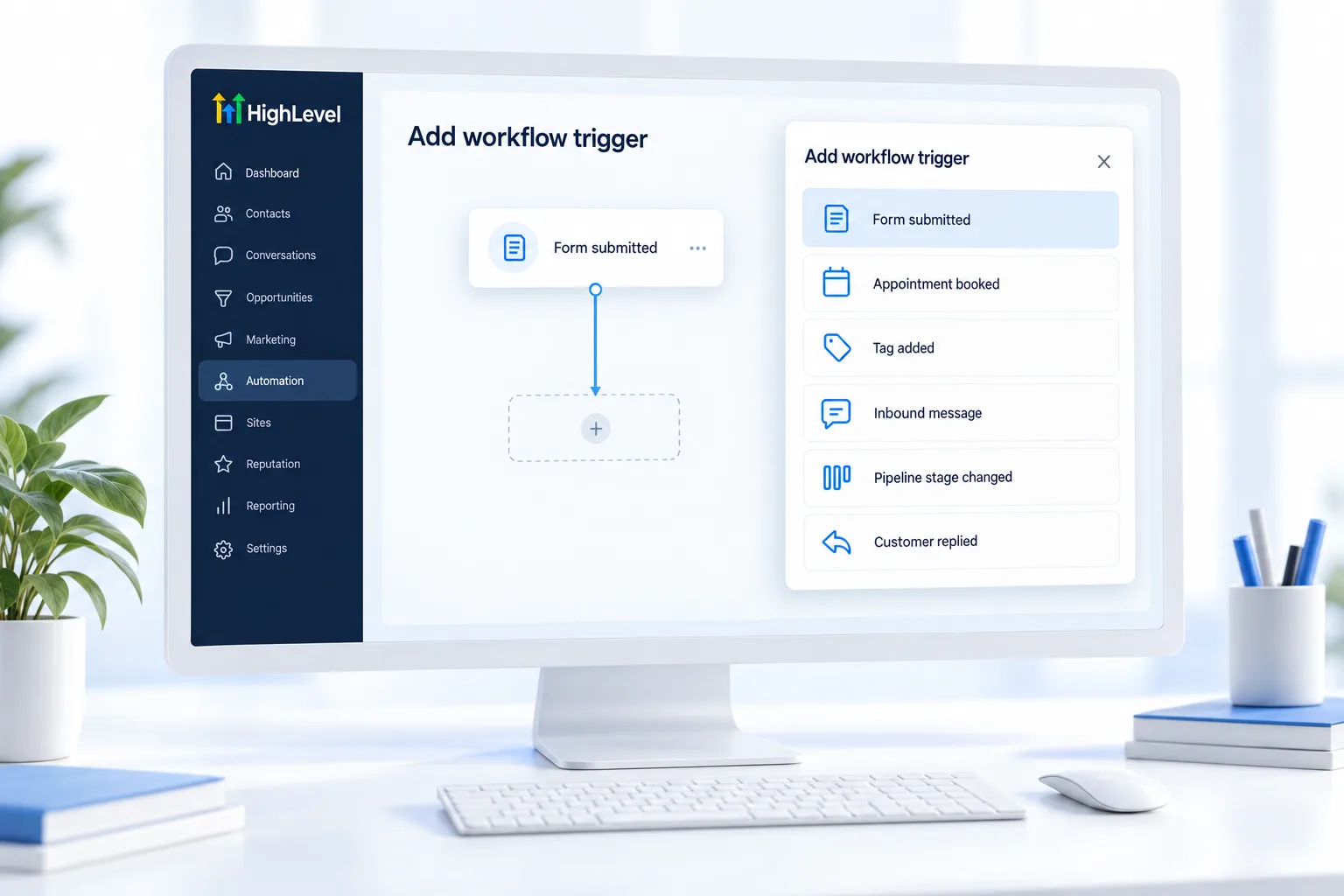
Every workflow begins with a trigger. It sits at the top of the builder and answers one question: what has to happen for this to start? In HighLevel, or GoHighLevel as many still know it, common answers are Contact Created, Form Submitted, Customer Booked Appointment, Opportunity Created and a tag being added.
A trigger on its own is broad. Filters narrow it. Form Submitted with no filter fires for every form in the account. Add a filter for one form and it fires only for that one. The same goes for one calendar or one tag.
A workflow can have more than one trigger, and any of them can start it. Some triggers are premium. Outside apps can start a workflow too, through the Inbound Webhook trigger, which gives you a unique URL to post data to. That is covered in use webhooks.
- Every workflow needs at least one
- Filters restrict which events count
- Some triggers are premium
- Webhooks let outside apps trigger workflows
Example
What does a trigger look like in practice?
A Form Submitted trigger filtered to the Free Quote form starts the quote follow up workflow.
Set up the quote example and you click the trigger, choose Form Submitted, add a filter for the Free Quote form and save. Now only that form starts the workflow. A second workflow, for bookings, uses Customer Booked Appointment filtered to the estimate calendar. Each event has its own start, and neither one fires for the other.
Watch for
What mistakes do people make with triggers?
No filter is the first. An unfiltered trigger fires for everything, and people get messages meant for someone else.
Two workflows on the same event is the second. Both fire, and the contact gets two sets of messages. One job per workflow keeps it clean.
Forgetting to publish is the third. A workflow in draft does not run, however good the trigger is. If nothing starts, work through fix a workflow not triggering. To practice, build your first workflow starts with a filtered form trigger.

Always filter your trigger. An unfiltered trigger fires for everything.
Questions
Common questions.
What is a Trigger in GoHighLevel?
A trigger in GoHighLevel is the event that starts a workflow. Common triggers are Contact Created, Form Submitted, Customer Booked Appointment, Opportunity Created, a tag being added and an Inbound Webhook. Filters narrow a trigger so it only fires for one form, one calendar or one tag.
Where do I find triggers in HighLevel?
The trigger sits at the top of any workflow in the workflow builder. Open a workflow under Automation, Workflows and add or edit the trigger there. It answers one question: what has to happen for this workflow to start? Add filters to the trigger before you publish.
Can a workflow have more than one trigger?
Yes. A workflow can have more than one trigger, and any one of them can start it. Be careful with the reverse case. If two different workflows start on the same event, both fire and the contact gets two sets of messages, so keep one job per workflow.
What is a trigger filter?
A trigger filter is a rule that narrows the trigger, so it only fires for one form, one calendar or one tag. Form Submitted with no filter fires for every form in the account. Add a filter for one form and it fires only for that one. Always filter your trigger.
Can an outside app trigger a HighLevel workflow?
Yes, with the Inbound Webhook trigger. It gives you a unique URL, and the other app posts data to that URL to start the workflow. If you connect through Zapier and the workflow does not start, fix a Zapier trigger not working lists the checks.
Are all triggers free?
No. Some triggers are premium workflow features and can carry a small per execution charge. Before you build a high volume workflow on a trigger, check whether it is a premium trigger, so the charge does not come as a surprise on the usage bill.
Keep reading
Related pages.
Next step
See it in your own account. Thirty days, every feature.
Start a trial, build the first system and test it before the first invoice. Usage fees for phone, SMS, email and AI can apply during the trial.
HighLevel has three plans at a flat monthly price, each with unlimited users and contacts. See what each one includes and what it costs.
Compare the PlansStarter, Unlimited and Founder