
Home/HighLevel/Integrations/Make
Integrations · Make
HighLevel Make integration. Connect it with webhooks and the API.
Make is a visual automation tool. I did not find a HighLevel help article for a dedicated GoHighLevel Make integration, so this page covers the routes that work for any tool: webhooks and the HighLevel API.
The short answer
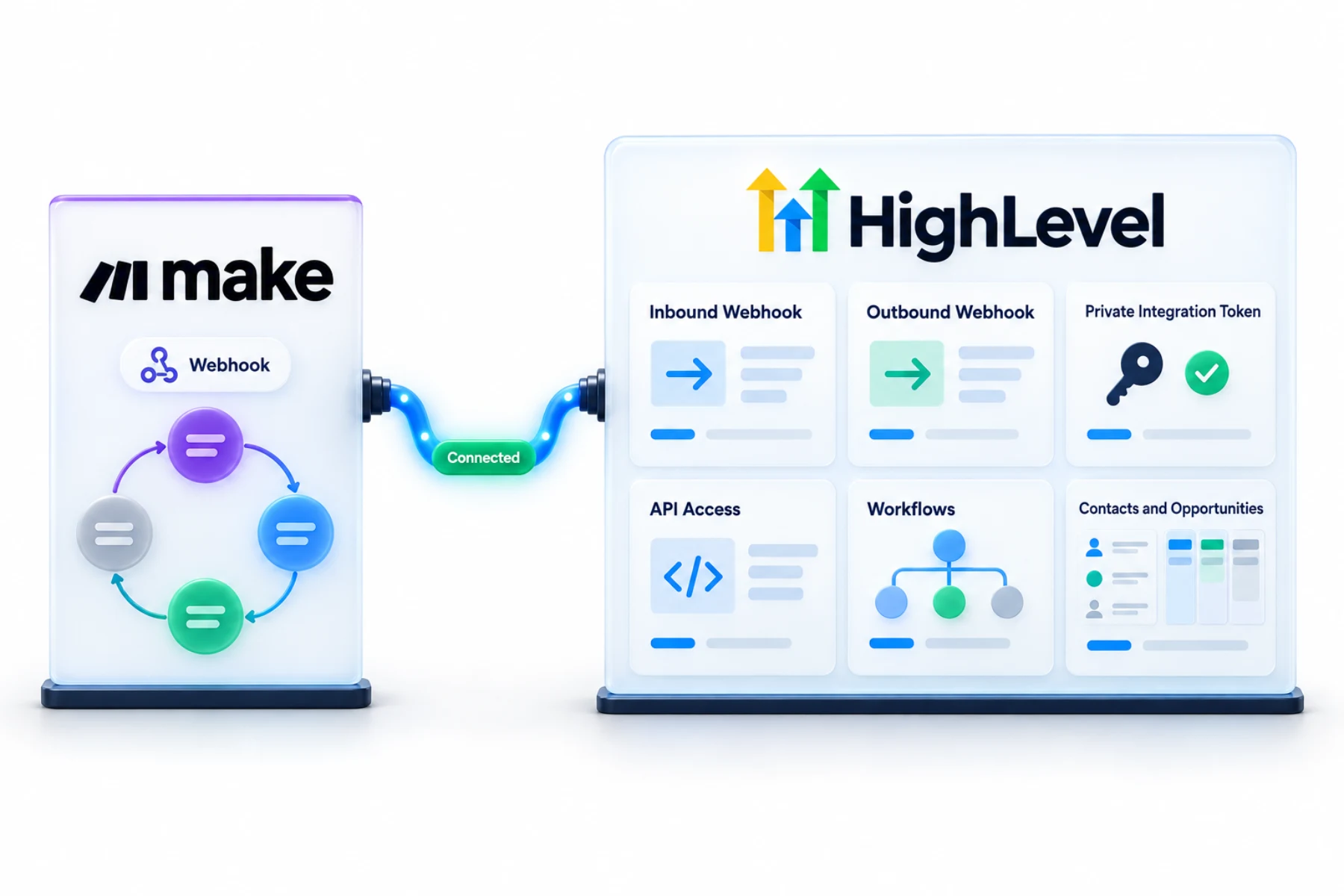
A GoHighLevel Make integration runs on webhooks: Make sends data to a HighLevel Inbound Webhook workflow trigger, and HighLevel sends data to Make with the Custom Webhook action. For deeper access, use the HighLevel API with a private integration token. Check Make's own app directory for any HighLevel or LeadConnector app.
Michael is a sponsored HighLevel affiliate. Links to HighLevel use his partner link at no extra cost to you. HighLevel prices and product facts on this page come from HighLevel's own pricing page and help center, checked on the date above.
Connect
How do you connect Make to HighLevel?
I did not find a HighLevel help article for a dedicated Make integration, so I will not describe one. What I can describe is the route that works with any automation tool: webhooks in both directions, and the API when you need more. Before you build, look in Make's own app directory for a HighLevel or LeadConnector app, since Make maintains that list. The steps below apply whether you call the platform HighLevel or GoHighLevel.
- In HighLevel, create a workflow with the Inbound Webhook trigger and copy its URL.
- In Make, add an HTTP module that posts JSON to that URL.
- Send a test and map the fields in HighLevel.
- To send data out, add a Custom Webhook action in a HighLevel workflow pointing to a Make webhook.
- For API calls, create a private integration token with only the scopes needed.
Uses
What can you do with Make and HighLevel?
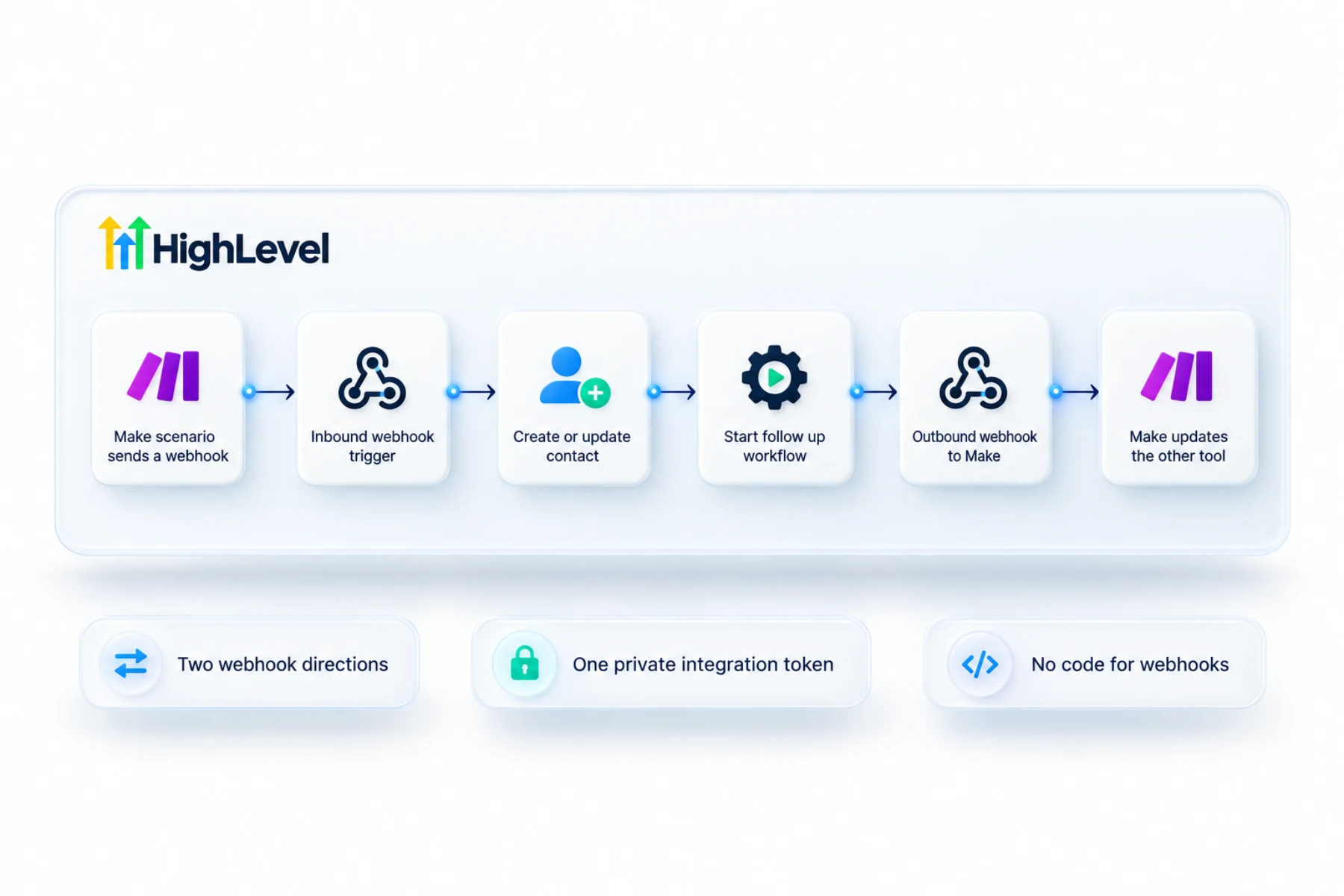
Data can travel both ways. Into HighLevel: a Make scenario posts JSON to the URL of an Inbound Webhook trigger, and the workflow behind it creates the contact, adds a tag or starts follow up. Out of HighLevel: a Custom Webhook action in a workflow sends data to a Make webhook when something happens, such as a booking or a won deal.
For anything webhooks cannot do, such as looking up records, Make can call the HighLevel API with a private integration token.
- Start HighLevel workflows from Make scenarios
- Send HighLevel events to Make
- Read and write CRM data through the API
- Connect tools without a native integration
Data
What moves between Make and HighLevel?
Only what you send. There is no background sync. Each webhook carries one event with the fields you chose. On the way in, send a test request first. HighLevel shows the sample payload, and only then can you map the incoming fields to contact fields. You cannot map fields HighLevel has never seen.
On the way out, the Custom Webhook action lets you set the destination URL, the method, an authorization method, headers and the data to send.
Limits
What are the limits to know about?
Inbound Webhook and Custom Webhook are premium workflow features and can carry a small per execution charge. Check your account's workflow premium settings. Make has its own plan and usage limits too, so a busy connection has a cost on both sides.
Private integration tokens are capped. HighLevel currently allows up to 20 per subaccount, and that limit can change. Use one token per integration, select only the scopes it needs and store it in a secrets store. If a token leaks, rotate or delete it right away.
In practice
What is a sensible first build with Make?
Pick one event. Say a signed document in another tool should start onboarding. A Make scenario catches the signature and posts the client's name and email to a HighLevel Inbound Webhook. The workflow creates or updates the contact and starts the client onboarding workflow. Once that runs cleanly for a week, add the next event.
If a webhook does nothing, fix a webhook not firing has the checks, and fix API 401 errors covers token problems. Similar tools are covered in HighLevel and Zapier and HighLevel and n8n.
To test the Make connection in your own account, use the 30 day trial through Michael's link. GoHighLevel pricing lists what each plan costs, and the full HighLevel review covers the strengths and the limits.
Also weighing n8n? Read GoHighLevel vs n8n. Connecting a task tool? Read the HighLevel ClickUp integration guide.

Webhooks are the universal adapter. Learn them once and every tool connects.
Questions
Common questions.
Does HighLevel integrate with Make?
Through webhooks and the API. Check Make's directory for any dedicated app. Make sends data to a HighLevel Inbound Webhook workflow trigger, and HighLevel sends data to Make with the Custom Webhook action. For deeper access, such as looking up records, Make can call the HighLevel API with a private integration token.
Do I need code?
Not for webhooks. In HighLevel you create a workflow with the Inbound Webhook trigger and copy its URL. In Make you add an HTTP module that posts JSON to that URL, send a test and map the fields in HighLevel. API calls need a private integration token, not custom code.
What is a private integration token?
A token that gives scoped API access to a HighLevel account. You create it with only the scopes the integration needs, use one token per integration and store it in a secrets store. HighLevel currently allows up to 20 per subaccount. If a token leaks, rotate or delete it right away.
Make or Zapier?
Both connect through webhooks or apps, so choose the one your team knows. The webhook route on this page works with any automation tool: an Inbound Webhook trigger for data coming in and a Custom Webhook action for data going out. Each tool has its own plan and usage limits.
Do webhooks cost extra in HighLevel?
Inbound Webhook and Custom Webhook are premium workflow features and can carry a small per execution charge. Check your account's workflow premium settings before you connect a busy event. Make has its own plan and usage limits too, so a high volume connection has a cost on both sides.
How many private integration tokens can I create?
HighLevel currently allows up to 20 per subaccount. The limit can change, so check the Private Integrations page. Use one token per integration and select only the scopes it needs, so you can revoke one without breaking the others. Keep every token in a secrets store.
Why can I not map fields from my Make webhook?
Send a test request first. HighLevel can only map fields after it has received a sample payload. Once the test arrives, HighLevel shows the payload and you map the incoming fields to contact fields. If you change the shape of the data later, send a new test and map it again.
Next step
See it in your own account. Thirty days, every feature.
Start a trial, build the first system and test it before the first invoice. Usage fees for phone, SMS, email and AI can apply during the trial.