
01Who this is for
- SaaS agency owners who sell subscription software and need to guard against fraudulent sign ups.
- Founders of subscription based startups looking to ensure only valid credit cards can start a trial.
- Marketing firms that manage multiple client subaccounts and want to prevent misuse of phone and email services.
02Security steps, explained
HighLevel provides a suite of security options for SaaS checkout. Funnel/Website v2 adds native Stripe integration and 3D Secure, making the checkout flow itself more resilient. Custom Authorization creates a temporary payment intent during trial sign up, confirming the card has sufficient balance without charging the customer.
Phone and email verification settings live in the Agency Level menu. Enabling phone verification adds a security code step, while email verification is mandatory for new sign ups and can be turned on for existing subaccounts. Stripe Radar, accessed through your Stripe dashboard, offers machine learning fraud detection and lets you define rules that block, review, or require additional authentication for risky transactions.
All these controls are found under the SaaS Configurator and Agency Level sections of the platform, allowing you to activate them without leaving HighLevel.
03How businesses use security steps
- SaaS agency. The agency adds a custom authorization amount to each trial product, ensuring only real cards can complete sign up. It then enables phone and email verification in the SaaS Configurator and activates Stripe Radar in its Stripe account to automatically block fraudulent transactions.
- Digital marketing firm. The firm switches its sales funnels to v2, which supports 3D Secure, and migrates its communication services to LC Phone and LC Email. It turns on phone number verification for new client sign ups and configures Radar rules to review suspicious payments.
- Online education platform. The platform sets a custom authorization equal to its lowest monthly plan, activates mandatory email verification for all student accounts, and uses Stripe Radar’s block rules to prevent fraudulent enrollments.
04The numbers and rules that matter
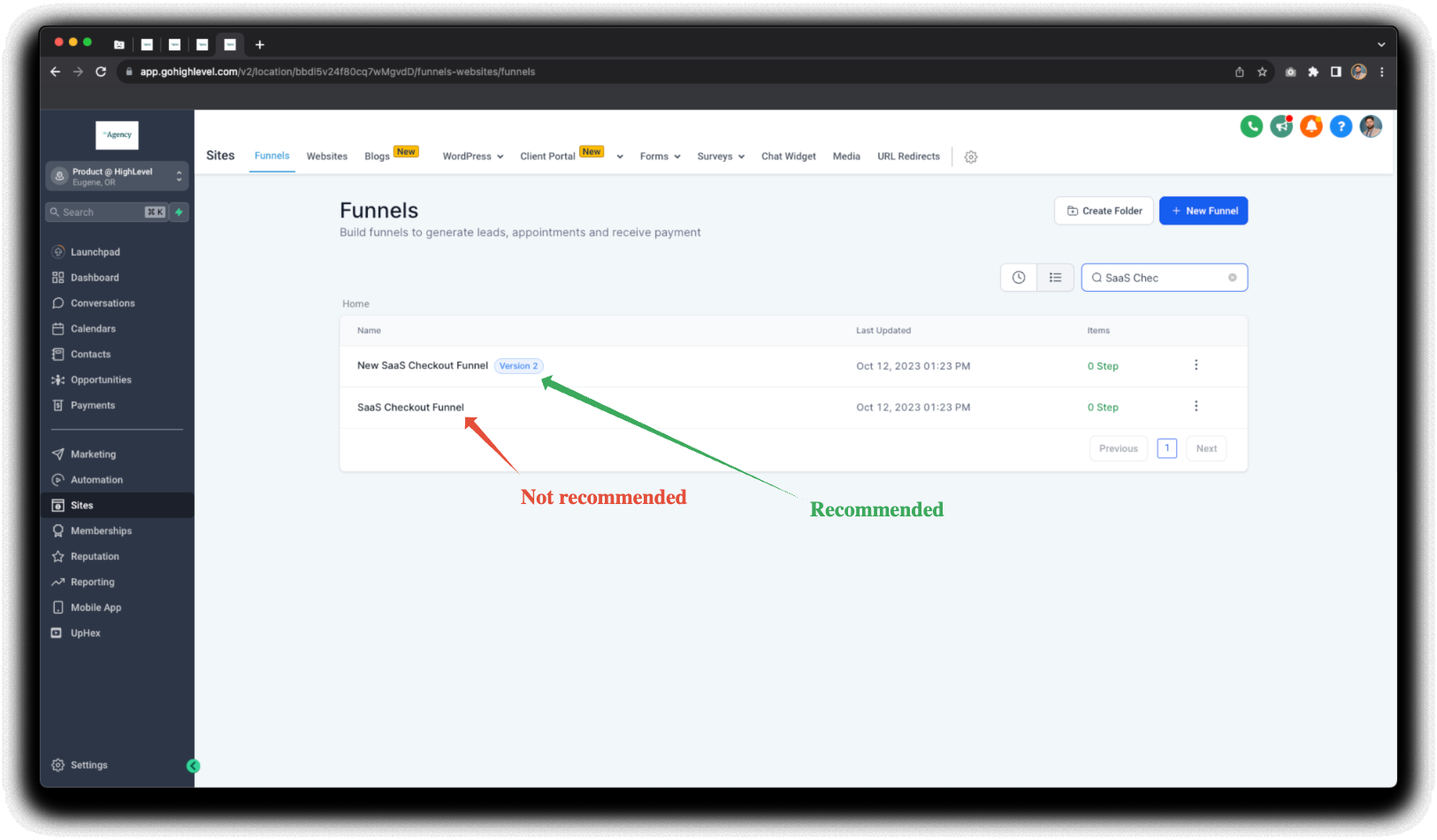
- Funnel/Website v2 supports native Stripe integration and 3D secure technology.
- LC Phone & LC Email provide ramped usage, maximum sending limits, error rate, unsubscribe rate and complaint rate monitoring.
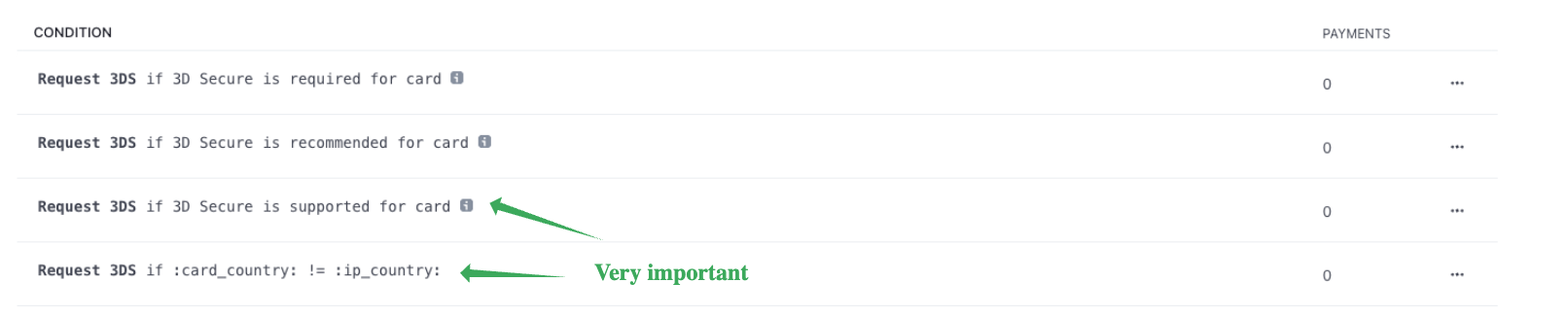
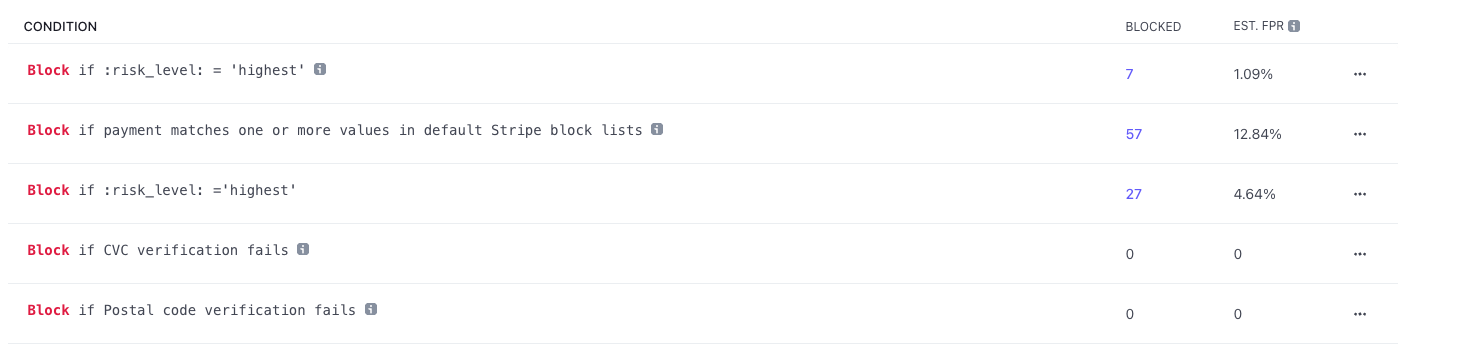
- Radar rules can be 3D Secure Authentication Rules, Block Rules, or Review Rules.
05How to set up and use security steps in HighLevel
Add custom authorization to trial products
- Open the funnel that sells the SaaS offering.
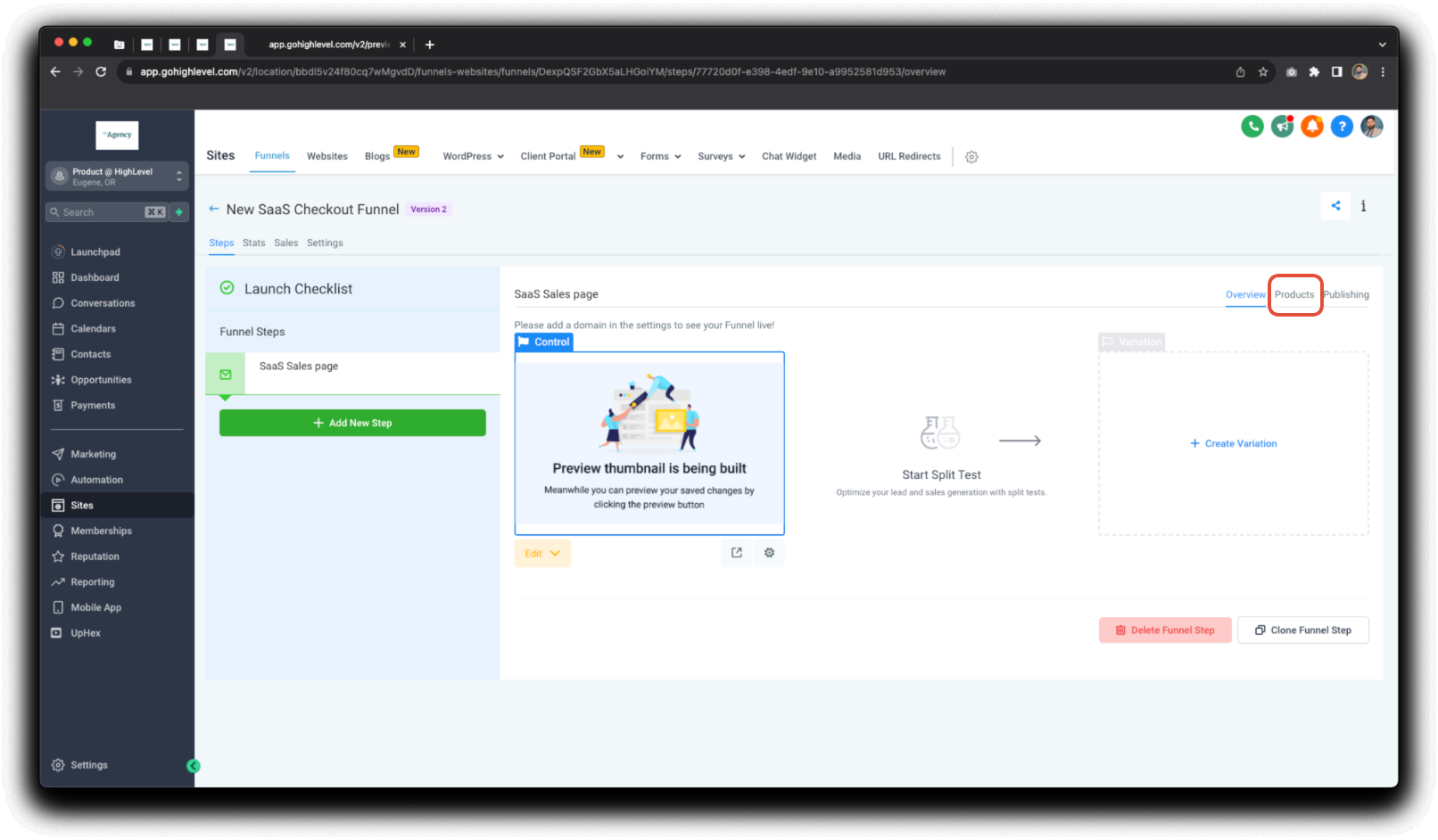
- Select the Products section within the funnel.
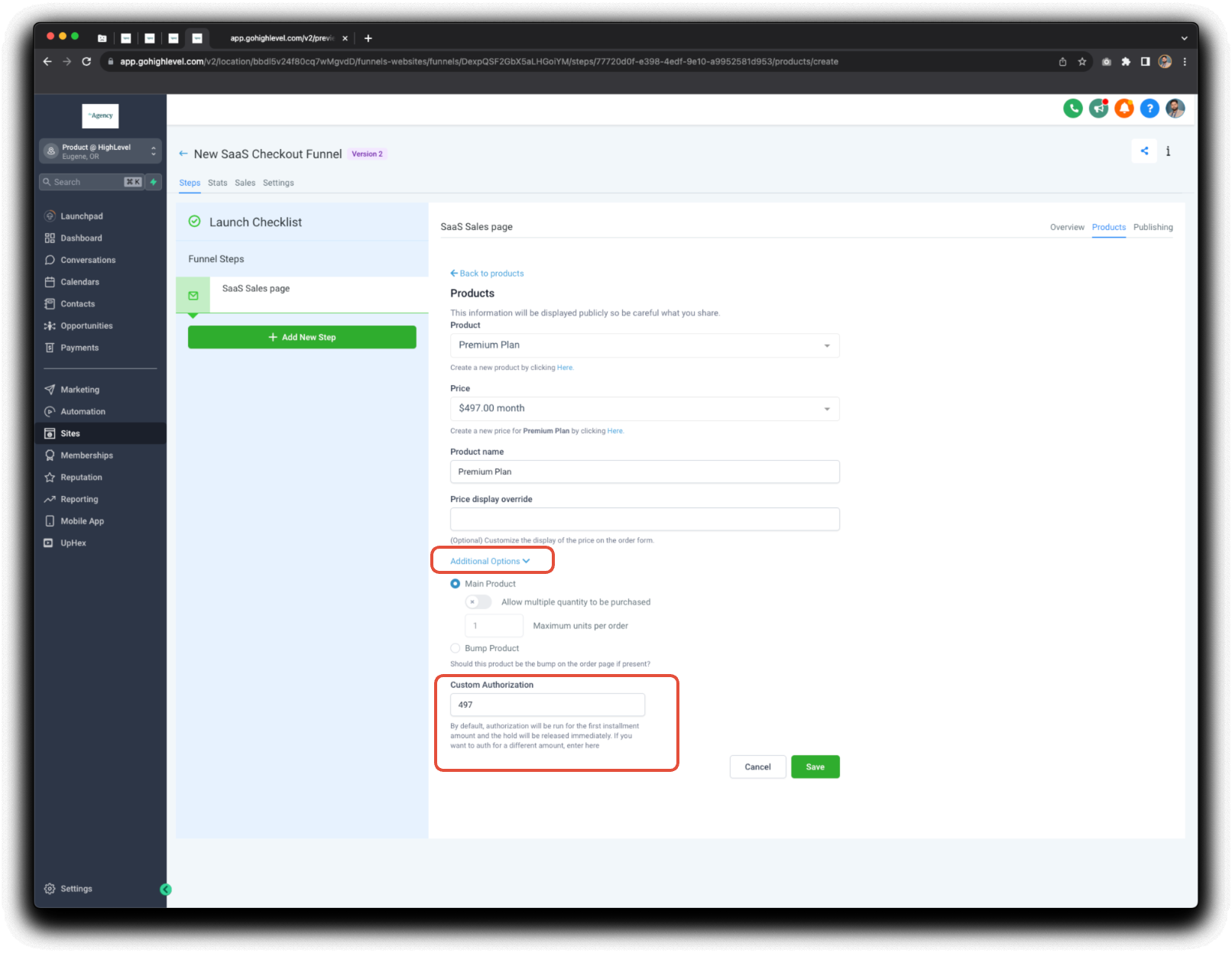
- Click Additional Options.
- Choose Custom Authorization.
- Enter an authorization amount, ideally matching the basic plan’s monthly fee.
Enable phone number and email verification for sign ups
- Navigate to Agency Level in the left hand menu.
- Open SaaS Configurator, then go to Security Settings.
- Toggle the Verify Phone Number option to require a security code.
- Go to Settings > Email Services > Subaccount Settings and enable Email Verification for all subaccounts.
Enable Stripe Radar for fraud prevention
- Log into your Stripe account.
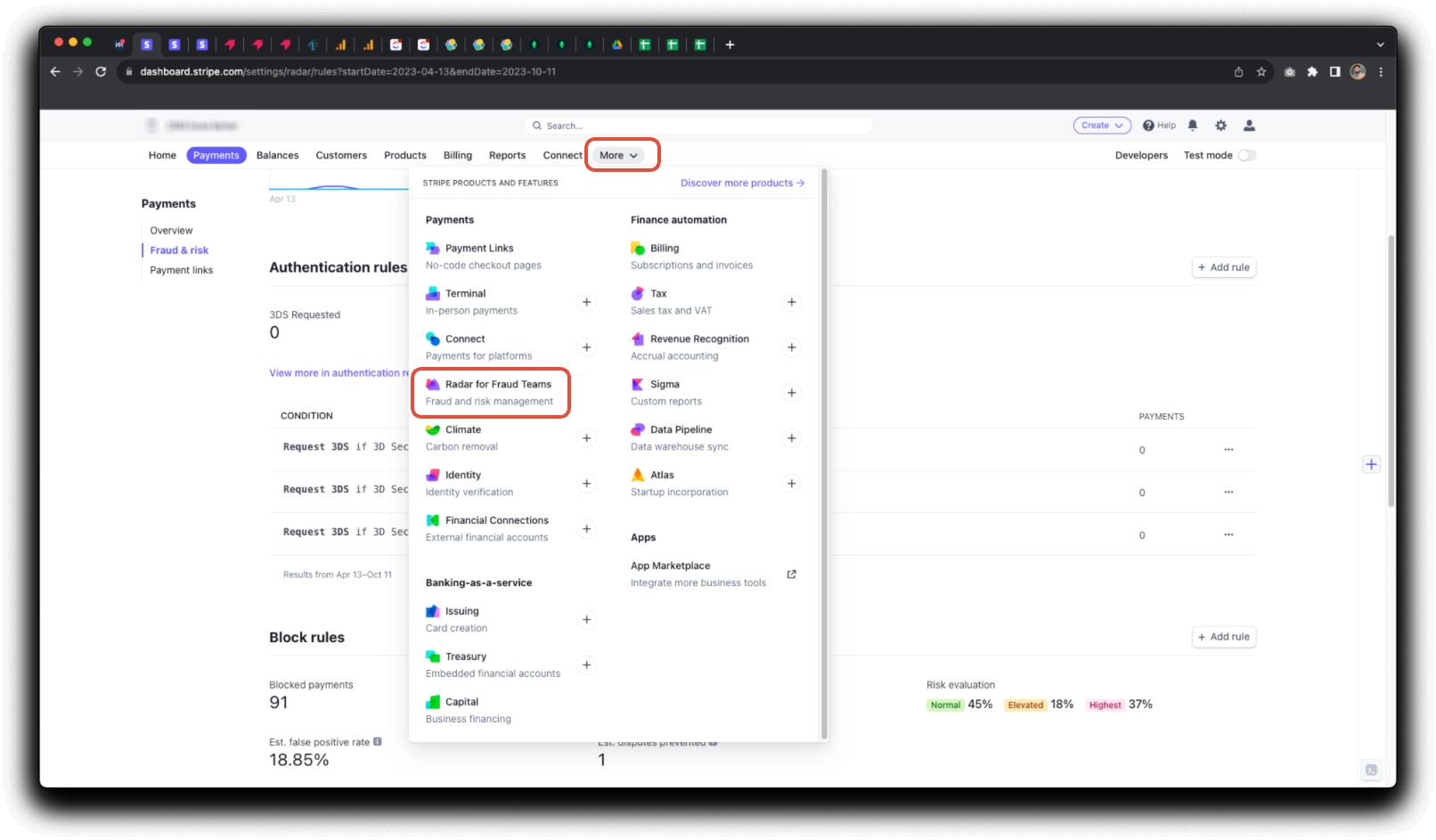
- From the Dashboard select More, then choose Radar for Fraud Teams.
- Open the Rules tab and create custom rules such as 3D Secure authentication, block, or review rules.
- Visit the Reviews tab to manually approve or refund any flagged payments.
06What it looks like in HighLevel
07Settings that matter
- Custom Authorization. Sets an amount that creates a temporary payment intent to verify a credit card’s validity without charging the customer.
- Verify Phone Number. Adds a security code step to the SaaS sign up flow, requiring users to confirm their phone number.
- Enable Email Verification for all sub, accounts. Mandates email address confirmation for every SaaS sign up, both new and existing subaccounts.
- Stripe Radar. Provides fraud detection and lets you define rules that block, review, or require additional authentication for payments.
08Things to know before you rely on it
- Custom Authorization does not charge the customer; it creates a payment intent that is refunded immediately.
- Stripe Radar is a paid product offered by Stripe and is not included in HighLevel pricing.
- LC Phone & LC Email replace Twilio and Mailgun to avoid rebilling latency and add usage limits and monitoring.
09If something goes wrong
- A scammer was still able to sign up after following the steps.. Refund the fraudulent payment and mark it as "Fraudulent". This adds the card fingerprint and email ID to Stripe’s blocklist and improves Radar’s detection.
- A payment is flagged in Stripe Radar and needs review.. Open the Reviews tab in Radar, then approve or refund the payment manually as an agency admin or owner.
10How it connects to the rest of HighLevel
- How to activate phone rebilling in HighLevel SaaS mode Phone rebilling guide
- Managing SaaS wallet credits in HighLevel: view, add, and refund Wallet credit management
- HighLevel pricing and plans Pricing page
Michael's take

Security steps are a solid set of safeguards for SaaS agencies. If you rely on a checkout that can be gamed, you’ll want to go through each of these items. Skip it if you don’t handle payments directly or if your checkout is already managed by a third party that handles fraud protection.