
01Who this is for
- Founders of SaaS agencies who need to let client admins change plans without manual tickets.
- Support managers who want structured reason data to understand why clients consider lower tiers.
- Retention specialists who wish to present a discount offer before a downgrade is scheduled.
02Downgrade settings, explained
The Downgrade Settings live in the SaaS Configurator. They control whether a subaccount admin can start a downgrade from the Billing area, which reasons appear in the dropdown, and whether an eligible V1 client sees a retention discount before the downgrade is scheduled. The setting also defines when the plan actually changes, at the start of the next billing cycle, and prevents any mid cycle proration.
When a client schedules a downgrade, the current plan remains active until the effective date. If the client accepts a discount, the downgrade is cancelled and the discount applies according to the configured monthly or annual rules. For eligible V1 subscriptions, the platform synchronizes the Stripe subscription and the selling subaccount record only when the downgrade becomes effective.
03How businesses use downgrade settings
- Digital marketing agency. The agency enables the downgrade toggle, edits the default reason list to match its pricing tiers, and turns on a retention discount for monthly plans. When a client clicks downgrade, they pick a reason and may accept the discount, keeping the agency’s revenue while gathering churn data.
- Online education platform. The platform sets up custom reasons like "course content" or "budget" and adds a retention discount for annual subscribers. A user who wants to move to a lower tier sees the discount offer; accepting it cancels the downgrade and applies the discount for the next year.
- SaaS tool for project management. The tool activates the self service downgrade option, removes irrelevant reasons, and leaves the discount offer off because it only supports V1 flows. Users can schedule a downgrade, see the scheduled effective date, and later use Keep My Plan to cancel if they change their mind.
04The numbers and rules that matter
- Eligible V1 clients can receive a retention discount before the downgrade is scheduled.
- Discount deflections are supported only for SaaS V1 flows, not for V2.
05How to set up and use downgrade settings in HighLevel
Enable downgrades
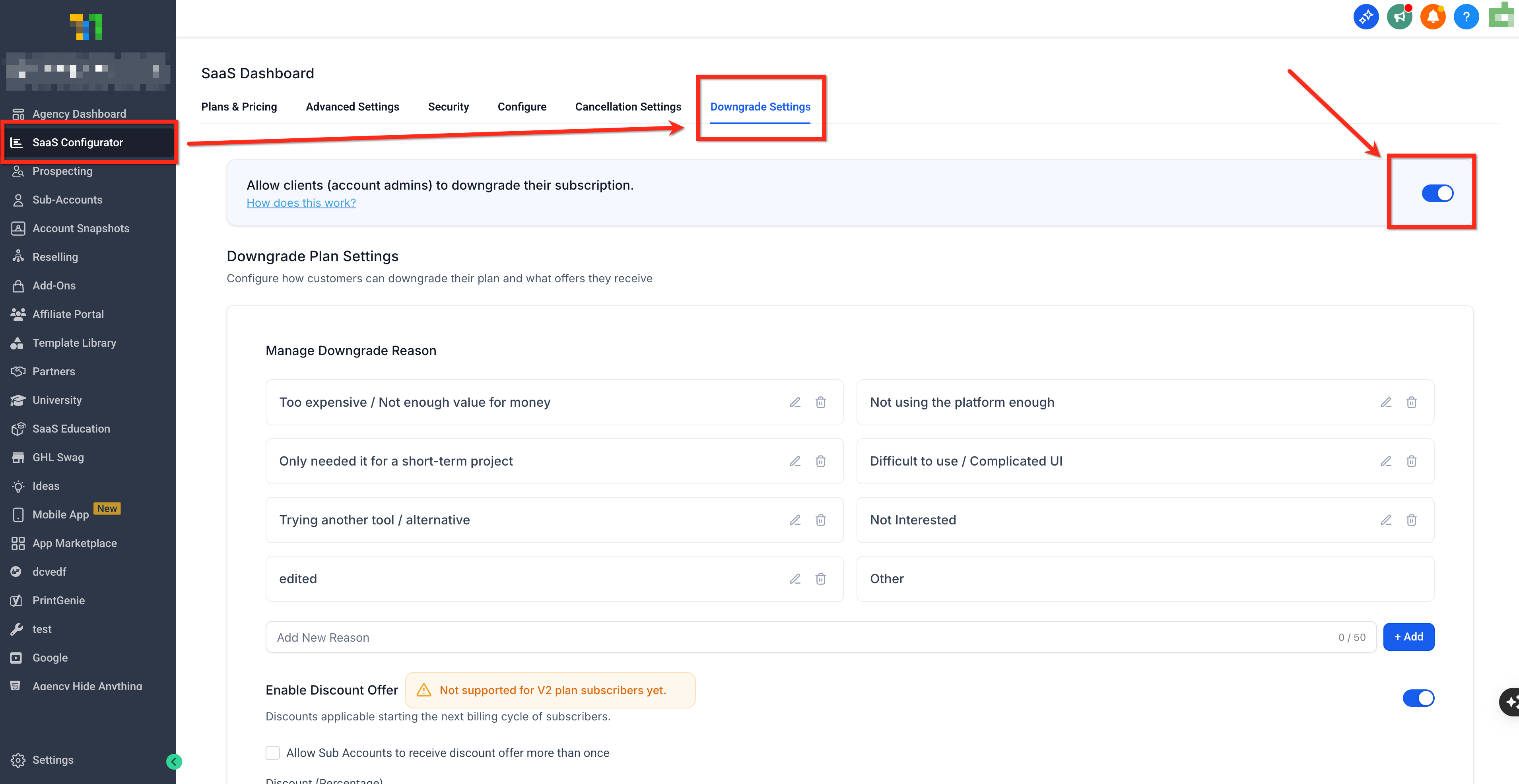
- From Agency View go to SaaS Configurator > Downgrade Settings.
- Find the toggle named Allow clients (account admins) to downgrade their subscription.
- Turn the toggle ON so clients see the downgrade option in their billing settings.
Manage downgrade reasons
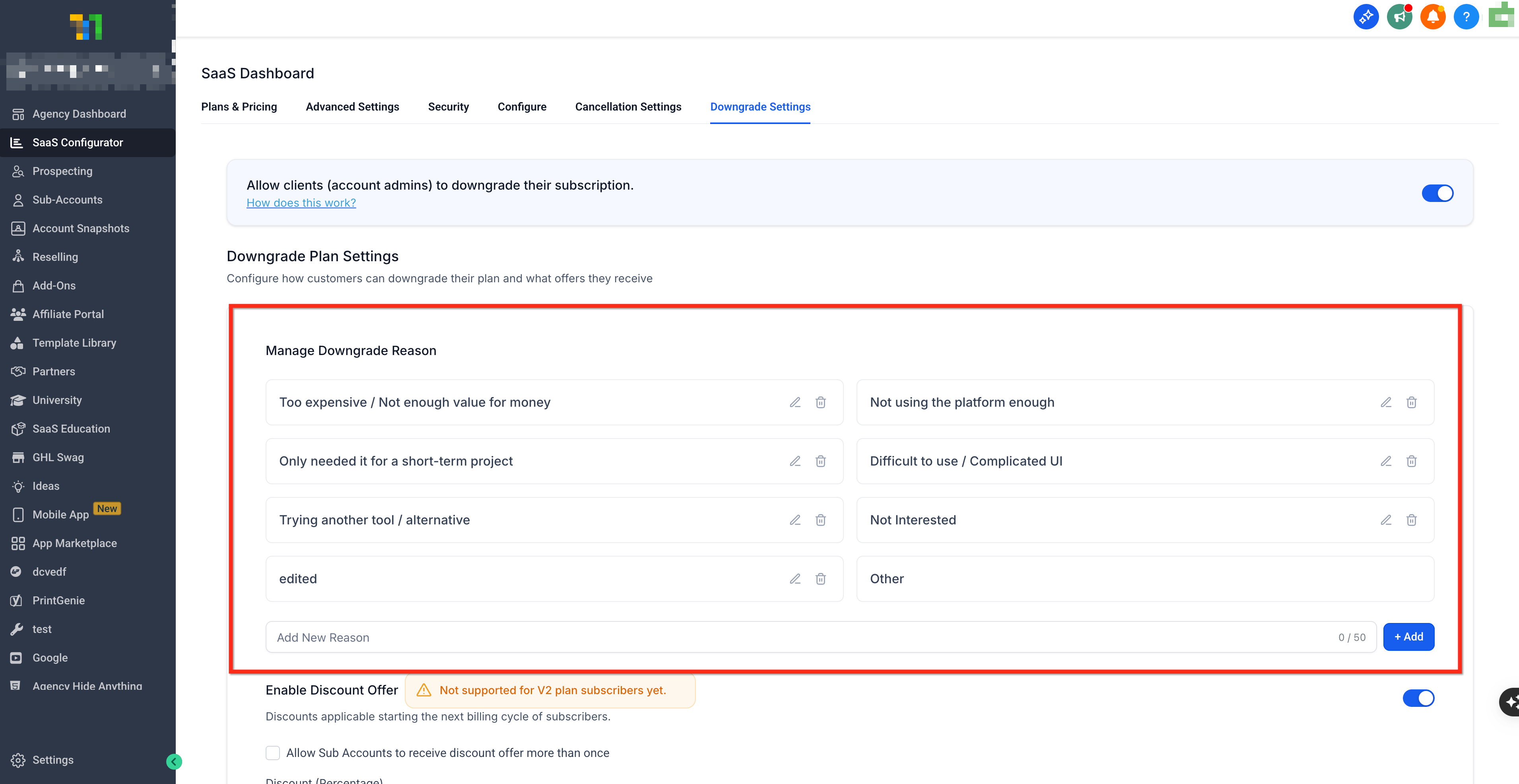
- Open the Downgrade Settings page where reason entries are listed.
- Review the default reasons that are already populated.
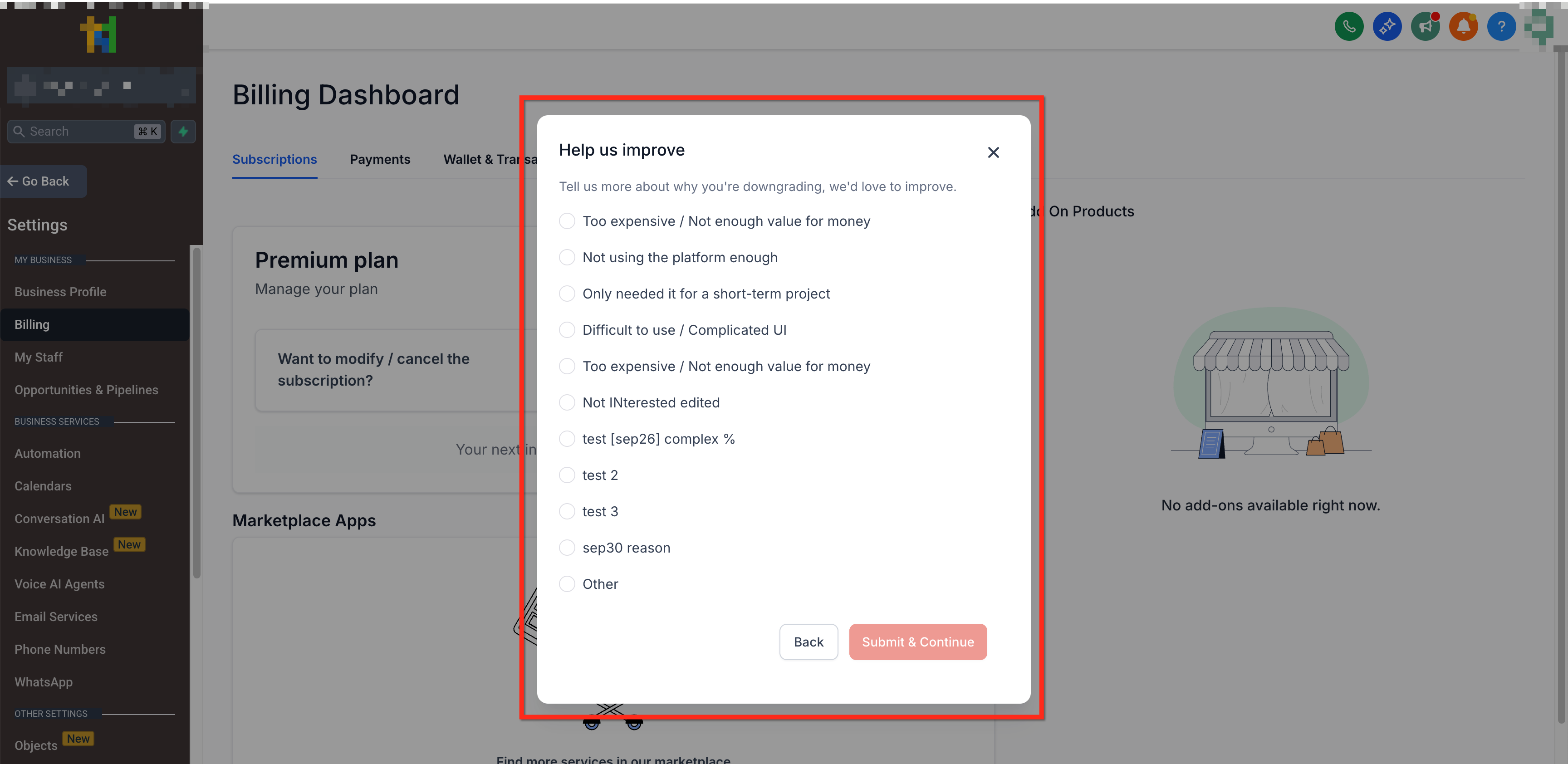
- Edit any reason text to better reflect your pricing or feature concerns.
- Add new reasons or delete ones that do not apply, staying within the character limit.
Configure discount offers
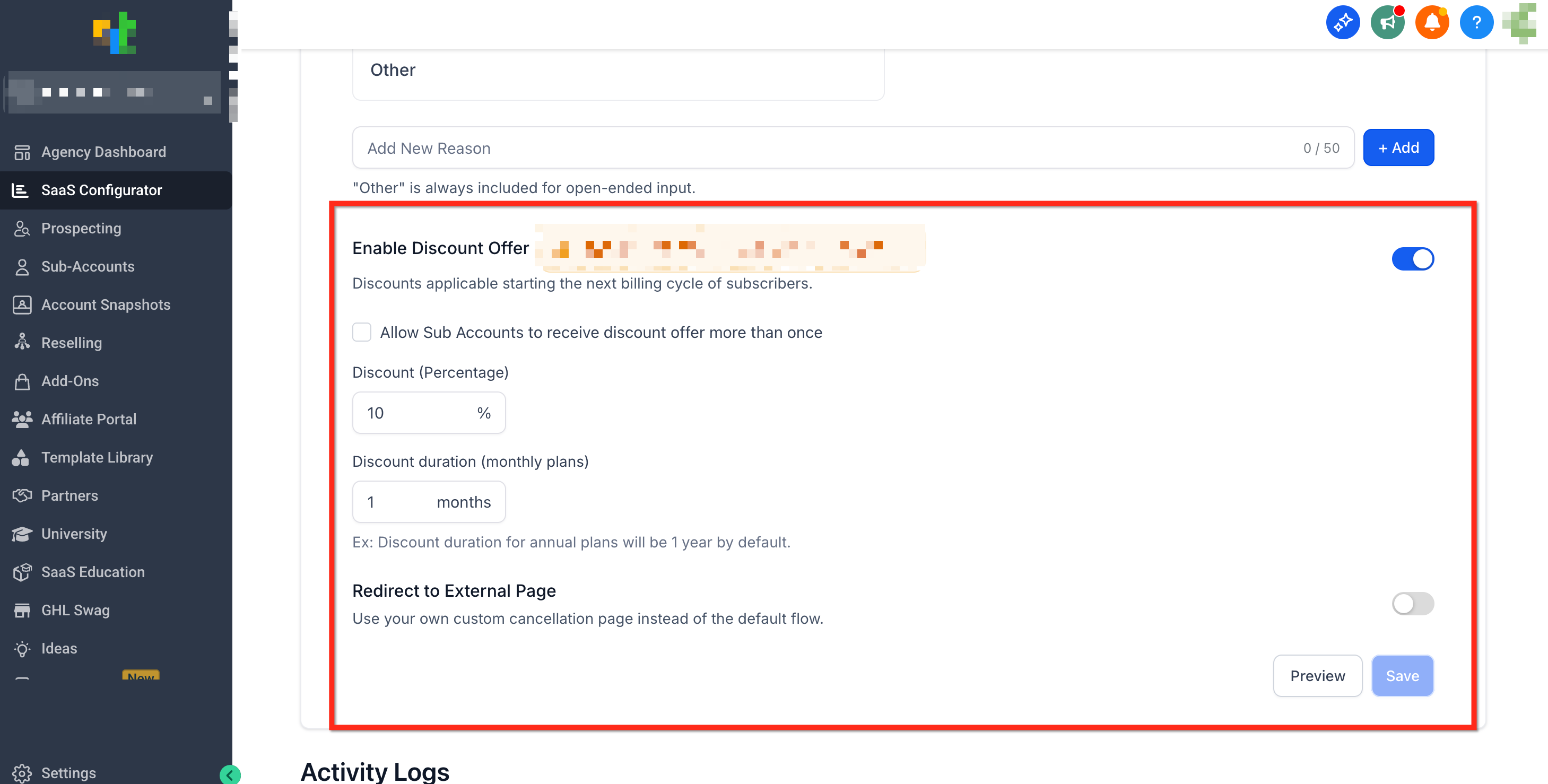
- Locate the Enable Discount Offer switch in Downgrade Settings.
- Turn the switch ON.
- Enter the percentage for the discount.
- Set the duration for monthly plans or confirm the one year length for annual plans.
- Select whether a client may receive the discount more than once and click Save.
Customer downgrade flow
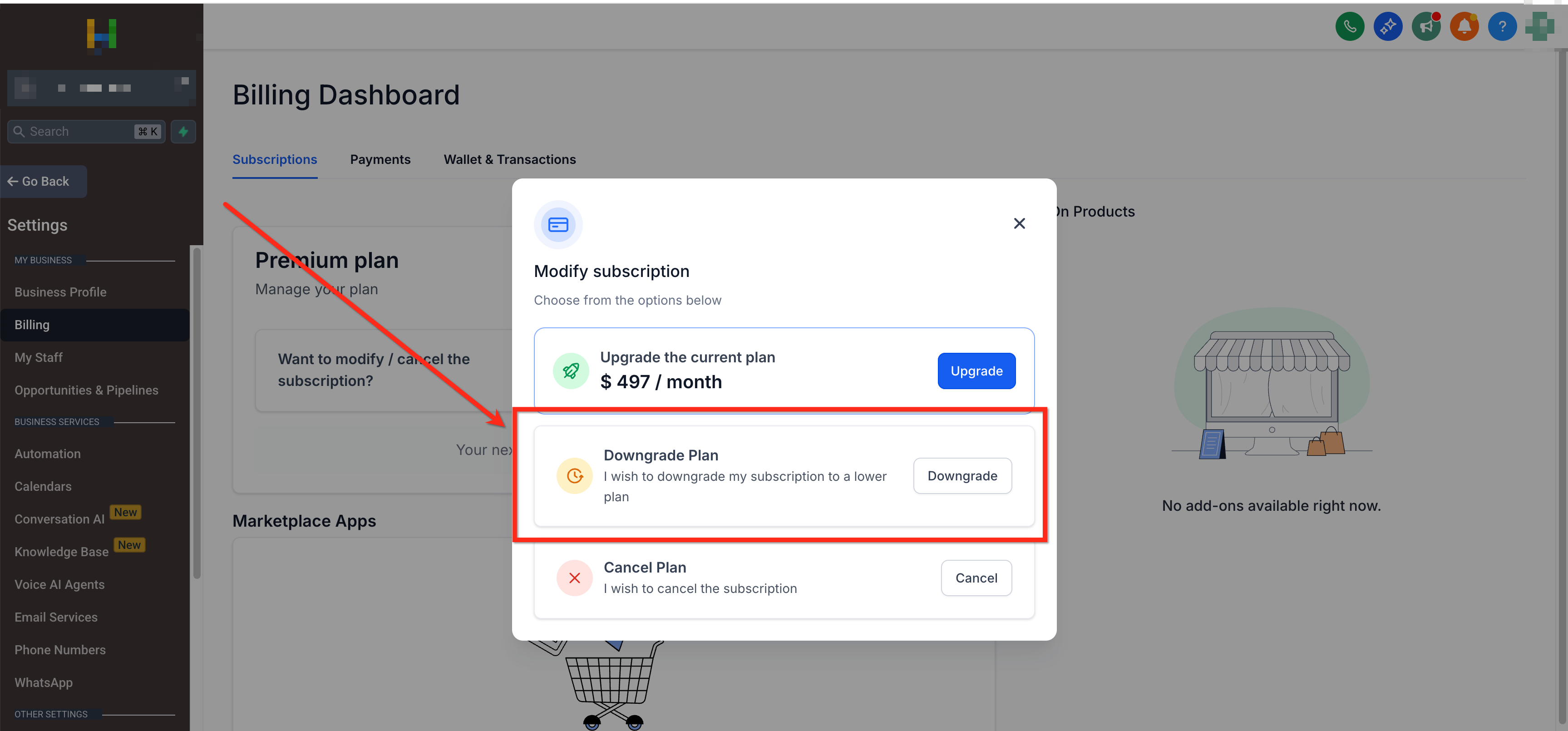
- In the client account navigate to Account Settings > Billing > Modify Subscription > Downgrade.
- Choose a reason from the list provided by the agency.
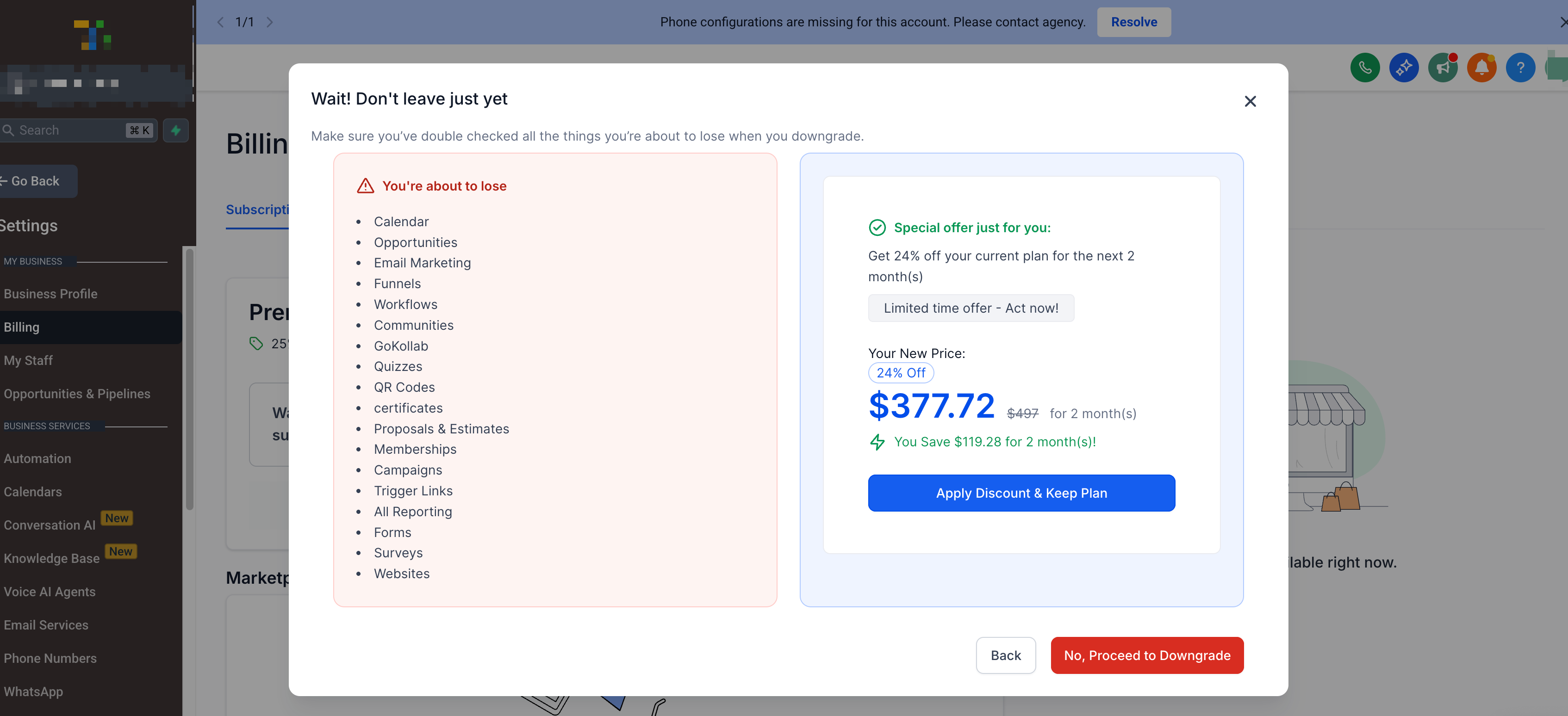
- If a retention discount is available, review the offer and decide to accept or decline.
- Accepting the discount cancels the downgrade; declining schedules it for the next billing cycle.
- Before the effective date, use Keep My Plan to cancel a scheduled downgrade.
Track downgrade activity
- Open SaaS Configurator > Cancellation Settings and scroll to the Activity Logs section.
- Examine each log entry for subaccount, timestamp, outcome, reason, plan change and next billing date.
- Click Download to export the log data for further analysis.
06What it looks like in HighLevel
07Settings that matter
- Allow clients (account admins) to downgrade their subscription. Controls whether eligible subaccount admins can access the self service downgrade flow.
- Enable Discount Offer. Turns on a retention discount that eligible V1 clients can accept to cancel a scheduled downgrade.
08Things to know before you rely on it
- Discount offers are only available for eligible SaaS V1 subscriptions; V2 flows do not support them.
- Reason entries cannot exceed the supported character limit for each line.
- The discount can be limited to a single use per client or allowed multiple times based on the setting.
- A scheduled downgrade does not change the active plan until the start of the next billing cycle.
- No mid cycle proration or partial refunds are created by the downgrade flow.
- Existing mismatches between Stripe and selling subaccount records are not automatically corrected; only a future qualifying plan change updates both.
09How it connects to the rest of HighLevel
- How to upgrade or downgrade a SaaS plan for a location Upgrade or downgrade guide
- Managing SaaS wallet credits in HighLevel Wallet credit management
- HighLevel pricing and plans Pricing page
Michael's take

The first thing I would do is turn the self service downgrade toggle on, so admins can start the process themselves without waiting for support.