
01Who this is for
- SaaS agencies that sell phone numbers to clients, because they need to stop scammers from creating disposable subaccounts.
- Agencies that use the SaaS platform to manage multiple client subaccounts and want each account to authenticate before buying a number.
022FA for new SaaS subaccounts, explained
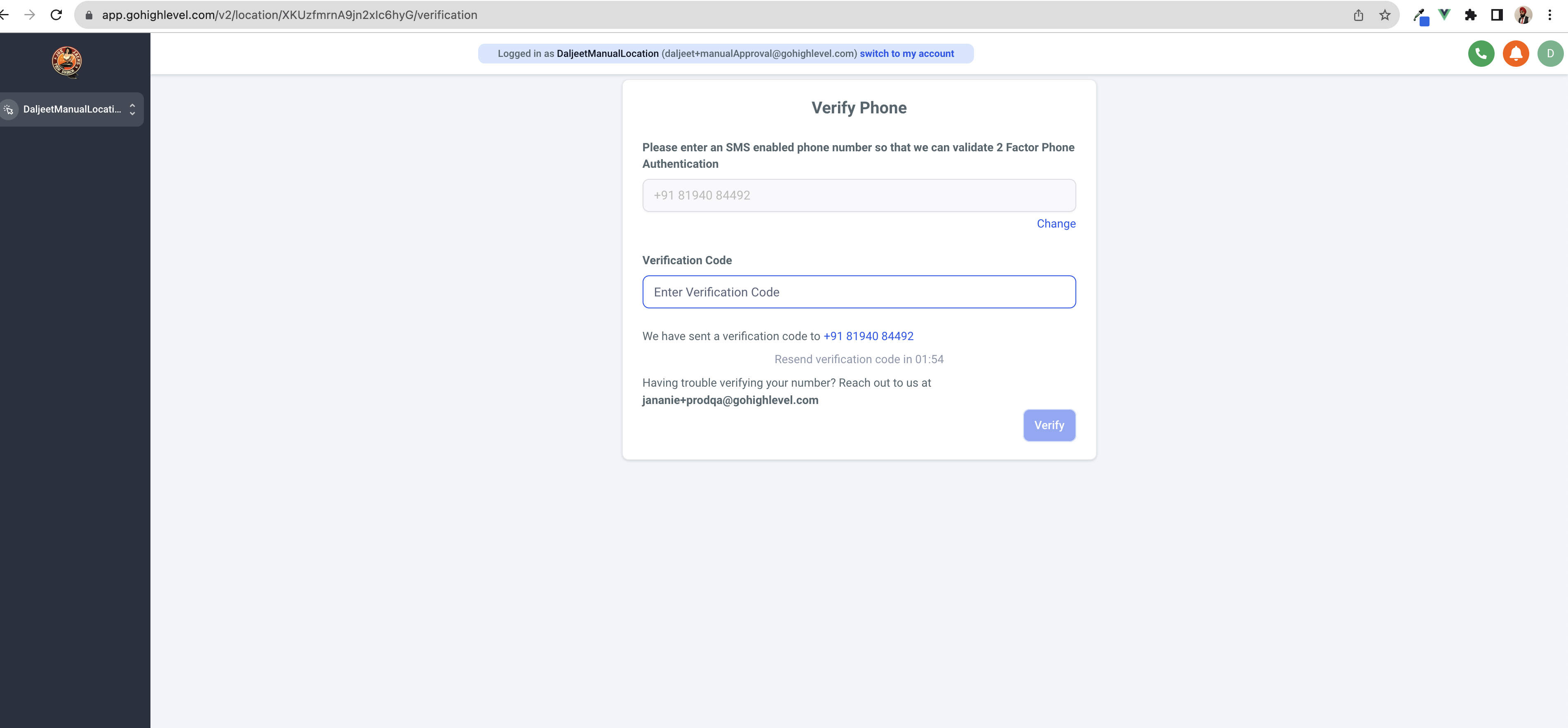
The feature adds a verification step for new SaaS subaccounts that attempt to buy a phone number for the first time. When enabled, the subaccount admin receives a text message with a code and must enter it before the purchase proceeds. The verification uses an SMS enabled phone number supplied at that moment.
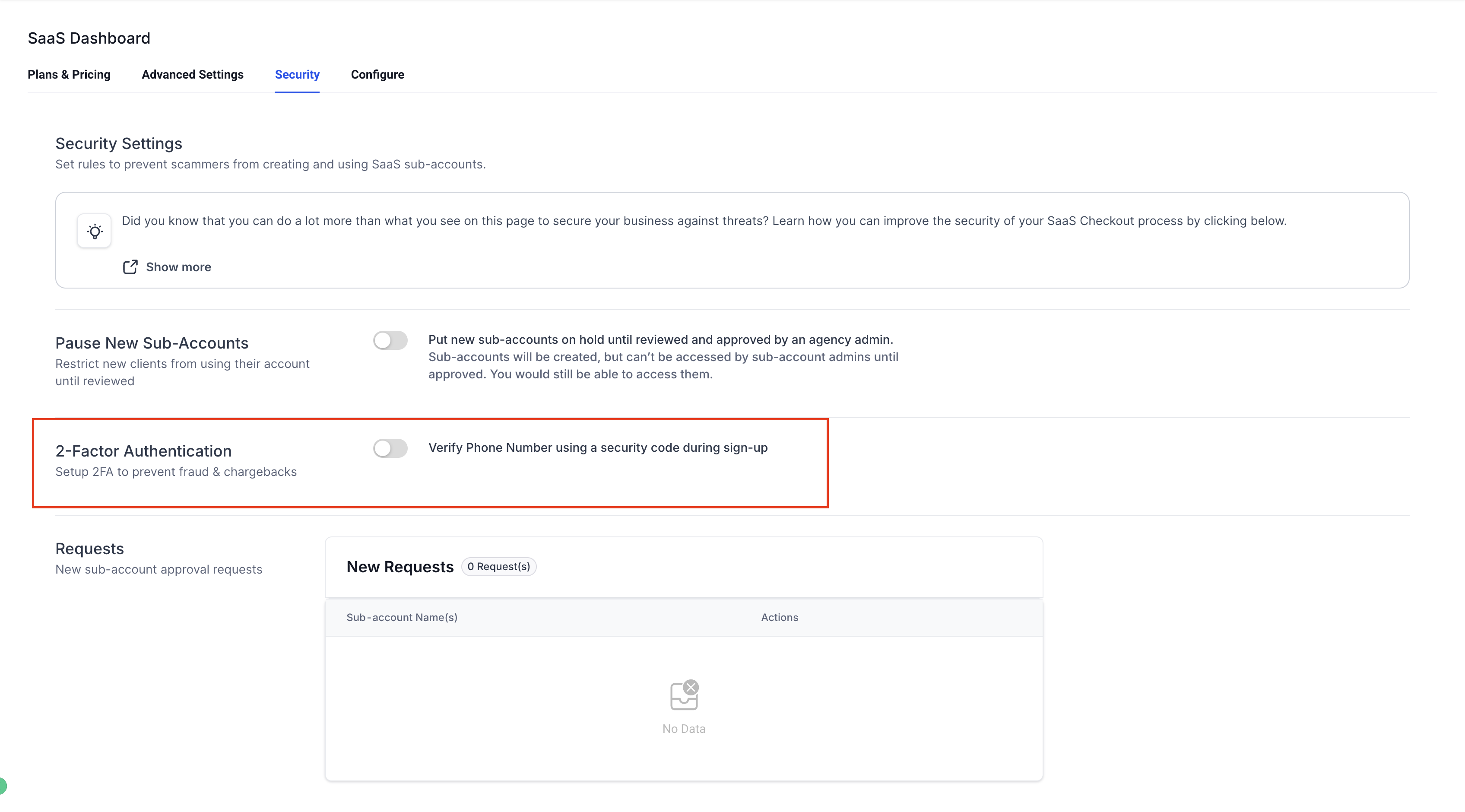
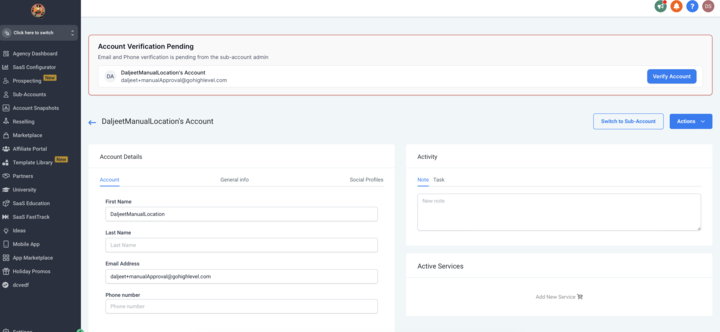
The setting resides in the SaaS Configurator under Advanced Settings, labeled 2 Factor Authentication. Agency admins can also verify the subaccount manually from its Manage Client page without requiring a code. The phone number used for verification cannot be reused for another subaccount verification for seven days.
03How businesses use 2FA for new SaaS subaccounts
- SaaS agency selling phone numbers. The agency enables 2FA in the SaaS Configurator. When a client subaccount tries to buy its first number, the admin enters a mobile number, receives a code, and completes the purchase only after entering the code.
- Agency protecting against scammers. The agency turns on the 2 Factor Authentication option. Each new subaccount must verify via SMS before any phone number can be added, ensuring only legitimate accounts obtain numbers.
- Platform admin managing SaaS subaccounts. The admin activates the 2FA setting. If a managed subaccount wants to purchase a number, the platform prompts for an SMS code, blocking rapid creation of accounts with disposable emails.
04The numbers and rules that matter
- A phone number can NOT be used to create/verify another subaccount till 7 days after it has been used to verify a subaccount.
05How to set up and use 2FA for new SaaS subaccounts in HighLevel
Enable 2 Factor Authentication for new SaaS subaccounts
- Open the SaaS Configurator.
- Select Advanced Settings.
- Find the 2 Factor Authentication option and turn it on.
Manually verify a subaccount as agency admin
- Navigate to the subaccount’s Manage Client page.
- Choose the option to manually verify the subaccount without entering a code.
06What it looks like in HighLevel
07Settings that matter
- 2 Factor Authentication. Controls whether a newly signing up SaaS subaccount must complete SMS verification before purchasing its first phone number.
08Things to know before you rely on it
- A phone number used for verification cannot be reused to verify another subaccount for seven days.
- Subaccount admins have no method to bypass the verification step.
- Only agency admins can perform a manual verification from the Manage Client page.
09How it connects to the rest of HighLevel
- See all other SaaS Configurator features. All SaaS Configurator features
- Review plan eligibility for SaaS features. HighLevel pricing and plans
- Start a trial to test 2FA and other SaaS settings. 30 day trial
Michael's take

2FA for new SaaS subaccounts adds an extra layer of security for agencies that need to protect against scam accounts.