
01Who this is for
- Agency owners who need a single source to pull the latest LeadConnector plugins for client sites, ensuring consistent integration.
- Small business marketers who want to avoid disruptions if a plugin is removed from the official WordPress store.
- Web developers managing multiple WordPress installations and requiring a reliable channel to share plugin files with team members.
02Leadconnector plugin hub, explained
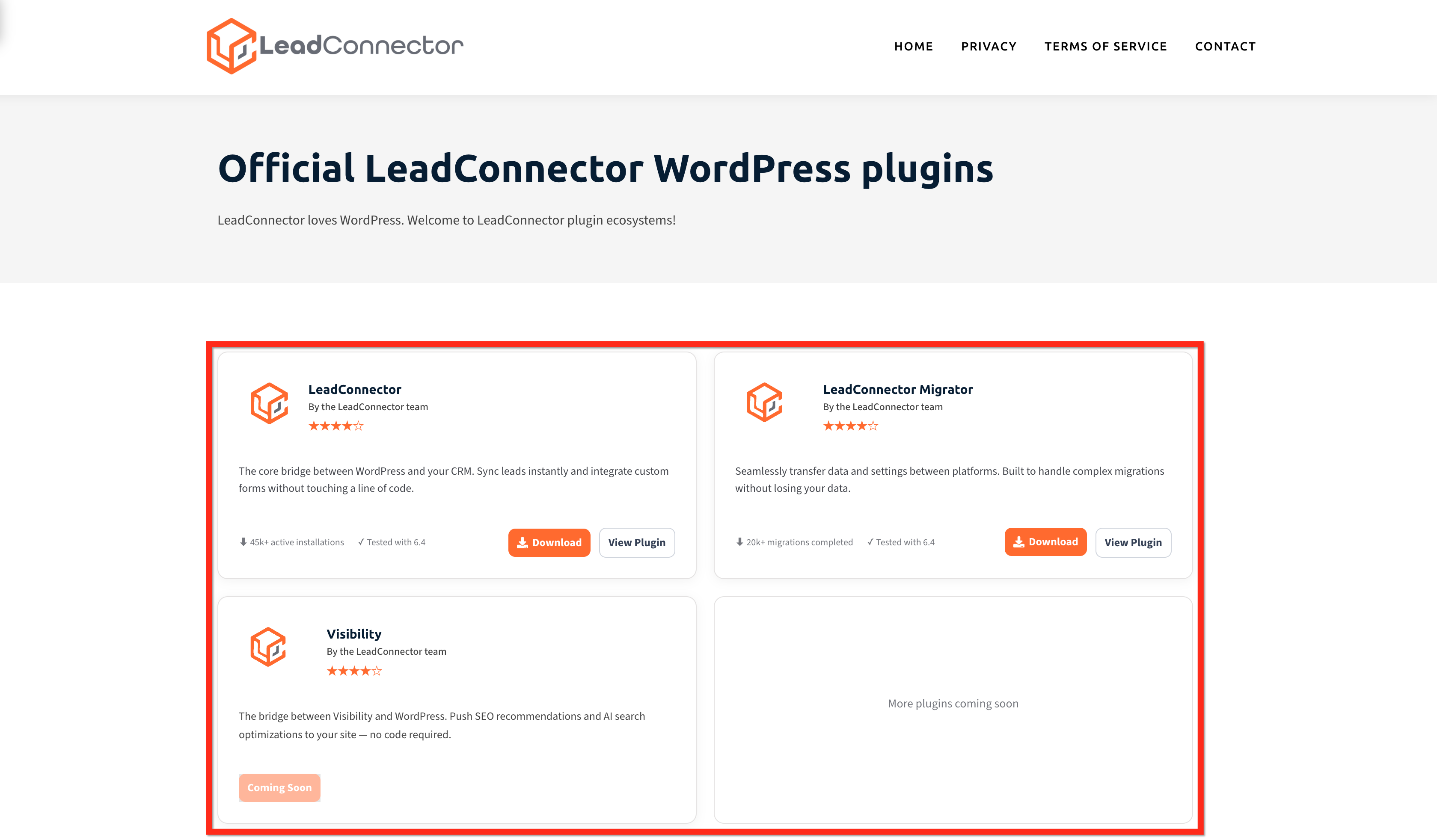
The WordPress Plugin Hub hosts all LeadConnector created plugins at a dedicated URL. It mirrors the official WordPress directory, so the same versions appear on both sites. Users can view version numbers and download each plugin as a ZIP file.
The hub acts as a backup distribution channel. If a plugin is ever delisted from WordPress.org, the hub continues to provide access, preventing integration downtime. Plugins downloaded from the hub behave identically to those installed from WordPress’s official repository.
The hub is accessed through a web browser at wordpress.leadconnectorhq.com. From there, users select a plugin, download the ZIP archive, and then install it via the standard WordPress admin workflow.
03How businesses use leadconnector plugin hub
- Digital marketing agency. The agency logs into the plugin hub, downloads the LeadConnector plugin ZIP, and installs it on each client’s WordPress site. This ensures all client sites use the same version of the integration tool.
- Real estate broker. The broker shares the hub URL with the in house web team, allowing them to download the LeadConnector Migrator plugin when moving data between platforms, keeping the migration process consistent.
- Ecommerce store owner. The store owner downloads the Visibility plugin from the hub and adds it to their WordPress site to push SEO recommendations without writing code, improving site visibility.
04The numbers and rules that matter
- Three plugins are currently available: LeadConnector, LeadConnector Migrator, Visibility.
05How to set up and use leadconnector plugin hub in HighLevel
Download LC WordPress plugins from the Hub
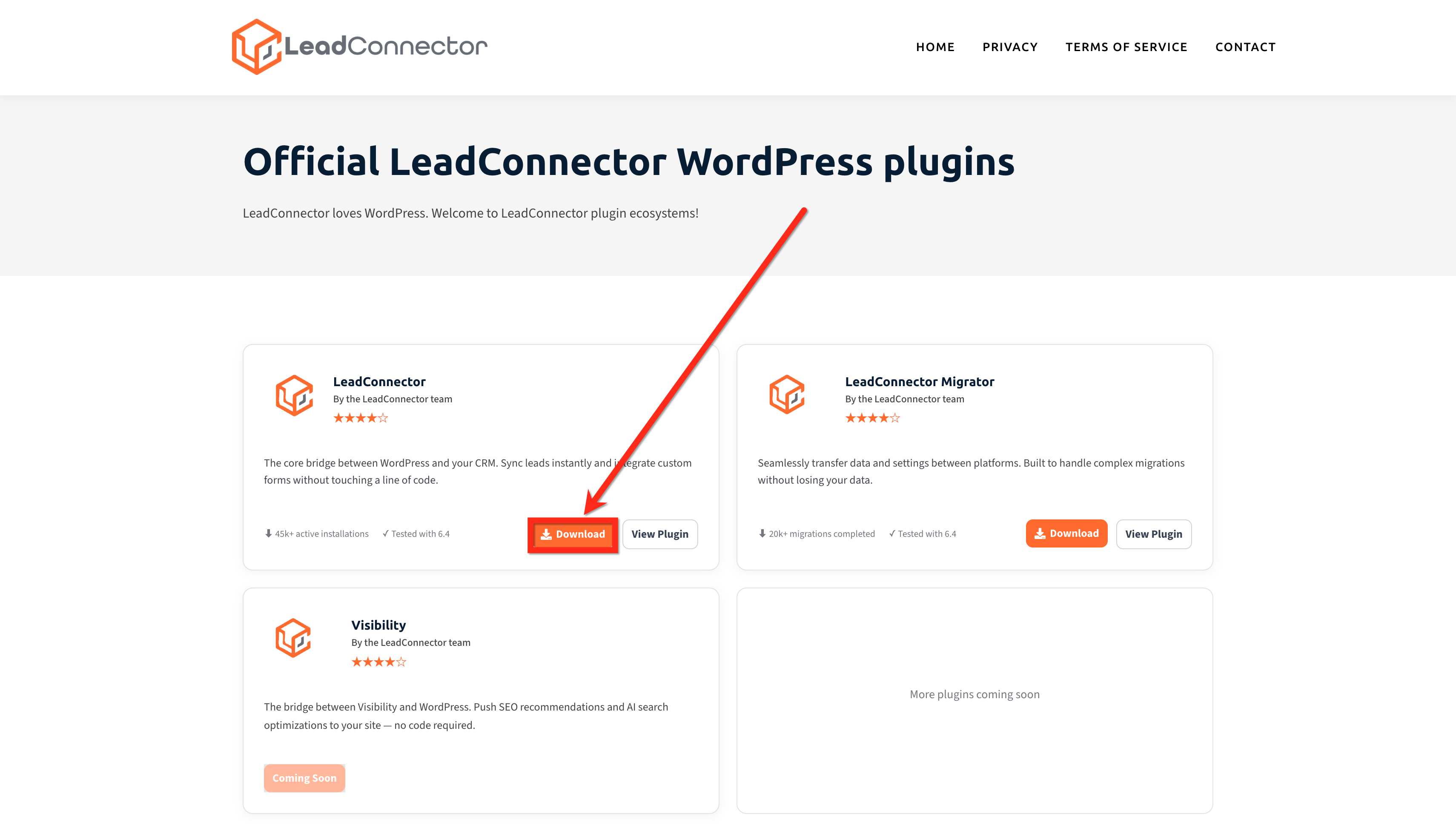
- Open a web browser and go to wordpress.leadconnectorhq.com to view the list of available plugins.
- Click the download button for the desired plugin; the file saves as a ZIP archive on your computer.
- In WordPress, navigate to Plugins > Add New, choose Upload Plugin, select the downloaded ZIP file, click Install Now, then activate the plugin.
06What it looks like in HighLevel
07Things to know before you rely on it
- Only three LeadConnector plugins are currently available on the hub: LeadConnector, LeadConnector Migrator, and Visibility.
- Additional plugins are planned for future release, but are not yet accessible.
- The hub provides the same plugin versions as the official WordPress directory; updates appear simultaneously on both sites.
08How it connects to the rest of HighLevel
- Manage WordPress plugins and themes within HighLevel Plugin management
- Use the WP Admin button for single sign on to WordPress from HighLevel WP Admin SSO
- Set up WordPress hosting plans in HighLevel WordPress hosting
Michael's take

The Leadconnector plugin hub is a practical fallback for anyone who worries about plugin availability. Agencies juggling many sites will find it handy.
Skip it if you never install Leadconnector plugins or if you rely exclusively on the official WordPress directory and have no concerns about access interruptions.