
01Who this is for
- Agencies that build multiple client sites benefit from a single plugin that syncs all embeds to each client’s HighLevel subaccount.
- Non technical business owners can add booking calendars or review displays without writing code, using familiar page builder blocks.
- Marketing teams gain a consistent look for surveys and quizzes across campaigns, as styles are maintained from HighLevel.
02Leadconnector wordpress plugin support for reviews, calendars, surveys & quizzes, explained
The plugin creates a bridge between WordPress and HighLevel. Inside HighLevel you design Review Widgets, Calendars, Surveys, or Quizzes as usual. The plugin then exposes those items in WordPress under the LeadConnector menu, generating a shortcode for each. When the shortcode is placed in any page builder, Gutenberg, Elementor or Divi, the component renders with the exact branding and settings defined in HighLevel. All user interactions such as bookings, survey responses or quiz outcomes flow back to the connected HighLevel subaccount for reporting and automation. The embeds appear wherever you insert the shortcode block. Because the data lives in HighLevel you maintain a single source of truth for analytics, follow ups and contact management. This approach reduces the number of plugins you need to maintain on the WordPress site and lets non developers add interactive elements with drag and drop tools.
03How businesses use leadconnector wordpress plugin support for reviews, calendars, surveys & quizzes
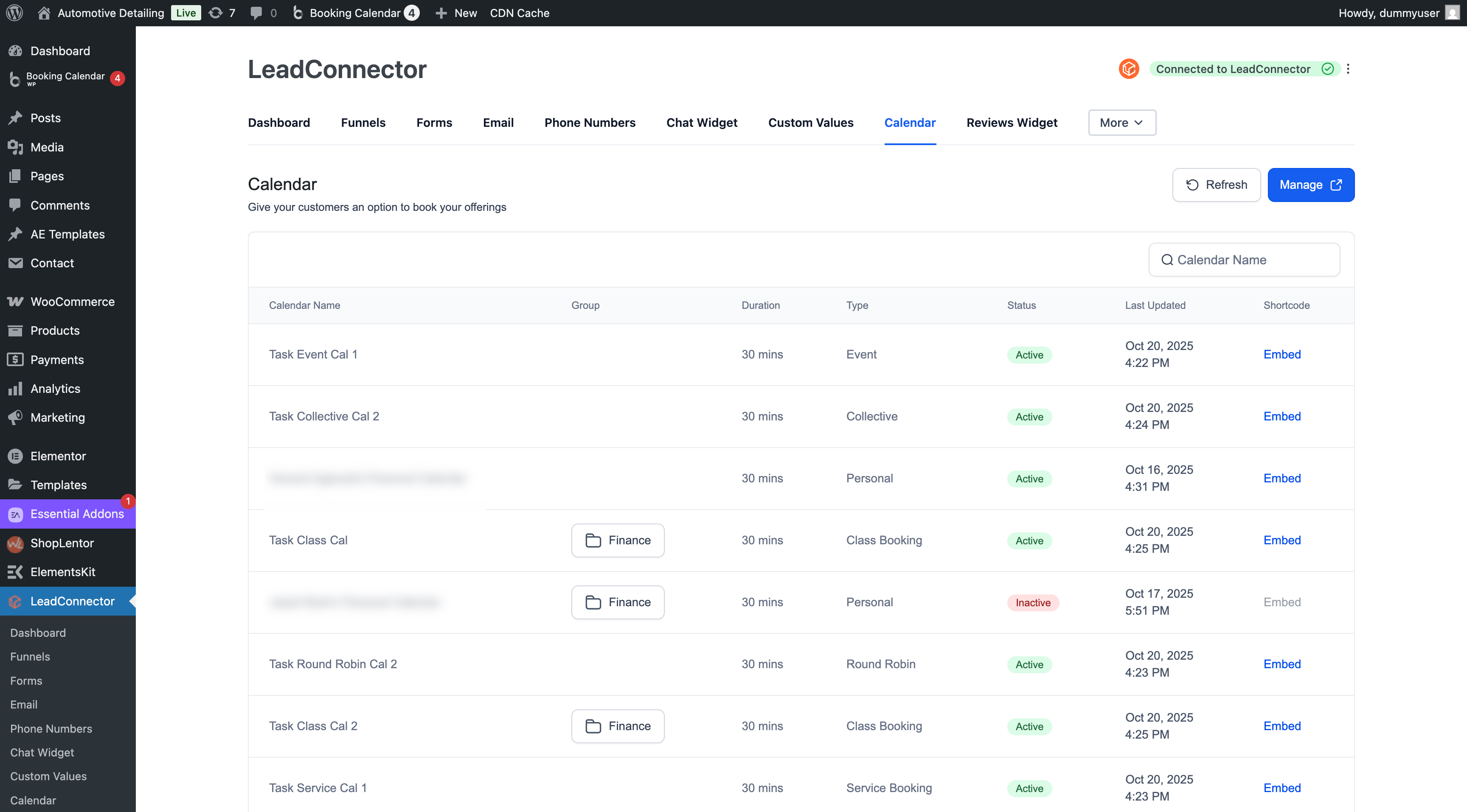
- Fitness studio. Create a class schedule calendar in HighLevel, copy the shortcode from WordPress > LeadConnector > Calendars and drop it into a landing page built with Elementor. Visitors can book sessions directly and appointments are recorded in the studio’s HighLevel account.
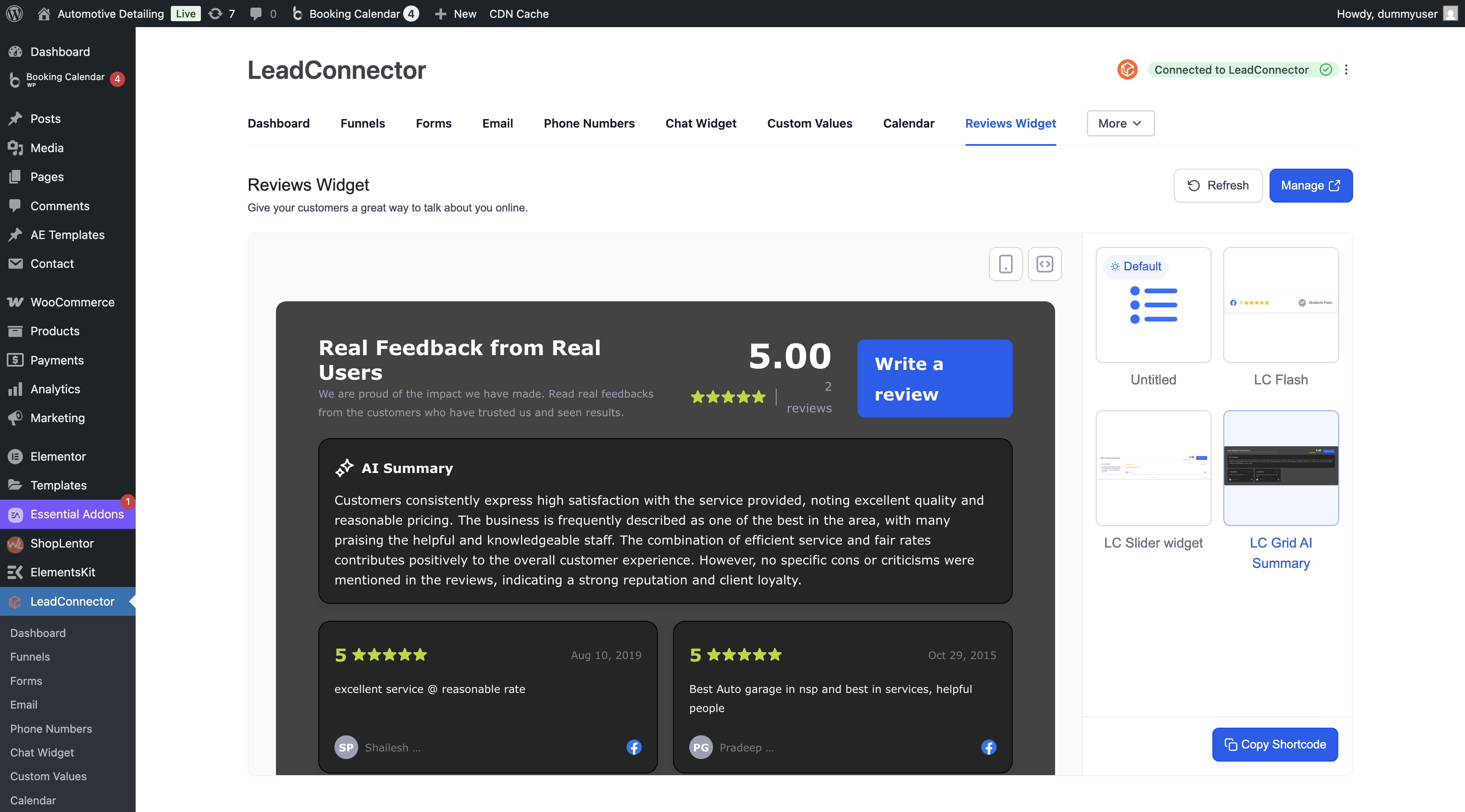
- Dental practice. Design a patient feedback Review Widget in HighLevel, retrieve its shortcode from WordPress > LeadConnector > Reviews and insert it into the service page using a Gutenberg block. The widget displays recent reviews styled with the practice’s fonts and colors.
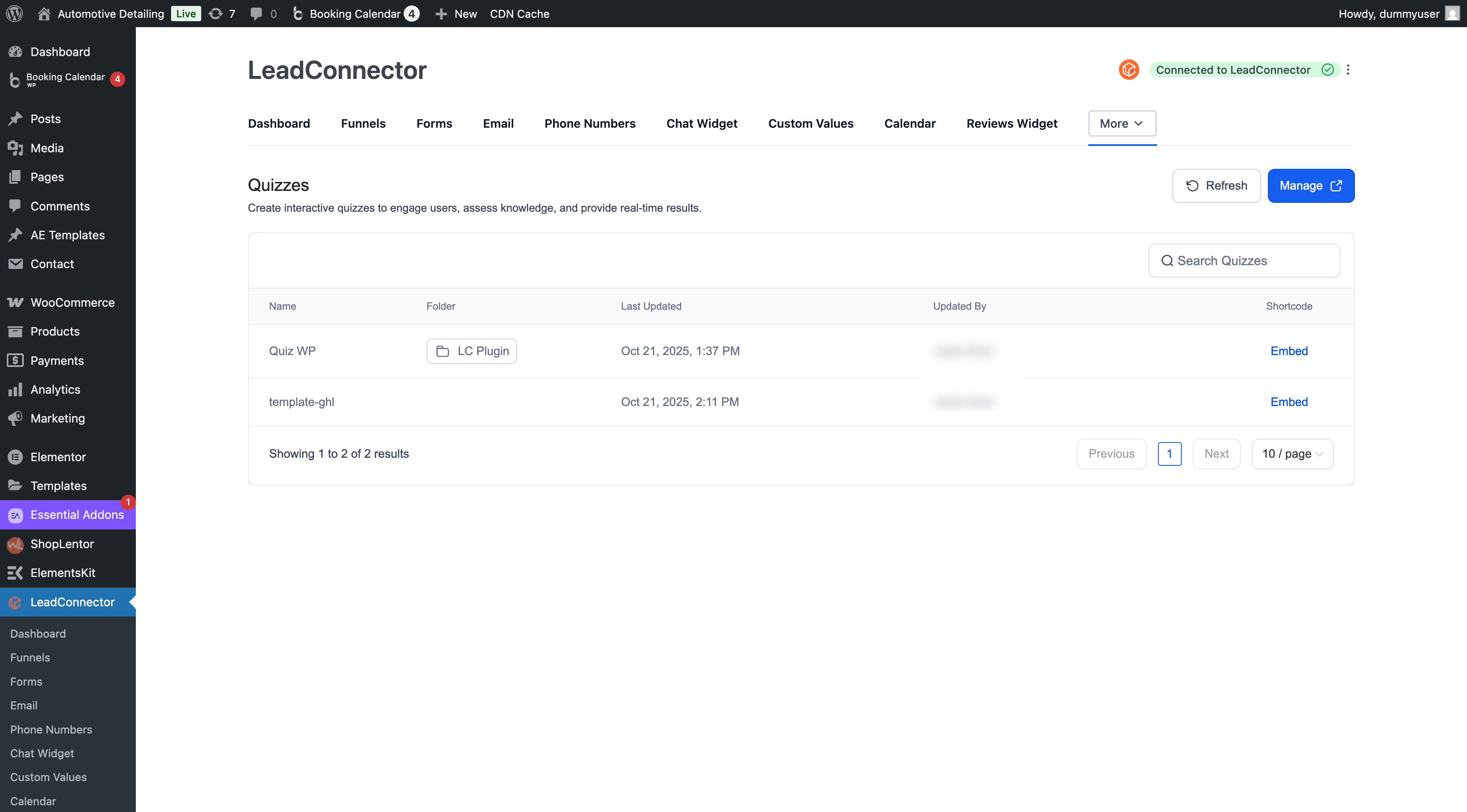
- Online education platform. Build a lead generation quiz in HighLevel, copy the quiz shortcode from WordPress > LeadConnector > Quizzes and embed it on a top of funnel page via Divi. Completion data syncs to HighLevel where outcomes trigger segment specific email automations.
04The numbers and rules that matter
- Version 3.0.13 adds Review Widgets, Calendars, Surveys and Quizzes support.
05Before you start
- The LeadConnector plugin must be installed on the WordPress site.
- The plugin must be connected to a HighLevel subaccount before any embeds can be added.
06How to set up and use leadconnector wordpress plugin support for reviews, calendars, surveys & quizzes in HighLevel
Embed a review widget
- Create and customize the Review Widget inside HighLevel.
- In WordPress navigate to LeadConnector > Reviews and copy the widget’s shortcode.
- Add a block or shortcode element in your page editor and paste the copied shortcode.
- Publish or update the page to make the widget live.
- Verify that the reviews display with the styles set in HighLevel.
Embed a calendar
- Set up the calendar in HighLevel, defining availability, teams and routing.
- Go to WordPress, open LeadConnector > Calendars and copy the calendar’s shortcode.
- Place the shortcode in the desired location using a Gutenberg block or page builder widget.
- Update and publish the page so visitors can schedule appointments.
- Confirm that bookings appear in the linked HighLevel subaccount.
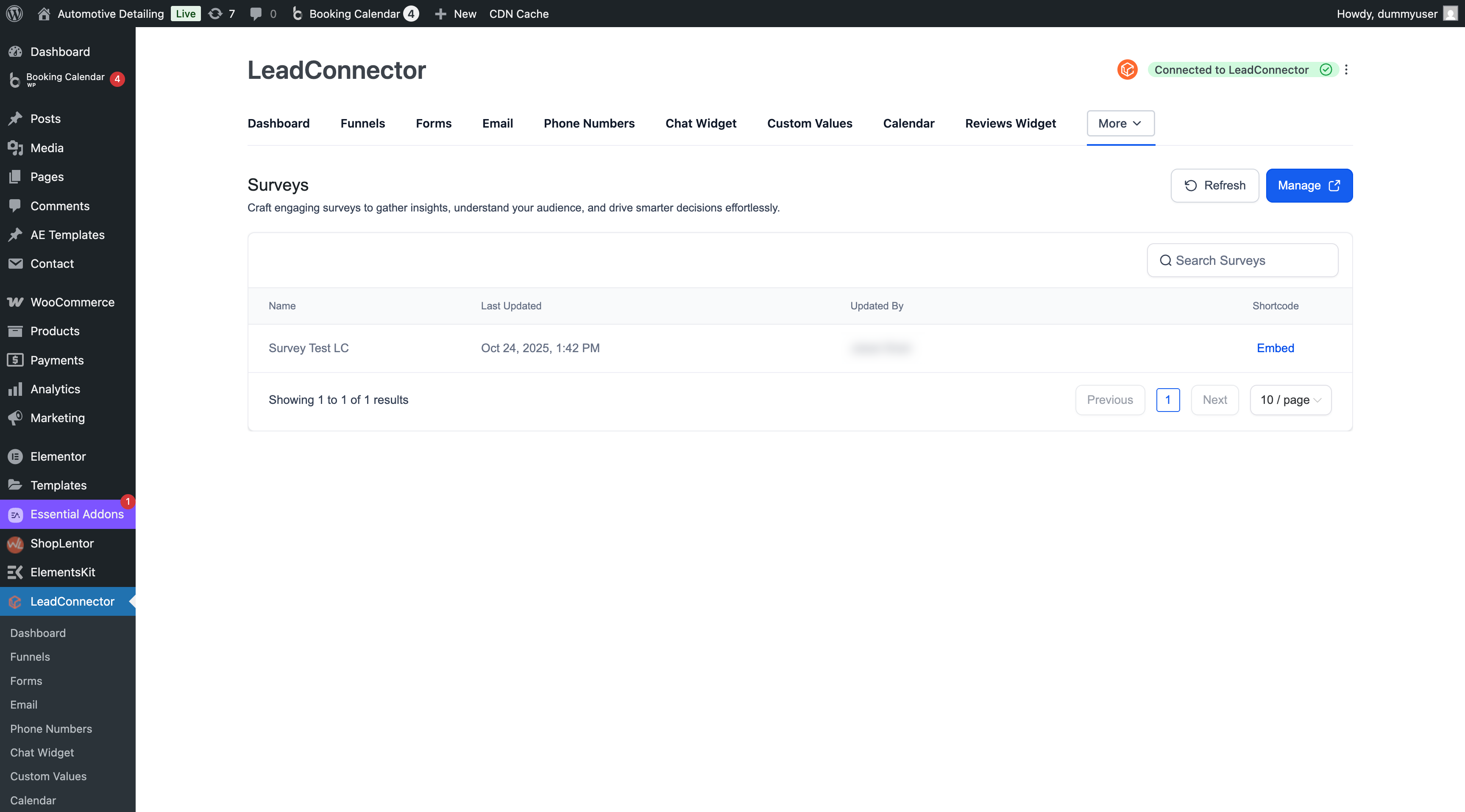
Embed a survey
- Build the survey in HighLevel, adding questions, logic and completion actions.
- In WordPress select LeadConnector > Surveys and copy the survey embed shortcode.
- Insert the shortcode into the page where the survey should appear.
- Preview the page for responsiveness then publish it.
- Check HighLevel for the survey responses and analytics.
Embed a quiz
- Design the quiz in HighLevel, setting questions, scoring and outcome pages.
- Open WordPress, go to LeadConnector > Quizzes and copy the quiz shortcode.
- Add the shortcode to a page using the appropriate block or widget.
- Publish the page so visitors can take the quiz.
- Review quiz completions and results in the connected HighLevel account.
07What it looks like in HighLevel
08Settings that matter
- Reviews. Selects which HighLevel review widget shortcode is inserted into a WordPress page.
- Calendars. Determines which HighLevel calendar configuration is embedded via shortcode.
- Surveys. Controls which HighLevel survey is placed on the page through its shortcode.
- Quizzes. Specifies which HighLevel quiz appears when the shortcode is added to content.
09Things to know before you rely on it
- Multiple widgets of the same type can be added to a single page, but each must use its own block or shortcode.
- Keep page layouts simple when embedding several elements to maintain optimal performance.
10How it connects to the rest of HighLevel
- Manage WordPress plugins and themes within the platform Plugin and Theme Management
- Guidance for installing and connecting the LeadConnector plugin Plugin setup guide
- Overview of all Sites features, including the LeadConnector plugin All Sites features
Michael's take

Can I really run all my HighLevel widgets from WordPress without juggling extra plugins? Absolutely. The LC plugin drops a shortcode into any page builder, and everything you set up in HighLevel. Reviews, bookings, surveys, quizzes. Shows up as configured. Your data stays in HighLevel, so you keep one source of truth for analytics and follow ups.
If I were adding a new quiz to a lead gen landing page, I’d build the quiz in HighLevel first, copy the shortcode from LeadConnector > Quizzes, and drop it into a Gutenberg block. I then publish and watch the outcomes flow right into my automation pipeline.