
01Who this is for
- Marketers who need data driven insight into which funnel page converts better.
- Course creators looking to fine tune landing page headlines and images for higher enrollments.
- Ecommerce owners who want to reduce cart abandonment by testing checkout layouts.
02Split testing in funnels, explained
Split testing is a feature inside the Sites section of HighLevel. It creates a control page and one or more variant pages for a selected funnel step. When visitors land on the main URL, a browser cookie records which version they see, and traffic is divided according to the percentages you set.
The test runs while both pages stay live. HighLevel records visits and conversions for each variant, and you can view detailed statistics in the Stats tab. The feature works on any plan, but the funnel step must have a domain attached before you can start a test.
03How businesses use split testing in funnels
- Online course provider. Create a variation of the sales landing page, change the headline and hero image, and set a 50/50 traffic split. Review the conversion stats to see which headline drives more enrollments.
- Webinar host. Add a second version of the registration page with a different form layout. Allocate traffic between the original and new layout, then examine which version yields a higher sign up rate.
- Ecommerce retailer. Build a variation of the checkout step that uses a different button color. Direct half of the visitors to each version and compare completed purchase counts in the test results.
04Before you start
- A domain must be attached to the funnel or website before starting a split test.
- Avoid editing the control page while the test is active to keep results accurate.
05How to set up and use split testing in funnels in HighLevel
Create a split test
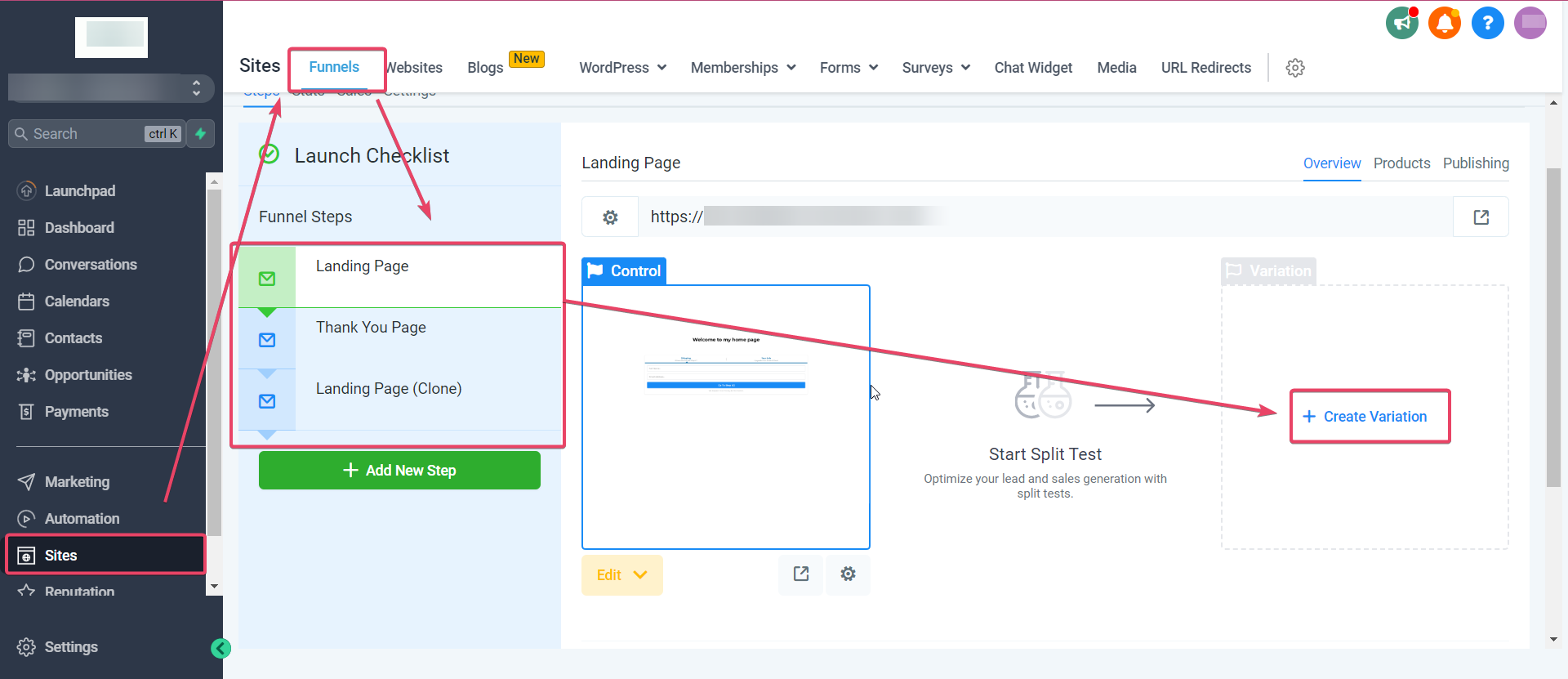
- Open Sites > Funnels (or Websites) and select the funnel you want to test.
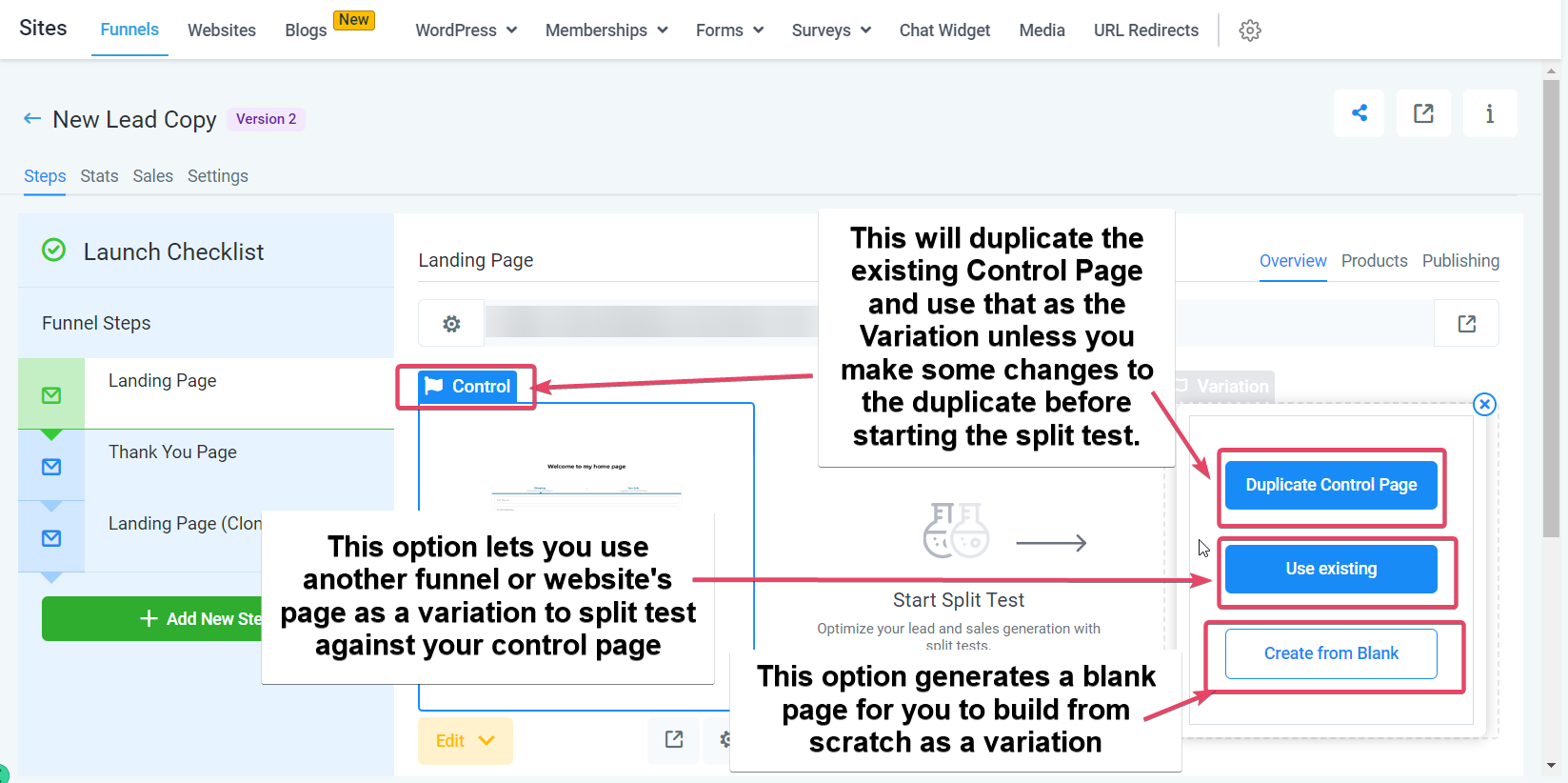
- Pick the funnel step for the test and click Create Variation.
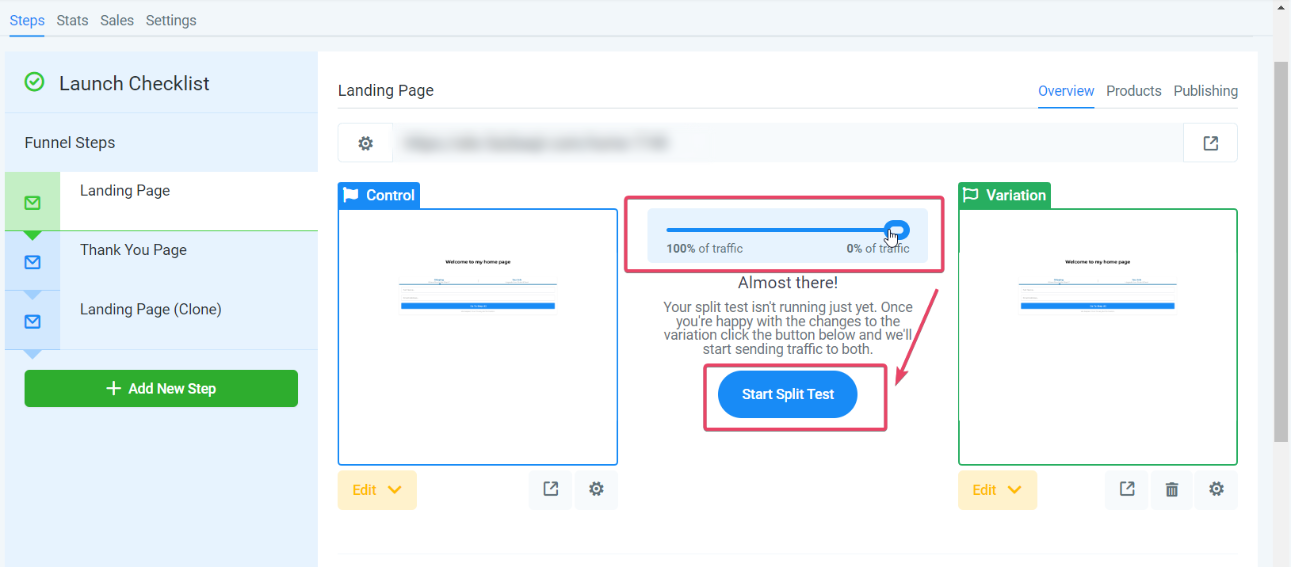
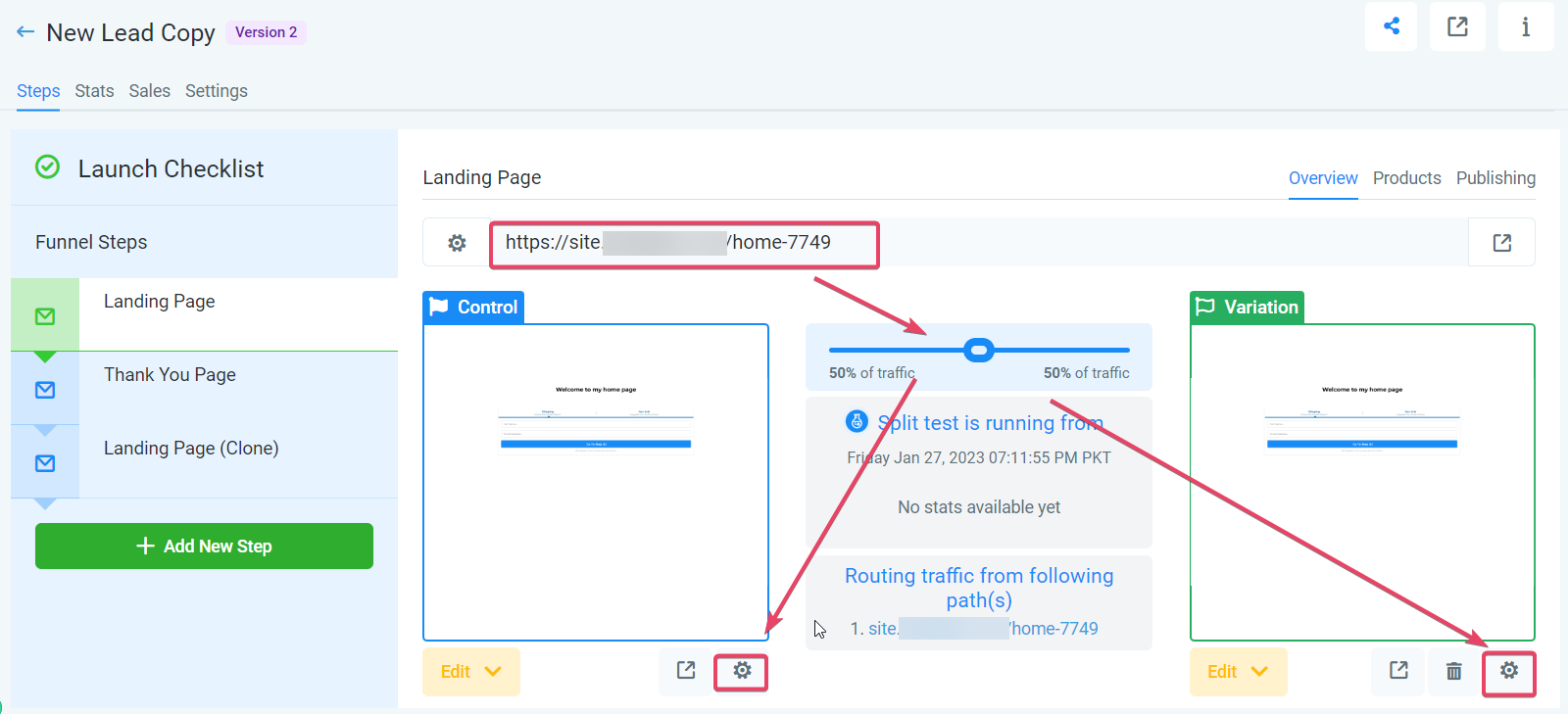
- Choose a variation option, adjust the traffic distribution slider, and click Start Split Test.
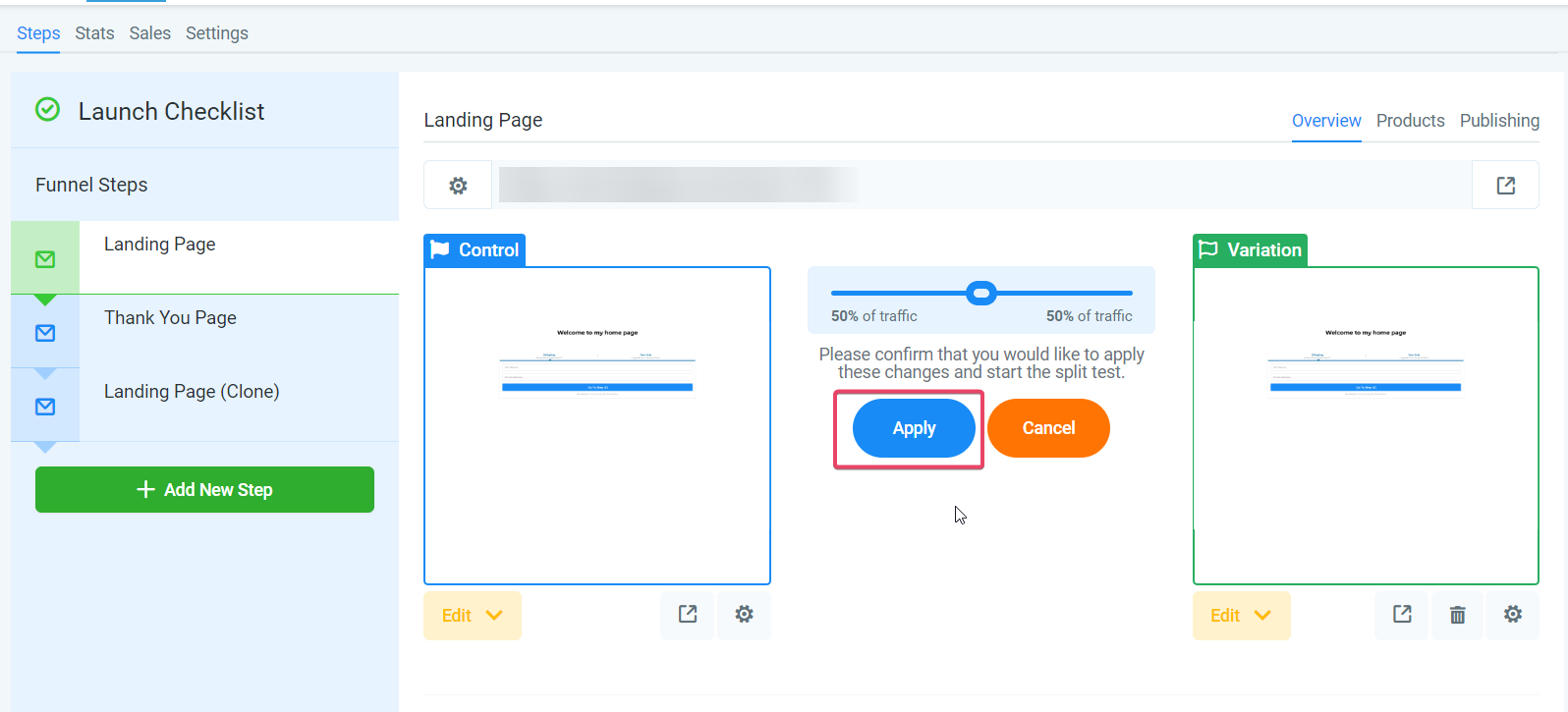
- Confirm the split test launch by clicking Apply.
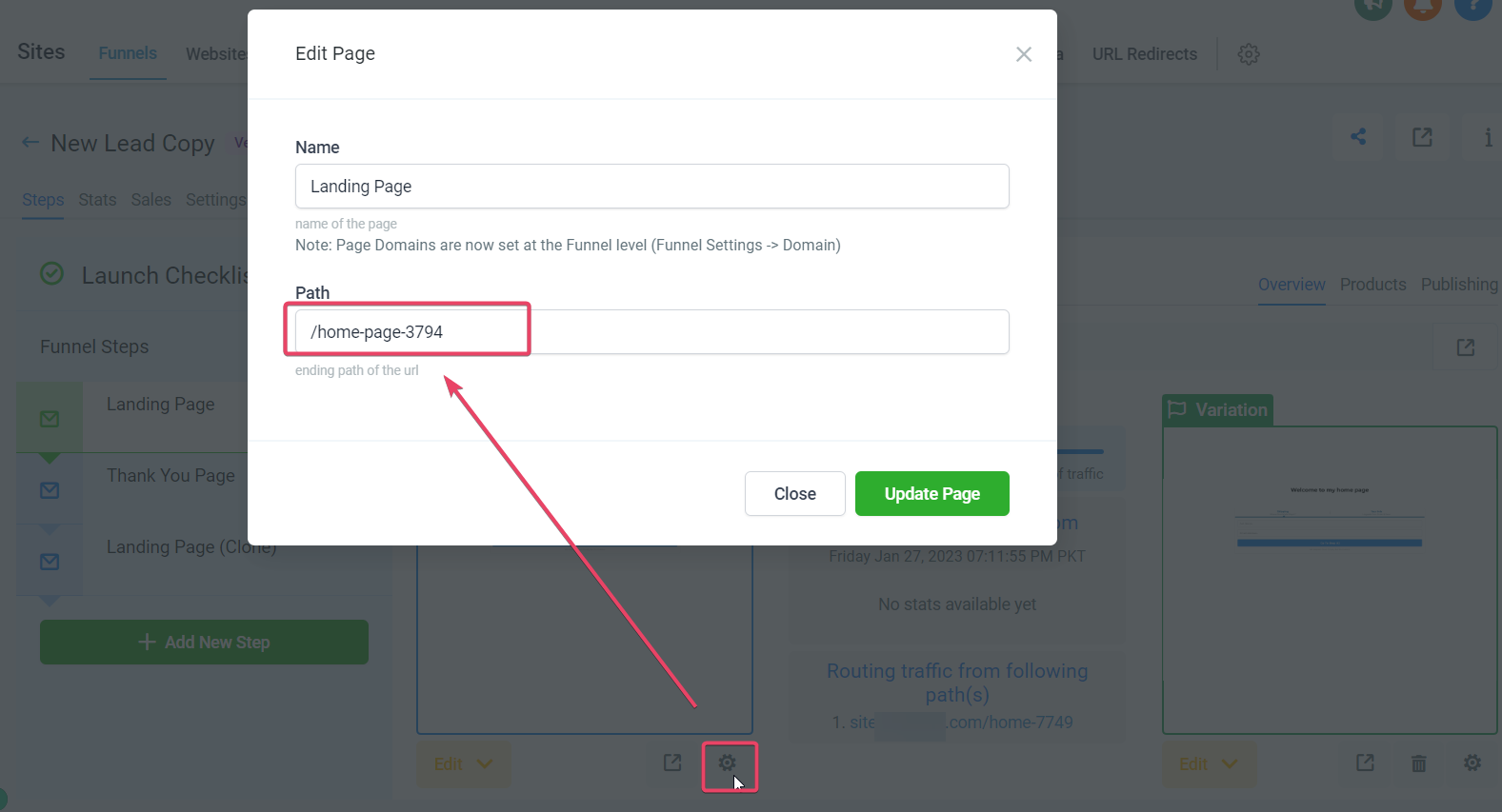
- Edit the URL path for the control page using its gear icon if you need a custom path.
- Edit the URL path for the variation page using its gear icon to set a distinct path.
06What it looks like in HighLevel
07Settings that matter
- Traffic distribution Slider. Controls the percentage of visitors sent to the control page versus the variation.
- Gear Icon (Control Page). Opens the editor for the dedicated URL path of the control page.
- Gear Icon (Variation Page). Opens the editor for the dedicated URL path of the variation page.
08Things to know before you rely on it
- Split testing is available on every HighLevel plan.
- A domain must be linked to the funnel step before the feature can be used.
- Noticeable differences between control and variation improve test accuracy.
- The test relies on browser cookies; opening the URL in a private window shows the other variant.
09If something goes wrong
- All traffic goes to the control page, none to the variation.. Make sure the domain used in ads matches the domain of the split test page, and set the root domain’s default page to the test page.
- Stats do not reflect the configured traffic split.. Check that no direct links to the control or variation pages bypass the split test logic on other funnels or ads.
- Ad platform policies block path URL redirection used in the test.. Run the split test on a later funnel step and direct ad traffic to the first step instead.
10How it connects to the rest of HighLevel
- Add a domain to your funnel with Domain Connect Domain Connect guide
- Insert tracking scripts on funnel pages Tracking code guide
- Review HighLevel pricing and plan options Pricing page
Michael's take

When visitors land on a funnel page, you can’t tell which headline or button will actually move them forward. Split testing in funnels solves that by letting you serve two versions side by side, watch the conversion numbers, and then keep the winner. The first thing I would lock in is the traffic distribution slider. Get the split between control and variation exactly how you want it before you launch.
After that, I make sure the domain in my ads matches the funnel step domain. That tiny alignment prevents the test from falling flat and gives you clean data to act on.