
01Who this is for
- Marketing managers can capture visitor behavior to start targeted follow up sequences.
- Sales teams can trigger outreach when a prospect views a product detail page.
- Agency owners can set up client specific automation without custom code.
02Page view triggers, explained
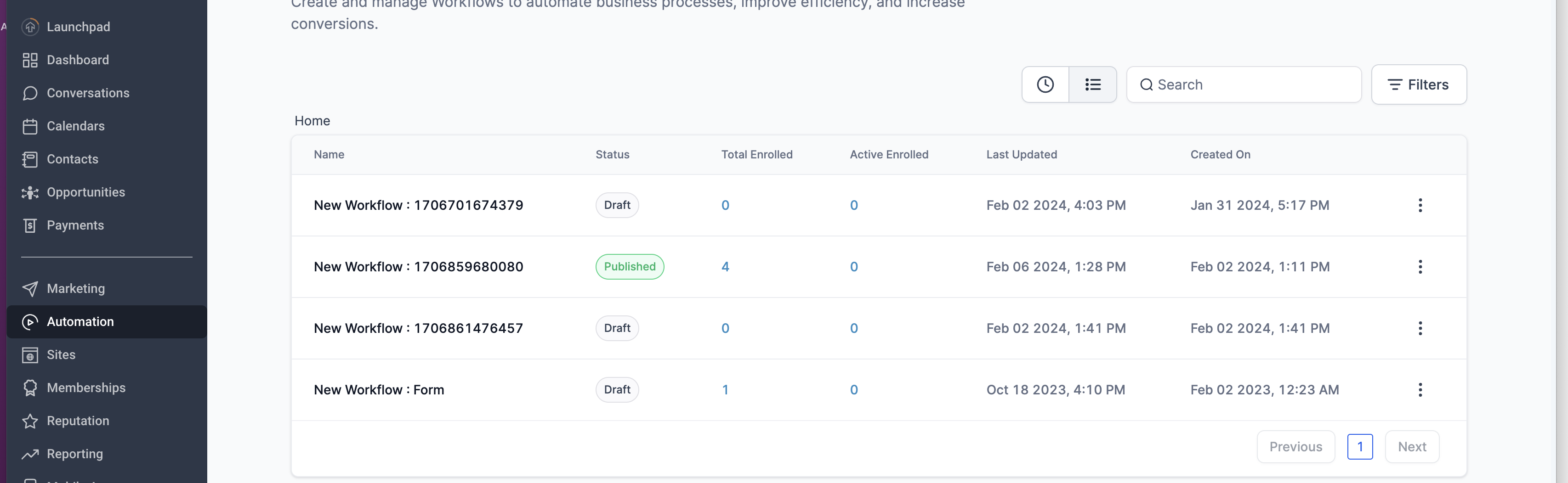
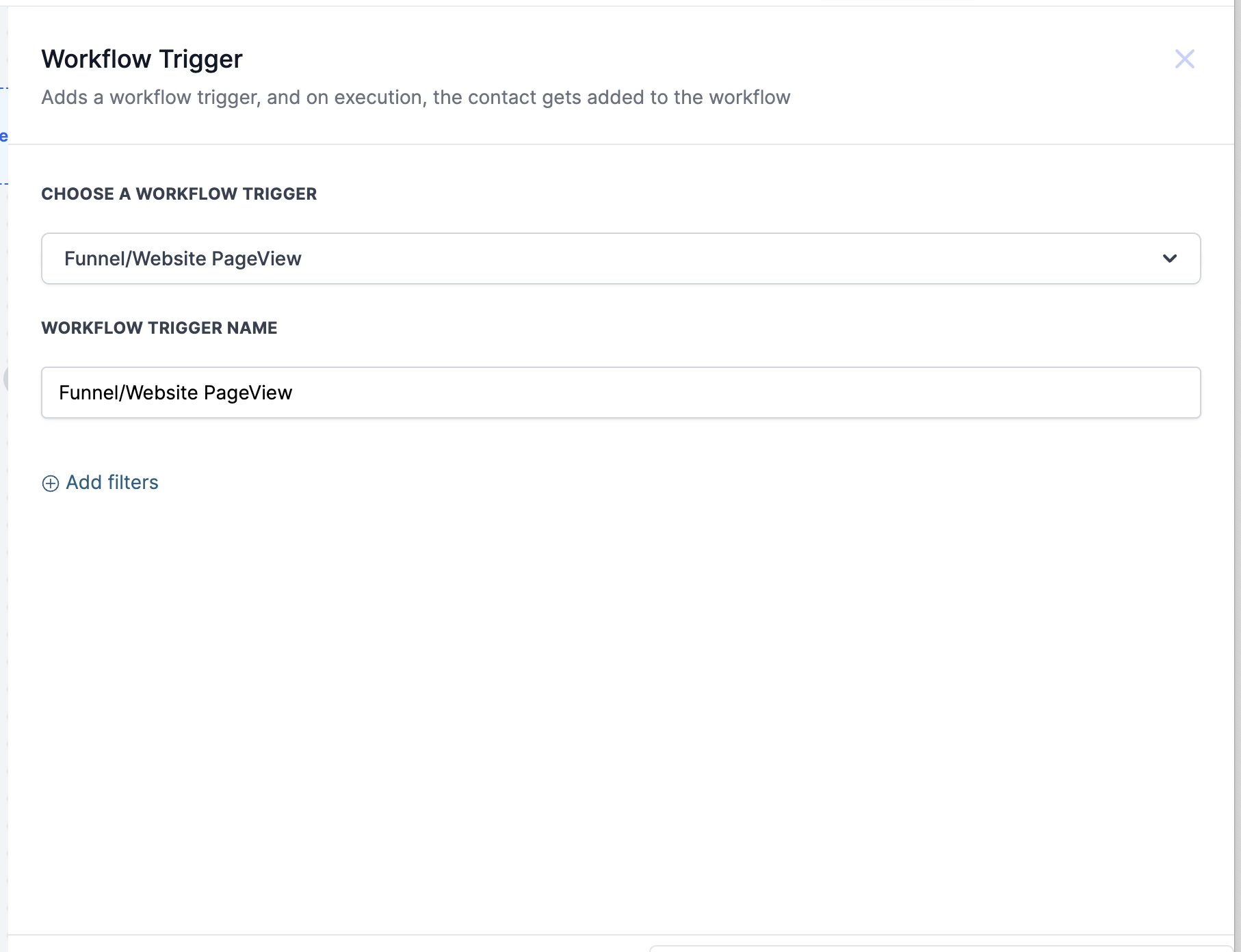
The feature lives inside the Automation tab under Workflows. It adds a new trigger type called Funnel/Website Pageview. When a contact loads any page belonging to the selected funnel or site, the workflow can begin.
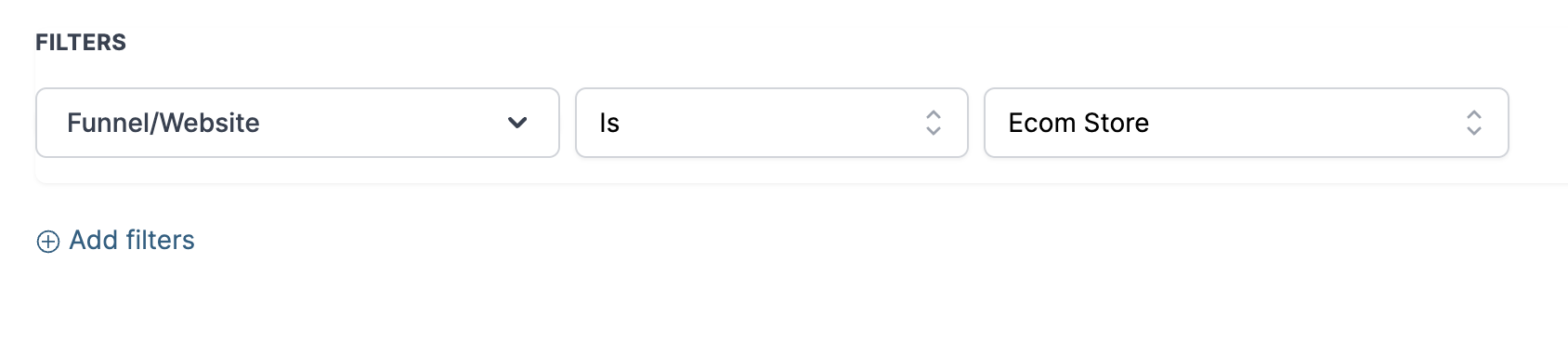
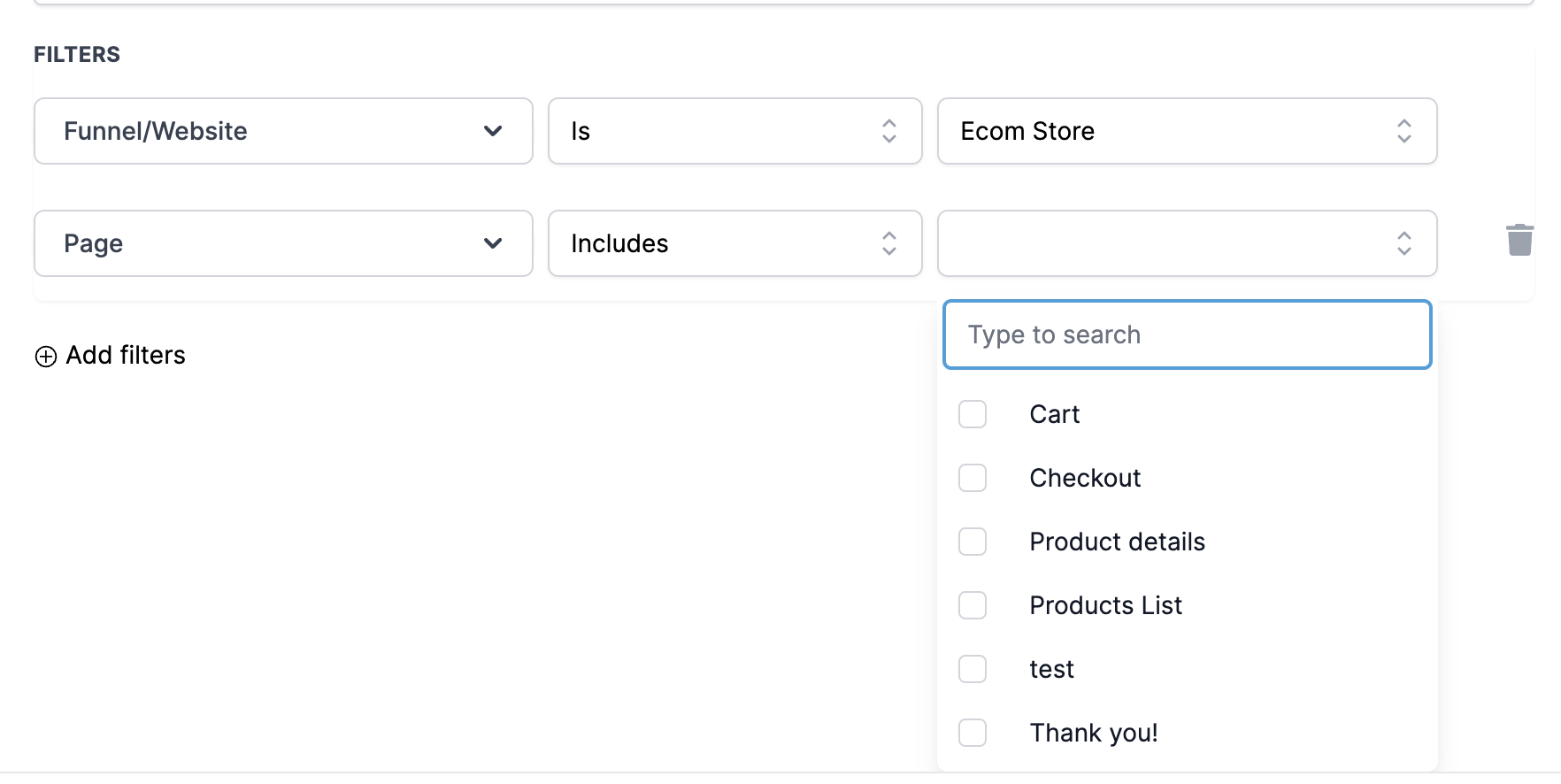
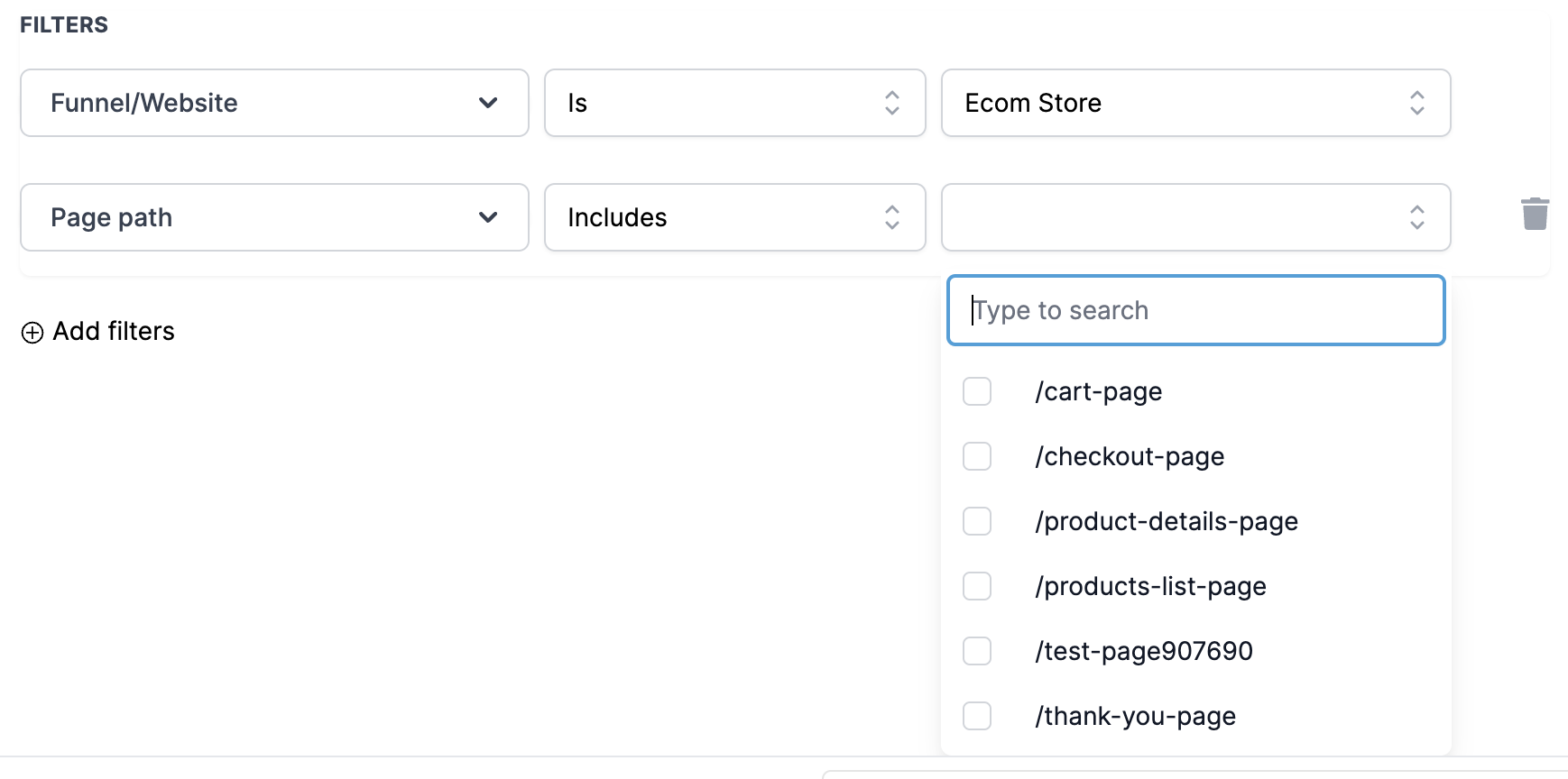
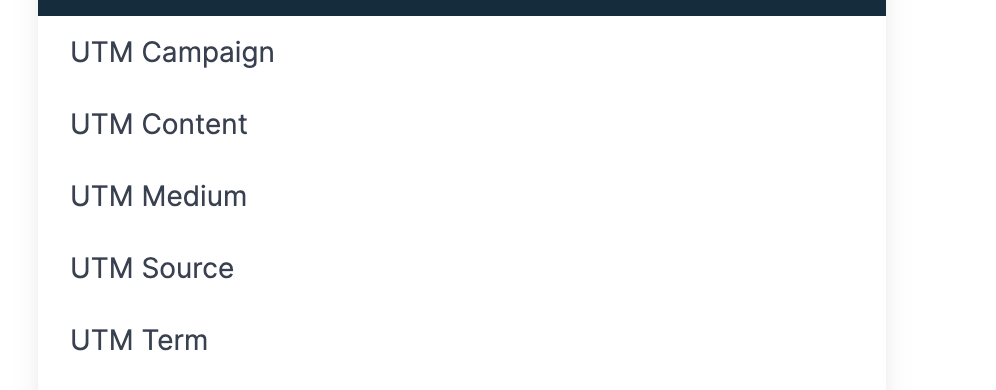
Filters let you narrow the trigger to a single funnel or website. A second filter allows you to specify exact pages or page URLs, so only those visits start the automation. A third option lets you require particular UTM parameters, tying the trigger to a specific marketing campaign.
The trigger runs in real time as soon as the visitor loads the page and the contact record is identified. It works for any funnel or website built in HighLevel and can be combined with other workflow steps for complete engagement journeys.
03How businesses use page view triggers
- Digital marketing agency. The agency creates a workflow that fires when a client’s prospect visits the pricing page of a sales funnel. By adding a filter for that page URL, the workflow sends a follow up email offering a consultation. The agency also adds UTM checks to ensure the trigger only fires for paid ad traffic.
- Real estate brokerage. The brokerage sets a trigger on the property listing page of its website. When a visitor views a specific listing, the workflow tags the contact with the property ID and schedules a call reminder for the assigned agent.
- Ecommerce store. The store adds a trigger that activates when a shopper reaches the checkout page URL. The workflow then sends a cart abandonment series, but only if the UTM source indicates a Google Ads campaign.
04How to set up and use page view triggers in HighLevel
Create a page view trigger in a workflow
- Open the Automation tab and start a new workflow.
- Add a trigger and select Funnel/Website Pageview as the type.
- Choose the funnel or website whose visits should activate the trigger.
- Define a specific page or page path to limit the trigger, or enter a full page URL.
- Optionally include UTM parameters to refine which visits start the workflow.
05What it looks like in HighLevel
06Settings that matter
- Funnel/Website Pageview trigger. Selects the trigger type that starts a workflow when a contact views any page in the chosen funnel or website.
- UTM parameters. Allows the workflow to require specific UTM values, so the trigger only fires for visits that match those campaign attributes.
07Things to know before you rely on it
- The trigger can monitor multiple funnels or websites at the same time.
- It can be limited to particular pages or exact page URLs for granular control.
- UTM parameters can be added to the trigger conditions to target specific campaigns.
08How it connects to the rest of HighLevel
- Add tracking code to funnels and websites in HighLevel Tracking code guide
- HighLevel website setup: create pages, customize design, connect domain, and review mobile settings before launch Website setup overview
- HighLevel pricing and plans Pricing page
Get More InformationOpens on HighLevelPublished November 2, 2026 · Updated November 16, 2026