
01Mega menus, explained
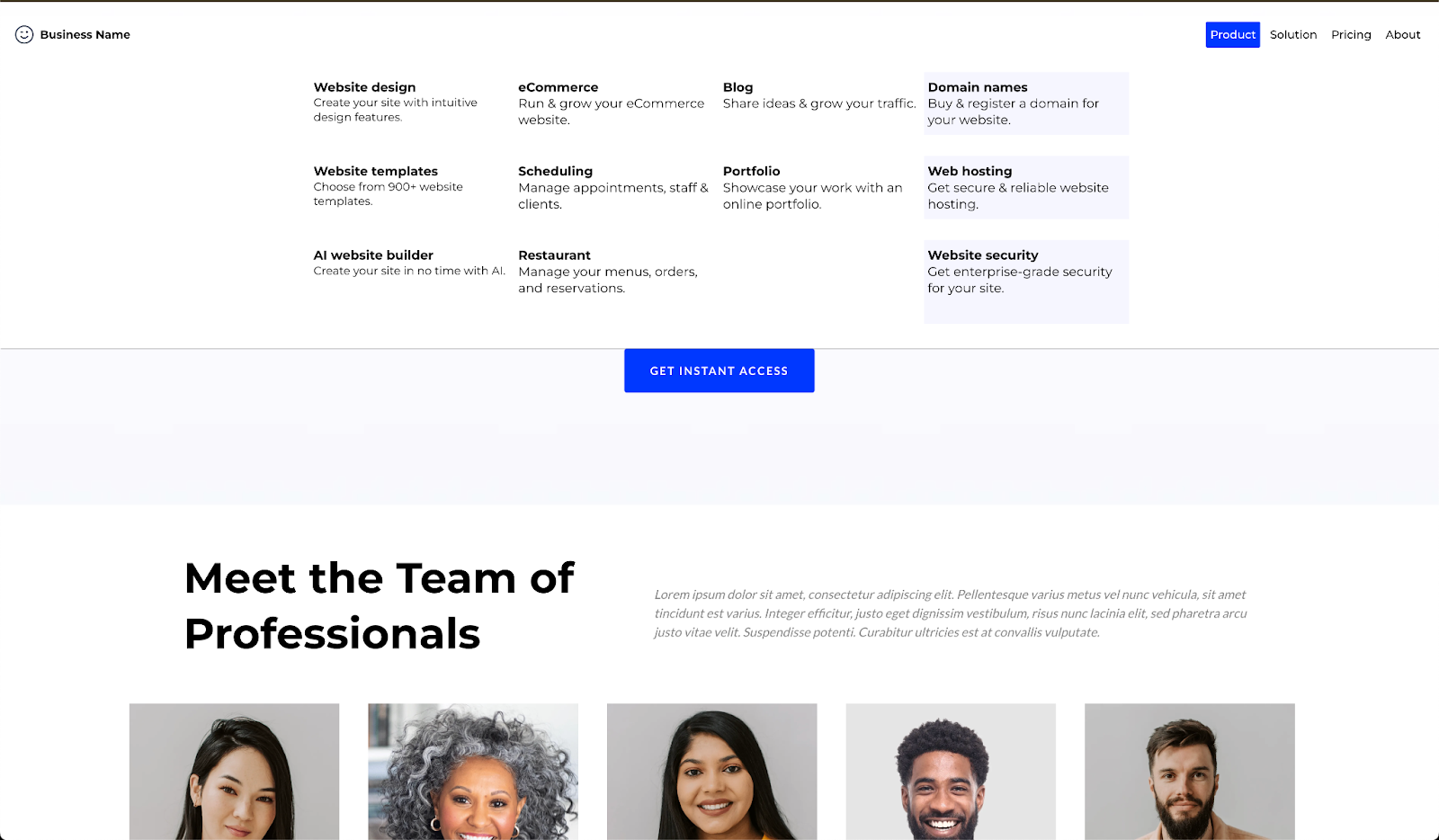
The mega menu option adds a hover activated panel to a navigation item. You can place images, text and links inside the panel, allowing you to present large amounts of information. When a visitor moves the cursor over the item, the panel appears, offering a seamless navigation experience.
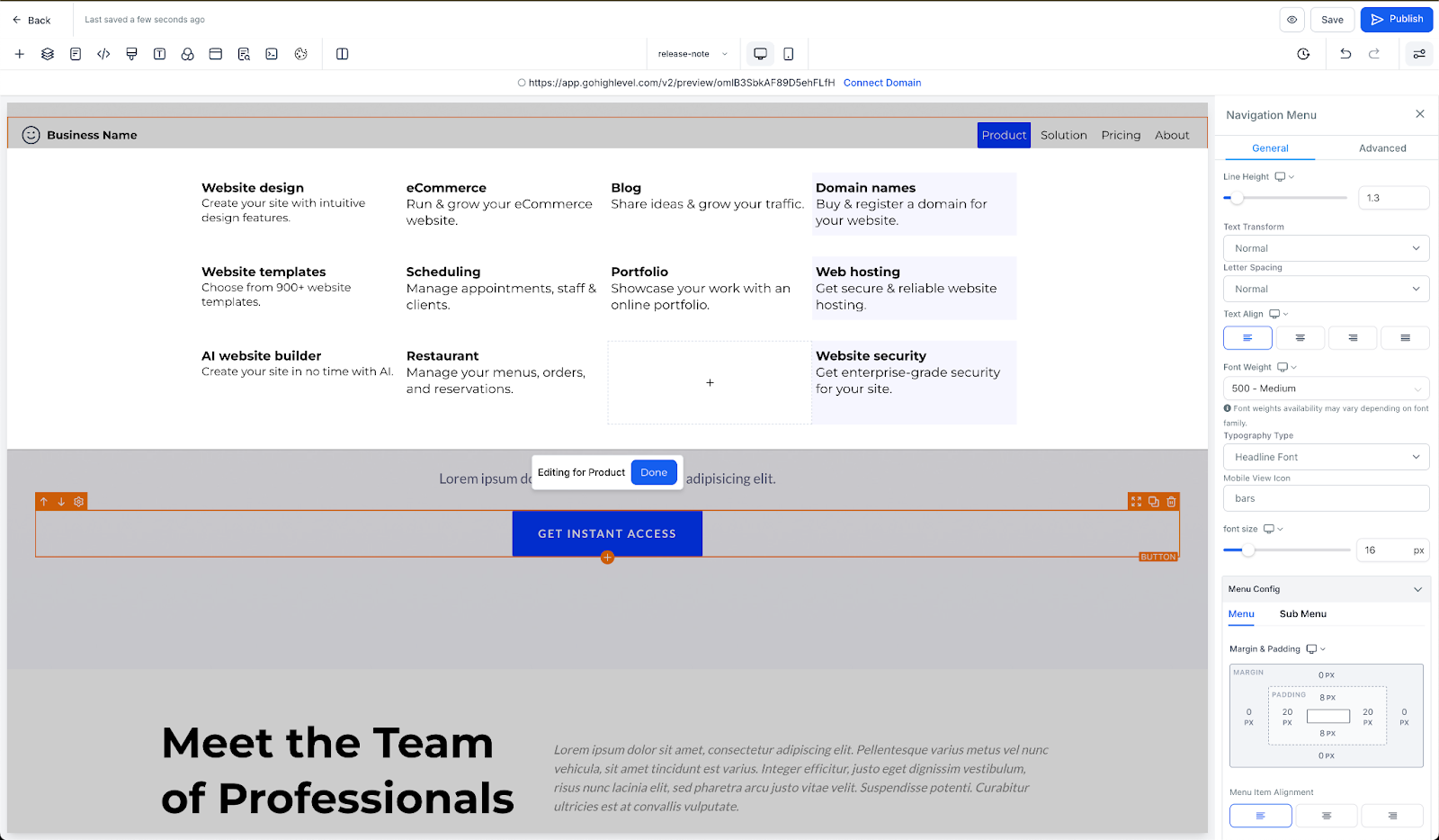
A revamped navigation menu editor provides better organization and easier customization. An overlay appears while editing the mega menu, reducing distractions and letting you focus on arranging elements. The live preview shows exactly how the menu will look before publishing.
02How to set up and use mega menu in HighLevel
Add and customize a mega menu
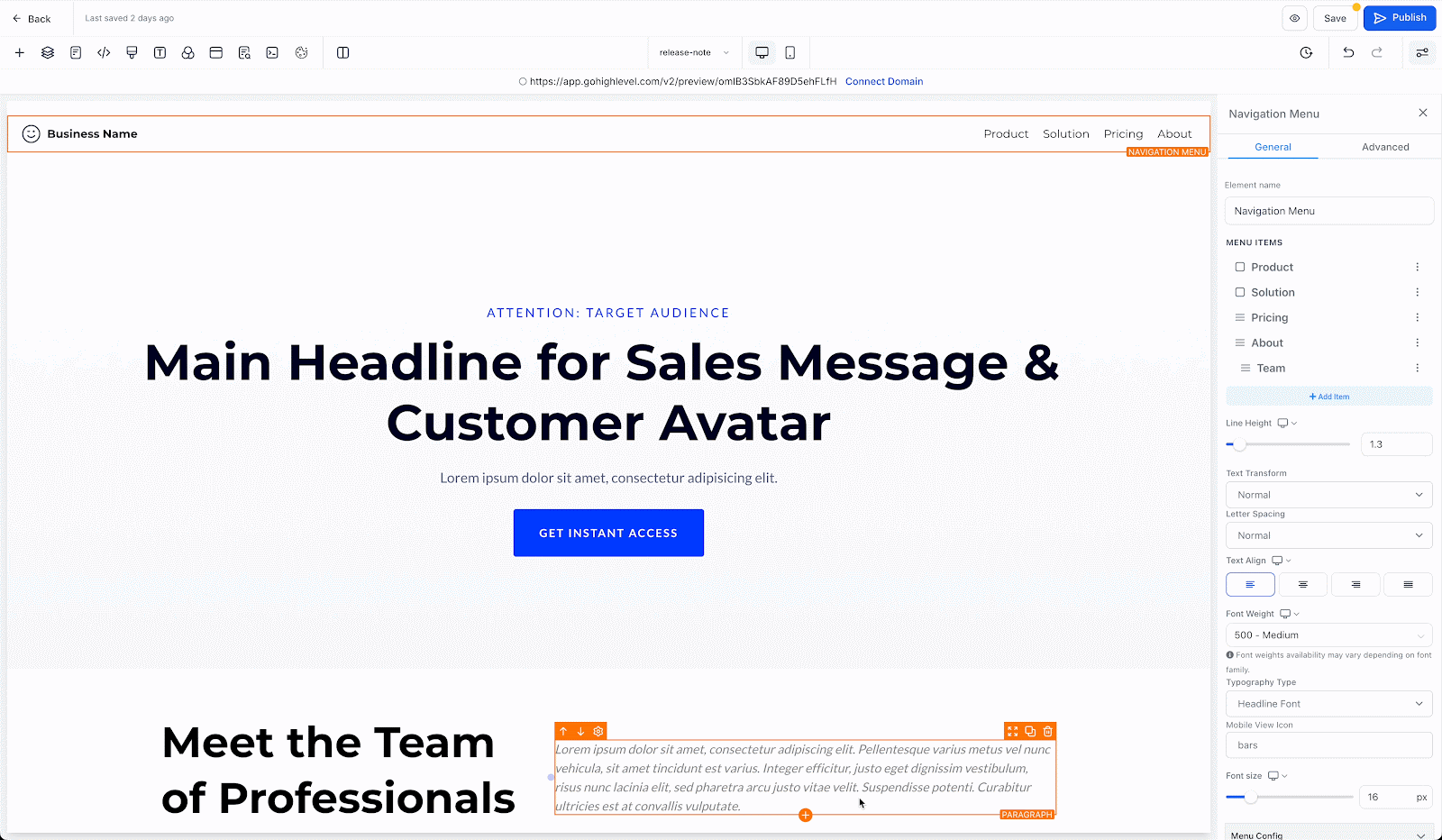
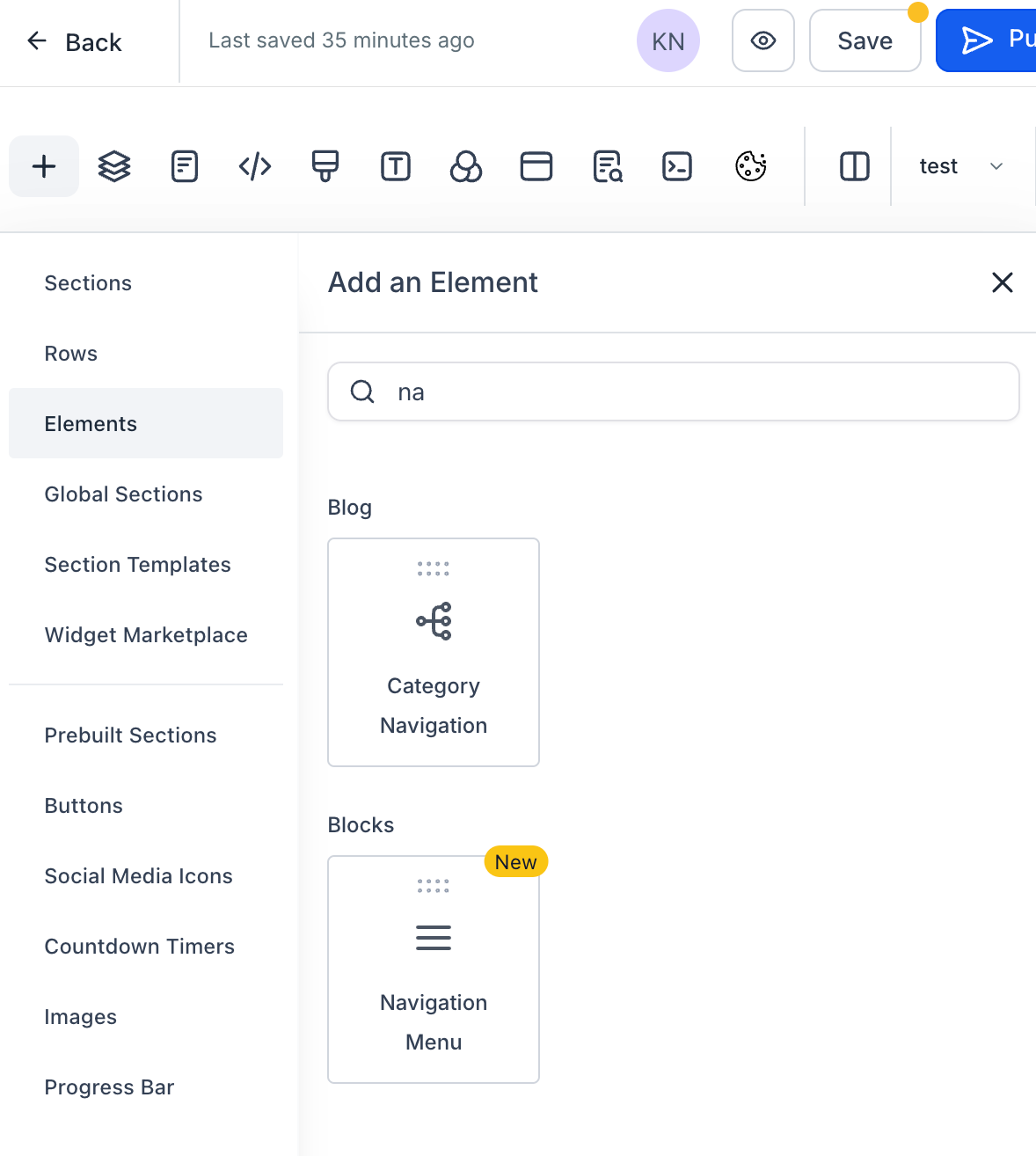
- In the HighLevel funnels and websites builder, go to the left sidebar, select elements and add the new navigation menu.
- Configure the layout and styling of the navigation menu with the enhanced style editor in the right sidebar settings.
- Click on Add item, followed by mega menu to add mega menu to navigation menu.
- Use the live preview feature to see exactly how the mega menu will look on the live website, ensuring everything is in place before publishing.
- Customize the mega menu by adding elements like images, text, and links.
- Adjust background colors, fonts, spacing, and more to match your website’s branding and style.
- Drag and drop elements within the mega menu to easily organize content.
03What it looks like in HighLevel


Michael's take

Michael ReimerFounder of CRM Pros, HighLevel Commander and Certified Admin
I find the new mega menu useful for organizing content.
Get More InformationOpens on HighLevelPublished November 2, 2026 · Updated November 3, 2026